

 ChatGPT
 Perplexity
 Claude
 Gemini
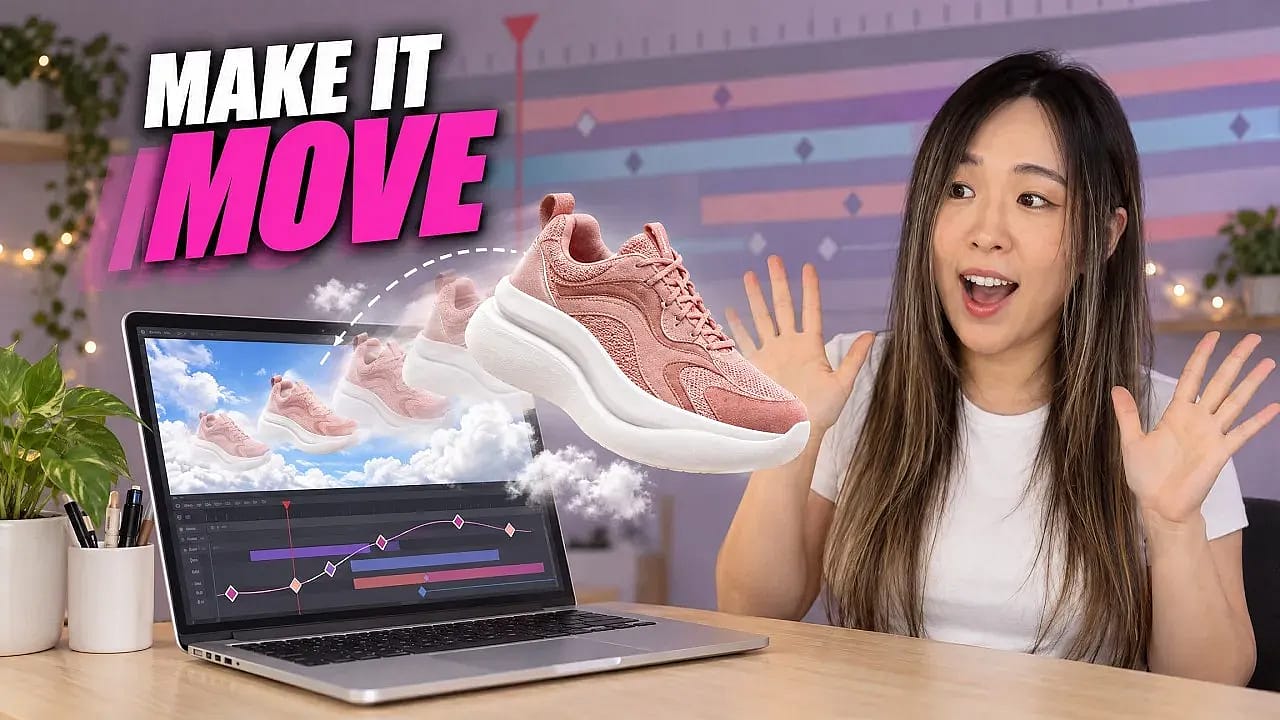
There are two ways to make AI motion graphics. You can ask an AI video model to bake text into a clip and hope it spells every word right. Or you can make the pictures in OpenArt and ask Claude to build the motion in code. Every word, color and move stays editable, so a typo is a one-line fix instead of a new generation.
This guide follows our walkthrough with creator Mia Meow. It covers three workflows (a moving Instagram carousel, graphics on top of an AI video, and a full animated video made in code) plus the one-time setup.
TL;DR
Make your images in OpenArt, then let Claude animate them in code with Remotion. You get motion graphics you can edit line by line.
- Text is rebuilt in code, so changing a headline does not cost a new video generation.
- Claude pulls your OpenArt images, layers and voice-overs straight from your account through OpenArt MCP.
- You need the Claude desktop app with Claude Code, the Remotion plugin, and an OpenArt account. OpenArt MCP works on every OpenArt plan.
What Are AI Motion Graphics?
Motion graphics are moving text, shapes and images: title cards, product labels, animated social posts and captions on a video. AI motion graphics use AI to make the pictures, the motion, or both.
The two approaches work very differently:
| Approach | How it works | What happens when you need a change |
|---|---|---|
| AI video with text baked in | A video model draws the text as part of the picture | You generate the whole clip again and hope the new words come out right |
| Images from AI, motion in code | OpenArt makes the pictures, Claude writes the animation as code | You change one line and export again |
This guide teaches the second approach. AI video models are great at people, products and scenes. Code is better at spelling a headline the same way every time.
Why Use Claude for Motion Graphics?
Three reasons stand out from the walkthrough.
Every letter stays editable. Claude rebuilds the text in code, matching the style and font you show it. A wrong word is a quick text edit.
You stop paying to regenerate. When the text lives inside an AI video, each fix means another generation and more credits. With code, credits go to the images and clips you actually want. Text changes and timing tweaks happen in code.
Ad testing gets cheap. Want to test two headlines on the same product video? Change one line, export again. The product shot stays exactly the same, so the test only measures the headline.
Workflow 1: How to Make a Moving Instagram Carousel
Carousels are worth the effort. Metricool's 2026 Instagram study of over 24 million posts found carousels get about 9x more saves than single-image posts. A carousel that moves stands out even more in the feed. For still posts, the Instagram Post Generator is a faster route.
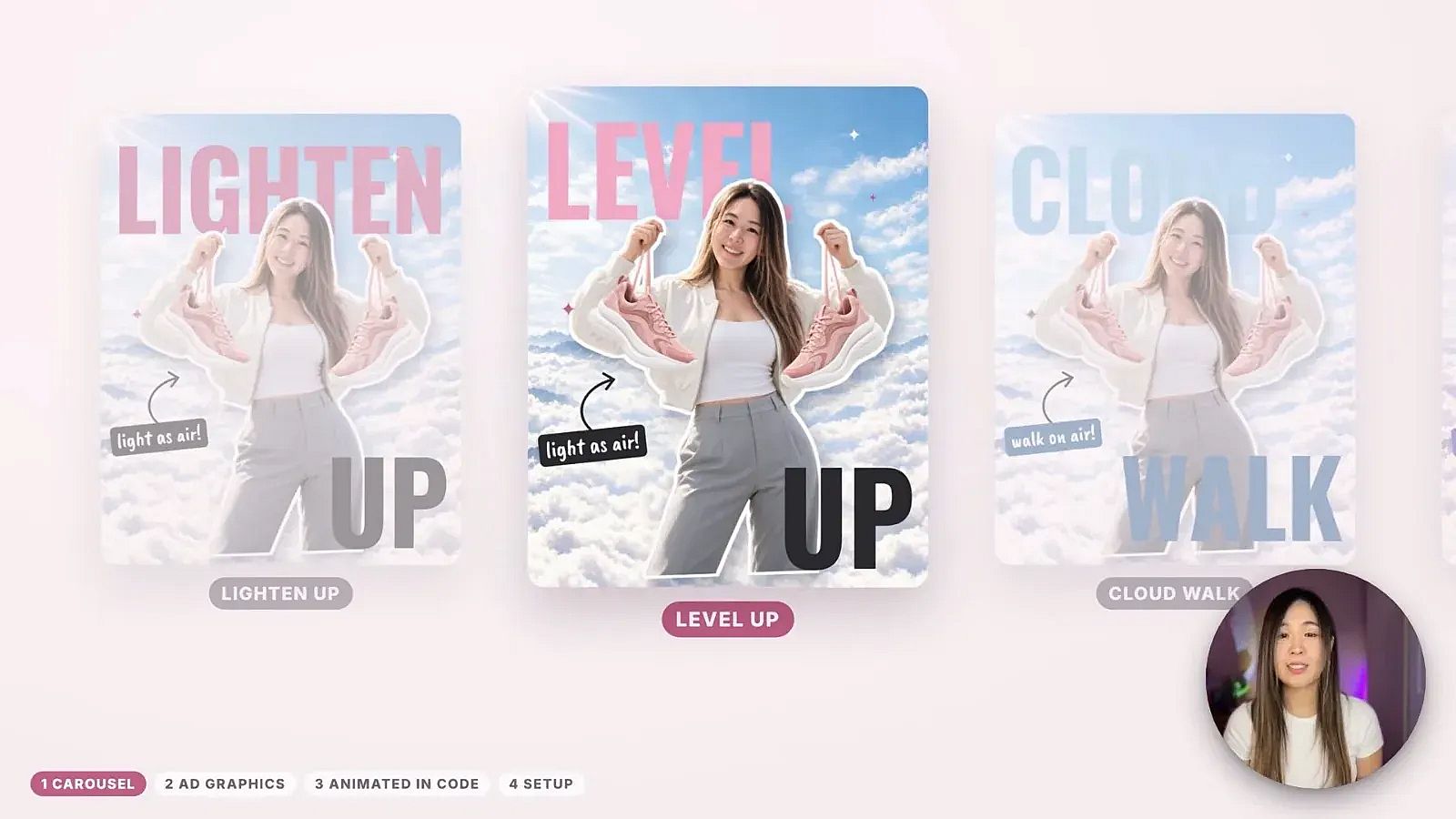 Three carousel slides made in one Claude chat, each with its own moving headline.
Step 1: Make the image inside Claude. With OpenArt MCP connected, Claude works as a Claude AI Image Generator, so you can plan the idea, write the copy and generate the picture in one chat. In the walkthrough, Mia gave Claude a shoe photo and a photo of herself, and Claude made the slide image with GPT Image 2.5 on OpenArt.
Step 2: Split the image into layers. Open Extract Layers from the Image tools on OpenArt and upload the image. Set the most layers you want, anywhere from 2 to 16. Mia set it to 6. Our guide on how to split an image into editable layers covers the tool in more detail.
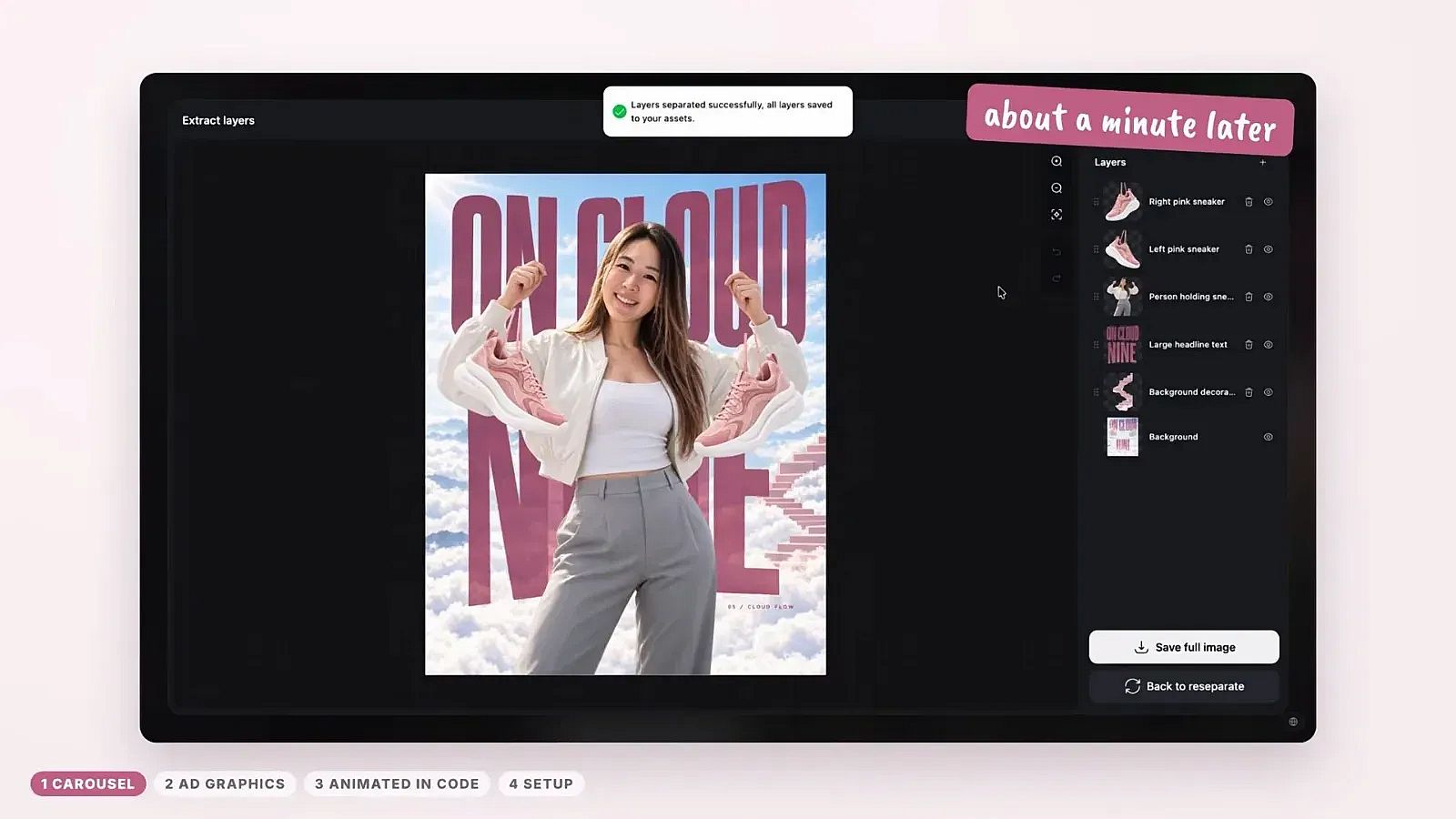 Extract Layers turns one flat image into separate layers you can move on their own.
Step 3: Let Claude pull the layers. Save the layers to your OpenArt account. Claude grabs them through MCP, so there is nothing to download or drag around. Then tell Claude how each layer should move: the person slides in, the background drifts, the shoe pops.
Step 4: Rebuild the text in code. The text layer from Extract Layers is a picture of words. Ask Claude to rebuild it as real text in code, matching the style and font. The headline is then fully editable.
How Do a Project Folder and Style Library Help?
A project folder and a style library make every next project faster.
First, keep one project folder. The setup prompt from the walkthrough builds it for you: inputs, references, audio, finished videos and templates, plus a rules file Claude follows.
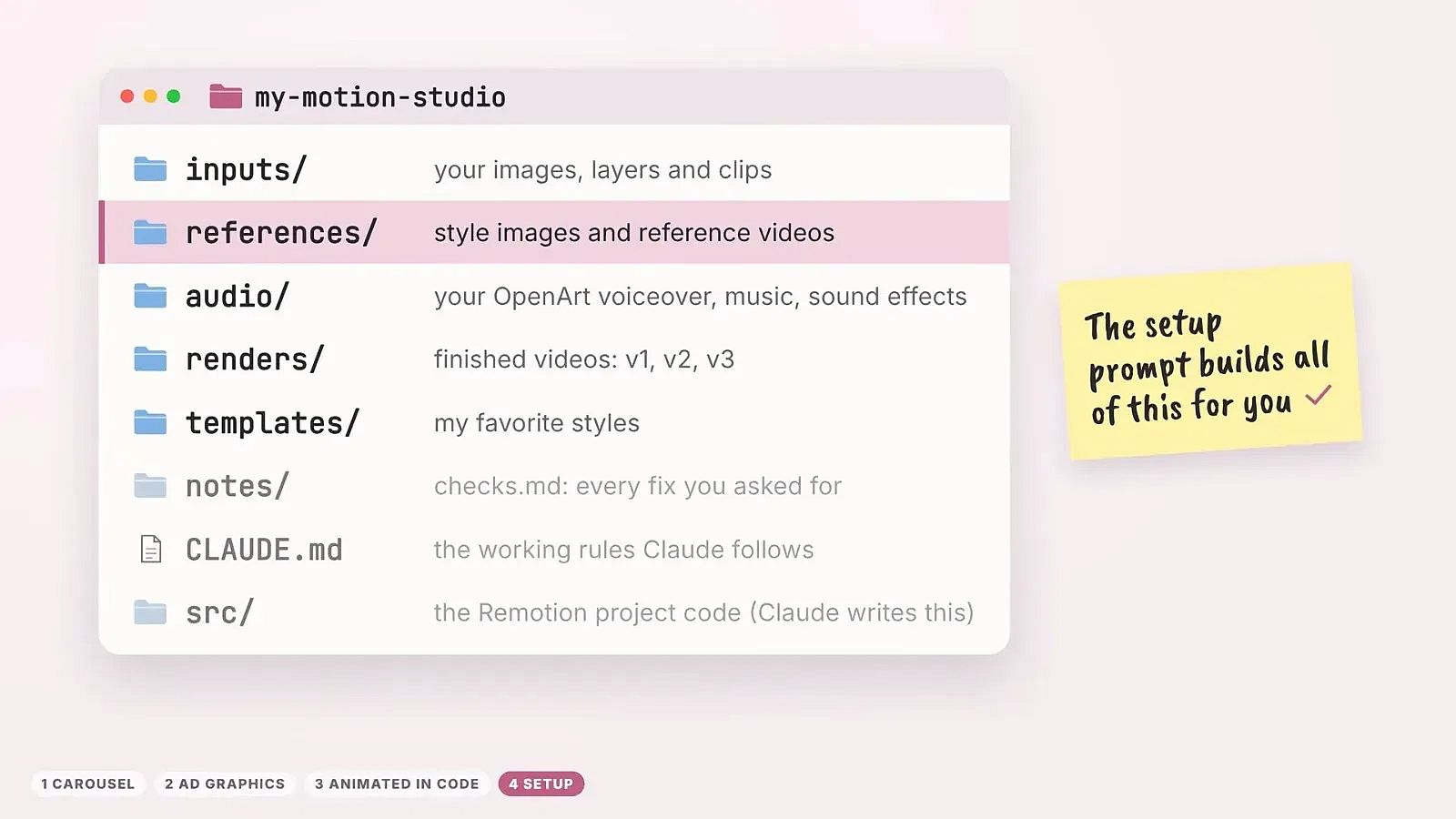 One folder for everything. Claude knows where to find your images, voice-overs and saved styles.
Second, build a motion graphics style library. When you make a look you like, save it. When you see a motion style you love somewhere else, drop the reference video in and ask Claude to recreate it. Next time, Claude reads the library, suggests styles that fit, and reuses the code instead of starting from zero.
Workflow 2: How to Add Motion Graphics to an AI Video
Adding graphics on top of an AI video is the most useful workflow for product ads. For a full ad made from a brief, see how to create video ads with AI in Claude.
Step 1: Make a clean clip. Mia made a short shoe clip with Seedance 2.5 in the AI Video Generator. Keep it simple, and leave text out of the video prompt. The text comes later, in code. For prompt ideas, see these AI video prompt examples for MCP.
Step 2: Pick a look with a still. Her first versions looked generic. So she took one clear frame from the clip and asked Claude to make three art styles with GPT Image 2.5 through MCP: a fashion magazine look, a video game screen look, and a hand-drawn doodle look.
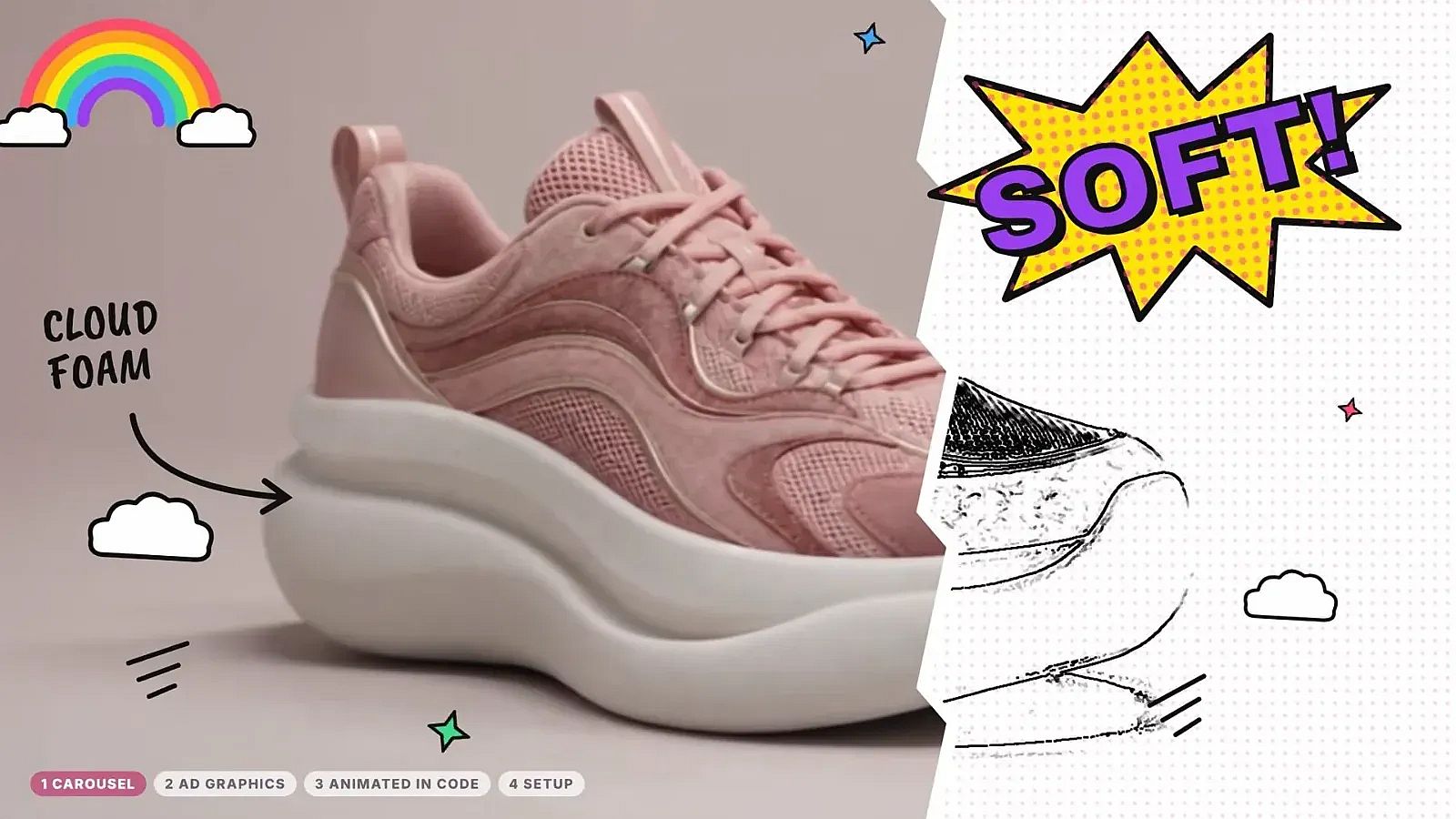 The hand-drawn doodle style, one of three looks tested on a single frame before animating anything.
Step 3: Give Claude the clip and the still. The clip is the base. The still shows how it should look. Claude rebuilds every letter and graphic in code on top of the video.
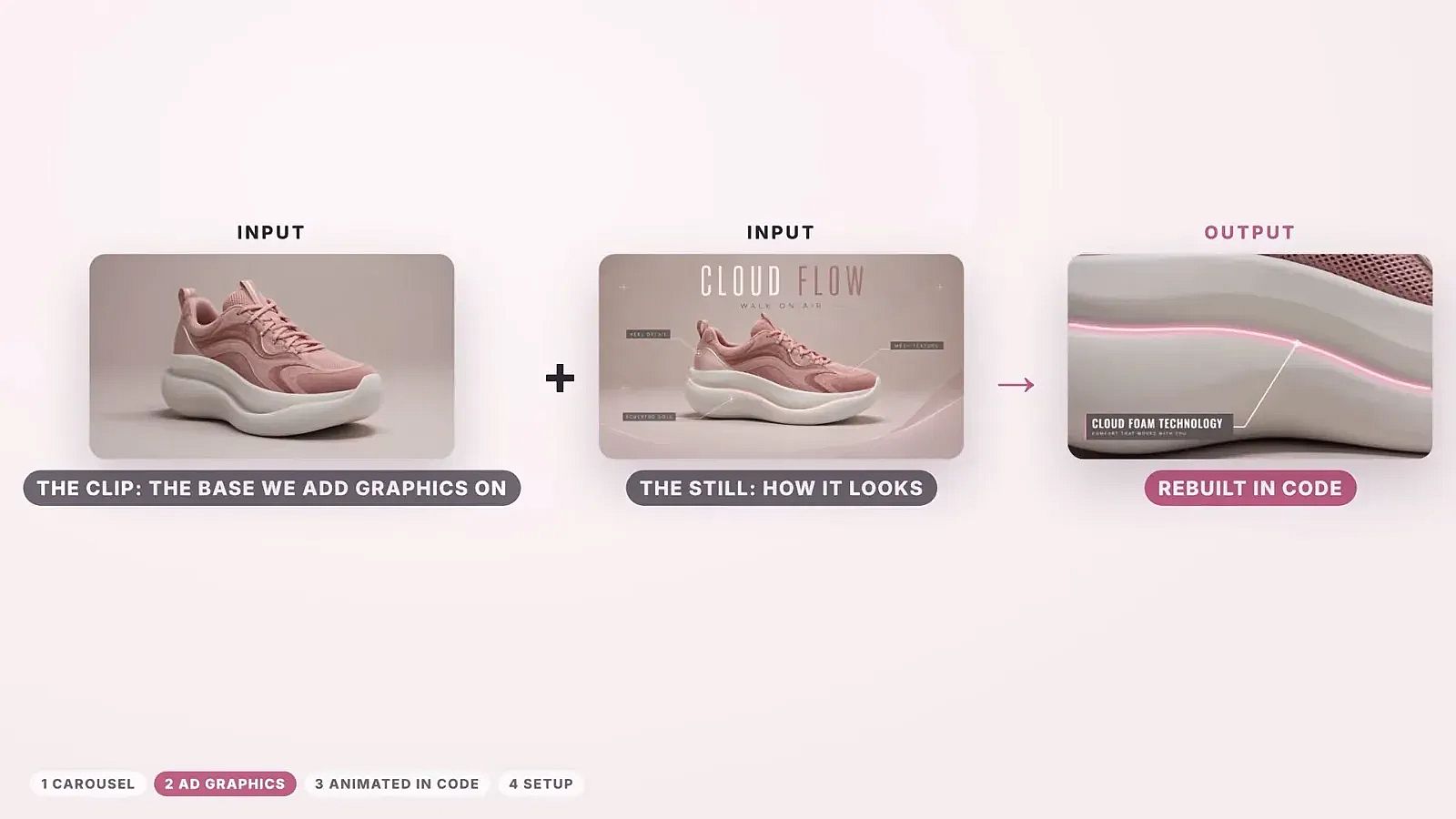 Input: a plain clip and one styled still. Output: the same clip with live, editable graphics.
Step 4: Describe the shots in plain words. Everyday words work fine here. Mia's shot plan was four lines: the Cloud Flow name, a close-up of the mesh, the cloud foam tech, and the anti-scratch heel. Claude turned that into on-screen text and timing. If you want more control, ask Claude to show you the shot list before it builds anything.
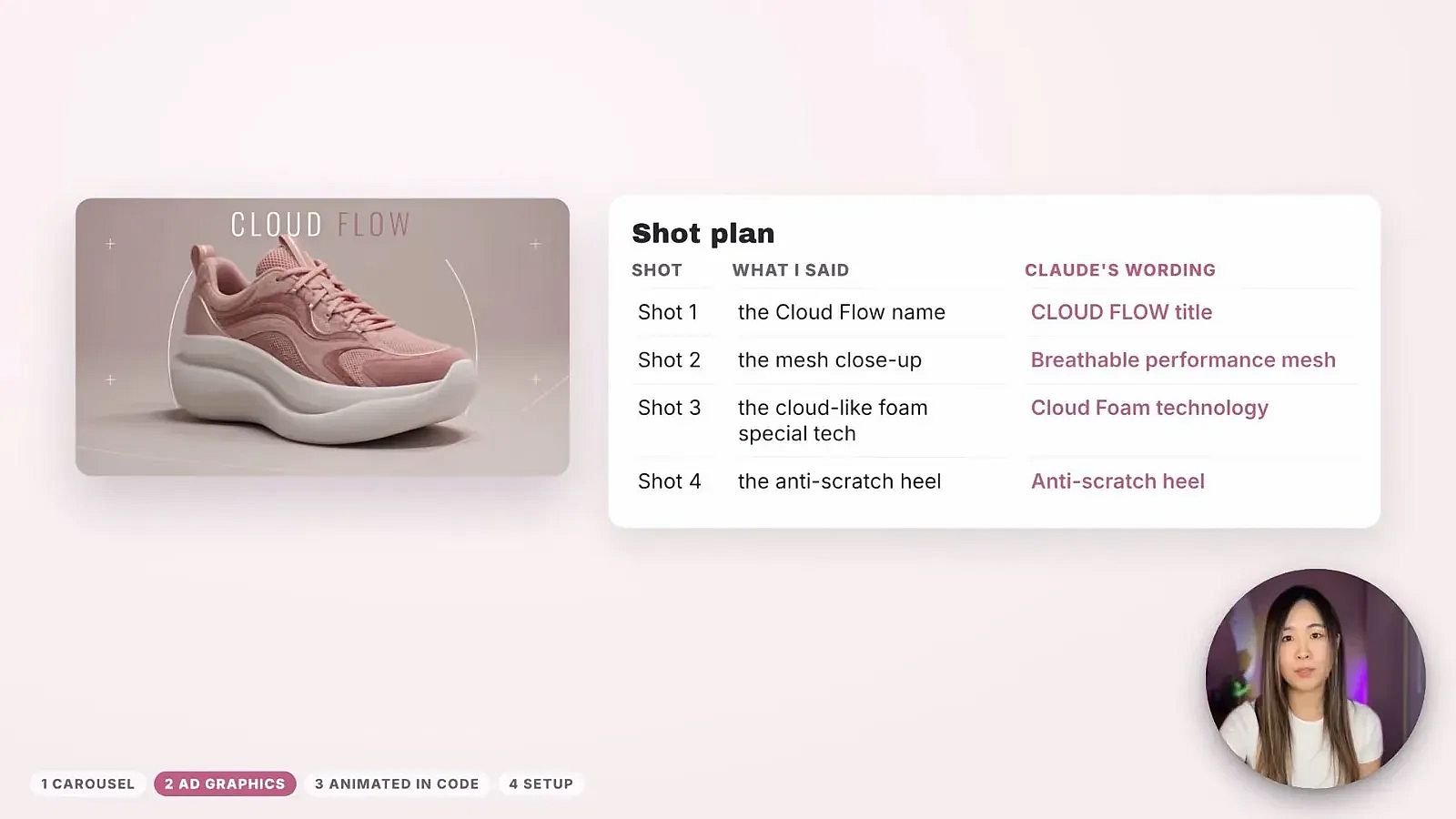 What Mia said on the left, the text Claude wrote for each shot on the right.
Step 5: Test headlines without a new generation. Change the headline line in code and export again. The product shot does not change, and you do not spend credits on a second video.
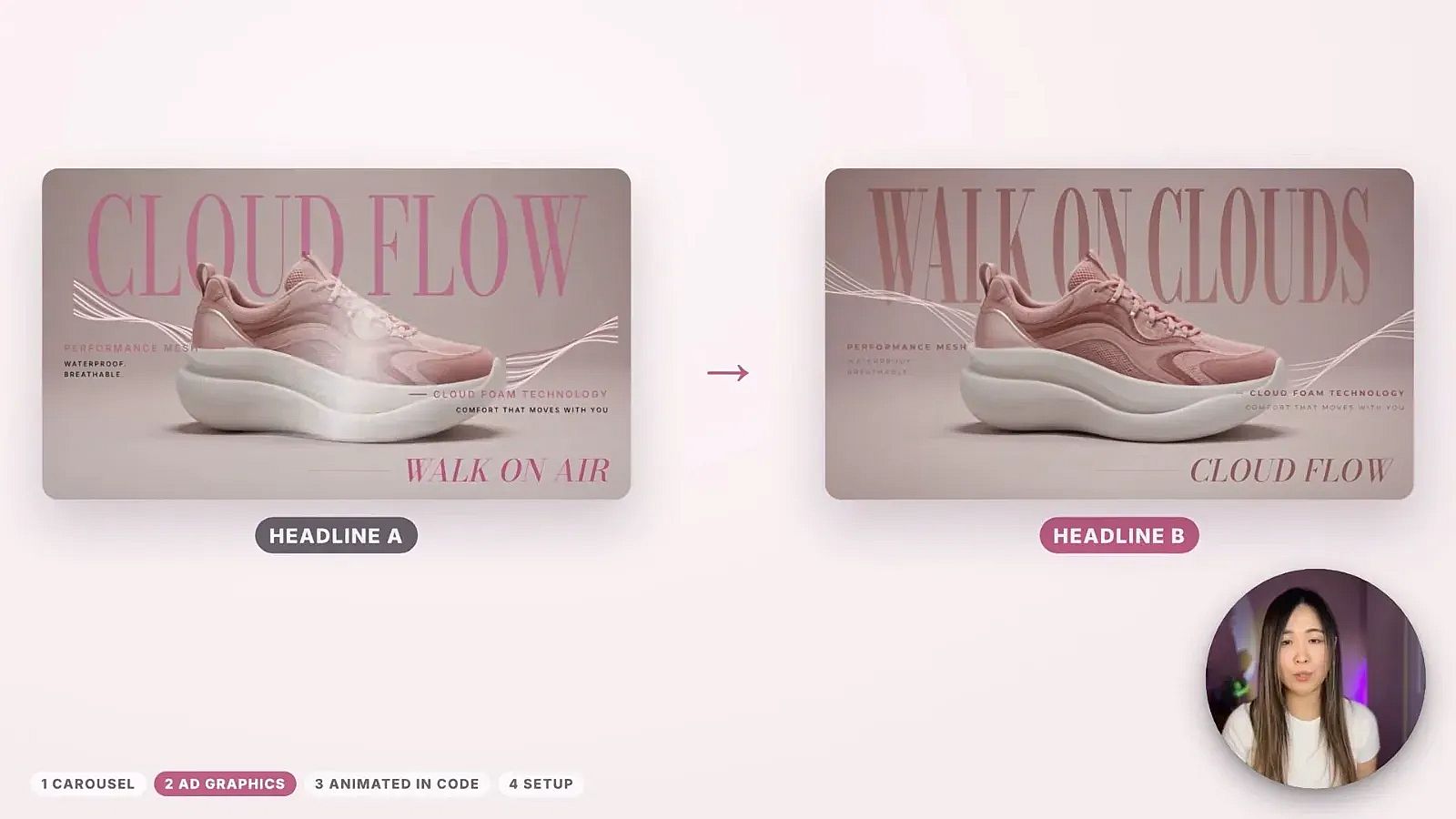 Headline A and Headline B on the same clip. Only one line of code changed.
This matters most for performance marketers. You can make a batch of ad versions from one good clip and let the results pick the winner. Our guide to ad creative testing with AI shows how to plan those tests.
Workflow 3: How to Make a Full Animated Video in Code
You can also skip the video model entirely. Mia's example is "Mimi is hungry", a cozy game-style video about a cat making the perfect omelet. The text boxes, menus, minigame and result screen are all code.
Characters. GPT Image 2.5 on OpenArt made a sheet of the cat in six poses on a plain green background, plus the kitchen background. Claude separated each pose and swapped them in time, like paper stop-motion. This method works best for a choppy, handmade look. Claude can also draw simple hand-drawn characters itself in code.
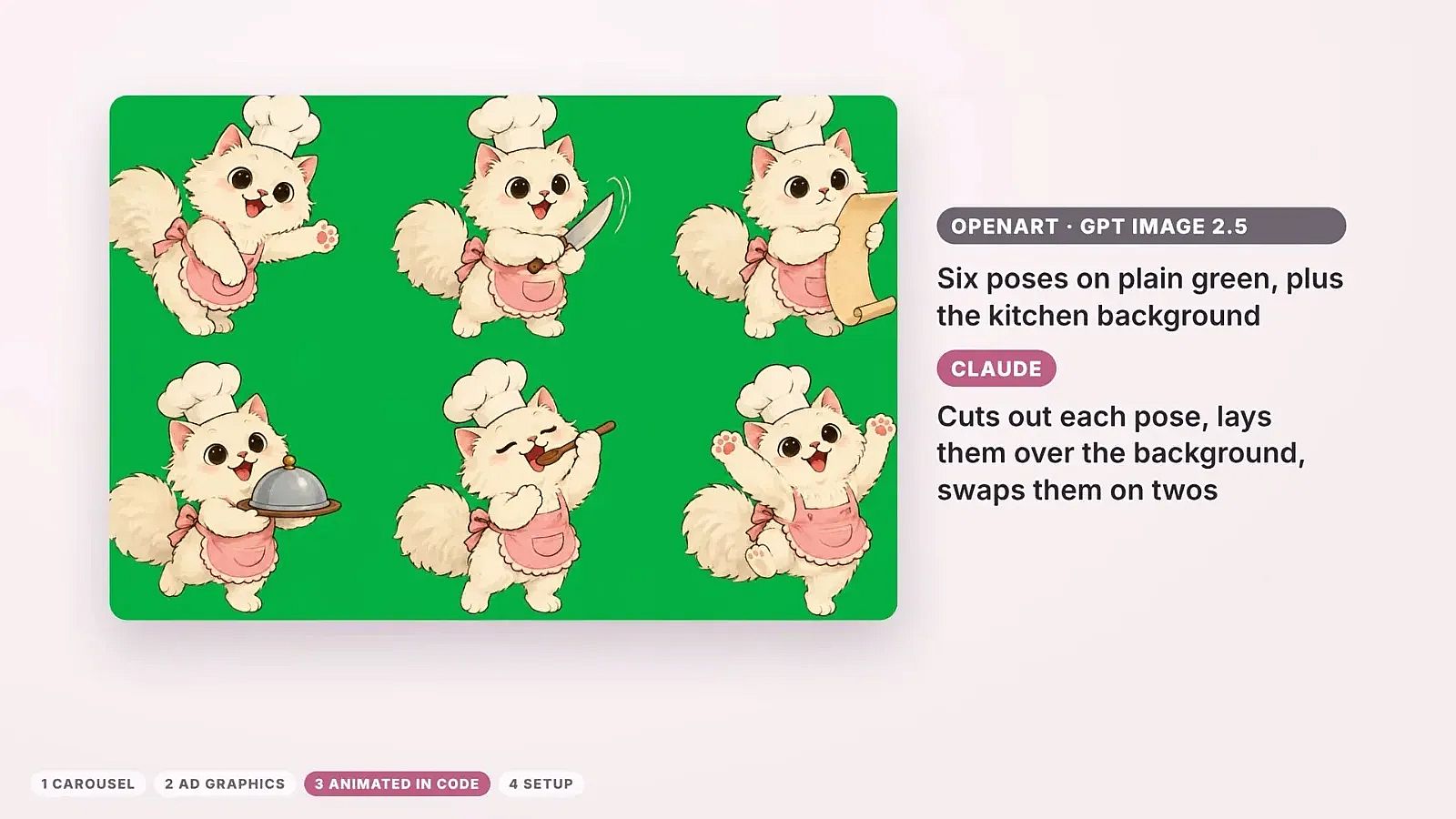 One image, six poses. Claude swaps between them to make the cat move.
Sound. The voices came from the Create voice-over tool on OpenArt. Sound effects and the 8-bit music were written in code.
Direction. Mia described a story and a style, and Claude worked out the motion. The same approach works for music videos with original music, explainers and short brand stories. If you would rather not work in code, the AI Animation Generator makes animated videos from a prompt.
How to Set Up Claude and OpenArt for Motion Graphics
You only need to do the setup once.
- Open Claude Code in the desktop app. Open the Code tab, make a new project folder, open it in Claude Code and allow access. If you are new to making visuals in Claude, start with this Claude Opus 5.5 image and video generation guide.
- Add the Remotion plugin. Remotion is the code library that turns Claude's code into video. In the Claude desktop app, select Code, then Customize, then Plugins, then Discover. Search "remotion" and add the plugin.
- Run the setup prompt. The setup package is linked in the video description. The prompt installs Node.js and Git if they are missing, sets up a Remotion project, adds templates and a rules file, and makes a short test video. Set permissions to "accept edits" so Claude can work without asking at every step.
- Connect OpenArt MCP. In Claude desktop or on claude.ai, go to Customize, then Connectors. Click Add custom connector, name it OpenArt, and paste this server URL:
https://mcp.openart.ai/mcp. Click Add, then Connect, and sign in with your OpenArt account. Full steps for other agents are on OpenArt's MCP page.
A note on tools: OpenArt MCP generates the images and videos, and Claude handles the animation in code. Extract Layers and Create voice-over run on the OpenArt website. Make the layers or voice-over there, save them, and Claude pulls them from your account.
A note on Remotion: it is free for individuals and teams of up to 3 people. Companies with 4 or more people need a Remotion company license.
Start with one small project, like a single animated carousel slide. Once the folder and style library are in place, batch the rest.
What Does It Cost?
There are two accounts involved.
Claude. You need Claude Code in the Claude desktop app.
OpenArt. Credits are spent on what OpenArt generates: images, video clips, layers and voice-overs. Editing text, timing and motion in code does not use OpenArt credits. That is the main saving compared with regenerating AI video until the text comes out right.
| What you need | Where it comes from |
|---|---|
| OpenArt MCP access | Included on every OpenArt plan, from Starter at $14/month |
| Images and characters | GPT Image 2.5 and other image models on OpenArt |
| Product clips | Seedance 2.5 and other video models on OpenArt |
| Layers and voice | Extract Layers and Create voice-over on OpenArt |
| Animation and text | Claude Code with Remotion |
If the motion graphics are for client work or ads, note that commercial rights apply on eligible paid plans. New accounts get 40 free credits to try it out, no credit card required. Check the pricing page for current plans and credits.
FAQ
Can Claude make motion graphics?
Yes. With Claude Code and the Remotion plugin, Claude writes the animation as code and exports it as a video. Claude has no image model of its own (here is why Claude can't generate images), so pair it with OpenArt MCP. Claude then also works as a Claude AI Video Generator and can make the images, characters and clips it animates.
Do I need After Effects or animation skills?
No. Everything in the walkthrough was made without After Effects. You describe the story, the style and the shots in plain words, and Claude handles the motion.
Why keep text out of the AI video prompt?
AI video models draw text as part of the picture. If one word is wrong, you have to generate the whole clip again. When text lives in code, you fix it with a quick edit, and the rest of the video stays exactly the same.
What is the Claude and Remotion setup?
Remotion is a code library for making videos. The Remotion plugin for Claude Code gives Claude what it needs to build Remotion projects. You add it from the Plugins section of the Claude desktop app.
Is Remotion free?
Remotion is free for individuals and teams of up to 3 people. Companies with 4 or more people need a company license from Remotion.
Which OpenArt plan do I need?
OpenArt MCP works on every plan, including Starter. Bigger plans give you more monthly credits for images and clips. Commercial rights apply on eligible paid plans.