

Seedance 2.5 — Video Generation Model
Seedance 2.5 AI video generator makes a complete 30-second clip in full HD resolution, accepts up to 50 reference inputs, and delivers 20% better prompt accuracy than Seedance 2.0.

Community Creations
See how creators use Seedance 2.5 to make brand films, multi-character scenes, and 3D-staged product visuals.
Key Features of Seedance 2.5
The first AI video model with native 30-second one-shot generation, 50-input multimodal references, and region-level frame editing.
Longer Text-to-Video Generation
Write a scene and Seedance 2.5 generates a complete 30-second clip in up to 1080p resolution, with much better prompt adherence compared to previous version. Characters, lighting, and motion stay consistent from the first frame to the last, with no stitching required.
Try it NowUp to 50 Multi-Modal References
Upload a reference image and Seedance 2.5 animates it into a full-length clip. Your subject's appearance carries through the generation, and you can supplement it with up to 50 different reference inputs including images, video, or audio clips.
Try it NowRegion-Level Editing
Seedance 2.5 lets you make precise, region-level edits in OpenArt's AI video generator. Just describe the edit in the specific area you want to change, and Seedance 2.5 re-renders only that region while leaving the rest of the clip intact. You can fix a product label, adjust a face, or replace a background without regenerating the full scene.
Try it NowReal-time Speed & Higher Accuracy
Seedance 2.5 improves prompt adherence by 20% over Seedance 2.0, so complex briefs with specific camera angles and character actions turn into the exact video you envisioned. Generation speed is also improved to near real-time, which is a huge step above previous models which took several minutes in standard generation.
Try it NowNative Audio Sync
Audio is generated in the same pass as the video, producing natural synchronisation between on-screen action and sound. Footsteps, ambient environment, and material sounds are timed to the visuals with no separate audio step.
Try it NowHow to Use Seedance 2.5 on OpenArt
Three steps to your first 30-second AI video.
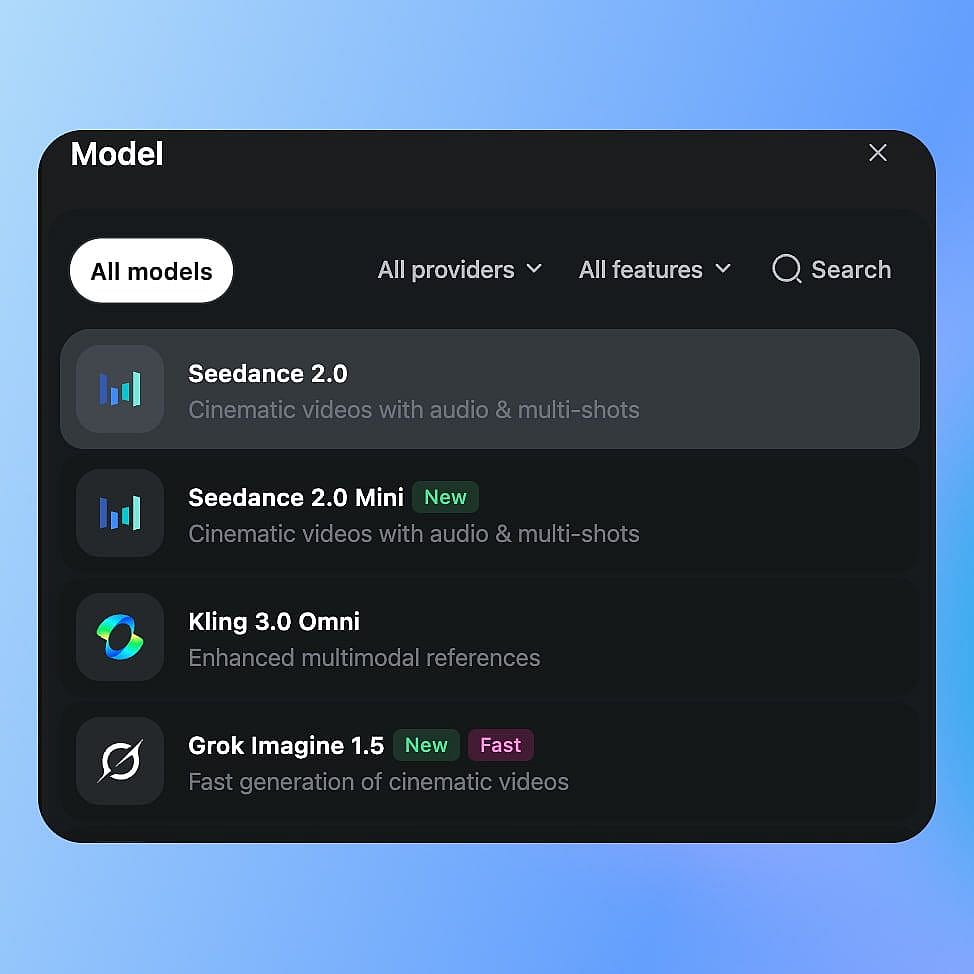
Choose Your Mode
Open OpenArt's video tools and select Seedance 2.5 from the model menu. Choose Text to Video or Image to Video, depending on what you are starting with.
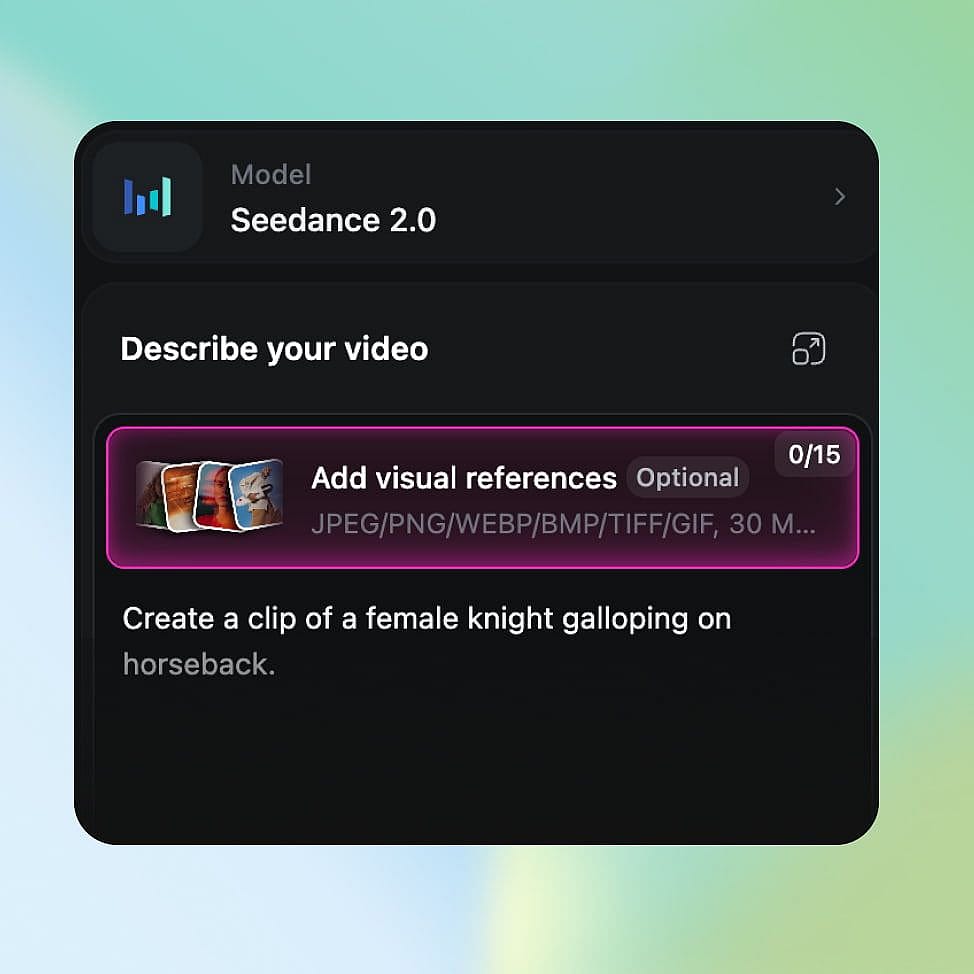
Write Prompt and Load References
Describe your scene with clear direction on subject, camera movement, and pacing. Upload your reference assets, including character images, style clips, or audio files.
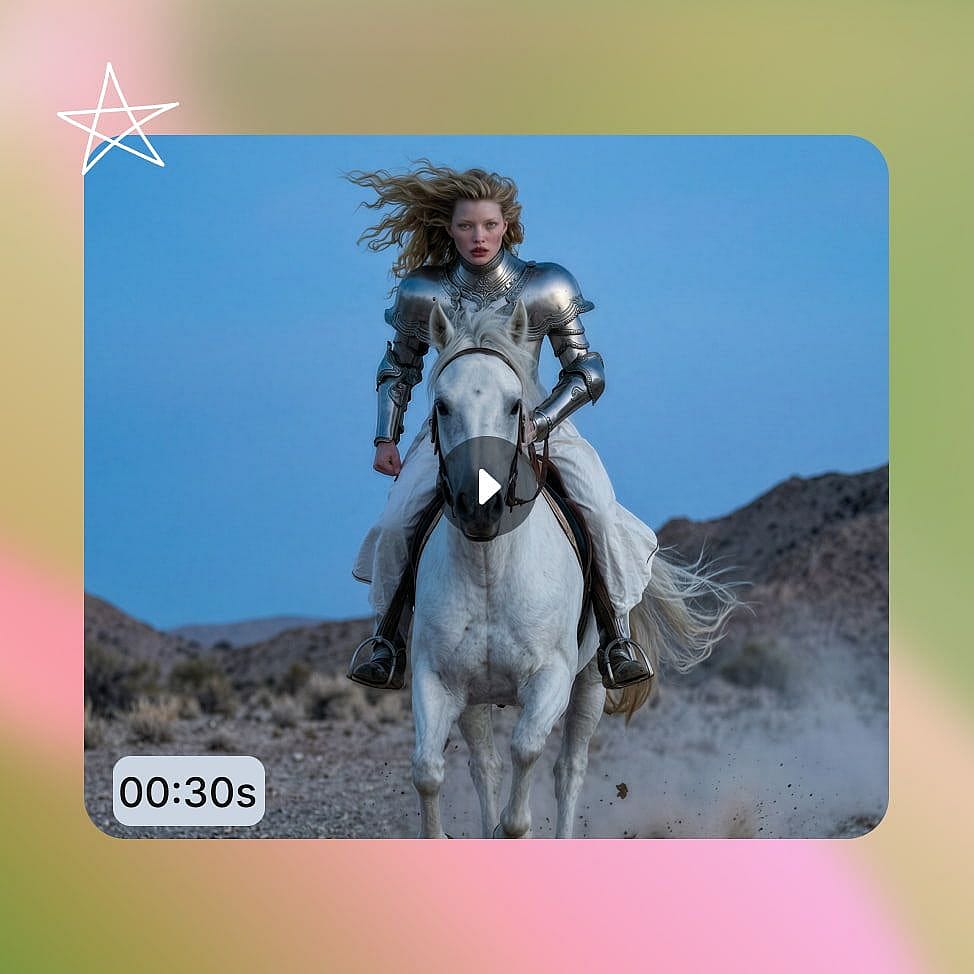
Generate, Edit, and Export
Generate your clip, then use region editing to fix specific elements without re-rolling the full generation. Download as an MP4 with native audio sync included.
Built for the Full Scene, Not Just the Shot
Seedance 2.5 opens up production use cases that shorter, lower-reference models cannot support.
30-Second Ads in One Pass
A 30-second ad needs an opening, a product moment, and a closing frame. Seedance 2.5 generates all three in a single pass, so your product's appearance and the scene's lighting stay consistent from start to finish. The 20% improvement in prompt adherence means complex multi-element briefs resolve correctly more often on the first generation.
Try it NowMulti-Character Scene Production
With 50 reference inputs, you can supply a reference image for each character and generate a multi-person scene with consistent faces and appearances across the full 30 seconds. ByteDance demonstrated this with more than ten actor references in one generation, each character held spatially stable throughout the clip.
Try it NowProduct and Spatial Visualisation
Supply a 3D blockout mesh to pre-stage camera position and object proportions before the final render. The model follows the mesh's spatial layout to produce a fully textured output, which makes Seedance 2.5 practical for product previsualization, architectural walkthroughs, and VFX work where compositional accuracy matters.
Try it NowIterative Campaign Production
Region editing and improved prompt adherence together reduce wasted generations per asset. When something specific is wrong, you fix only that part rather than re-rolling the whole clip. For teams running high volumes of variants daily, both capabilities mean more usable outputs per credit spend.
Try it NowTips for Best Results
Structure your prompt in beats
Break a 30-second prompt into three parts: scene setup, action or product reveal, and a closing frame. Seedance 2.5 follows structured scene architecture more reliably than a single continuous description.
Reference every recurring subject
With 50 reference slots available, upload an image for every character, product, or object in your scene. Visual references hold appearance across 30 seconds more reliably than text descriptions, especially in multi-subject scenes.
Use region editing for fixes
When one element is wrong, use region editing rather than regenerating the full clip. Full regeneration risks losing the elements that were already correct; region editing targets the specific area and leaves everything else intact.
Mix your reference types
Combine character images, a style video clip, and an audio file in one generation. Each reference type controls a different dimension of the output, and combining them gives you directorial-level control that a single reference type cannot match on its own.
Get Insights from Experts Blog
Get the insights you need. Our experts share actionable hacks, break down the hottest topics, and provide essential how-to guides to help you create, optimize, and scale.
Read More
Loved by Creators
I've tried many AI platforms... but OpenArt is still the best for character creation, image-to-video quality, and the variety of models available.
OpenArt offers an excellent array of AI tools... once you learn the features, the creative possibilities are amazing - and their support team is outstanding.
OpenArt is a very versatile AI platform with many image and video models, consistent character creation, and powerful editing tools.
Helpful AI tools all in one place - image and video generation, editing, and more... no need for multiple subscriptions.
Customer service is always quick and helpful... and the platform keeps getting better with new features and tools.
I've tried many AI platforms... but OpenArt is still the best for character creation, image-to-video quality, and the variety of models available.
OpenArt offers an excellent array of AI tools... once you learn the features, the creative possibilities are amazing - and their support team is outstanding.
OpenArt is a very versatile AI platform with many image and video models, consistent character creation, and powerful editing tools.
Helpful AI tools all in one place - image and video generation, editing, and more... no need for multiple subscriptions.
Customer service is always quick and helpful... and the platform keeps getting better with new features and tools.
I've tried many AI platforms... but OpenArt is still the best for character creation, image-to-video quality, and the variety of models available.
OpenArt offers an excellent array of AI tools... once you learn the features, the creative possibilities are amazing - and their support team is outstanding.
OpenArt is a very versatile AI platform with many image and video models, consistent character creation, and powerful editing tools.
Helpful AI tools all in one place - image and video generation, editing, and more... no need for multiple subscriptions.
Customer service is always quick and helpful... and the platform keeps getting better with new features and tools.
With so many AI platforms out there, OpenArt stood out as a stellar choice - I'd recommend it to any creator.
This platform includes everything you need for AI content creation - images, video, characters, audio, and multiple AI models in one place.
OpenArt is pushing the boundaries of AI video creation... and it's clear the team is committed to improving the creator experience.
I made my first AI music video with OpenArt... and their support team was the best help I've ever experienced.
I'm very happy with the support - my issue was resolved quickly and the team made the process easy.
With so many AI platforms out there, OpenArt stood out as a stellar choice - I'd recommend it to any creator.
This platform includes everything you need for AI content creation - images, video, characters, audio, and multiple AI models in one place.
OpenArt is pushing the boundaries of AI video creation... and it's clear the team is committed to improving the creator experience.
I made my first AI music video with OpenArt... and their support team was the best help I've ever experienced.
I'm very happy with the support - my issue was resolved quickly and the team made the process easy.
With so many AI platforms out there, OpenArt stood out as a stellar choice - I'd recommend it to any creator.
This platform includes everything you need for AI content creation - images, video, characters, audio, and multiple AI models in one place.
OpenArt is pushing the boundaries of AI video creation... and it's clear the team is committed to improving the creator experience.
I made my first AI music video with OpenArt... and their support team was the best help I've ever experienced.
I'm very happy with the support - my issue was resolved quickly and the team made the process easy.
Frequently Asked Questions
Create without limits
Join thousands of creators using OpenArt to generate stunning images, videos, and more — all in one platform.
Get Started for Free →