

Qwen Image 3.0 AI Image Generator and Editor
Alibaba’s Qwen Image 3.0 is built for visuals that carry real information. It supports prompts up to 4,500 tokens and can create infographics, newspaper pages, UI mockups, and product grids in one image, with text that Qwen’s demos show readable at around 10 pixels. Try it directly on OpenArt without an API waitlist or separate Alibaba account.

Key Features of Qwen Image 3.0
Qwen Image 3.0 combines long-prompt understanding, multilingual text rendering, reference-based editing, and detailed output for complex visual projects.
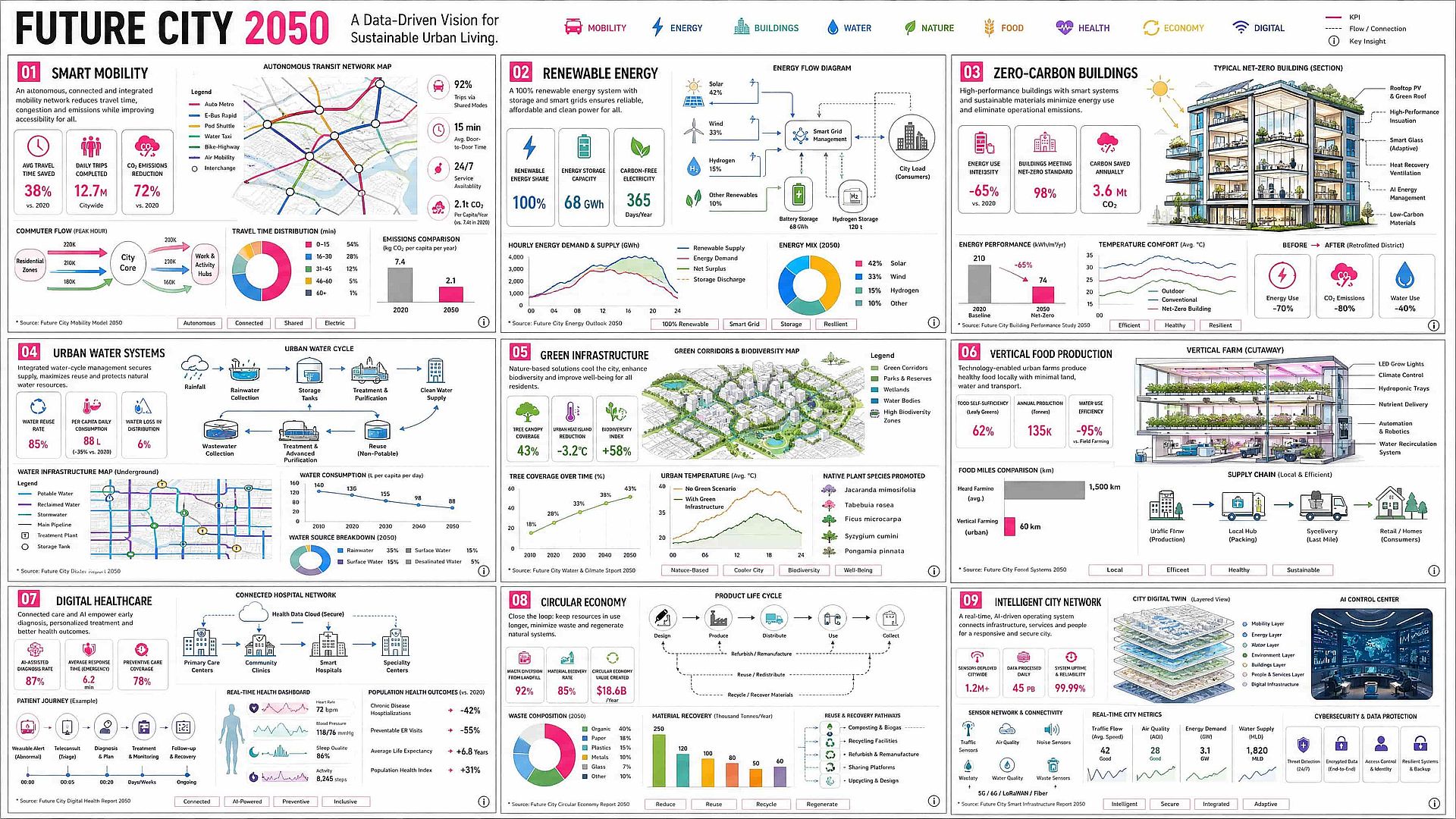
Turn a Long Creative Brief Into One Image
Qwen Image 3.0 can process up to 4,500 tokens, letting you define the layout, copy, colors, and details in one request. In Qwen's launch demo, a single 3,700-token prompt created nine infographics in a 3x3 grid, making the model useful for carousels, comparison graphics, and educational layouts without building each panel separately.
Try it Now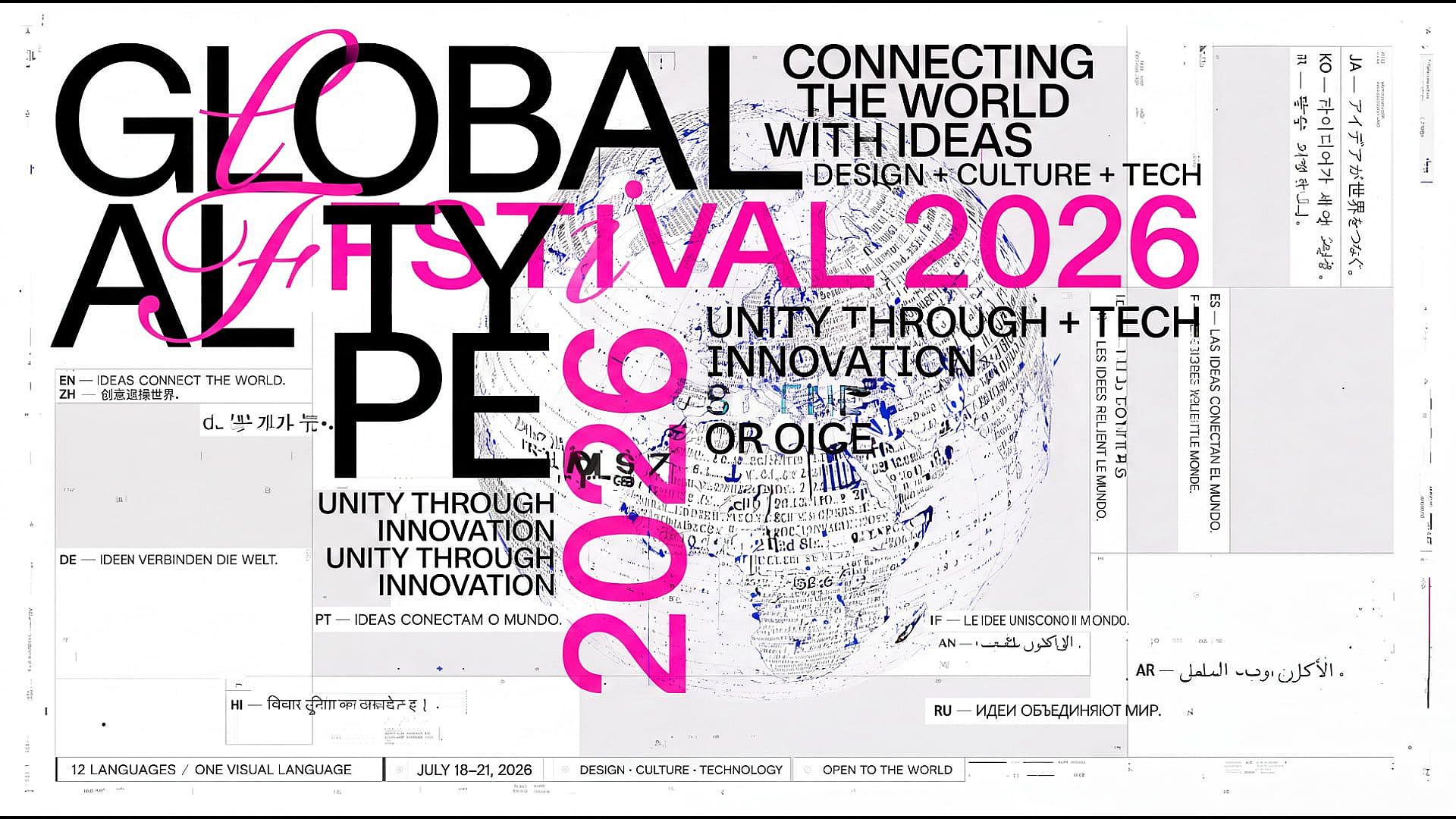
Render Clear Multilingual Text
Qwen's launch examples show legible text at around 10 pixels across 12 languages, including Chinese, English, Japanese, Korean, and Spanish. This makes the model useful for OpenArt's AI poster maker, slide concepts, product graphics, and social content, though small or non-English text should still be checked before publishing.
Try it Now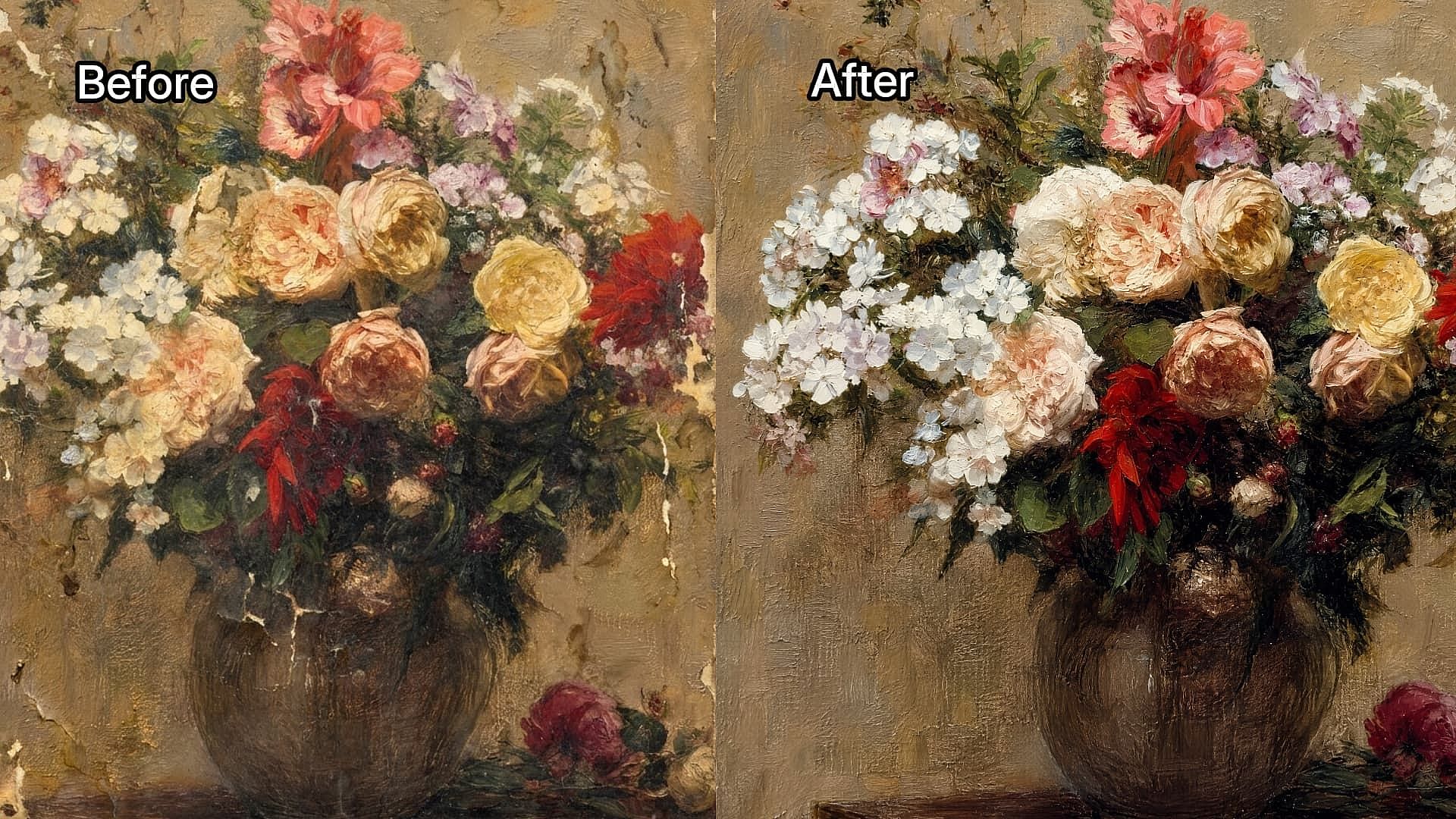
Edit With Reference Images
Upload up to three reference images and describe what you want to change while keeping important details from the originals. Use OpenArt's AI image-to-image generator to restyle a product image, change a setting or outfit, add graphic elements, or create new variations with a consistent subject.
Try it Now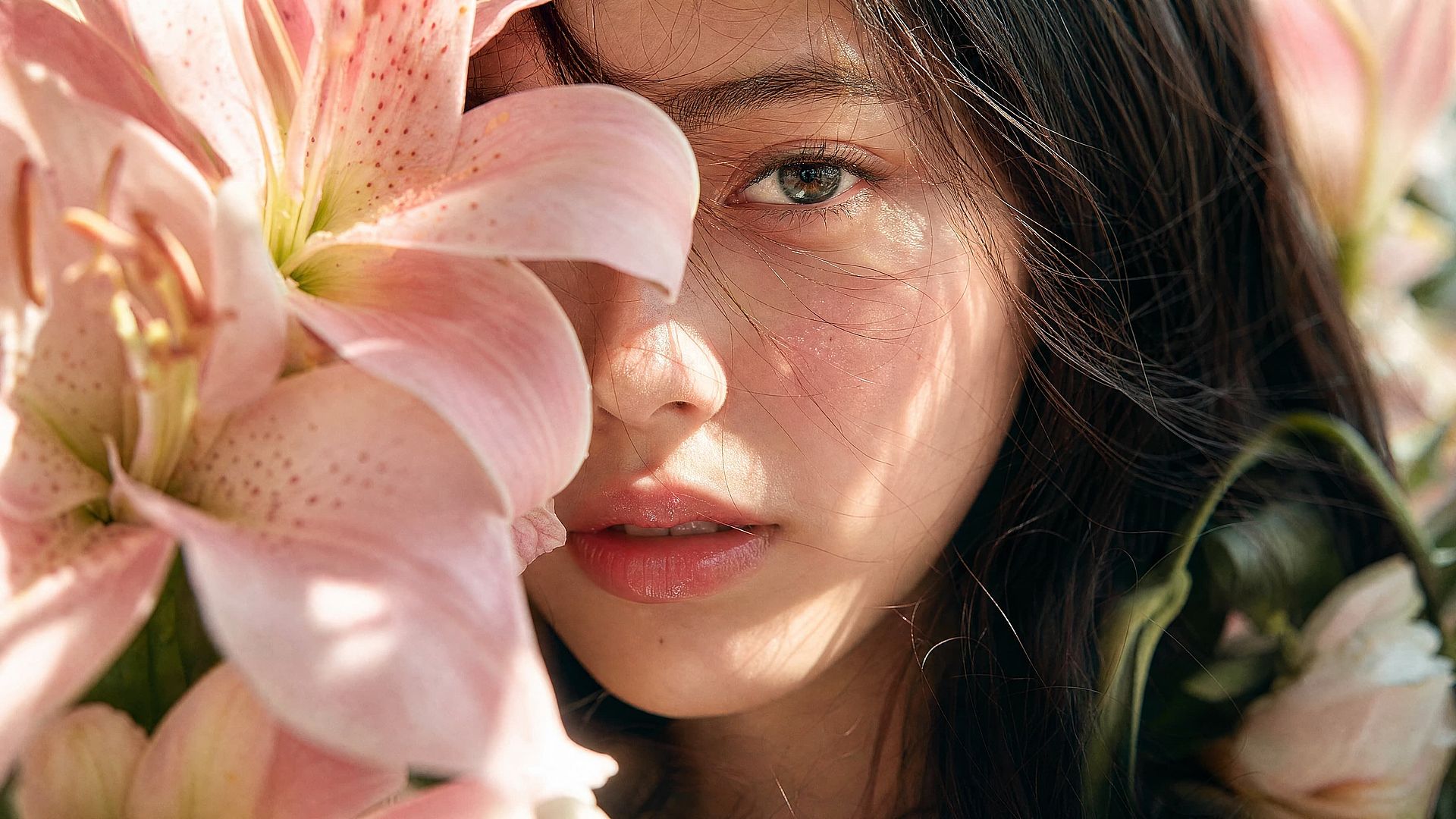
Generate in 2K and Upscale to 4K
Qwen Image 3.0 generates images at resolutions up to 2048 × 2048 pixels, capturing fine details in skin, hair, paper, fabric, and other materials. Create clear posters, product concepts, and editorial portraits in 2K, then use OpenArt’s 4K image upscaler to turn them into larger, higher-resolution images when needed.
Try it NowHow to Use Qwen Image 3.0 on OpenArt
Create a new image or refine an existing one in three steps, from choosing the model and describing the layout to reviewing the final details.
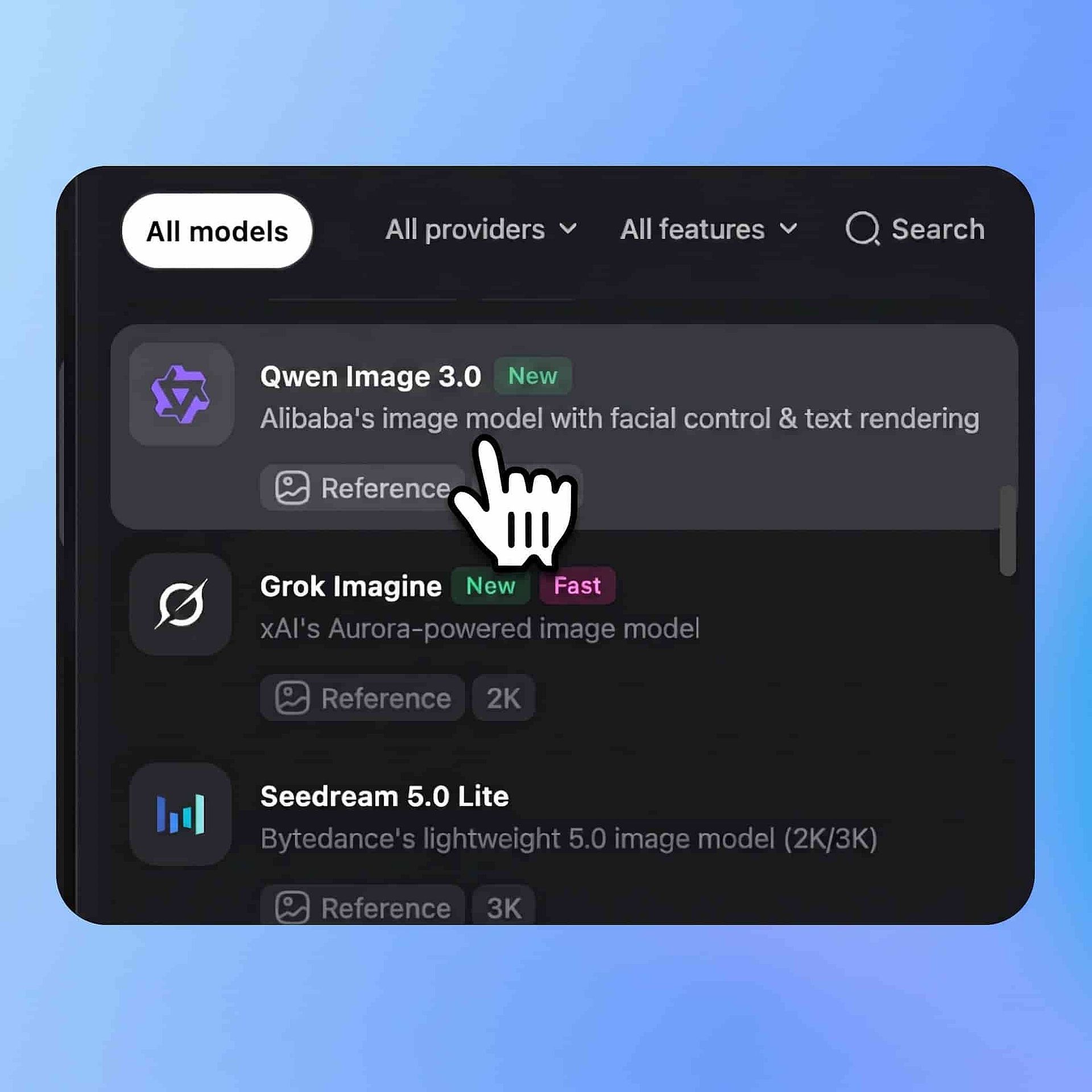
Choose Qwen Image 3.0
Open OpenArt's image tools and select Qwen Image 3.0 from the model menu. Choose image generation if you are starting from a prompt, or image editing if you want to work from an existing visual.
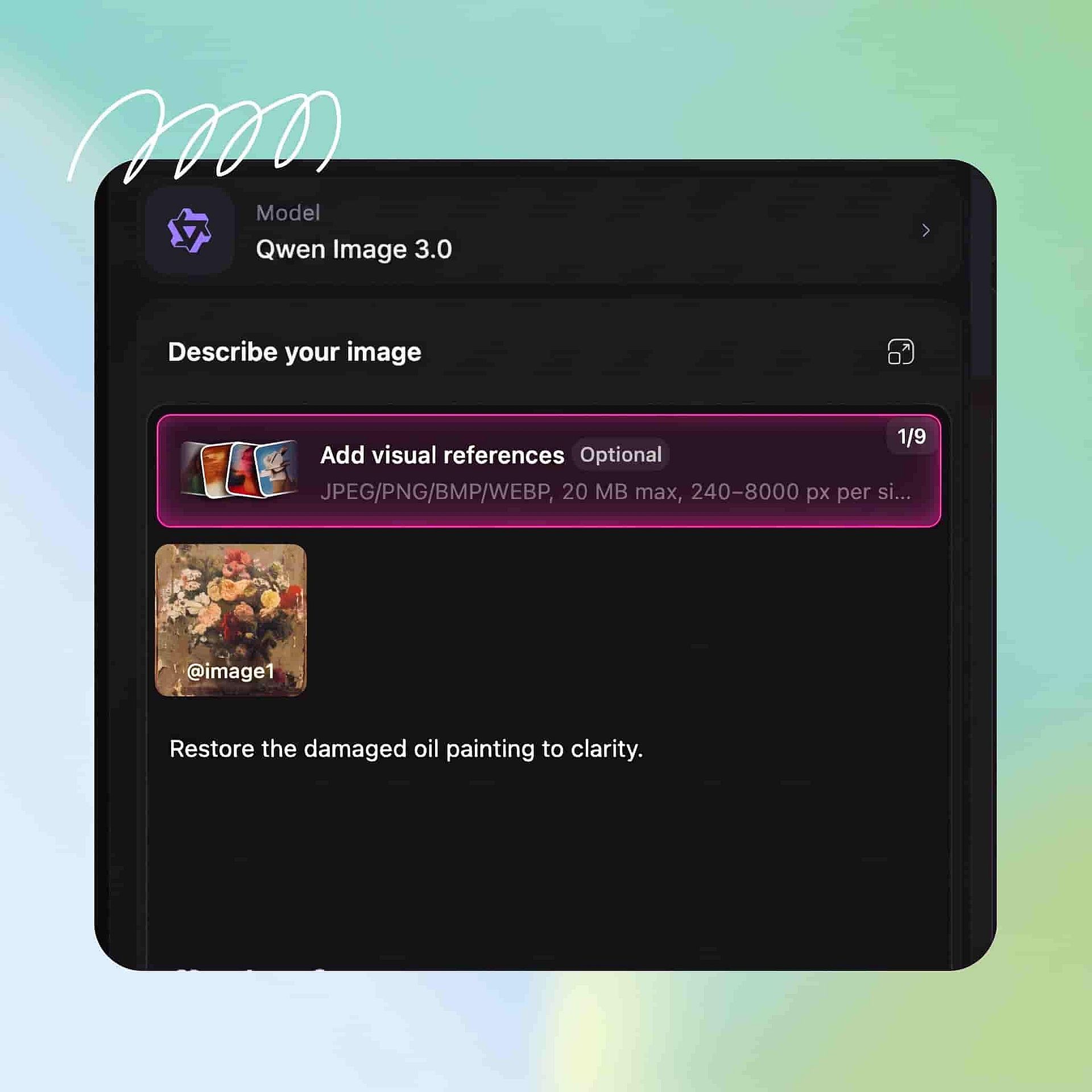
Describe the Layout
Define the canvas, layout, exact text, colors, style, spacing, and any elements that must stay consistent. For image editing, upload your reference images and state what should change and what should remain untouched.
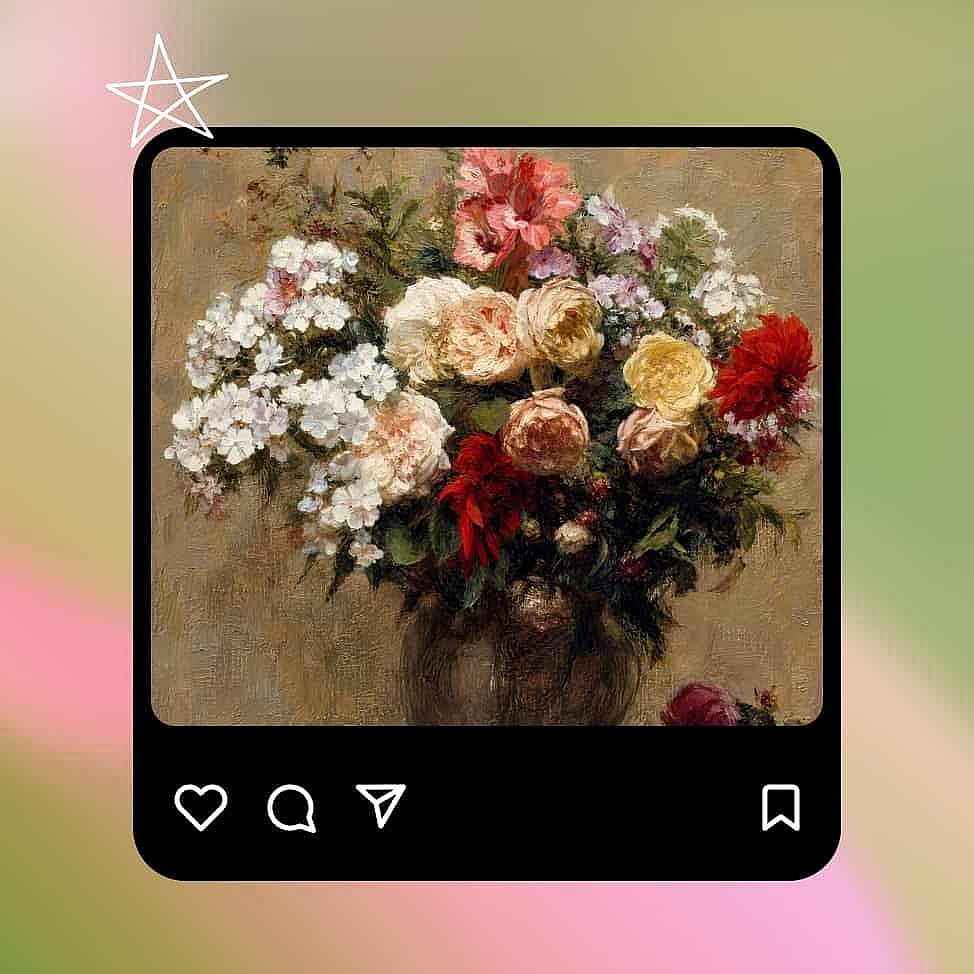
Create and Refine
Create the image, zoom in, and check every headline, label, formula, and number. Refine any weak areas with a focused instruction, then download the result when both the layout and content are ready.
Built for Detailed, Information-Rich Visuals
Qwen Image 3.0 is designed for projects that need clear text, structured layouts, and multiple visual elements within one image.
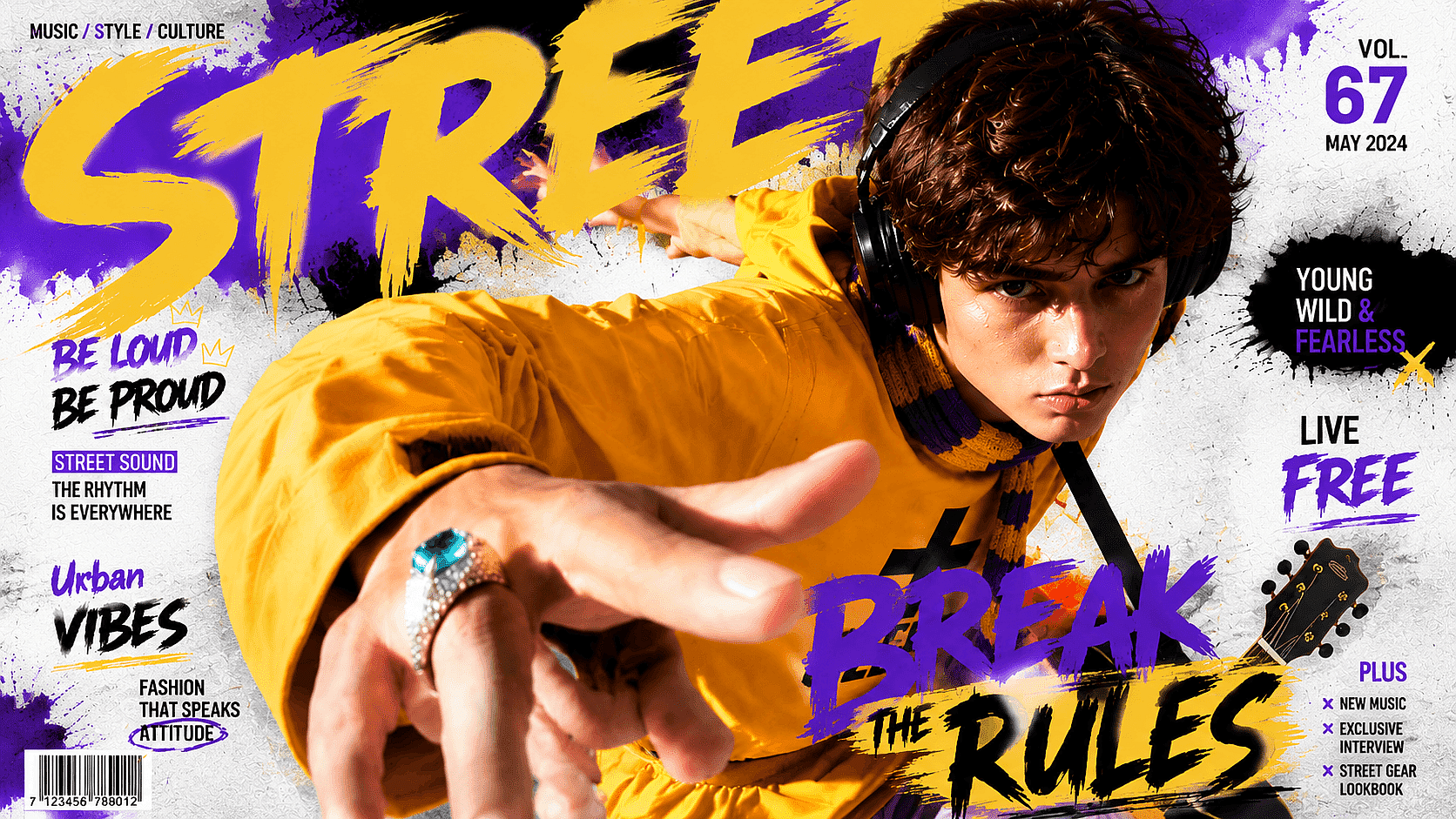
Infographics and Carousel Posts
Create a full infographic, step-by-step explainer, or multi-panel carousel from one structured prompt. Give each panel its own headline, copy, and icon while keeping the same colors, spacing, and visual style across the complete layout.
Try it Now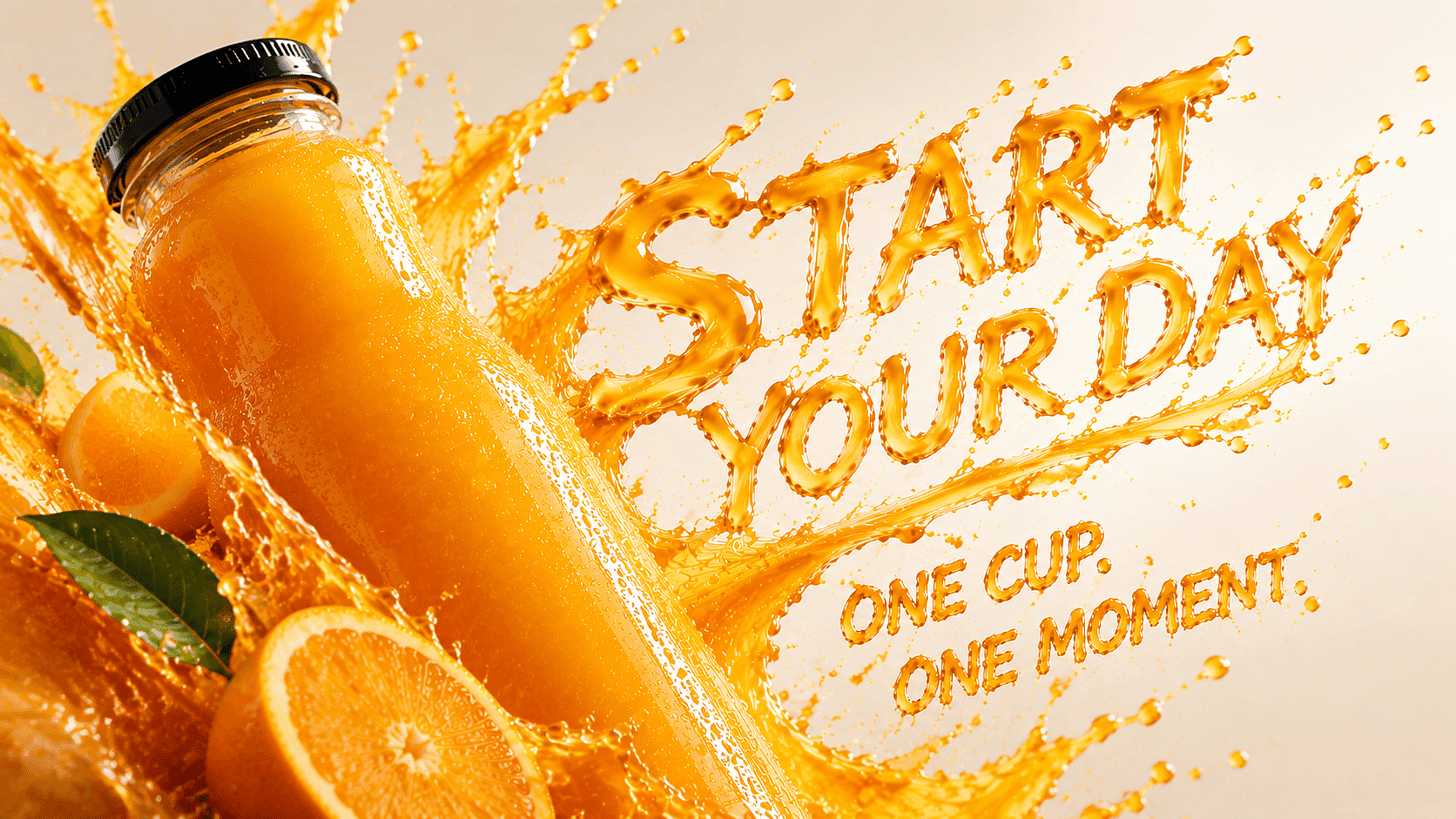
Posters and Campaign Concepts
Design product posters, event graphics, packaging concepts, business cards, and social ads with the copy already placed inside the image. Define the headline, product position, typography, background, and spacing to explore a complete campaign direction before final production.
Try it Now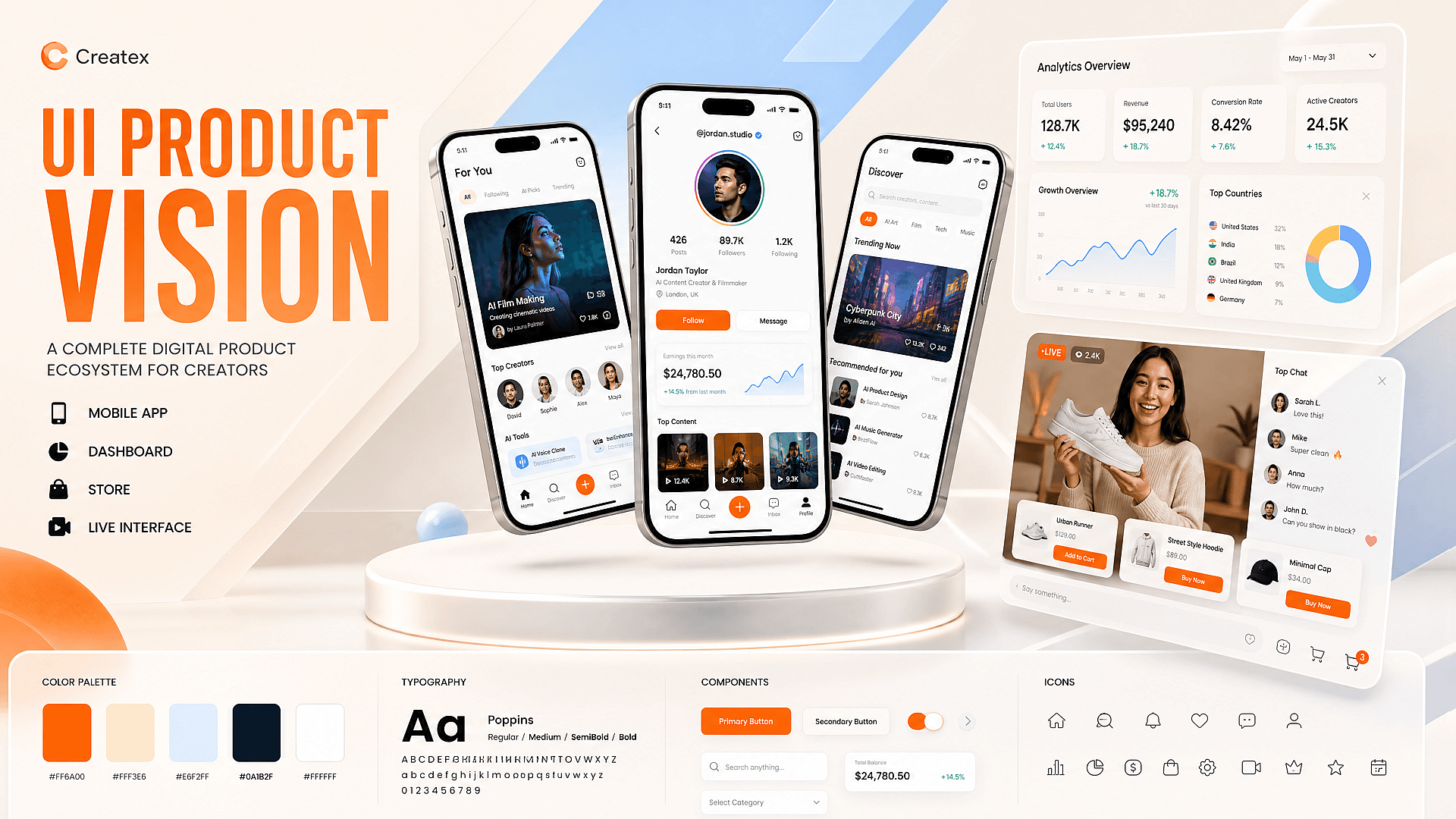
UI Mockups and Product Visuals
Create app screens, dashboards, store pages, livestream interfaces, and other digital product concepts from a written specification. Use the result to explore layouts and campaign mockups, then move the approved direction into a design tool before development.
Try it Now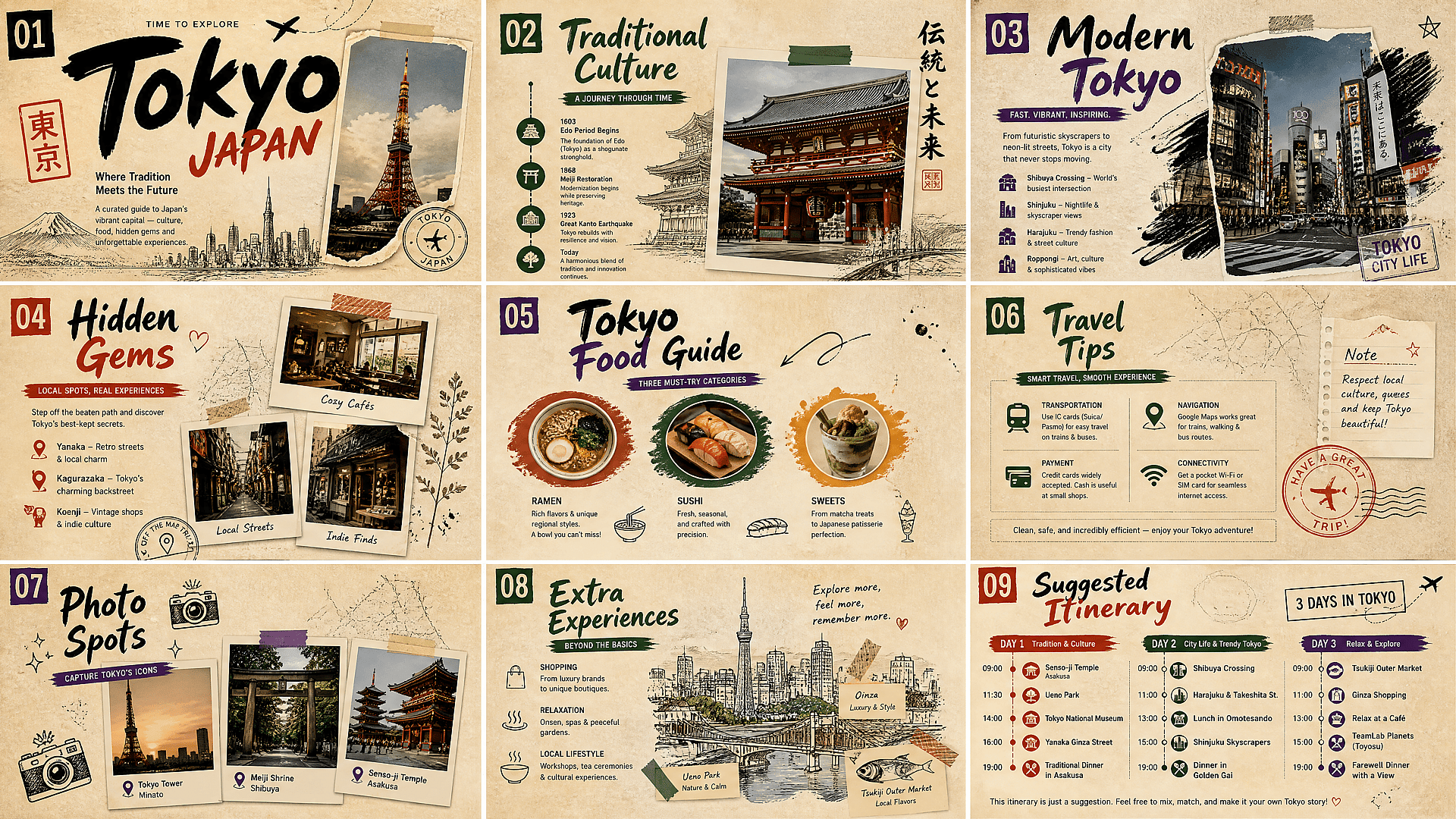
Storyboards and Knowledge Cards
Build scene sequences, character sheets, educational cards, process diagrams, and labeled illustrations on one canvas. Qwen Image 3.0 can organize the layout and visual direction across panels, but small details and factual content should still be reviewed.
Try it NowQwen Image 3.0 vs Qwen Image 2.0
| Feature | Qwen Image 2.0 | Qwen Image 3.0 |
|---|---|---|
| Best for | General image creation, editing, and professional layouts | Long creative briefs, dense designs, multilingual visuals, and complex compositions |
| Prompt length | Up to 1,000 tokens | Up to 4,500 tokens |
| Image resolution | Native 2K generation | Up to 2048 × 2048 pixels |
| Text rendering | Handles long text and multilingual typography | Renders denser copy, complex formulas, and text as small as approximately 10 pixels |
| Language support | Broad multilingual text rendering | Native text rendering across 12 languages |
| Layout complexity | Suitable for slides, posters, comics, and infographics | Better suited to multi-panel grids, nested interfaces, documents, and information-heavy layouts |
| Image editing | Unified image generation and editing | Supports generation and editing with one to three reference images |
| Visual detail | Realistic lighting, materials, and high-resolution textures | Improved micro-details such as skin texture, individual hair strands, fabric, and paper |
Top AI Models for Image and Video Creation
Explore leading AI image and video models from multiple providers in one workspace. Compare their strengths across art styles, image generation, animation, and video creation, then choose the right model for your project.
Loved by Creators
I've tried many AI platforms... but OpenArt is still the best for character creation, image-to-video quality, and the variety of models available.
OpenArt offers an excellent array of AI tools... once you learn the features, the creative possibilities are amazing - and their support team is outstanding.
OpenArt is a very versatile AI platform with many image and video models, consistent character creation, and powerful editing tools.
Helpful AI tools all in one place - image and video generation, editing, and more... no need for multiple subscriptions.
Customer service is always quick and helpful... and the platform keeps getting better with new features and tools.
I've tried many AI platforms... but OpenArt is still the best for character creation, image-to-video quality, and the variety of models available.
OpenArt offers an excellent array of AI tools... once you learn the features, the creative possibilities are amazing - and their support team is outstanding.
OpenArt is a very versatile AI platform with many image and video models, consistent character creation, and powerful editing tools.
Helpful AI tools all in one place - image and video generation, editing, and more... no need for multiple subscriptions.
Customer service is always quick and helpful... and the platform keeps getting better with new features and tools.
I've tried many AI platforms... but OpenArt is still the best for character creation, image-to-video quality, and the variety of models available.
OpenArt offers an excellent array of AI tools... once you learn the features, the creative possibilities are amazing - and their support team is outstanding.
OpenArt is a very versatile AI platform with many image and video models, consistent character creation, and powerful editing tools.
Helpful AI tools all in one place - image and video generation, editing, and more... no need for multiple subscriptions.
Customer service is always quick and helpful... and the platform keeps getting better with new features and tools.
With so many AI platforms out there, OpenArt stood out as a stellar choice - I'd recommend it to any creator.
This platform includes everything you need for AI content creation - images, video, characters, audio, and multiple AI models in one place.
OpenArt is pushing the boundaries of AI video creation... and it's clear the team is committed to improving the creator experience.
I made my first AI music video with OpenArt... and their support team was the best help I've ever experienced.
I'm very happy with the support - my issue was resolved quickly and the team made the process easy.
With so many AI platforms out there, OpenArt stood out as a stellar choice - I'd recommend it to any creator.
This platform includes everything you need for AI content creation - images, video, characters, audio, and multiple AI models in one place.
OpenArt is pushing the boundaries of AI video creation... and it's clear the team is committed to improving the creator experience.
I made my first AI music video with OpenArt... and their support team was the best help I've ever experienced.
I'm very happy with the support - my issue was resolved quickly and the team made the process easy.
With so many AI platforms out there, OpenArt stood out as a stellar choice - I'd recommend it to any creator.
This platform includes everything you need for AI content creation - images, video, characters, audio, and multiple AI models in one place.
OpenArt is pushing the boundaries of AI video creation... and it's clear the team is committed to improving the creator experience.
I made my first AI music video with OpenArt... and their support team was the best help I've ever experienced.
I'm very happy with the support - my issue was resolved quickly and the team made the process easy.