


Key Features of Mirelo SFX 2.0
Keep dialogue and remove the music
Mirelo SFX 2.0 keeps the people talking in your video and removes the background music. Picture two friends chatting in a café with a pop song playing under them. Mirelo SFX 2.0 keeps every word, removes the song, and can add sounds that fit the café, like cups clinking. You can also download the clean dialogue on its own, with no new sounds added.
Try it NowMake new sound effects for every scene
Mirelo SFX 2.0 watches your video and makes sound effects that match the action on screen. Footsteps land when a foot hits the ground, and a door slams the moment it shuts. You can also type sounds the camera can't see, like distant thunder or a crowd outside. You skip hours of finding and lining up stock sound effects by hand.
Try it NowKeep sound steady across shots
Mirelo SFX 2.0 keeps the sound consistent when you stitch several shots into one video. A rainy street in the first shot sounds like the same rainy street in the fifth. The rain, traffic, and background hum stay steady, so every cut feels smooth. Mirelo SFX 2.0 keeps the sound steady even in videos several minutes long.
Try it NowHow to Use Mirelo SFX 2.0
You can go from a silent or noisy video to finished sound in three steps.
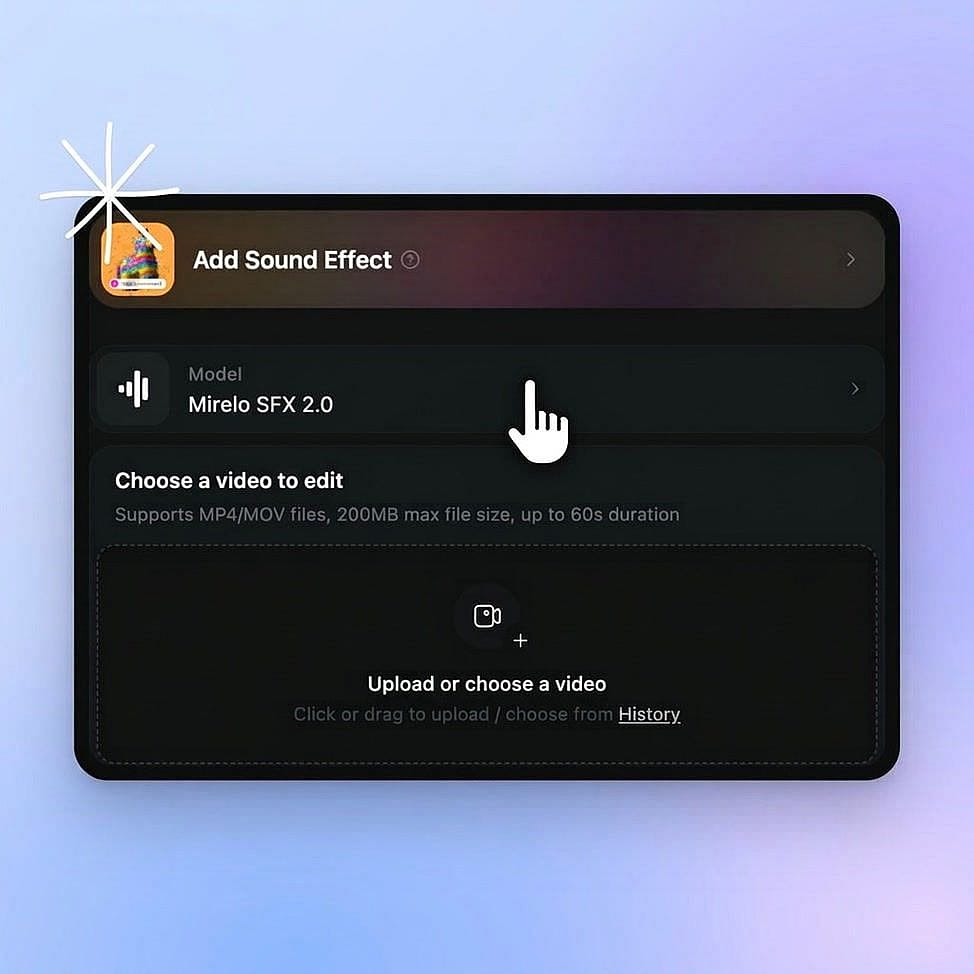
Select Mirelo SFX 2.0
Go to OpenArt's audio tools and select Mirelo SFX 2.0.
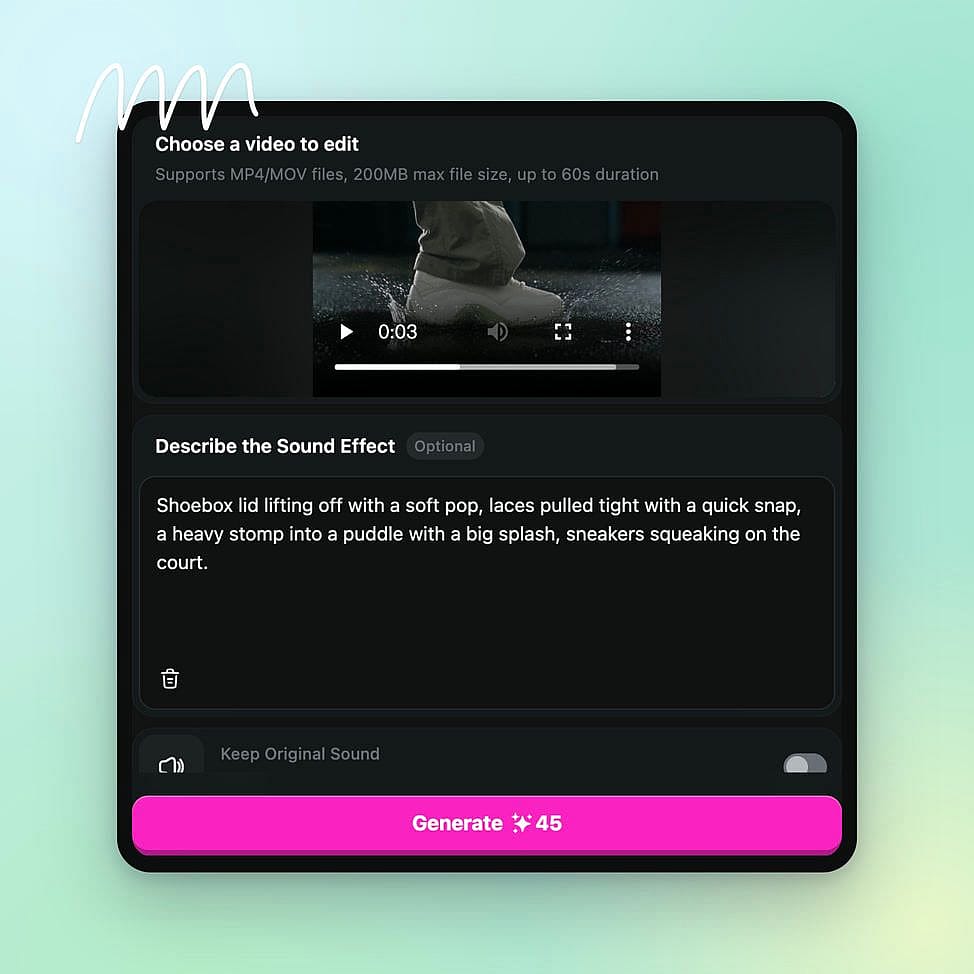
Prompt and set your output
Upload your video and describe the sounds you want, like "distant thunder" or "busy café". Then choose your output settings.
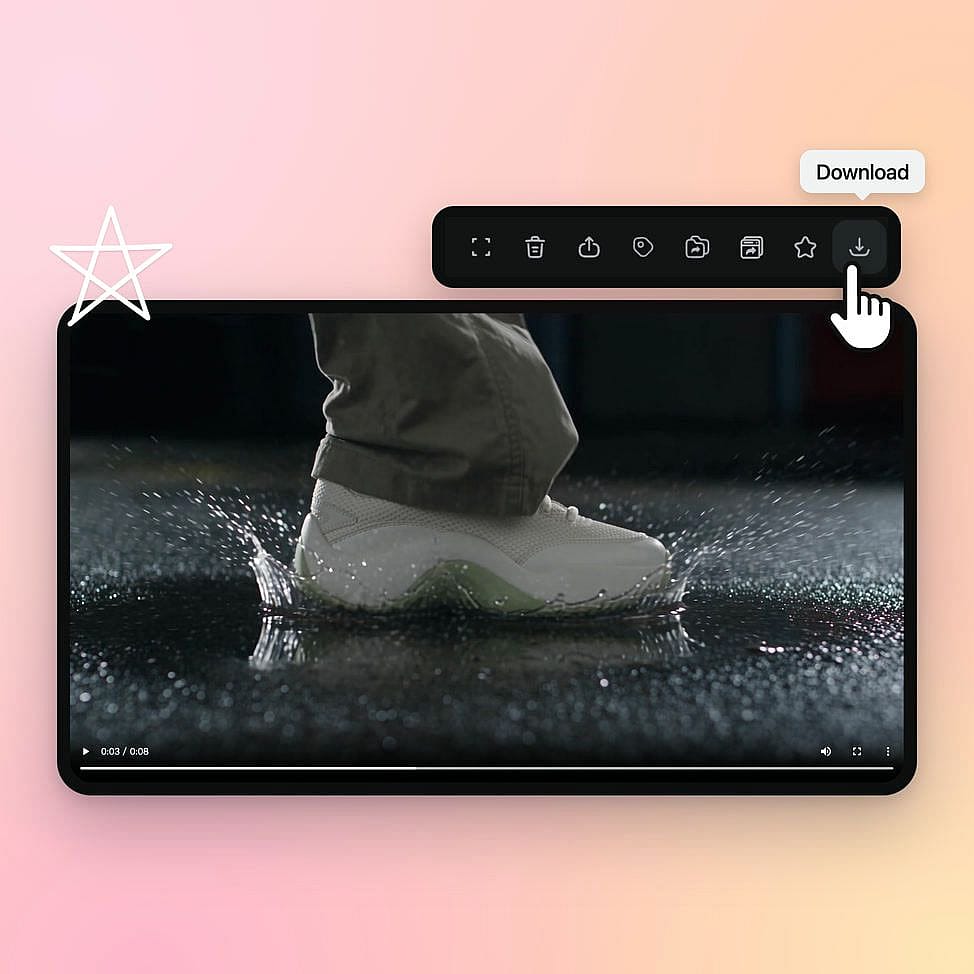
Download your audio
Generate the audio and download your finished audio file. You can download it with the new sound effects, or download only the dialogue with the music removed.
Best Uses for Mirelo SFX 2.0?
Eleven v4 Turbo fits quick ad testing, voice lines for games and apps, and narration for trending social videos.
Give silent AI videos real sound
Creators making AI videos can use Mirelo SFX 2.0 to add the sound their clips are missing. Picture a clip from OpenArt's AI video generator of a dragon landing on a castle wall. Mirelo SFX 2.0 adds the beat of its wings, the crack of stone, and the wind around the tower, each timed to the action. You can type extra sounds from out of frame, like soldiers shouting below. Your silent clips are ready to post in minutes.
Try it NowRemove the music from vlogs and interviews
Vloggers, podcasters, and brand teams can use Mirelo SFX 2.0 to remove unwanted background music and keep their voices. Say you filmed a vlog in a shop, and the shop's playlist runs under everything you say. Mirelo SFX 2.0 takes out the playlist and keeps your voice. Download the clean voice on its own, or add soft room sounds so the shop still sounds real. You keep the footage you already shot.
Try it NowAdd steady sound to multi-shot short films
Filmmakers and AI drama creators can use Mirelo SFX 2.0 to add sound to a whole multi-shot film at once. Think of a three-minute horror short set in an old house, built from a dozen shots. Mirelo SFX 2.0 adds creaky floors, wind at the windows, and a hallway hum that sounds the same in every shot. Build the shots with Smart Shot, which makes one video with multiple cuts, then add the sound in one go.
Try it NowMake product ads sound finished
Marketers and online store owners can use Mirelo SFX 2.0 to add the sounds that make a product feel real. In a 15-second soda ad, Mirelo SFX 2.0 adds the hiss of the can, the fizz in the glass, and the clink of ice. If the ad has a voiceover with music under it, Mirelo SFX 2.0 keeps the voiceover and removes the music. You get a finished-sounding ad without booking a sound studio.
Try it NowLoved by Creators
I've tried many AI platforms... but OpenArt is still the best for character creation, image-to-video quality, and the variety of models available.
OpenArt offers an excellent array of AI tools... once you learn the features, the creative possibilities are amazing - and their support team is outstanding.
OpenArt is a very versatile AI platform with many image and video models, consistent character creation, and powerful editing tools.
Helpful AI tools all in one place - image and video generation, editing, and more... no need for multiple subscriptions.
Customer service is always quick and helpful... and the platform keeps getting better with new features and tools.
I've tried many AI platforms... but OpenArt is still the best for character creation, image-to-video quality, and the variety of models available.
OpenArt offers an excellent array of AI tools... once you learn the features, the creative possibilities are amazing - and their support team is outstanding.
OpenArt is a very versatile AI platform with many image and video models, consistent character creation, and powerful editing tools.
Helpful AI tools all in one place - image and video generation, editing, and more... no need for multiple subscriptions.
Customer service is always quick and helpful... and the platform keeps getting better with new features and tools.
I've tried many AI platforms... but OpenArt is still the best for character creation, image-to-video quality, and the variety of models available.
OpenArt offers an excellent array of AI tools... once you learn the features, the creative possibilities are amazing - and their support team is outstanding.
OpenArt is a very versatile AI platform with many image and video models, consistent character creation, and powerful editing tools.
Helpful AI tools all in one place - image and video generation, editing, and more... no need for multiple subscriptions.
Customer service is always quick and helpful... and the platform keeps getting better with new features and tools.
With so many AI platforms out there, OpenArt stood out as a stellar choice - I'd recommend it to any creator.
This platform includes everything you need for AI content creation - images, video, characters, audio, and multiple AI models in one place.
OpenArt is pushing the boundaries of AI video creation... and it's clear the team is committed to improving the creator experience.
I made my first AI music video with OpenArt... and their support team was the best help I've ever experienced.
I'm very happy with the support - my issue was resolved quickly and the team made the process easy.
With so many AI platforms out there, OpenArt stood out as a stellar choice - I'd recommend it to any creator.
This platform includes everything you need for AI content creation - images, video, characters, audio, and multiple AI models in one place.
OpenArt is pushing the boundaries of AI video creation... and it's clear the team is committed to improving the creator experience.
I made my first AI music video with OpenArt... and their support team was the best help I've ever experienced.
I'm very happy with the support - my issue was resolved quickly and the team made the process easy.
With so many AI platforms out there, OpenArt stood out as a stellar choice - I'd recommend it to any creator.
This platform includes everything you need for AI content creation - images, video, characters, audio, and multiple AI models in one place.
OpenArt is pushing the boundaries of AI video creation... and it's clear the team is committed to improving the creator experience.
I made my first AI music video with OpenArt... and their support team was the best help I've ever experienced.
I'm very happy with the support - my issue was resolved quickly and the team made the process easy.
Frequently Asked Questions
Mirelo SFX 2.0 is an AI sound effects model from Mirelo that adds sound to video. Mirelo SFX 2.0 makes sound effects that match the action on screen, keeps the original dialogue while removing background music, and keeps sound steady across stitched shots.
Yes. Mirelo SFX 2.0 lets you download only the original dialogue, with the background music removed and no new sound effects added. That makes Mirelo SFX 2.0 a background music remover for vlogs, interviews, podcasts, and any video where people talk over a song.
Yes. Mirelo SFX 2.0 adds matching sound effects to videos made with AI, including clips from OpenArt's AI video generator. Silent AI clips come back with sound that fits each action.
Mirelo SFX 2.0 works on videos several minutes long, including videos made from many stitched shots. The sound stays steady from the first shot to the last.
Yes. Mirelo SFX 2.0 keeps the original dialogue in your video and removes the background music. Mirelo SFX 2.0 can then add new sound effects that fit the scene, or you can keep the dialogue on its own.
Mirelo SFX 2.0 looks at what happens in each part of your video and makes sounds that match it, like footsteps, door slams, or wind. Each sound lines up with the moment it happens on screen. You can also type a description to add sounds the camera does not show.
Foley sound effects are everyday sounds added to a video after filming, like footsteps, clothes rustling, or a cup set on a table. Mirelo SFX 2.0 makes foley sounds automatically by matching them to the action in your video.
Yes. Mirelo SFX 2.0 keeps background sounds like rain, traffic, or room hum steady when your video cuts from one shot to the next. A scene sounds like one connected place across the whole video.