

Grok Imagine Video 1.5
Grok Imagine Video 1.5 turns a prompt or reference images into a video up to 15 seconds long in up to 1080p, with sound effects and dialogue built in. Start creating with Grok Imagine 1.5 video model on OpenArt.

Key Features of Grok Imagine Video 1.5
1080p videos from a prompt or image
Grok Imagine Video 1.5 makes 1080p video straight from a written prompt or a single photo. You can also pick 480p or 720p when you just want a quick look at an idea, or simply use the 1.5 Lite model variant in the AI video generator. Test the idea at a lower resolution first, then make the version you keep in 1080p. You only spend credits on full quality once the video looks right.
Try it NowSounds and speech in the same video
Grok Imagine Video 1.5 and 1.5 Lite both make sound effects, background noise, and spoken lines at the same time as the visuals. When a character talks, their lips move in time with the words. xAI says speech in Grok Imagine 1.5 comes out clearer and better matched to the lips than in earlier versions. Picture a chef saying "Dinner is served" while a plate clinks onto the table. You get that whole moment in one video, with fully synced audio.
Try it NowCharacter and object consistency
Upload reference images, and Grok Imagine 1.5 uses each one to hold a single thing in place, like a face, a product, or a location. Keep the same character and move them to a new scene. Or keep the same scene and bring in a different character. Your person or product looks the same from one video to the next. That makes it simple to build a whole series of videos around one character or one product.
Try it NowRealistic motion, up to 15 seconds long
Grok Imagine 1.5 keeps motion and body movement steady from the first second of a video to the last. People and objects don't bend out of shape and things also move with real weight, so a dropped basketball bounces a little lower each time, the way a real one does. You can make a video anywhere from 1 to 15 seconds long. Perfect for a full product reveal or a short scene with a few spoken lines.
Try it NowHow to Use Grok Imagine 1.5 Video
Three steps take you from an idea to a finished video with sound.
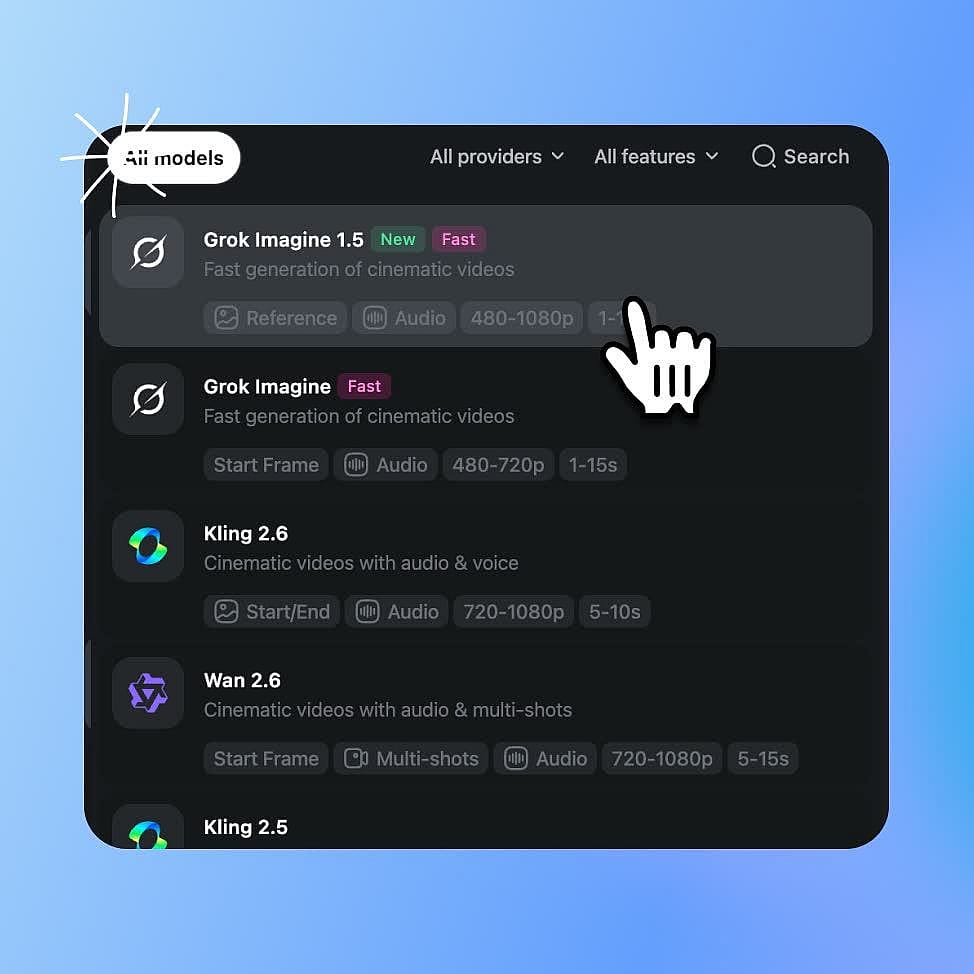
Choose Grok Imagine 1.5
Open OpenArt's AI video generator and pick Grok Imagine 1.5 from the model menu. Pick Grok Imagine 1.5 Lite instead for faster, lower-cost videos.
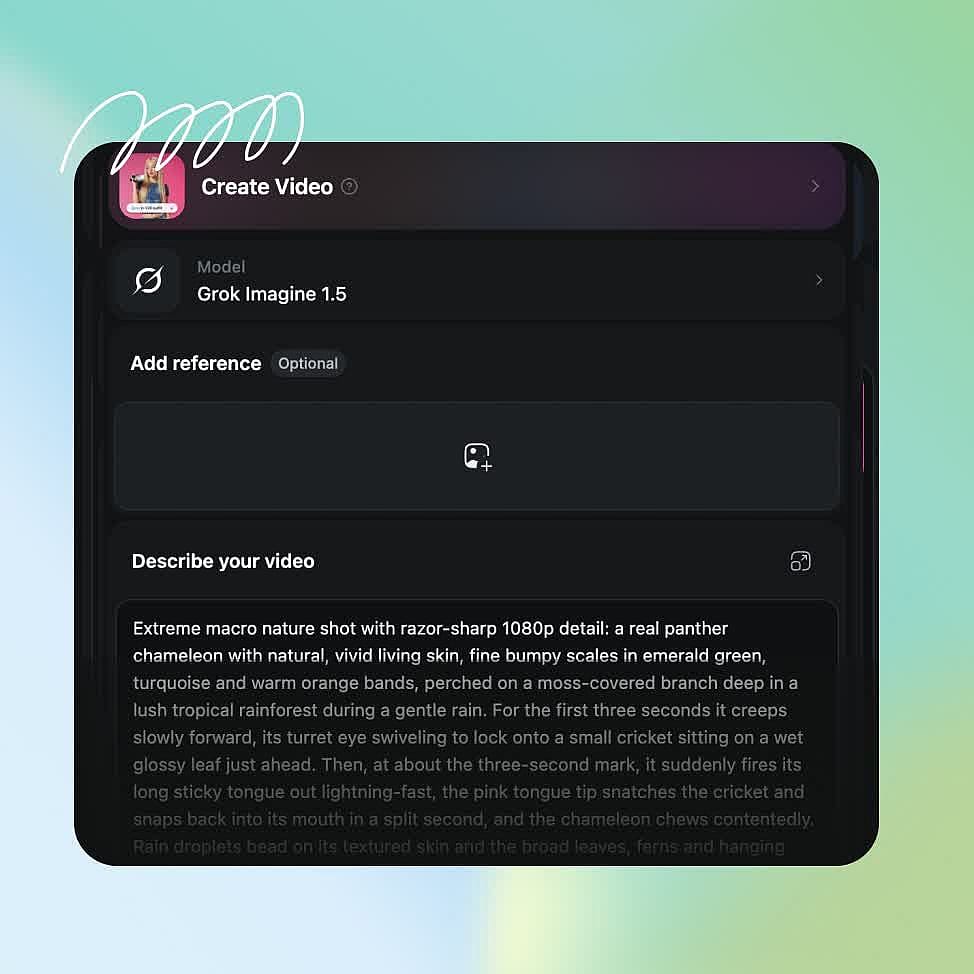
Prompt and add references
Describe the scene, the action, and any words a character says. Upload a starting photo or reference images if you want to set the look.
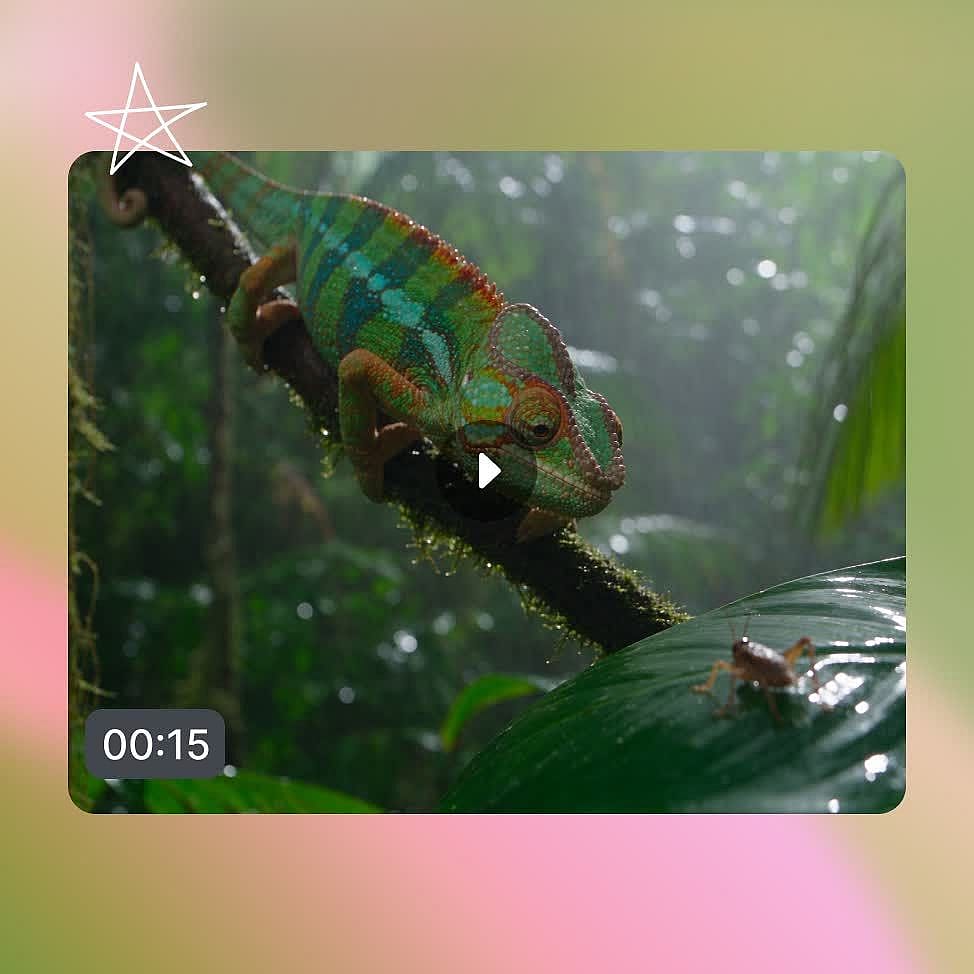
Configure and generate
Choose a length from 1 to 15 seconds, a resolution from 480p to 1080p, and an aspect ratio, then generate and download.
Best Uses of Grok Imagine Video 1.5
Ads that showcase your real product
Upload a photo of your product and a photo of the place you want it shown, like a water bottle and a mountain trail. Grok Imagine Video 1.5 keeps the bottle's shape, color, and label the same as in your photo. A hiker can pick up the bottle, take a drink, and say a short line about it. The sounds of the trail and the hiker's voice come built into the video. Make a vertical version for Reels and a wide version for YouTube from the same pictures.
Try it NowShort skits with talking characters
Short skits and stories need the same character to look the same in every scene. Upload one picture of your character, and Grok Imagine Video 1.5 keeps that face the same in every video you make. Write the words in your prompt, and the character says them with lips that match. For the next part of the story, keep the character and change the scene. A whole short series can star one character without filming anyone. You can post new episodes as fast as you can write them.
Try it NowClips animated from images
Grok Imagine Video 1.5 handles image-to-video workflows perfectly well. Upload any photo, and it uses it as the very first frame of your video. A photo of a beach at sunset turns into waves rolling in, with the sound of water and seagulls. A portrait can blink, smile, and say hello in a natural voice. Just describe the motion you want in your prompt.
Try it NowSocial media content in batches
Social media creators often need many versions of a video to find the one people watch. Grok Imagine 1.5 Lite makes those test versions faster and at a lower cost. Try five different openings for the same post and see which one works best. Then remake the winning version with Grok Imagine 1.5, which makes 1080p video directly.
Try it NowTips for Best Results
Loved by Creators
I've tried many AI platforms... but OpenArt is still the best for character creation, image-to-video quality, and the variety of models available.
OpenArt offers an excellent array of AI tools... once you learn the features, the creative possibilities are amazing - and their support team is outstanding.
OpenArt is a very versatile AI platform with many image and video models, consistent character creation, and powerful editing tools.
Helpful AI tools all in one place - image and video generation, editing, and more... no need for multiple subscriptions.
Customer service is always quick and helpful... and the platform keeps getting better with new features and tools.
I've tried many AI platforms... but OpenArt is still the best for character creation, image-to-video quality, and the variety of models available.
OpenArt offers an excellent array of AI tools... once you learn the features, the creative possibilities are amazing - and their support team is outstanding.
OpenArt is a very versatile AI platform with many image and video models, consistent character creation, and powerful editing tools.
Helpful AI tools all in one place - image and video generation, editing, and more... no need for multiple subscriptions.
Customer service is always quick and helpful... and the platform keeps getting better with new features and tools.
I've tried many AI platforms... but OpenArt is still the best for character creation, image-to-video quality, and the variety of models available.
OpenArt offers an excellent array of AI tools... once you learn the features, the creative possibilities are amazing - and their support team is outstanding.
OpenArt is a very versatile AI platform with many image and video models, consistent character creation, and powerful editing tools.
Helpful AI tools all in one place - image and video generation, editing, and more... no need for multiple subscriptions.
Customer service is always quick and helpful... and the platform keeps getting better with new features and tools.
With so many AI platforms out there, OpenArt stood out as a stellar choice - I'd recommend it to any creator.
This platform includes everything you need for AI content creation - images, video, characters, audio, and multiple AI models in one place.
OpenArt is pushing the boundaries of AI video creation... and it's clear the team is committed to improving the creator experience.
I made my first AI music video with OpenArt... and their support team was the best help I've ever experienced.
I'm very happy with the support - my issue was resolved quickly and the team made the process easy.
With so many AI platforms out there, OpenArt stood out as a stellar choice - I'd recommend it to any creator.
This platform includes everything you need for AI content creation - images, video, characters, audio, and multiple AI models in one place.
OpenArt is pushing the boundaries of AI video creation... and it's clear the team is committed to improving the creator experience.
I made my first AI music video with OpenArt... and their support team was the best help I've ever experienced.
I'm very happy with the support - my issue was resolved quickly and the team made the process easy.
With so many AI platforms out there, OpenArt stood out as a stellar choice - I'd recommend it to any creator.
This platform includes everything you need for AI content creation - images, video, characters, audio, and multiple AI models in one place.
OpenArt is pushing the boundaries of AI video creation... and it's clear the team is committed to improving the creator experience.
I made my first AI music video with OpenArt... and their support team was the best help I've ever experienced.
I'm very happy with the support - my issue was resolved quickly and the team made the process easy.
Frequently Asked Questions
Grok Imagine Video 1.5 is an AI video model made by xAI. Grok Imagine Video 1.5 generates videos from 1 to 15 seconds long from a prompt, a photo, or reference images, at 480p, 720p, or 1080p. It adds sound effects, background noise, and spoken lines with matching lips in the same step.
A single Grok Imagine 1.5 video runs from 1 to 15 seconds, and so does a Grok Imagine 1.5 Lite video. You can make a clip longer with OpenArt's Extend Video tool, which adds up to 10 seconds at a time.
Grok Imagine 1.5 Video makes videos at 480p, 720p, or 1080p. The 1080p option works for videos made from a prompt or a photo. The earlier Grok Imagine video model stopped at 720p.
Yes. Grok Imagine 1.5 and Grok Imagine 1.5 Lite both take reference images on OpenArt. Each reference picture holds one thing in place, such as a face, a product, or a location. You can keep a character and change the scene, or keep the scene and change the character.
Yes. Commercial rights apply to videos you make on eligible paid OpenArt plans, so you can use Grok Imagine 1.5 videos in ads, client work, and social media posts.
Grok Imagine 1.5 Lite is the faster, lower-cost version of Grok Imagine 1.5. Both models make videos from 1 to 15 seconds long with sound, and both take a prompt, a photo, or reference images on OpenArt. Grok Imagine 1.5 makes 1080p video directly. Grok Imagine 1.5 Lite makes video at 720p and then upgrades it to 1080p. Choose Lite for quick tests and big batches, and choose Grok Imagine 1.5 for the final version.
Yes. Grok Imagine 1.5 Video makes sound effects, background noise, and spoken lines in the same step as the picture. When a character speaks, their lips move in time with the words. Grok Imagine 1.5 Lite also makes videos with sound and matching lips.
Yes. Upload a photo, and Grok Imagine 1.5 uses it as the first frame and brings it to life based on your prompt. The prompt is optional, and the video keeps the same shape as your photo. Photo to video works in up to 1080p on both Grok Imagine 1.5 and Grok Imagine 1.5 Lite.
Grok Imagine 1.5 makes 1080p video, and the earlier Grok Imagine video model stopped at 720p. xAI says Grok Imagine 1.5 also improves motion, the way objects move and fall, and audio, with clearer speech that matches the lips better. Videos made with reference images run up to 15 seconds on Grok Imagine 1.5, compared with 10 seconds on the earlier model.
Create without limits
Join thousands of creators using OpenArt to generate stunning images, videos, and more — all in one platform.
Get Started for Free →