

Video Background Changer
Video background changer auto-detects your subject and swaps the background. Just upload, pick or describe a new background, and it's done in minutes.
Key Benefits of Video Background Changer



No Green Screen Needed
OpenArt isolates your subject and replaces the entire background automatically, with no manual editing or keying required.



Three Background Sources
Pick a preset from library, upload your own reference image, or generate a brand-new scene with AI. The environment behind you is yours to define.
One Shoot, Many Scenes
Apply a different background to the same recording as many times as you want, turning a single take into a full library of content variations.
Community Creations
See how creators, podcasters, and brands are reshooting their footage anywhere they want, all with OpenArt's Video Background Changer.
Key Features of Video Background Changer
The Video Background Changer tool, part of OpenArt VFX, automatically isolates your subject frame by frame and replaces the entire background with any scene you choose.
No green screens or manual editing
A traditional green screen pipeline requires sourcing and mounting the screen, controlling lighting to avoid color spill, filming under precise conditions, and then manually keying the background out in editing software. The whole process can take hours before a single second of footage is usable. OpenArt skips all of it. One upload, no physical setup, no editing workflow, and the background is changed in minutes.
Eliminate studio and production costs
Renting a professional studio for a day costs hundreds to thousands of dollars depending on location and setup. Green screen equipment, professional lighting rigs, and the editing software needed to key footage correctly add further cost on top of that. OpenArt's Video Background Changer removes those costs from the equation. Any space becomes a valid shooting location.
Professional and complete results
Most creators filming talking-head content, tutorials, or social videos are working from imperfect environments: home offices, bedrooms, kitchens, without studio-grade lighting or gear. Unlike traditional video editing, which requires learning keying techniques, masking, and color correction, OpenArt's Video Background Replacement tool requires none of that, and still delivers studio-quality results.
Infinite variations from a single shoot
Rather than reshooting the same performance against different environments, creators and brands can film once and apply multiple AI backgrounds to the same footage. The result is a library of content variations from a single recording session, with no additional camera time, no additional setup, and no additional editing cost.
Place yourself anywhere
The physical location of a shoot should not determine the visual story being told. With OpenArt, every creator and every brand has full control over the environment behind their subject. A product reviewer is not limited to their apartment. A creator does not have to choose between good lighting and a good backdrop.
How Creators Are Using Video Background Changer
From bedroom YouTubers to e-commerce brands, here is how creators use OpenArt's AI-powered Video Background Changer.
YouTube and Video Creators
YouTubers, tutorial channels, review creators, and long-form video makers can transform home-office or bedroom footage into a professional-looking studio shot, a neon-lit city, or a golden-hour exterior. Film anywhere, look like you shot everywhere. The AI keeps you sharp on camera while rebuilding the world around you, so every upload feels intentional and on-brand.
Try it NowTikTok and Reels Creators
Short-form creators shoot and post in the same day. They need scroll-stopping visuals without renting a studio or learning post-production. With OpenArt's AI Video Background Changer, you place yourself in any environment in minutes: same you, new background, one click. It is the fastest way to give a Reel or a TikTok a distinct visual signature without changing how you film.
Try it NowPodcasters and Talking-Head Creators
Solo podcasters, interview shows, and online educators record from spare rooms and home offices where the background is the weakest part of the frame. Replace it with a professional broadcast studio, a branded environment that fits your show, or any setting that matches the topic. Your room never has to be the limit of your production value again.
Try it NowProduct Owners and E-commerce Brands
DTC brands, Shopify and Amazon sellers, and product marketers can shoot a product review or unboxing once and place it in any branded environment, matching a campaign aesthetic, a season, or a specific platform, all from a single recording session. No reshoots, no location hire, no studio budget. One unboxing becomes ten.
Try it NowBusiness Teams and Remote Professionals
Online coaches, corporate video teams, and remote workers recording presentations need a clean, on-brand background every time they hit record. Replace any background with a consistent professional setting and stop worrying about what is behind you. Every recording, professional background, no setup required.
Try it NowHow to Use the Video Background Editor
Three simple steps to change your video's background with AI.
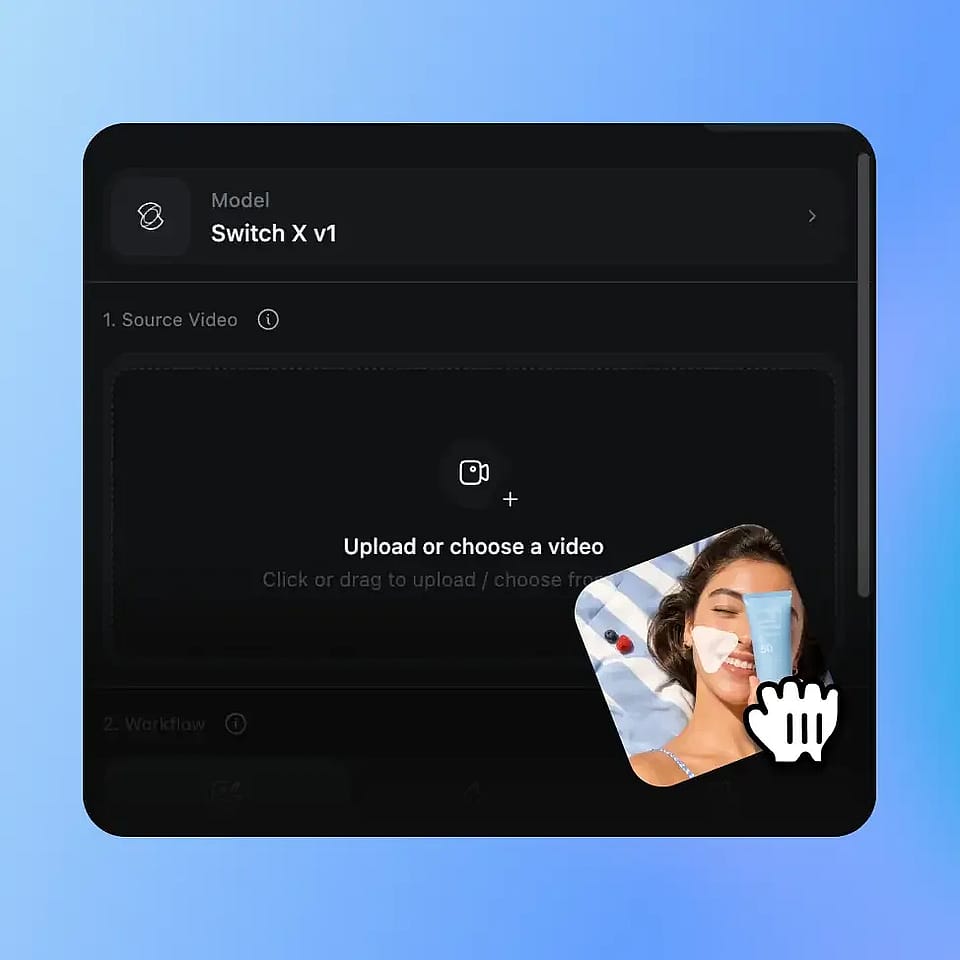
Upload Your Video
Upload any video clip in MP4 or MOV format. The tool works on any footage from any location, with no green screen, no special lighting, and no studio setup required.
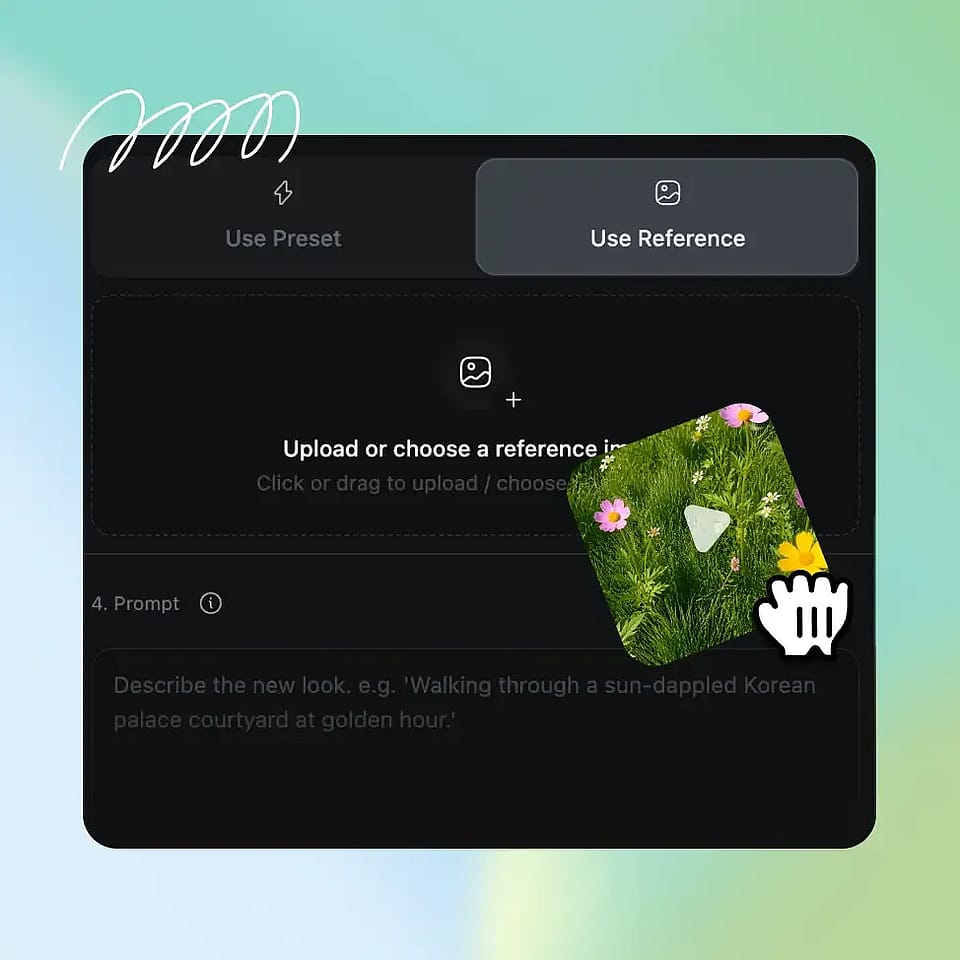
Choose or Generate Your New Background
Pick a preset from OpenArt's curated background library, upload your own reference image, or generate a brand-new scene with OpenArt's AI image generator. Add an optional text prompt if you want to fine-tune the look.

AI Builds the New World Behind You
OpenArt's AI automatically isolates your subject and replaces the full background with your chosen environment. The result is ready in minutes, with no editing, no masking, and no frame-by-frame work.