

GPT Image 2.5 — AI Image Model
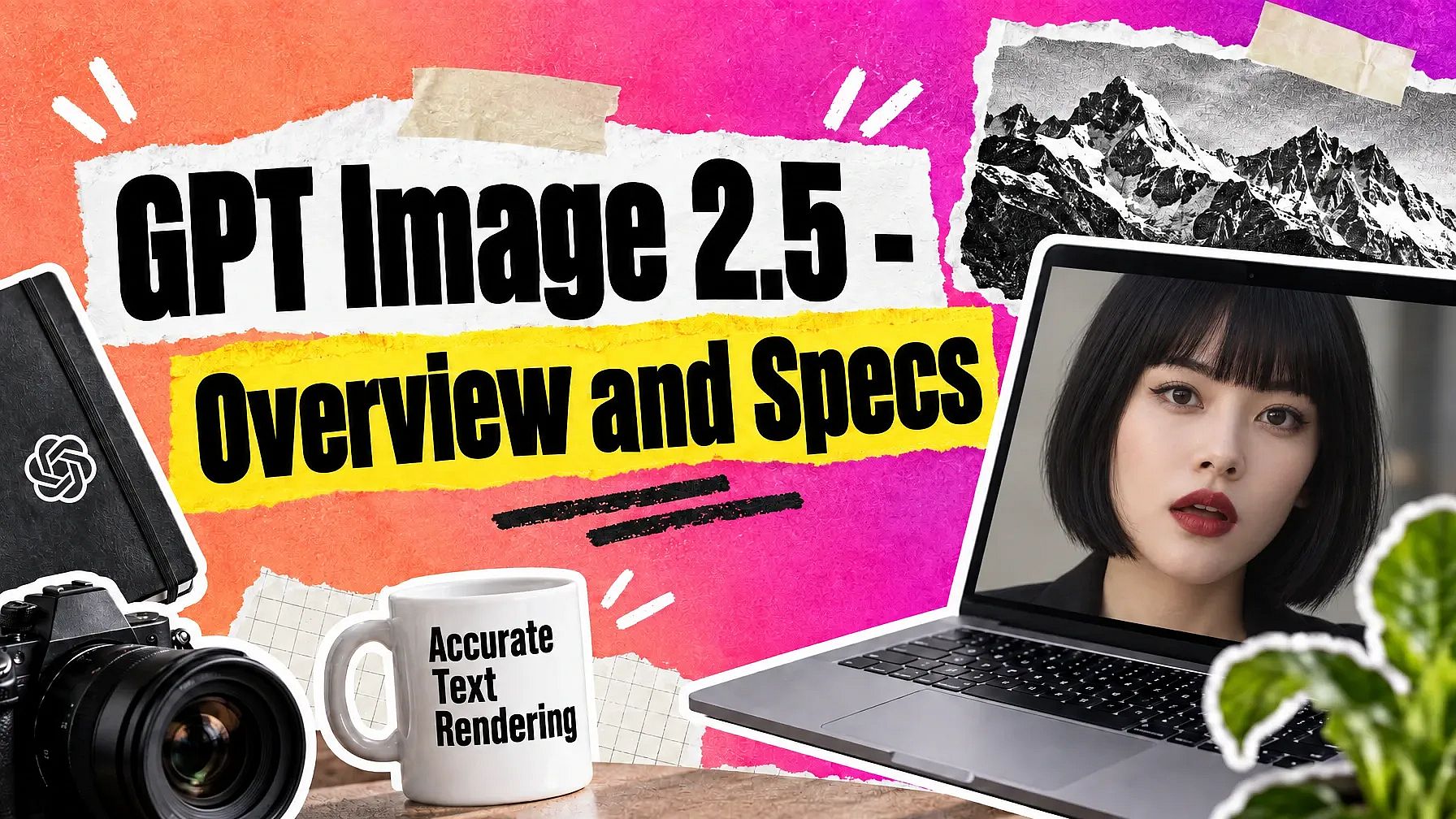
Make ads, product photos, and posters in 4K resolution with sharp in-image text and clear, detailed backgrounds on the GPT Image 2.5 AI image generator. Pick Flare mode when you want images fast, or Sunburst mode when you want the best quality.

Key Features of GPT Image 2.5
Pick between Flare and Sunburst, keep text accurate, and get clean, photorealistic results in every edit.
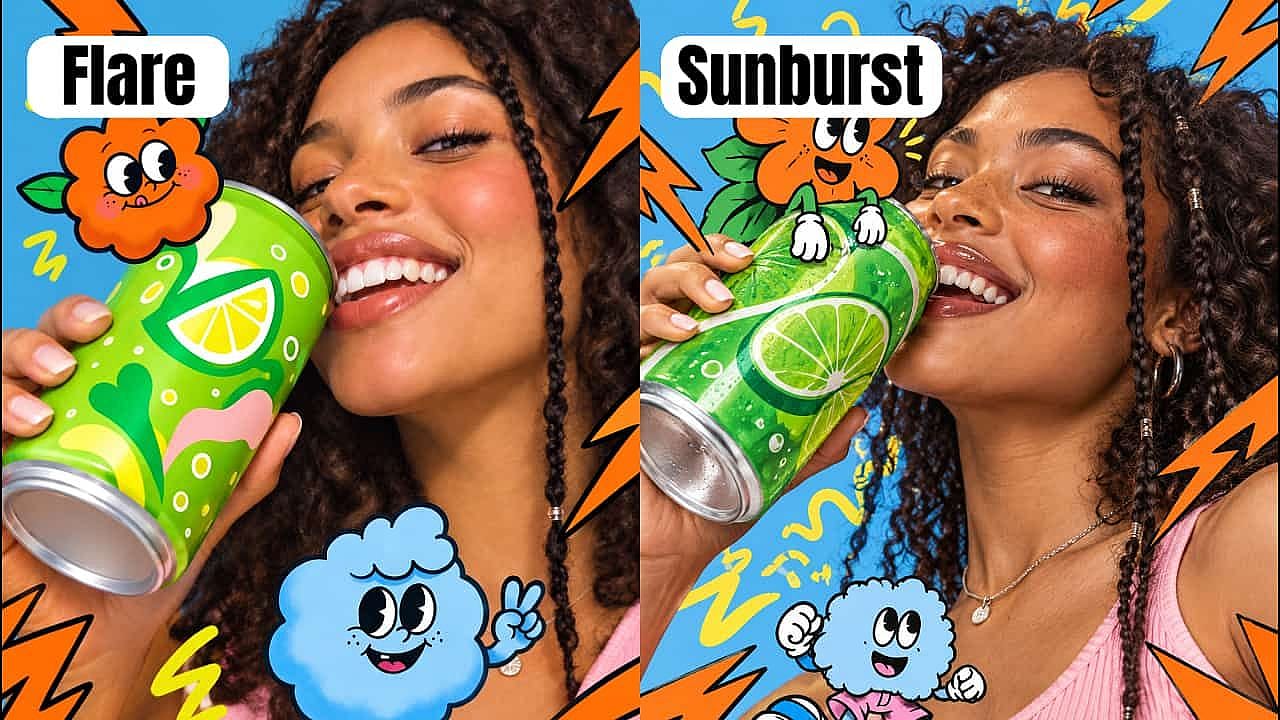
Flare for speed or Sunburst for quality
GPT Image 2.5 comes in two modes on OpenArt. Flare gives you images quickly, so you can look at five ideas for a sale post and pick your favorite. Sunburst takes a little longer and gives you the best quality, so save it for the picture you actually publish. Both modes sit in the same model menu.
Try it NowEvery word in your image spelled right
Type the headline, the price, or the date you want, and GPT Image 2.5 puts them in the picture as real text. Older AI image models often spelled words wrong on posters and signs. That makes GPT Image 2.5 a safe pick for sale banners, event cards, and restaurant menus.
Try it Now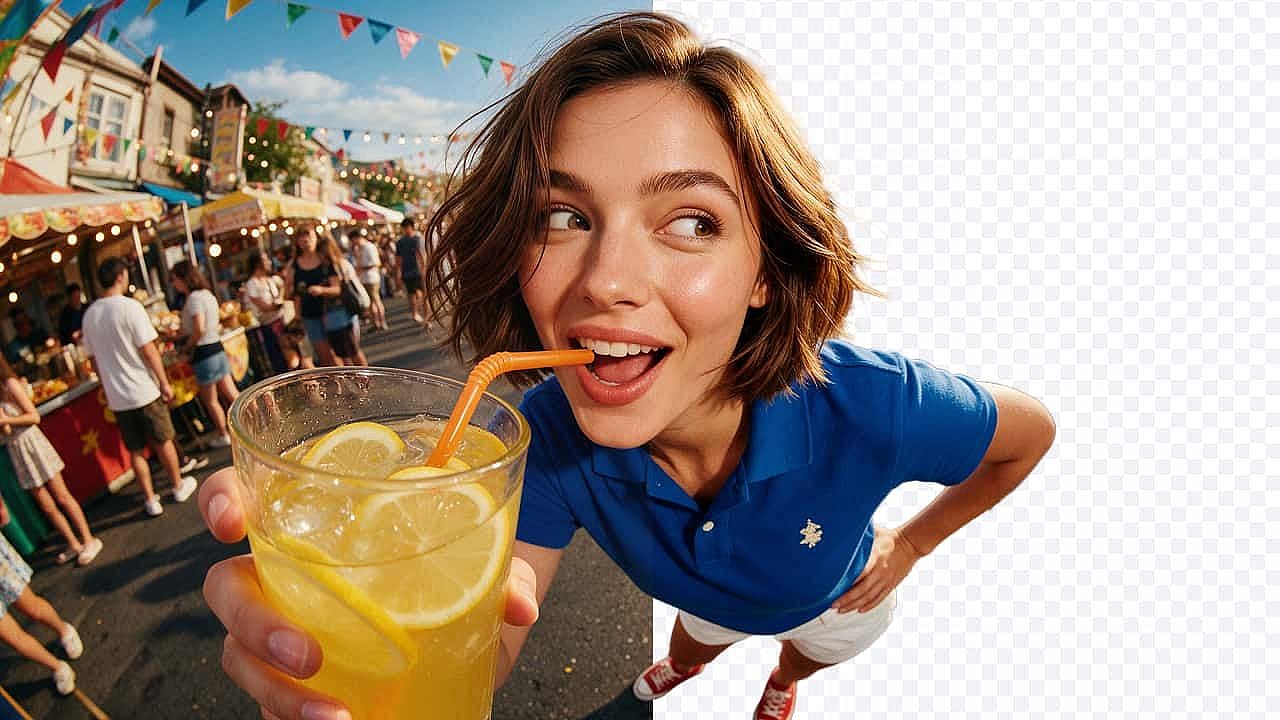
Images with a clear background
Set the background to clear and GPT Image 2.5 gives you a cutout with nothing behind your product. You can drop that file straight into a slide, a product page, or a video thumbnail, and it will sit on any color. You also save the step of erasing the background yourself.
Try it Now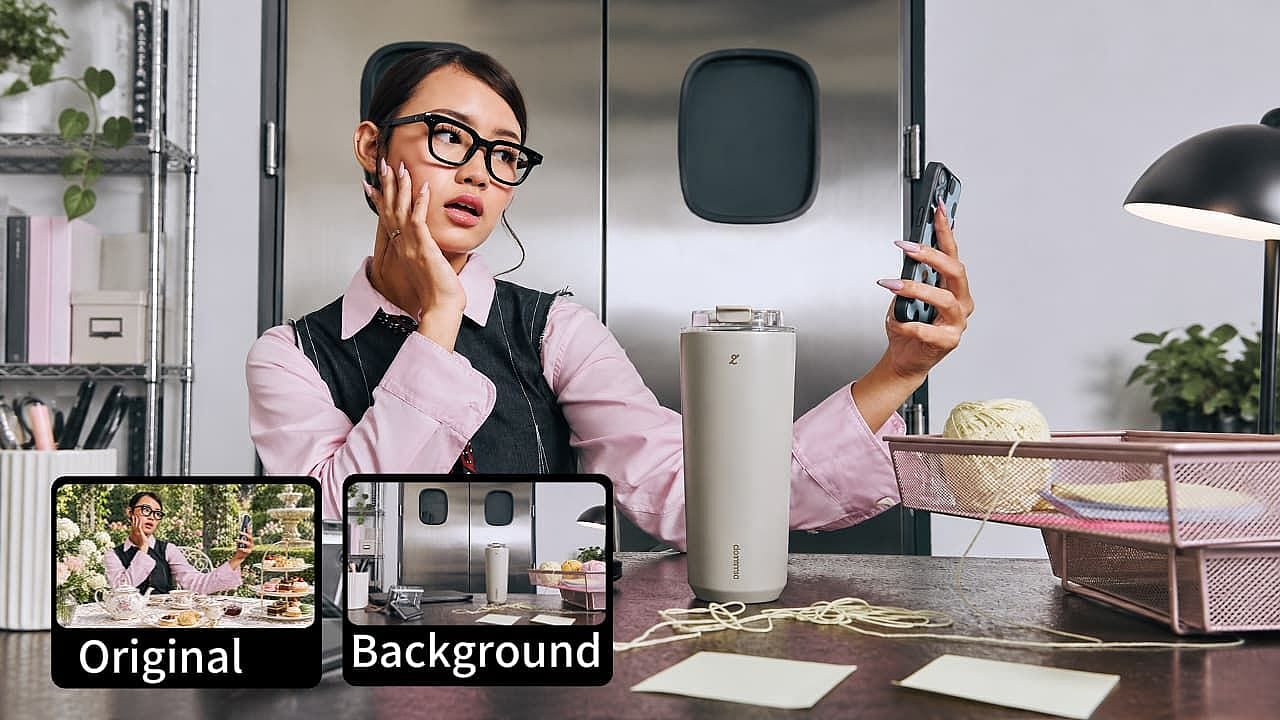
Highly accurate, precise image edits
GPT Image 2.5 edits pictures you already have. Just upload it as a reference image, tell the spot you want changed, and describe any other changes in plain words. Swap a background, fix a label, or change a shirt color while the rest of your picture stays exactly the same.
Try it Now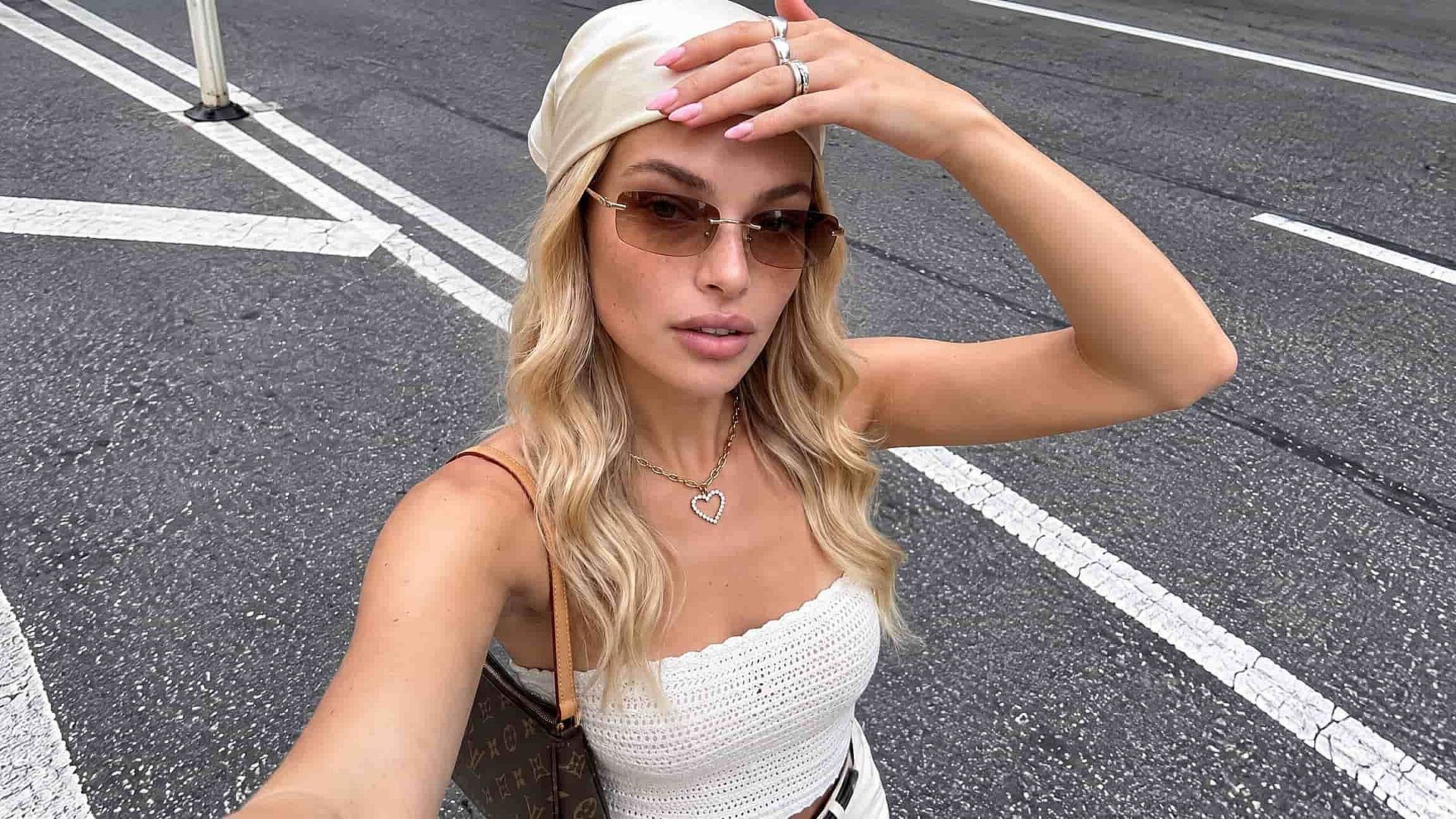
Clean, photorealistic images every time
GPT Image 2.5 gets skin, fabric, and metal to look the way they do in a real photo. Colors come out natural, so a red shirt stays the shade you asked for. Older AI models often left grainy patches and repeating specks in the picture, and GPT Image 2.5 addresses all those issues.
Try it NowHow to Use GPT Image 2.5
Three steps take you from a prompt to a finished image.
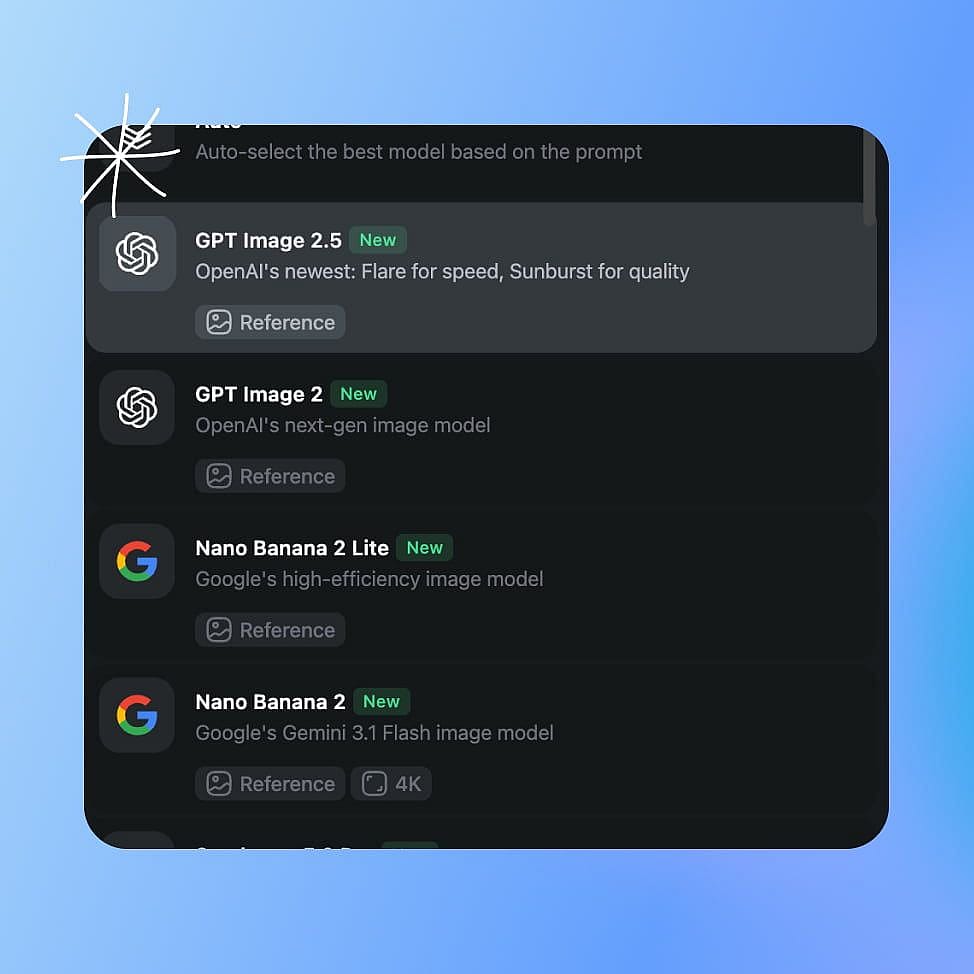
Choose the model and mode
Open AI image generator and pick GPT Image 2.5 from the model menu. Choose Flare mode for a fast image or Sunburst mode for the best quality.
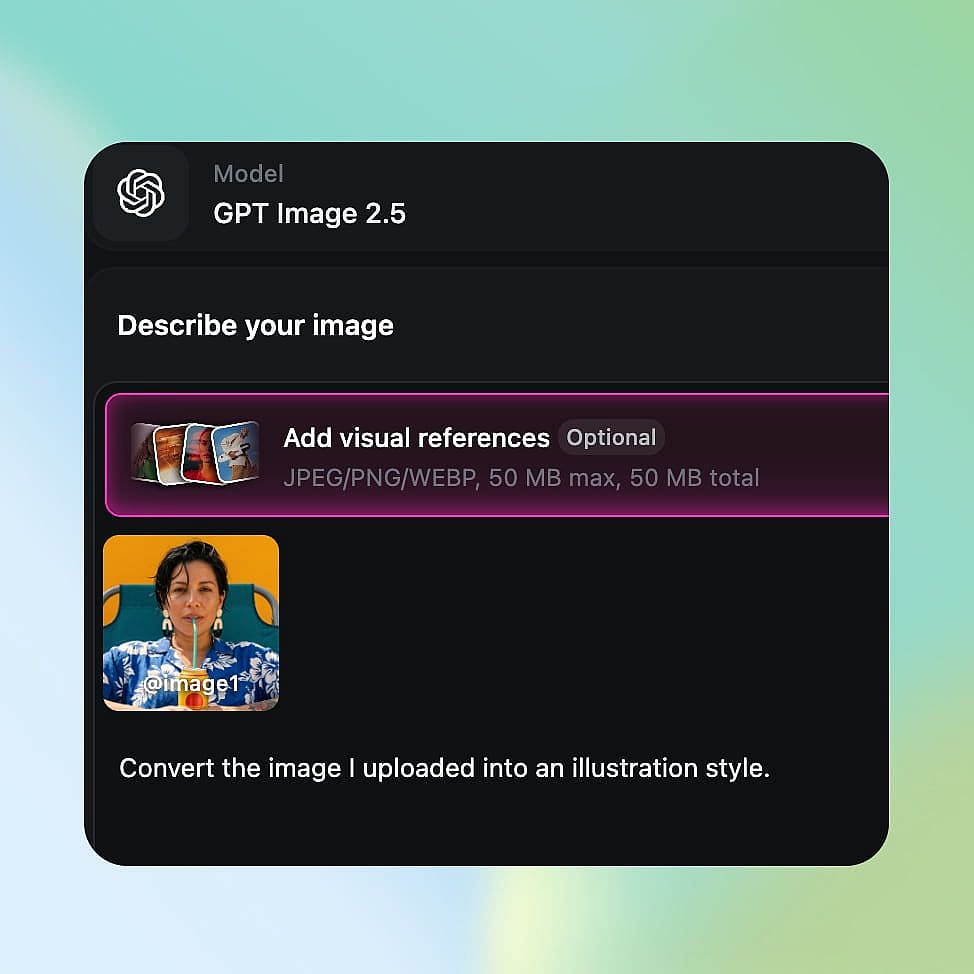
Prompt and add references
Describe your subject, the setting, the lighting, and any words you want inside the picture. Upload reference images when you want the result to match your product or your style.
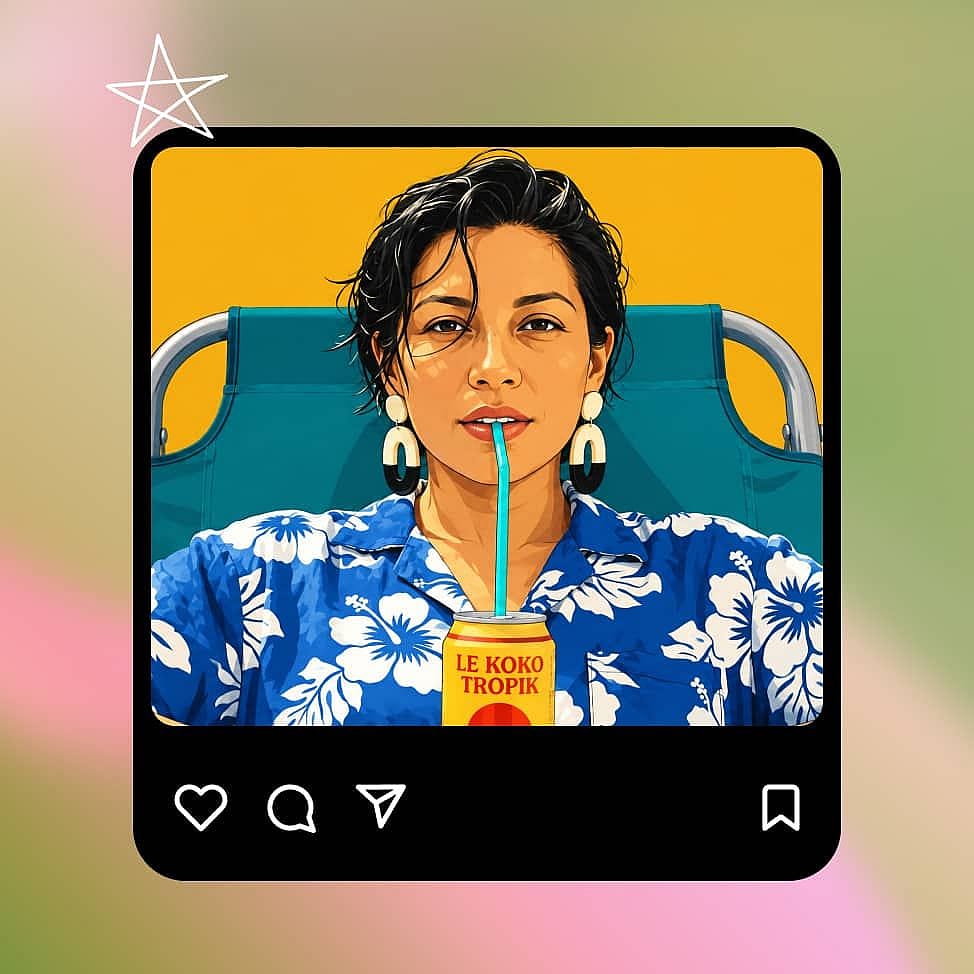
Generate and refine
Set your aspect ratio, resolution, and number of outputs, then generate. Pick the strongest image and download in the file format of your choice.
Best Use Cases for GPT Image 2.5
From marketing posts to product cutouts, here's what GPT Image 2.5 is perfect for.
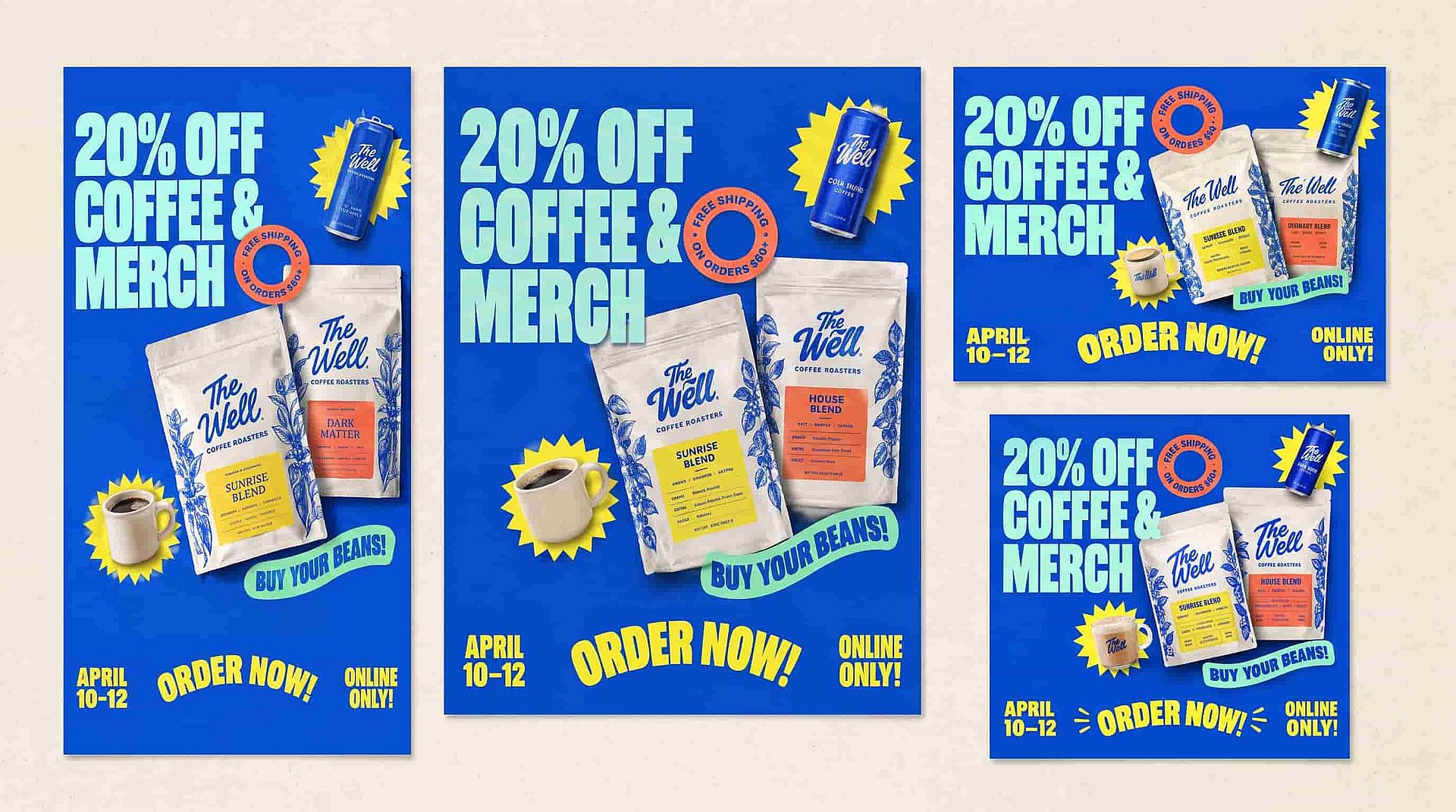
Make marketing posts in any size you need
Make a square post for your feed, then make the same offer as a vertical Story. Put your headline, your product, and the offer date in the prompt so each size comes out with the right words already in place. Flare mode is quick enough to try a few looks first.
Try it Now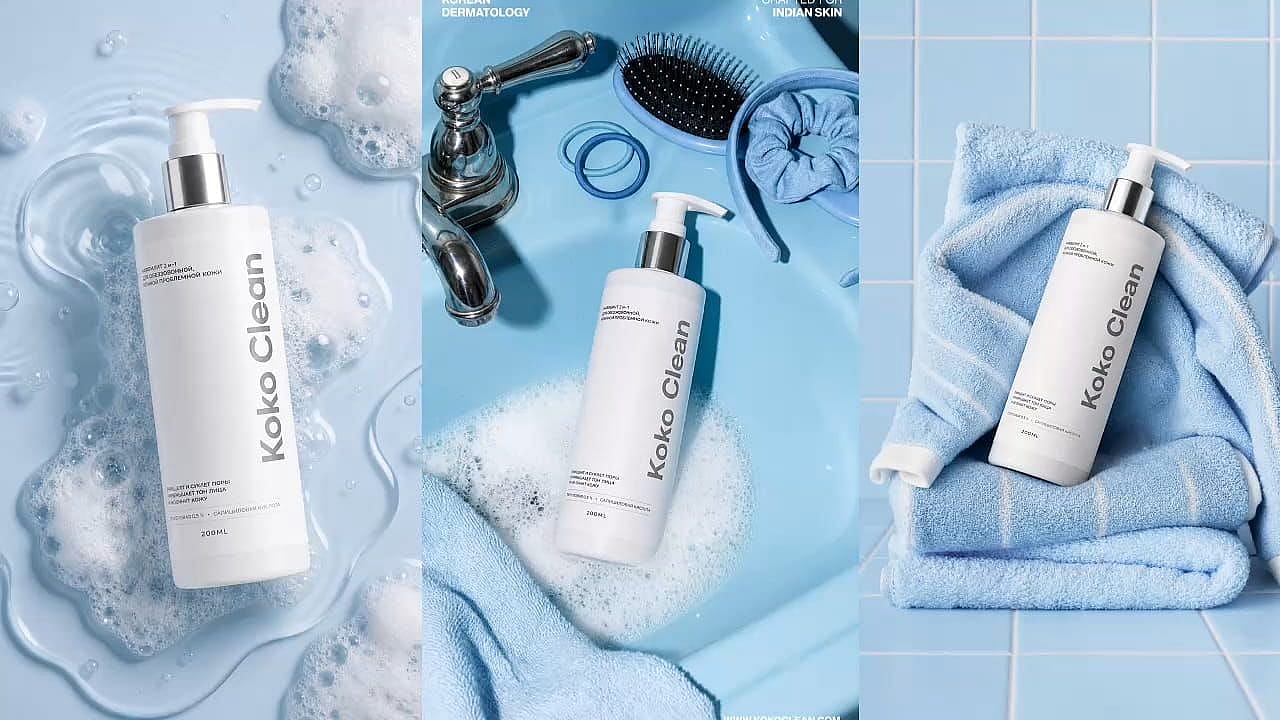
Put one subject in many settings
Start with a clean photo of your product, then ask for it on a cafe table, a bathroom counter, or a plain studio backdrop. The shape, the color, and the label stay the same in every version. You get a full set of pictures without booking a new photo shoot.
Try it Now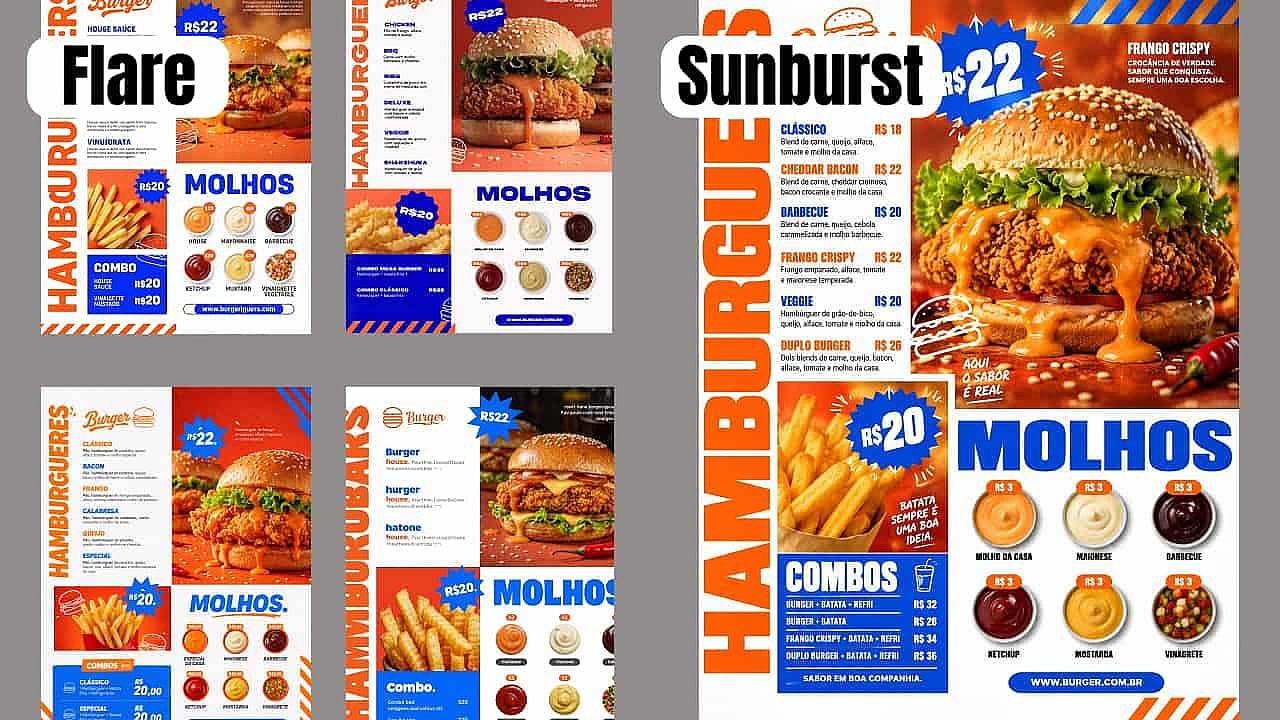
Make menus, event cards, and thumbnails
Ask for a big headline, tell GPT Image 2.5 where the price sits, and say how much empty space you want. The words land where you asked and they are spelled correctly. Try a few looks in Flare mode, then make the final one in Sunburst mode.
Try it Now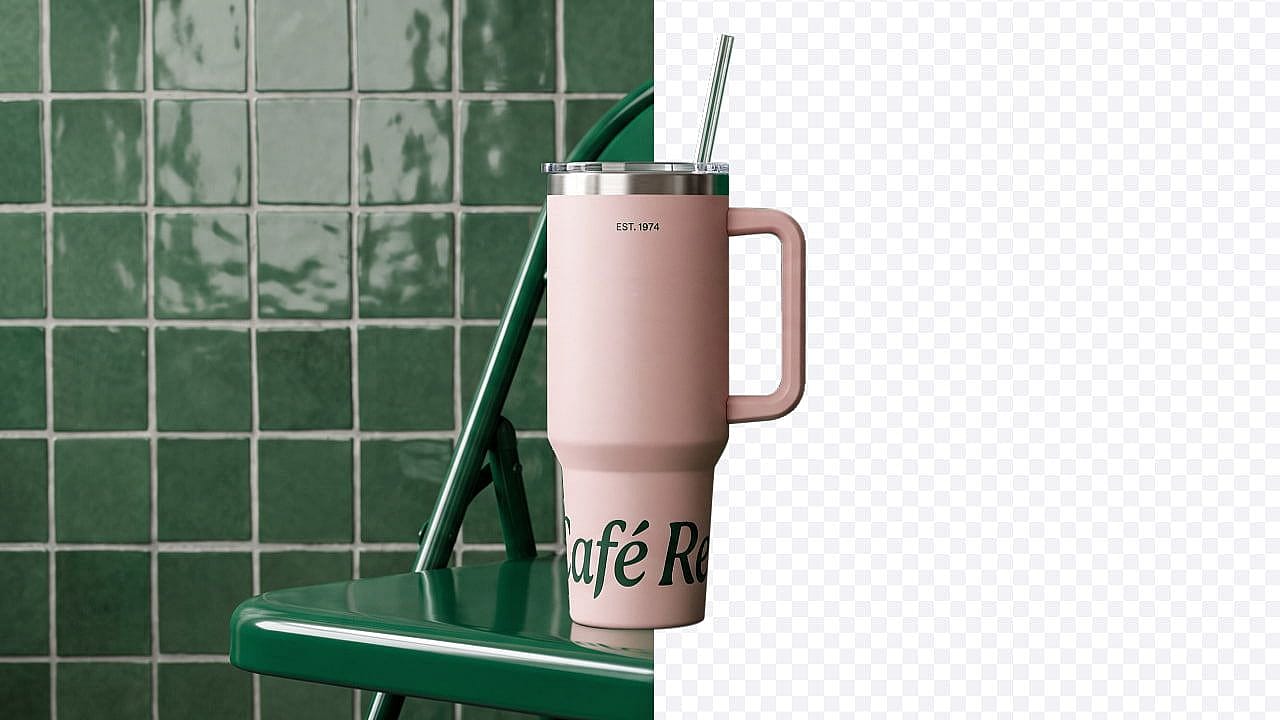
Create sticker and product cutouts
Ask for a product shot, a sticker, or a simple graphic with a clear background. You get one file you can reuse in a slide, a product page, or a video thumbnail. Use the same cutout across a whole campaign instead of drawing it again each time.
Try it NowTips for Best Results
Say where each thing goes
Name the layout you want, such as a headline at the top, the product in the middle, and a button at the bottom. GPT Image 2.5 follows that order.
Keep in-image text short
Short lines come out cleanest. A five word headline and a price will read perfectly, while a full paragraph is harder for any model to get right.
Draft in Flare, finish in Sunburst
Try your ideas in Flare mode while you are still choosing. Switch to Sunburst mode once you know which picture you are publishing.
Change one thing at a time
When editing, ask for a single change and say what has to stay the same. Small edits keep the rest of your picture steady across versions.
Explore More AI Models
State-of-the-art AI models across image, video, and audio production.
Frequently Asked Questions
Get Insights from Experts Blog
Get the insights you need. Our experts share actionable hacks, break down the hottest topics, and provide essential how-to guides to help you create, optimize, and scale.
Read More
Loved by Creators
I've tried many AI platforms... but OpenArt is still the best for character creation, image-to-video quality, and the variety of models available.
OpenArt offers an excellent array of AI tools... once you learn the features, the creative possibilities are amazing - and their support team is outstanding.
OpenArt is a very versatile AI platform with many image and video models, consistent character creation, and powerful editing tools.
Helpful AI tools all in one place - image and video generation, editing, and more... no need for multiple subscriptions.
Customer service is always quick and helpful... and the platform keeps getting better with new features and tools.
I've tried many AI platforms... but OpenArt is still the best for character creation, image-to-video quality, and the variety of models available.
OpenArt offers an excellent array of AI tools... once you learn the features, the creative possibilities are amazing - and their support team is outstanding.
OpenArt is a very versatile AI platform with many image and video models, consistent character creation, and powerful editing tools.
Helpful AI tools all in one place - image and video generation, editing, and more... no need for multiple subscriptions.
Customer service is always quick and helpful... and the platform keeps getting better with new features and tools.
I've tried many AI platforms... but OpenArt is still the best for character creation, image-to-video quality, and the variety of models available.
OpenArt offers an excellent array of AI tools... once you learn the features, the creative possibilities are amazing - and their support team is outstanding.
OpenArt is a very versatile AI platform with many image and video models, consistent character creation, and powerful editing tools.
Helpful AI tools all in one place - image and video generation, editing, and more... no need for multiple subscriptions.
Customer service is always quick and helpful... and the platform keeps getting better with new features and tools.
With so many AI platforms out there, OpenArt stood out as a stellar choice - I'd recommend it to any creator.
This platform includes everything you need for AI content creation - images, video, characters, audio, and multiple AI models in one place.
OpenArt is pushing the boundaries of AI video creation... and it's clear the team is committed to improving the creator experience.
I made my first AI music video with OpenArt... and their support team was the best help I've ever experienced.
I'm very happy with the support - my issue was resolved quickly and the team made the process easy.
With so many AI platforms out there, OpenArt stood out as a stellar choice - I'd recommend it to any creator.
This platform includes everything you need for AI content creation - images, video, characters, audio, and multiple AI models in one place.
OpenArt is pushing the boundaries of AI video creation... and it's clear the team is committed to improving the creator experience.
I made my first AI music video with OpenArt... and their support team was the best help I've ever experienced.
I'm very happy with the support - my issue was resolved quickly and the team made the process easy.
With so many AI platforms out there, OpenArt stood out as a stellar choice - I'd recommend it to any creator.
This platform includes everything you need for AI content creation - images, video, characters, audio, and multiple AI models in one place.
OpenArt is pushing the boundaries of AI video creation... and it's clear the team is committed to improving the creator experience.
I made my first AI music video with OpenArt... and their support team was the best help I've ever experienced.
I'm very happy with the support - my issue was resolved quickly and the team made the process easy.