
MiniMax H3 Image
Use MiniMax H3 Image on OpenArt, an independent AI platform that integrates leading image models. Make 4K images with the camera angle, layout, and light you describe on the MiniMax H3 Image AI image generator. Guide each picture with up to 16 reference images, and add longer text for posters and graphics.

Key Features of MiniMax H3 Image
Set the camera angle, layout, and light
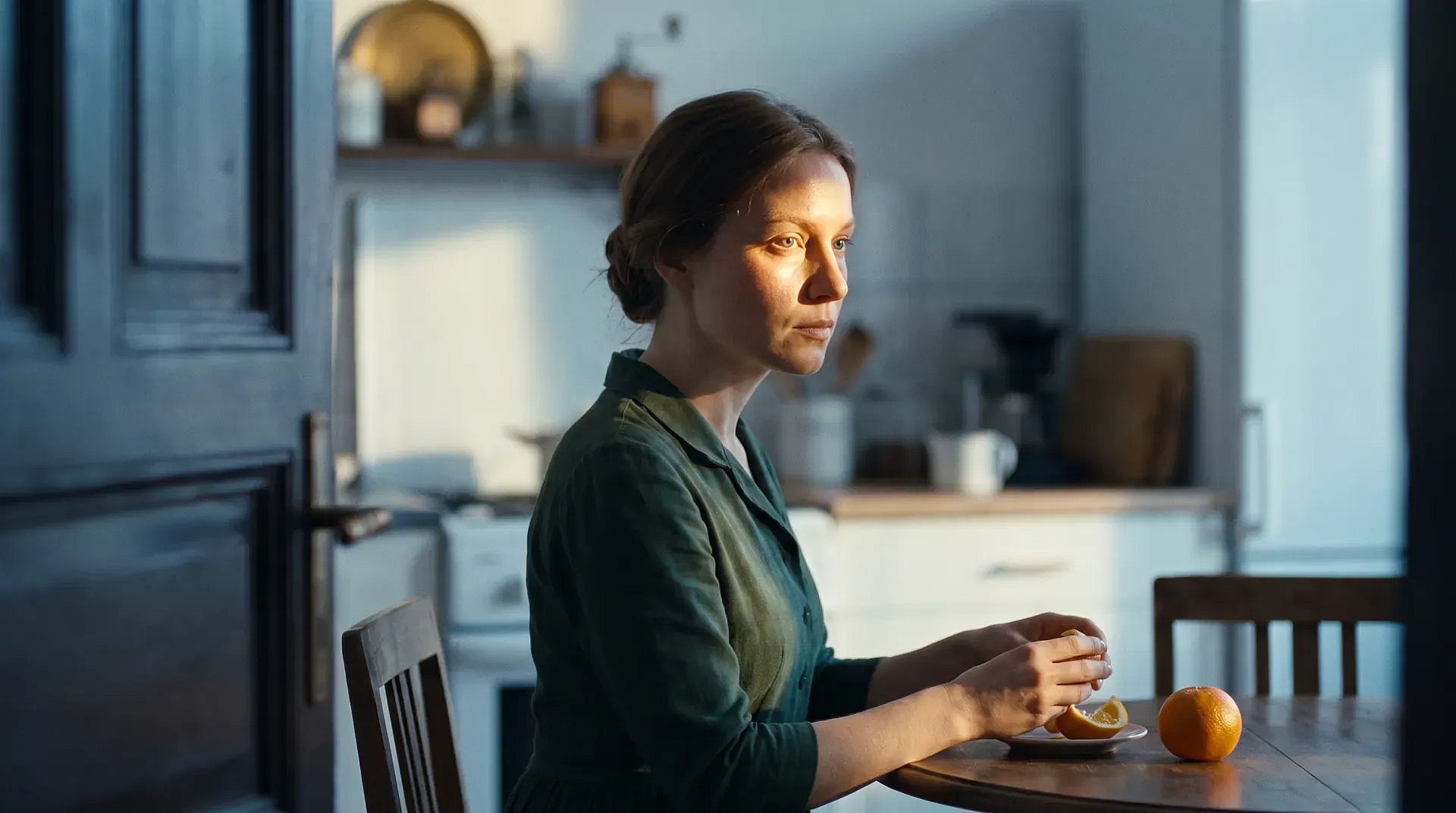
MiniMax H3 Image follows the camera angle, layout, and lighting you write in your prompt. Say where the camera sits, such as at eye level, down near the floor, or straight overhead. Say what goes in front, what sits behind, and where the light comes from. You can also ask for small details that depend on those choices, like a chair reflected in a mirror or a shadow falling across a countertop. Light from a side window can fall across fabric, leather, and wood, with soft shadows under the table legs. Getting the setup right in your prompt saves you rounds of fixing it by hand.
Try it Now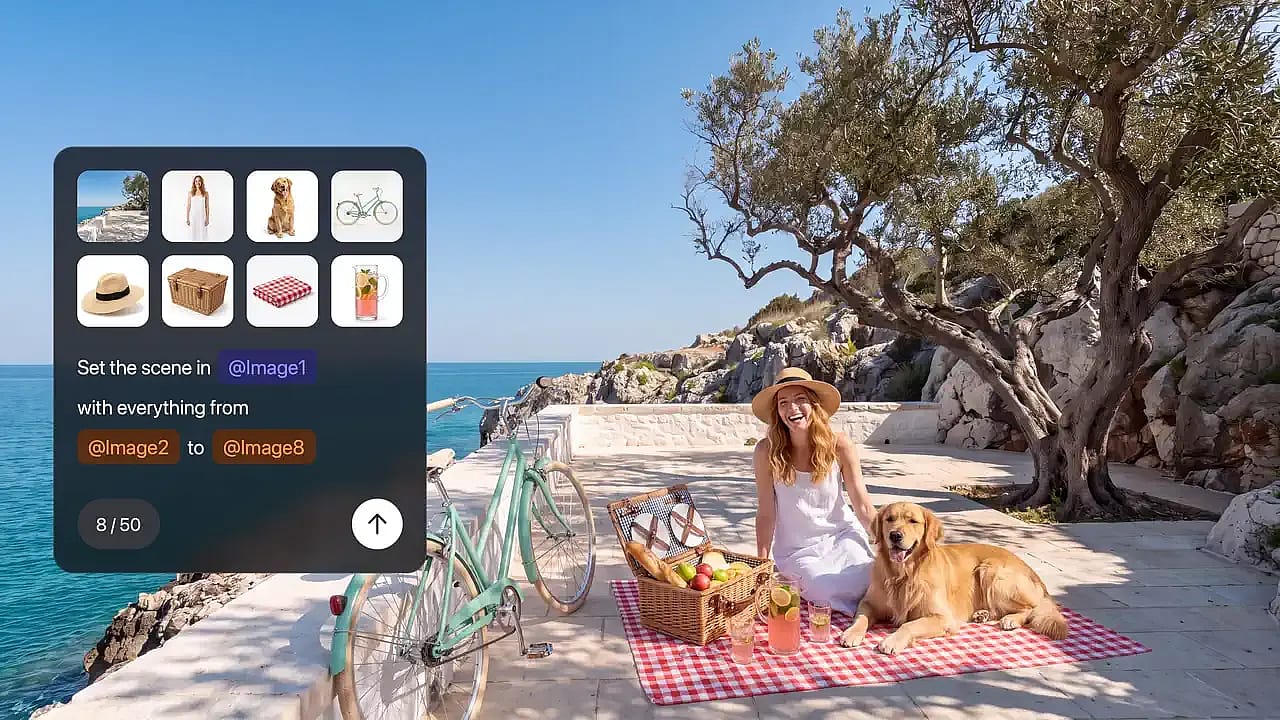
Guide images with up to 16 references
MiniMax H3 Image can use up to 16 reference images in a single request. Give each image its own job: one shows the product, one sets the style, and one sets the layout. For example, upload a photo of an empty room plus nine photos of furniture on white backgrounds, and ask for one furnished living room. You can also upload one photo and ask for a single change, such as moving a lamp to the other side of the sofa. Say what should change and what should stay the same. To mark the exact spot you want changed, open the photo in OpenArt's AI photo editor.
Try it Now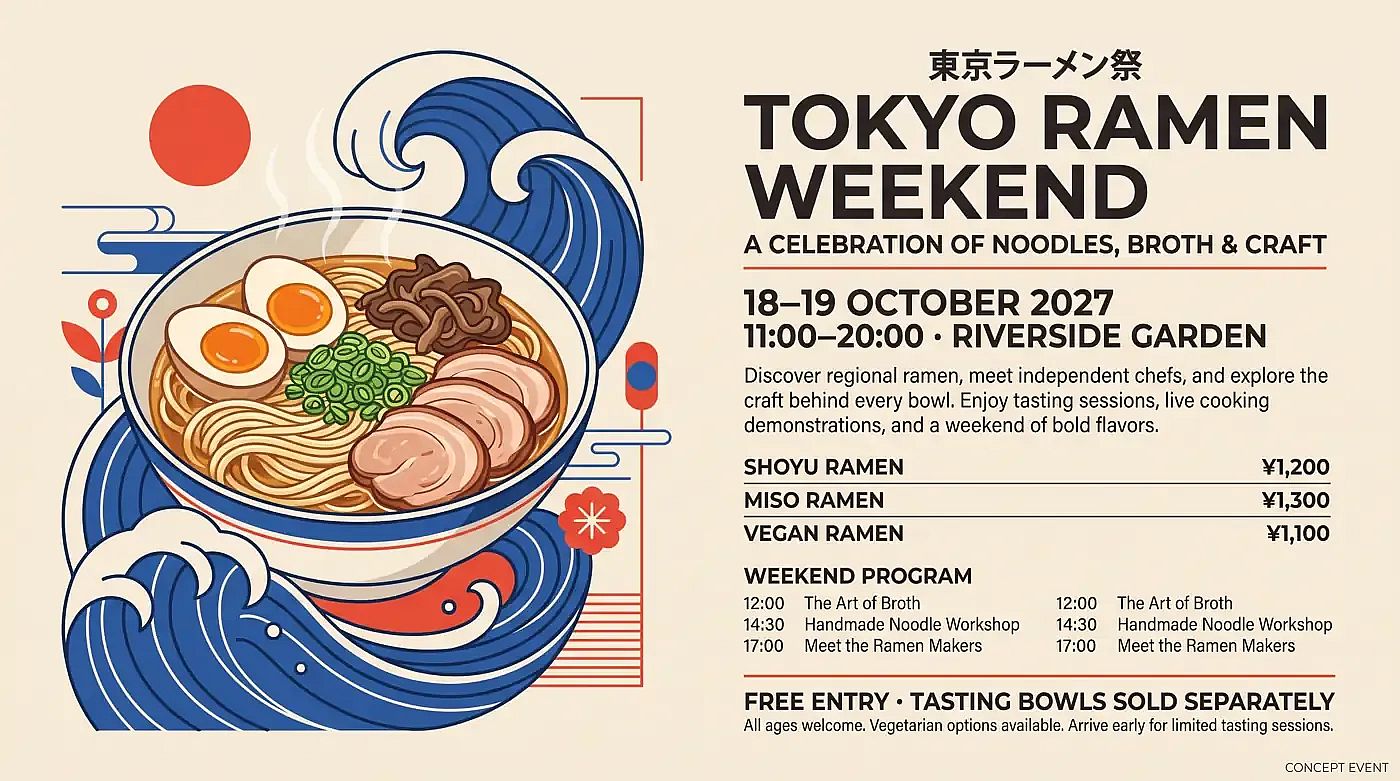
Write longer text into posters and screens
MiniMax H3 Image writes English and other languages inside your image, including longer blocks of text. Use MiniMax H3 Image as an AI poster generator for event posters, or make infographics, app screen mockups, and guides split into several panels. Type the exact words in quotation marks and say where each line goes, like a headline at the top and a short caption under each panel. Your prompt can run several paragraphs long, so one prompt can hold all the copy for a full layout. Proofread every word before an image goes out, especially names, prices, and dates.
Try it Now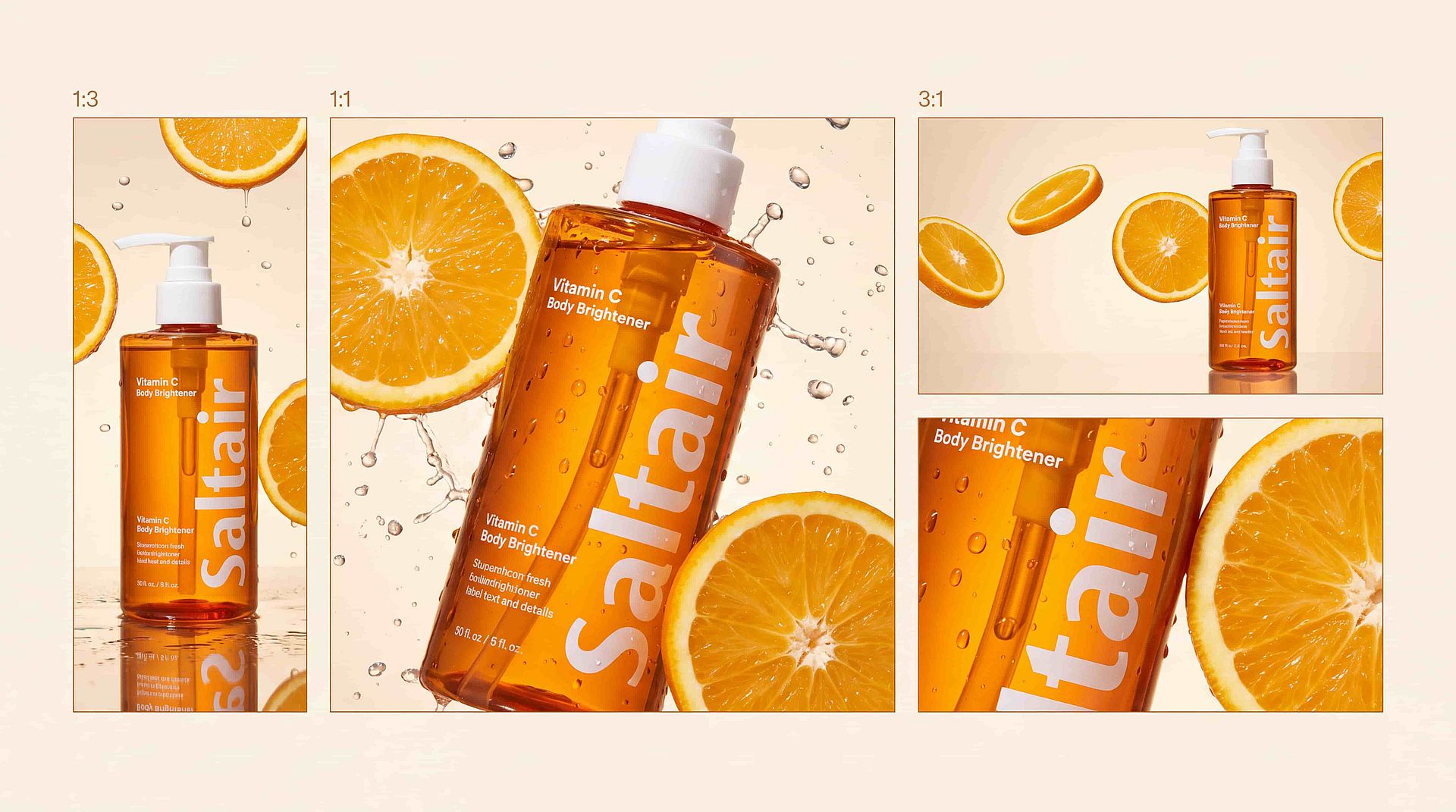
Make 4K images in many shapes
MiniMax H3 Image makes images at 1K, 2K, or 4K. A 4K square image comes out at about 4096 × 4096 pixels, or roughly 16 megapixels. You can pick shapes from a tall 1:3 to a wide 3:1, so one idea can become a phone story, a square post, and a wide banner. Edited images come out at the same large size. Large files hold their detail when you crop, print, or show the image on a big screen.
Try it NowHow to Use MiniMax H3 Image
You can go from a prompt to a finished MiniMax H3 Image picture in three steps.
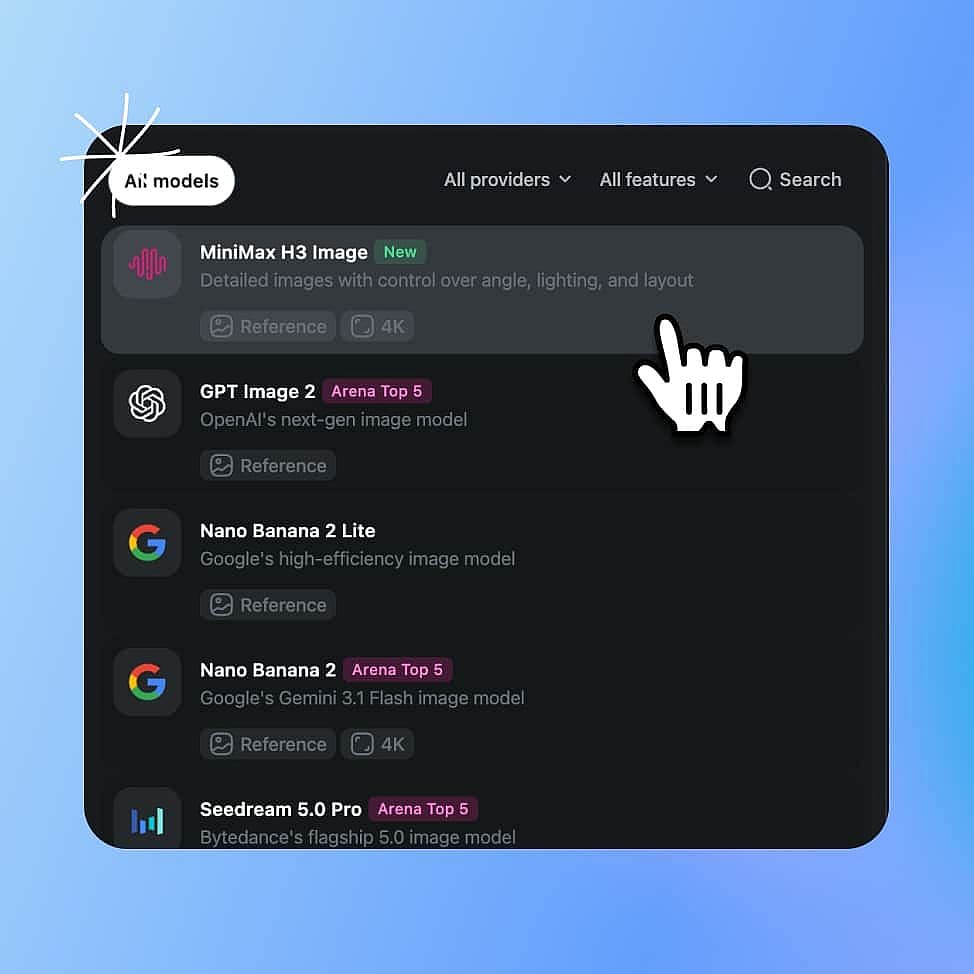
Choose MiniMax H3 Image model
Open OpenArt's AI image generator and select MiniMax H3 Image from the model menu.
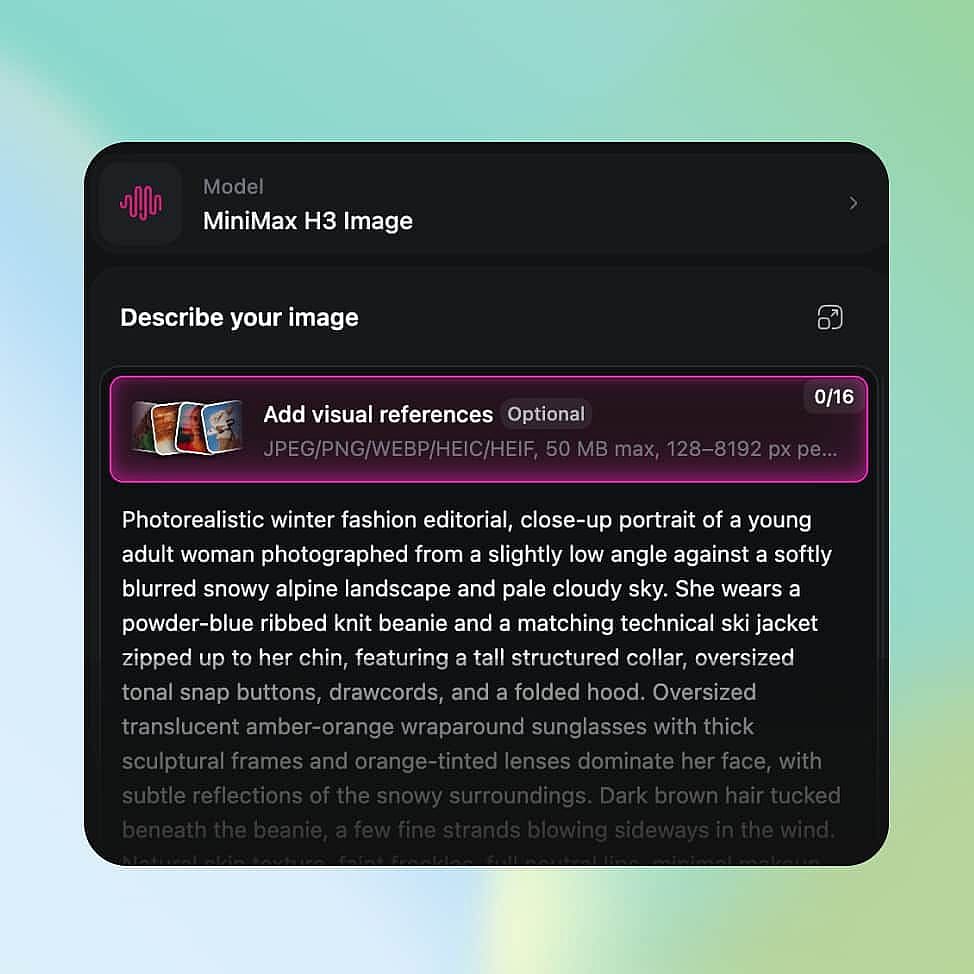
Describe your image and set your output
Describe your image, put any words you want in the picture inside quotation marks, and add reference images if you have them. Choose your size and shape, up to 4K.
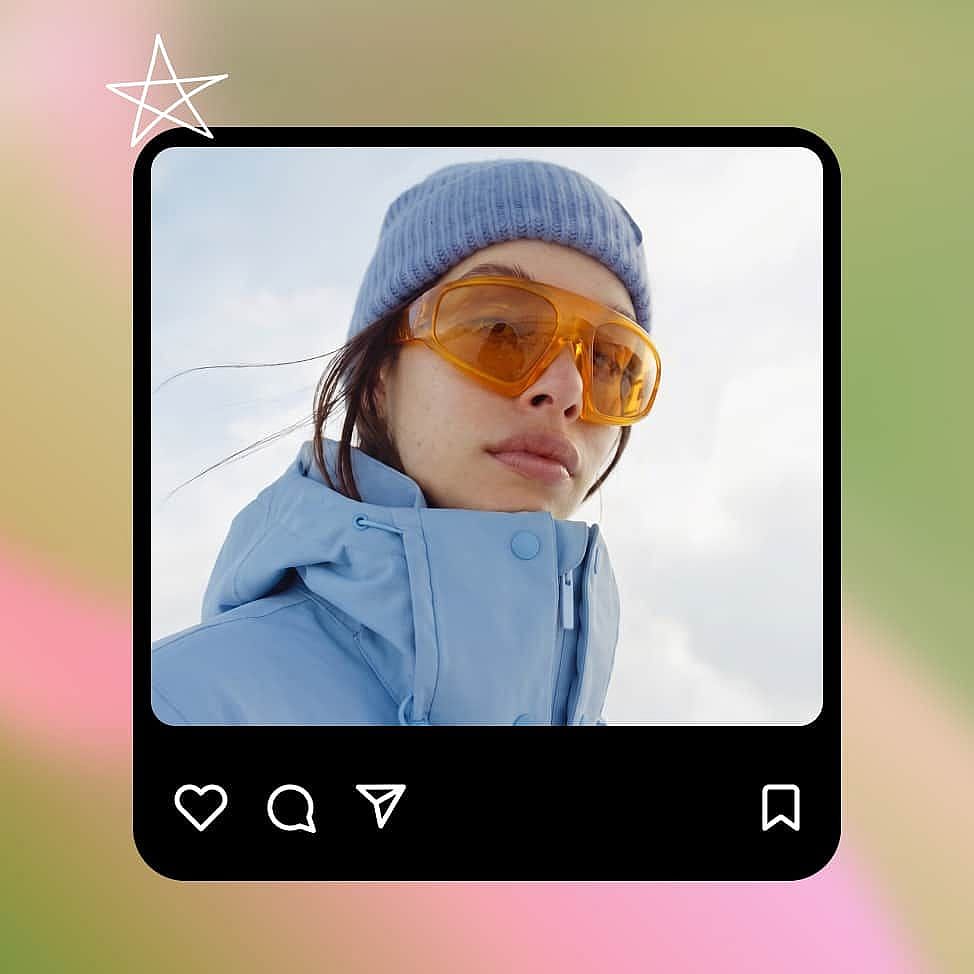
Generate, adjust, and download
Generate your image, then change your prompt or ask for one change at a time until it looks right. Download your final image.
Best Use Cases for MiniMax H3 Image
MiniMax H3 Image suits campaign concepts, ad test images, product scenes for online stores, and shot planning for film.
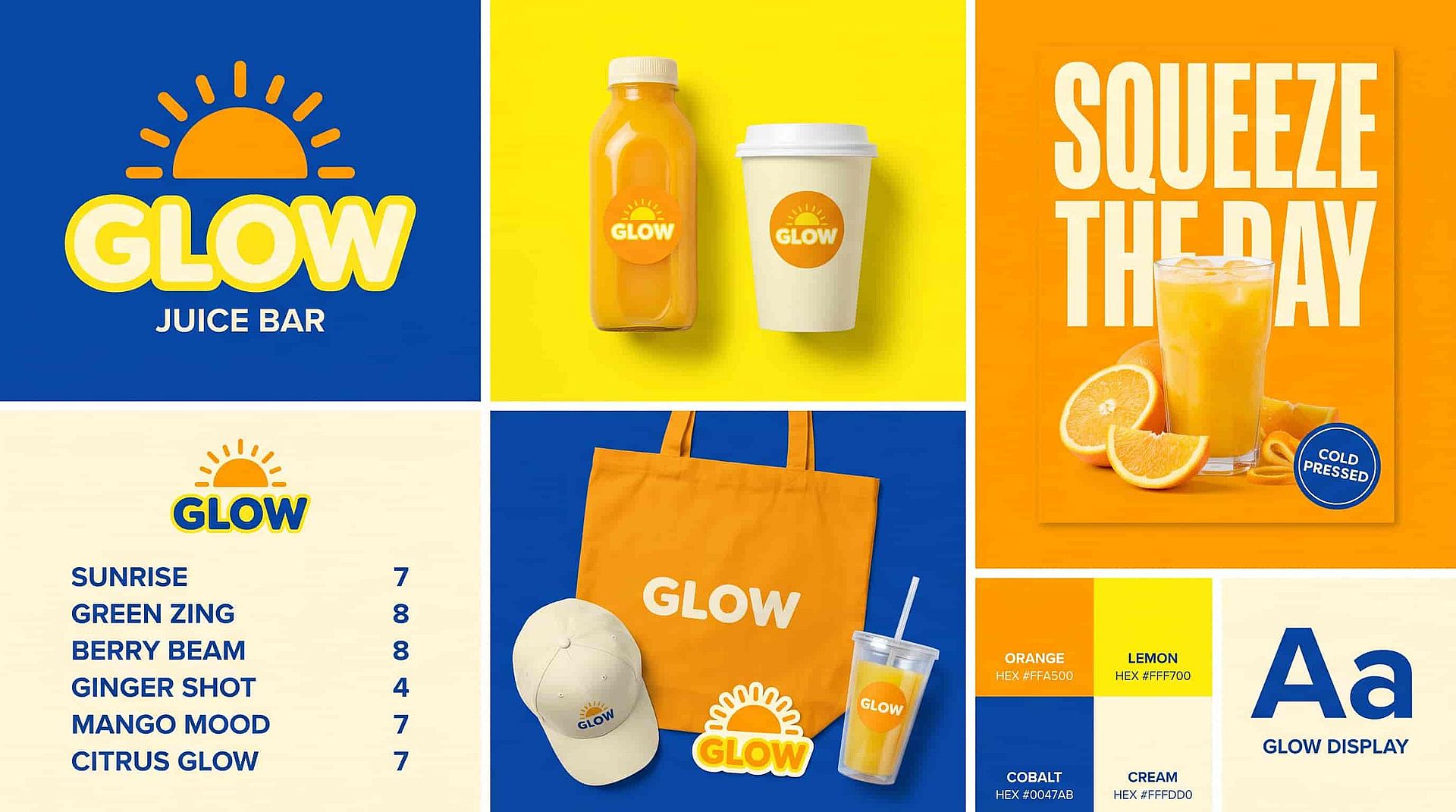
Campaign concepts for brand and creative teams
MiniMax H3 Image helps brand designers, creative directors, and agency teams turn a campaign brief into an image everyone can give feedback on. Say the brief calls for a running shoe on a wet city street at night. Ask for the shoe in the left third of the frame, lit from one side, with neon signs blurred in the background. Add your product photo as a reference so the shoe keeps its shape and colors. Then ask for a clean studio version of the same idea so the client can compare two directions. Your team can share both images and agree on a look before anyone books a shoot. Check logos, colors, and product details before you present them.
Try it Now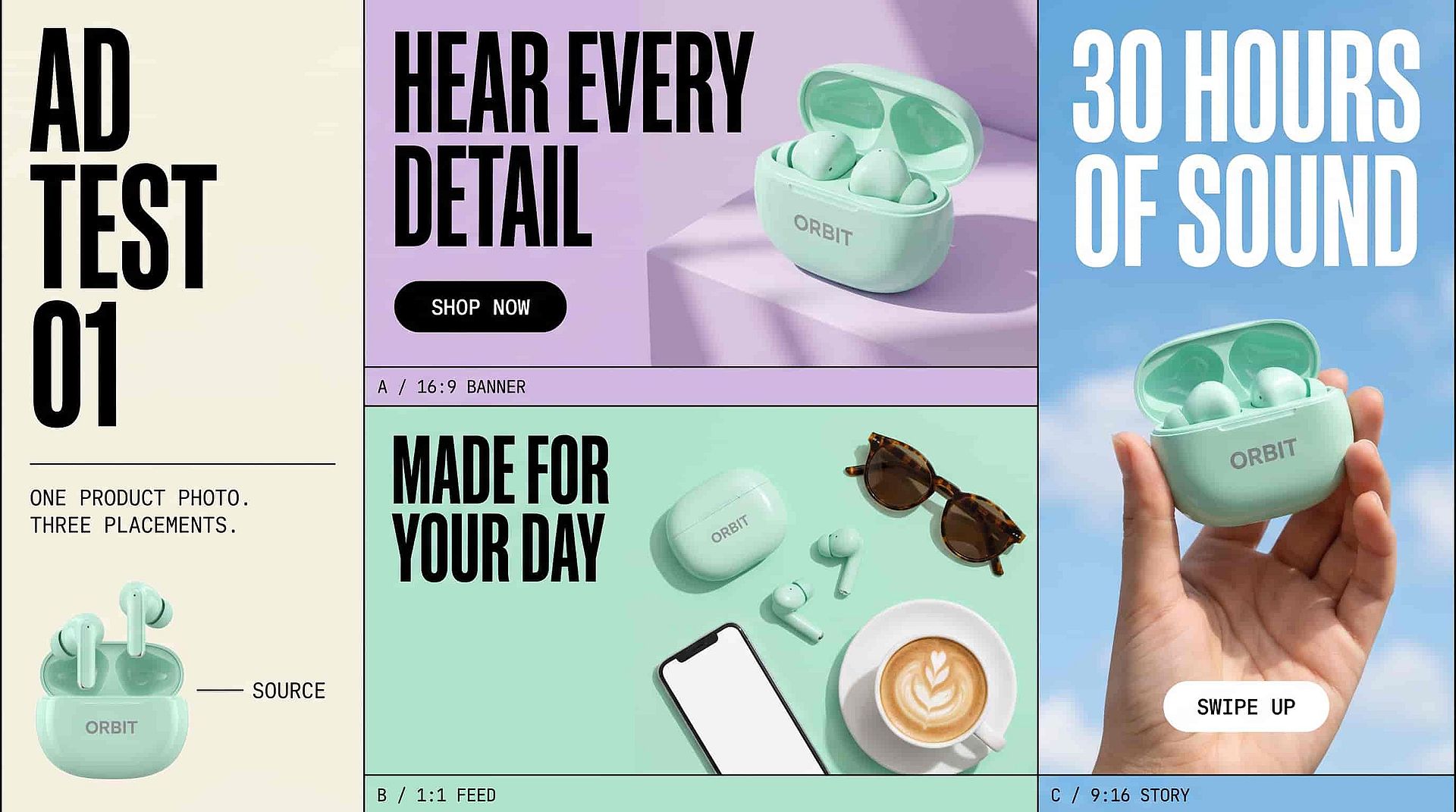
Ad test images for performance marketers
MiniMax H3 Image helps performance marketers and ad designers plan product images for different ad placements. Upload your product photo and ask for the product on the right side of the frame, with open space on the left for your headline and button. Then ask for an overhead version for a square feed ad and a tall version for stories. Put your exact headline in quotation marks if you want the words inside the image. Every version starts from the same product photo, so each test shows how the layout and background perform. Proofread every word and check the product details before an ad goes live.
Try it Now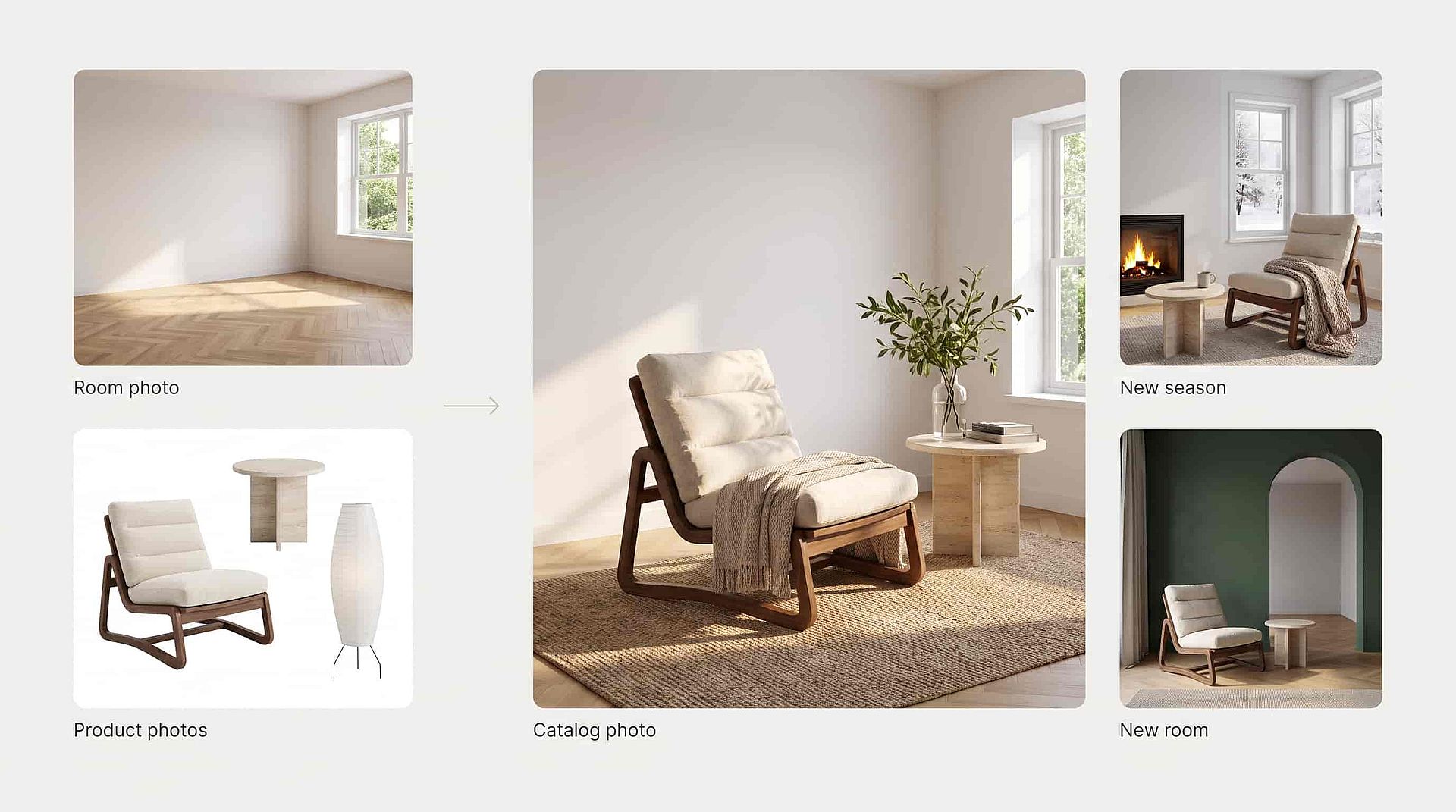
Product scenes for small business owners
MiniMax H3 Image helps small business owners and online store teams make catalog photos without booking a shoot. Upload a photo of an empty room and white-background photos of the furniture you sell. Ask MiniMax H3 Image to place each piece in the room and keep the same camera position. Show your best-selling lounge chair from an angle that shows its wooden frame. Light from the window can fall across the fabric and wood, with shadows under the table and chair legs. When you need fresh photos, ask for a new season or a new room with the same products. Compare colors, sizes, and details with the real products before you sell with the image.
Try it Now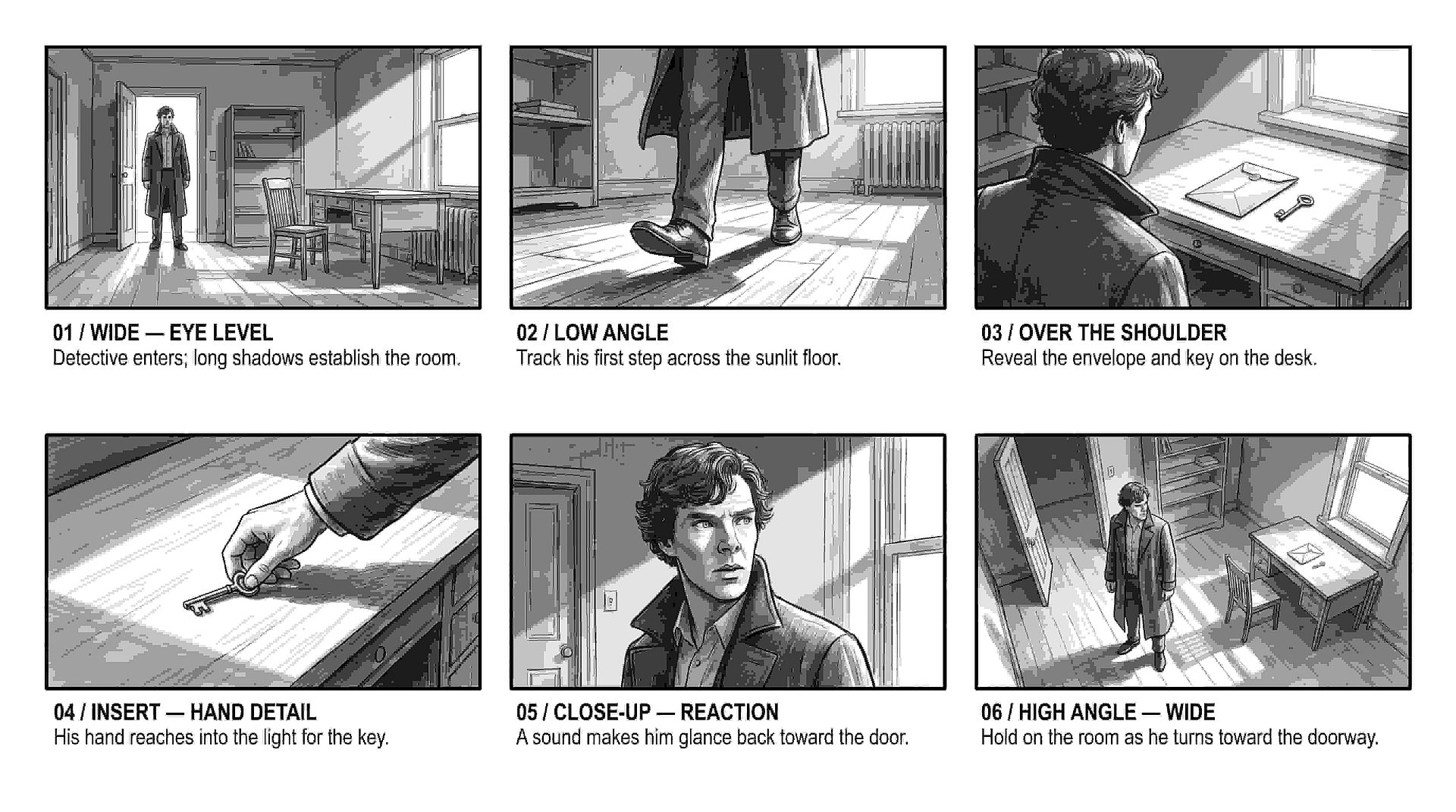
Shot planning for filmmakers and storyboard artists
MiniMax H3 Image helps filmmakers and storyboard artists see how a shot will look before the crew sets up. Use MiniMax H3 Image as an AI storyboard generator: describe the scene, then say where the camera sits, where each actor stands, and where the light comes from. Make the same moment once at eye level and once from a low angle near the floor to see which one tells the story better. Write each frame in plain words, like "the detective stands in the doorway, lit from behind, with his shadow stretching toward the camera."
Try it NowTips for Best Results
Explore More AI Models
State-of-the-art AI models across image, video, and audio production.
Frequently Asked Questions
MiniMax H3 Image is MiniMax's model for making and editing images from detailed written briefs, and you can use it in OpenArt's AI image generator. MiniMax H3 Image follows the camera angle, layout, and light you describe, uses up to 16 reference images, writes longer text, and makes images up to 4K.
Write where the camera sits and where it points, such as "eye level," "low angle near the floor," or "straight overhead." Then add what sits in front, what sits behind, and where the light comes from.
MiniMax H3 Image makes images at 1K, 2K, or 4K, and a 4K square image comes out at about 4096 × 4096 pixels. Shapes run from a tall 1:3 to a wide 3:1.
Yes. Upload your image as a reference and describe one change, such as "move the lamp to the left side of the sofa." Say what should stay the same. To mark the exact spot you want changed, open the image in OpenArt's AI photo editor.
Yes. MiniMax releases H3 Image as an open-weight model, so technical teams can run it on their own servers. On OpenArt, you use MiniMax H3 Image in your browser with no setup.
MiniMax H3 Image makes still images. MiniMax H3 is MiniMax's separate video model, and you can use a MiniMax H3 Image picture as the first frame of a MiniMax H3 video on OpenArt.
MiniMax H3 Image can use up to 16 reference images in one request. Tell the model what each image is for, such as the subject, the style, or the layout.
Yes. MiniMax H3 Image writes English and other languages, including longer blocks of text for posters, infographics, app screens, and layouts with several panels. Put your exact words in quotation marks and proofread the result.
Choose Seedream 5.5 or GPT Image 2.6 in OpenArt's AI image generator when you need a product cutout or a logo on a transparent background. Use MiniMax H3 Image for full scenes, posters, and ads where the background is part of the picture.
Yes. Commercial use requires the Plus plan or above, and you can compare plans on the OpenArt pricing page. Make sure you hold the rights to any photo, logo, or person you upload.
Get Insights from Experts Blog
Get the insights you need. Our experts share actionable hacks, break down the hottest topics, and provide essential how-to guides to help you create, optimize, and scale.
Read More
Loved by Creators
I've tried many AI platforms... but OpenArt is still the best for character creation, image-to-video quality, and the variety of models available.
OpenArt offers an excellent array of AI tools... once you learn the features, the creative possibilities are amazing - and their support team is outstanding.
OpenArt is a very versatile AI platform with many image and video models, consistent character creation, and powerful editing tools.
Helpful AI tools all in one place - image and video generation, editing, and more... no need for multiple subscriptions.
Customer service is always quick and helpful... and the platform keeps getting better with new features and tools.
I've tried many AI platforms... but OpenArt is still the best for character creation, image-to-video quality, and the variety of models available.
OpenArt offers an excellent array of AI tools... once you learn the features, the creative possibilities are amazing - and their support team is outstanding.
OpenArt is a very versatile AI platform with many image and video models, consistent character creation, and powerful editing tools.
Helpful AI tools all in one place - image and video generation, editing, and more... no need for multiple subscriptions.
Customer service is always quick and helpful... and the platform keeps getting better with new features and tools.
I've tried many AI platforms... but OpenArt is still the best for character creation, image-to-video quality, and the variety of models available.
OpenArt offers an excellent array of AI tools... once you learn the features, the creative possibilities are amazing - and their support team is outstanding.
OpenArt is a very versatile AI platform with many image and video models, consistent character creation, and powerful editing tools.
Helpful AI tools all in one place - image and video generation, editing, and more... no need for multiple subscriptions.
Customer service is always quick and helpful... and the platform keeps getting better with new features and tools.
With so many AI platforms out there, OpenArt stood out as a stellar choice - I'd recommend it to any creator.
This platform includes everything you need for AI content creation - images, video, characters, audio, and multiple AI models in one place.
OpenArt is pushing the boundaries of AI video creation... and it's clear the team is committed to improving the creator experience.
I made my first AI music video with OpenArt... and their support team was the best help I've ever experienced.
I'm very happy with the support - my issue was resolved quickly and the team made the process easy.
With so many AI platforms out there, OpenArt stood out as a stellar choice - I'd recommend it to any creator.
This platform includes everything you need for AI content creation - images, video, characters, audio, and multiple AI models in one place.
OpenArt is pushing the boundaries of AI video creation... and it's clear the team is committed to improving the creator experience.
I made my first AI music video with OpenArt... and their support team was the best help I've ever experienced.
I'm very happy with the support - my issue was resolved quickly and the team made the process easy.
With so many AI platforms out there, OpenArt stood out as a stellar choice - I'd recommend it to any creator.
This platform includes everything you need for AI content creation - images, video, characters, audio, and multiple AI models in one place.
OpenArt is pushing the boundaries of AI video creation... and it's clear the team is committed to improving the creator experience.
I made my first AI music video with OpenArt... and their support team was the best help I've ever experienced.
I'm very happy with the support - my issue was resolved quickly and the team made the process easy.