

LTX-2.3 AI Video Generator
Create up to 20 second long 4K videos with synchronized audio, detailed visuals, and precise motion control. Delivered in seconds with LTX-2.3 AI video generator on OpenArt.

Community Creations
See how creators are generating cinematic clips, product videos, and animated scenes with consistent motion, clear detail, and natural audio.
Key Features of LTX-2.3 AI Video Generator
LTX-2.3 is an advanced AI video model designed to generate complete scenes with strong prompt control, detailed visuals, and synchronized audio.
Synchronized Audio and Video Generation
LTX-2.3 generates visuals and audio together so that sound, dialogue, and motion are aligned from the start. When a character speaks, lip movement matches the voice, and sound effects occur at the right moment in the scene. This removes the need to add audio separately or manually sync it later. It also helps create more natural pacing, since movement and sound are generated as part of the same sequence rather than stitched together afterward.
Try it NowStronger Prompt Adherence and Scene Control
LTX-2.3 handles detailed prompts with multiple elements, including subject, environment, motion, and camera direction. You can describe how a scene should unfold, such as a slow camera pan or a subject moving through a space, and the model follows those instructions more closely. It also supports multiple reference images, including defining a starting frame and an ending frame, allowing you to guide how a scene begins and how it transitions over time.
Try it NowUltra-HD 4K Output with Fast Generation
LTX-2.3 supports video generation up to 4K resolution while maintaining fast production speeds. You can generate clips ranging from 6 to 20 seconds long without long rendering delays. Even at higher resolutions, the model is optimized for quick iteration, making it possible to test different scenes, angles, and variations without slowing down your workflow.
Try it NowTrue 9:16 Vertical Video Generation
LTX-2.3 generates vertical videos natively in a 9:16 format instead of cropping from a horizontal frame. This means scenes are composed specifically for vertical viewing, with subjects framed correctly and motion designed for that orientation. Because the model is trained on portrait-style data, the output feels natural rather than compressed or reframed. This makes it easier to create content for mobile platforms where vertical video is the default, without needing to adjust composition after generation.
Try it NowHow to Use LTX-2.3
Generate videos with detailed control and synchronized audio in a simple workflow.
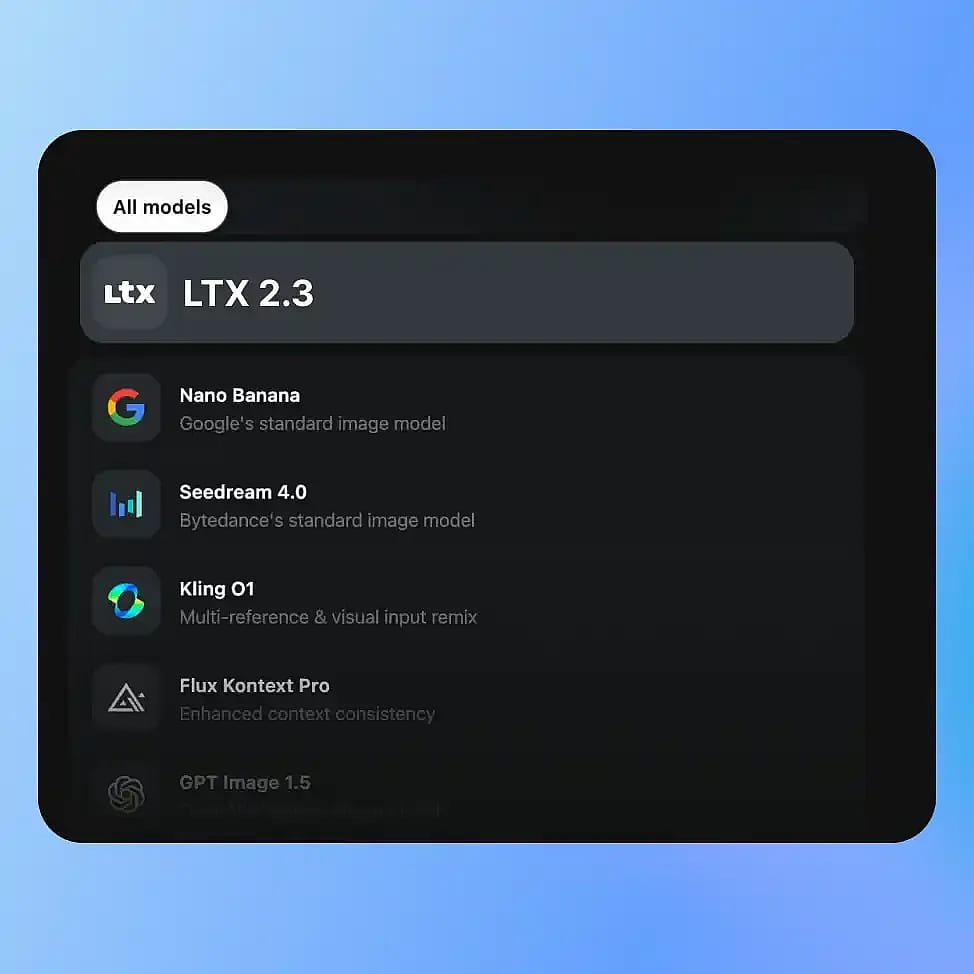
Choose Your Model
Go to OpenArt’s Video tools and select your mode: Text-to-Video, Image-to-Video, or Audio-to-Video, then choose LTX-2.3 from the available models.
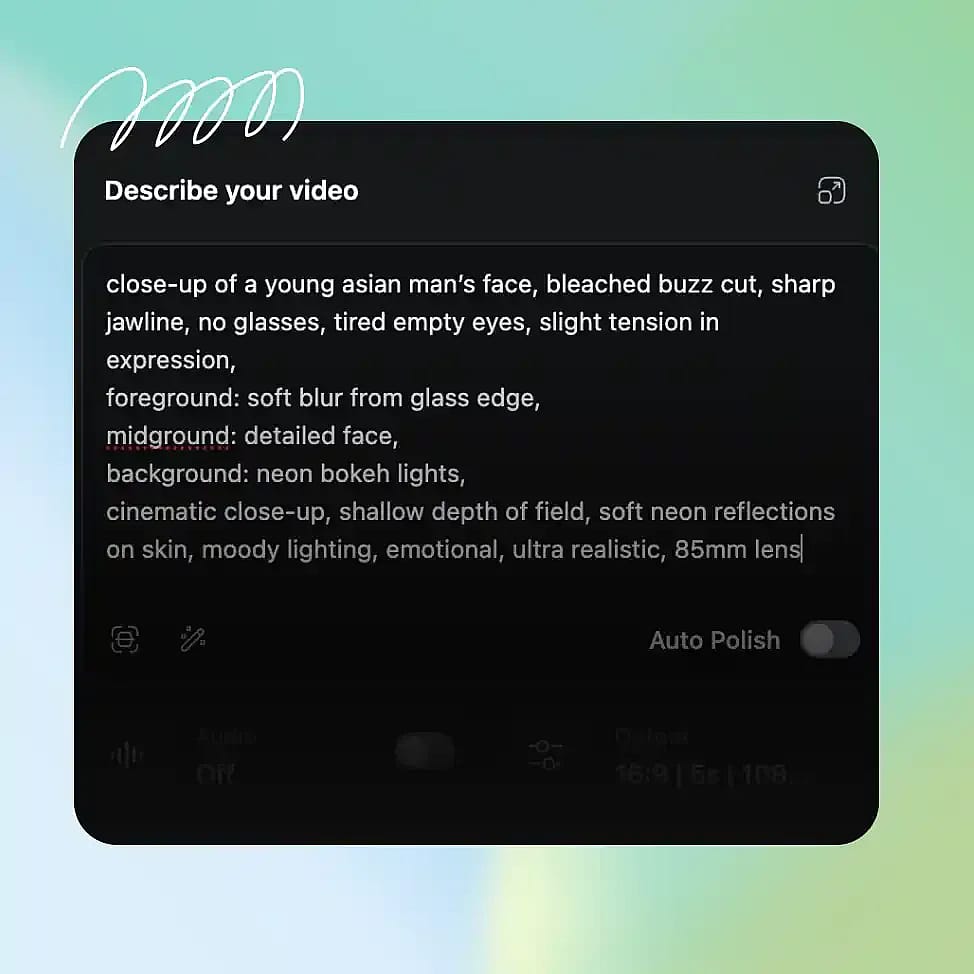
Prompt and Reference Frames
Write a structured prompt including subject, environment, motion, and any audio or dialogue. You can also upload one or more reference images, including defining starting and ending frames.
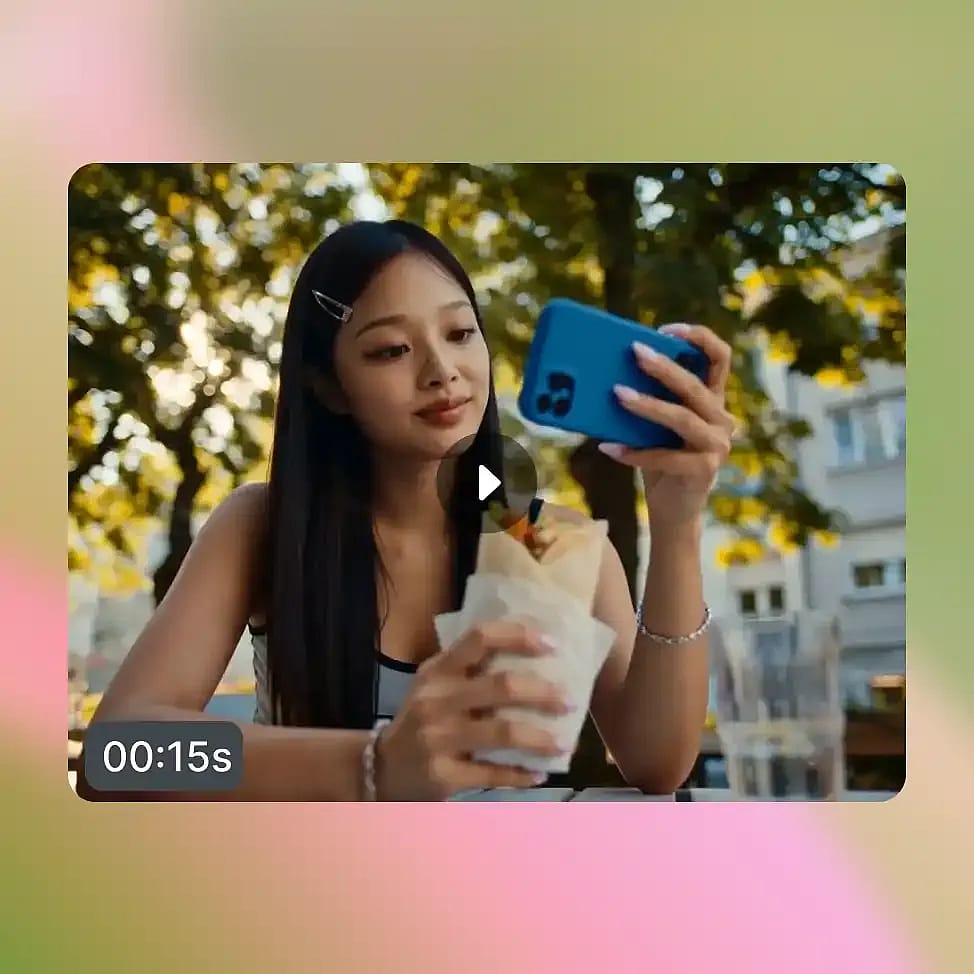
Generate and Refine
Select your desired aspect ratio, duration (6 – 20 secs), and resolution (up to 4K) and generate your video. Adjust your prompt to refine specific elements like movement, scene composition, or audio alignment.
LTX-2.3 is Built for Controlled, High-Quality Video Creation
Create cinematic scenes, talking videos, animated visuals, and social content with detailed outputs, synchronized audio, and structured control.
Cinematic, Art-Directed Scene Generation
LTX-2.3 works well for creating short cinematic scenes where motion, camera direction, and timing need to feel intentional. You can define how a scene starts and ends using reference frames, then guide the motion in between. This makes it possible to generate sequences that feel directed rather than random. With support for up to 4K output and longer clip durations, these scenes can be used for more polished visual storytelling or concept previews.
Try it NowHigh-Quality Video from Reference Frames
LTX-2.3 can take lower-resolution or static reference images and turn them into smooth, high-quality video outputs. When you provide starting and ending frames, the model fills in motion between them while improving overall visual quality. It naturally enhances detail, smooths transitions, and maintains consistency across frames, so the final video looks sharper and more complete than the original inputs. This makes it useful when working with rough assets or early-stage visuals, since you can generate polished video outputs without needing perfectly prepared source material.
Try it NowTalking Characters and Voice-Driven Videos
You can generate videos where characters speak with synchronized lip movement and matching audio. Since voice and visuals are created together, the timing between speech and motion feels natural. This is useful for explainers, short presentations, or simple character-driven content. You can control tone and pacing through your prompt and generate complete clips without needing separate voice or editing tools.
Try it NowImage-to-Video & Frame-to-Video Animation with Stable Subjects
LTX-2.3 can animate still images into moving scenes while keeping the subject consistent. You can use multiple reference images to guide different parts of the sequence, such as defining how a scene begins and ends. The subject remains stable across frames, so it does not warp or lose structure as the video progresses. This makes it easier to turn static visuals into controlled animations with clear transitions.
Try it NowShort-Form and Vertical Video Content
The model can generate videos in vertical 1080×1920 format natively without giving a cropped look, making it suitable for social platforms. You can create short clips within the 6 to 20 second range that are optimized for mobile viewing. Because generation is fast even at higher resolutions, it becomes easier to produce multiple variations of the same content for testing and distribution.
Try it NowTips for Best Results

Be clear about motion and timing
Describe how subjects move and how the scene progresses to get more controlled outputs.

Use reference images strategically
Provide starting and ending frames to guide transitions and improve consistency.
Include audio or dialogue in prompts
Mention speech or sound so it aligns naturally with visuals during generation.
Refine in small steps
Adjust one element at a time, such as motion or camera direction, to maintain stability.
Be clear about motion and timing
Describe how subjects move and how the scene progresses to get more controlled outputs.
Use reference images strategically
Provide starting and ending frames to guide transitions and improve consistency.
Include audio or dialogue in prompts
Mention speech or sound so it aligns naturally with visuals during generation.
Refine in small steps
Adjust one element at a time, such as motion or camera direction, to maintain stability.
Frequently Asked Questions
Get Insights from Experts Blog
Get the insights you need. Our experts share actionable hacks, break down the hottest topics, and provide essential how-to guides to help you build, optimize, and scale.
Read More
Loved by Creators
I've tried many AI platforms... but OpenArt is still the best for character creation, image-to-video quality, and the variety of models available.
OpenArt offers an excellent array of AI tools... once you learn the features, the creative possibilities are amazing - and their support team is outstanding.
OpenArt is a very versatile AI platform with many image and video models, consistent character creation, and powerful editing tools.
Helpful AI tools all in one place - image and video generation, editing, and more... no need for multiple subscriptions.
Customer service is always quick and helpful... and the platform keeps getting better with new features and tools.
I've tried many AI platforms... but OpenArt is still the best for character creation, image-to-video quality, and the variety of models available.
OpenArt offers an excellent array of AI tools... once you learn the features, the creative possibilities are amazing - and their support team is outstanding.
OpenArt is a very versatile AI platform with many image and video models, consistent character creation, and powerful editing tools.
Helpful AI tools all in one place - image and video generation, editing, and more... no need for multiple subscriptions.
Customer service is always quick and helpful... and the platform keeps getting better with new features and tools.
I've tried many AI platforms... but OpenArt is still the best for character creation, image-to-video quality, and the variety of models available.
OpenArt offers an excellent array of AI tools... once you learn the features, the creative possibilities are amazing - and their support team is outstanding.
OpenArt is a very versatile AI platform with many image and video models, consistent character creation, and powerful editing tools.
Helpful AI tools all in one place - image and video generation, editing, and more... no need for multiple subscriptions.
Customer service is always quick and helpful... and the platform keeps getting better with new features and tools.
With so many AI platforms out there, OpenArt stood out as a stellar choice - I'd recommend it to any creator.
This platform includes everything you need for AI content creation - images, video, characters, audio, and multiple AI models in one place.
OpenArt is pushing the boundaries of AI video creation... and it's clear the team is committed to improving the creator experience.
I made my first AI music video with OpenArt... and their support team was the best help I've ever experienced.
I'm very happy with the support - my issue was resolved quickly and the team made the process easy.
With so many AI platforms out there, OpenArt stood out as a stellar choice - I'd recommend it to any creator.
This platform includes everything you need for AI content creation - images, video, characters, audio, and multiple AI models in one place.
OpenArt is pushing the boundaries of AI video creation... and it's clear the team is committed to improving the creator experience.
I made my first AI music video with OpenArt... and their support team was the best help I've ever experienced.
I'm very happy with the support - my issue was resolved quickly and the team made the process easy.
With so many AI platforms out there, OpenArt stood out as a stellar choice - I'd recommend it to any creator.
This platform includes everything you need for AI content creation - images, video, characters, audio, and multiple AI models in one place.
OpenArt is pushing the boundaries of AI video creation... and it's clear the team is committed to improving the creator experience.
I made my first AI music video with OpenArt... and their support team was the best help I've ever experienced.
I'm very happy with the support - my issue was resolved quickly and the team made the process easy.