
GPT Image 2.6 — AI Image Model
COMING SOON - Generate 4K images, make precise edits to one area with markup, set your reasoning level and quality mode, and make looping GIFs with GPT Image 2.6 on OpenArt.

Key Features of GPT Image 2.6
Create pictures exactly as you imagined them.
Turn your images into looping GIFs
The AI image generator can now turn a photo into a short looping GIF. With GPT Image 2.6, just describe the scene in your prompt, or start from a still image you already have, and say what should move and how. Steam can rise from a coffee cup, a mascot can wave, or a sale badge can sparkle.
Try it NowMake precise edits with markup
GPT Image 2.6 lets you point at the exact part of an image you want changed. Open the image editor and circle the area, and describe what you want there instead. You can change the words on a sign, swap the color of a hoodie, or remove people from the background. Skip writing a long prompt that explains where the change goes.
Try it NowSet your reasoning level
GPT Image 2.6 allows you to choose how much the model plans before it makes your image. A low setting suits quick jobs like a background swap, a small fix, or a few fast variations. A medium setting helps when you need to balance several subjects, where they sit, and a style. The higher settings suit complex work like infographics, posters with lots of text, structured layouts, and detailed lighting and shadows.
Try it Now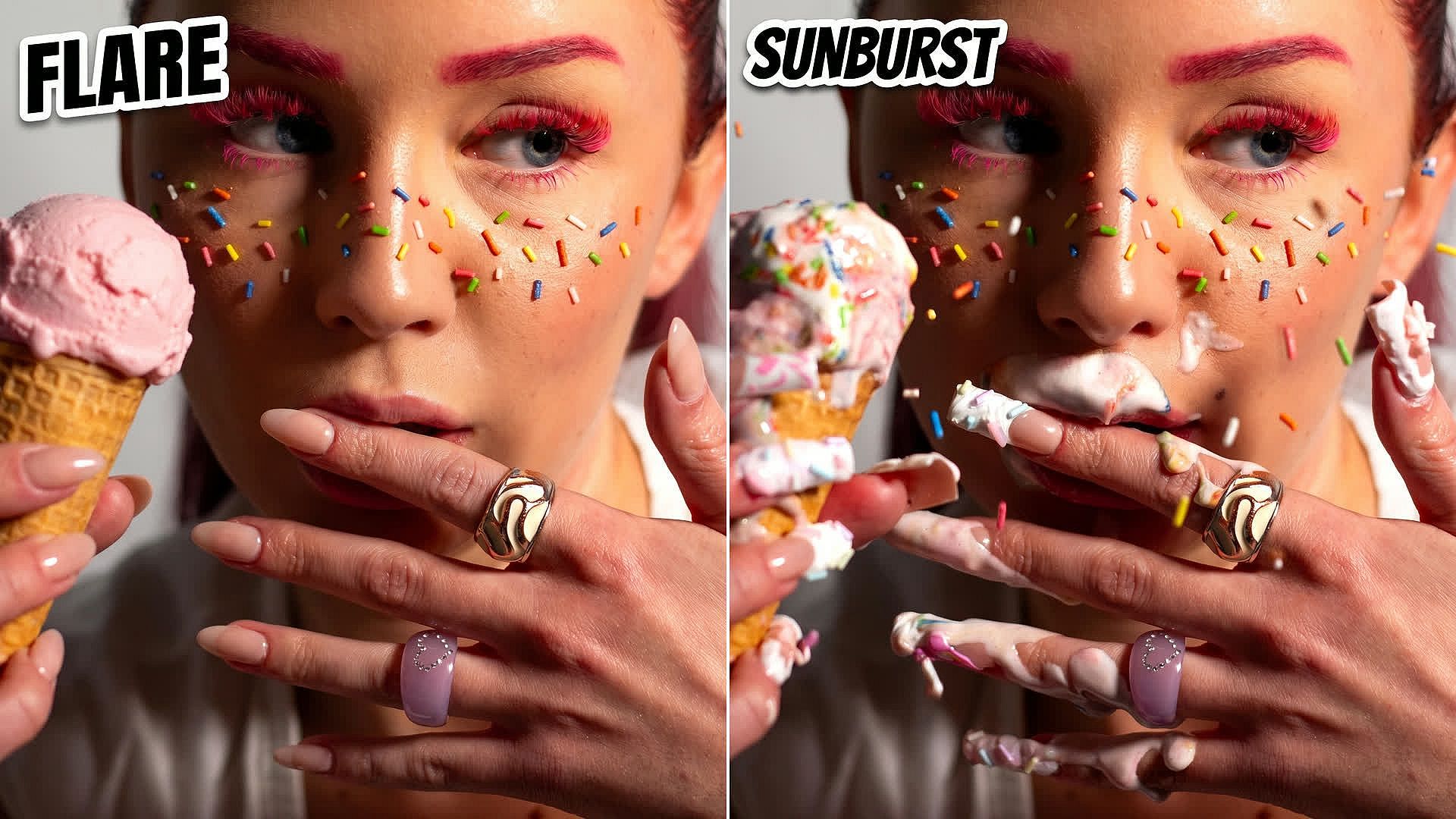
Flare for speed and Sunburst for quality
GPT Image 2.6 comes in two modes, and you pick one for each task. Flare is the faster mode, so use it for drafts, quick variations, and everyday social posts. Sunburst mode is designed for more quality and editing control, so it fits for editorial photos, product shots, and detailed infographics.
Try it Now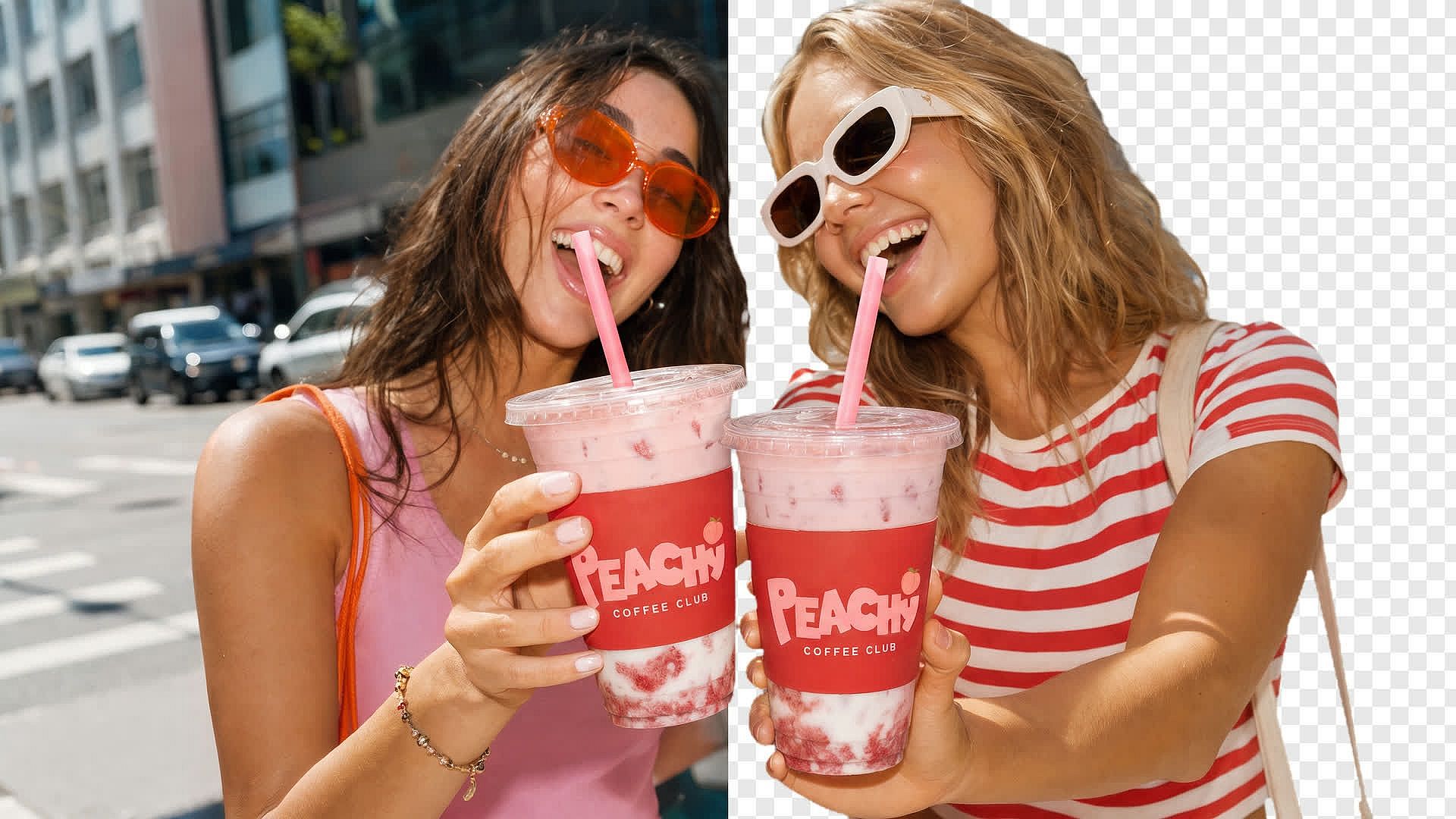
Make images with transparent backgrounds
GPT Image 2.6 can make images with a transparent background, so only your subject is in the file. Ask for a product cutout, a simple graphic, or a sticker, and the result sits cleanly on any color. You can drop the file into a slide, a product page, an email, or a larger design. Your one cutout can now work across a whole set of visuals you make from a base image, and you skip erasing a background manually.
Try it NowHow to Use GPT Image 2.6
You can go from a prompt to a finished image or in three simple steps.
Pick your model and mode
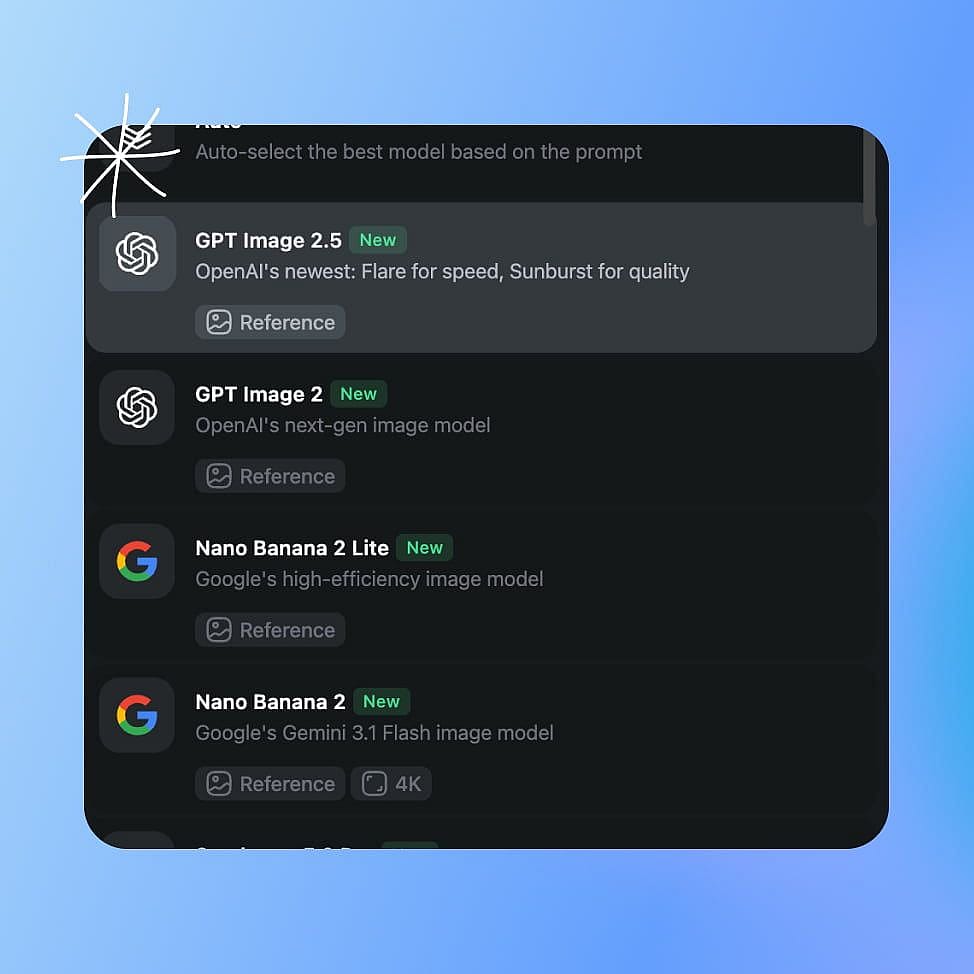
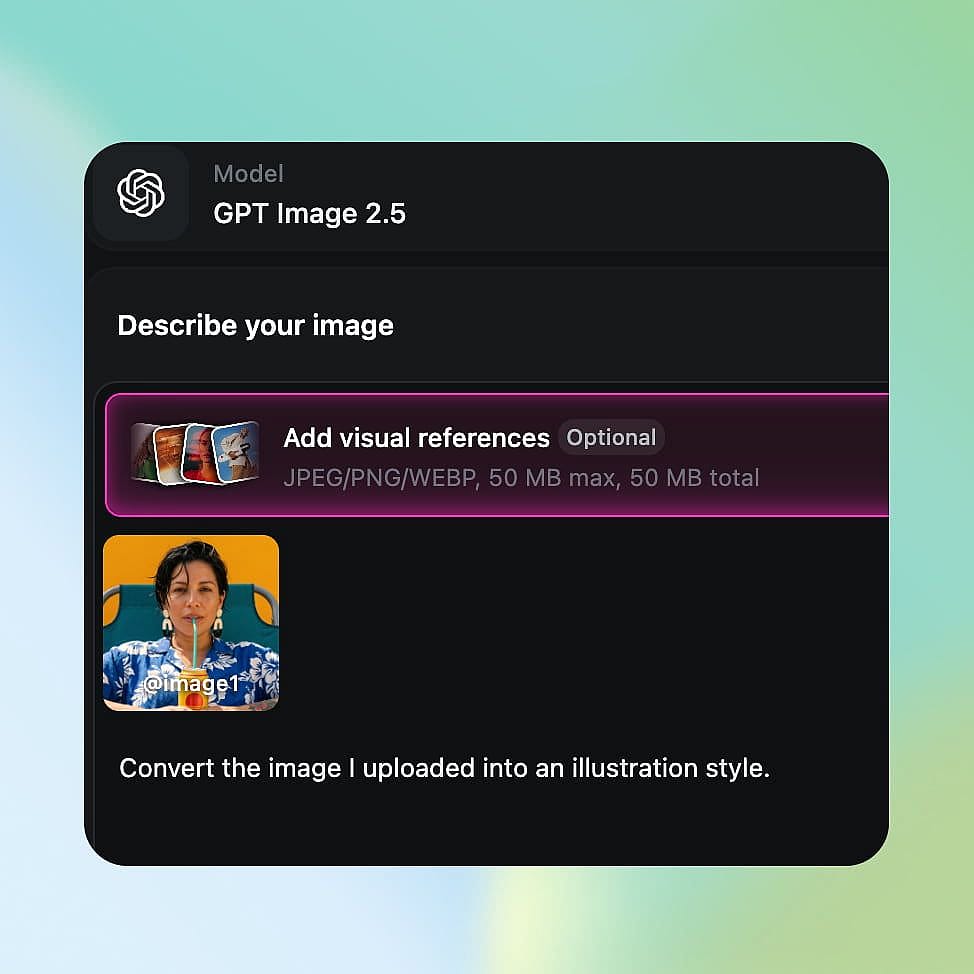
Open OpenArt's AI image generator and choose GPT Image 2.6 from the model menu. Pick Flare for speed or Sunburst for quality and editing control.
Start from a prompt or an image
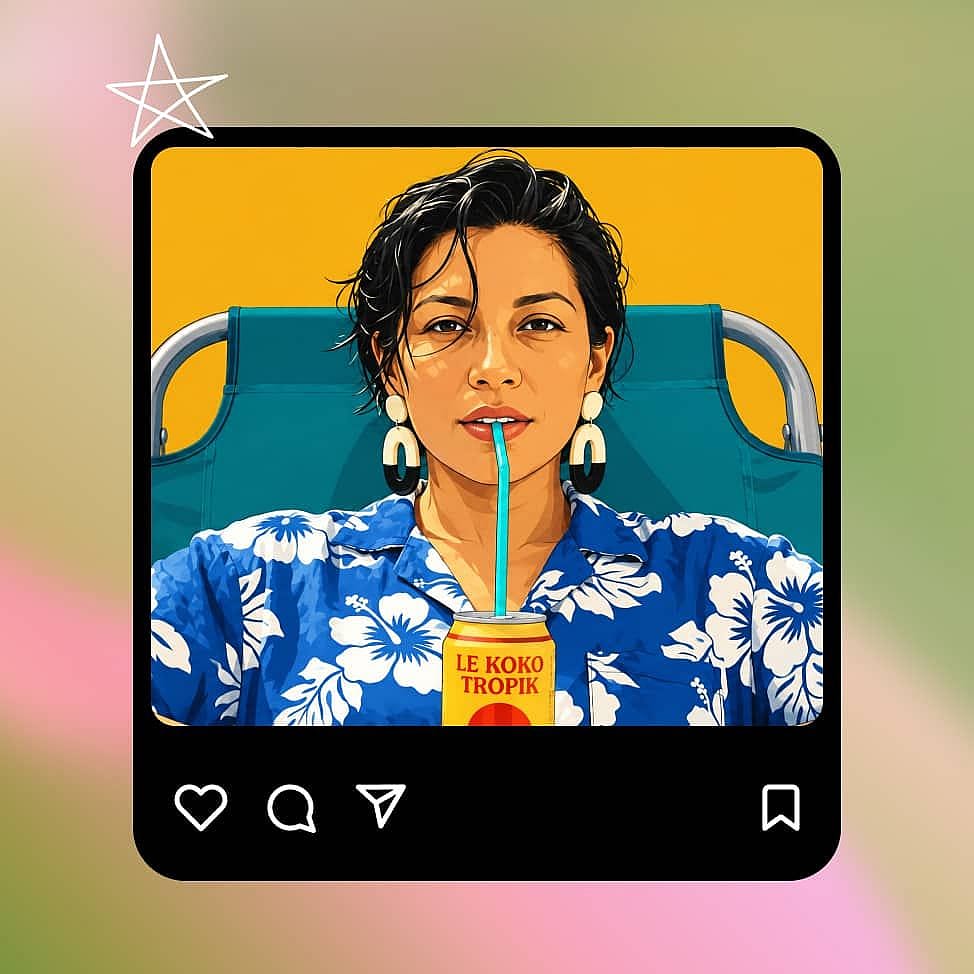
Describe the image you want, or upload your reference images. To change part of an image, open it in the Edit Image tool and circle the area you want edited.
Configure and generate
Set your aspect ratio, image resolution, and number of outputs, then hit generate. Download your image, or export it as a quick GIF.
Best Use Cases for GPT Image 2.6
Make the changes a client asked for
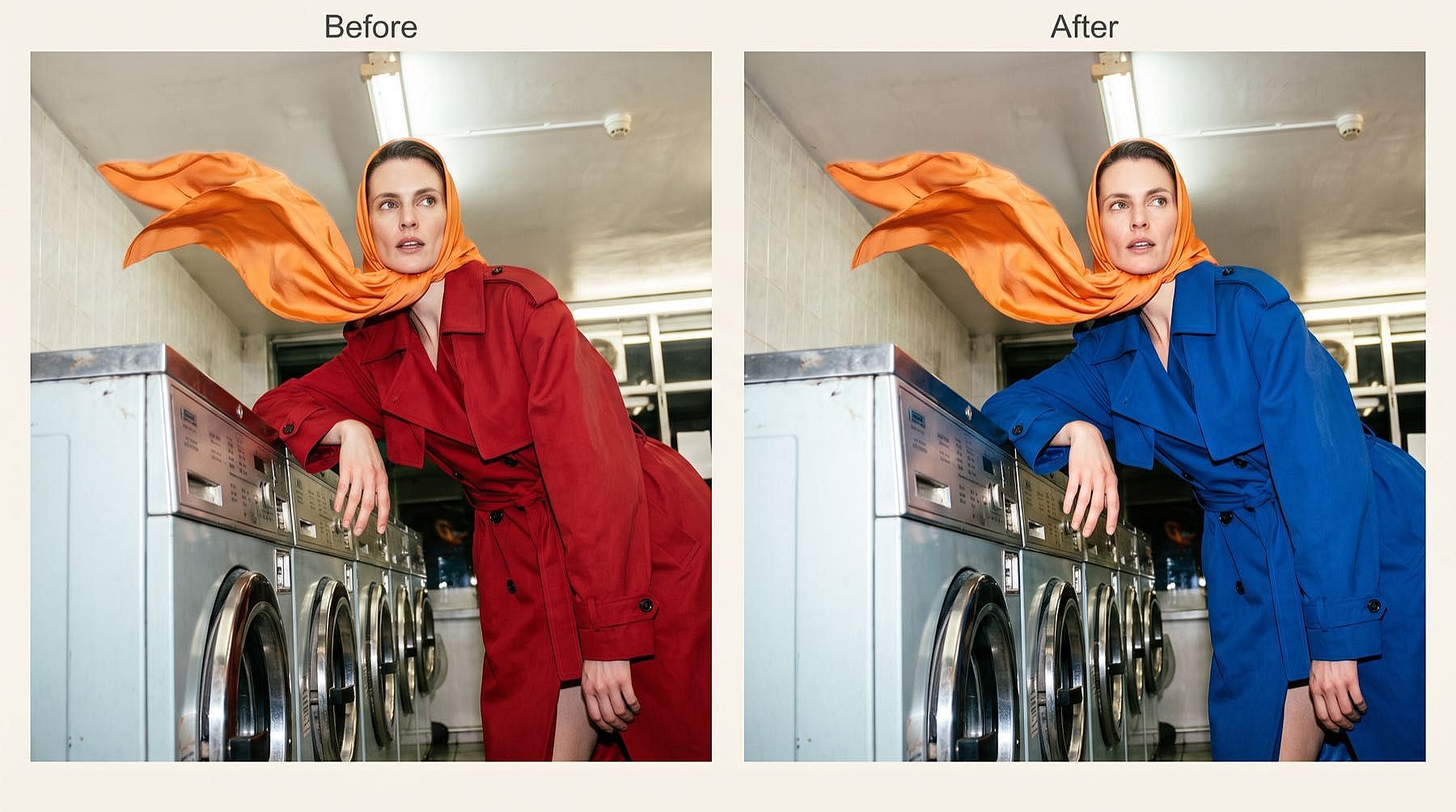
When a client approves your 4K campaign poster but wants new words on the shop sign and a navy jacket instead of red, you don’t need to start over. Open the poster in Edit Image, circle the sign, and type the new words. Then circle the jacket and ask for navy. You keep working from the image your client already liked.
Try it Now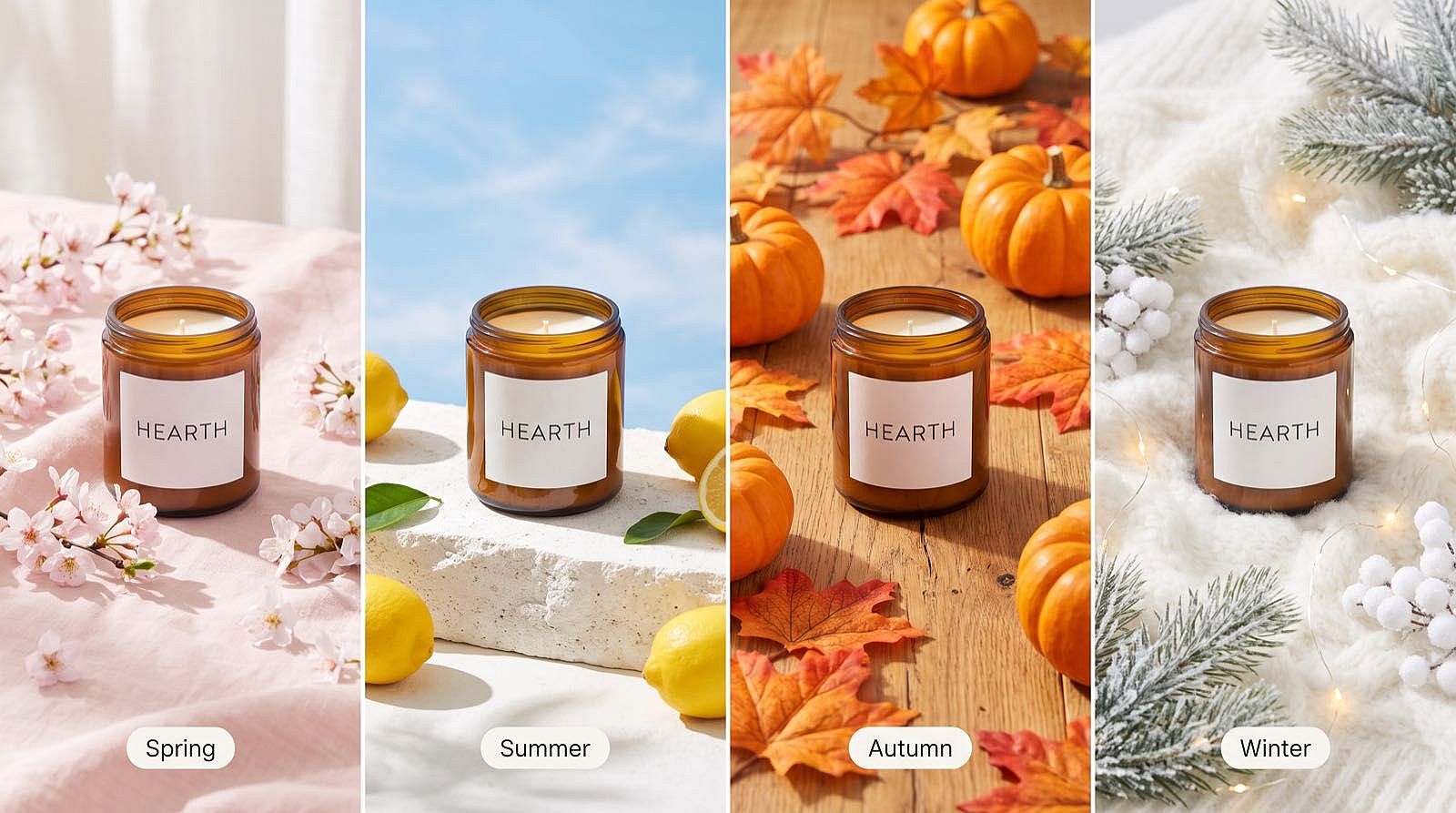
Refresh your product photos for each season
Your existing product photos can do more. Start with a real photo of your candle, circle the background, and ask for a snowy windowsill. Then open your promo graphic, circle the price, and type the new holiday offer. Turn the candle photo into a looping GIF with a flickering flame for the top of your holiday email.
Try it Now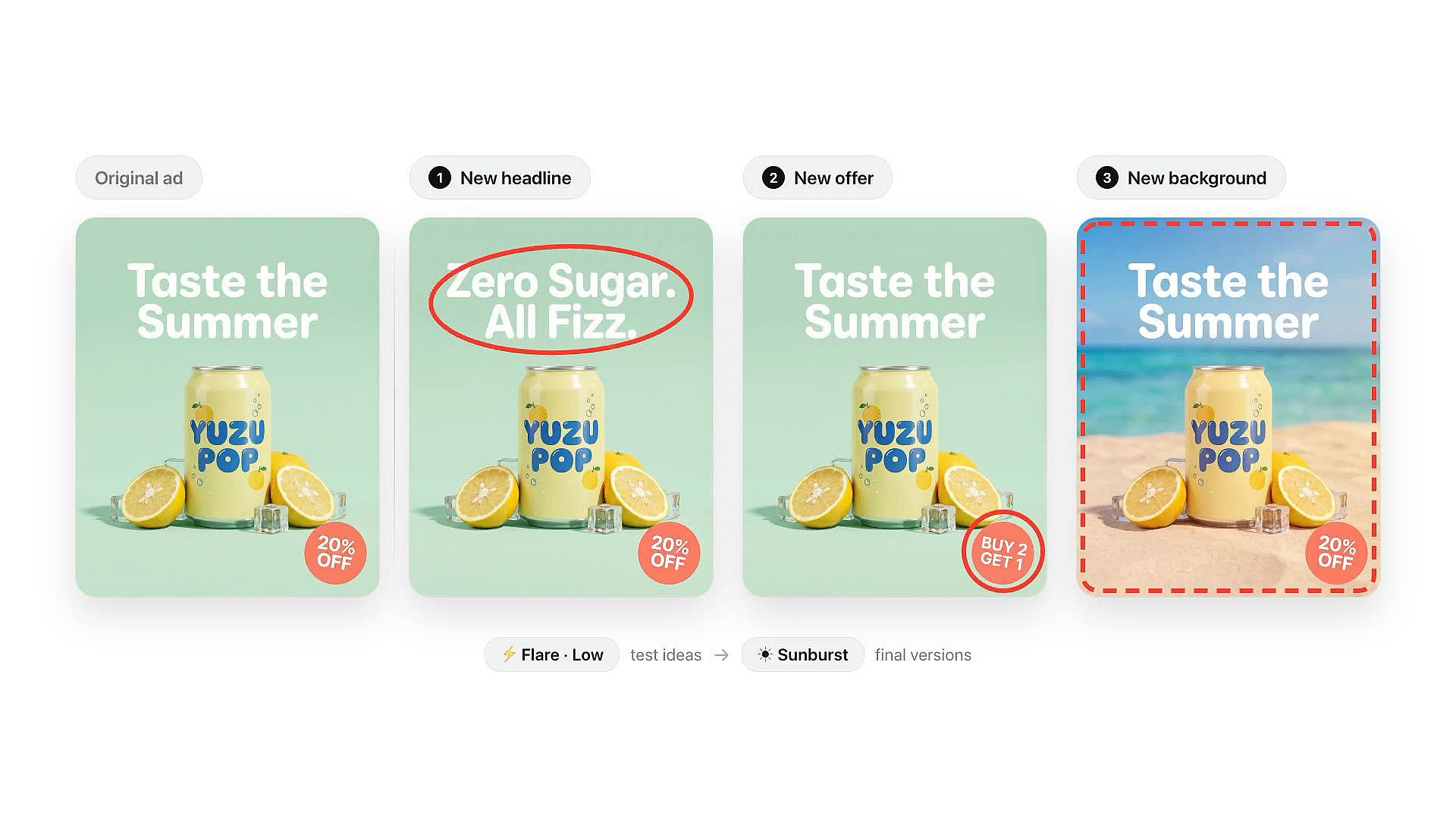
Edit one specific thing in each ad version
Got an ad that already works? Test it cleanly. Take your best ad image and build three versions: a new headline, a new offer, and a new background. Circle only that one part in each, so every version tests a single change. Try early ideas in Flare at a low planning level, then run the final versions in Sunburst.
Try it Now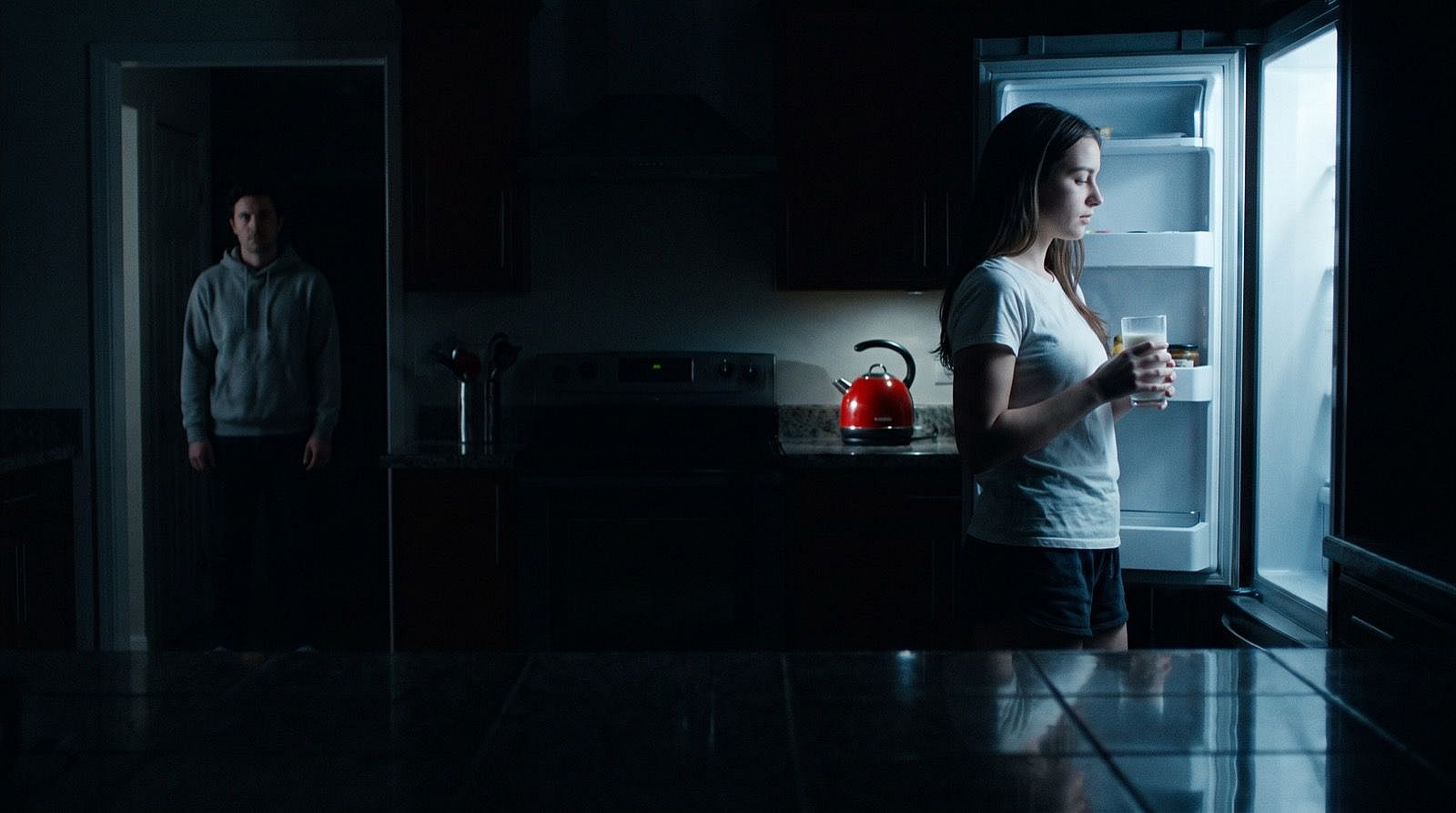
Plan film shots with still frames
Show your crew a shot before you shoot it. Describe the shot, like a kitchen at night lit only by an open fridge, and set a high planning level for the complex lighting. Review the frame with your director and note what needs to change. Then open it in Edit Image and circle an extra to remove them, or a prop to swap it. Every result is a still frame you can share and revise before anyone books a location.
Try it NowLoved by Creators
I've tried many AI platforms... but OpenArt is still the best for character creation, image-to-video quality, and the variety of models available.
OpenArt offers an excellent array of AI tools... once you learn the features, the creative possibilities are amazing - and their support team is outstanding.
OpenArt is a very versatile AI platform with many image and video models, consistent character creation, and powerful editing tools.
Helpful AI tools all in one place - image and video generation, editing, and more... no need for multiple subscriptions.
Customer service is always quick and helpful... and the platform keeps getting better with new features and tools.
I've tried many AI platforms... but OpenArt is still the best for character creation, image-to-video quality, and the variety of models available.
OpenArt offers an excellent array of AI tools... once you learn the features, the creative possibilities are amazing - and their support team is outstanding.
OpenArt is a very versatile AI platform with many image and video models, consistent character creation, and powerful editing tools.
Helpful AI tools all in one place - image and video generation, editing, and more... no need for multiple subscriptions.
Customer service is always quick and helpful... and the platform keeps getting better with new features and tools.
I've tried many AI platforms... but OpenArt is still the best for character creation, image-to-video quality, and the variety of models available.
OpenArt offers an excellent array of AI tools... once you learn the features, the creative possibilities are amazing - and their support team is outstanding.
OpenArt is a very versatile AI platform with many image and video models, consistent character creation, and powerful editing tools.
Helpful AI tools all in one place - image and video generation, editing, and more... no need for multiple subscriptions.
Customer service is always quick and helpful... and the platform keeps getting better with new features and tools.
With so many AI platforms out there, OpenArt stood out as a stellar choice - I'd recommend it to any creator.
This platform includes everything you need for AI content creation - images, video, characters, audio, and multiple AI models in one place.
OpenArt is pushing the boundaries of AI video creation... and it's clear the team is committed to improving the creator experience.
I made my first AI music video with OpenArt... and their support team was the best help I've ever experienced.
I'm very happy with the support - my issue was resolved quickly and the team made the process easy.
With so many AI platforms out there, OpenArt stood out as a stellar choice - I'd recommend it to any creator.
This platform includes everything you need for AI content creation - images, video, characters, audio, and multiple AI models in one place.
OpenArt is pushing the boundaries of AI video creation... and it's clear the team is committed to improving the creator experience.
I made my first AI music video with OpenArt... and their support team was the best help I've ever experienced.
I'm very happy with the support - my issue was resolved quickly and the team made the process easy.
With so many AI platforms out there, OpenArt stood out as a stellar choice - I'd recommend it to any creator.
This platform includes everything you need for AI content creation - images, video, characters, audio, and multiple AI models in one place.
OpenArt is pushing the boundaries of AI video creation... and it's clear the team is committed to improving the creator experience.
I made my first AI music video with OpenArt... and their support team was the best help I've ever experienced.
I'm very happy with the support - my issue was resolved quickly and the team made the process easy.
Frequently Asked Questions
GPT Image 2.6 is OpenAI's newest model for making and editing images, and you can use it on OpenArt in Flare and Sunburst modes. GPT Image 2.6 generates 4K images, lets you circle part of an image to change it, lets you choose how much the model plans, and makes short looping GIFs and images with transparent backgrounds.
Open your image in Edit Image, circle the area you want changed, and type what you want there instead. Circling works when you edit an image you already have, so make a new image from a prompt first if you are starting from scratch. Look over the whole image after each edit, because any AI edit can change something you did not ask for.
Yes. GPT Image 2.6 generates 4K images on OpenArt, so your posters, product photos, and ad images hold their detail on a large screen or in print. Use 4K for the final image you publish, and check small details like labels and logos when you zoom in.
Yes. GPT Image 2.6 can make product cutouts, stickers, and graphics with a transparent background, ready to place on a slide, a product page, or a larger design. Check the edges over a light and a dark background before you publish.
Commercial rights for GPT Image 2.6 images apply on eligible paid plans, so check the OpenArt pricing page for the plan that fits your work. Make sure you hold the rights to any photo, logo, or person you upload.
GPT Image 2.6 Flare is the faster mode, built for drafts, quick variations, and everyday social posts. GPT Image 2.6 Sunburst gives up some speed for quality and editing control, so it suits client revisions, product photos, and detailed layouts.
The planning level sets how much GPT Image 2.6 thinks through your image before making it, across five levels from low to max. Use low for quick edits and variations, medium for scenes with several subjects, and the higher levels for infographics, detailed layouts, and complex lighting. OpenAI recommends starting at high, and more planning can add time.
Yes. GPT Image 2.6 turns a prompt or a still image into a short looping GIF of one small movement, such as a wave or rising steam. For longer scenes with camera moves and sound, use OpenArt's AI video generator.
Every new OpenArt account starts with 40 free credits, so you can try the product right away. When you're ready to create more, paid plans add monthly credits and watermark-free downloads. See current plans on the OpenArt pricing page.