

Wan 3.0 — Video Generation Model
Wan 3.0 AI video model produces 1080p clips with audio up to 30 seconds long, takes up to 20 multi-modal references, and holds the same character across separate videos. Start creating with Wan 3.0 on OpenArt!

Key Features of Wan 3.0
Native 1080p up to 30 seconds
Wan 3.0 lets you make cinematic AI videos, rendering at native 1080p pixel density for a full 30 seconds in one pass, so an ad with an opening, a product moment, and a closing frame fits neatly inside a single generation.
Try it NowKeep the same character across videos
Wan 3.0 holds a character's face and features steady from one generation to the next, so the same person can appear across a whole series with minimal drifting. Pair it with a saved character from OpenArt Characters to reuse that person in any future video.
Try it NowUse up to 20 references at once
Wan 3.0 takes up to 20 references in a single video: 10 images, 5 video clips, and 5 audio clips, plus one document. Your video clips can add up to 15 seconds, and your audio clips another 15 seconds. Give it a character's face, a product photo, a clip with the gestures you want, and a voice, and all four land in the same shot.
Try it NowGet synced audio in the same clip
Wan 3.0 on OpenArt's AI video generator makes its audio in the same pass as the visuals, timed to the action in the frame rather than layered on afterward. For social cuts and internal reviews, that hands you a finished clip with sound instead of a silent file waiting on a sound designer.
Try it NowHow to Use Wan 3.0 on OpenArt
Three steps take you from a blank prompt to your first clip.
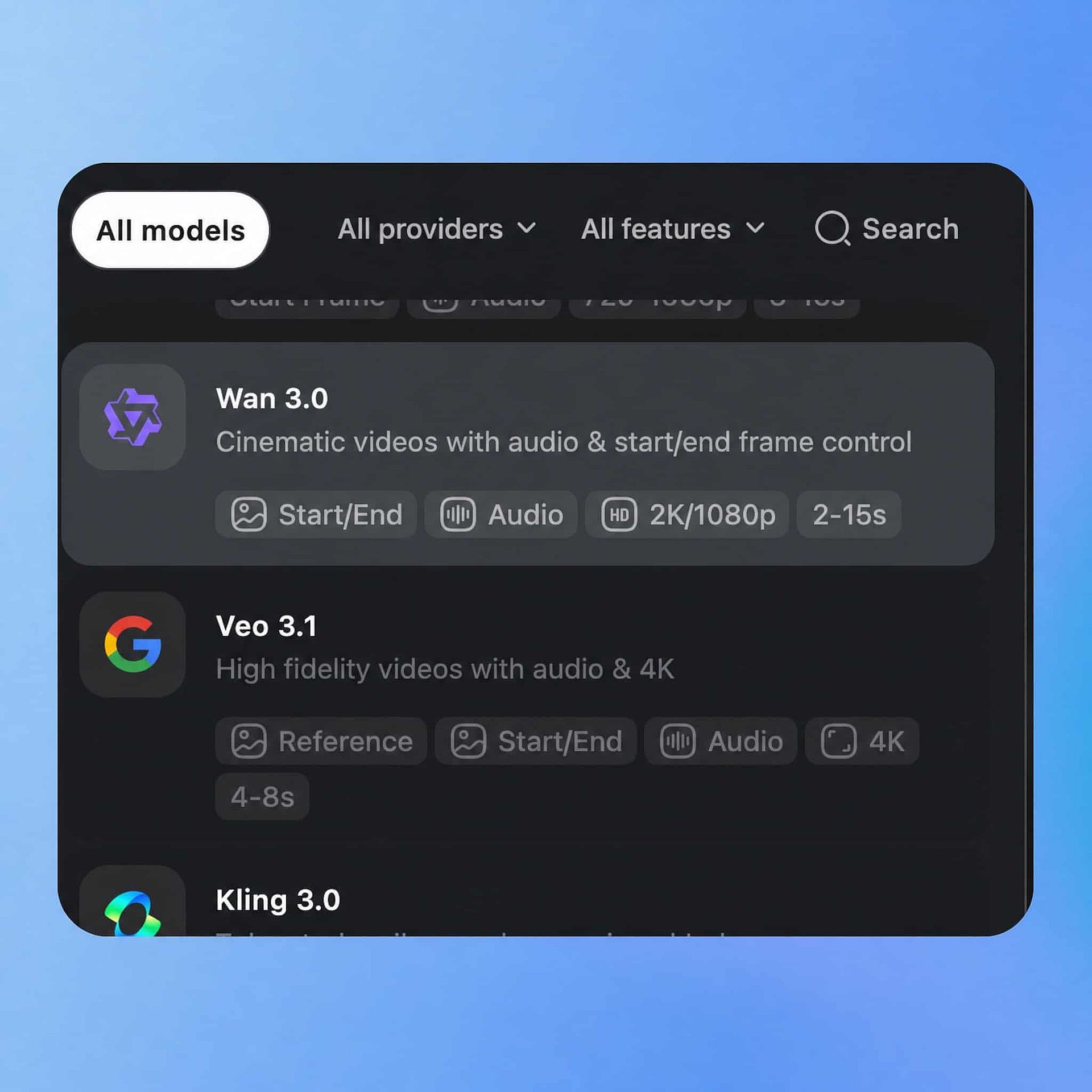
Choose Your Model
Open OpenArt's Text to Video tool, select Wan 3.0 from the model panel, and pick your input: a written prompt, a starting image, or reference images you upload.
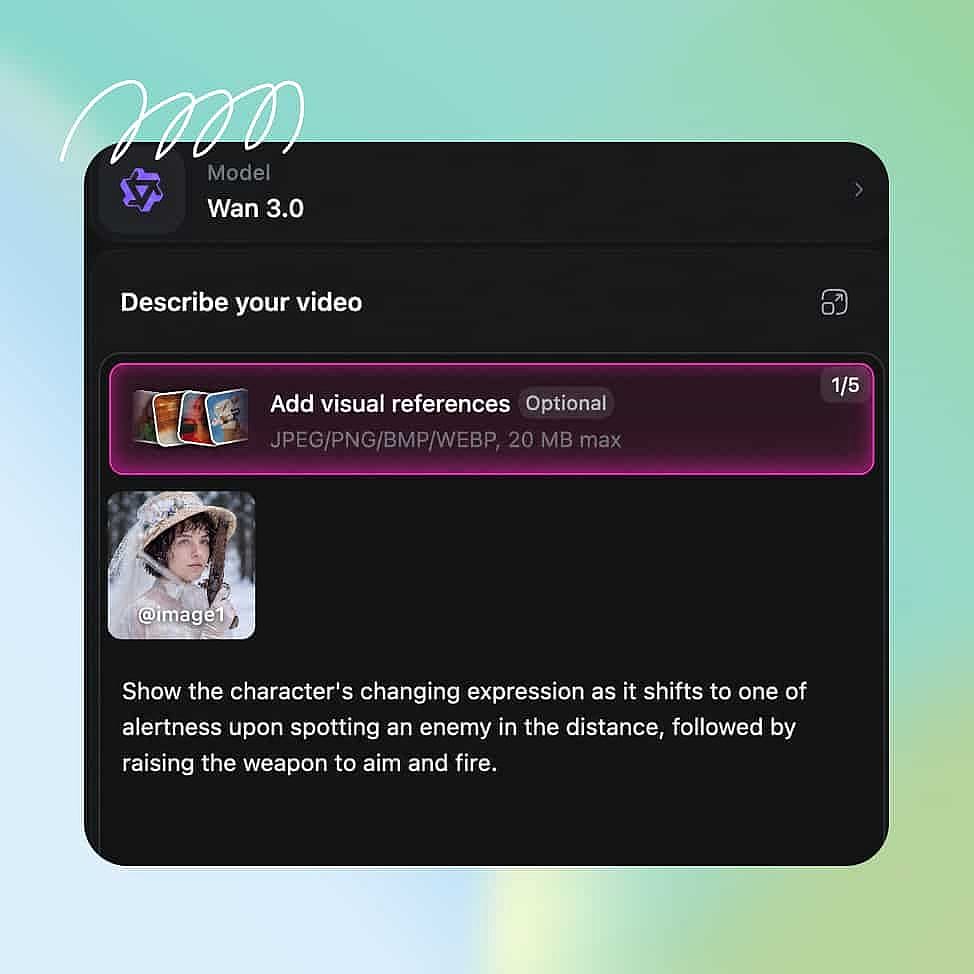
Prompt and Add References
Add up to 10 reference images for your product, location, and style, and add a character reference if the same person needs to appear in later videos.
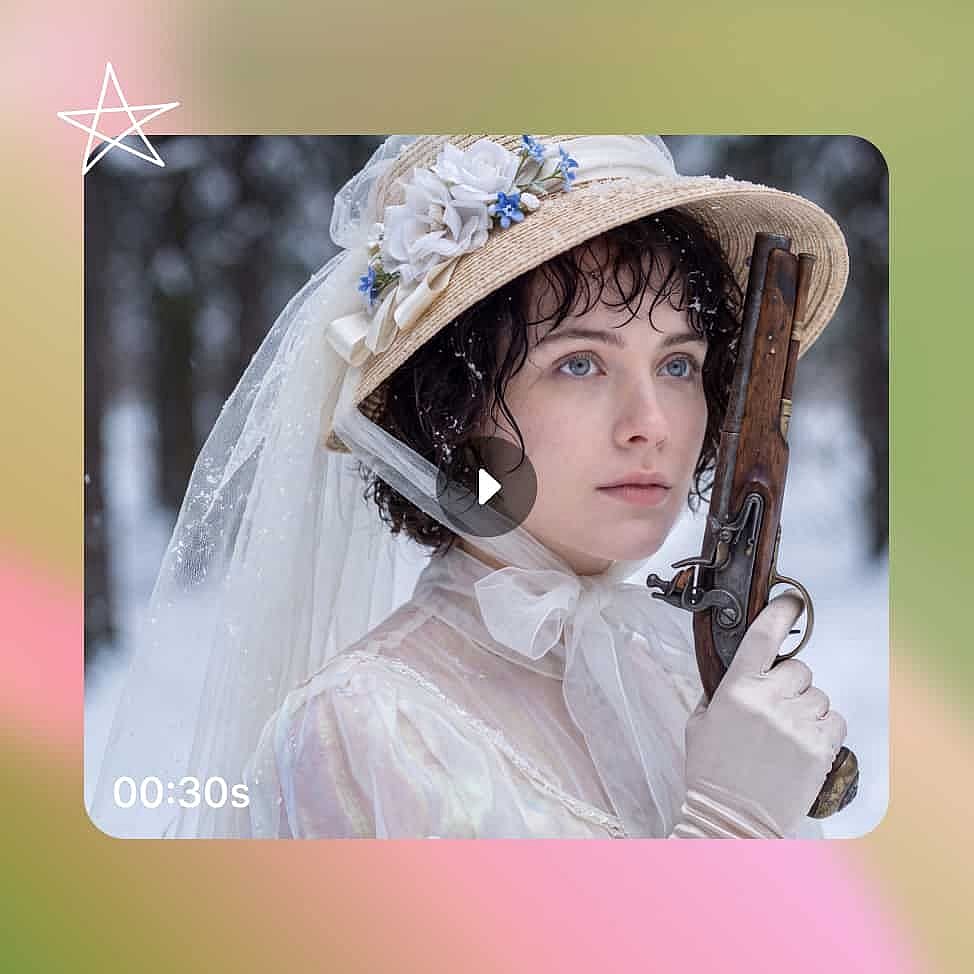
Generate and Export
Set duration, resolution, and aspect ratio, then generate and download the sequence as an MP4 with audio included.
Best Uses for Wan 3.0 AI Video Model
Marketing agencies running client campaigns
Agencies deliver against full HD specs and version one concept for several clients in the same week. Native 1080p masters and 30-second clips meet a broadcast or out-of-home spec directly, and Wan 3.0's character consistency keeps each client's spokesperson the same across every cut you ship.
Try it NowIndependent filmmakers building full scenes
A scene may need a wide shot, a close-up, and a reverse angle that all show the same location in the same environment. Wan 3.0 generates that sequence with continuity through multiple camera angles, so your perfect scene comes together in a single output.
Try it NowE-commerce brands filming product video
Product video needs the item to look identical in every frame and stay sharp in retail videos. Image to video mode keeps your packaging, color, and label accurate from the photos you upload, which means you can run e-com ads and demos directly and rapidly.
Try it NowUGC and social media content creators
Creators post several times a week and rarely have a set, a crew, or time for a second take. Image to video mode turns a selfie or any photo on your phone into a finished clip, and the video to video mode lets you make variations of the same video with your desired changes.
Try it NowTips for Best Results

Write one line per shot
A multi-shot sequence follows a shot list more reliably than one long paragraph. Give each shot its own sentence with a subject and a framing, for example "close-up on the bottle as the label catches the light."

Describe lighting and framing, not mood
Broad words like “cinematic” or “epic” leave too much open to interpretation. "Low afternoon sun, shot from waist height" tells the model what to actually build and gives you a result you can repeat on your next video.

Keep your reference set focused
Four or five images that point at the same look will guide a generation better than a dozen that pull in different directions. Add references for the things that must stay accurate, usually your character and your product.
Write one line per shot
A multi-shot sequence follows a shot list more reliably than one long paragraph. Give each shot its own sentence with a subject and a framing, for example "close-up on the bottle as the label catches the light."
Describe lighting and framing, not mood
Broad words like “cinematic” or “epic” leave too much open to interpretation. "Low afternoon sun, shot from waist height" tells the model what to actually build and gives you a result you can repeat on your next video.
Keep your reference set focused
Four or five images that point at the same look will guide a generation better than a dozen that pull in different directions. Add references for the things that must stay accurate, usually your character and your product.
Frequently Asked Questions
Get Insights from Experts Blog
Get the insights you need. Our experts share actionable hacks, break down the hottest topics, and provide essential how-to guides to help you create, optimize, and scale.
Read More
Loved by Creators
I've tried many AI platforms... but OpenArt is still the best for character creation, image-to-video quality, and the variety of models available.
OpenArt offers an excellent array of AI tools... once you learn the features, the creative possibilities are amazing - and their support team is outstanding.
OpenArt is a very versatile AI platform with many image and video models, consistent character creation, and powerful editing tools.
Helpful AI tools all in one place - image and video generation, editing, and more... no need for multiple subscriptions.
Customer service is always quick and helpful... and the platform keeps getting better with new features and tools.
I've tried many AI platforms... but OpenArt is still the best for character creation, image-to-video quality, and the variety of models available.
OpenArt offers an excellent array of AI tools... once you learn the features, the creative possibilities are amazing - and their support team is outstanding.
OpenArt is a very versatile AI platform with many image and video models, consistent character creation, and powerful editing tools.
Helpful AI tools all in one place - image and video generation, editing, and more... no need for multiple subscriptions.
Customer service is always quick and helpful... and the platform keeps getting better with new features and tools.
I've tried many AI platforms... but OpenArt is still the best for character creation, image-to-video quality, and the variety of models available.
OpenArt offers an excellent array of AI tools... once you learn the features, the creative possibilities are amazing - and their support team is outstanding.
OpenArt is a very versatile AI platform with many image and video models, consistent character creation, and powerful editing tools.
Helpful AI tools all in one place - image and video generation, editing, and more... no need for multiple subscriptions.
Customer service is always quick and helpful... and the platform keeps getting better with new features and tools.
With so many AI platforms out there, OpenArt stood out as a stellar choice - I'd recommend it to any creator.
This platform includes everything you need for AI content creation - images, video, characters, audio, and multiple AI models in one place.
OpenArt is pushing the boundaries of AI video creation... and it's clear the team is committed to improving the creator experience.
I made my first AI music video with OpenArt... and their support team was the best help I've ever experienced.
I'm very happy with the support - my issue was resolved quickly and the team made the process easy.
With so many AI platforms out there, OpenArt stood out as a stellar choice - I'd recommend it to any creator.
This platform includes everything you need for AI content creation - images, video, characters, audio, and multiple AI models in one place.
OpenArt is pushing the boundaries of AI video creation... and it's clear the team is committed to improving the creator experience.
I made my first AI music video with OpenArt... and their support team was the best help I've ever experienced.
I'm very happy with the support - my issue was resolved quickly and the team made the process easy.
With so many AI platforms out there, OpenArt stood out as a stellar choice - I'd recommend it to any creator.
This platform includes everything you need for AI content creation - images, video, characters, audio, and multiple AI models in one place.
OpenArt is pushing the boundaries of AI video creation... and it's clear the team is committed to improving the creator experience.
I made my first AI music video with OpenArt... and their support team was the best help I've ever experienced.
I'm very happy with the support - my issue was resolved quickly and the team made the process easy.