

Kling Image 4.0
Use Kling Image 4.0 on OpenArt, an independent AI platform that integrates leading image models. Make images in 2K, 4K, or 8K, and get a full set of matching images from one prompt. Guide every picture with up to 10 reference images, or turn your product photos into one long set of shots for your product page.

Key Features of Kling Image 4.0
Make images in 2K, 4K, or 8K
Kling Image 4.0 makes images at 2K, 4K, or 8K resolution. You can use 2K to test ideas and 8K for the final file. An 8K image keeps its detail when you crop in close, print a poster, or fill a large screen. The AI image generator lets you choose a shape from a wide 21:9 to a tall 9:16, depending on the final platform where you’ll use the image. Every generation is totally customizable when it comes to resolution and aspect ratio.
Try it Now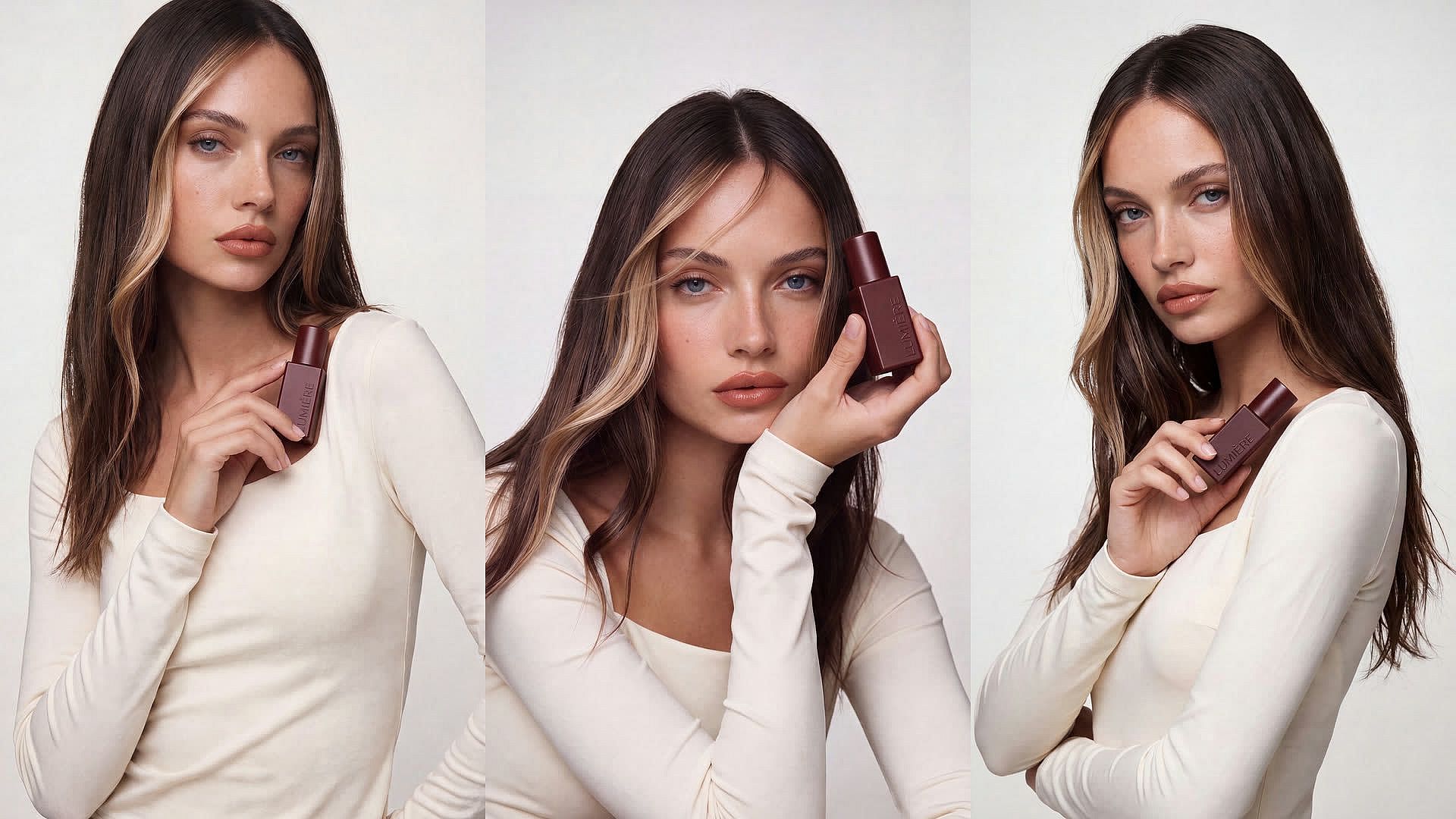
Create a matching set of images in one go
Kling Image 4.0 makes a full set of matching images in one go. Set up to 8 generations per prompt, and every image follows the same prompt, style, and reference images. Upload a photo of your dog, ask for a 3D animated scene of it sitting in a café window, and set 4 generations. The dog keeps the same fur color and look in all four images.
Try it Now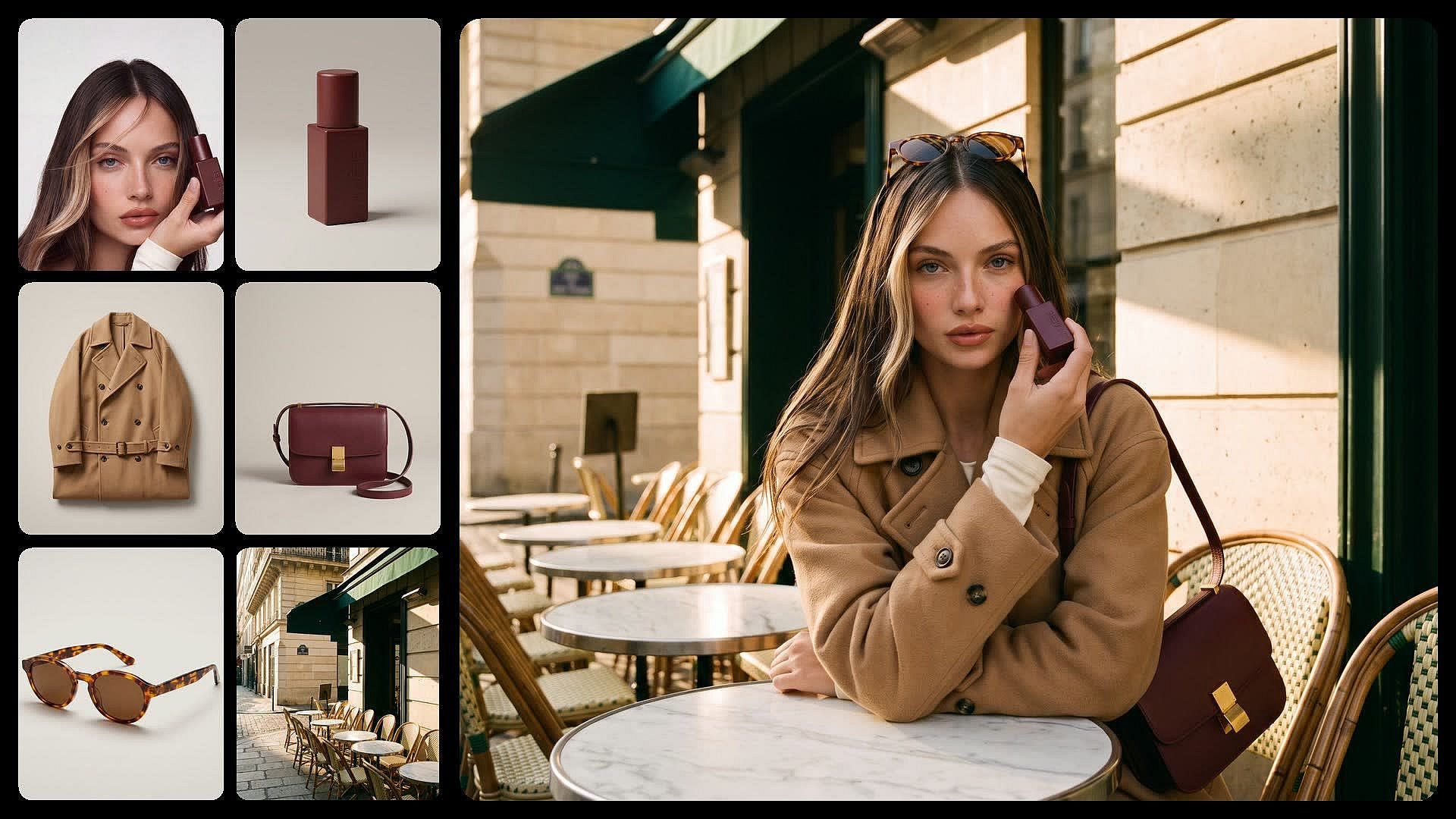
Guide images with up to 10 references
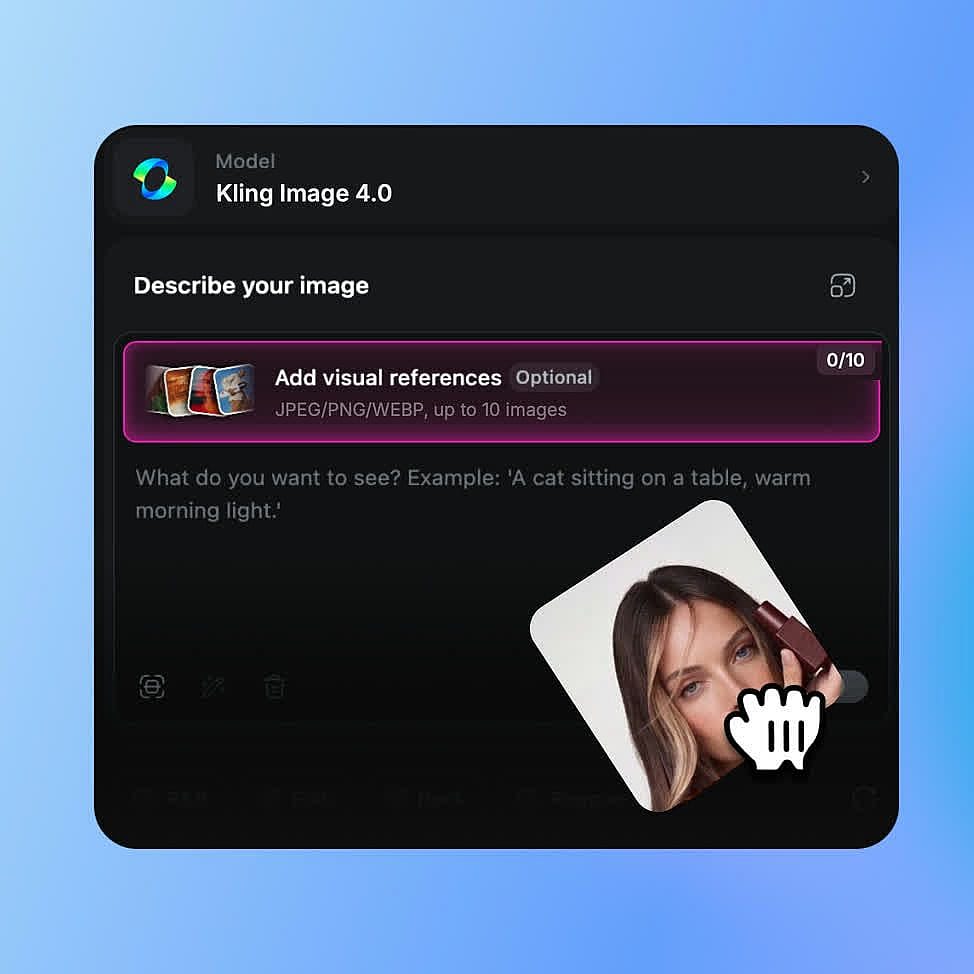
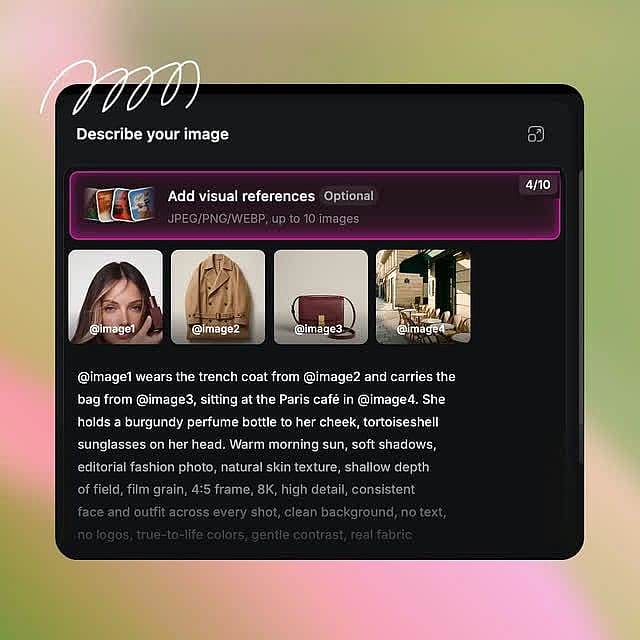
Kling Image 4.0 uses up to 10 reference images in one request. Tag each one in your prompt with an @ mention, like "@dog" or "@product," and give it one job, such as the character, the outfit, or the background. References you don't tag still guide the result. Put the same character or product into new scenes without describing every detail.
Try it NowBuild long images for product pages and sites
Kling Image 4.0 makes one long, scrolling image for a product detail page or a website design. Upload 1 to 3 product photos, and Kling Image 4.0 lays out a main image, key selling points, and scenes of the product in use. Kling 4.0 Long Image will be available as a separate model in OpenArt for such use cases.
Try it NowHow to Use Kling Image 4.0
You can go from a prompt to a finished Kling Image 4.0 picture in three steps.
Choose Kling Image 4.0 model
Open OpenArt's AI image generator and select Kling Image 4.0 from the model menu.
Add prompt and pick your settings
Write your prompt, add reference images if you have them, and tag them with @. Pick your size, shape, and number of generations, or choose a long image for a product page.
Generate, adjust, and download
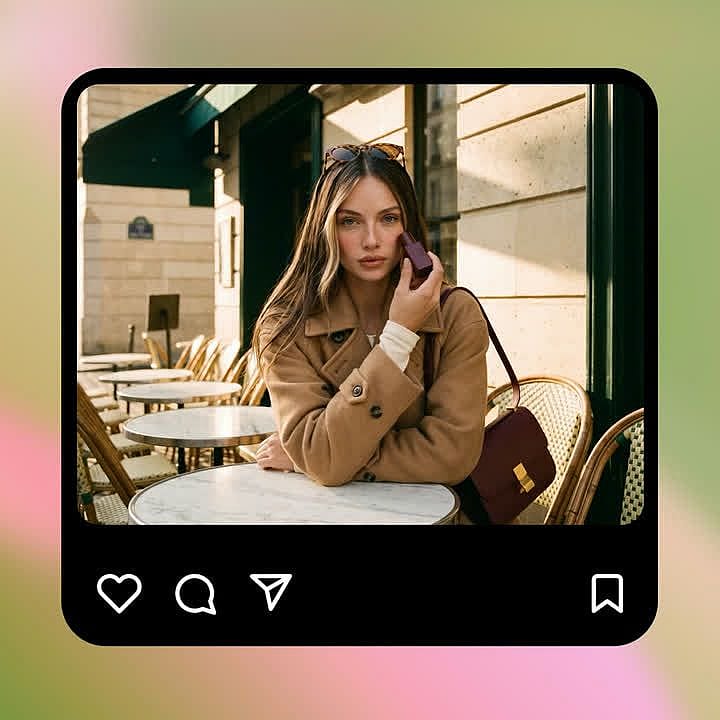
Generate your images, then change your prompt until they look right. Download your final files.
Best Uses for Kling Image 4.0
Matching campaign sets for creative teams
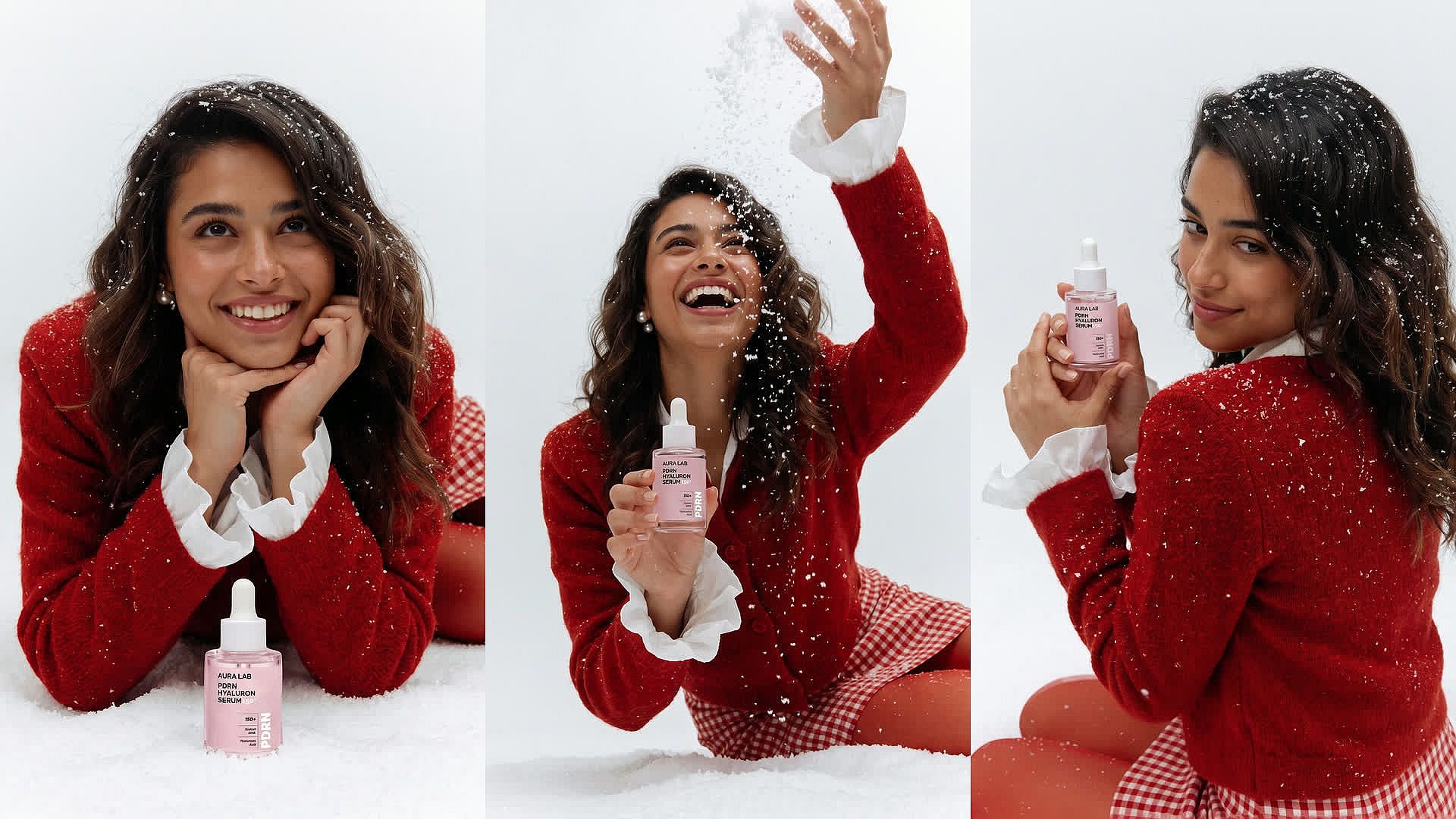
Kling Image 4.0 helps brand designers and agency teams make a campaign set that looks like one shoot. For a skincare winter launch, upload the product photo as @serum, ask for the bottle on fresh snow in soft blue light, and set up to 8 generations. Every image keeps the same product, colors, and style. Keep @serum and the same light in your next prompts to add a gift box or a bathroom shelf scene. Test ideas at 2K, then make the final set at 8K for print. Check logos and labels before anything goes out.
Try it Now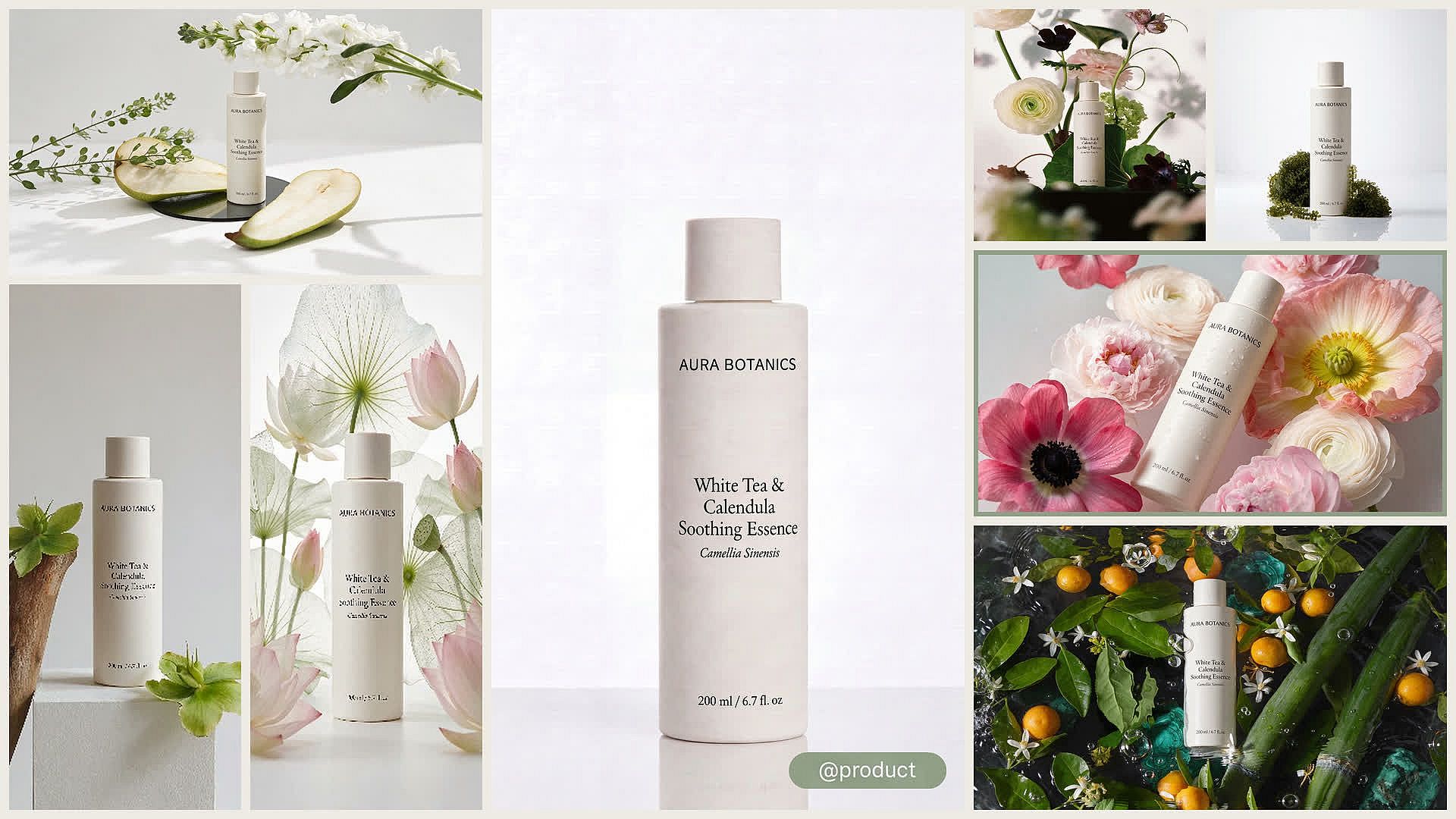
Ad variations for performance marketers
Kling Image 4.0 helps performance marketers turn one product photo into a batch of ad tests. Upload your product as @product and write one prompt for each setting, like a kitchen counter, a gym bag, or an office desk. Set up to 8 generations per prompt, and pick 9:16 for stories, 1:1 for feeds, or 16:9 for banners. Every version uses the same product reference, so your tests compare backgrounds, not products. Make the winners at 4K or 8K, and check product details before an ad goes live.
Try it Now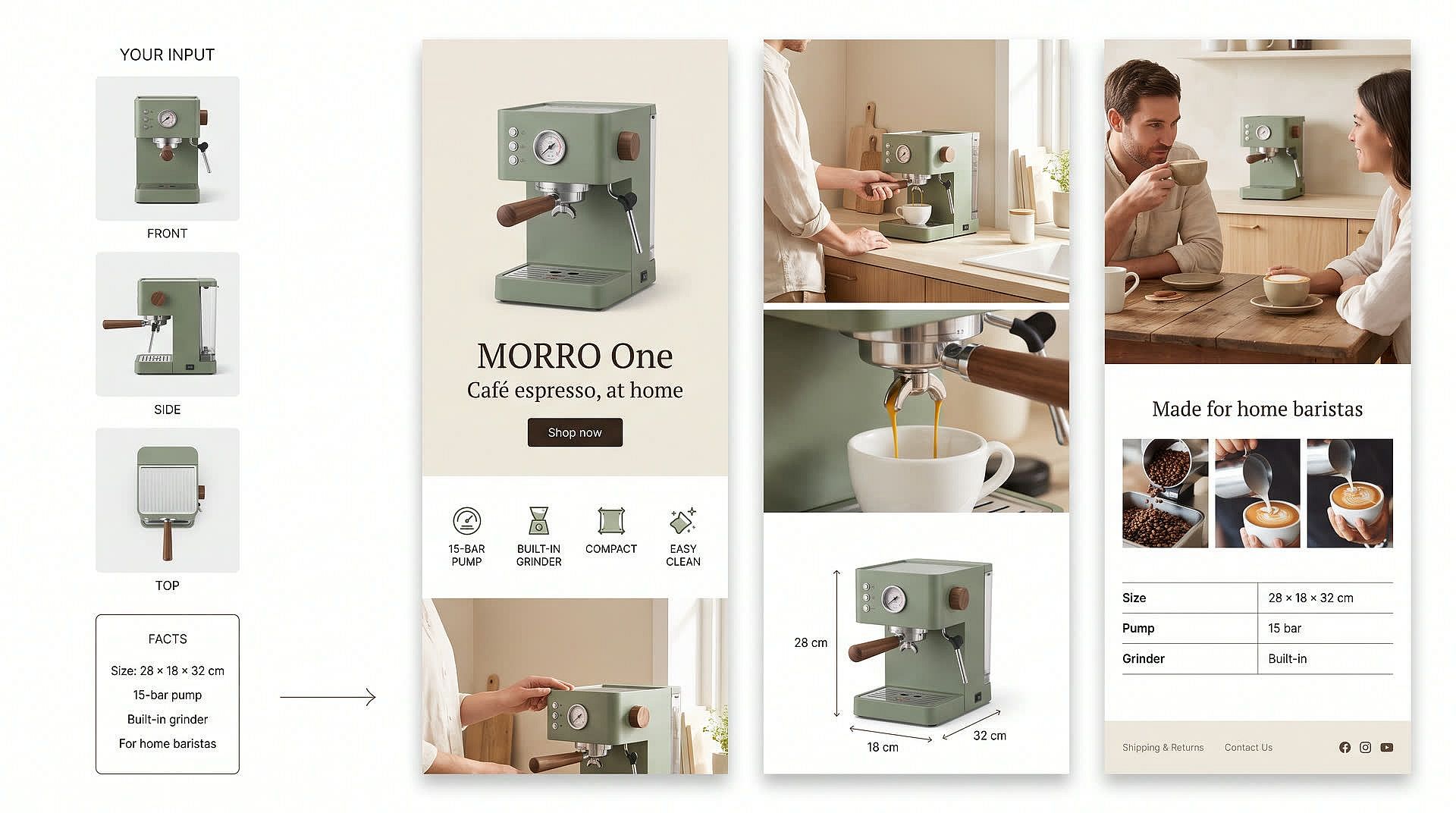
Product detail pages for online sellers
Kling Image 4.0 helps small business owners and ecommerce teams draft a full product detail page from a few photos. Upload 1 to 3 photos of your product, like a coffee machine from the front, the side, and the top. Ask for a medium page and list the facts to show, such as the size, the main features, and who it's for. Kling Image 4.0 returns one long image with a main banner, selling points, and scenes of the machine in use. Tell it to use only your facts so the page doesn't invent specs, and check every claim before you publish.
Try it Now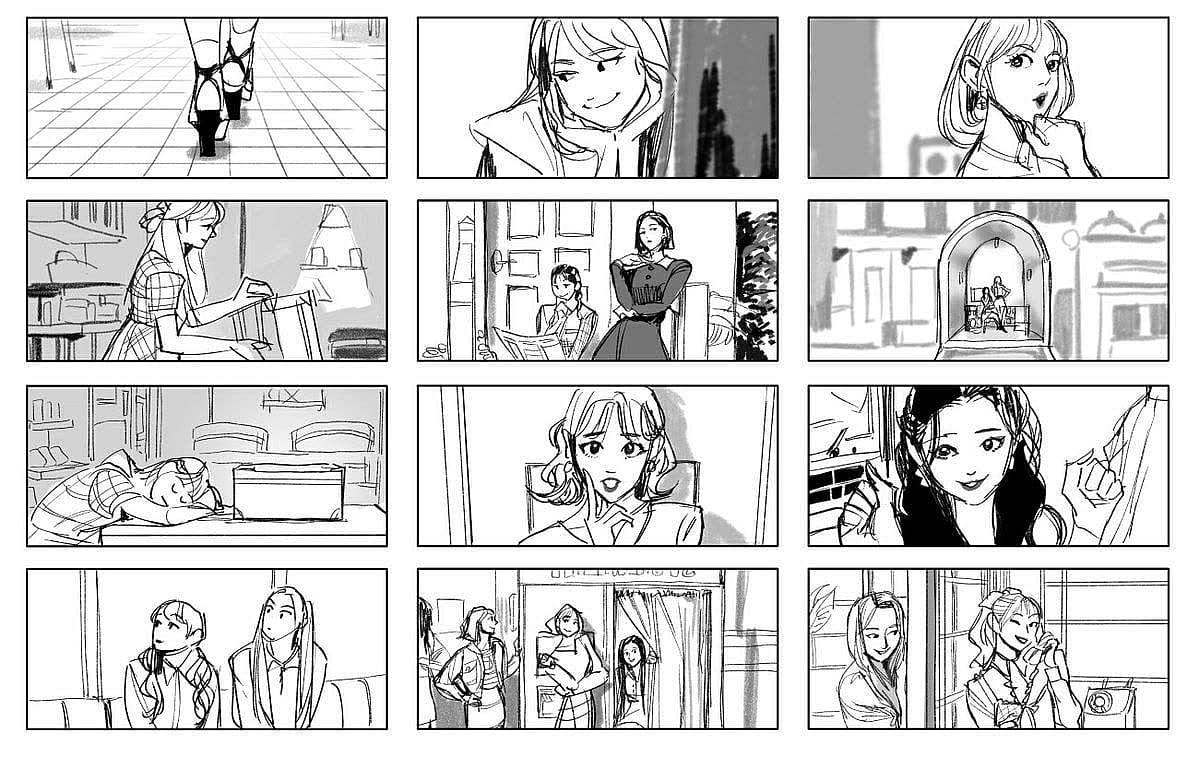
Storyboards for filmmakers and video creators
Kling Image 4.0 helps filmmakers and video creators plan a scene frame by frame. Upload a photo of your main character as @lead and write one prompt per beat, like "@lead opens the door, sees the empty room, and drops her bag." Set several generations per prompt to get matching takes of each frame. The same reference keeps the character's face, clothes, and style the same from frame to frame. Then use any frame as the first frame of a Kling 4.0 video on OpenArt.
Try it NowGet Insights from Experts Blog
Get the insights you need. Our experts share actionable hacks, break down the hottest topics, and provide essential how-to guides to help you create, optimize, and scale.
Read More
Loved by Creators
I've tried many AI platforms... but OpenArt is still the best for character creation, image-to-video quality, and the variety of models available.
OpenArt offers an excellent array of AI tools... once you learn the features, the creative possibilities are amazing - and their support team is outstanding.
OpenArt is a very versatile AI platform with many image and video models, consistent character creation, and powerful editing tools.
Helpful AI tools all in one place - image and video generation, editing, and more... no need for multiple subscriptions.
Customer service is always quick and helpful... and the platform keeps getting better with new features and tools.
I've tried many AI platforms... but OpenArt is still the best for character creation, image-to-video quality, and the variety of models available.
OpenArt offers an excellent array of AI tools... once you learn the features, the creative possibilities are amazing - and their support team is outstanding.
OpenArt is a very versatile AI platform with many image and video models, consistent character creation, and powerful editing tools.
Helpful AI tools all in one place - image and video generation, editing, and more... no need for multiple subscriptions.
Customer service is always quick and helpful... and the platform keeps getting better with new features and tools.
I've tried many AI platforms... but OpenArt is still the best for character creation, image-to-video quality, and the variety of models available.
OpenArt offers an excellent array of AI tools... once you learn the features, the creative possibilities are amazing - and their support team is outstanding.
OpenArt is a very versatile AI platform with many image and video models, consistent character creation, and powerful editing tools.
Helpful AI tools all in one place - image and video generation, editing, and more... no need for multiple subscriptions.
Customer service is always quick and helpful... and the platform keeps getting better with new features and tools.
With so many AI platforms out there, OpenArt stood out as a stellar choice - I'd recommend it to any creator.
This platform includes everything you need for AI content creation - images, video, characters, audio, and multiple AI models in one place.
OpenArt is pushing the boundaries of AI video creation... and it's clear the team is committed to improving the creator experience.
I made my first AI music video with OpenArt... and their support team was the best help I've ever experienced.
I'm very happy with the support - my issue was resolved quickly and the team made the process easy.
With so many AI platforms out there, OpenArt stood out as a stellar choice - I'd recommend it to any creator.
This platform includes everything you need for AI content creation - images, video, characters, audio, and multiple AI models in one place.
OpenArt is pushing the boundaries of AI video creation... and it's clear the team is committed to improving the creator experience.
I made my first AI music video with OpenArt... and their support team was the best help I've ever experienced.
I'm very happy with the support - my issue was resolved quickly and the team made the process easy.
With so many AI platforms out there, OpenArt stood out as a stellar choice - I'd recommend it to any creator.
This platform includes everything you need for AI content creation - images, video, characters, audio, and multiple AI models in one place.
OpenArt is pushing the boundaries of AI video creation... and it's clear the team is committed to improving the creator experience.
I made my first AI music video with OpenArt... and their support team was the best help I've ever experienced.
I'm very happy with the support - my issue was resolved quickly and the team made the process easy.
Frequently Asked Questions
Kling Image 4.0 is Kuaishou's newest Kling image model, and you can use it in OpenArt's AI image generator. Kling Image 4.0 makes images up to 8K, creates matching sets of up to 8 images per prompt, builds long images for product pages and websites, and uses up to 10 reference images.
You can pick 16:9, 9:16, 1:1, 4:3, 3:4, 3:2, 2:3, or 21:9. You can also let Kling Image 4.0 choose the shape that best fits your prompt.
Yes, with the Kling 4.0 Long Image model, which can be selected from the same model menu as Kling Image 4.0 in OpenArt. Upload 1 to 3 photos of your product and pick a short page (about 2 to 5 sections), a medium page (about 6 to 10), or a long page (about 11 to 18). The AI model returns one long image with a main banner, selling points, and product scenes.
Kling Image 3.0 Omni made images at 2K and 4K. Kling Image 4.0 adds 8K output and long images for product pages and websites.
Regular images come out at 2K, 4K, or 8K. Long images for product pages and websites come out at 1K or 2K.
Set up to 8 generations per prompt, and every image follows the same prompt, style, and reference images. Reuse the same references in later prompts to add new scenes that still match. A long image request gives you one complete image.
Regular images can use up to 10 reference images in one request, and long image variant can use up to 3. Tag each reference in your prompt with @ to tell Kling Image 4.0 what it's for.
No. Kling Image 4.0 makes still images, and Kling 4.0 is Kling's video model. You can use a Kling Image 4.0 picture as the first frame of a Kling 4.0 video on OpenArt.