

FLUX 3 Image — AI Image Model
Generate and edit images with the FLUX 3 Image AI model on OpenArt. Combine up to 10 reference images, keep faces and products consistent across the set, and export at 2K or 4K resolutions.

Key Features of FLUX 3 Image
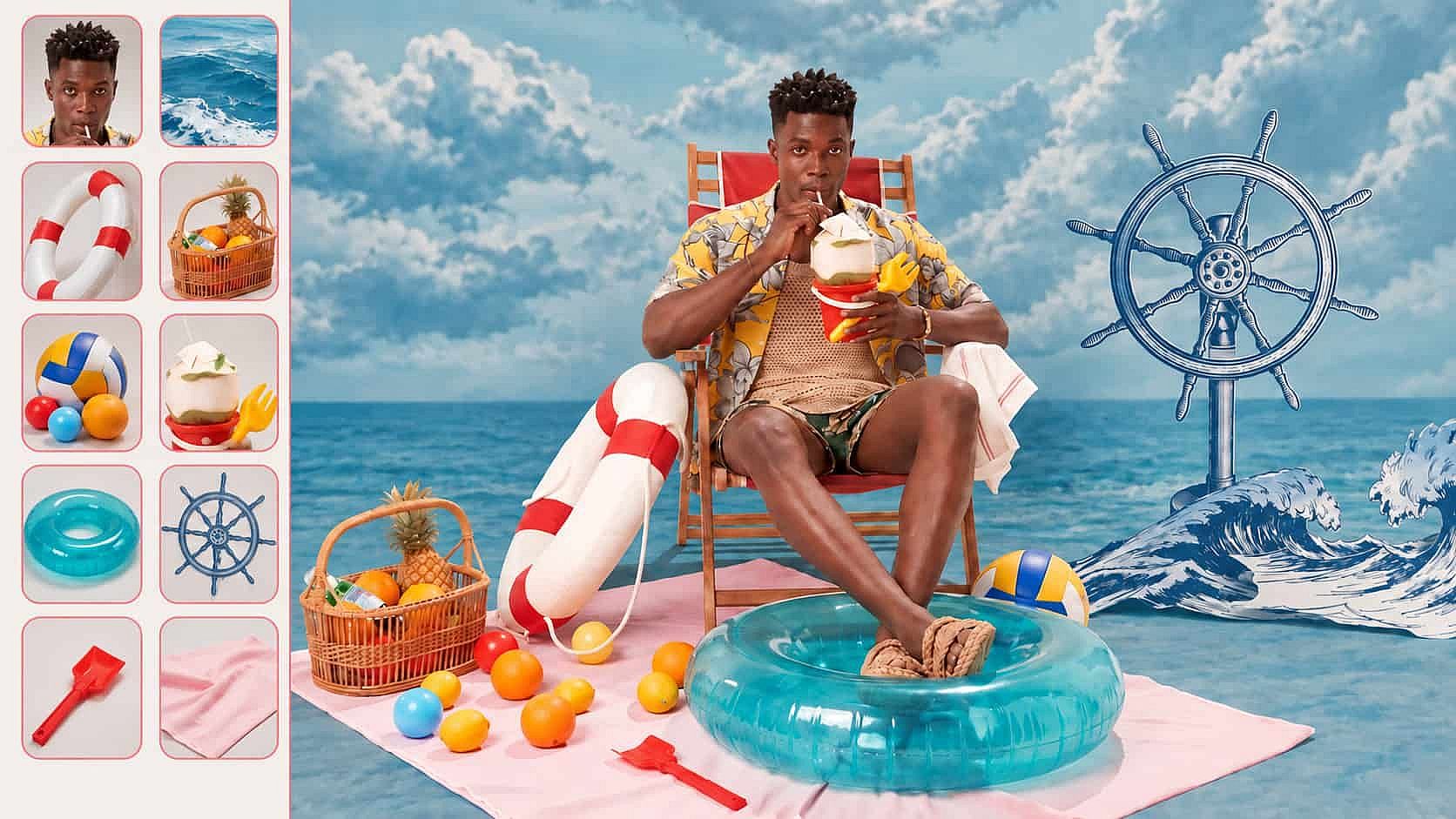
Combine up to 10 reference images
FLUX 3 Image takes up to 10 reference images in one prompt, and you give each image a role. Mark one photo as the model, one as the jacket, and one as the room, so the AI Image Generator knows which part to take from where. Each reference lands in the right place in the picture.
Try it NowGenerate images up to native 4K
FLUX 3 Image makes pictures at 2K and 4K, so the label on a bottle still reads when you crop in close. Use 4K for a print poster, a box design, or a full-width page, and 2K when you want a fast batch for social. You pick the size before you generate.
Try it Now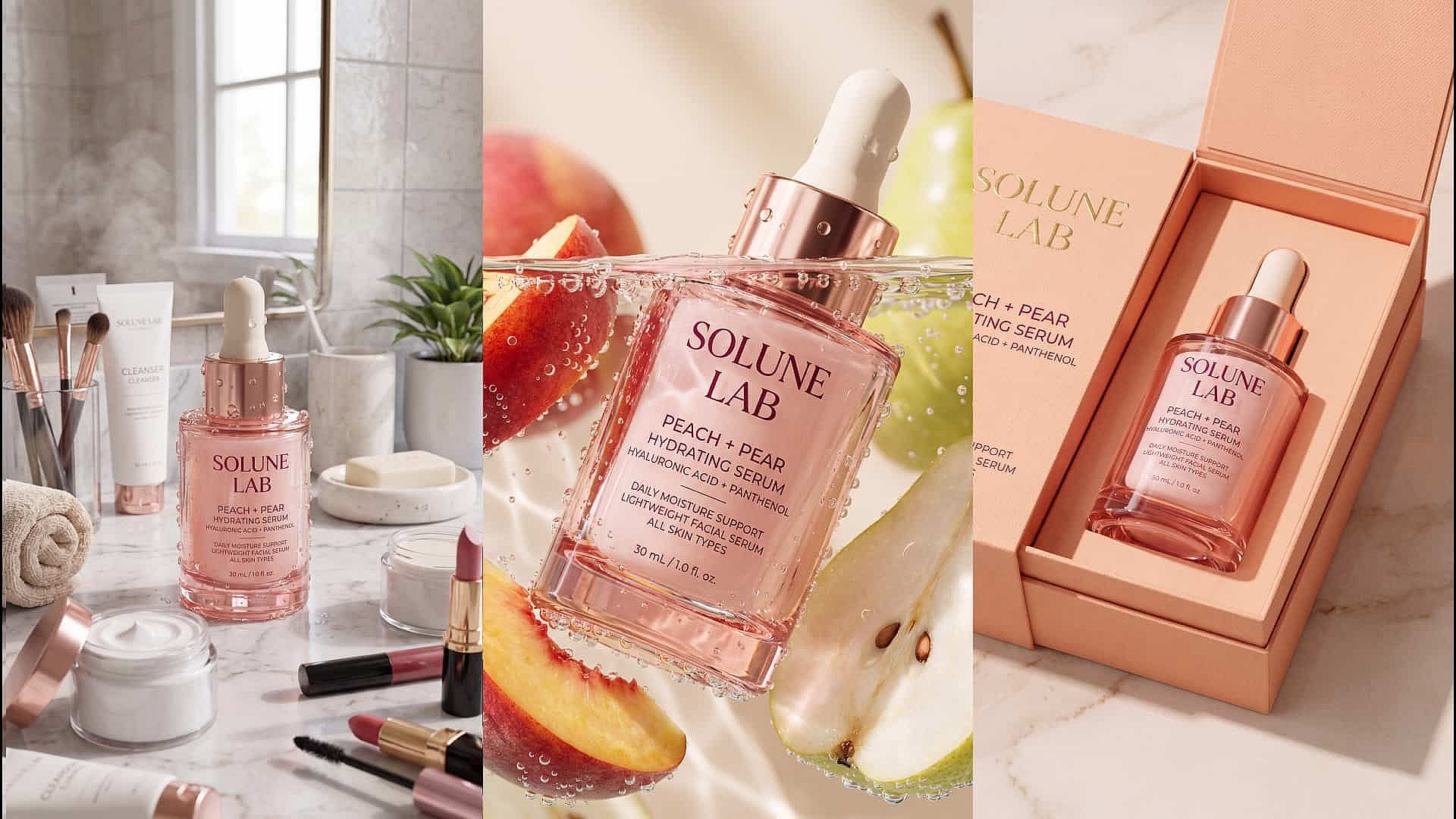
Consistent faces and objects
FLUX 3 Image holds a recognizable face, product, or object steady across edits and across all your references. Upload one shot of your serum bottle, then put that same bottle on a bathroom counter, in a gift box, and on a plain studio backdrop. The cap, the label, and the color match in every version.
Try it Now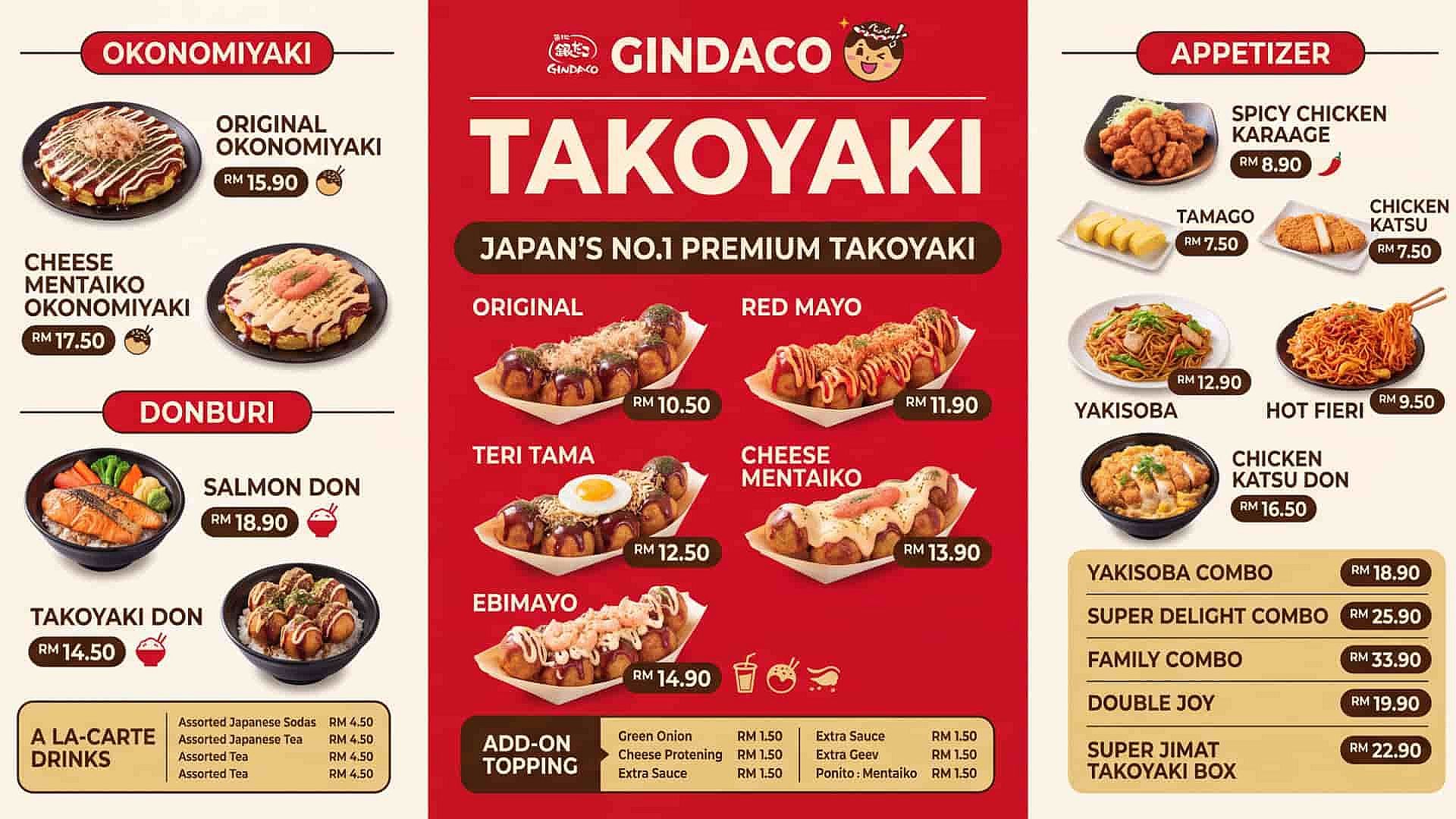
Accurate, realistic text rendering
FLUX 3 Image writes clean text inside the picture, so a price, a headline, or a product name comes out as real readable text. Type the exact words you want and say where they sit. That makes FLUX 3 Image a safe pick for sale banners, event posters, and packaging labels.
Try it NowHow to Use FLUX 3 Image
Three steps take you from a reference photo to a finished image.
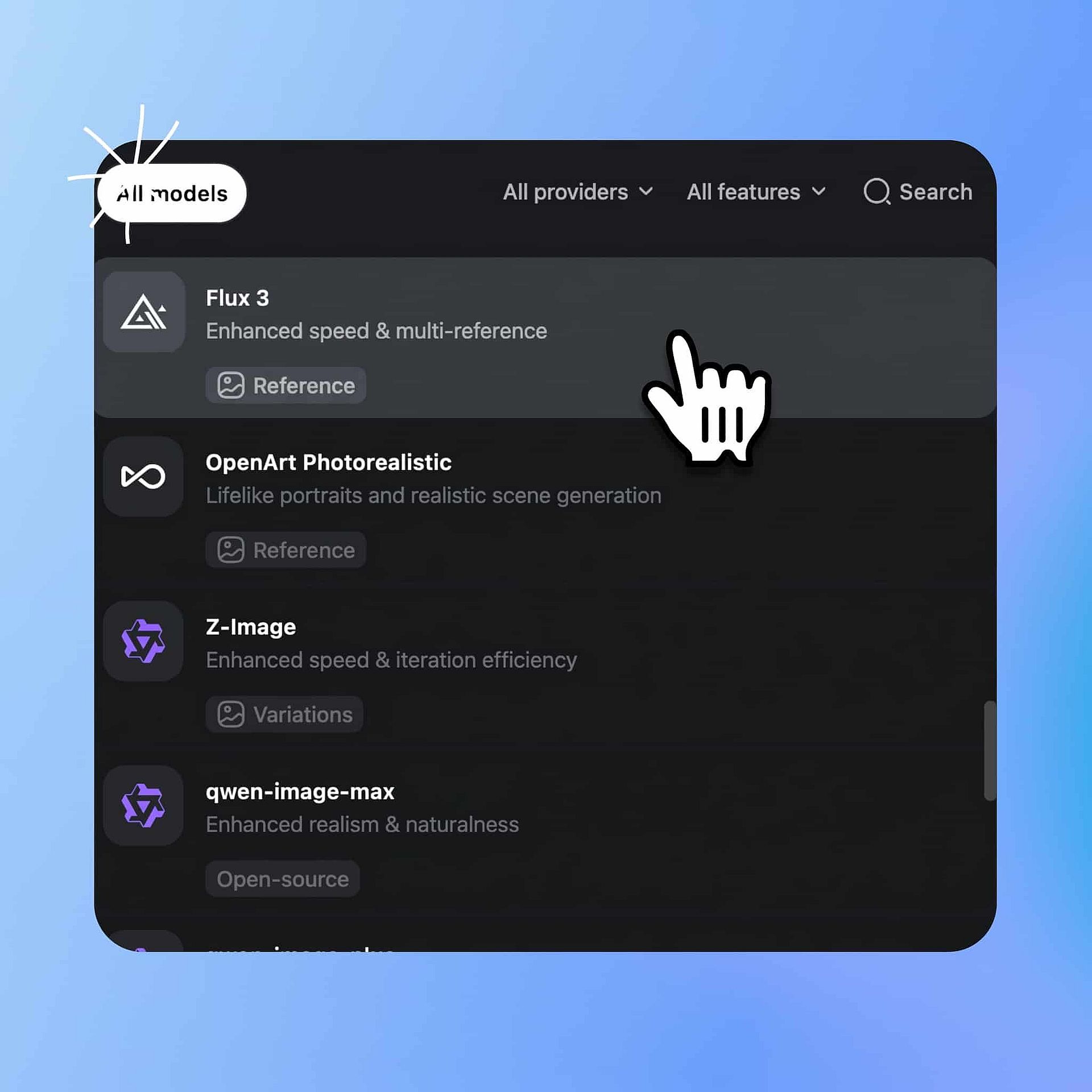
Choose the model
Open OpenArt's AI image generator and pick FLUX 3 Image from the model menu.
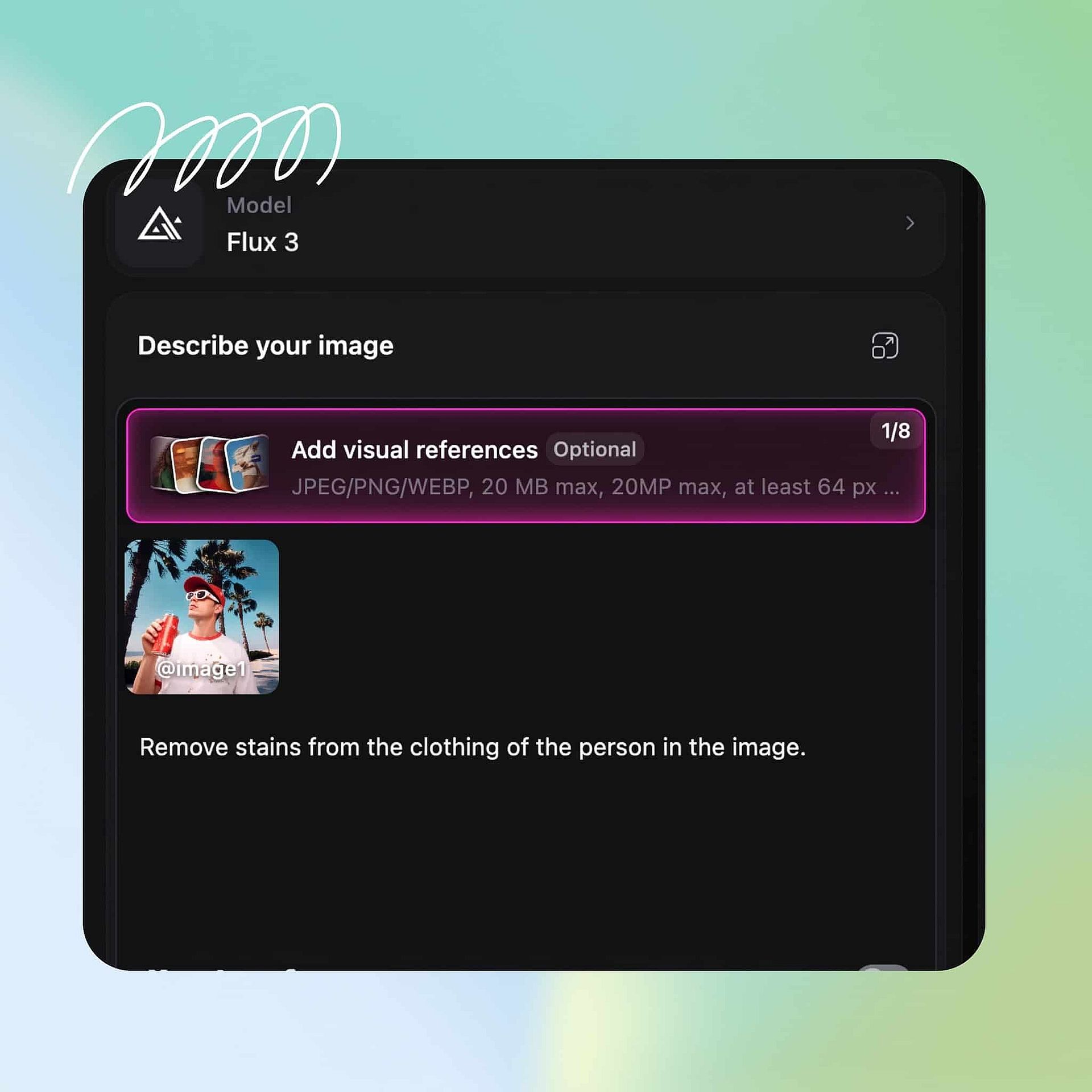
Prompt and add your references
Upload up to 10 reference images and specify what each one is for. Then describe the picture you want.
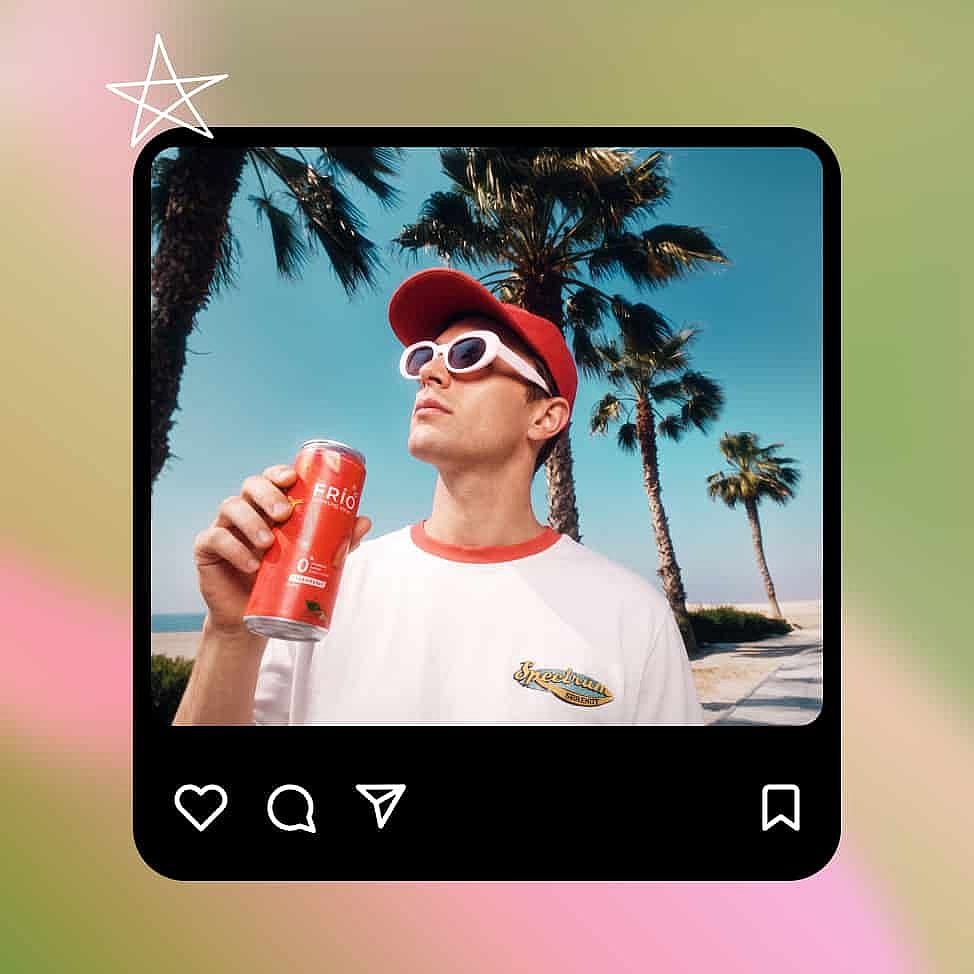
Set your output and generate
Pick your aspect ratio, your resolution, and your number of outputs, then generate and download the one you like.
Best Use Cases for FLUX 3 Image
FLUX 3 Image is perfect for 4K beauty and personal care shots, fashion and garment swaps, ad and packaging comps, and photo cleanup.
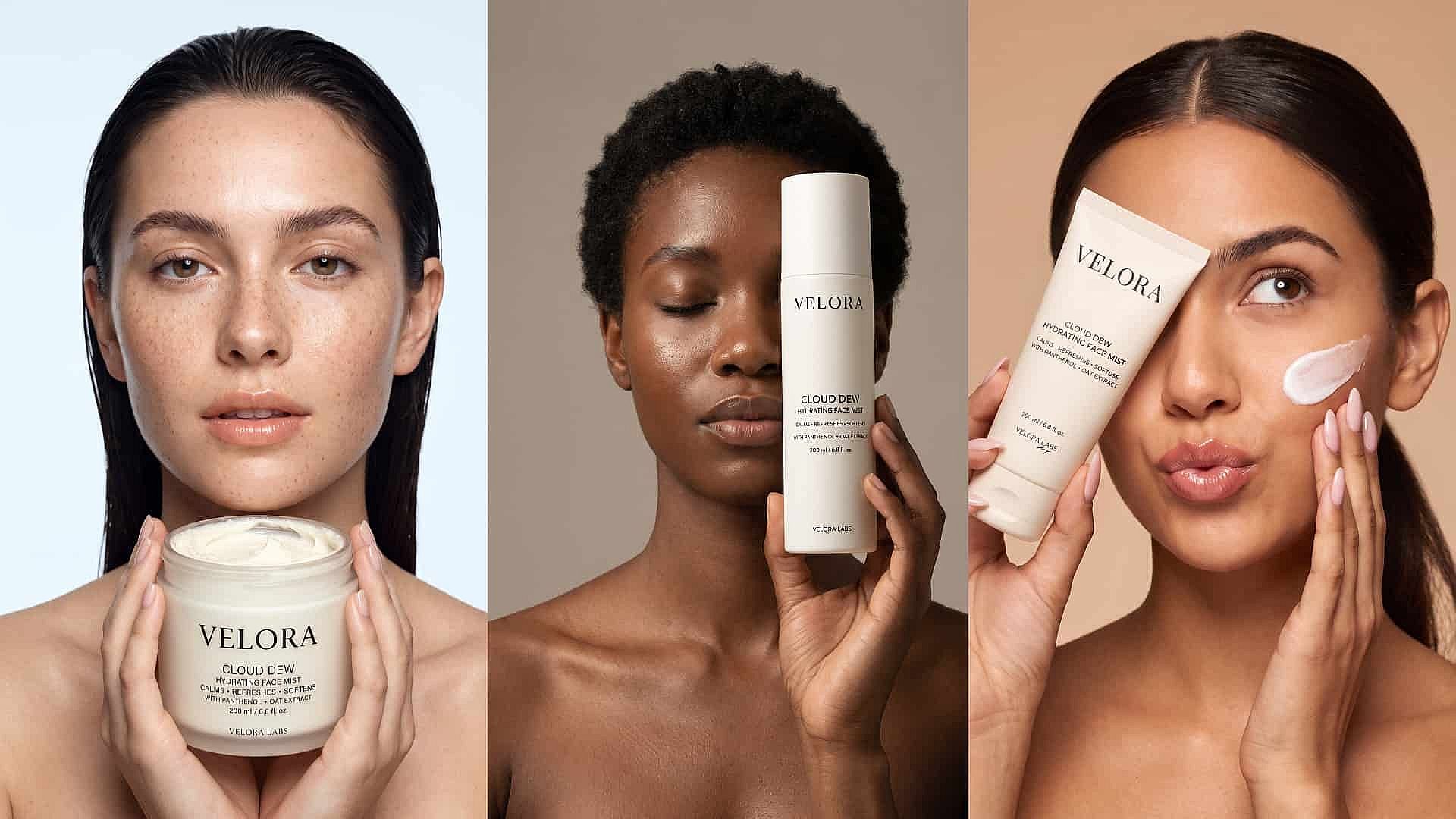
Shoot beauty and personal care product visuals
FLUX 3 Image builds beauty and personal care shots from one photo of your product. Upload the bottle, add a reference for the hand model and one for the background, and get the cream jar on a marble counter in the light you asked for. The cap shape and the label text stay right in every version, which is what a serum or shampoo shot lives on. Send the finished image to FLUX 3 video generator when you want the same product animated in a short clip.
Try it Now
Swap garments and build fashion looks
FLUX 3 Image puts a garment you upload onto a model you upload. Mark one reference as the person and one as the dress, the jacket, or the shoes, and FLUX 3 Image keeps the print, the stitching, and the fit of the real item. Make the same look in three colors for a product page, or put one outfit on several models. One sample and a few reference photos give you a full set of fashion shots.
Try it Now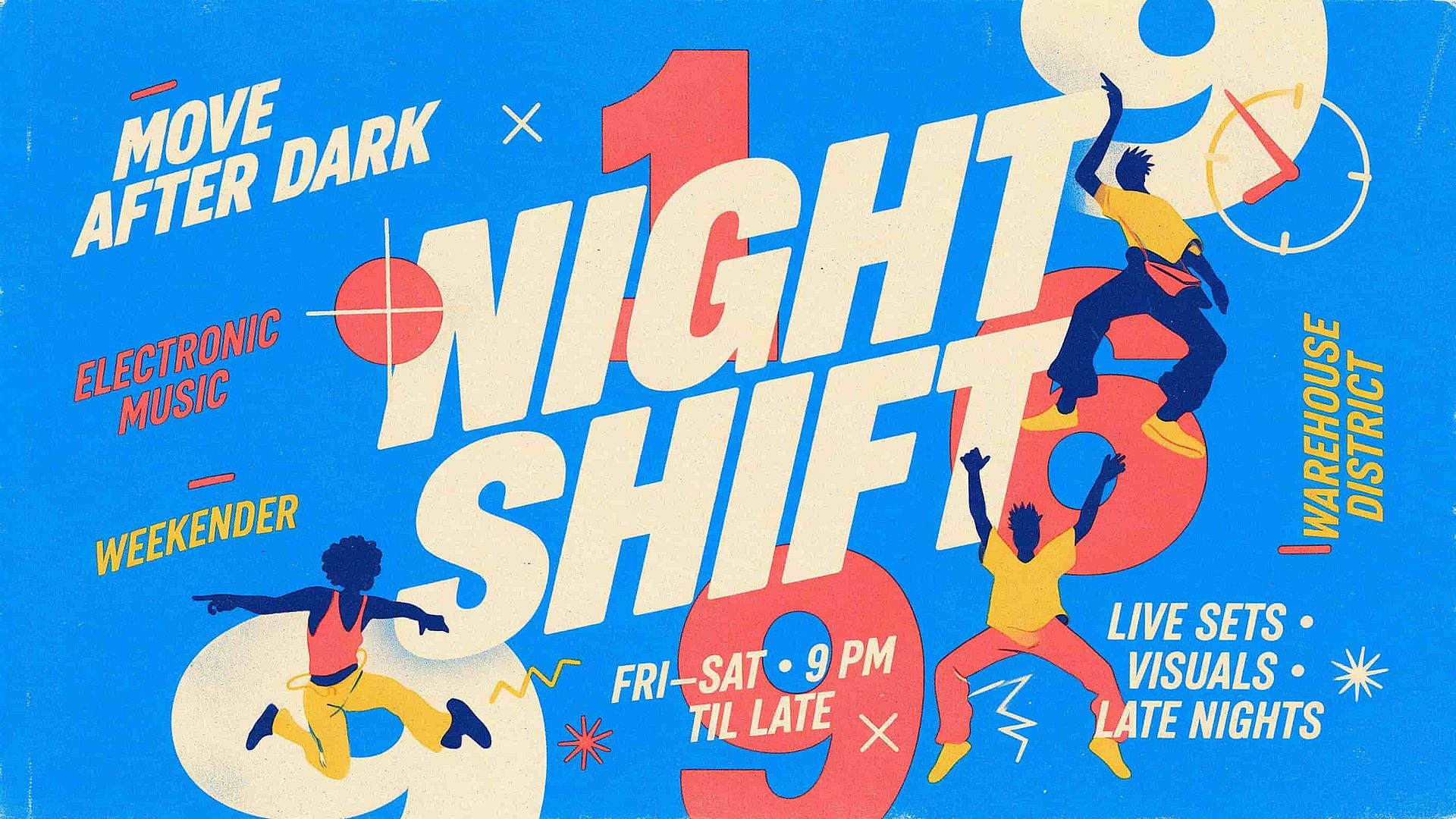
Build ads, posters, and packaging comps
FLUX 3 Image makes ad creative and packaging comps with the words already in the picture. Ask for a headline at the top, the product in the middle, and a price at the bottom, and the text comes out readable at 4K. Show a client three box designs with their real logo on each one, or the same poster as a square and a vertical.
Try it Now
Retouch and clean up photos you already have
FLUX 3 Image edits photos you upload and keeps the rest of the picture as it is. Take a stray cable out of a room shot, clear a stain off a shirt, brighten a dull product photo, or clean up the background behind a face. The person, the product, and the small details stay the same, so the picture still looks like your original. Work through a stack of photos in one sitting and keep one look across all of them.
Try it NowTips for Best Results
Frequently Asked Questions
FLUX 3 Image is the image model from Black Forest Labs, and you can use it in OpenArt's AI image generator. FLUX 3 Image makes pictures from a prompt, works from up to 10 reference photos at once, edits images you upload, and outputs at 2K and 4K.
FLUX 3 Image uses up to 10 reference images in a single prompt. You also give each reference a role, such as the person, the product, the outfit, or the background, so FLUX 3 Image pulls the right detail from the right photo.
Yes. FLUX 3 Image keeps a recognizable face, product, or object the same across edits and across a batch of images. Upload a clean shot of the item, then ask for that item in other settings, and the shape, the color, and the label carry over.
Yes. Upload your photo, describe the change in plain words, and FLUX 3 Image makes that change while the rest of the picture stays as it was. Look over the whole image before you post it, because any AI edit can move a detail you did not ask about.
Paid OpenArt plans start at $14 a month billed monthly, and annual billing brings that down. Check OpenArt's pricing page for the plan that covers commercial use, and make sure you hold the rights to any photo, logo, or person you upload.
You can use FLUX 3 Image in OpenArt's AI image generator with your OpenArt account. You don't need a separate Black Forest Labs account or API key. New accounts get 40 free credits to try it, no credit card required.
FLUX 3 Image supports 2K and 4K output, and you pick the resolution and aspect ratio before you generate. A 4K file holds up on a printed poster or a packaging comp, where small text and label details have to stay sharp.
Yes. Type the exact headline, price, or product name you want and say where it sits in the layout, and FLUX 3 Image puts it in the picture as readable text. Short lines come out cleanest.
FLUX 3 Image makes and edits still pictures at 2K and 4K from up to 10 references. FLUX 3 Video makes video 5 to 20 seconds long with sound. Both sit in OpenArt, so you can generate a product shot with FLUX 3 Image and animate it afterward on the video generator.
Get Insights from Experts Blog
Get the insights you need. Our experts share actionable hacks, break down the hottest topics, and provide essential how-to guides to help you create, optimize, and scale.
Read More
Loved by Creators
I've tried many AI platforms... but OpenArt is still the best for character creation, image-to-video quality, and the variety of models available.
OpenArt offers an excellent array of AI tools... once you learn the features, the creative possibilities are amazing - and their support team is outstanding.
OpenArt is a very versatile AI platform with many image and video models, consistent character creation, and powerful editing tools.
Helpful AI tools all in one place - image and video generation, editing, and more... no need for multiple subscriptions.
Customer service is always quick and helpful... and the platform keeps getting better with new features and tools.
I've tried many AI platforms... but OpenArt is still the best for character creation, image-to-video quality, and the variety of models available.
OpenArt offers an excellent array of AI tools... once you learn the features, the creative possibilities are amazing - and their support team is outstanding.
OpenArt is a very versatile AI platform with many image and video models, consistent character creation, and powerful editing tools.
Helpful AI tools all in one place - image and video generation, editing, and more... no need for multiple subscriptions.
Customer service is always quick and helpful... and the platform keeps getting better with new features and tools.
I've tried many AI platforms... but OpenArt is still the best for character creation, image-to-video quality, and the variety of models available.
OpenArt offers an excellent array of AI tools... once you learn the features, the creative possibilities are amazing - and their support team is outstanding.
OpenArt is a very versatile AI platform with many image and video models, consistent character creation, and powerful editing tools.
Helpful AI tools all in one place - image and video generation, editing, and more... no need for multiple subscriptions.
Customer service is always quick and helpful... and the platform keeps getting better with new features and tools.
With so many AI platforms out there, OpenArt stood out as a stellar choice - I'd recommend it to any creator.
This platform includes everything you need for AI content creation - images, video, characters, audio, and multiple AI models in one place.
OpenArt is pushing the boundaries of AI video creation... and it's clear the team is committed to improving the creator experience.
I made my first AI music video with OpenArt... and their support team was the best help I've ever experienced.
I'm very happy with the support - my issue was resolved quickly and the team made the process easy.
With so many AI platforms out there, OpenArt stood out as a stellar choice - I'd recommend it to any creator.
This platform includes everything you need for AI content creation - images, video, characters, audio, and multiple AI models in one place.
OpenArt is pushing the boundaries of AI video creation... and it's clear the team is committed to improving the creator experience.
I made my first AI music video with OpenArt... and their support team was the best help I've ever experienced.
I'm very happy with the support - my issue was resolved quickly and the team made the process easy.
With so many AI platforms out there, OpenArt stood out as a stellar choice - I'd recommend it to any creator.
This platform includes everything you need for AI content creation - images, video, characters, audio, and multiple AI models in one place.
OpenArt is pushing the boundaries of AI video creation... and it's clear the team is committed to improving the creator experience.
I made my first AI music video with OpenArt... and their support team was the best help I've ever experienced.
I'm very happy with the support - my issue was resolved quickly and the team made the process easy.