

HappyHorse AI Video Generator
Create cinematic videos with synchronized audio, realistic motion, and fast generation speeds using HappyHorse AI on OpenArt.

Community Creations
See how creators are generating cinematic scenes, talking avatars, and product videos with smooth motion, natural audio, and consistent visuals.
Key Features of HappyHorse AI Video Generator
HappyHorse is a next-generation AI video model available on OpenArt, designed to generate complete scenes with motion, sound, and timing in a single pass.
Native Audio + Video Generation
HappyHorse generates visuals and audio together instead of treating them as separate steps. Dialogue, sound effects, and motion are created in sync, which means lip movements match speech naturally and scenes feel cohesive without extra editing. For example, a talking character will not just move their lips randomly; the timing aligns with the generated voice. This removes the need for external voiceover tools or manual syncing, making it possible to create complete video clips directly from a single prompt.
Try it NowHigh-Speed Video Generation
HappyHorse AI significantly reduces generation time compared to traditional video models. Short clips can be generated in seconds, and even high-quality videos render quickly enough to support rapid iteration. This allows you to test multiple ideas without waiting through long processing times. Instead of committing to one version, you can explore variations of the same scene, adjust motion or pacing, and refine outputs quickly. The speed makes it practical for workflows where multiple drafts are needed in a short time.
Try it NowRealistic Motion and Temporal Consistency
One of the biggest challenges in AI video is maintaining consistency across frames. HappyHorse produces smooth motion where characters, objects, and camera movement remain stable over time. Hair, fabric, and environmental elements move naturally instead of flickering or distorting. Camera actions like pans, zooms, or slow push-ins feel continuous rather than stitched together. This makes scenes look more like actual footage instead of a sequence of loosely connected frames.
Try it NowHow to Use HappyHorse AI Video Generator
Generate complete videos with motion and sound in a simple workflow.
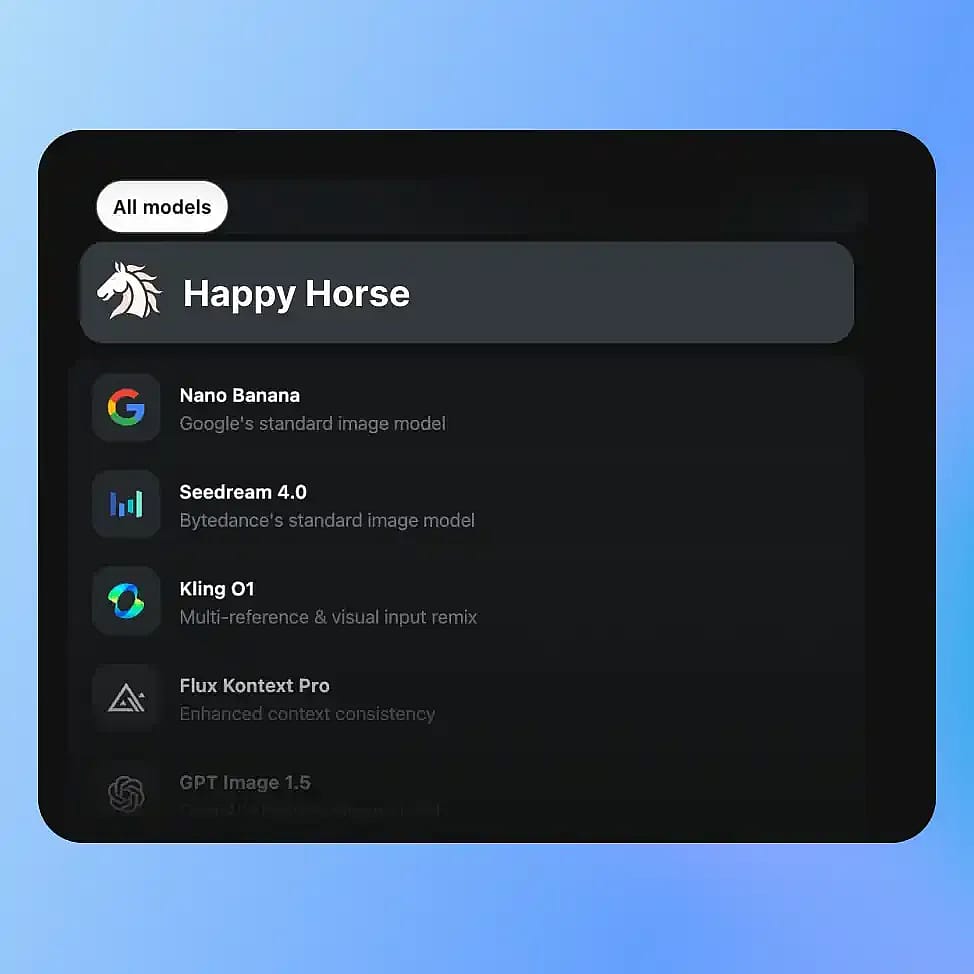
Choose Your Model
Go to OpenArt’s Video tools and select your mode: Text-to-Video or Image-to-Video, then choose HappyHorse from the available models.
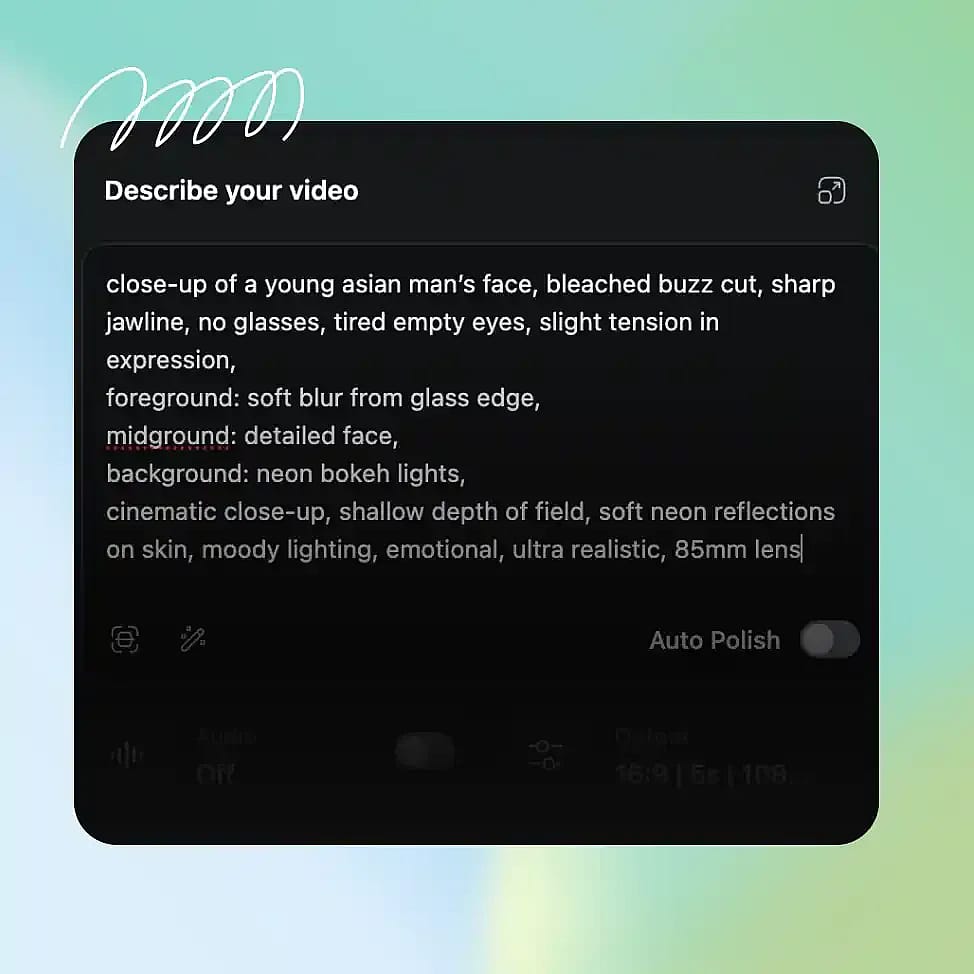
Describe Your Scene
Write a clear prompt describing the subject, environment, motion, and any dialogue or sound. You can include details like camera movement or mood to guide the output.
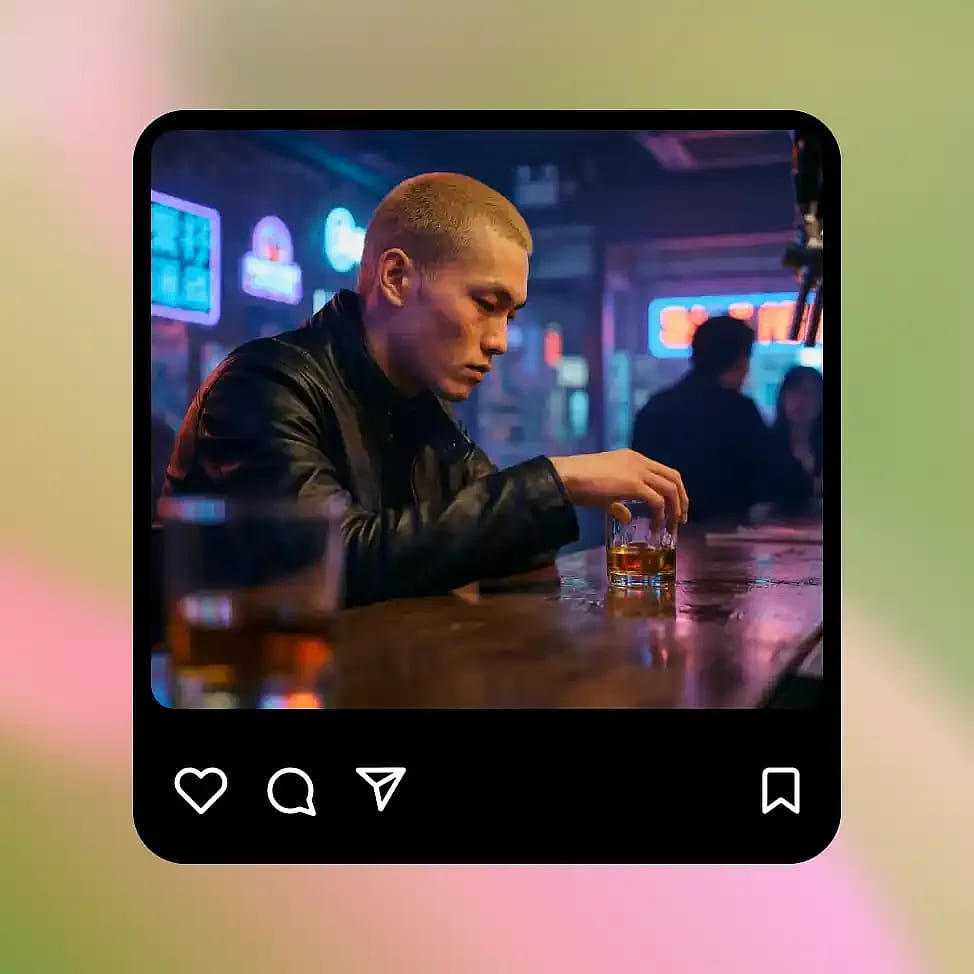
Generate and Refine
Generate your video and review the motion, timing, and audio. Adjust the prompt to refine specific elements like pacing, camera movement, or scene composition.
HappyHorse is Built for Cinematic Video Creation – Faster and More Complete
Create story scenes, talking videos, product animations, and visual concepts with synchronized audio, realistic motion, and fast iteration.
Realistic & Cinematic Scene Generation
HappyHorse is especially strong at generating short cinematic sequences with clear direction and movement. You can describe a scene like a character walking through a city at night with a slow camera push, and the model will produce motion that feels continuous and intentional. Lighting, camera movement, and pacing work together instead of feeling random. This makes it useful for creating short films, story moments, or visual narratives without needing traditional video production tools or editing timelines.
Try it NowTalking Characters and Avatars
You can generate videos of characters speaking with synchronized lip movement and matching audio. Instead of adding voice separately, HappyHorse produces speech and facial motion together, so the result feels more natural. This works well for explainer videos, presentations, or simple talking avatars. You can control tone and pacing through your prompt, and refine the output by adjusting dialogue or delivery style. Because everything is generated together, the final video does not require extra syncing or post-processing.
Try it NowImage-to-Video Animation
HappyHorse can animate still images or frames into moving scenes while keeping the subject super consistent. For example, you can take a product image or character portrait and turn it into a short video with motion, camera movement, and environmental effects. The original structure and identity stay stable, so the subject does not drift or distort across frames. This makes it useful for turning static assets into engaging content without rebuilding them from scratch or manually animating them.
Try it NowProduct and Social Video Content
You can create short product videos or social media clips by describing the scene and desired motion. For example, a product placed on a table with soft lighting and a slow rotation can be generated as a complete video with matching ambiance. Because generation is fast, you can test multiple styles, angles, and moods without long production cycles. This makes it easier to produce consistent video content for campaigns or social platforms without filming each variation.
Try it NowTips for Best Results
Describe motion clearly
Mention how subjects move or how the camera behaves to get more controlled and realistic results.

Include audio intent in prompts
Describe dialogue or sound so visuals and audio align naturally in the output.
Keep scenes focused
Simpler scenes with clear subjects produce more stable and coherent motion.

Iterate with small changes
Adjust one element at a time, like camera movement or pacing, to refine results without disrupting the whole scene.
Describe motion clearly
Mention how subjects move or how the camera behaves to get more controlled and realistic results.
Include audio intent in prompts
Describe dialogue or sound so visuals and audio align naturally in the output.
Keep scenes focused
Simpler scenes with clear subjects produce more stable and coherent motion.
Iterate with small changes
Adjust one element at a time, like camera movement or pacing, to refine results without disrupting the whole scene.
Frequently Asked Questions
Get Insights from Experts Blog
Get the insights you need. Our experts share actionable hacks, break down the hottest topics, and provide essential how-to guides to help you build, optimize, and scale.
Read More
Loved by Creators
I've tried many AI platforms... but OpenArt is still the best for character creation, image-to-video quality, and the variety of models available.
OpenArt offers an excellent array of AI tools... once you learn the features, the creative possibilities are amazing - and their support team is outstanding.
OpenArt is a very versatile AI platform with many image and video models, consistent character creation, and powerful editing tools.
Helpful AI tools all in one place - image and video generation, editing, and more... no need for multiple subscriptions.
Customer service is always quick and helpful... and the platform keeps getting better with new features and tools.
I've tried many AI platforms... but OpenArt is still the best for character creation, image-to-video quality, and the variety of models available.
OpenArt offers an excellent array of AI tools... once you learn the features, the creative possibilities are amazing - and their support team is outstanding.
OpenArt is a very versatile AI platform with many image and video models, consistent character creation, and powerful editing tools.
Helpful AI tools all in one place - image and video generation, editing, and more... no need for multiple subscriptions.
Customer service is always quick and helpful... and the platform keeps getting better with new features and tools.
I've tried many AI platforms... but OpenArt is still the best for character creation, image-to-video quality, and the variety of models available.
OpenArt offers an excellent array of AI tools... once you learn the features, the creative possibilities are amazing - and their support team is outstanding.
OpenArt is a very versatile AI platform with many image and video models, consistent character creation, and powerful editing tools.
Helpful AI tools all in one place - image and video generation, editing, and more... no need for multiple subscriptions.
Customer service is always quick and helpful... and the platform keeps getting better with new features and tools.
With so many AI platforms out there, OpenArt stood out as a stellar choice - I'd recommend it to any creator.
This platform includes everything you need for AI content creation - images, video, characters, audio, and multiple AI models in one place.
OpenArt is pushing the boundaries of AI video creation... and it's clear the team is committed to improving the creator experience.
I made my first AI music video with OpenArt... and their support team was the best help I've ever experienced.
I'm very happy with the support - my issue was resolved quickly and the team made the process easy.
With so many AI platforms out there, OpenArt stood out as a stellar choice - I'd recommend it to any creator.
This platform includes everything you need for AI content creation - images, video, characters, audio, and multiple AI models in one place.
OpenArt is pushing the boundaries of AI video creation... and it's clear the team is committed to improving the creator experience.
I made my first AI music video with OpenArt... and their support team was the best help I've ever experienced.
I'm very happy with the support - my issue was resolved quickly and the team made the process easy.
With so many AI platforms out there, OpenArt stood out as a stellar choice - I'd recommend it to any creator.
This platform includes everything you need for AI content creation - images, video, characters, audio, and multiple AI models in one place.
OpenArt is pushing the boundaries of AI video creation... and it's clear the team is committed to improving the creator experience.
I made my first AI music video with OpenArt... and their support team was the best help I've ever experienced.
I'm very happy with the support - my issue was resolved quickly and the team made the process easy.
Create without limits
Join thousands of creators using OpenArt to generate stunning images, videos, and more — all in one platform.
Get Started for Free →