

FLUX 3 — Video Generation Model
FLUX 3 AI video model makes 1080p clips at any length from 5 to 20 seconds, with dialogue and sound effects generated alongside the picture. Generate quickly, enhance the take you like, and animate your own images, all on OpenArt.

Key Features of FLUX 3
Pick any length from 5 to 20 seconds
FLUX 3 lets you make videos anywhere from 5 to 20 seconds long. Older AI models usually start messing up after 10 seconds, but FLUX 3 keeps the video looking great all the way to the end. It even adds voice lines, sound effects, and background noise automatically, giving you a complete video with audio ready to go.
Try it NowDraft fast, then upgrade your best version
Make quick, cheap test videos to see if your ideas, camera moves, or actions look good. Once you find a version you like, you can upgrade it to full quality. The upgraded video keeps the exact same shot and movement you chose, so you only pay for high-quality video when you know it looks right.
Try it NowTurn still pictures into matching videos
Upload a picture and FLUX 3 will make it move naturally while keeping the original person, lighting, and details the same. For example, a picture of a waterfall becomes a video of real moving water. The AI video generator can also stretch that clip into a full scene that matches your original photo.
Try it NowChange backgrounds, characters, and styles
FLUX 3 does video editing built right in, so you don't need extra software. You can swap out a background, change a character, or give the clip a new art style. All you have to do is type out what you want to change, and the AI edits the video without making you start over from scratch.
Try it NowHow to Use FLUX 3 on OpenArt
Three steps take you from a blank prompt to a finished clip with sound.
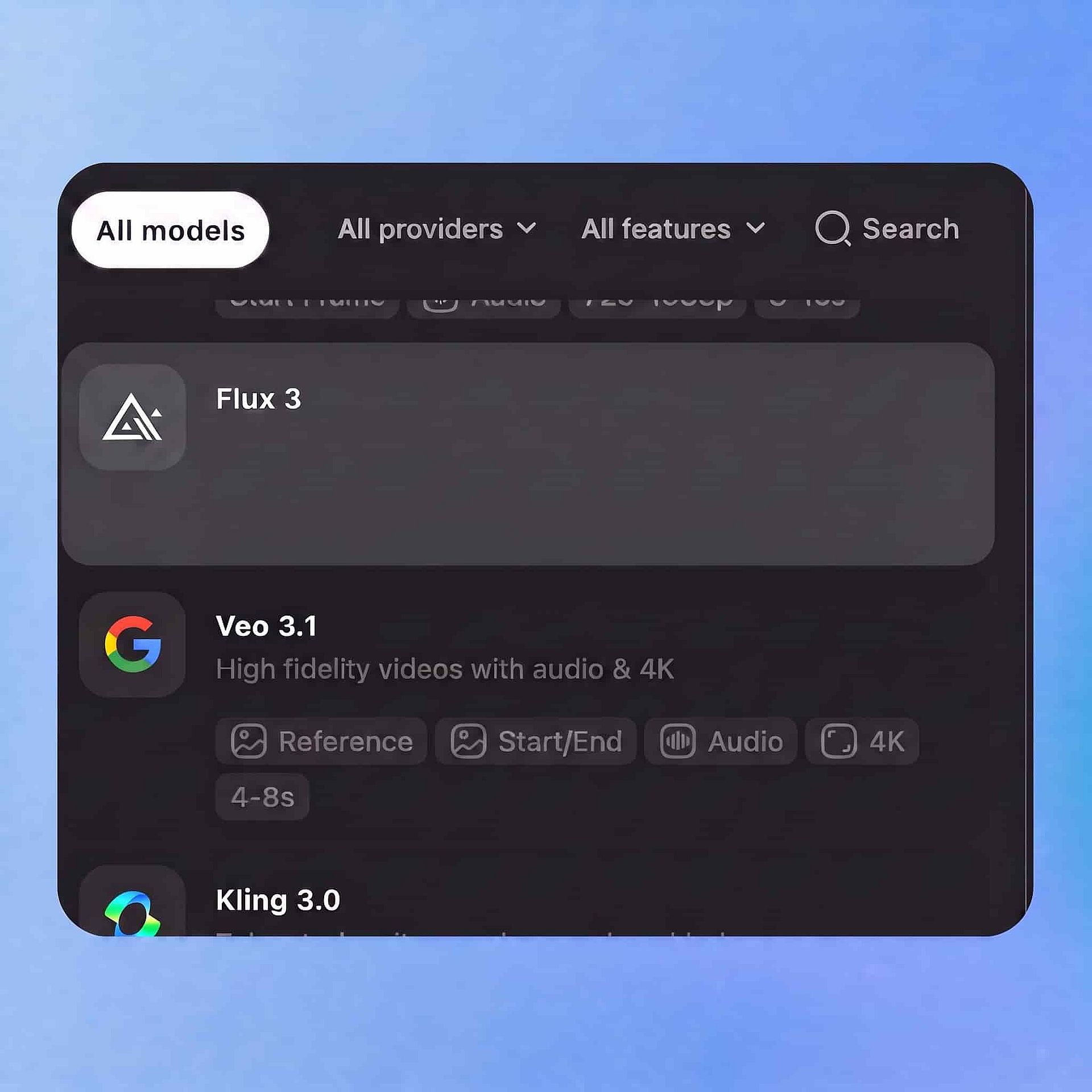
Choose Your Model
Open OpenArt's video tool, select FLUX 3 from the model panel, and pick your input: a written prompt, an image, or an existing clip.
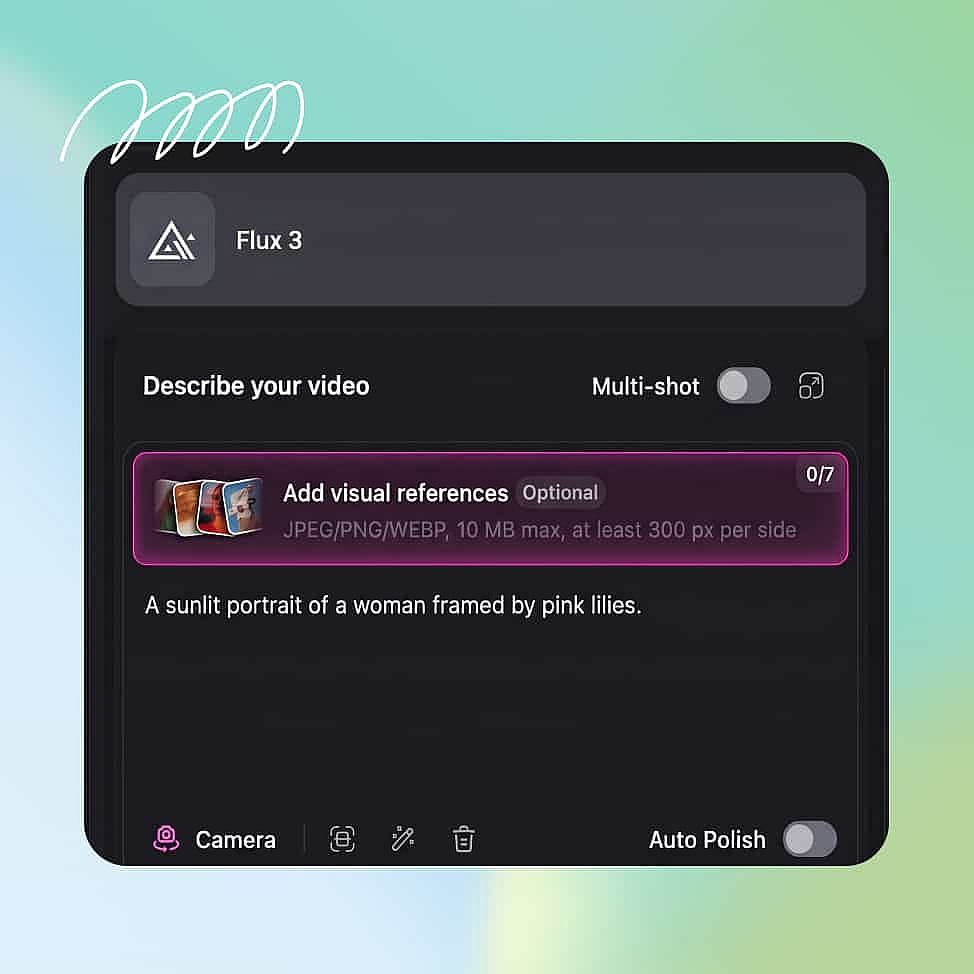
Prompt and Add References
Describe the action, the camera move, and the sound you want, write out any dialogue, then set your duration between 5 and 20 seconds along with your resolution and aspect ratio.
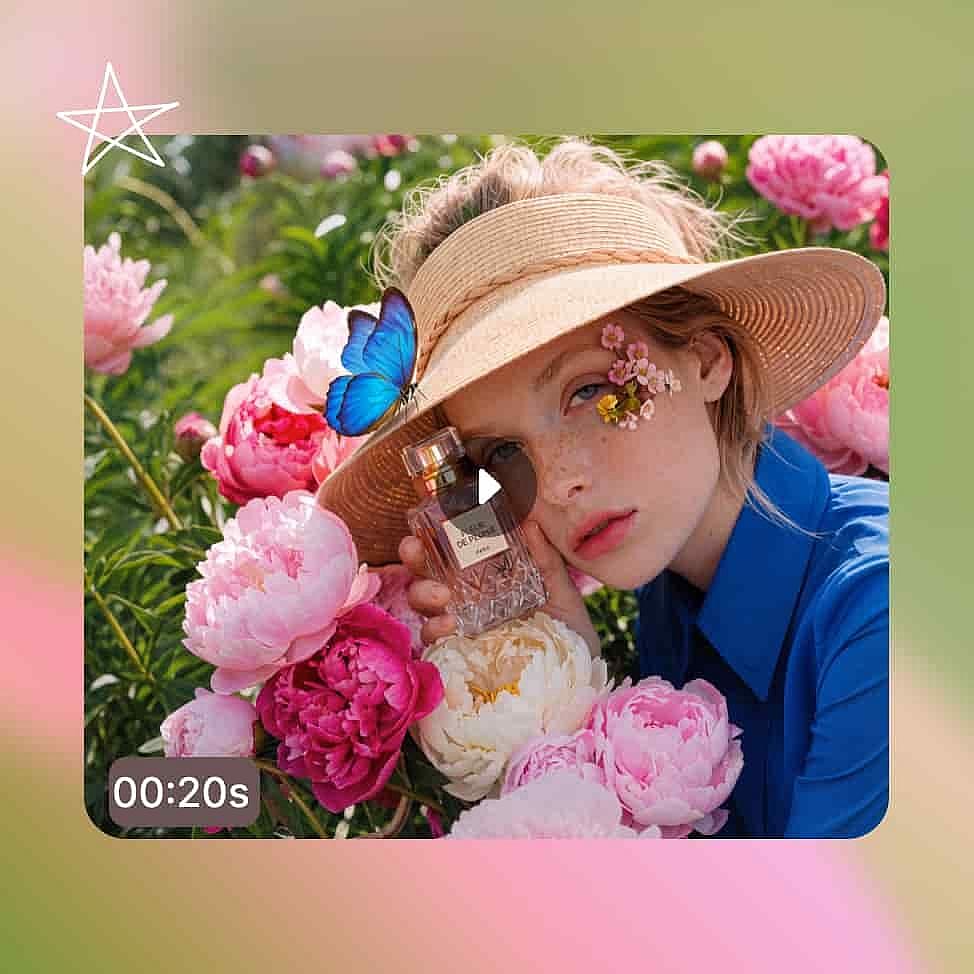
Generate and Export
Generate a draft first, adjust your prompt if the take is off, then enhance the version you like and download the MP4 with its audio track.
Best Uses for FLUX 3
Creators who use frontier AI tools
If you already use tools like Sora, Runway, or FLUX for images, you probably want to try the newest models the day they come out. FLUX 3 is Black Forest Labs' first video maker, and it creates picture and sound at the same time. Testing quick drafts is cheap, so you can experiment with what the tool can do before settling on a final look.
Try it NowFilmmakers and video creators
A video only looks like a real movie when the acting, timing, and sound all fit together. Twenty seconds is long enough to show a complete moment with a clear ending. Since it makes the sound right along with the video, you can check the mood and timing all at once.
Try it NowMarketers and video professionals
You have strict deadlines, and extra shoots waste time and money. You can test several ideas in a single morning, pick the best one to upgrade, and easily swap out characters or backgrounds to create different versions for social media without starting over.
Try it NowSmall business owners and content creators
You don’t need a film crew or a studio set; just your own product photos or phone pictures. Upload an image, and FLUX 3 will turn it into a short video clip with sound. This lets you turn simple product pictures into cool video posts for your store or social feed without writing complicated prompts.
Try it NowTips for Best Results

Type the exact sounds you want
Describe the audio just like you describe the picture. For example, write "a single bell chime" or "rain on a window, no music." Quiet scenes often end up with no sound at all, so telling the AI what to make matters most for those.

Start with short tests
Test your idea with a 5-second video first because it comes back much faster. Get the camera angle, motion, and look just right, and then make it longer once you know your idea works.

Focus each video on one main action
FLUX 3 works best when one simple thing happens after another. Trying to show too many things at once, like a big crowd moving in different ways, is harder for the AI to get right. Split those big moments into separate, shorter clips instead.
Type the exact sounds you want
Describe the audio just like you describe the picture. For example, write "a single bell chime" or "rain on a window, no music." Quiet scenes often end up with no sound at all, so telling the AI what to make matters most for those.
Start with short tests
Test your idea with a 5-second video first because it comes back much faster. Get the camera angle, motion, and look just right, and then make it longer once you know your idea works.
Focus each video on one main action
FLUX 3 works best when one simple thing happens after another. Trying to show too many things at once, like a big crowd moving in different ways, is harder for the AI to get right. Split those big moments into separate, shorter clips instead.
Loved by Creators
I've tried many AI platforms... but OpenArt is still the best for character creation, image-to-video quality, and the variety of models available.
OpenArt offers an excellent array of AI tools... once you learn the features, the creative possibilities are amazing - and their support team is outstanding.
OpenArt is a very versatile AI platform with many image and video models, consistent character creation, and powerful editing tools.
Helpful AI tools all in one place - image and video generation, editing, and more... no need for multiple subscriptions.
Customer service is always quick and helpful... and the platform keeps getting better with new features and tools.
I've tried many AI platforms... but OpenArt is still the best for character creation, image-to-video quality, and the variety of models available.
OpenArt offers an excellent array of AI tools... once you learn the features, the creative possibilities are amazing - and their support team is outstanding.
OpenArt is a very versatile AI platform with many image and video models, consistent character creation, and powerful editing tools.
Helpful AI tools all in one place - image and video generation, editing, and more... no need for multiple subscriptions.
Customer service is always quick and helpful... and the platform keeps getting better with new features and tools.
I've tried many AI platforms... but OpenArt is still the best for character creation, image-to-video quality, and the variety of models available.
OpenArt offers an excellent array of AI tools... once you learn the features, the creative possibilities are amazing - and their support team is outstanding.
OpenArt is a very versatile AI platform with many image and video models, consistent character creation, and powerful editing tools.
Helpful AI tools all in one place - image and video generation, editing, and more... no need for multiple subscriptions.
Customer service is always quick and helpful... and the platform keeps getting better with new features and tools.
With so many AI platforms out there, OpenArt stood out as a stellar choice - I'd recommend it to any creator.
This platform includes everything you need for AI content creation - images, video, characters, audio, and multiple AI models in one place.
OpenArt is pushing the boundaries of AI video creation... and it's clear the team is committed to improving the creator experience.
I made my first AI music video with OpenArt... and their support team was the best help I've ever experienced.
I'm very happy with the support - my issue was resolved quickly and the team made the process easy.
With so many AI platforms out there, OpenArt stood out as a stellar choice - I'd recommend it to any creator.
This platform includes everything you need for AI content creation - images, video, characters, audio, and multiple AI models in one place.
OpenArt is pushing the boundaries of AI video creation... and it's clear the team is committed to improving the creator experience.
I made my first AI music video with OpenArt... and their support team was the best help I've ever experienced.
I'm very happy with the support - my issue was resolved quickly and the team made the process easy.
With so many AI platforms out there, OpenArt stood out as a stellar choice - I'd recommend it to any creator.
This platform includes everything you need for AI content creation - images, video, characters, audio, and multiple AI models in one place.
OpenArt is pushing the boundaries of AI video creation... and it's clear the team is committed to improving the creator experience.
I made my first AI music video with OpenArt... and their support team was the best help I've ever experienced.
I'm very happy with the support - my issue was resolved quickly and the team made the process easy.