Film, VFX & Post-Production

Concept art, previsualization, VFX, and post-production on one AI video production platform. Build lookbooks, storyboards, sizzle reels, and hybrid productions with the leading models, consistent characters, and the IP controls your legal team expects.

Contact Sales Enterprise Pricing

Film production outcomes

7 stages

Development through delivery

One workspace

5 Minute

Multi-scene productions

Director mode

$0/seat

Unlimited team members, freelancers, and partners

Why teams switch

Replace your vendor stack with one production workspace

Concept to delivery, one subscription, one asset library, one set of commercial terms.

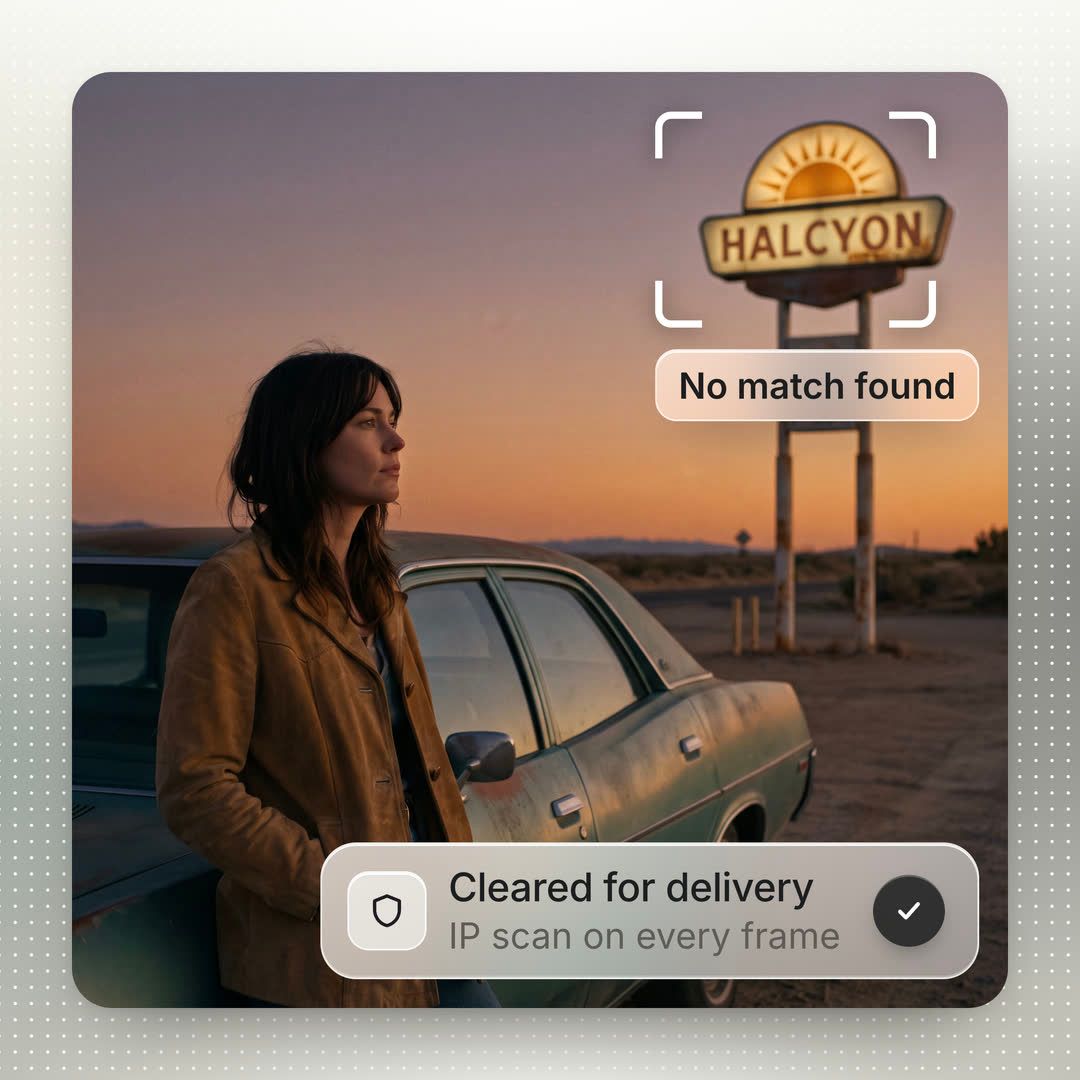
Film still of an actress beside a vintage car, with an IP scan frame on a roadside sign and a cleared-for-delivery check

Client-safe deliverables

Every asset passes an automated copyright and trademark scan before it leaves the platform. Your legal team signs one agreement, and enterprise plans carry broad IP coverage across every model in the stack.

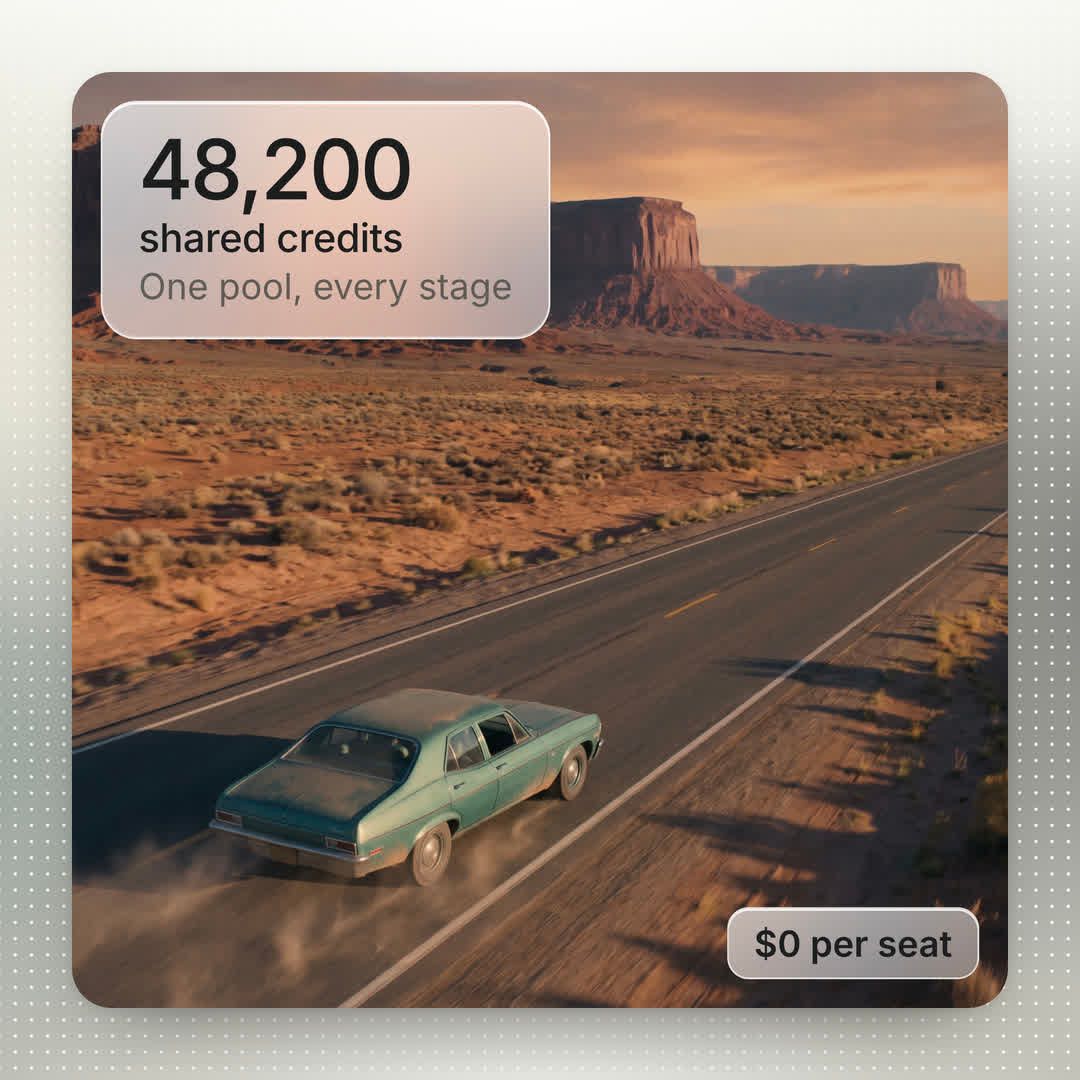
Vintage sedan on a desert highway with a shared pool of 48,200 credits and $0 per seat

One budget for every stage

OpenArt folds concept art, video generation, VFX, audio, and editing into one subscription with one credit pool and one invoice. Invite team members, freelancers, and agency partners at no additional cost.

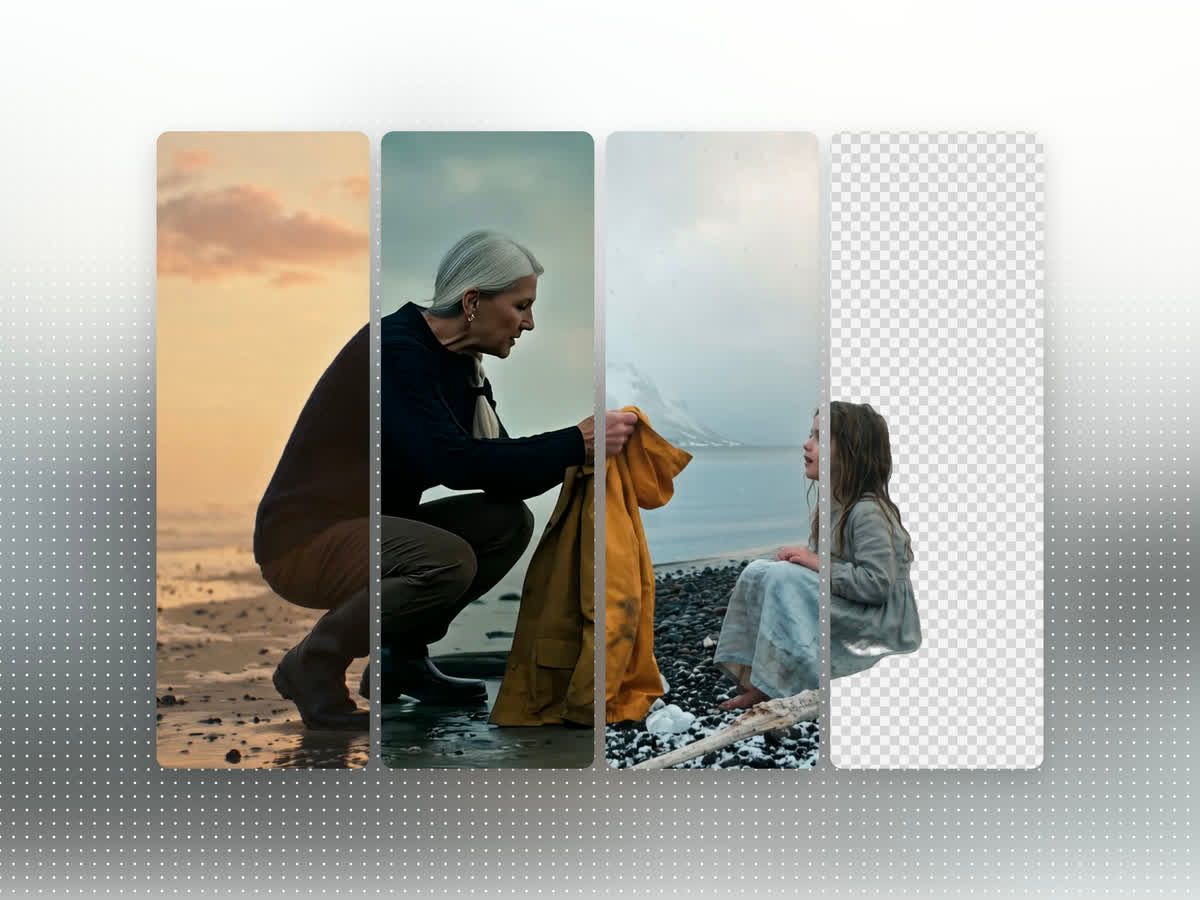
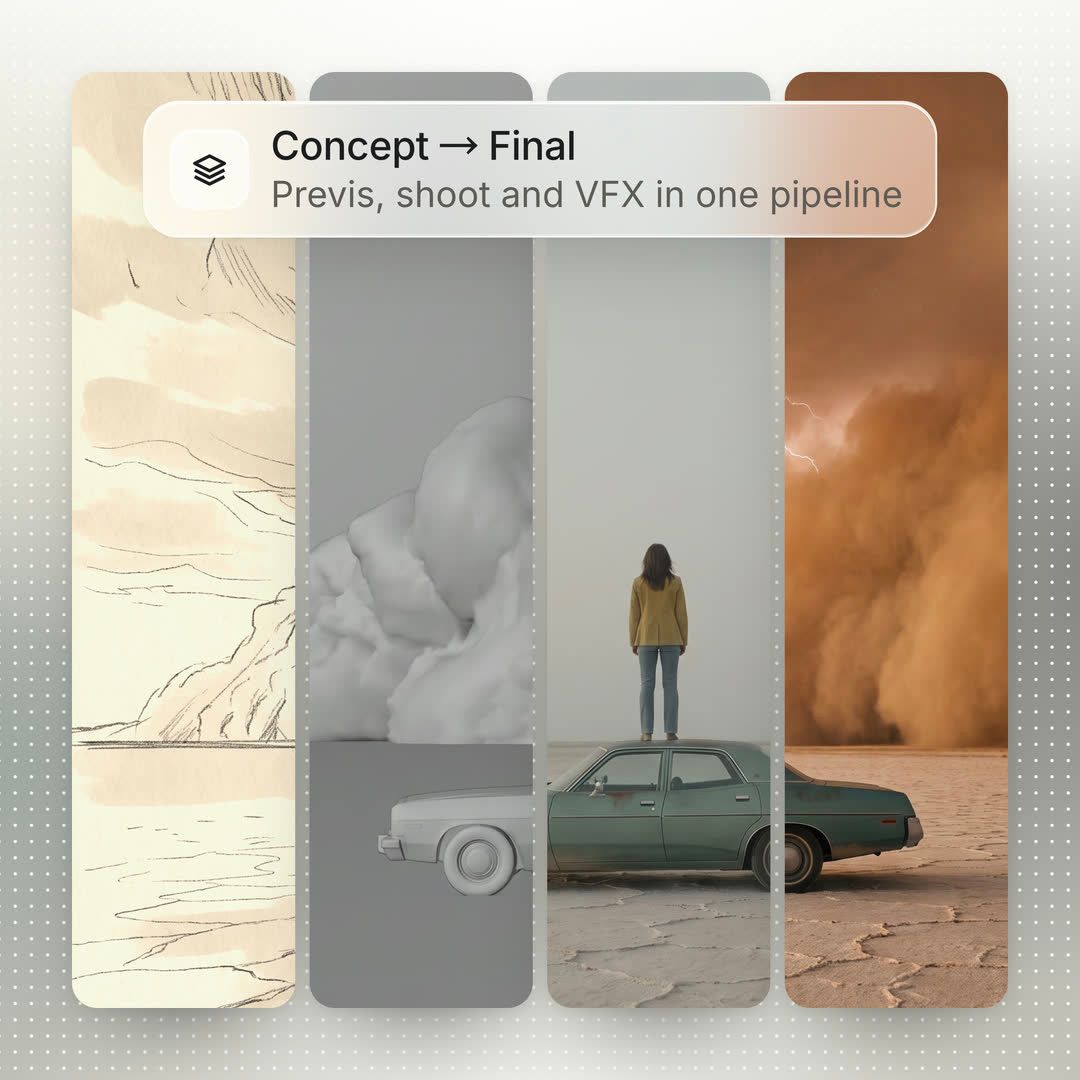
One shot carried across four panels, from concept sketch and previs to live-action shoot and final VFX

Every stage, one pipeline

Cover seven production stages in one workspace, from concept image to final handoff. Assets carry forward through every stage, so continuity holds across scenes. One project, one asset library, one visual language.

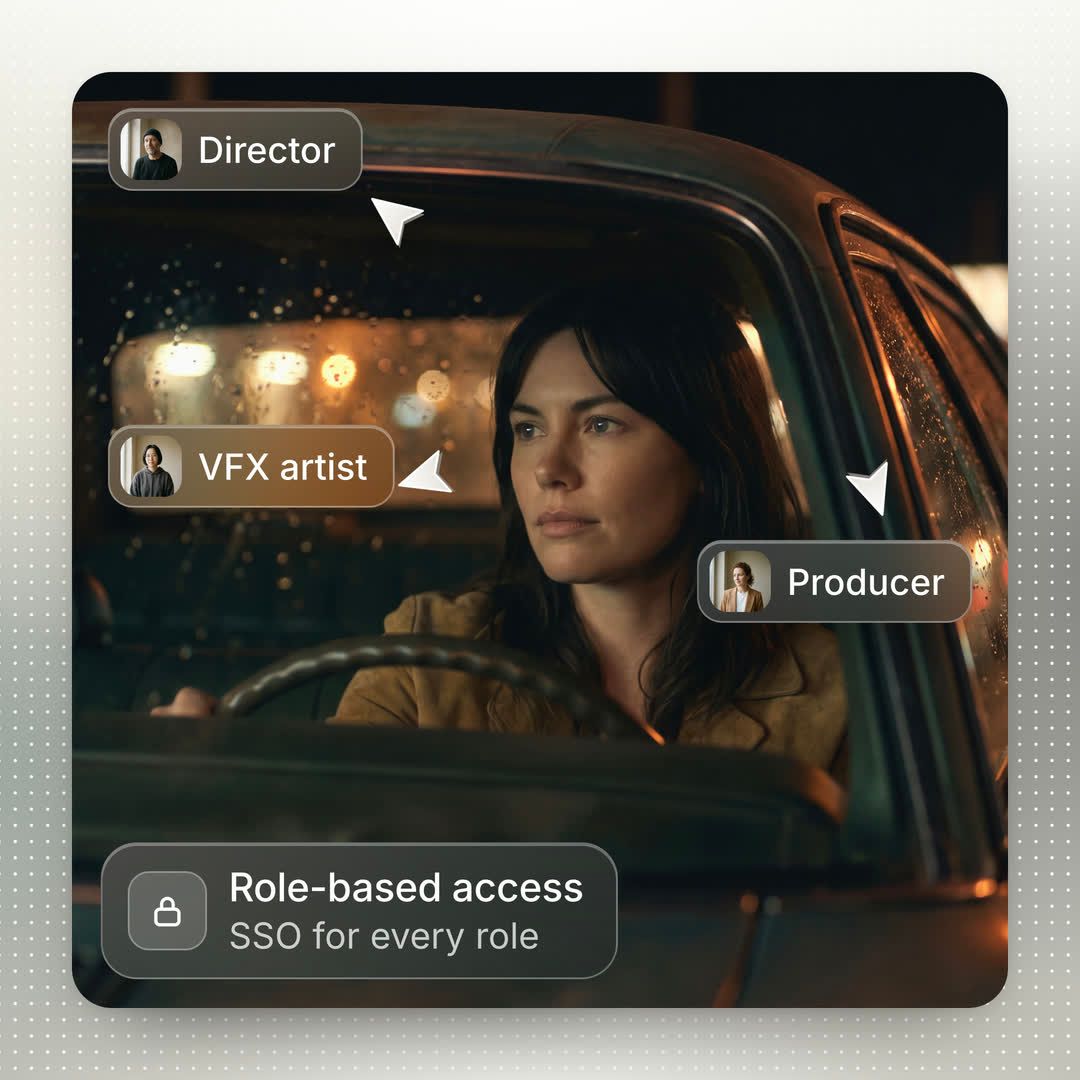
Night driving scene with Director, VFX artist and Producer tiles and role-based access with SSO

A team workspace for every role

Directors, VFX artists, and producers share one workspace with role-based permissions and SSO. Styles, references, and characters carry into the next project, so a new brief starts with assets you already have.

The switch

From juggling vendors to owning your AI film production pipeline

Five places production teams lose budget and time, and what changes in one workspace.

Without an AI workspace

  • BudgetSeparate subscriptions, procurement cycles, and vendors for every tool.
  • ContinuityCharacters rebuilt from scratch in every tool. Faces drift across scenes.
  • VFXDifferent apps for relighting, background swaps, and depth map.
  • LocalizationSeparate vendors for voice-over, lip sync, and delivery formatting.
  • Commercial safetySeparate legal terms for every AI vendor before a frame ships.
With OpenArt Enterprise

  • BudgetOne credit pool for concept art, video, VFX, and audio. Seats are free.
  • ContinuityBuild a character once. Reuse it in every image, video, and sequence.
  • VFXOne VFX pass for lighting, backgrounds, depth, and characters. Export for compositing.
  • LocalizationOne submission. Voice, lip sync, and formatting together.
  • Commercial safetyOne agreement. Automated scans. Broad IP coverage built in.
AI for filmmaking, stage by stage

Seven production stages, one workspace

Every stage of AI film production in OpenArt, from the first concept image to the final handoff.

Map Your Pipeline
  • Development

    Generate concept images, lookbooks, visual references, and look exploration before a budget is locked.

  • Pre-production

    Build storyboards and previsualization, create consistent AI characters in Character Builder, and plan shots with Camera Angle Control.

  • Production

    Generate footage with Seedance 2.5, Veo 3.1, Kling Omni, Wan 3.0, and more, picking the right model for each shot.

  • Direction

    Use Director for multi-scene film production up to five minutes as one connected generation.

  • VFX

    Use OpenArt VFX for relighting, background replacement, depth map, and character replacement on generated or captured footage.

  • Audio

    Add voice-overs, music, and sound effects next to your visuals, and dub finished video into up to 10 languages.

  • Handoff

    Upscale to 4K, then export shots and sequences for editing, compositing, grading, and delivery.

AI filmmaking

AI filmmaking software for multi-scene film production

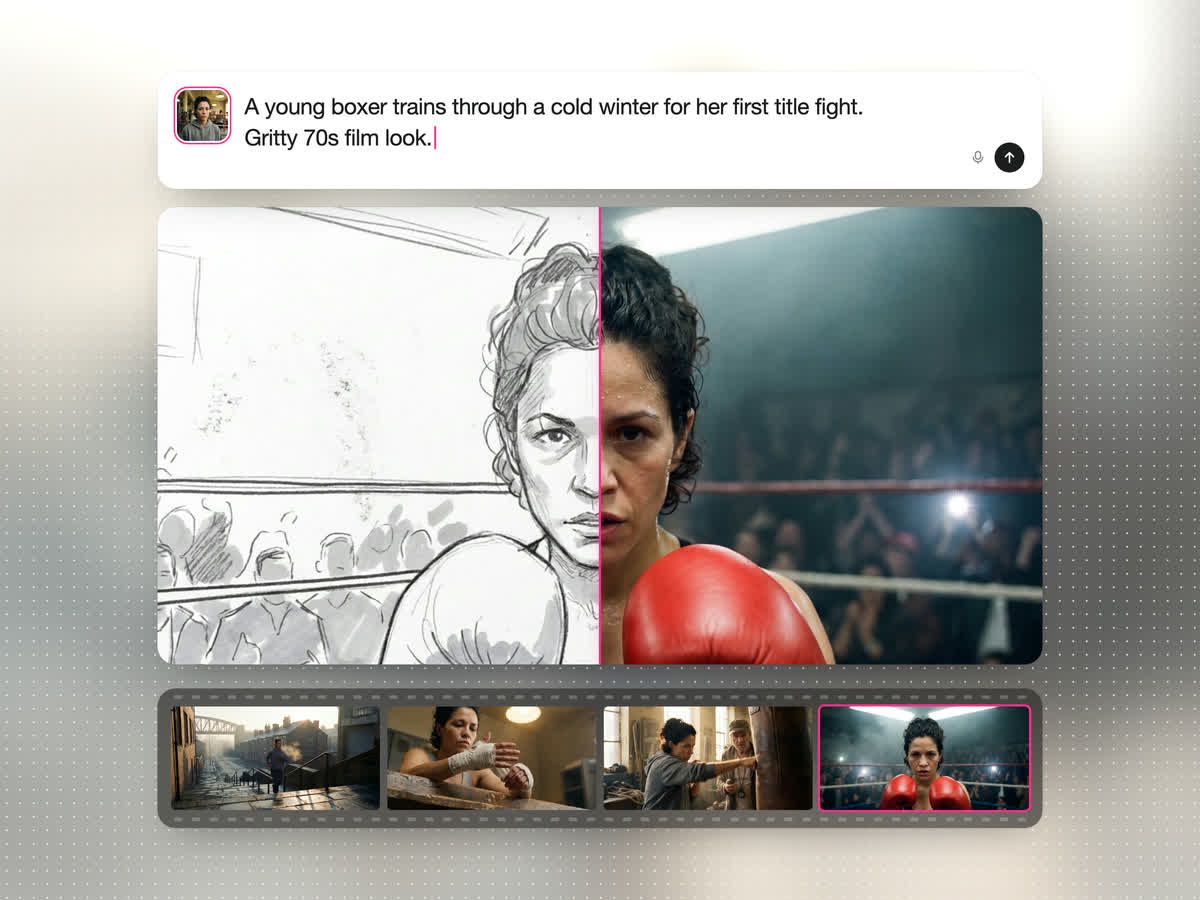
Go from a written brief to a storyboard to a connected sequence, without leaving the project.

Book Your Demo
  • From concept to storyboard

    Describe the sequence and OpenArt’s AI agent drafts the storyboard, picks the models, and builds each scene from a text brief or reference images. Review and adjust before any footage is generated.

  • Consistent characters across scenes

    Build a character once in Character Builder and keep the same face and wardrobe in every shot. Characters carry through images, videos, and Director sequences from scene one to the final frame.

  • Multi-scene films in Director mode

    Director builds connected sequences up to five minutes long. Scenes share the same characters, color palette, and visual style. You direct pacing, transitions, and camera work from one timeline.

  • The right model for each shot

    Use Veo 3.1 for cinematic wide shots, Seedance 2.5 for fast motion, and Wan 3.0 for animation, all inside the same film. OpenArt gives you day-0 access to new models as they launch.

Prompt for a young boxer's 70s film, with a pencil storyboard split into the final shot and a filmstrip of connected scenes
OpenArt VFX

Post-production tools for footage you have already shot

OpenArt VFX speeds up selected shots on generated or captured footage, then hands off to your compositing team.

See OpenArt VFX
  • AI video relighting

    Change the time of day or mood of a scene while the subject and motion stay intact. Push a daytime exterior to golden hour or shift an interior from warm tungsten to cool daylight without reshooting.

  • AI video background replacement

    Swap locations on footage you already have. Drop a new environment behind your subject and keep the original motion and lighting match on generated footage or plates captured on set.

  • Masked changes and character swaps

    Replace a character or restyle a shot while keeping the motion of the original take. Depth map gives precise control over environments and lighting across VFX passes.

  • Ready for compositing workflows

    Upscale transformed footage to 4K with Upscale Video, then export for final compositing, grading, and delivery in your finishing tool.

One beach scene split into four panels showing AI relighting, the original shot, a background replacement and a character cutout

Use cases

What production teams run on OpenArt

AI tools for film and VFX teams, built around the work you already run, from lookbooks and previsualization to hybrid production, sizzle reels, and final delivery.

Categories

Legal & Procurement

The answers your legal and finance teams need, before they ask

What a buying committee checks when choosing an AI production platform.

Book a 30-min demo
01 / DATA USE

Is our project footage used to train models?

No. OpenArt never trains on your images, videos, prompts, or outputs, and you control where your data goes.

02 / IP & COPYRIGHT

How is risk caught before a deliverable ships to the client?

IP Safety Check scans images and videos for copyrighted elements before anything leaves the platform.

03 / INDEMNIFICATION

Who carries the IP risk?

Enterprise plans can include one broad IP indemnification agreement that covers every model you use.

04 / COMMERCIAL RIGHTS

Can outputs go into client work and broadcast?

Paid plans include commercial use rights, and your enterprise agreement sets the exact terms for client deliverables and distribution.

05 / PIPELINE FIT

Does it fit our editing and compositing tools?

OpenArt MCP and CLI connect to Claude, Codex, and your own tools, plus an Adobe After Effects plugin.

06 / SEATS AND CREDITS

What happens as the production scales?

Unlimited seats, usage-based credits that never expire, and day-0 access to new models. Invite freelancers and agency partners at no extra cost.

Choose the right plan for your team

Business

MonthlyAnnually27% OFF

Put your whole team on OpenArt. Pay for what you create, and seats are always free. Shared credit pool, built-in budget controls, and premium support.

150k credits/mo.Up to ~3,750 Nano Banana Pro images
Up to ~375 Seedance 2.0 videos
$680$496/mo
Start Business
View all featuresHide features — Business
  • Shared global credits give you lower per-user costs
  • Up to 50 users — pay for what you create, never per-seat
  • Admin, Editor, and Viewer roles give you fine-grained access control
  • Credit limit controls help your projects stay under budget
  • Project permissions ensure privacy & security for confidential projects
  • Maximum simultaneous generations — support for thousands of concurrent tasks
  • Full commercial license terms
  • Not included:Evergreen credits that don't expire monthly
  • Not included:Single Sign-On (SSO) support for enterprise IT compliance
  • Not included:Available IP Indemnification
  • Not included:Custom commercial terms, security reviews, and payment terms
  • Not included:Premium support, onboarding, and training from our savvy creative specialists

Enterprise

Scale creative output across your production company with enterprise governance, security, and IP protection.

  • Unlimited seats
  • Single sign-on (SSO)
  • API access
  • Premium support & training
  • Evergreen credits that never expire
Custom pricing
View all featuresHide features — Enterprise
  • Shared global credits give you lower per-user costs
  • Unlimited users — pay for what you create, never per-seat
  • Admin, Editor, and Viewer roles give you fine-grained access control
  • Credit limit controls help your projects stay under budget
  • Project permissions ensure privacy & security for confidential projects
  • Maximum simultaneous generations — support for thousands of concurrent tasks
  • Full commercial license terms
  • Evergreen credits that don't expire monthly
  • Single Sign-On (SSO) support for enterprise IT compliance
  • Available IP Indemnification
  • Custom commercial terms, security reviews, and payment terms
  • Premium support, onboarding, and training from our savvy creative specialists

Contact our team

Loading contact form…

Loading…

Pricing

Pay for what you make

Enterprise pricing follows your production volume.

Smaller team? Compare Business plans

Unlimited seats

Invite the whole crew. Freelancers, agencies, and partners join the workspace too, and headcount never drives the bill.

Credits that never expire

Buy credits and use them whenever the production needs them. Unused credits stay in your account.

Budget caps per project or client

Set credit caps by project or client and track spending in real time.

IP indemnification up to $2M

Enterprise plans include SSO, API access, premium support and training, and IP indemnification up to $2M.

Built for production teams

AI tools for filmmaking teams, from agencies to post houses

One AI video production platform, five different buying outcomes. Pick your team.

Book a Production Workflow Consultation

For creative and advertising agencies

More client-ready work, same production stack

  • Concept film reels, not decksTurn a pitch into a finished concept film reel instead of a deck.
  • Consistent client variantsKeep products and characters consistent across every client variant
  • Localize with Dub VideoLocalize with Dub Video into up to 10 languages
  • Unlimited freelancer seatsUnlimited seats, so freelancers join without new licenses

Produce pitch films, sizzle reels, lookbooks, campaign films, and client variations without adding tools or manual handoffs.

For film production companies and studios

From concept to usable production assets, faster

  • Previz and lookbooks firstBuild previsualization and lookbooks before committing budget to a shoot
  • Reusable charactersReuse characters across scenes and projects with Character Builder
  • The right model per shotPick the model per shot: Veo 3.1, Seedance 2.5, Kling Omni, Wan 3.0
  • 4K for your pipelineUpscale to 4K and export to your existing pipeline

Support development, previsualization, production, hybrid production, and VFX in one place, while keeping creative control.

For post-production and VFX teams

Speed up selected VFX tasks, keep your compositing pipeline

  • Relight scenes and replace backgroundsRelight scenes and replace backgrounds on captured footage
  • Swap or restyle charactersSwap or restyle characters while the original motion stays
  • Extend shotsExtend shots by up to 10 seconds
  • Upscale to 4KUpscale to 4K before the handoff

Use OpenArt VFX on the shots that need it, from relighting and depth map to background replacement, then finish them in the tools you already trust.

For working directors

Show the film in your head, not a description of it

  • Multi-scene sequencesDirect multi-scene sequences up to five minutes
  • Camera Angle ControlSet camera angles and lens with Camera Angle Control
  • Motion SyncCopy a real performance onto a new shot with Motion Sync
  • Same lead, every sceneKeep your lead actor's look in every scene

Explore more creative directions and arrive at a pitch film, previz, or finished sequence faster

For business owners and organizational buyers

More production capacity without managing five AI vendors

  • One contractConsolidate image, video, VFX, and audio spend
  • Unlimited seatsUnlimited seats, so cost follows output, not headcount. Invite team members, freelancers, and agency partners at no additional cost.
  • Credits that never expireCredits that never expire. One shared credit pool covers the whole team.
  • One admin viewManage projects, people, and spending from one admin view

An AI video production platform your creative team can adopt commercially, on one contract

Pipeline fit

How OpenArt fits with Premiere Pro, DaVinci Resolve, After Effects, and Nuke

AI video post-production that hands off cleanly, so your editors and compositors keep their tools.

In OpenArt

  1. Develop concepts and assets

    Concept art, storyboards, and reusable characters.

  2. Generate or transform footage

    Director sequences, relighting, background replacement.

  3. Export selected shots

    Upscale to 4K, then export the shots you approved.

In Your Finishing Tool

  1. Edit, composite, grade, deliver

    Your team finishes the work where it always has.

  2. Or bring OpenArt into the edit

    Use the After Effects plugin, or connect your own tools through OpenArt MCP and CLI.

Production proof

Results from production teams using OpenArt

Real numbers from real projects. Slots below are waiting on verified customer data.

Book a Production Workflow Consultation
  • Brief to first sequence

    Add verified time, with customer name

  • Subscriptions consolidated

    Add verified count

  • Usable variants per brief

    Add verified number

  • Time saved on relight and background changes

    Add verified number

  • Customer testimonial

    Testimonial slot: one quote from an agency or production company, with name, role, and company.

FAQ

AI filmmaking tool FAQ: what gets asked before the green light

Still have a question? Bring it to your demo.

What is an AI filmmaking tool?

An AI filmmaking tool uses AI to help a film move through production, from concept art and storyboards to scene generation, VFX, and audio. OpenArt puts every stage in one workspace, so assets carry forward instead of being rebuilt in each app.

What are the best AI tools for filmmaking teams?

The best AI tools for video production depend on your workflow: concept development, previsualization, multi-scene filmmaking, VFX, or post-production. OpenArt brings every stage into one AI video production platform, with the leading image and video models, consistent characters, Director for multi-scene films, and OpenArt VFX.

What is an AI video production platform?

An AI video production platform is software that supports several stages of film and video production in one place. OpenArt combines image generation, video generation, VFX, voice, music, and sound effects in one workspace your whole crew shares.

How can agencies use AI in film production?

Agencies use OpenArt to produce pitch films, campaign films, and client variations without a separate AI subscription for each stage. Characters stay consistent across deliverables, Dub Video translates a finished video into up to 10 languages, and enterprise plans can include IP indemnification across every model.

Can OpenArt maintain consistent characters across scenes?

Yes. Build a character once in Character Builder and reuse it in every image and video in your project. In Director, the same character carries through the full multi-scene sequence.

How long can a film made in OpenArt be?

Director builds connected multi-scene films up to five minutes long. You can also extend any single shot by up to 10 seconds with Extend Video.

Can OpenArt support VFX and post-production workflows?

Yes. OpenArt VFX supports relighting, background replacement, depth map, character replacement, and restyling on generated or captured footage.

What resolution can OpenArt deliver?

Video generates at 1080p by default, and Upscale Video takes footage up to 4K. Every standard aspect ratio is supported.

Does OpenArt replace Premiere Pro, DaVinci Resolve, After Effects, or Nuke?

No. OpenArt is a generation and AI VFX platform, not a nonlinear editor or node-based compositor. Develop and transform footage in OpenArt, then edit, composite, grade, and deliver in Premiere Pro, DaVinci Resolve, After Effects, or Nuke. An After Effects plugin brings OpenArt straight into your edit.

Can OpenArt output be used commercially?

Yes. Paid plans include commercial use rights, and your enterprise agreement sets the exact terms. IP Safety Check scans images and videos for copyrighted elements before you release anything, and OpenArt never trains on your data.

How should a production company evaluate AI filmmaking software?

Compare model choice, character consistency, output resolution, VFX capabilities, depth map and hybrid production support, audio tools, export formats, and fit with your editing and compositing pipeline. Then check commercial rights, IP indemnification, data use, and whether one subscription covers every stage or you need separate vendors.

Bring every stage of AI film production into one workspace

OpenArt connects the production stages that otherwise need separate generative tools and asset workflows. Book 30 minutes, and we will map your current pipeline to an OpenArt trial workspace and show you what your next project looks like inside it.

Book a Production Workflow Consultation
Pink surreal artwork created with OpenArt
OpenArtBig ideas. Meet your next chapter.MAKE WONDERS.
LET’S TALK · 30 MINUTES

Bring your idea. Let’s make it real.

OpenArt connects the production stages that otherwise need separate generative tools and asset workflows. Book 30 minutes, and we will map your current pipeline to an OpenArt trial workspace and show you what your next project looks like inside it.

Continue to book a demo

Explore OpenArt with your team.

OpenArt creative collaboration