

Veo 3 AI Video Generator
Turn a prompt or an image into cinematic video with synchronized audio, up to native 4K, and lifelike motion using the Veo 3 AI Video Generator on OpenArt.
Community Creations
See how creators are making short films, product ads, music videos, and social clips with synchronized dialogue, cinematic lighting, and true-to-life motion.
Key Features of Veo 3 AI Video Generator
Veo 3 and Veo 3.1 are built for full-scene storytelling, generating picture and sound together, so you can compare it side by side with other top video models as you work.
Native 4K Resolution
Veo 3.1 outputs native 4K, where Veo 3 tops out at 1080p, with accurate depth of field, lighting, and motion blur. That level of detail makes the footage hard to tell apart from real camera work.
Try it NowSynchronized Audio
Veo 3 generates video and sound in a single pass, including dialogue, sound effects, and ambient noise at 48kHz stereo. Footsteps land with the step and speech syncs to lip movement, so the clip is watchable the moment it finishes rather than needing a separate audio pass.
Try it NowLifelike Motion and Physics
Veo 3.1 improves motion prediction by around 35% on physics benchmarks, with a better grasp of weight, momentum, and collisions. Movement reads as physically believable instead of floaty, which holds up even in high-action shots.
Try it NowCharacter Consistency
Veo 3.1 keeps a subject's identity stable across scenes, and reference images let you anchor a specific look. A character can hold the same face and styling from shot to shot, which matters for brand and story work.
Try it NowStart and End Frame Support
Veo 3.1 lets you set both the first and last frame, then generates the full transition between them with natural motion, camera movement, and synchronized audio. You define exactly where a shot begins and ends, and a text prompt can steer the path in between.
Try it NowHow to Use Veo 3 on OpenArt
Three steps take you from idea to finished clip.
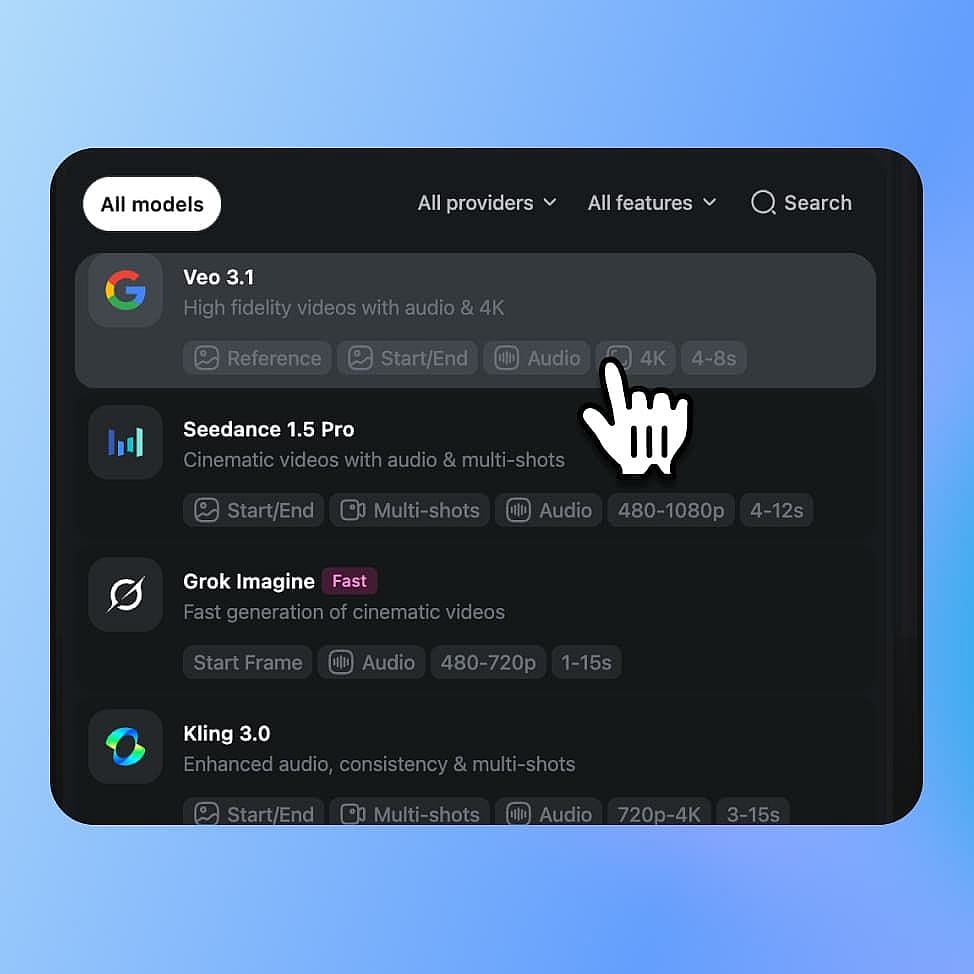
Choose Your Model
Open OpenArt's video tools and select Veo 3 from the model menu. Pick Veo 3.1 for 4K and the newest features or Veo 3 for fast sound-on clips, then choose text-to-video or image-to-video.
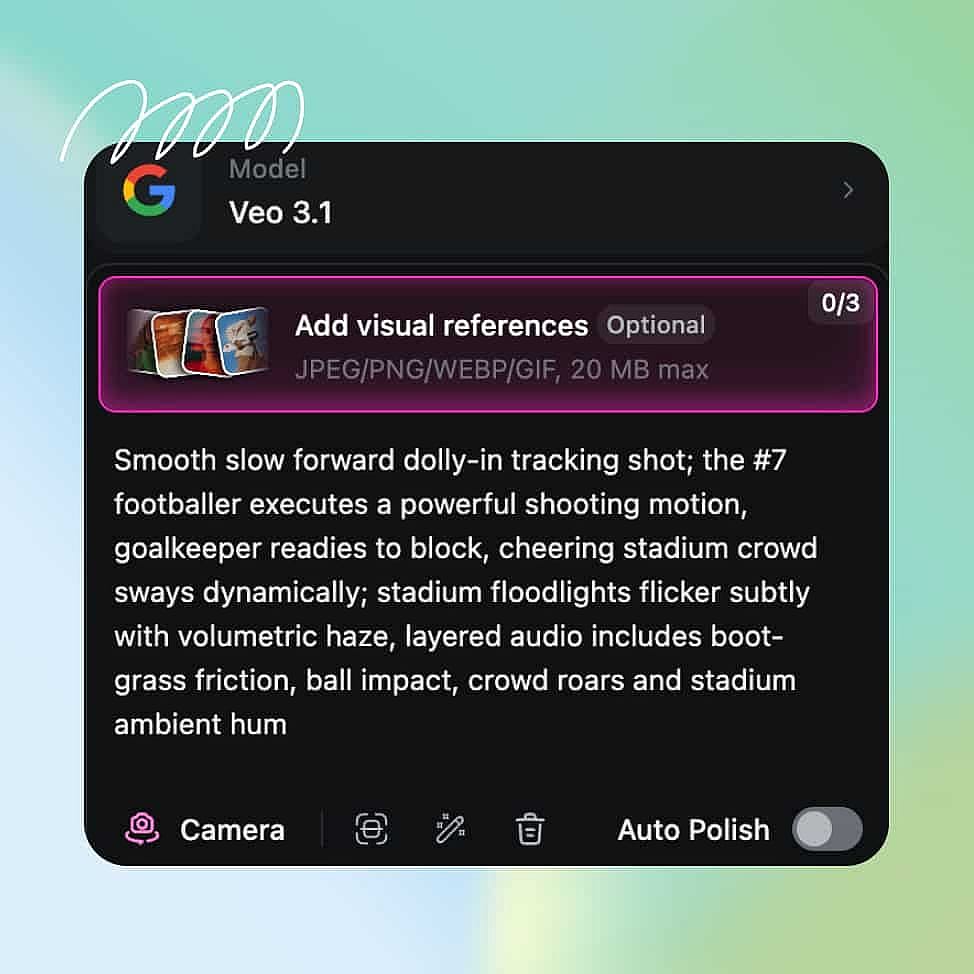
Prompt & Add References
Describe your subject, action, camera movement, and lighting, and spell out the dialogue and sound you want, since Veo 3 generates audio too. You can also upload a reference image to set the look.
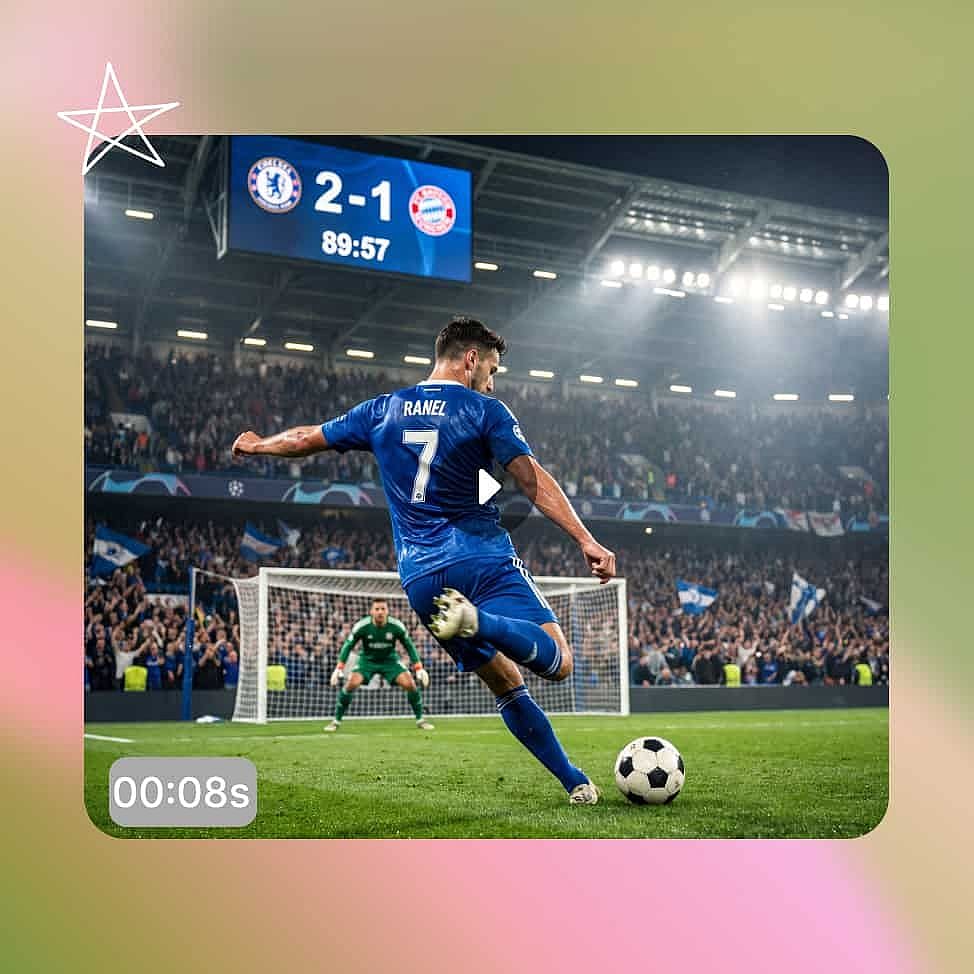
Generate and Refine
Set your resolution and aspect ratio, then generate and review the clip with sound on. Adjust your prompt or settings and regenerate, using Auto Polish to tighten weak descriptions.
Best Uses for Veo 3 and Veo 3.1 Video Generator
Veo 3 models deliver the most value when a project needs picture and sound together in one generation.
Short Films and Narrative Scenes
Veo 3 pairs synchronized dialogue with stable character identity, so a scene plays as a finished moment rather than a silent test. A two-character exchange can hold each face across cuts while the voices sync to their lips. You can also set the first and last frame of a shot to control exactly how it opens and resolves.
Try it NowCinematic Ads and Product Spots
Veo 3 produces sound-on hero shots with cinematic lighting and clean motion in a single pass. A product spot can open on a wide reveal, push in as the item moves, and carry a voiceover and ambient bed without a separate audio edit. That turns a full shoot-and-mix cycle into one prompt.
Try it NowMusic Videos and Stylized Clips
High-motion, effects-heavy shots hold together thanks to Veo 3.1's stronger physics and native 4K output. You can chase a specific mood through lighting and color while the beat-driven motion stays believable. The result is a polished, screen-ready clip rather than a rough draft.
Try it NowSocial Content & UGC
Veo 3 generates vertical 9:16 video natively, with sound built in for TikTok, Reels, and YT Shorts. You can produce a sound-on clip that works the moment it lands in the feed, then spin variants for different hooks. That keeps a fast posting schedule from turning into a full production cycle.
Try it NowTips for Best Results

Describe the audio too
Describe the dialogue, effects, and ambience you want to hear, not just what you want to see. Because Veo 3 generates audio in the same pass, sound direction shapes the final clip as much as the visuals.

Direct like a cinematographer
Name the shot, the camera move, the lens, and the lighting. Veo 3 reads this cinematic language from plain text and turns it into more intentional footage.

Start from a strong image
For image-to-video, the input frame sets the look and identity of the whole clip. Begin with a clean, well-composed image and Veo 3 carries that quality through the motion.

Refine with Auto Polish
Iterate in small steps rather than rewriting everything at once. Use Auto Polish toggle to sharpen vague descriptions in your prompts.
Describe the audio too
Describe the dialogue, effects, and ambience you want to hear, not just what you want to see. Because Veo 3 generates audio in the same pass, sound direction shapes the final clip as much as the visuals.
Direct like a cinematographer
Name the shot, the camera move, the lens, and the lighting. Veo 3 reads this cinematic language from plain text and turns it into more intentional footage.
Start from a strong image
For image-to-video, the input frame sets the look and identity of the whole clip. Begin with a clean, well-composed image and Veo 3 carries that quality through the motion.
Refine with Auto Polish
Iterate in small steps rather than rewriting everything at once. Use Auto Polish toggle to sharpen vague descriptions in your prompts.
Loved by Creators
I've tried many AI platforms... but OpenArt is still the best for character creation, image-to-video quality, and the variety of models available.
OpenArt offers an excellent array of AI tools... once you learn the features, the creative possibilities are amazing - and their support team is outstanding.
OpenArt is a very versatile AI platform with many image and video models, consistent character creation, and powerful editing tools.
Helpful AI tools all in one place - image and video generation, editing, and more... no need for multiple subscriptions.
Customer service is always quick and helpful... and the platform keeps getting better with new features and tools.
I've tried many AI platforms... but OpenArt is still the best for character creation, image-to-video quality, and the variety of models available.
OpenArt offers an excellent array of AI tools... once you learn the features, the creative possibilities are amazing - and their support team is outstanding.
OpenArt is a very versatile AI platform with many image and video models, consistent character creation, and powerful editing tools.
Helpful AI tools all in one place - image and video generation, editing, and more... no need for multiple subscriptions.
Customer service is always quick and helpful... and the platform keeps getting better with new features and tools.
I've tried many AI platforms... but OpenArt is still the best for character creation, image-to-video quality, and the variety of models available.
OpenArt offers an excellent array of AI tools... once you learn the features, the creative possibilities are amazing - and their support team is outstanding.
OpenArt is a very versatile AI platform with many image and video models, consistent character creation, and powerful editing tools.
Helpful AI tools all in one place - image and video generation, editing, and more... no need for multiple subscriptions.
Customer service is always quick and helpful... and the platform keeps getting better with new features and tools.
With so many AI platforms out there, OpenArt stood out as a stellar choice - I'd recommend it to any creator.
This platform includes everything you need for AI content creation - images, video, characters, audio, and multiple AI models in one place.
OpenArt is pushing the boundaries of AI video creation... and it's clear the team is committed to improving the creator experience.
I made my first AI music video with OpenArt... and their support team was the best help I've ever experienced.
I'm very happy with the support - my issue was resolved quickly and the team made the process easy.
With so many AI platforms out there, OpenArt stood out as a stellar choice - I'd recommend it to any creator.
This platform includes everything you need for AI content creation - images, video, characters, audio, and multiple AI models in one place.
OpenArt is pushing the boundaries of AI video creation... and it's clear the team is committed to improving the creator experience.
I made my first AI music video with OpenArt... and their support team was the best help I've ever experienced.
I'm very happy with the support - my issue was resolved quickly and the team made the process easy.
With so many AI platforms out there, OpenArt stood out as a stellar choice - I'd recommend it to any creator.
This platform includes everything you need for AI content creation - images, video, characters, audio, and multiple AI models in one place.
OpenArt is pushing the boundaries of AI video creation... and it's clear the team is committed to improving the creator experience.
I made my first AI music video with OpenArt... and their support team was the best help I've ever experienced.
I'm very happy with the support - my issue was resolved quickly and the team made the process easy.