

Seedance 2.5 Draft
The Seedance 2.5 Draft mode makes a 480p preview of your video first. Upgrade only the drafts you like to 1080p, with the same scene and motion, in videos up to 30 seconds long with sound on OpenArt, an independent AI platform that integrates leading video models.

Key Features of Seedance 2.5 Draft
Try several video ideas at 480p first
Seedance 2.5 Draft makes every video at 480p first. A 480p draft uses fewer credits than a 1080p video, so trying five versions of one idea costs less than making all five at 1080p. Change the prompt, the camera move, or the ending in each draft. Then keep the draft that looks right.
Try it NowUpgrade the draft you like to 1080p
Seedance 2.5 Draft turns the draft you pick into a 1080p video. The 1080p video uses the same prompt, reference pictures, length, and aspect ratio as the draft. The scene, the camera move, and the action stay the same. You only pay for 1080p on the videos you plan to use.
Try it NowSet the first and last frame
Seedance 2.5 Draft lets you upload one picture for the start of your video and one for the end, then fills in the motion between them. A photo of a closed gift box and a photo of the open box become a video of the box opening. Check the motion in the draft before you upgrade it.
Try it NowMake 30-second videos with sound
Seedance 2.5 Draft makes videos up to 30 seconds long, and it makes the sound together with the video. Footsteps, voices, and background noise line up with what happens on screen. You can hear whether the voices and sound effects fit your idea while the video is still a 480p draft.
Try it NowHow to Use Seedance 2.5 Draft on OpenArt
Three steps take you from a 480p draft to a finished 1080p video.
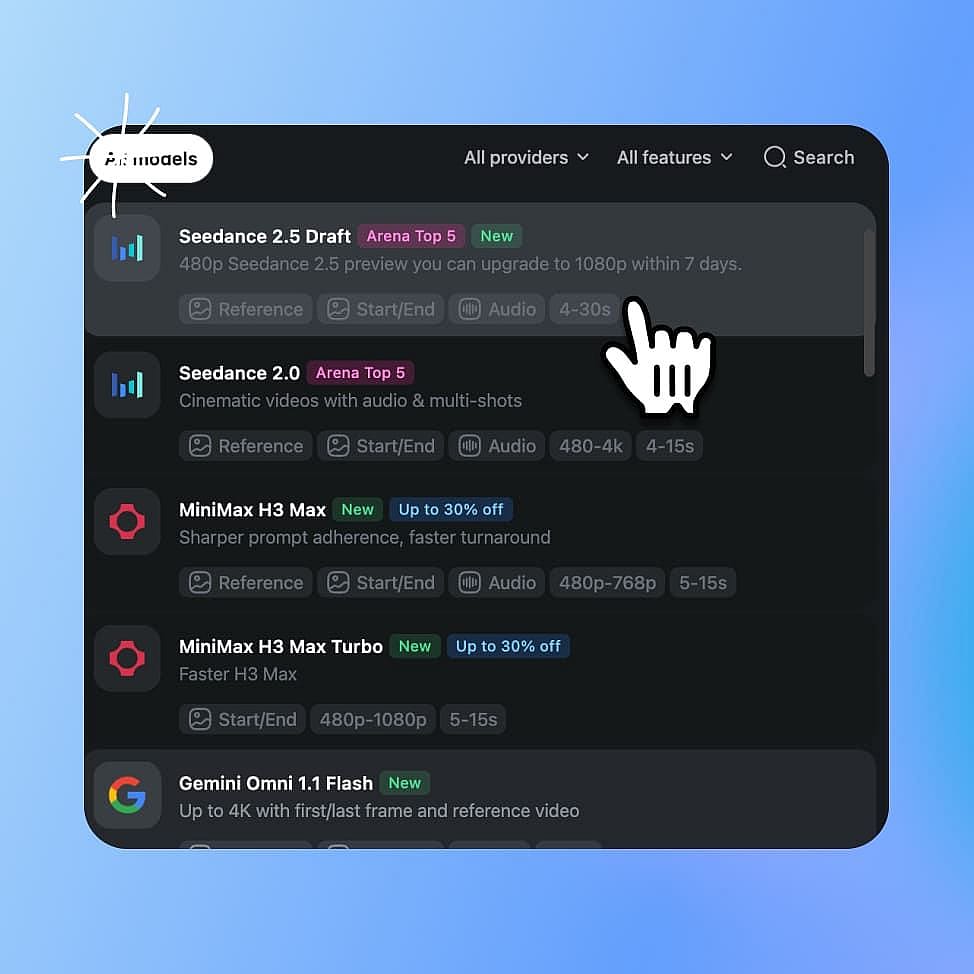
Choose Seedance 2.5 Draft
Open OpenArt's AI video generator and pick Seedance 2.5 Draft from the model menu.
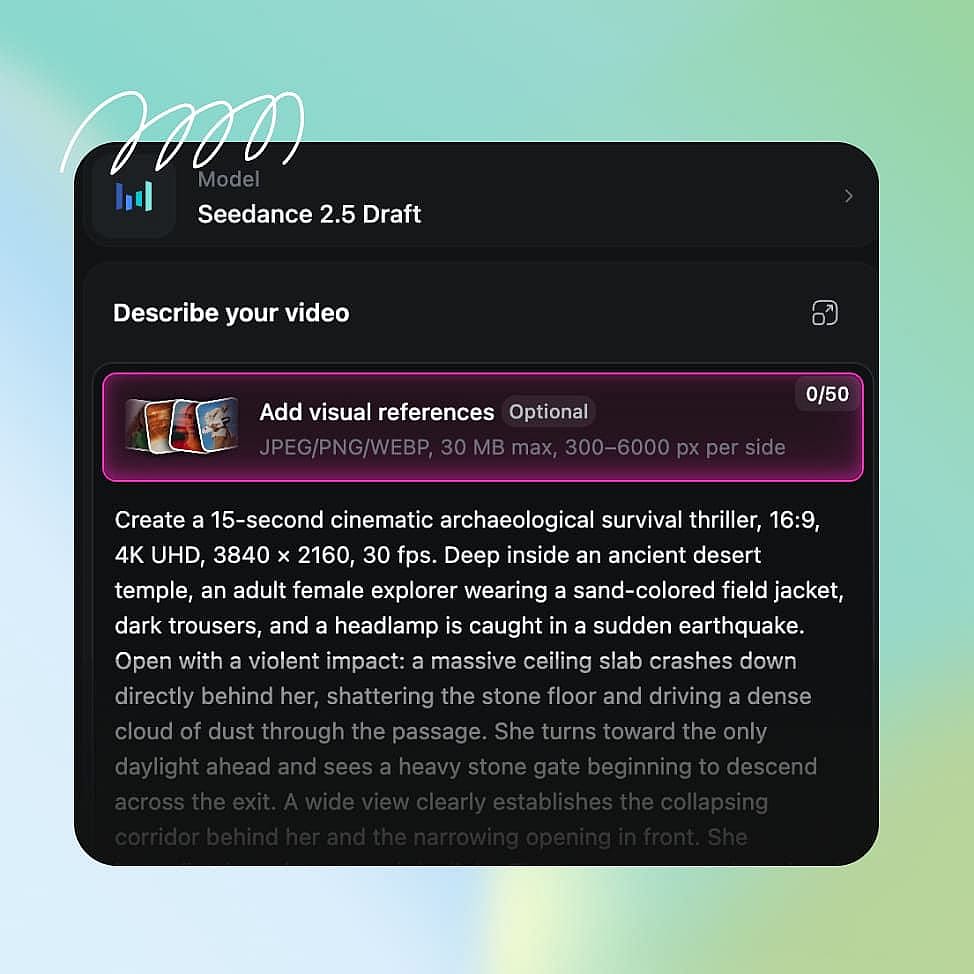
Write your prompt and make drafts
Describe your video, add a first and last frame if you want them, and set the length and aspect ratio. Generate as many 480p drafts as you need.
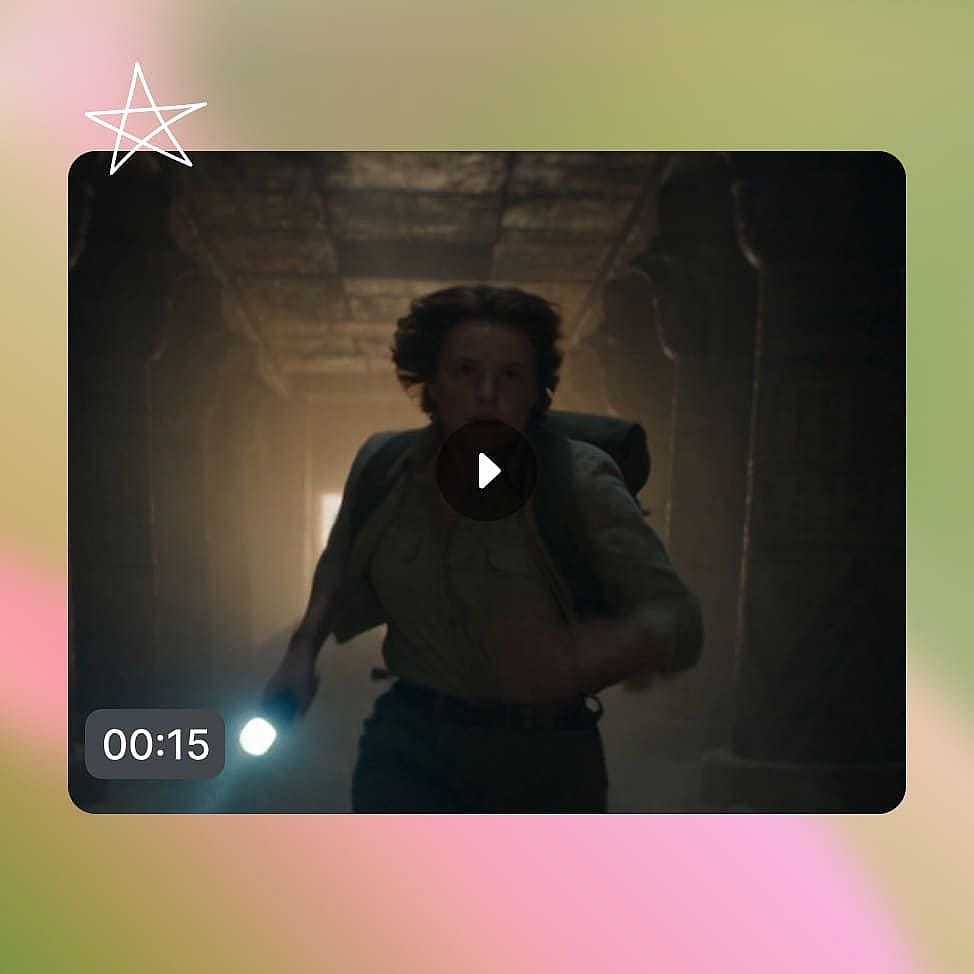
Upgrade your best draft to 1080p
Pick the draft you like, upgrade it to 1080p, and download the finished video.
Frequently Asked Questions
Seedance 2.5 Draft is a variant of ByteDance's Seedance 2.5 video model that makes videos in two steps. Seedance 2.5 Draft first makes a 480p draft of your video, then turns the draft you choose into a 1080p video with the same scene and motion. The point here is to keep regeneration costs lower and help with rapid iterations. Seedance 2.5 Draft keeps the rest of Seedance 2.5’s abilities, including first and last frames, sound, and videos up to 30 seconds long.
Yes, the 1080p video keeps the scene layout, the camera move, and the action from your Seedance 2.5 Draft preview. The upgrade makes the whole video sharper, so small details like tiny text, fabric texture, or the exact number of people in a crowd can change a little.
Seedance 2.5 makes your video at full quality in one step. Seedance 2.5 Draft adds a 480p preview step first, so you can check the video before you pay for 1080p. Choose Seedance 2.5 Draft while you are testing ideas, and Seedance 2.5 when you already know your prompt works.
A Seedance 2.5 Draft video can be up to 30 seconds long, at 480p for the draft and 1080p after the upgrade.
Seedance 2.5 Draft upgrades drafts to 1080p. To get a 4K video, run the finished 1080p video through OpenArt's Upscale Video tool, which raises the resolution up to 4K. Or try a different AI video model that supports native 4K.
Seedance 2.5 Draft makes a 480p draft from your prompt and settings. When you upgrade a draft, Seedance 2.5 Draft makes the 1080p video from the same prompt, reference pictures, length, aspect ratio, and sound setting you used for the draft.
A 480p Seedance 2.5 Draft video uses fewer credits than a 1080p video. You pay for each draft you make, and then for the 1080p upgrade of the draft you keep. Seedance 2.5 Draft saves the most money when you try several versions of an idea before you pick one.
No. Seedance 2.5 Draft makes the 1080p video with the same prompt and settings as the draft, which keeps the two videos consistent. To try a different prompt, make a new draft and upgrade that one when it looks right.
Yes. Seedance 2.5 Draft makes voices, sound effects, and background noise together with the video, so the sound matches what happens on screen. The sound setting you pick for the draft carries over to the 1080p upgrade.
OpenArt Experts Blog
Get the insights you need. Our experts share actionable hacks, break down the hottest topics, and provide essential how-to guides to help you build, optimize, and scale.
From 30-second product ads to multi-character films, social content, and 3D visualisation, these are the best use cases for Seedance 2.5 on OpenArt.
How to write Seedance 2.5 prompts. Covers reference labels, timestamps, audio syntax, and 30 ready-to-use prompt examples for ads, characters, and product video.
Learn how to use ByteDance’s Seedance 2.0 AI video model with a clear, step-by-step guide covering setup, key features, and video creation workflow.
Loved by Creators
I've tried many AI platforms... but OpenArt is still the best for character creation, image-to-video quality, and the variety of models available.
OpenArt offers an excellent array of AI tools... once you learn the features, the creative possibilities are amazing - and their support team is outstanding.
OpenArt is a very versatile AI platform with many image and video models, consistent character creation, and powerful editing tools.
Helpful AI tools all in one place - image and video generation, editing, and more... no need for multiple subscriptions.
Customer service is always quick and helpful... and the platform keeps getting better with new features and tools.
I've tried many AI platforms... but OpenArt is still the best for character creation, image-to-video quality, and the variety of models available.
OpenArt offers an excellent array of AI tools... once you learn the features, the creative possibilities are amazing - and their support team is outstanding.
OpenArt is a very versatile AI platform with many image and video models, consistent character creation, and powerful editing tools.
Helpful AI tools all in one place - image and video generation, editing, and more... no need for multiple subscriptions.
Customer service is always quick and helpful... and the platform keeps getting better with new features and tools.
I've tried many AI platforms... but OpenArt is still the best for character creation, image-to-video quality, and the variety of models available.
OpenArt offers an excellent array of AI tools... once you learn the features, the creative possibilities are amazing - and their support team is outstanding.
OpenArt is a very versatile AI platform with many image and video models, consistent character creation, and powerful editing tools.
Helpful AI tools all in one place - image and video generation, editing, and more... no need for multiple subscriptions.
Customer service is always quick and helpful... and the platform keeps getting better with new features and tools.
With so many AI platforms out there, OpenArt stood out as a stellar choice - I'd recommend it to any creator.
This platform includes everything you need for AI content creation - images, video, characters, audio, and multiple AI models in one place.
OpenArt is pushing the boundaries of AI video creation... and it's clear the team is committed to improving the creator experience.
I made my first AI music video with OpenArt... and their support team was the best help I've ever experienced.
I'm very happy with the support - my issue was resolved quickly and the team made the process easy.
With so many AI platforms out there, OpenArt stood out as a stellar choice - I'd recommend it to any creator.
This platform includes everything you need for AI content creation - images, video, characters, audio, and multiple AI models in one place.
OpenArt is pushing the boundaries of AI video creation... and it's clear the team is committed to improving the creator experience.
I made my first AI music video with OpenArt... and their support team was the best help I've ever experienced.
I'm very happy with the support - my issue was resolved quickly and the team made the process easy.
With so many AI platforms out there, OpenArt stood out as a stellar choice - I'd recommend it to any creator.
This platform includes everything you need for AI content creation - images, video, characters, audio, and multiple AI models in one place.
OpenArt is pushing the boundaries of AI video creation... and it's clear the team is committed to improving the creator experience.
I made my first AI music video with OpenArt... and their support team was the best help I've ever experienced.
I'm very happy with the support - my issue was resolved quickly and the team made the process easy.
Create without limits
Join thousands of creators using OpenArt to generate stunning images, videos, and more — all in one platform.
Get Started for Free →