

AI Animation Generator
OpenArt's AI animation generator turns your text prompts and uploaded pictures into animated videos using Seedance 2.5, Kling Omni, Veo 3.1, and more. Pick 2D, 3D, anime, or claymation style and watch your idea come to life.
Key Benefits



Generate Animation From a Few Words
Type what happens in your scene, describe your animation style, and OpenArt AI animation maker turns your words into a moving clip.




Add Motion to Your Images
Upload a character drawing or a product photo, describe how you want to animate it, mention the scenes, props, style, and movement, and AI follows the instructions.

The Same Character in Every Clip
Save your animated character in the OpenArt asset library once and keep the same face and outfit in every new animated scene. Drop your characters and use @ tags to ensure character consistency in every video.
Key Features of the AI Animation Generator
From Text Prompt to Animated Videos
Type what you want to see, and the AI video generator turns it into an animated video. Say who is in the scene and what they are doing, then add the animation style you want. For example, "a 3D cartoon fox walks through snow at sunset" becomes a short clip with real motion, accurate composition, and warm light. In Chat Mode, you can ask for an animation in plain words, and the text-to-animation AI picks the model and settings for you.
Create AI Animation from Image
Upload a picture and describe how it should move. The AI animation maker reads the reference image, follows the instructions, and applies the desired style, motion, lighting to the animated video. A drawing of a dragon can spread its wings and take off. A product photo can spin slowly and catch the light for an ad. Your picture stays the starting point, so the colors and design you already like carry into the video. If you need a picture first, make one with the AI image generator or the 3D cartoon generator. Your animated outputs are saved directly to the OpenArt asset library.
Choose 2D, 3D, Anime, or Claymation Style
Pick the look of your animation by naming the style in your prompt. AI 2D animation generator uses flat, drawn shapes that work well for explainers and social posts. Add depth,volume, and spatial movement with AI 3D animation generation. To change the style of animated video you already have, Restyle Video applies a preset such as anime, claymation, retro, or cyberpunk. You can also add a reference image in the style you want so the result matches it more closely.
Guide the Motion With a Reference Video
Upload a reference video with your prompt, and OpenArt uses it to shape how your animation moves. The animation maker supports up to 10 reference images or videos. Add a clip of someone dancing and transfer the motion to your cartoon character doing the same dance. A video of a camera sweeping around a room gives your scene that same camera move. Pair the video with a character saved in OpenArt Characters, and your character does the exact moves you want. You can try it with your own clip in OpenArt's AI video generator.
How to Use the AI Animation Generator
Generate animation with AI in three steps.
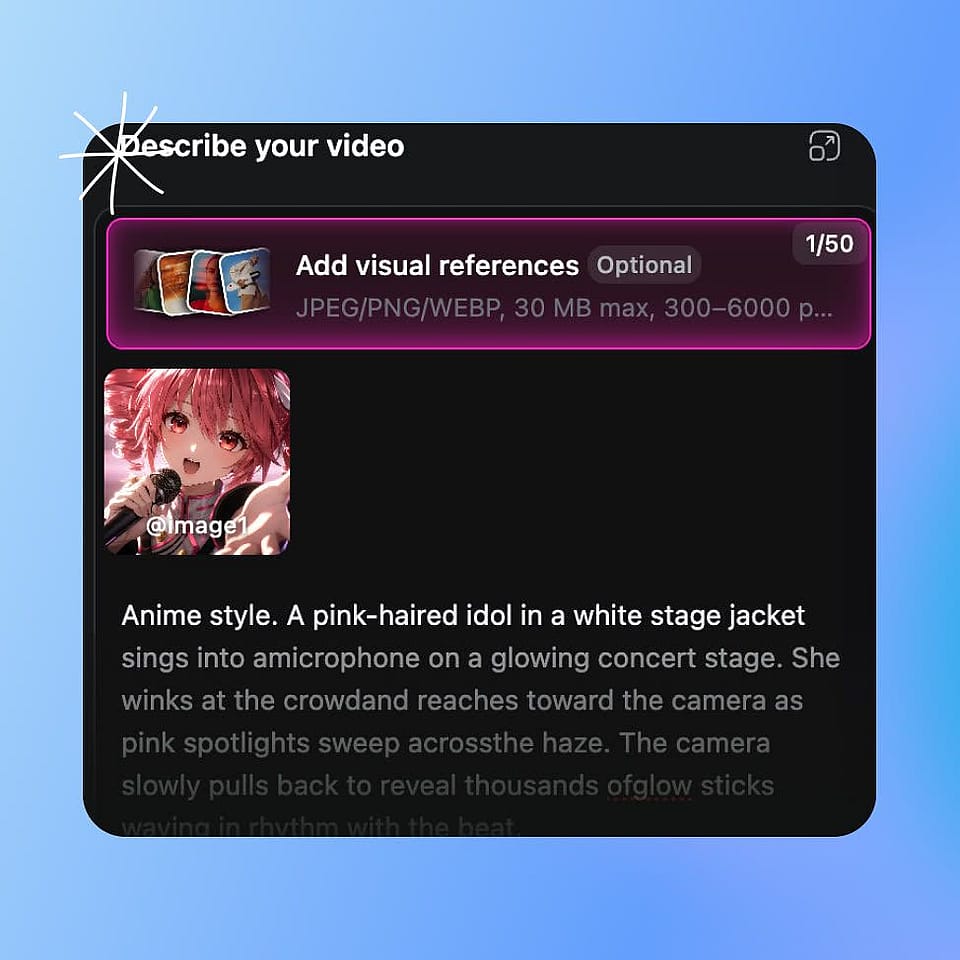
Prompt and references
Open the AI video generator and type in your prompt, including your art style. To animate a picture you already have, upload it and describe the action.
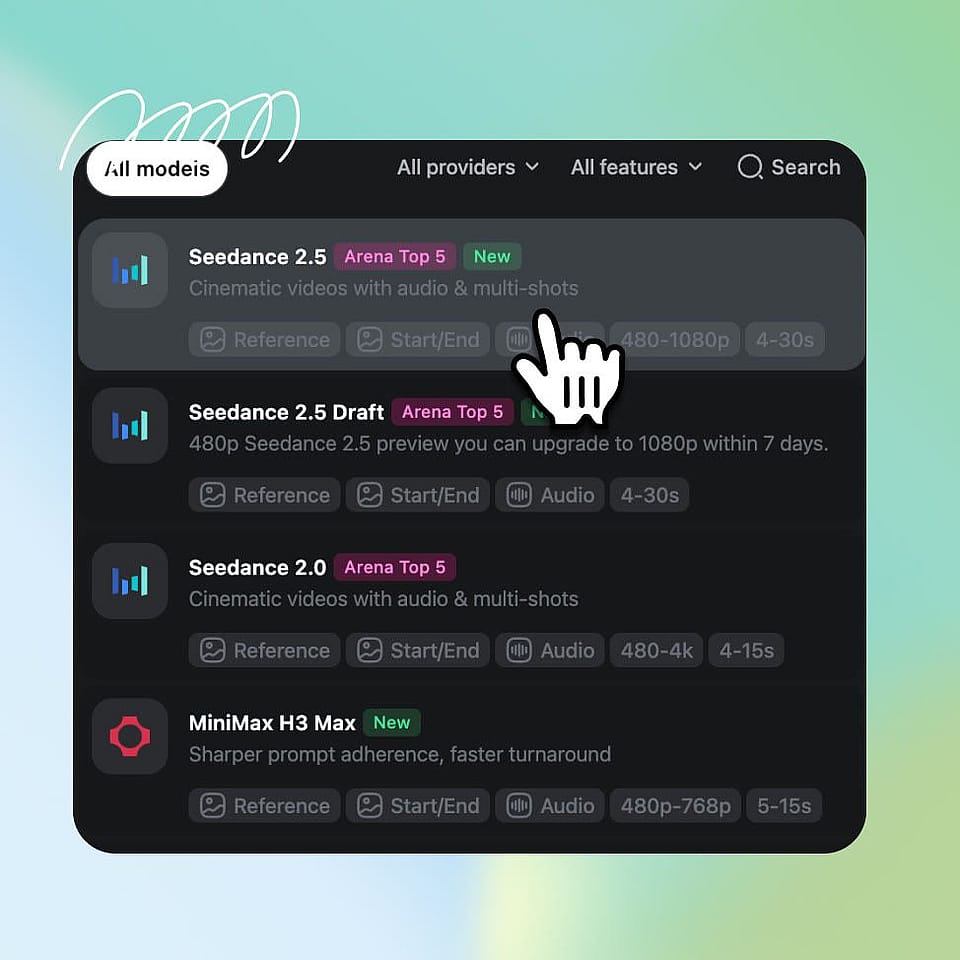
Pick your settings
Choose your aspect ratio, length, and resolution, then click Generate. Videos come out in 1080p by default, and some models go up to 4K.
Generate and download
Watch the result and change your prompt to try again if needed. Download the clip when it looks right.
Built for Influencers, Brands, and Creators
Create animated videos for your marketing campaigns, social media content, and businesses.
Social Media Creators and Character Builders
Post animated clips every week without learning animation software. Turn a funny idea into a short cartoon for Reels or YouTube Shorts. Keep the same character in every post, so your followers know the character on sight. Vertical 9:16 video works well for Instagram Reels, YouTube Shorts, and TikTok content.
Try it NowBusinesses and Training Teams
Make animated ads and training videos without hiring a motion designer. Upload a product photo, describe how it should move, and get a clip ready for social posts or paid ads. A brand mascot can star in a whole campaign and look the same in every video. Dub Video can turn one training video into up to 10 languages, so every office gets the same lesson. You save the cost of an animation studio and can test new ideas much faster.
Try it NowMusicians and Music Video Creators
Give your song a visual that matches its mood. Describe the colors and motion you hear in the track, like neon waves for a synth song or soft watercolor clouds for a ballad. Make a looping visualizer for streaming or a short animated clip for each part of the song. Use the same style in every clip so the whole video feels like one piece.
Try it NowFilmmakers and Storytellers
Test an animated scene, concepts, transitions, and styles before you spend money making it. Turn a script page or a concept drawing into a short moving clip, reducing the pre-production time. For a longer story, OpenArt can build a storyboard and turn it into a multi-scene video up to 5 minutes long in Director mode. Change any scene and try again until the story feels right.
Try it Now