

 ChatGPT
 Perplexity
 Claude
 Gemini
Ad creative testing works best when every ad you test is different in a way that matters. This guide shows how one creative lead turned a single approved meal-kit ad into 100 different video ads in five working days, using Claude Opus 5.5 for the strategy and OpenArt for every image and video, connected through the OpenArt MCP. You get the full week, the prompts and the checks that kept all 100 ads at the same standard.
TL;DR
- Meta tends to group ads that look alike, so swapping only the hook can leave you testing one ad many times.
- Break one approved ad into five ingredients (angle, audience, world, cast, format) and combine them into 100 concepts that share no more than half the same ingredients.
- Claude plans, writes and prices the batch. OpenArt makes the images and video: Seedance 2.5 for people, Nano Banana 2.1 for packaging text, Smart Shot for the shot plan.
- Test a few drafts first, upgrade only approved ads to 1080p, and review every ad yourself before it goes live.
What Is Ad Creative Testing?
Ad creative testing is the practice of running several versions of an ad at the same time to learn which images, videos, hooks and messages get the best results. Performance teams use it to find new winners and to replace ads that stop working. Winning ads wear out fast, so the team needs a steady supply of fresh, different variations to keep testing.
The hard part has always been production. A team that wants 100 test-ready ads by Friday needs scripts, product shots, actors, sets and final files for each one. A year ago, the creator in the video above would have said no to that request. With Claude and OpenArt working together, the same request fit into one week.
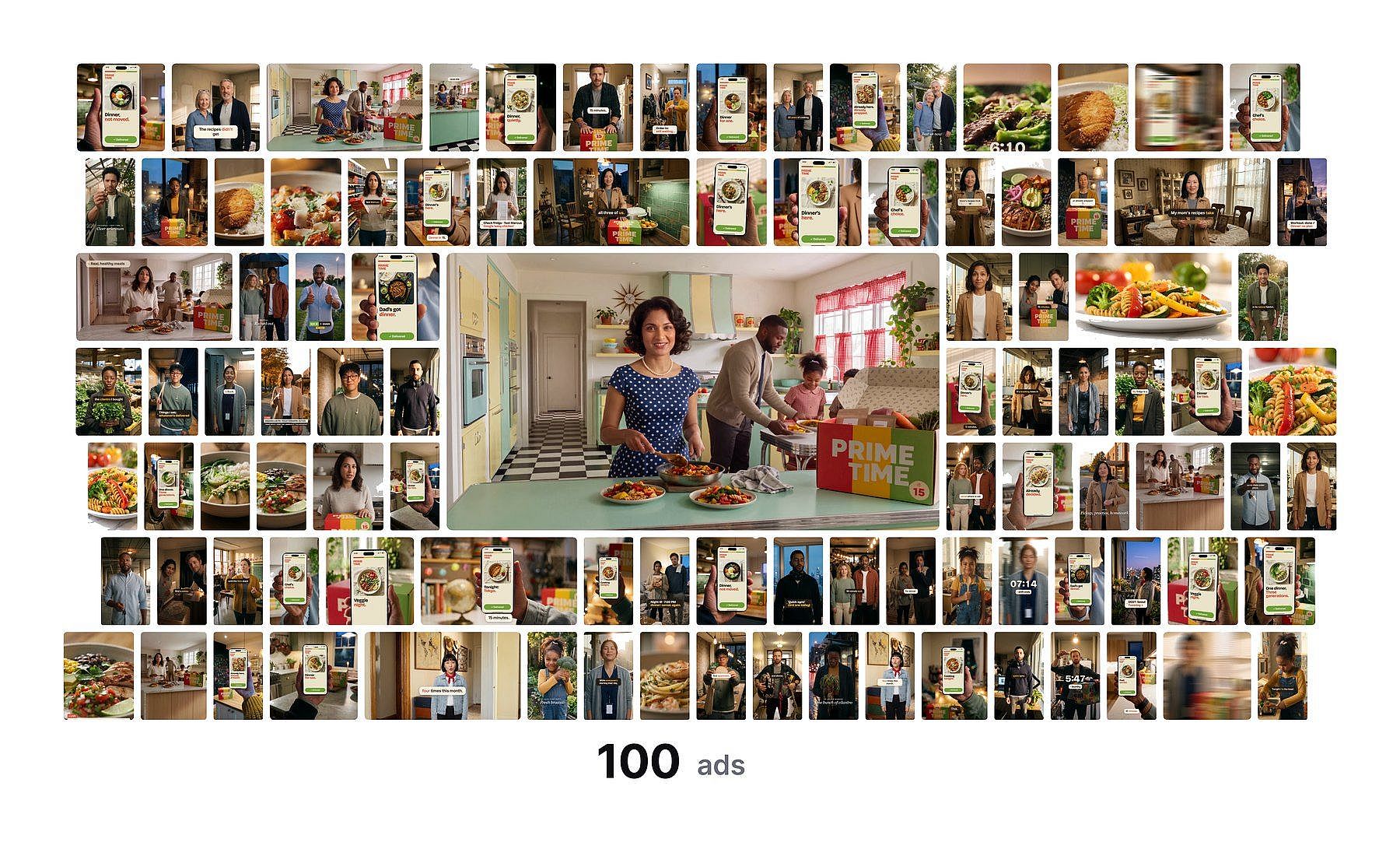
The 100 Prime Time variations, all made from one approved ad.
Why Changing Only the Hook Is Not Enough
Media buyers have found that Meta tends to group ads that look similar and deliver them as one. If only the first two seconds change, the platform may treat ten versions as one ad. The creator in the video calls this "one ad wearing 10 hats." Meta advertisers often call the fix creative diversification: ads that differ in what they say, who they speak to and how they look.
Real scale for creative testing means each variation changes something meaningful. Every ad has to meet the brand's standard, so the product, logo and quality stay the same while the idea around them changes.
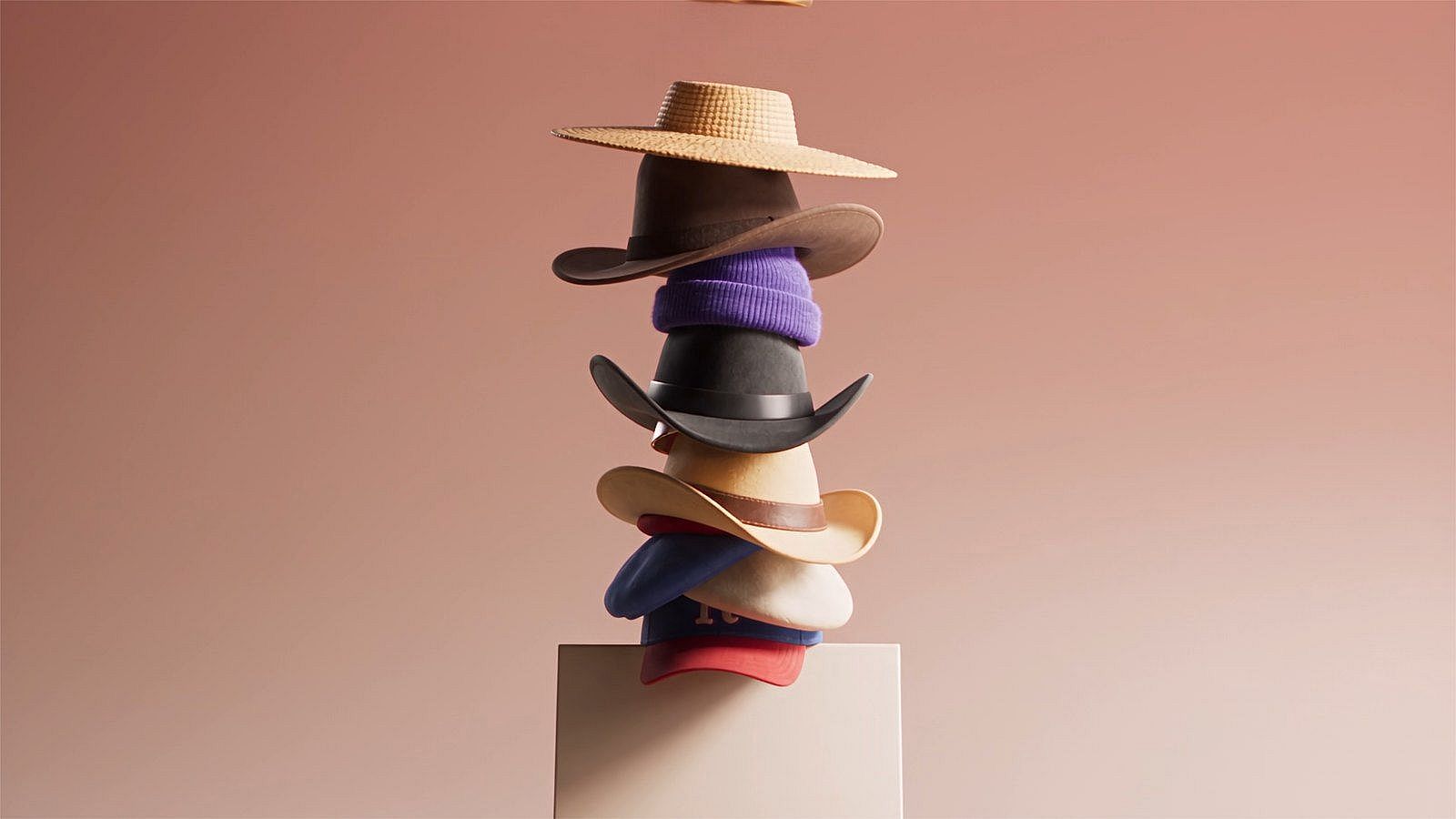
Changing only the hook can leave you with one ad wearing 10 hats.
What You Need Before You Start
The 100 ads are only as strong as the ad they come from. Start with one ad your client or team has already approved. In the video, that ad is a meal-kit ad for a brand called Prime Time: a family in a busy kitchen, the same box on the counter, and one feeling at the end, "Dinner is easy again."
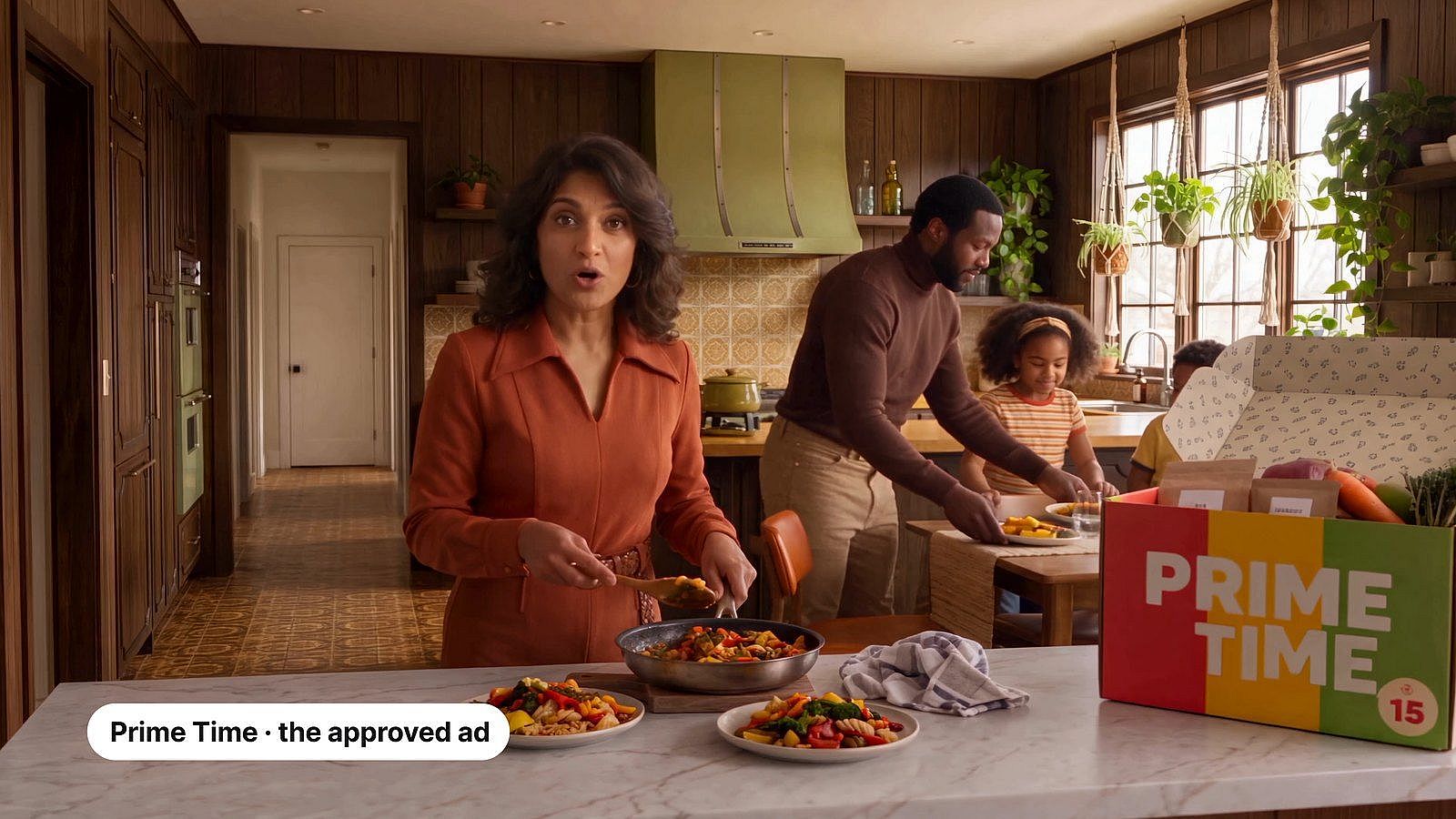
The client-approved Prime Time ad that all 100 variations start from.
You also need three things in place:
- Your real material. The client folder, the brand guide, past ads and product photos, saved where Claude can read them.
- Claude with Opus 5.5 selected. Opus 5.5 handles the planning: the brief, the 100 concepts, the scripts and the prompts. This is Claude for marketing in practice, and a simple form of agentic marketing: Claude holds the whole brand folder in one conversation and plans every step.
- OpenArt connected to Claude. Claude doesn't make images or video by itself (here is why Claude can't generate images), so the OpenArt connector does that part. Setup takes about 30 seconds. In Claude, open Connectors, add a custom connector, paste
https://mcp.openart.ai/mcpand sign in with your OpenArt account. You don't need an API key. The Claude Opus 5.5 setup guide walks through each click.
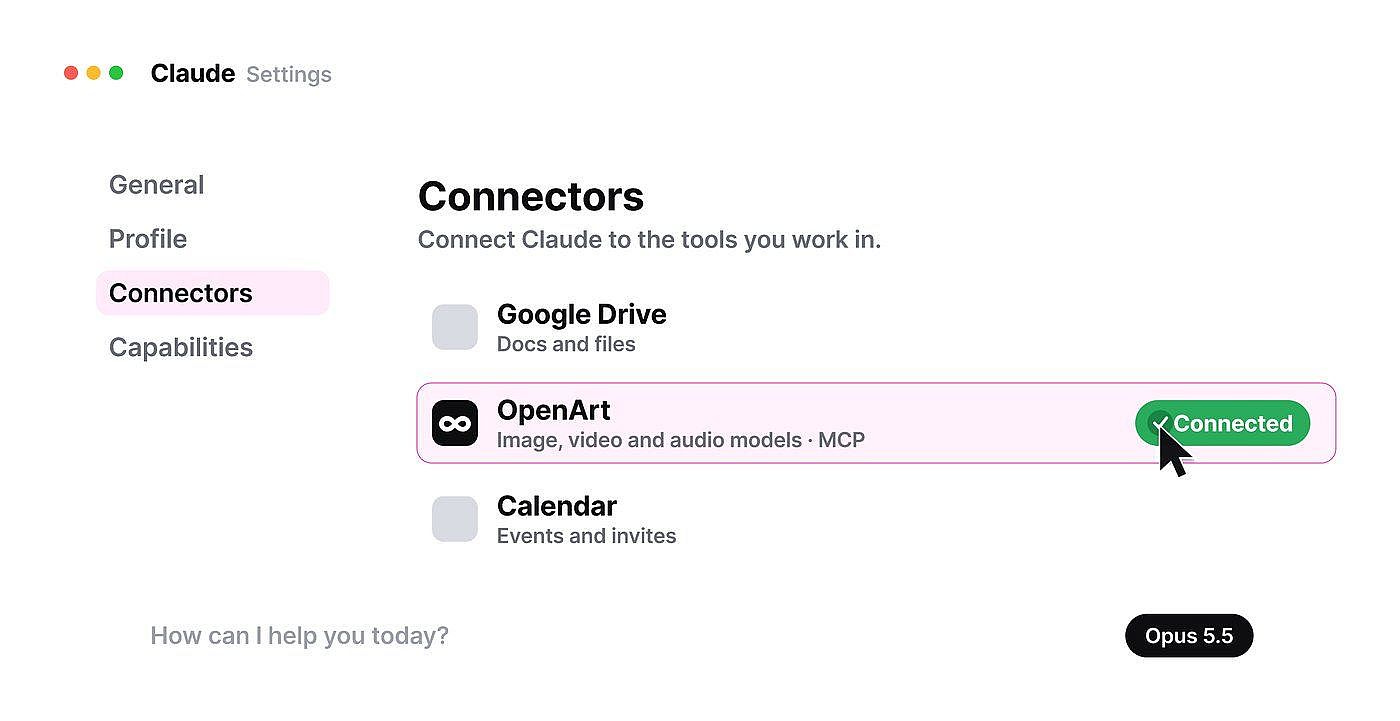
OpenArt connected in Claude's Connectors settings, with Opus 5.5 selected.
How to Scale Ad Creative Testing in Five Days
Each day has one job and ends with something you can see and approve before the next day starts. That rhythm keeps 100 ads at one standard.
| Day | Job | What you approve at the end |
|---|---|---|
| Monday | Connect and brief | A one-page brief |
| Tuesday | Strategy and pricing | 100 concepts and a cost estimate |
| Wednesday | Build the base | The product, cast and sets |
| Thursday | Make the 100 ads | Drafts, then final 1080p ads |
| Friday | Review and ship | Every ad, checked by you |
Monday: Let Claude Read Everything and Interview You
Point Claude at the client folder, the brand guide and last year's ad. Opus 5.5 reads all of it before it writes a word. Then let Claude interview you. Five questions are enough to turn what you know into a tight brief.
Read everything in my [client] folder: the brand guide, last year's ad and the approved ad. Before you write anything, interview me. Ask five questions, one at a time: who the ad is for, what is true about the product, what hurts for the customer, the one feeling the ad should leave, and what never changes. Then turn my answers into a one-page brief.
For Prime Time, the answers were short. Busy parents. Real, healthy meals ready in 15 minutes. The 6 p.m. scramble. One feeling: dinner is easy again. The idea came from there: families have fought the 6 p.m. scramble for 60 years, so the ad shows 60 years of it, and the one thing that never changes is the box.
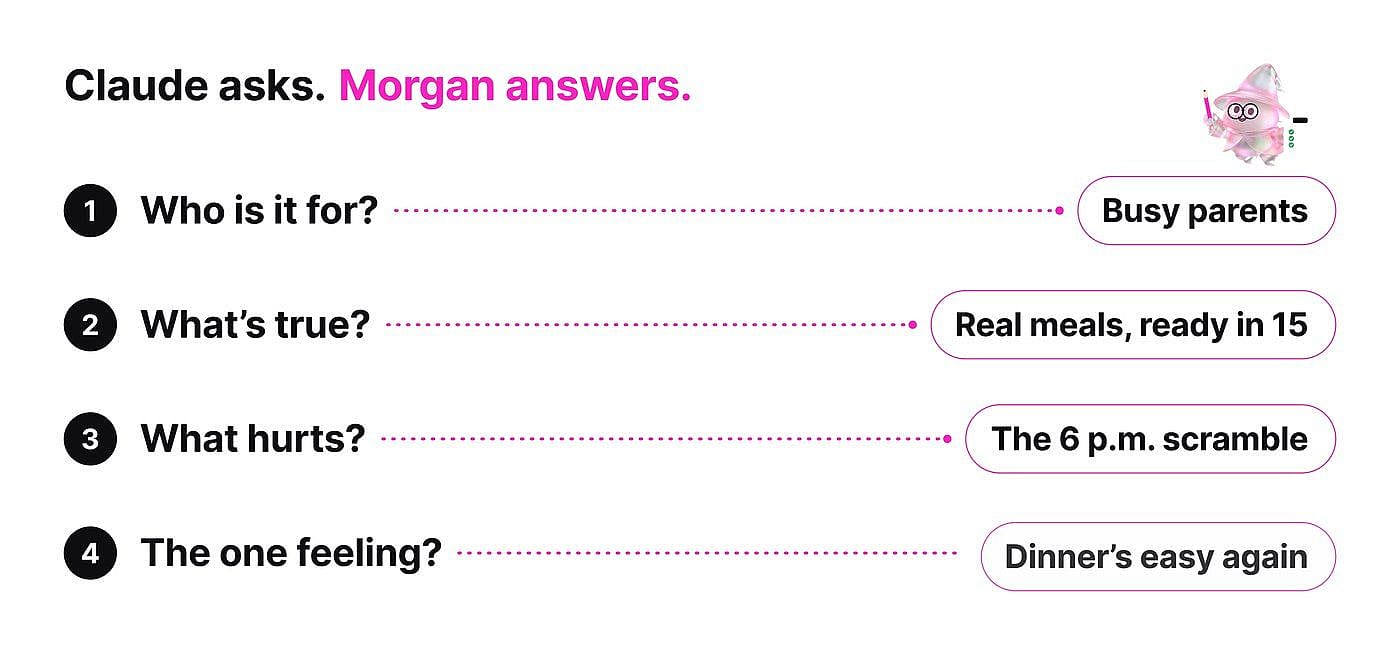
Claude interviews you first, and your answers become the brief.
Tuesday: Break the Ad Into Ingredients and Price It First
Tuesday is where scale gets designed. Claude breaks the approved ad into five ingredients:
| Ingredient | What it controls | Prime Time examples |
|---|---|---|
| Angle | The main message | The 6 p.m. scramble, healthy food without the effort |
| Audience | Who the ad speaks to | Working parents, night-shift nurses, new dads, empty nesters, adventurous cooks |
| World | Where and when it happens | Kitchens from 1962 to today |
| Cast | Who is on screen | A mom, a dad, a couple, a single parent |
| Format | How it is told | Talking to camera, narrated, no dialogue |
Claude then combines them into 100 concepts where no two share more than half the same visual concept. That is how you get 100 different ads for creative testing.
Break the approved ad into five ingredients: angle, audience, world, cast and format. List the options for each one. Combine them into 100 ad concepts where no two concepts share more than half of the same ingredients. Show the concepts as a table.
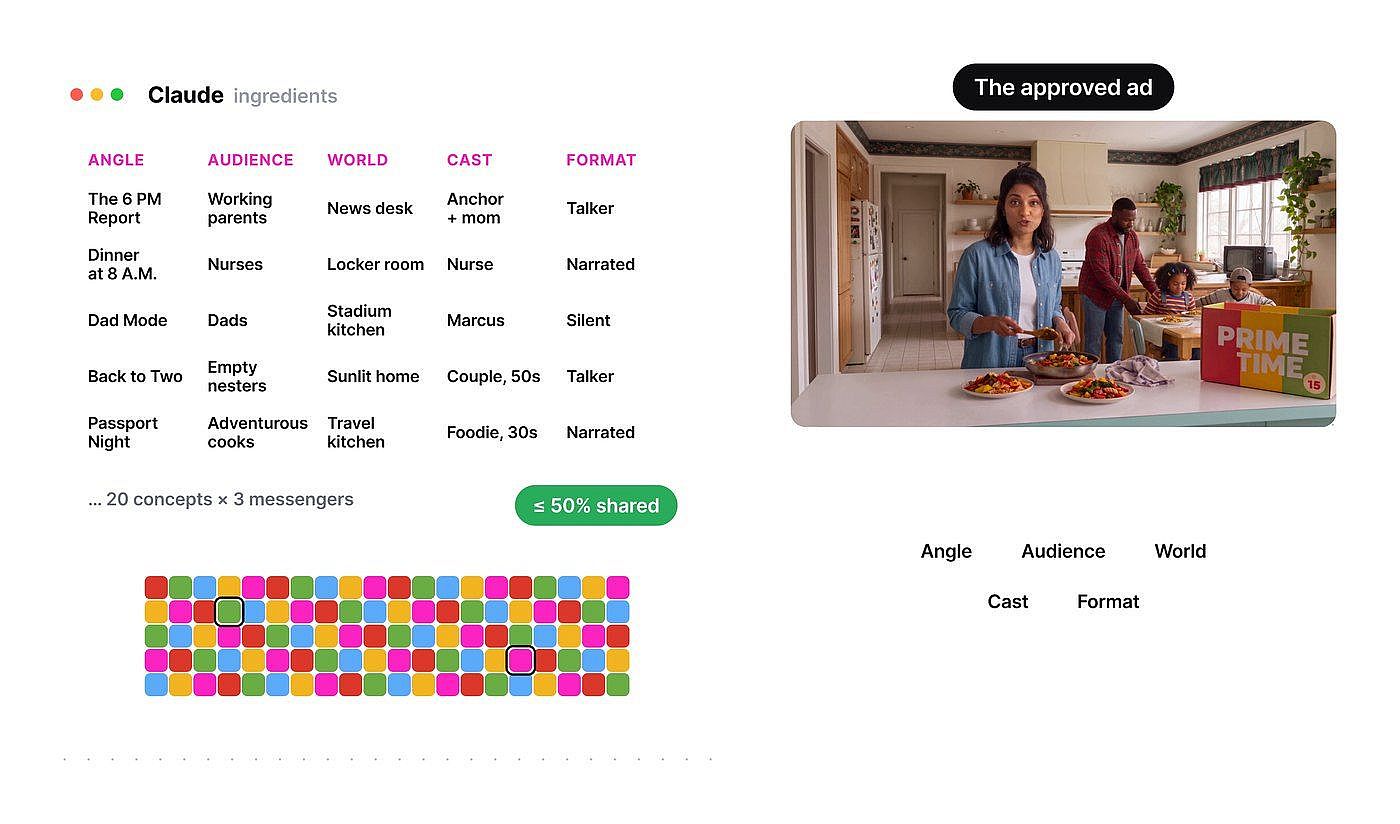
Claude breaks the approved ad into angle, audience, world, cast and format, then combines them into 100 concepts.
Each concept also needs an opener that fits what the viewer already knows. The first two seconds change with awareness:
| What the viewer knows | How the ad opens | Example |
|---|---|---|
| Nothing about the problem | Open on their moment | 6 p.m., nothing planned. |
| They feel the problem | Name the pain | Takeout again? |
| They know solutions exist | Flip a belief | "Healthy takes too long." |
| They know your product | Show the result | Dinner in 15, on the table. |
Before any credits are spent, ask Claude to price the full week. Through the OpenArt MCP, Claude can estimate the cost of every draft and final video, so you know the budget before the batch starts.
Before you generate anything, estimate the total OpenArt credits for this batch: three pilot drafts, 100 drafts, re-dos for about 10% of them, and 1080p versions of the approved ads.
Then ask Smart Shot for a production plan. Smart Shot drafts the set, camera plan, storyboard and lighting as a Shot Plan, and you can edit the plan before any video is made. Videos run up to 15 seconds in Standard mode and up to 30 seconds in Pro mode.
Use Smart Shot to make a shot plan for concept 12 only. Show me the plan and wait for my approval before you generate video.
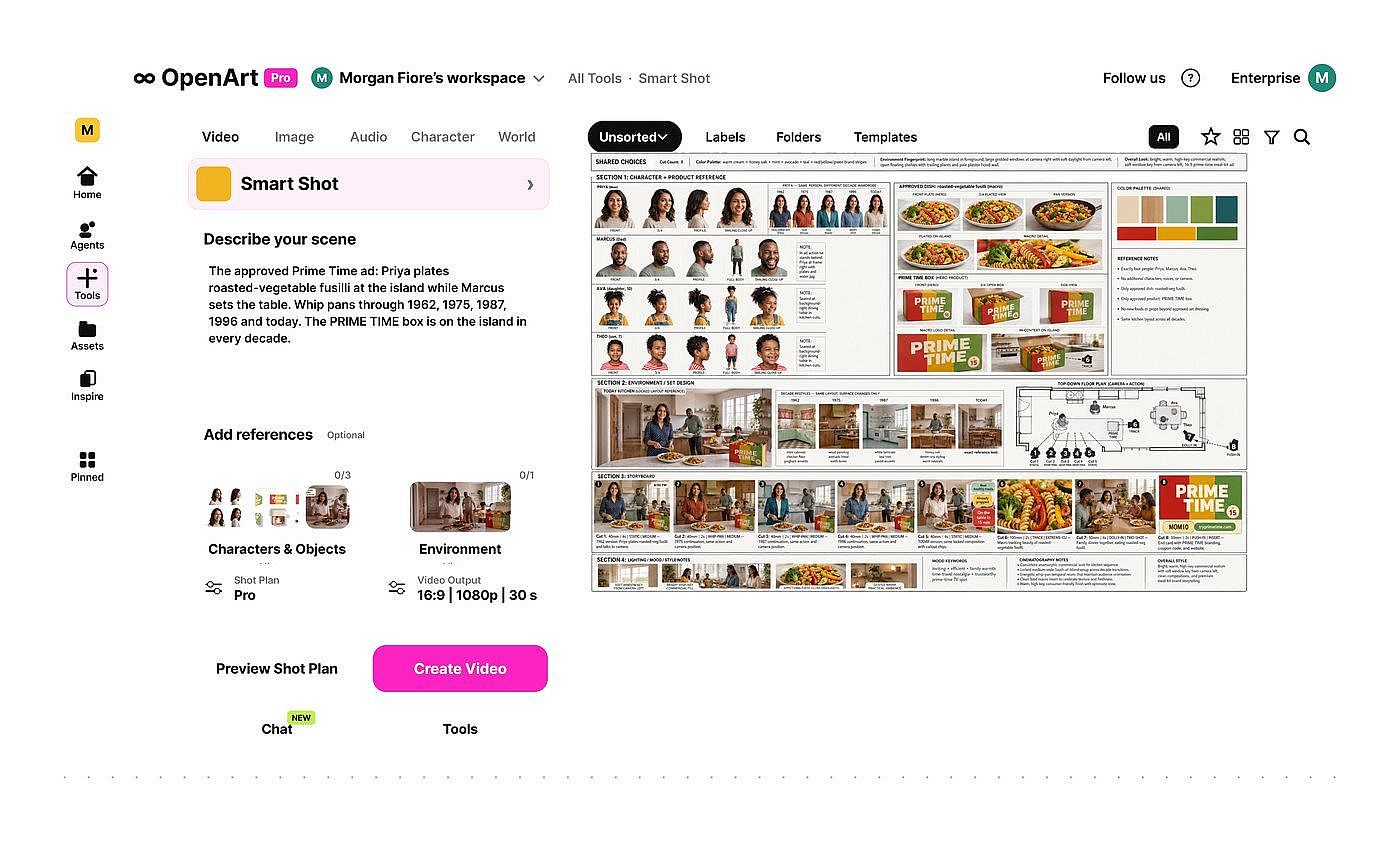
Smart Shot drafts an editable shot plan before any video is made.
Wednesday: Build the Base So Every Ad Looks Premium
Lock the premium look once and every variation inherits it. Start with the product. Claude pulls the real colors and fonts from the brand folder, and Nano Banana 2.1 keeps packaging text sharp, so the logo stays clean in every shot. With the connector on, Claude works as a full Claude AI Image Generator.
Using the colors and fonts in my brand folder, create the [brand] box on a kitchen counter with Nano Banana 2.1. The logo and label text must match the brand guide exactly. 4:5.
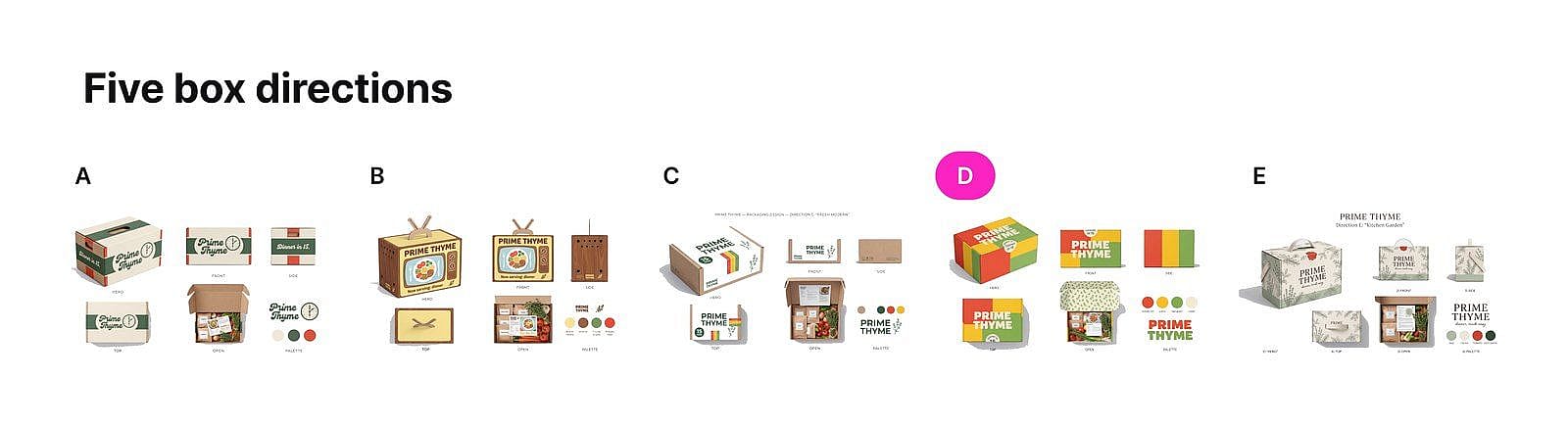
Five box directions, narrowed to one approved design before any ad was made.
Next, the cast. Make one reference sheet per person and approve it before any video. Then change the clothes and the decade, and keep the face. Claude sends these sheets to OpenArt as image references, so the same people appear in every ad.
Create one reference sheet for each family member: plain background, even light, one angle per image. Then show the same people in 1960s, 1970s and 1980s clothes. Keep every face the same.
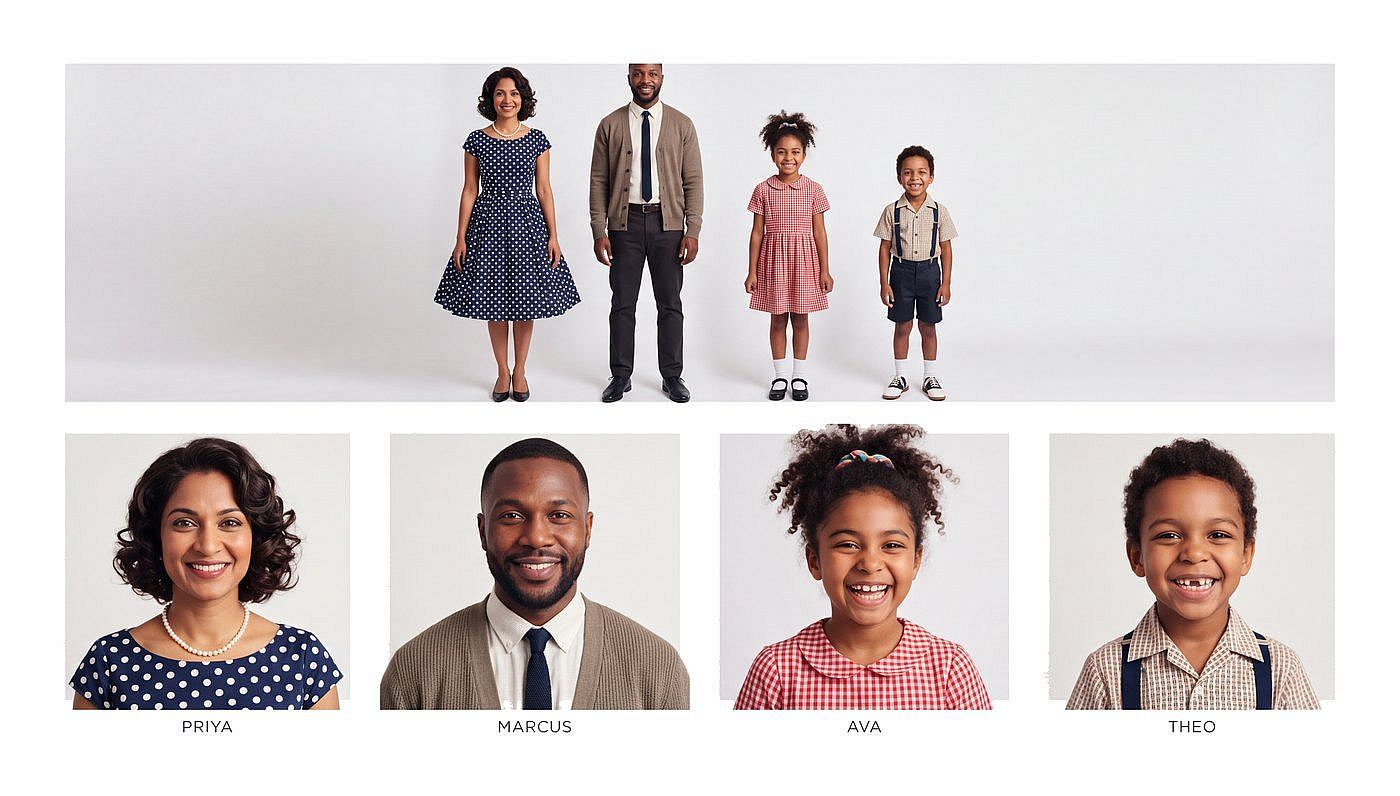
One reference sheet per person keeps the same faces in every ad.
The sets follow the same rule. Restyle one base kitchen into each era, so the layout and where people stand stay the same.
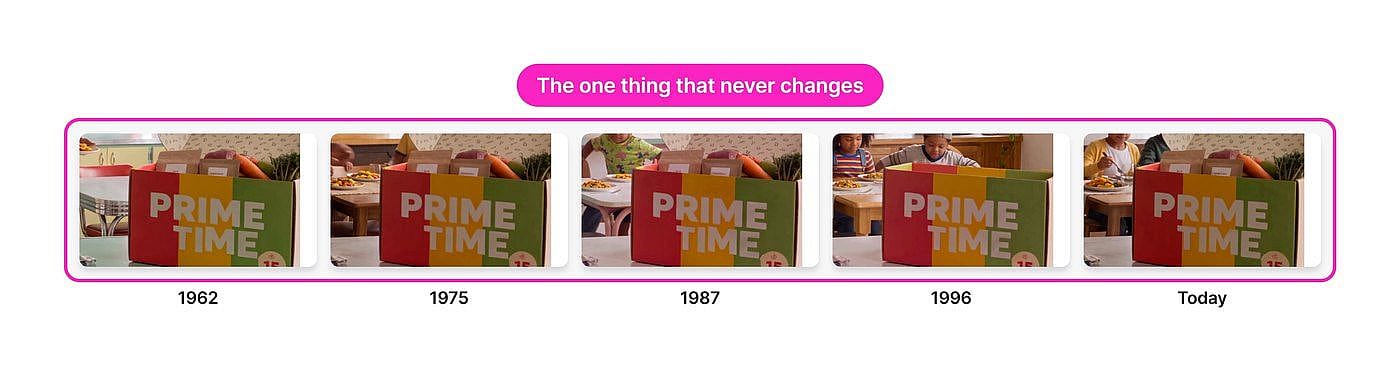
One kitchen restyled into five decades, with the same layout in each.
Three tricks add extra footage without extra planning:
- The contact sheet. One generation with nine camera angles. The angles match because they come from one image.
- The boomerang crane. Use the same first and last frame. The clip loops cleanly, so you can trim it anywhere.
- The portal chain. The last frame of one clip becomes the first frame of the next. That is how the Prime Time ad moves through the decades.
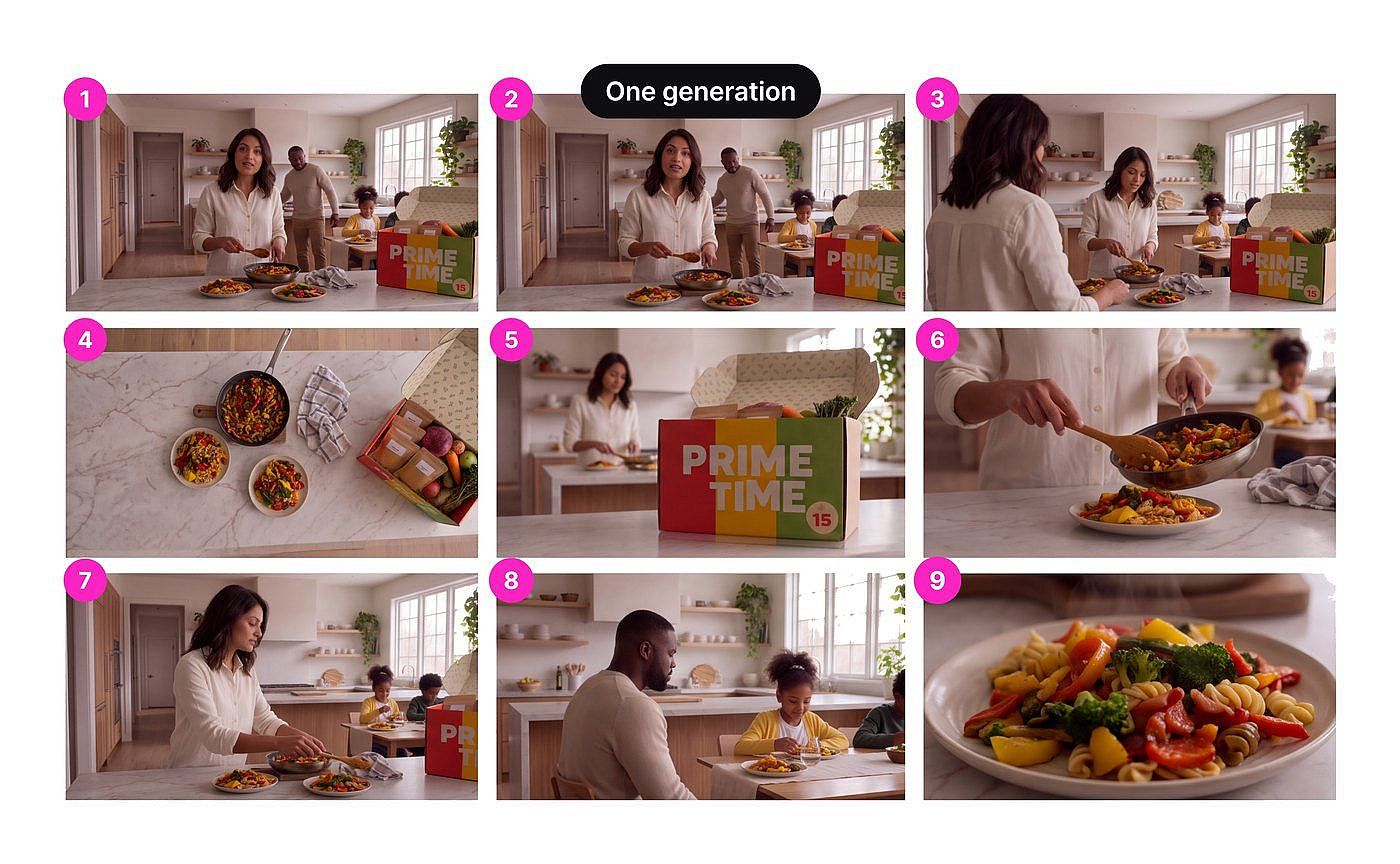
One generation gives matching camera angles for extra footage.
Everything lands in one OpenArt project, so the whole team can see the work as it happens.
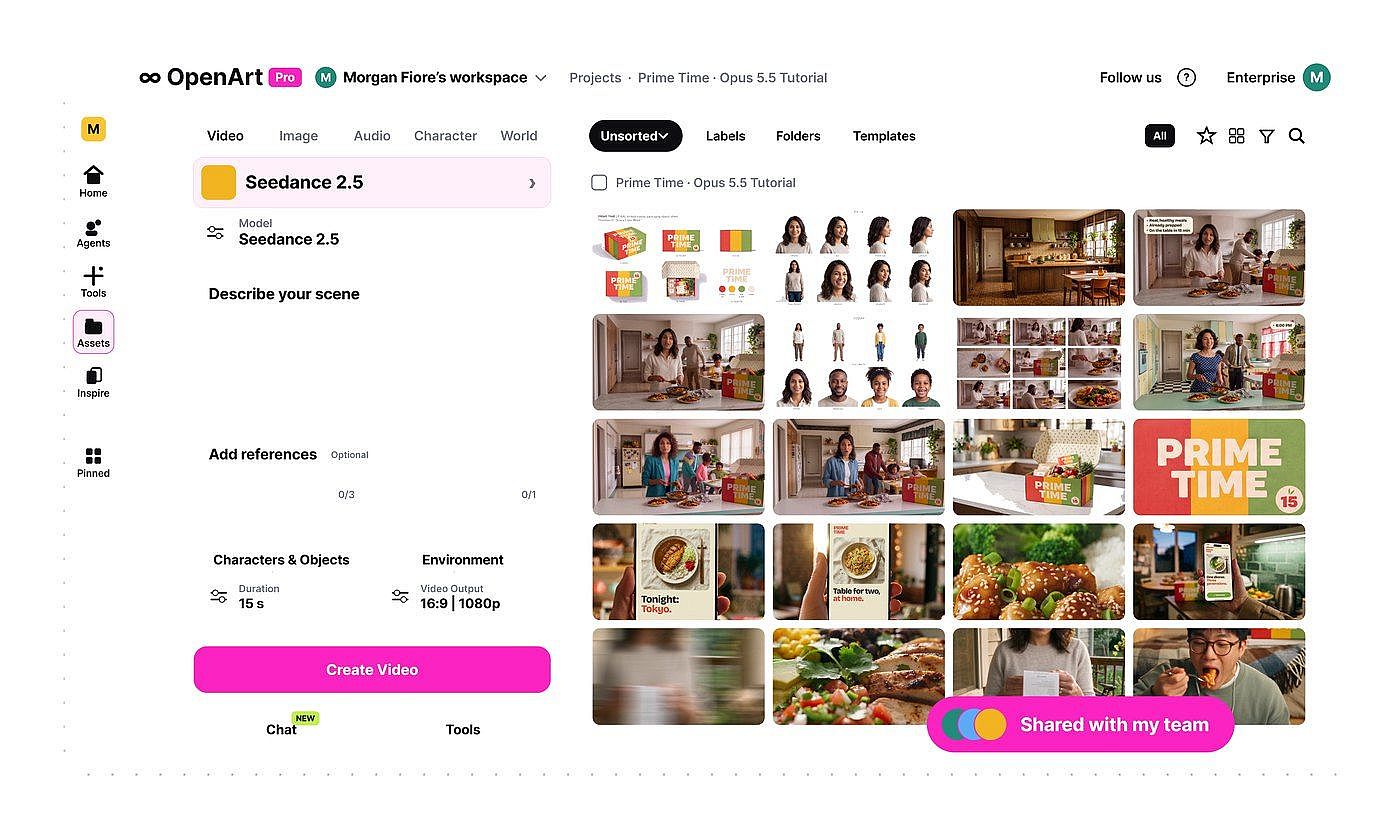
Every asset lands in one shared OpenArt project.
Build Your Ad Base in Claude →
Thursday: Make 100 Ads, One Call per Ad
Thursday is where the 100 ads get made. Seedance 2.5 writes every shot of an ad in a single generation, dialogue included, with the box and the family as references. One call, one ad. The guide to generating AI videos from Claude covers the video basics.
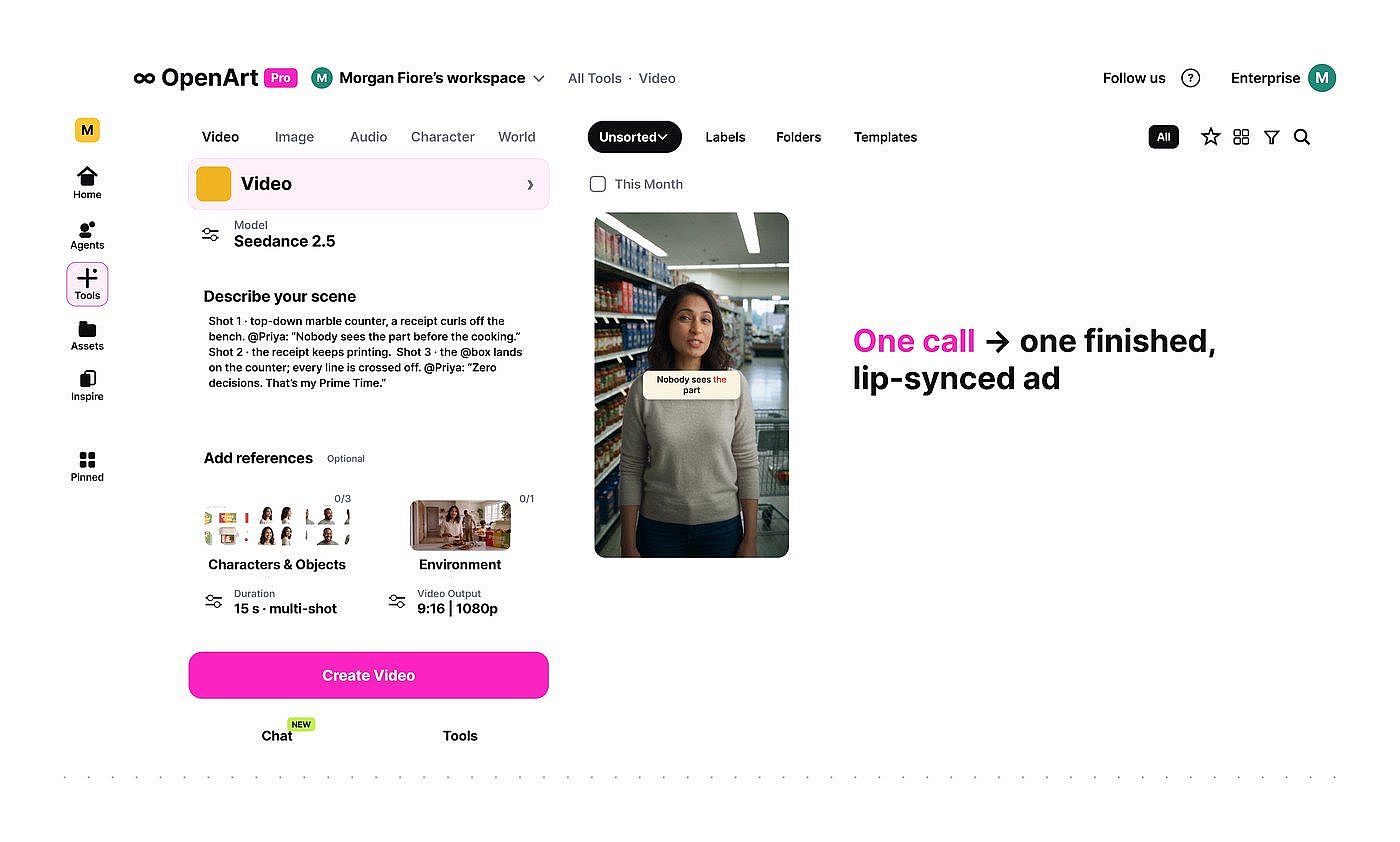
One Seedance 2.5 generation makes one finished ad with dialogue.
Generate ad 27 with Seedance 2.5 as one video that includes every shot and the dialogue below. Use the box image and the family reference sheets as references. Make it a draft first.
Claude also picks the right model for each shot, and it tells you why:
| Job | Model | Why |
|---|---|---|
| Shots with people and dialogue | Seedance 2.5 | Writes every shot and the dialogue in one generation, with your product and cast as references |
| Packaging, labels, any text | Nano Banana 2.1 | Sharp, readable text in the image |
| Shot plan for each ad | Smart Shot | Editable plan before you spend on video |
If your test also needs static image ads, the walkthrough on product ads from Claude turns one brief into a set of image ads.
Here is the approved Prime Time script, so you can see the structure Claude follows: hook, pain, turn, proof, payoff, then the offer.
| Time | Beat | Line |
|---|---|---|
| 0:00 (1962) | Hook | "6 p.m. In this house? Chaos. It's always been chaos." |
| 0:04 (1975) | Pain | "Homework, hungry kids, somebody's always lost a shoe." |
| 0:08 (1987 to 1996) | Turn | "So here's my advice, mom to mom: stop trying to win dinner from scratch every single night." |
| 0:13 (today) | Proof | "Prime Time sends real, healthy meals, already prepped. 15 minutes, and it's on the table." |
| 0:19 (food close-up) | Payoff | "We eat better, I'm calmer, and we actually sit down together. That's the whole point." |
| 0:25 | End card | Offer and link on the brand colors |
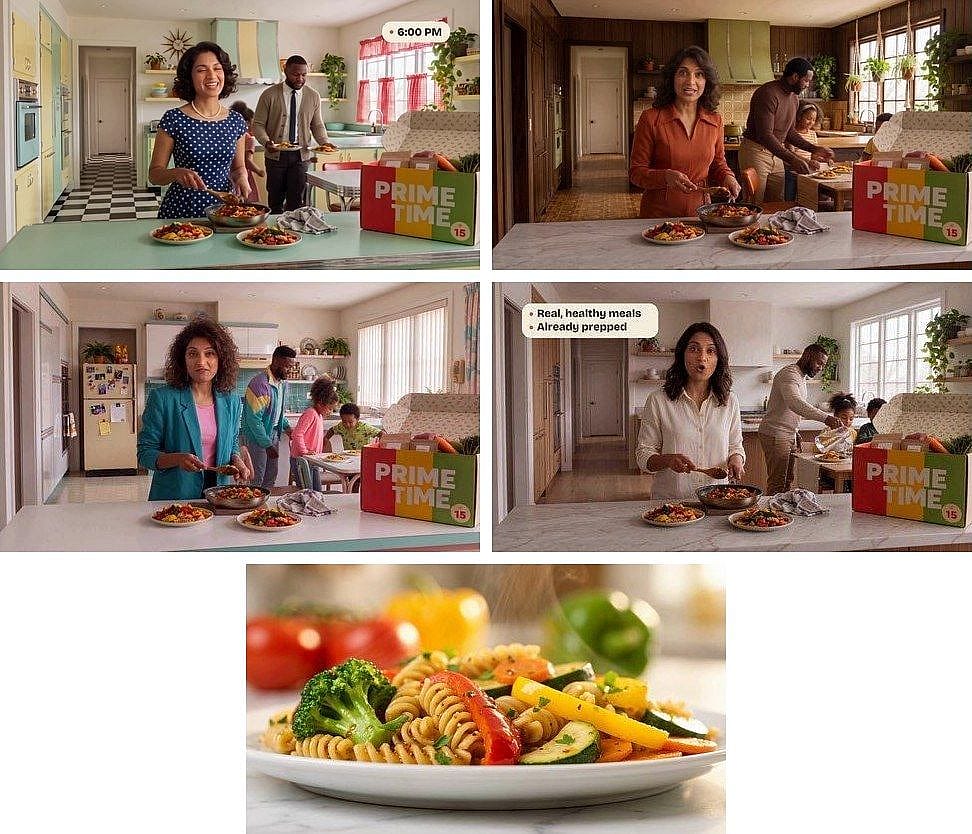
The five beats of the approved script: hook, pain, turn, proof and payoff.
Pilot three ads as drafts first and approve all three. Then run the full batch. Only the ads you approve get upgraded to full 1080p.
Quality gates run on every ad:
- Zoom check. Every box in all 100 ads gets a close look. If the label slips even slightly, Claude makes that ad again.
- One change at a time. When an ad is almost right, change one thing once and leave the rest.
- Twin check. The creator wrote a Claude skill that compares every ad against the other 99. Anything too similar gets remade.
Compare every ad with the other 99. Flag any ad that looks too close to another one, and remake it with a different angle, world or cast.
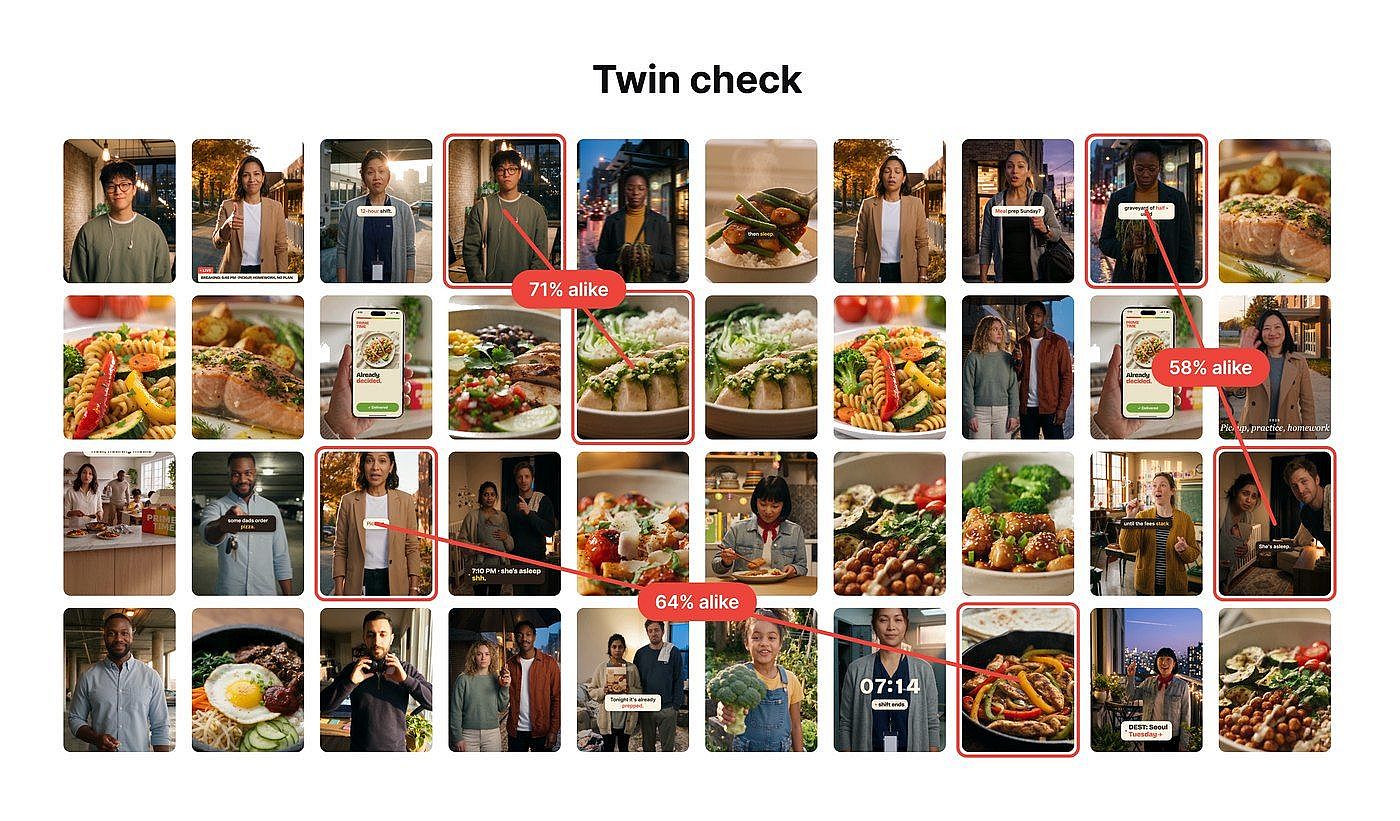
The twin check flags ads that look too close to each other.
The last layer is motion text. Write your motion rules once: how text eases in, how long it holds, where it sits, and one pink word at most. Claude then writes custom animation code for kinetic headlines, callouts that land on the exact word, and the end card, and it previews each one before export. This part runs in Claude on your own computer, which needs the Claude desktop app with access to your project folder. OpenArt makes the images and video, and Claude handles the script, the animation layer and the edit.
Here are my motion rules: text eases in, holds for two seconds, sits in the lower third, and only one word per line is pink. Write the animation for the headlines, callouts and end card. Show me a preview of each ad before you export.
Friday: Review Every Ad and Name Files by Ingredient
Friday is review day. You look at every one of the 100 ads before anything ships. Safe zones are checked for each placement, and every file is named by its ingredients, so the results show exactly what worked.
Name each file by its ingredients in this order: angle_audience_world_cast_format. Check the safe zones for 9:16, 4:5 and 1:1 placements and list any ad where text or the product sits outside them.
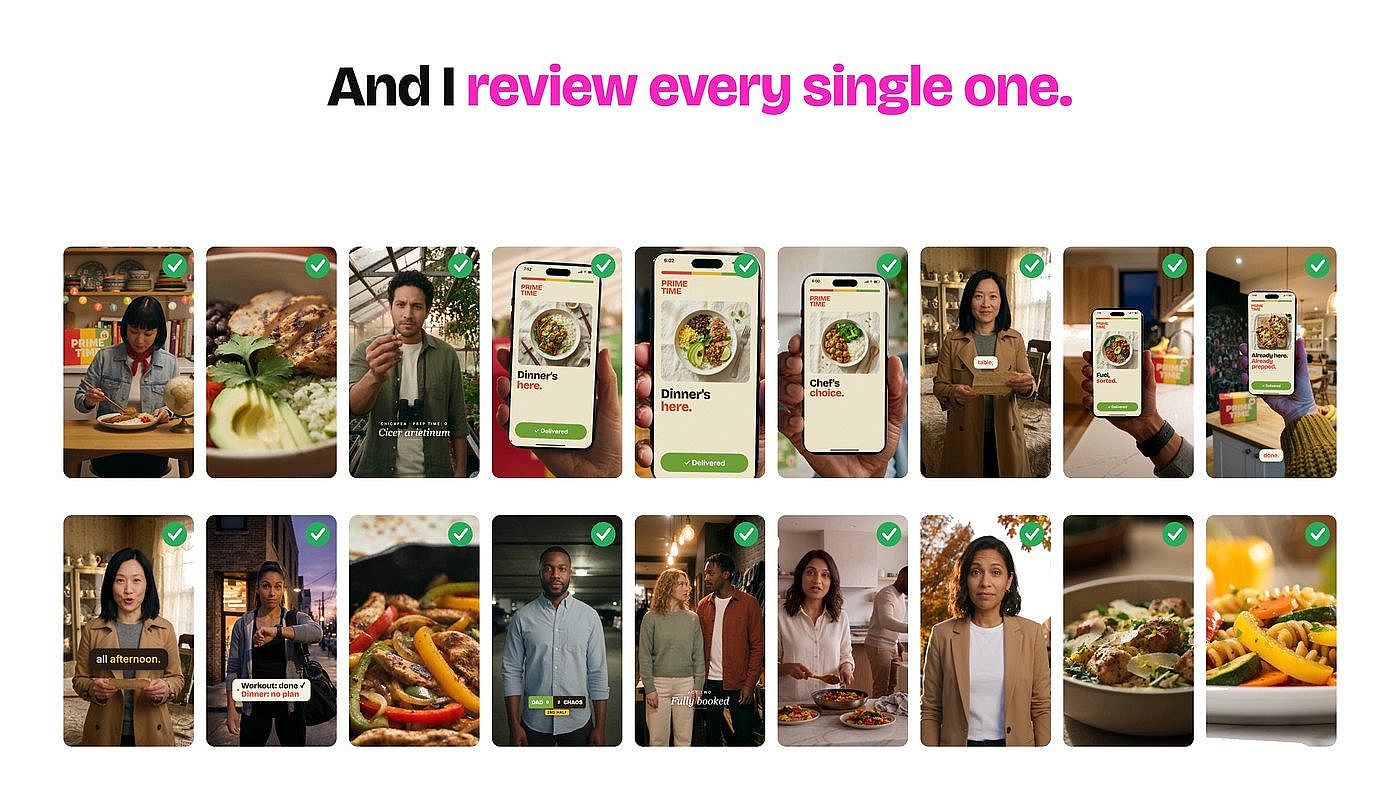
You review every one of the 100 ads before anything ships.
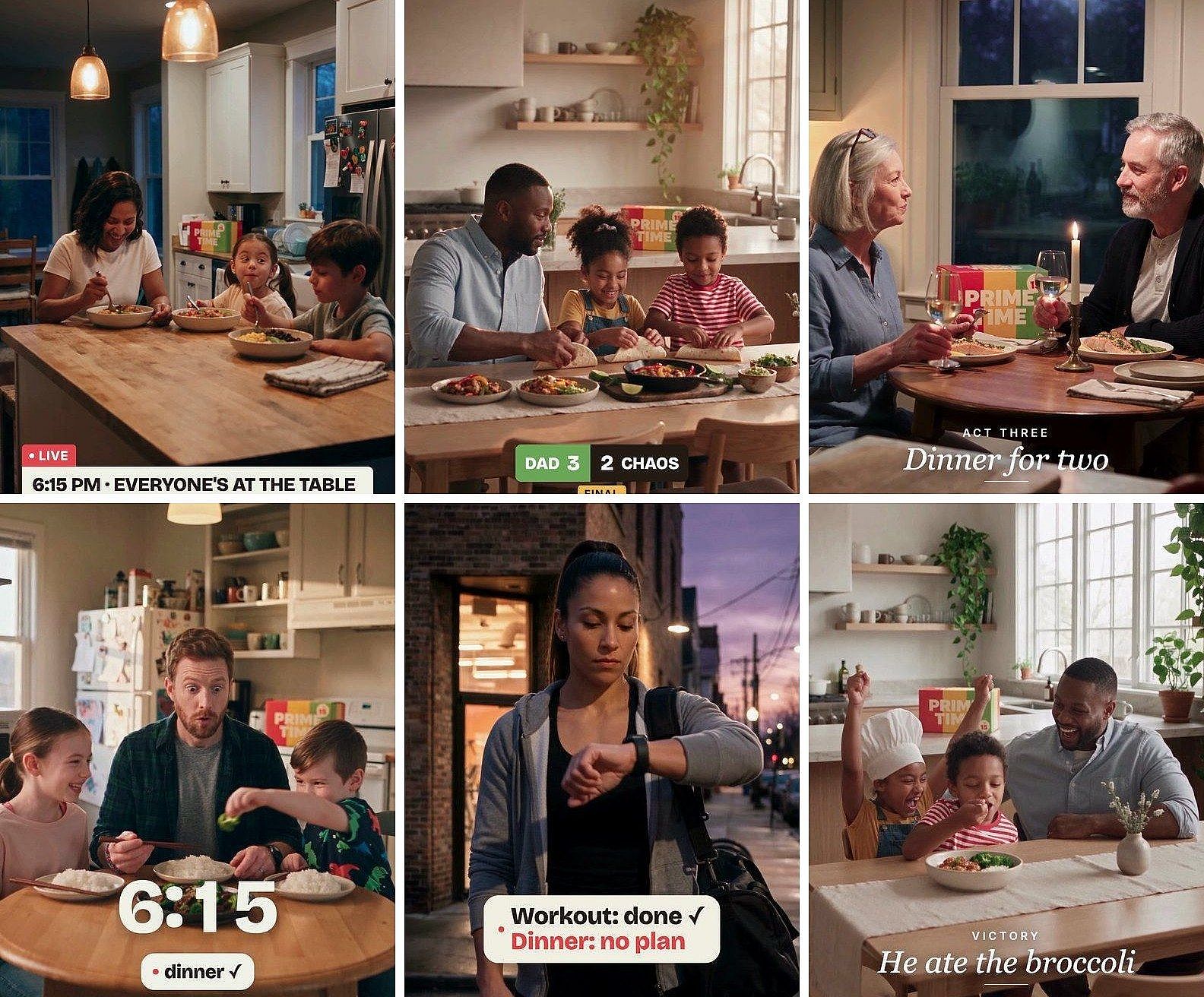
Six of the finished vertical ads.
In the creator's final review, about 60 of the 100 ads beat the original. A few didn't make it, and that is the point of creative testing: Claude and OpenArt give you a range of ideas you could not make alone in a week, and you pick the winners.
Why Human Review Matters at Scale
"Picking the winners, that's craft, that's taste, that is still you." Claude and OpenArt handle the volume. The judgment about what is on-brand, what is true and what is worth shipping stays with you. Keep every claim to what the product can show, and nothing your legal team would need to approve.
How Much Does It Cost to Run 100 Ad Variations?
Generations through the OpenArt MCP use the same credits as on openart.ai, based on the model and resolution. Ask Claude for a cost estimate before the batch starts, and use drafts to keep spending on ideas that are not working low. MCP access is included on every OpenArt plan.
For a 100-ad week, two plan details matter most: monthly credits and how many generations can run at the same time.
| Plan | Price/mo | Credits/mo | Parallel generations |
|---|---|---|---|
| Starter | $14 | 4,000 | 8 |
| Plus | $34 | 12,000 | 16 |
| Pro | $56 | 24,000 | 32 |
| Wonder | $240 | 106,000 | 32 |
Prices are for monthly billing. Starter covers up to ~50 videos a month, Plus ~150, Pro ~300 and Wonder ~1,300 (excluding Director). Ask Claude for the exact estimate for your batch.
Plus and higher plans can add credits as needed. Commercial rights apply on eligible paid plans. Teams that share one budget across several people can use the Business plan, which pools credits for up to 50 users. New accounts get 40 free credits to try it out, no credit card required. Check the pricing page for current plans.
Want to see the full workflow live? Join OpenArt's webinar on making 100 paid ads in a week with AI. For single ads without Claude, the Ad Creative AI page and the AI Video Generator work right in your browser.
Frequently Asked Questions
What is ad creative testing?
Ad creative testing means running several versions of an ad at the same time to see which images, videos, hooks and messages perform best. Teams use the results to scale winners and retire ads that have stopped working.
How do brands run AI-powered ad creative testing?
Many teams use an AI assistant like Claude to plan the variations and an AI image and video platform like OpenArt to make them. Claude breaks one approved ad into ingredients, writes 100 different concepts and prices the batch. OpenArt generates the images and videos, and a person reviews every ad before launch.
Can I automate ad creation with an MCP inside Claude?
Yes. Add OpenArt as a custom connector in Claude with https://mcp.openart.ai/mcp and sign in. Claude can then generate images and videos with OpenArt models, save them to an OpenArt project and estimate the cost before it runs. You approve the brief, the drafts and the final ads.
Does OpenArt let marketers create multiple ad variations for A/B testing?
Yes. You can generate many versions of the same ad with the same product and cast as references, in one shared project. Through Claude and the OpenArt MCP, you can plan and generate a full batch of variations in one conversation.
Can I generate a batch of ads from the command line?
Yes. If you prefer scripts to chat, you can generate images and video from your terminal and set up bulk image generation. The MCP vs CLI comparison helps you choose.
What does creative diversification on Meta mean?
Creative diversification means running ads that differ in message, audience and look. Media buyers have found that Meta tends to group ads that look alike, so ads that change only the hook may be treated as one ad.
How do I keep the same product and people across 100 ads?
Approve the product image and one reference sheet per person first. Pass those images as references in every video generation, and compare each new ad with the approved original before you upgrade it to 1080p.
Which MCP servers can generate images and video?
Several AI platforms offer MCP servers for image and video generation. This roundup of the best MCP servers for image and video generation compares the main options, and the list of Higgsfield MCP alternatives covers agent-ready tools in more depth.
Do I need Claude Opus 5.5 for this workflow?
The OpenArt connector works with any Claude model. Opus 5.5 helps most with the planning: reading a full brand folder, writing 100 concepts and keeping track of every ingredient.
Can I run this workflow outside Claude?
Yes. The same OpenArt account, credits and projects work in other AI apps. You can connect OpenArt to ChatGPT and use it as a ChatGPT Video Generator, add it to Cursor MCP, or connect it to Kimi.