

 ChatGPT
 Perplexity
 Claude
 Gemini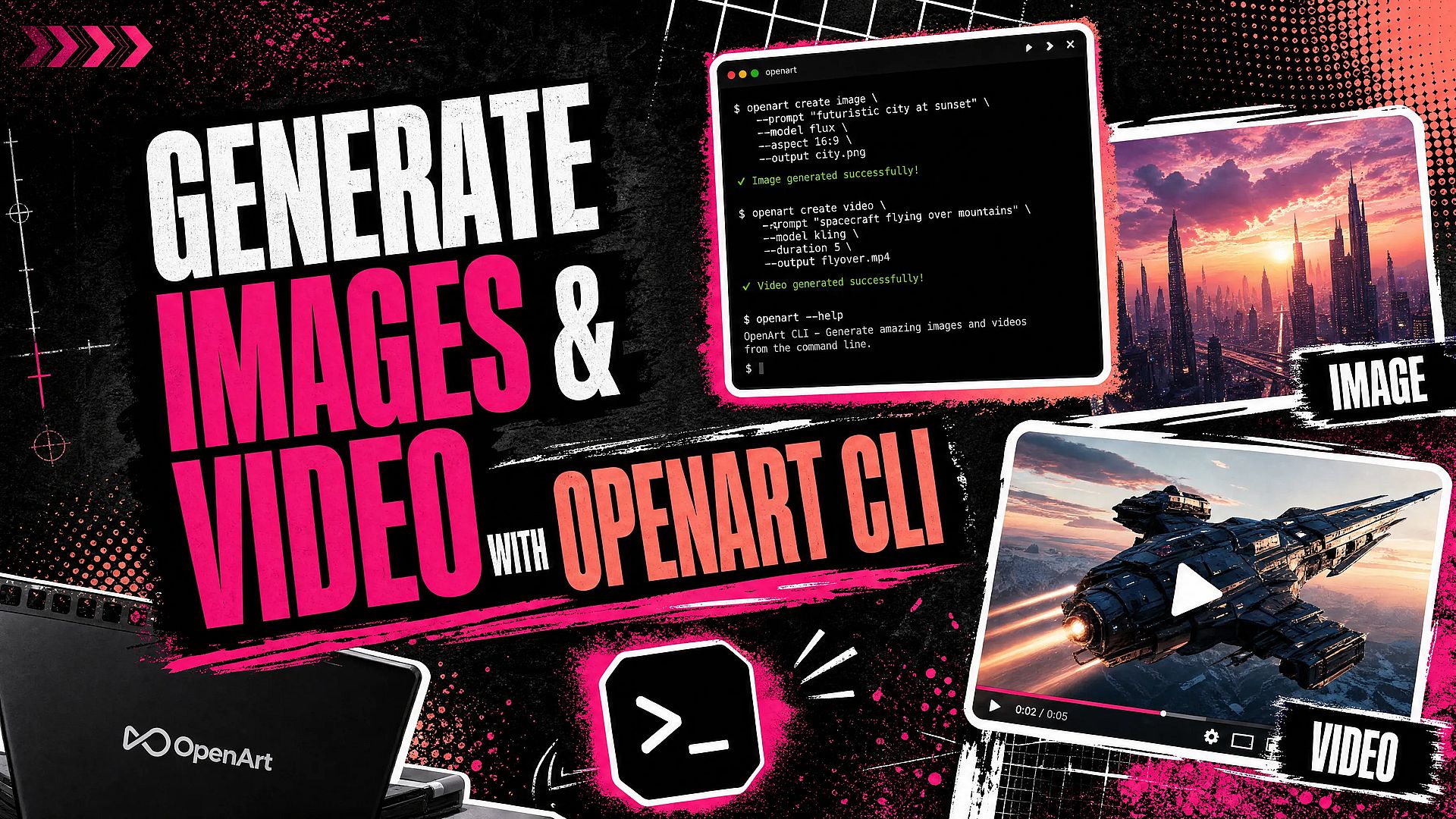
TL;DR
- OpenArt CLI is a single binary for generating OpenArt images and videos from a terminal, script, batch job, or coding agent.
- One browser OAuth sign-in connects your OpenArt account. You do not need Python, Node, or an API key.
- The CLI runs on macOS, Linux, and Windows. Commands support machine-readable output, request previews, and asynchronous generation.
- Choose the CLI for terminal-based automation or coding agents such as Claude Code and Codex. For CLI vs MCP: OpenArt's MCP is the better fit for conversational creative work in Claude, ChatGPT, or Cursor.
What is OpenArt CLI
OpenArt CLI is a single binary that gives your terminal access to an OpenArt account on macOS, Linux, and Windows. You sign in once through a browser with openart login. The OAuth flow removes the need to install Python or Node, create an API key, or store a long-lived key in scripts.
The login command uses the standard OAuth flow with PKCE, the same browser-redirect pattern desktop apps use to avoid handling a password directly. The CLI stores the resulting credential at ~/.openart/cli-credentials.json (mode 0600, so only your user account can read it; Windows stores it at %USERPROFILE%\.openart\cli-credentials.json) and refreshes it automatically. openart logout revokes the credential and clears that local state.
OpenArt built the CLI as its own product surface, not a script that clicks around the web app for you. Its commands expose image and video generation, model information, creation status, uploads, projects, and workspaces directly to shell scripts and coding agents. Machine-readable output, request previews, asynchronous jobs, and bounded polling support repeatable automation.
The CLI spends your OpenArt account's own credits, the same pool the web app draws from. It isn't a separate API product with its own key and billing. The OpenArt CLI GitHub repository has the canonical installation instructions, command reference, and current release details.
OpenArt API: How to Automate Image and Video Generation
If you're looking for an OpenArt API to generate images or videos from code, OpenArt CLI gives you a way to do that from a terminal, script, or coding agent. OpenArt doesn't currently offer a public API or API keys. Instead, the CLI connects to your existing account through browser-based OAuth: run openart login, sign in, and start using the commands covered below.
For conversational workflows, OpenArt's MCP server connects your account to AI assistants. You can use the Claude AI image generator or Claude AI video generator, or work with OpenArt in ChatGPT or Cursor.
Both the CLI and MCP server use your OpenArt account sign-in and account credits. Choose the CLI for repeatable scripts and batch jobs, or MCP for generating and refining images and videos through conversation.
How to Install OpenArt CLI
OpenArt CLI supports macOS, Linux, and Windows as a single prebuilt binary. On macOS or Linux, run the official installer.
curl -fsSL https://raw.githubusercontent.com/OpenArt-AI/cli/main/install.sh | shOn Windows, open PowerShell and run the one-line installer.
irm https://raw.githubusercontent.com/OpenArt-AI/cli/main/install.ps1 | iexThe installer picks the right build for your machine, verifies it against the release checksums, and places openart in a standard executable directory. On macOS and Linux, it uses /usr/local/bin when that location is writable or ~/.local/bin for a user-level installation, rather than prompting for sudo unexpectedly. If the installer uses ~/.local/bin, make sure that directory is on your shell's PATH. On Windows, it installs to %LOCALAPPDATA%\Programs\openart\bin and adds that folder to your user PATH automatically, so no administrator rights are needed.
Both installer scripts accept a custom install location or a pinned version. On macOS or Linux, add flags after the script.
curl -fsSL https://raw.githubusercontent.com/OpenArt-AI/cli/main/install.sh | sh -s -- --prefix "$HOME/.local" --version 0.1.0A piped PowerShell script cannot take parameters directly, so set the version as an environment variable first.
$env:OPENART_VERSION = '0.1.0'
irm https://raw.githubusercontent.com/OpenArt-AI/cli/main/install.ps1 | iex
Prefer not to pipe a script into your shell? Download the archive for your platform from the latest release (macOS Apple silicon or Intel, Linux x86-64 or arm64, Windows x86-64 or arm64), extract it, and put openart on your PATH. Every release ships a checksums.txt you can verify with shasum -a 256 -c checksums.txt --ignore-missing.
To upgrade later, re-run the same installer. It overwrites the existing binary in place.
Confirm the installation in a new terminal window.
openart --helpThen connect the CLI to your OpenArt account.
openart loginThe login command opens a browser for OAuth authentication. After you approve access, the CLI can use your account without an API key or a language runtime such as Python or Node.
Core commands at a glance
| Task | Command |
|---|---|
| Sign in / out | openart login / openart logout |
| Check plan and credits | openart account |
| Generate an image | openart generate image "<prompt>" --model <id> |
| Generate a video | openart generate video "<prompt>" --model <id> |
| List models | openart model list |
| Quote a price | openart model cost --model <id> --mode <mode> |
| Check generation status | openart creation get <id> / openart creation wait <id> |
| Upload a reference file | openart upload add <file> |
The core command surface
Authentication and account access
OpenArt uses browser OAuth for account access. Start a session with openart login, end it with openart logout, and inspect your plan or credit balance with openart account.
openart login
openart account
openart logout
Image and video generation
OpenArt keeps the media type explicit in every generation command. Separate image and video commands mean a script can't route a request to the wrong model type by accident.
For text-to-image generation or image-to-image editing, use the image command with a prompt and model ID. Add --image when supplying a local file or URL as a reference.
openart generate image "A ceramic mug on a studio table" \
  --model nano-banana-2 \
  -o ./out/
The example above uses nano-banana-2; swap in any model openart model list shows you.
For text-to-video or image-to-video, use the video command. Supported options can include duration, aspect ratio, and resolution, depending on the model.
openart generate video "Slow camera orbit around the product" \
  --model kling-3-omni \
  --image ./start-frame.png \
  --duration 8
Model selection and request parameters
Model commands let you inspect current options instead of hard-coding assumptions. openart model list shows available models and their supported modes. Model names can change as OpenArt adds new options.
openart model list
openart model cost
openart model cost --model nano-banana-2 --mode text2image
openart model form nano-banana-2 text2image
openart model cost on its own quotes every model, cheapest first, without spending credits. Add --model and --mode to price one specific combination. The form command returns the exact parameters accepted by a particular model and mode. If you're choosing between two of them, see how GPT Image 2 compares with Nano Banana 2 before you commit a batch job to one.
Creations and stored assets
Creation commands let scripts inspect generation history and manage submitted jobs. Use list for previous creations, get for one job, and wait when a script must pause until an asynchronous job finishes.
openart creation list --type video --limit 10
openart creation get <creation-id>
openart creation wait <creation-id>
Project and workspace commands control where new work belongs.
openart project list
openart project create --name "<name>"
openart workspace list
openart workspace select <workspace-id>
openart workspace select
workspace select with no argument switches back to your personal workspace, and workspace list marks the active one with an asterisk.
For reusable reference files, openart upload add <file> uploads the asset once and prints a URL for later commands, and openart upload list --type image shows what you've already uploaded. The official CLI repository has the current command reference as the surface evolves.
Uninstalling is a manual step, since the CLI has no built-in uninstall command. On macOS or Linux, remove the binary and its stored credential with rm "$(command -v openart)" and rm -rf ~/.openart. On Windows, delete %LOCALAPPDATA%\Programs\openart, remove it from your user PATH, and delete %USERPROFILE%\.openart. If you hit a bug worth reporting, include the output of openart version in your issue. It reports the exact build, platform, and commit.
Flags built for scripts, not clicks
OpenArt CLI exposes controls that make generation predictable inside scripts. Each one addresses a common automation problem: structured parsing, accidental spending, long-running jobs, and stalled processes.
The --json flag writes machine-readable results to standard output. Progress and pagination messages go to standard error, so a CI job or agent tool call can pipe clean JSON into another command without scraping human-readable text. A script can reliably extract creation IDs, statuses, and result URLs.
The --dry-run flag prints the exact request OpenArt would send, for any command that would write or spend credits, without sending it. Use it to inspect model choices and parameters before starting a batch loop, or let an agent preview a generated command before it gets permission to execute a write or spend action.
The --async flag submits a generation and immediately returns its creation ID instead of waiting. A batch script can submit several jobs, do other work, and later use openart creation wait or openart creation get to collect results. Because --async returns before a file exists to download, it can't be combined with -o or --output.
Without --async, OpenArt CLI submits the job and polls until it finishes. Polling stops at the configured --timeout, which defaults to five minutes. A bounded wait keeps a failed generation or network hiccup from leaving a CI job running indefinitely, while an explicit timeout lets you accommodate slower video jobs.
Why a CLI, and not just a browser
Command-line interfaces predate the mouse. The first command-line interpreter ran on MIT's CTSS system in 1961, and the shell-scripting tradition it started, carried forward through the first Unix shell in 1971 and the Bourne shell in 1977, is still how most servers, CI pipelines, and developer tooling get automated today (Wikipedia). GitHub's own explainer puts the practical case plainly: a CLI finishes a task in a few keystrokes instead of a sequence of clicks, uses a fraction of the resources a graphical interface needs, and turns repeatable work into a script instead of a series of manual steps.
That case gets stronger once an AI agent, not a person, is issuing the commands. LLMs are text-native, so a CLI's text-in, text-out format means an agent never has to parse a screenshot to know whether a click landed. Parallel's engineering team has argued that CLI actions are also deterministic and far cheaper than the equivalent browser automation, since there's no page to render, no layout to interpret, and no ambiguity about what happened after the command runs. Claude itself can't generate images or video, which is exactly why an agent needs a way to reach a model that can. That's the same reason Claude Code and Codex treat a terminal as their workspace, and it's why openart generate image ... is a more natural fit for those agents than driving a browser session.
The term itself still gets debated by the people who use it daily. On r/AskProgramming, developers worked through the difference between a CLI and a full-screen terminal program, a TUI: a CLI is line-based, you type a command and get a response before moving to the next line, while something like vim or htop repaints the whole screen and lets you navigate around it (r/AskProgramming). openart is a CLI in that narrower sense. Every command is one line in, one result out, which is exactly the shape a script or an agent expects, and part of why it doesn't try to be an interactive dashboard.
CLI vs MCP: choosing the right surface
OpenArt CLI fits workflows that already run in a terminal: scripts, batch generation, CI jobs, and shell-based automation where commands and machine-readable output feed the next step.
Coding agents such as Claude Code and Codex can call the CLI through their existing shell access. You avoid adding another integration layer, and the agent uses the same commands you'd run by hand.
OpenArt's MCP server fits conversational creative work inside Claude (see an example generating video from Claude), ChatGPT, or Cursor instead. MCP lets the agent call OpenArt tools mid-chat, which suits iterative requests where you describe an image or video and refine it through conversation rather than a script. If you're comparing options more broadly, here's how it stacks up against other MCP servers for image and video generation.
Neither replaces the OpenArt web app. The web app is still the right choice when you want visual controls and direct inspection; the CLI serves repeatable terminal work, and MCP serves chat-based interaction. Pick the surface where the rest of your work already happens: if you're deciding between CLI and MCP for an agent you're building, ask whether that agent talks to you in a chat window (MCP) or runs unattended in a shell or pipeline (CLI).
Quick-start: install, log in, generate
On macOS or Linux, run the installer.
curl -fsSL https://raw.githubusercontent.com/OpenArt-AI/cli/main/install.sh | shWindows users can run the PowerShell installer instead.
irm https://raw.githubusercontent.com/OpenArt-AI/cli/main/install.ps1 | iexNext, authenticate through the browser window opened by the login command.
openart loginFind a current image model and copy its identifier.
openart model listReplace the model in the command below with an identifier from that list, such as nano-banana-2. Preview your first request with --dry-run so OpenArt does not spend credits.
openart generate image "A small red sailboat on a calm lake at sunrise" \
  --model nano-banana-2 \
  --dry-run
After checking the preview, remove --dry-run to submit the generation.
openart generate image "A small red sailboat on a calm lake at sunrise" \
  --model nano-banana-2
FAQ
What is OpenArt CLI?
OpenArt CLI is a single binary for generating images and videos from a terminal. It connects to your OpenArt account through browser-based OAuth, and you can use it in scripts, batch jobs, CI tasks, and coding agents with shell access.
Is OpenArt CLI free to install?
Installing the CLI doesn't cost anything on its own. Image and video generation draws on the credits available through your OpenArt account and plan, the same as generating through the web app. Run openart model cost to check what a given model charges before you generate.
Which platforms support OpenArt CLI?
macOS, Linux, and Windows, distributed as a standalone binary through the official GitHub repository. You do not need Python or Node installed.
CLI vs MCP: which one should I use?
Use the CLI when the work already happens in a terminal: shell scripts, CI pipelines, or a coding agent like Claude Code or Codex that has shell access. Use OpenArt's MCP server when you want a chat-based agent in Claude, ChatGPT, or Cursor to generate and refine images or video mid-conversation, the way you would generating product ads directly from Claude. The two aren't mutually exclusive; some teams script the repeatable parts with the CLI and use MCP for the exploratory part.
How does OpenArt CLI differ from the web app?
The CLI exposes generation and account operations as commands with structured output, dry runs, and asynchronous job handling. The web app gives you a visual interface for interactive creation and editing. Reach for the CLI when you need repeatable shell commands or automation instead of clicking through a UI.
How do I uninstall OpenArt CLI?
There's no built-in uninstall command, so remove the binary and its stored credential manually. Run rm "$(command -v openart)" and rm -rf ~/.openart on macOS or Linux, or delete %LOCALAPPDATA%\Programs\openart and %USERPROFILE%\.openart on Windows.