

 ChatGPT
 Perplexity
 Claude
 Gemini
Claude Opus 5.5 can plan a whole campaign in one reply, but it can't render the images or video on its own. The fix takes about two minutes: connect an image and video platform to Claude through MCP, and Opus 5.5 can generate them right in the chat.
TL;DR
- Claude Opus 5.5 has no built-in image or video model.
- Add OpenArt as a custom connector in Claude with
https://mcp.openart.ai/mcpand sign in. No API key needed. - Then ask Opus 5.5 for product shots, posters, moodboards or short videos, and the results show up in the chat.
- Use Seedance 2.5 Draft to preview video ideas at 480p before you pay for 1080p.
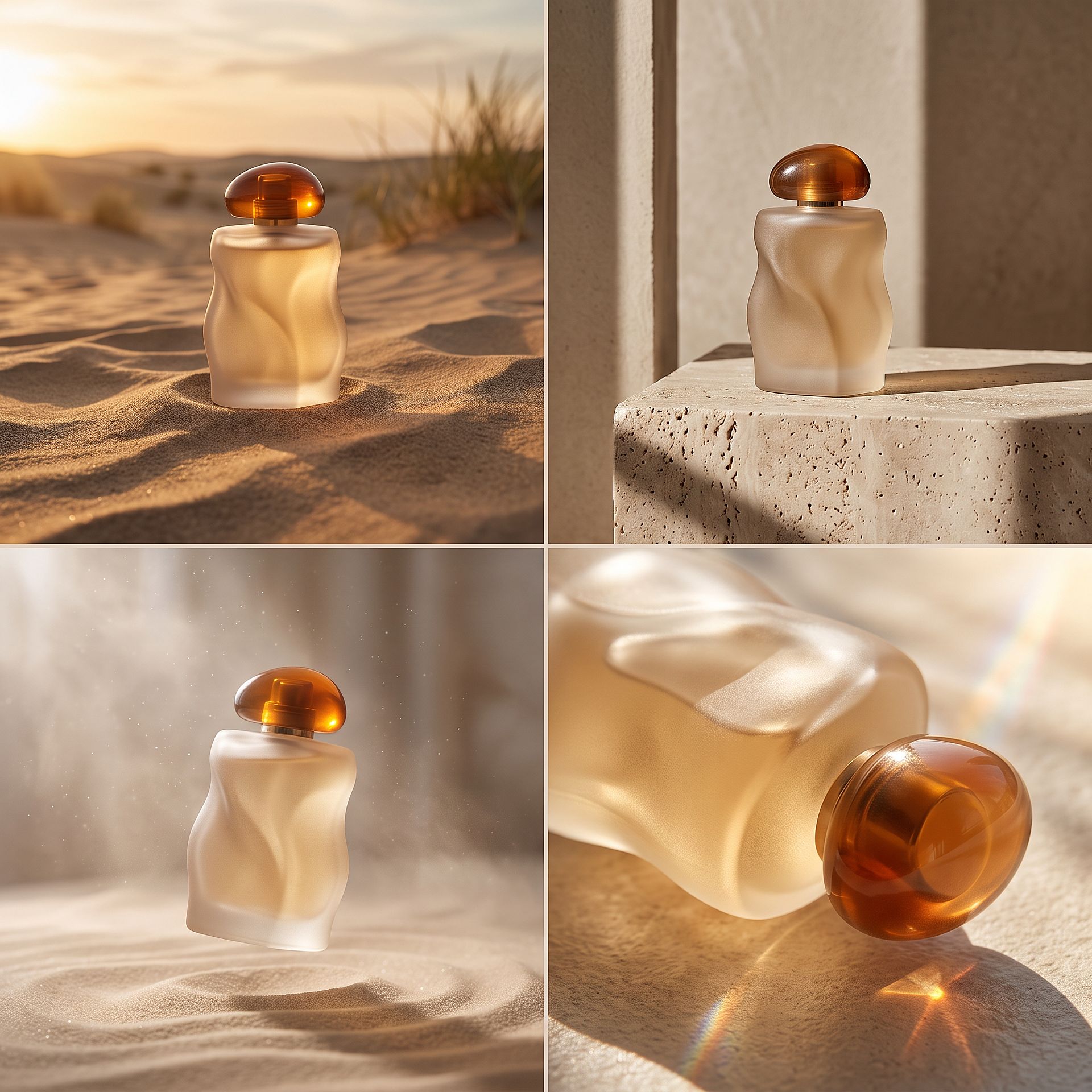
A four-image moodboard generated with Nano Banana 2.1 through OpenArt MCP.
Can Claude Opus 5.5 Generate Images and Videos?
Not by itself. Claude's Help Center states that Claude doesn't generate photos or illustrations the way image generation tools do. Opus 5.5 can read images, draw simple graphics with code (SVG, HTML) and write very good prompts, but a realistic product photo or a cinematic clip needs a real image or video model.
That's what MCP (Model Context Protocol) solves. It lets Claude call outside tools, so Opus 5.5 can write the prompt and send it to an image or video model in the same conversation. For more background, see Why Can't Claude Generate Images?
How to Set Up Claude Opus 5.5 for Image and Video Generation
OpenArt's MCP Connector gives Claude access to OpenArt's image and video models. Setup takes about two minutes.
- Add the connector. In Claude, go to Customize, then Connectors. Click "+ Add", choose "Add custom connector", name it OpenArt and paste this server URL:
https://mcp.openart.ai/mcp - Sign in. Click Continue, then sign in with your OpenArt account. You don't need an API key.
- Turn it on in a chat. Start a new chat, select Opus 5.5, click "+" in the message box, open Connectors and switch OpenArt on.
- Ask for what you want. Describe the image or video. Claude picks a suitable model, or uses the one you name.
A few tips:
- Use the server URL above rather than "OpenArt Lite" from Claude's connector directory. The full connector includes the in-chat upload widget for reference images.
- On Team and Enterprise plans, an admin adds the connector first. After that, each member clicks Connect.
- If Claude asks for permission every time it calls OpenArt, you can set the tools to "Always allow" in the connector settings.
How to Generate Images With Claude Opus 5.5
Once the connector is on, Claude works as a full Claude AI Image Generator. You can paste these prompts as written. Opus 5.5 expands each one into a detailed prompt before it calls the model. Everything you make is also saved to your OpenArt library, so you can keep editing in the AI Image Generator later.
Product shots for your store or ads
Make a hero image of a matte black ceramic coffee mug on a walnut table, soft morning window light, shallow depth of field, 4:5. Use Nano Banana 2.1.

Nano Banana 2.1, 4:5.
Tip: upload a photo of your real product as a reference so the shape and label stay accurate. For more product workflows, try the AI Product Image Generator.
Moodboards and concept variations
Generate a moodboard for a desert-glass perfume bottle. Four variations, studio light, 1:1. Keep the bottle shape the same in all four.
This prompt produced the moodboard at the top of this guide. Asking Claude to "keep the shape the same" is what holds the product steady across all four panels.
Posters and graphics with readable text
Design a poster for a jazz night called "Blue Hour Sessions", Friday Nov 14, 8 PM. Art deco style, navy and gold. Use Ideogram 4.5 so the lettering stays sharp.
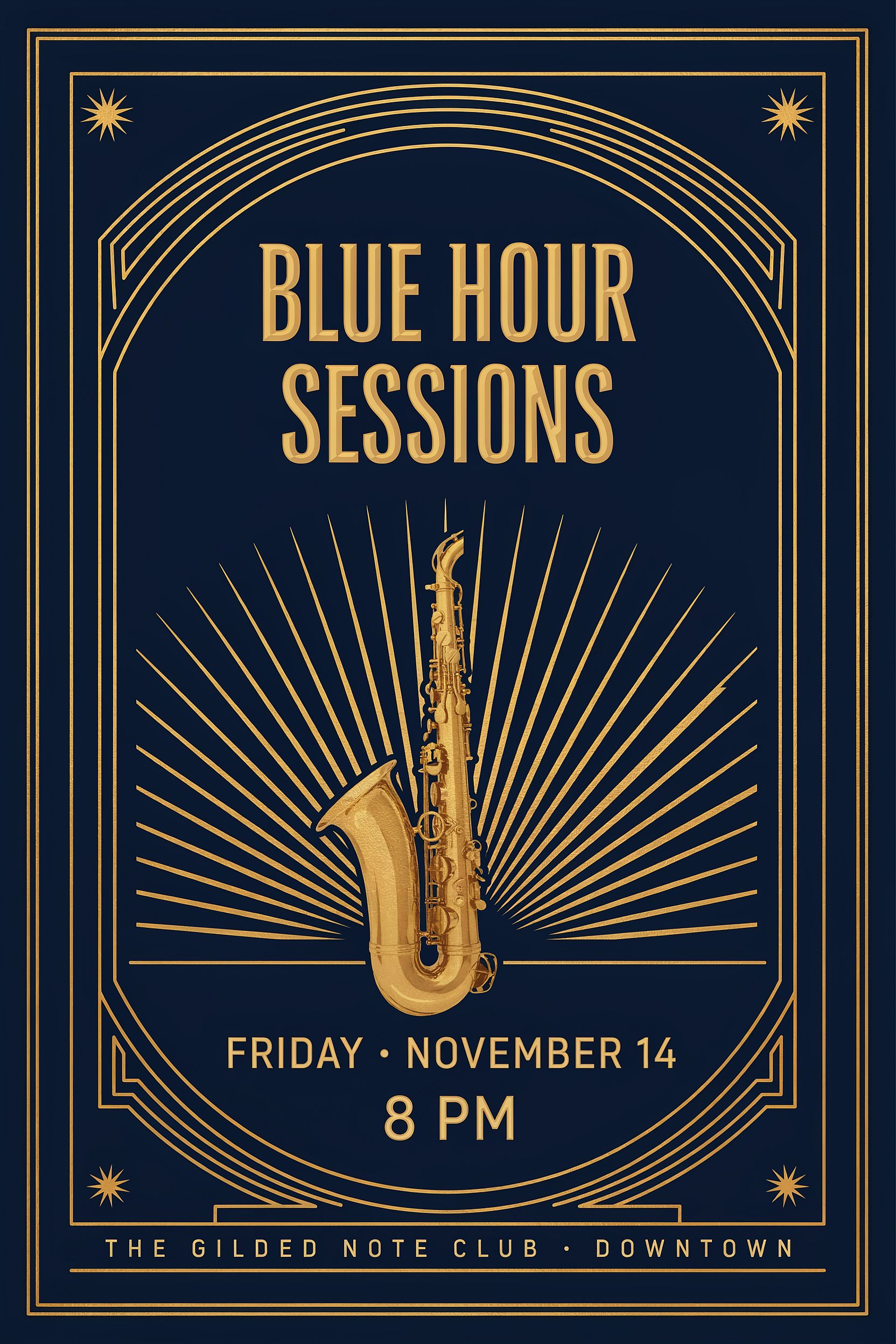
Ideogram 4.5, 2:3.
Tip: name a text-focused model when the words matter. Ideogram 4.5 and Nano Banana 2.1 both handle in-image text well.
Batches of ad creatives
Write 5 headline options for a skincare serum launch, then make one 1:1 ad image per headline. Put them all in my "Q4 launch" project.
This is where Opus 5.5 helps most. It writes the copy and the prompts together, and the files land in one OpenArt project for review.
How to Generate Videos With Claude Opus 5.5
Video works the same way, so the same connection also turns Claude into a Claude AI Video Generator. You can start from text or animate an image you already made.
Animate a still image
Take the mug image from earlier and animate it: steam rising, the camera slowly pushes in, 5 seconds.
Seedance 2.5 Draft, 480p, 5 seconds, animated from the mug image above.
Turn a script into shots
Plan a 15-second TikTok ad for a reusable water bottle in 3 shots. Show me the shot list first, then generate shot 1 with Seedance 2.5 Draft.
Asking for the shot list first lets you fix the plan before you spend credits on video.
Preview ideas cheaply with Seedance 2.5 Draft
Video uses the most credits, so it helps to check an idea before paying for the final version. Seedance 2.5 Draft gives you a 480p preview for the price of a 480p Seedance 2.5 video. When you like a draft, you can generate it in native 1080p within 7 days.
The 1080p version is a new generation based on your draft. It keeps the overall composition and movement, but it won't be identical frame for frame. Drafts support the same 30-second clips and references as Seedance 2.5.
- Filmmakers and short drama creators can preview how a scene plays before spending on final renders.
- Marketing teams can try several openings or product reveals and finish only the strongest ones.
Which Models Should Claude Use?
The model list updates automatically as OpenArt adds new models. Here are good starting points:
| What you're making | Model | Why |
| Ads, posters, multi-product scenes | Nano Banana 2.1 | Fast, with sharp in-image text |
| Premium product and fashion shots | GPT Image 2.5 | Strong aesthetics and precise text control |
| Logos, signage, packaging | Ideogram 4.5 | Built for clean lettering and layout |
| Anime and illustration | Seedream 5 Pro | Distinctive 2D and stylized looks |
| Multi-shot stories and short dramas | Seedance 2.5 | Clips up to 30 seconds with synced audio |
| Low-cost video previews | Seedance 2.5 Draft | 480p first, 1080p when you're ready |
| Cinematic clips with sound | Gemini Omni 1.1 Flash or Veo 3.1 | Native audio, up to 4K |
Why Use Opus 5.5 for Creative Work?
Image models are good at rendering, but they don't decide what to render. Opus 5.5 handles that part: the brief, the shot list, the copy and the prompt. Anthropic released it on September 22, 2026 as its most capable Claude model, with a 1M-token context window, so it can keep a full brand guide and a long content plan in one conversation.
Social media creators can go from one idea to a week of posts in a single chat, with hooks, captions and matching visuals that stay consistent from the first post to the last.
Small business owners don't need to learn prompt writing. Describe the product and the customer in plain English, and Claude writes prompts that work for text to image models.
Marketing agencies can keep a client's brand brief in the conversation and apply it to every generation. Files are saved to OpenArt projects, so the team can pick them up for final edits.
How Much Does It Cost?
- Claude: Opus 5.5 is available on paid Claude plans within usage limits. On the API, it costs $4 per million input tokens and $20 per million output tokens.
- OpenArt: generations through MCP use the same credits as on openart.ai, based on the model and resolution. You can ask Claude what a generation will cost before it runs. MCP access is included on every plan, starting with Starter at $14 per month, and commercial use starts on Plus at $34 per month.
Plus members and above also get 10% off every MCP generation for 7 days after they first connect. New accounts get 40 free credits to try it out, no credit card required. See the Pricing page for current plans.
Frequently Asked Questions
Can Claude make videos?
Yes, through MCP (Model Context Protocol). With OpenArt connected, Claude can use video models such as Seedance 2.5, Kling 3.0 and Veo 3.1 and show the clip in the conversation.
Do I need Claude Opus 5.5 to generate images in Claude?
No. The connector works with whichever Claude model you select. Claude Opus 5.5 is most useful when the job needs planning, like a shot list, a campaign or a batch of variations.
Do I need an API key to connect OpenArt to Claude?
No. You paste the server URL into Claude's connector settings and sign in with your OpenArt account.
Can I use my own photos as reference images in Claude?
Yes. In Claude, the OpenArt connector includes an upload widget for reference images. You can also paste an image URL into your message.
What is the difference between using OpenArt on the website and through Claude?
The models and credits are the same. In Claude, you describe what you want and Claude handles the prompts and model choice. On openart.ai, you get the full editing canvas. A common setup is to plan in Claude and finish edits on the website.
Does the OpenArt connector work with other AI apps?
Yes. The same connector works in ChatGPT, Cursor and other MCP-compatible apps. The ChatGPT Setup Guide walks through those steps.
Can I use OpenArt in ChatGPT and Cursor as well as Claude?
Yes. OpenArt works in other MCP-compatible apps, so you can keep the same models, credits and library wherever you work. In ChatGPT, install the OpenArt plugin and sign in to turn ChatGPT into a ChatGPT AI Video Generator for clips made with models like Seedance 2.5 and Kling 3.0. In Cursor, add https://mcp.openart.ai/mcp as a new MCP server and sign in, and OpenArt's tools appear in Agent chats. The Cursor MCP guide walks through each step.