

Ideogram 4.5 — AI Image Model
Change one part of a picture while every other part stays exactly as it was, keep editing without the image losing original consistency, and make new images at 2K with Ideogram 4.5 on OpenArt.
Key Features of Ideogram 4.5
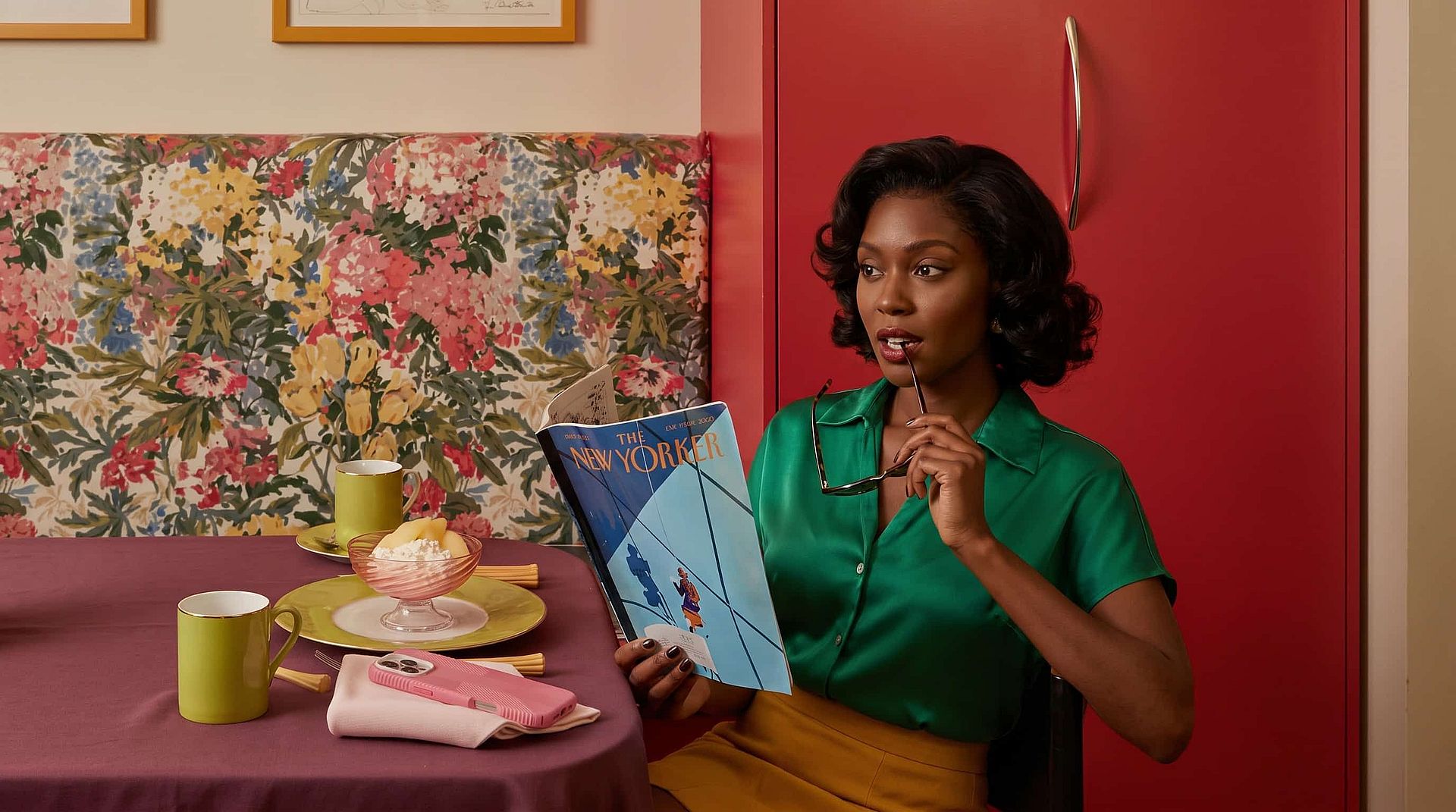
Make 2K images from a detailed prompt
Ideogram 4.5 also makes brand-new images from a text prompt at up to 2K. You can write a long, detailed prompt that names the subject, the setting, the lighting, and the words you want in the picture, and Ideogram 4.5 follows it. Upload up to four reference images and the result matches your product, your character, or your style.
Try it Now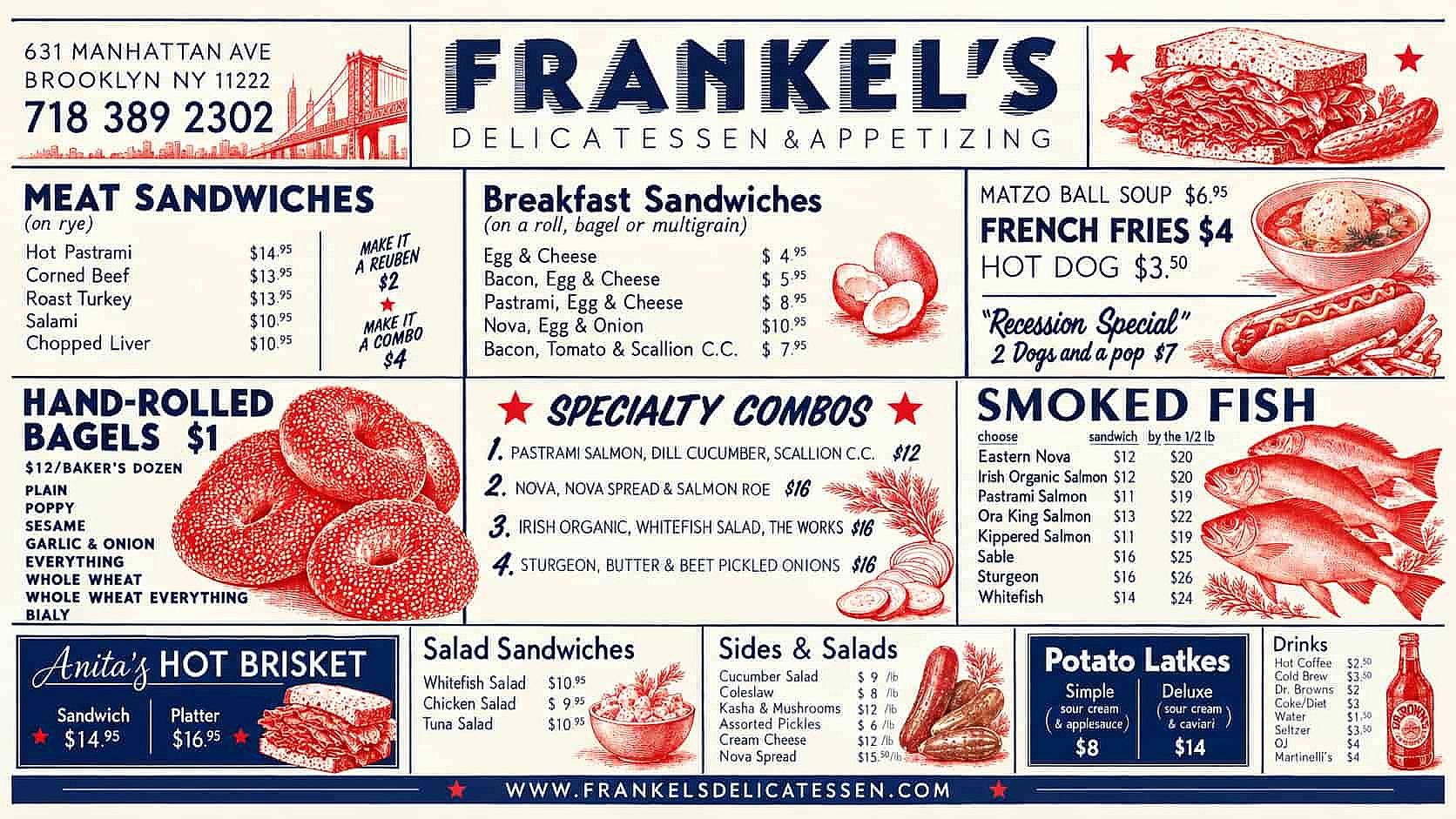
Get rich, readable text in your image
Ideogram 4.5 puts the words you type into the prompt as real text you can read, in the font style you describe. Write a headline, a price, and a date into your prompt and they land on the poster spelled right and sitting where you asked, with no text distortion. You can also change the words on a sign or a menu you already have, and the new lettering keeps the same font, size, and place as the old one. Works perfectly for posters, menus, packaging, and ads with copy on them.
Try it Now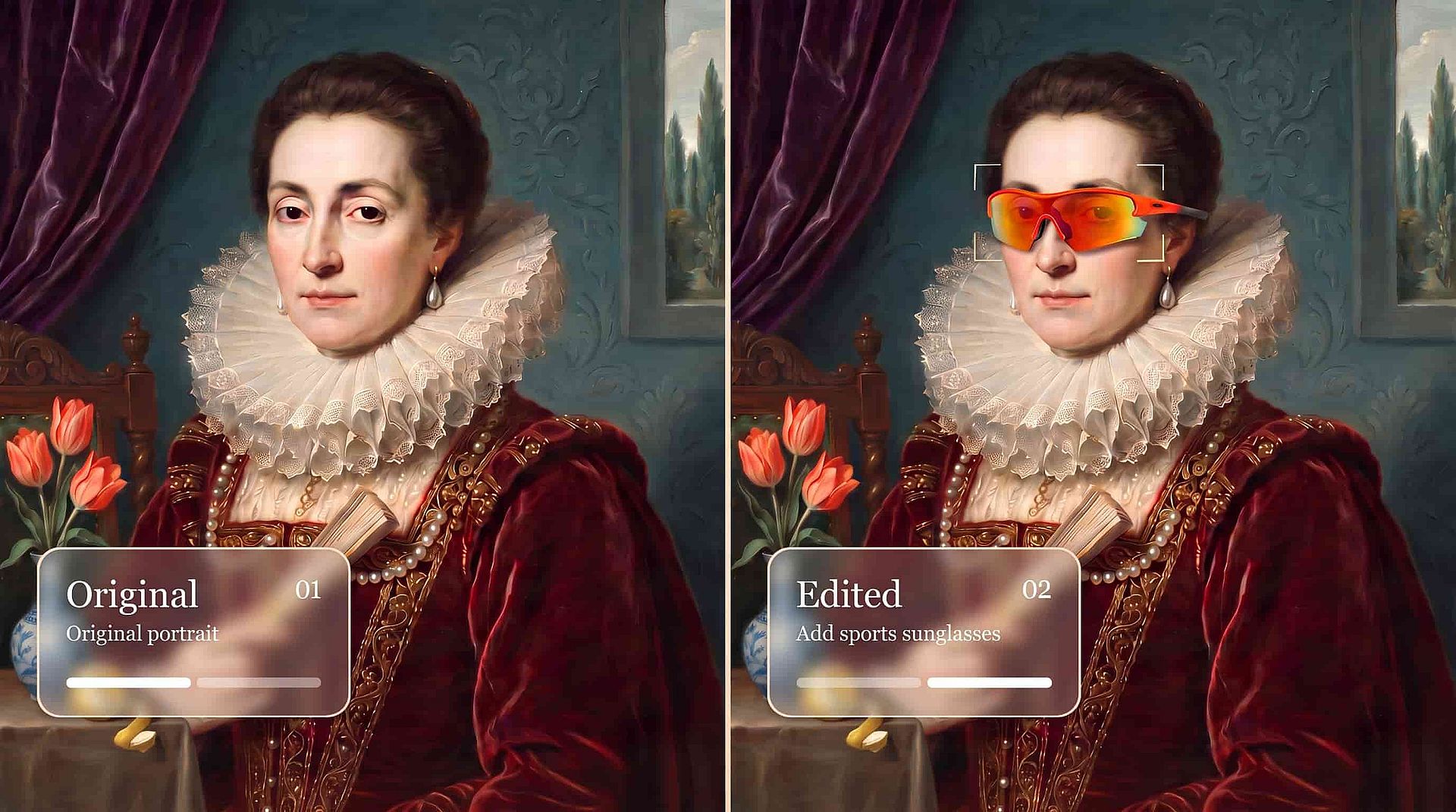
Edit only the precise part you ask for
Ideogram 4.5 changes the one thing you describe and leaves everything else exactly as it was. Ask for a blue shirt instead of a red one, and the face, the background, and the lighting stay the same down to the smallest detail. You can also mark the area you want changed, so the edit stays inside that spot. With Ideogram 4.5 you fix the one thing you wanted fixed and keep the rest of the shot you already liked.
Try it Now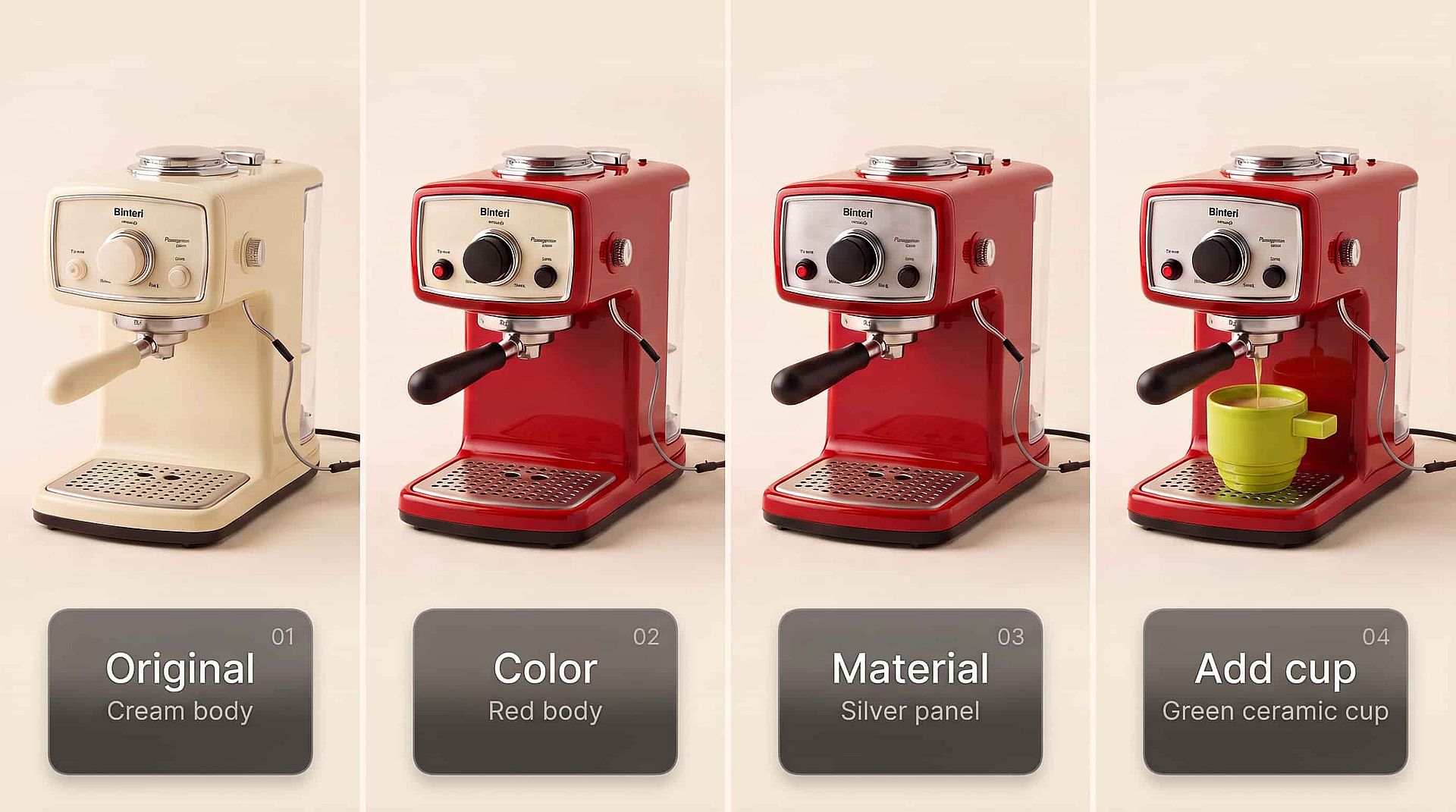
Longer edits retain original image consistency
Ideogram 4.5 holds up across a long chain of edits. Change the wall color, then the lighting, then the text on the poster, and the tenth version looks as clean as the first. Older AI image models add small flaws, shifted details, and color changes with each edit, so a picture becomes unusable after a few rounds. Ideogram 4.5 keeps the shape, the texture, and the colors steady from one edit to the next.
Try it Now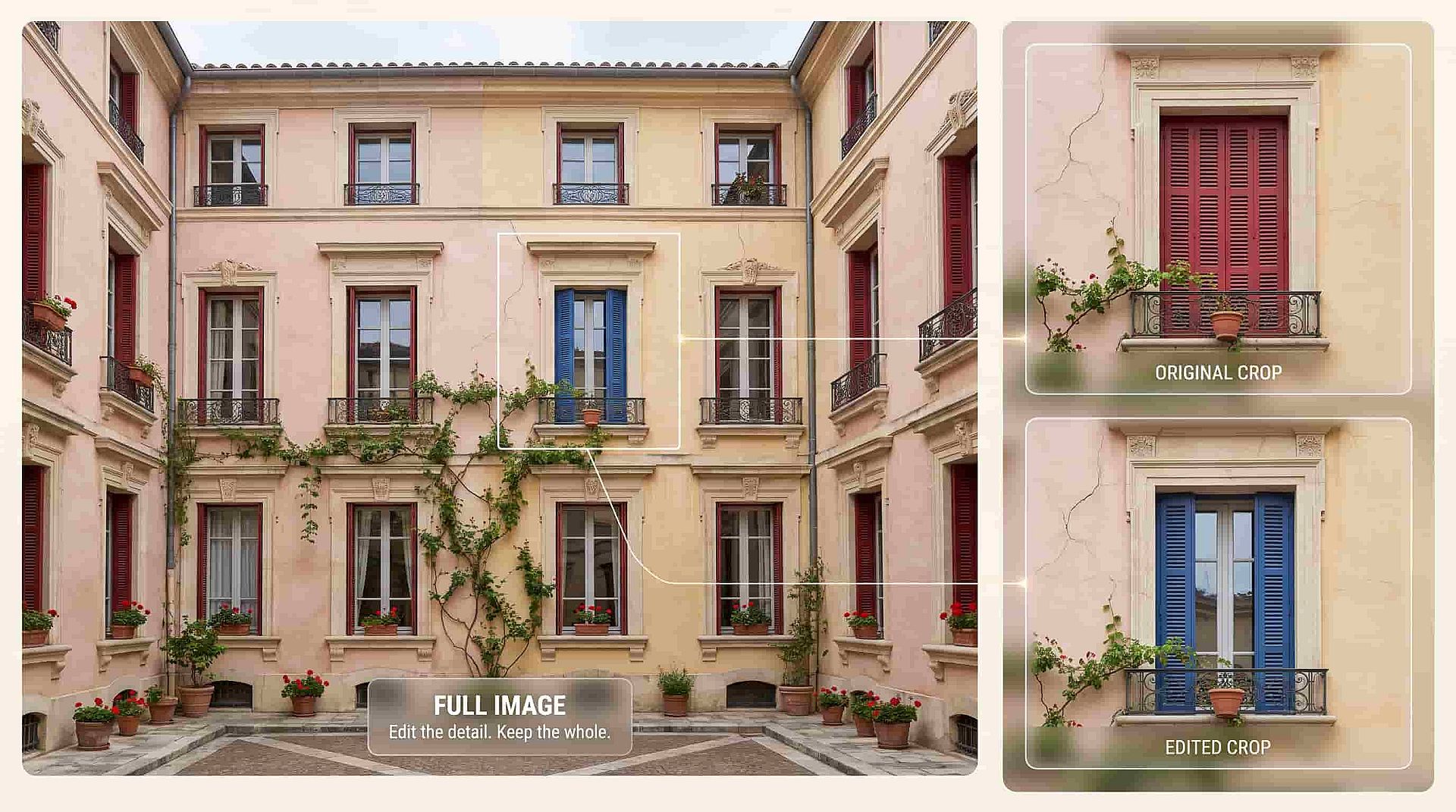
Edit large photos at their full size
Ideogram 4.5 edits big, high-resolution photos without shrinking them first. Ideogram shows it working on a 24 megapixel photo, and the edited picture comes back at the same size you uploaded. You can also zoom into one part of a large image, edit just that crop, and the edges line up so the piece fits back into the original with no visible seam.
Try it NowHow to Use Ideogram 4.5
Three steps take you from a prompt or a photo to a finished image.
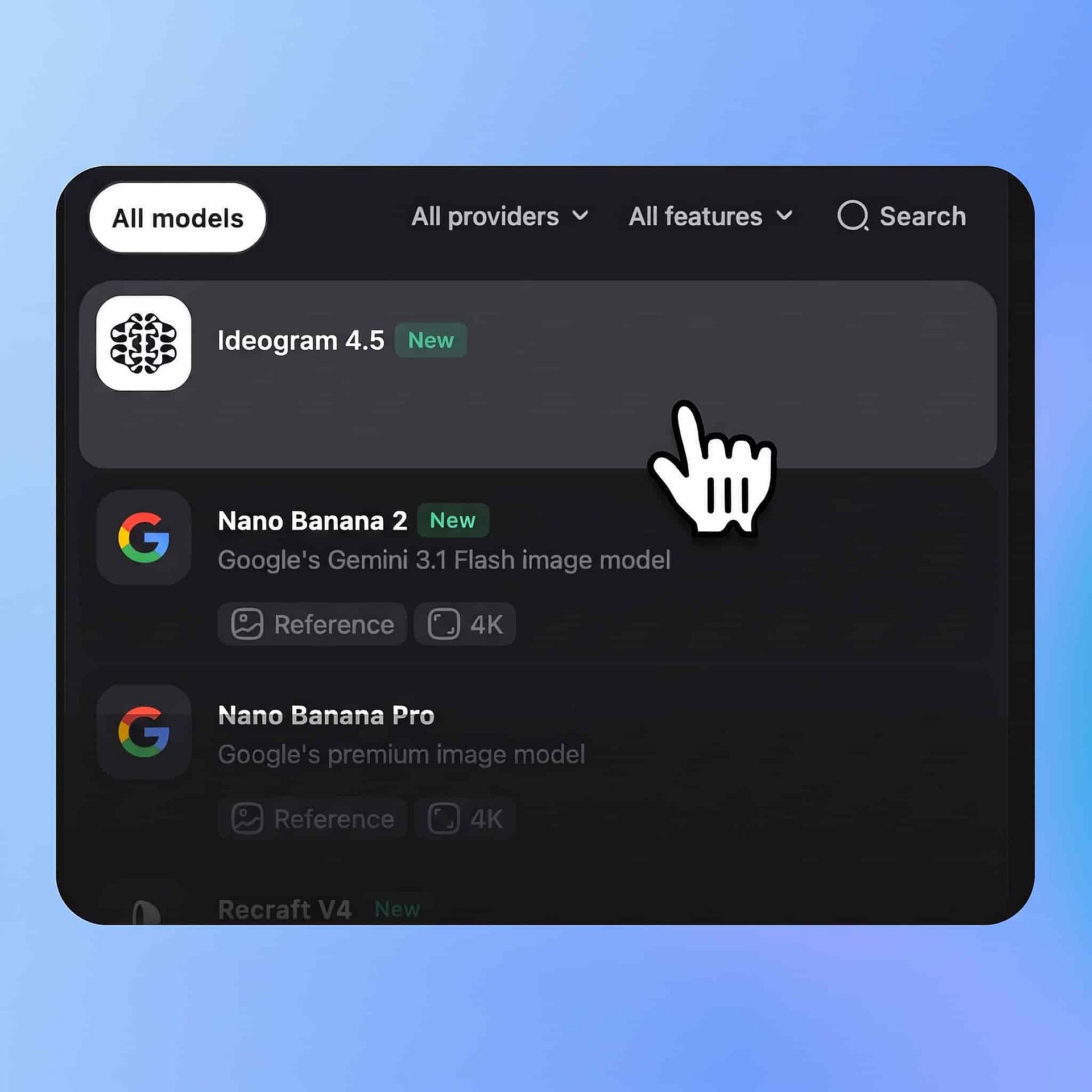
Choose the model
Open OpenArt's AI image generator to make a new image. Pick Ideogram 4.5 from the model menu.
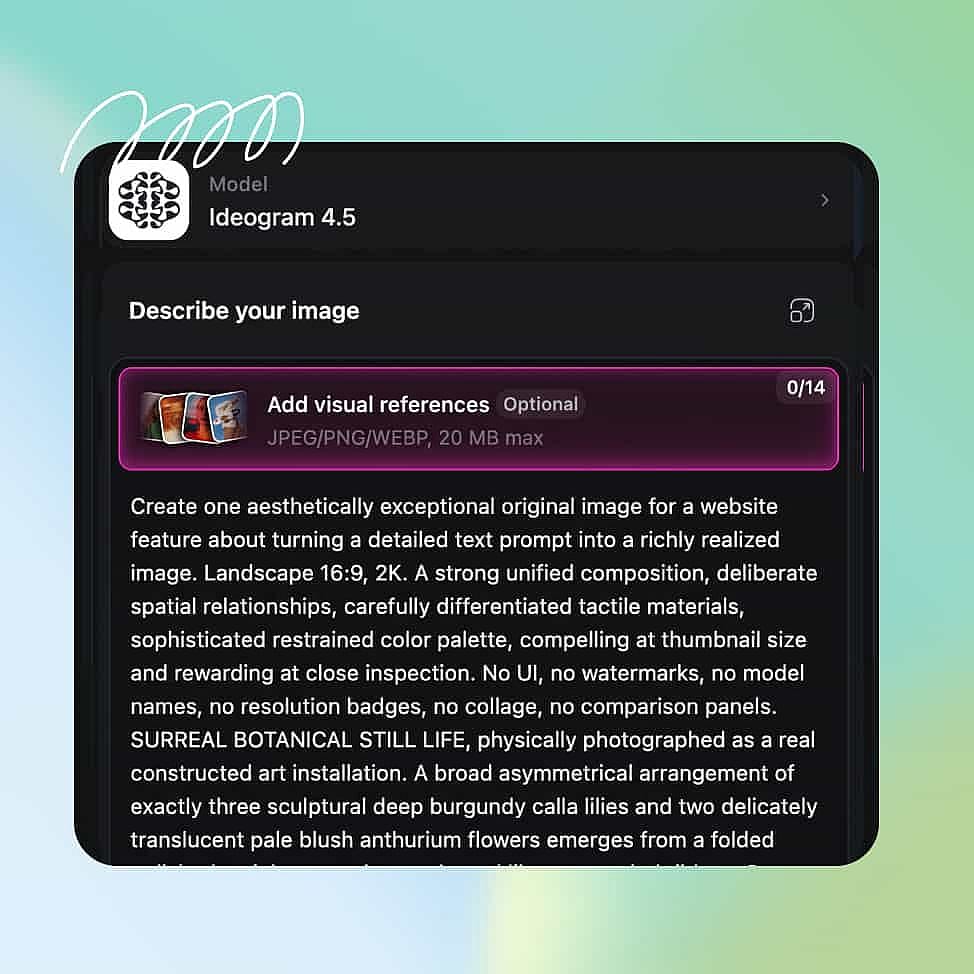
Write your prompt
Describe the image you want, or your edits. Upload reference images when you want the result to match a product, a person, or a style.
Generate and download
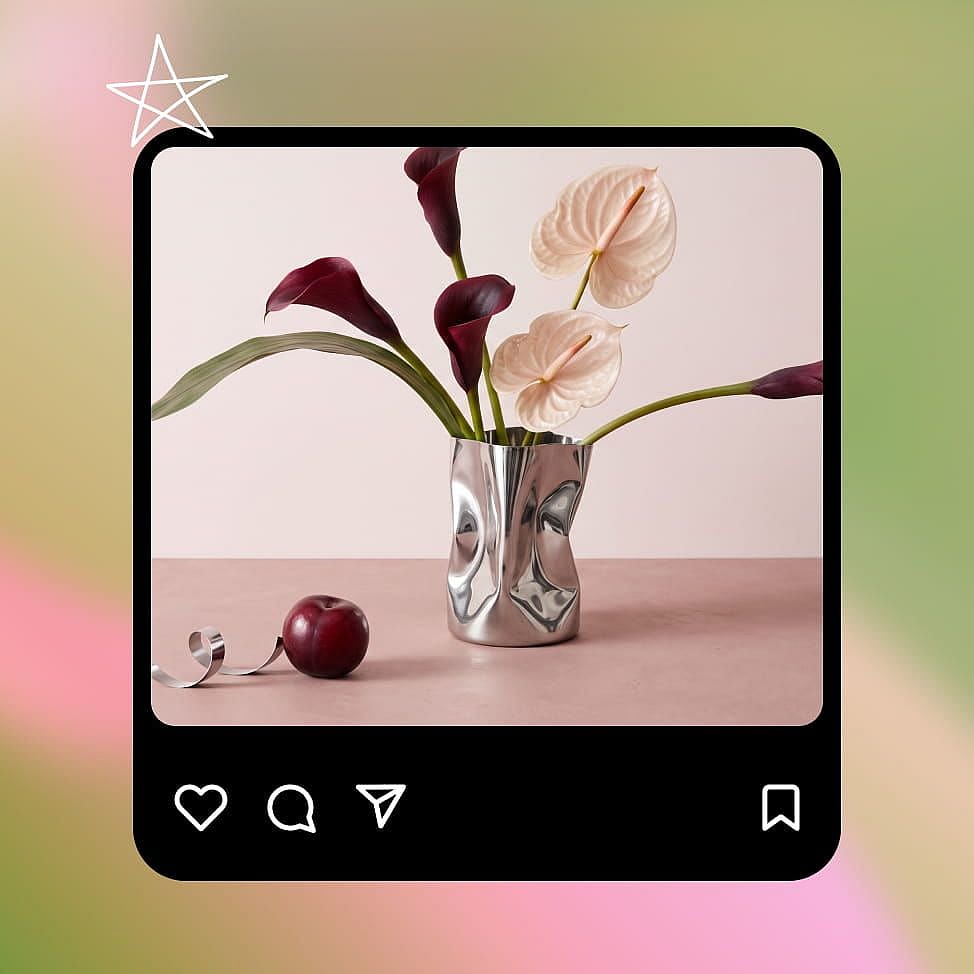
Set your aspect ratio, resolution, and number of outputs, then generate. Pick the strongest result and download your image.
Best Use Cases for Ideogram 4.5
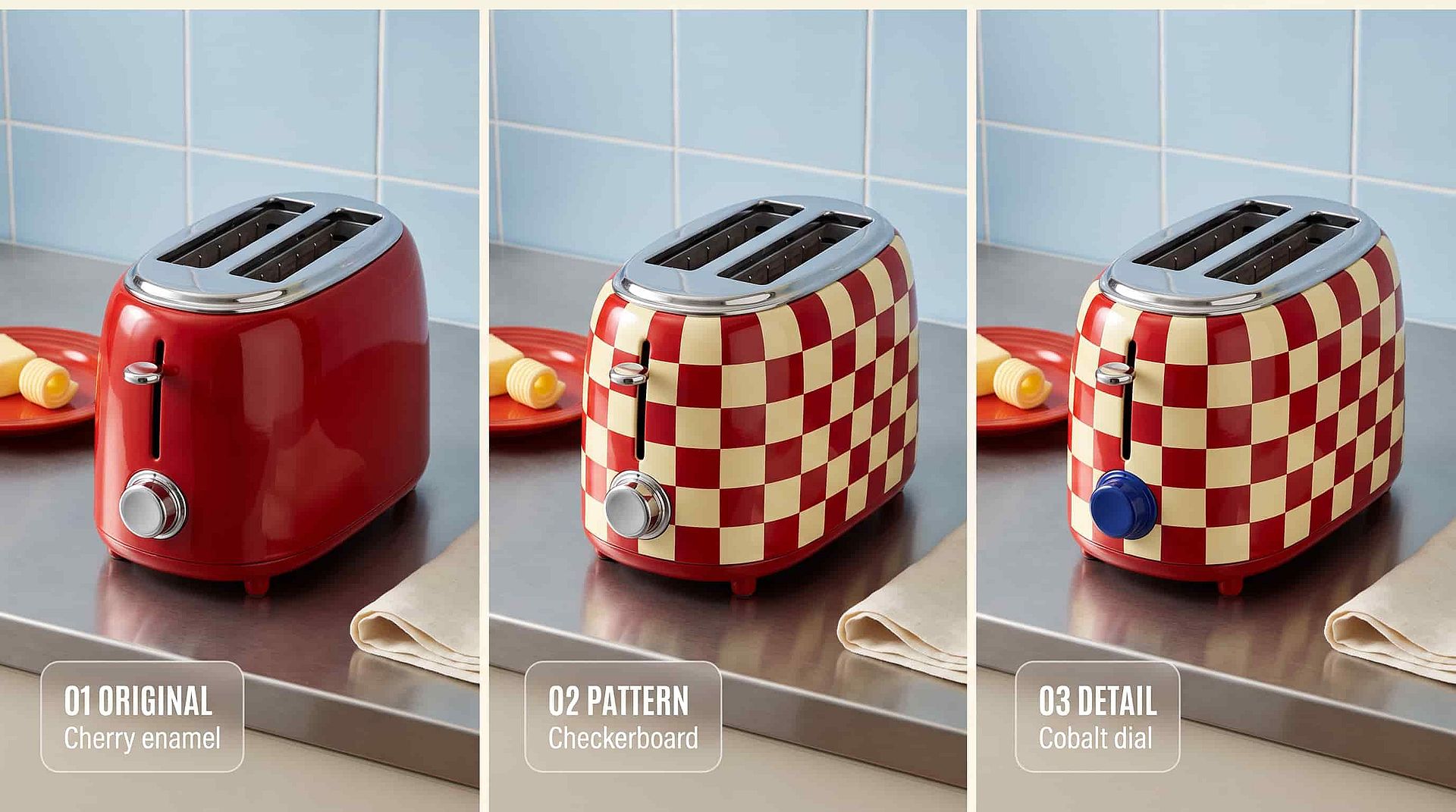
Fix product photos one change at a time
Ideogram 4.5 lets you take one good product photo and turn it into a full set. Start with your bottle on a white background, then ask for warmer lighting, then a new label color, then a wooden table under it. The bottle shape, the logo, and the reflections stay the same in every version, because Ideogram 4.5 only touches the part you named. You can zoom into the label, fix a single word, and drop the crop back into the full-size shot with no seam. A whole product page worth of pictures comes from one photo and a few short prompts. You skip the reshoot and the hours of manual retouching.
Try it Now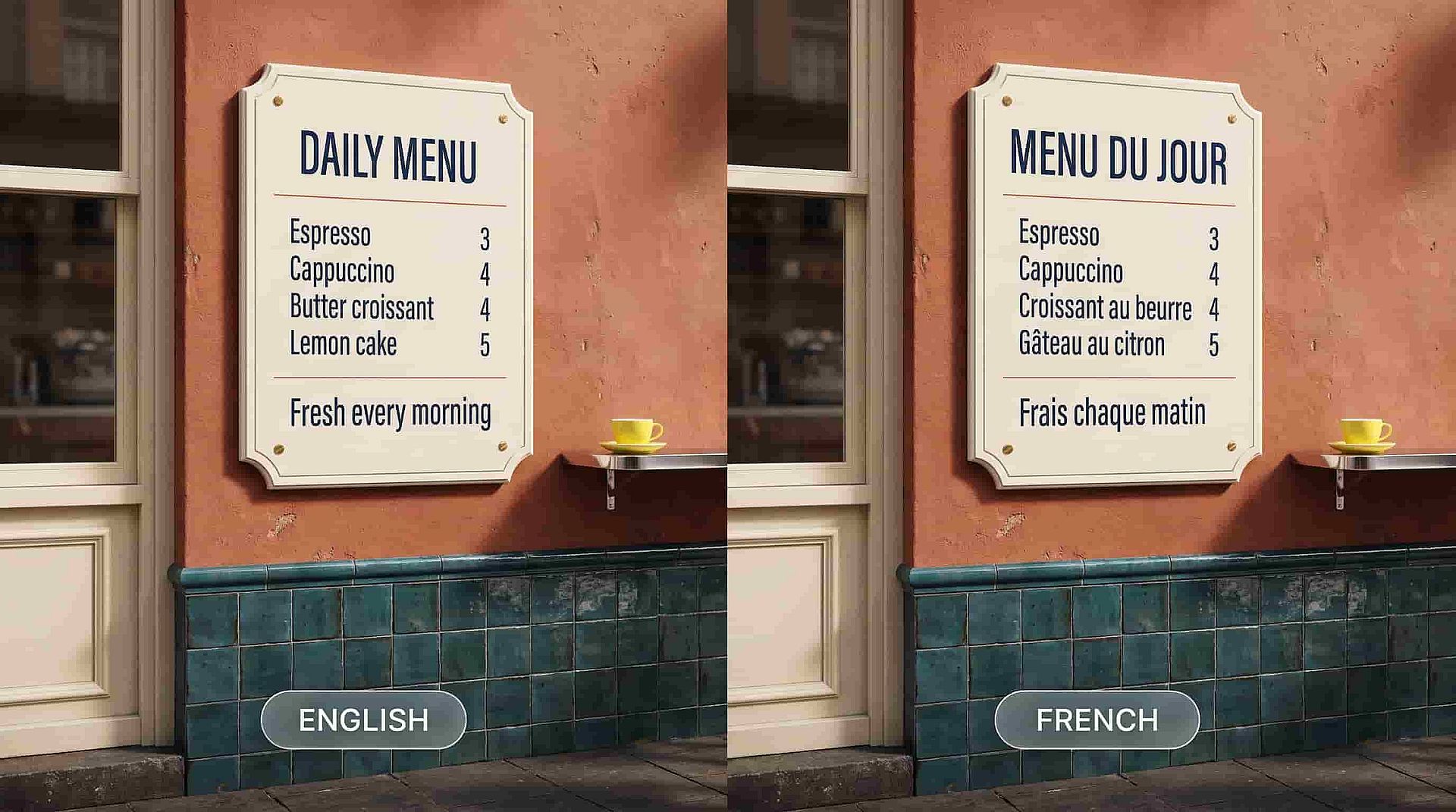
Translate signs, menus, and packaging for new markets
Ideogram 4.5 changes the words inside a picture while the lettering keeps its style, size, and place. Upload a storefront photo with an English sign and ask for the same sign in Japanese or French, and the new words sit in the same spot in the same font. A restaurant menu, a product box, or a poster can be made in several languages from one original. Older AI image models often misspelled words or redrew the whole sign in a different style. With Ideogram 4.5 you keep the design your team already approved and only swap the language. You launch in a new market without redoing the artwork.
Try it Now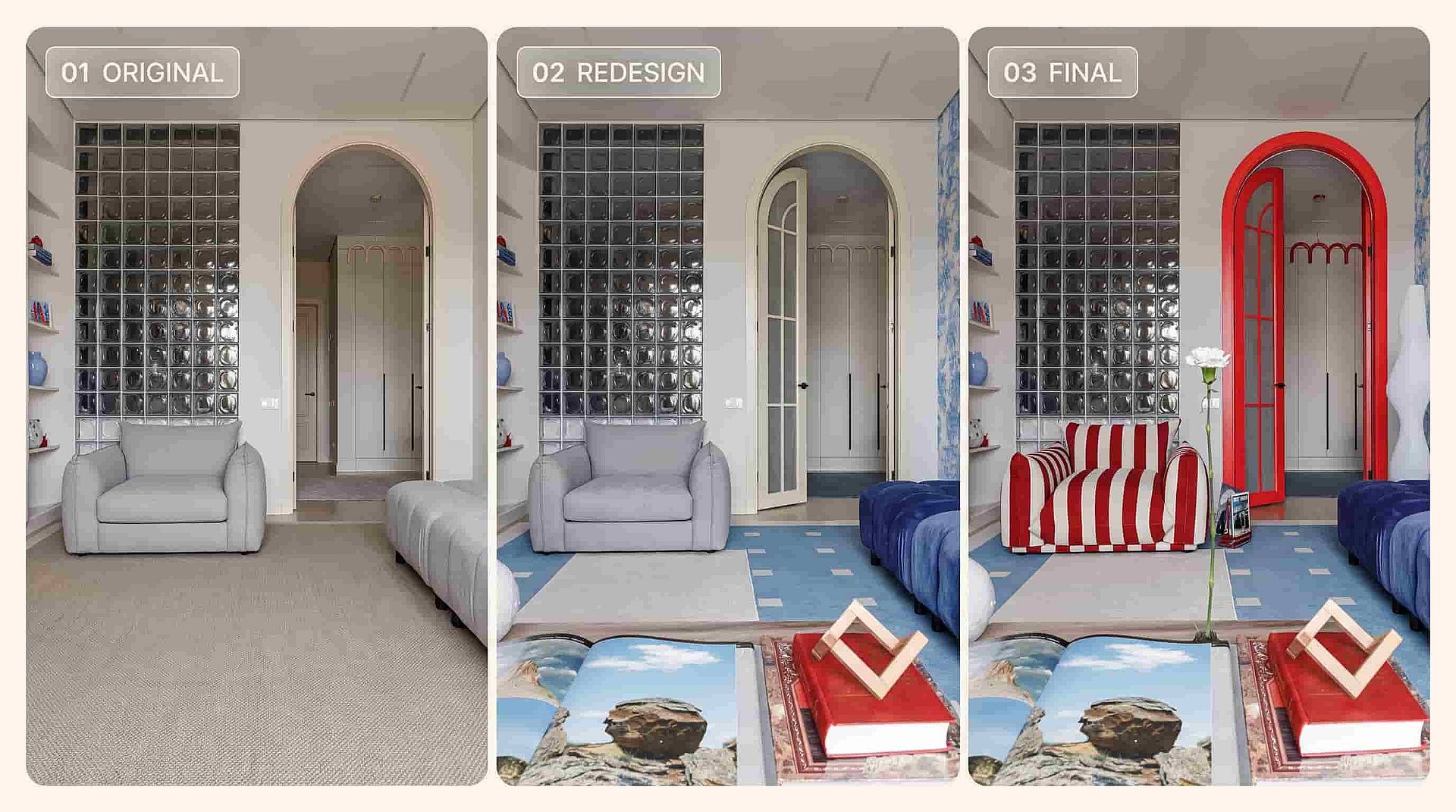
Try new looks for rooms and buildings
Ideogram 4.5 lets you redesign a space one decision at a time. Upload a photo of a living room, then ask for green walls, then a different sofa, then evening light through the window. Each change lands on its own and the rest of the room stays exactly as you photographed it. Architects and real estate teams can show a client five versions of the same building front, each with one material or color changed. Because Ideogram 4.5 keeps edits clean across many rounds, you can keep refining until the client says yes. One site photo replaces a day of mockups.
Try it NowLoved by Creators
I've tried many AI platforms... but OpenArt is still the best for character creation, image-to-video quality, and the variety of models available.
OpenArt offers an excellent array of AI tools... once you learn the features, the creative possibilities are amazing - and their support team is outstanding.
OpenArt is a very versatile AI platform with many image and video models, consistent character creation, and powerful editing tools.
Helpful AI tools all in one place - image and video generation, editing, and more... no need for multiple subscriptions.
Customer service is always quick and helpful... and the platform keeps getting better with new features and tools.
I've tried many AI platforms... but OpenArt is still the best for character creation, image-to-video quality, and the variety of models available.
OpenArt offers an excellent array of AI tools... once you learn the features, the creative possibilities are amazing - and their support team is outstanding.
OpenArt is a very versatile AI platform with many image and video models, consistent character creation, and powerful editing tools.
Helpful AI tools all in one place - image and video generation, editing, and more... no need for multiple subscriptions.
Customer service is always quick and helpful... and the platform keeps getting better with new features and tools.
I've tried many AI platforms... but OpenArt is still the best for character creation, image-to-video quality, and the variety of models available.
OpenArt offers an excellent array of AI tools... once you learn the features, the creative possibilities are amazing - and their support team is outstanding.
OpenArt is a very versatile AI platform with many image and video models, consistent character creation, and powerful editing tools.
Helpful AI tools all in one place - image and video generation, editing, and more... no need for multiple subscriptions.
Customer service is always quick and helpful... and the platform keeps getting better with new features and tools.
With so many AI platforms out there, OpenArt stood out as a stellar choice - I'd recommend it to any creator.
This platform includes everything you need for AI content creation - images, video, characters, audio, and multiple AI models in one place.
OpenArt is pushing the boundaries of AI video creation... and it's clear the team is committed to improving the creator experience.
I made my first AI music video with OpenArt... and their support team was the best help I've ever experienced.
I'm very happy with the support - my issue was resolved quickly and the team made the process easy.
With so many AI platforms out there, OpenArt stood out as a stellar choice - I'd recommend it to any creator.
This platform includes everything you need for AI content creation - images, video, characters, audio, and multiple AI models in one place.
OpenArt is pushing the boundaries of AI video creation... and it's clear the team is committed to improving the creator experience.
I made my first AI music video with OpenArt... and their support team was the best help I've ever experienced.
I'm very happy with the support - my issue was resolved quickly and the team made the process easy.
With so many AI platforms out there, OpenArt stood out as a stellar choice - I'd recommend it to any creator.
This platform includes everything you need for AI content creation - images, video, characters, audio, and multiple AI models in one place.
OpenArt is pushing the boundaries of AI video creation... and it's clear the team is committed to improving the creator experience.
I made my first AI music video with OpenArt... and their support team was the best help I've ever experienced.
I'm very happy with the support - my issue was resolved quickly and the team made the process easy.
Frequently Asked Questions
Ideogram 4.5 is the latest image model from Ideogram, and you can use it in OpenArt's image tools. It makes new images from a prompt at up to 2K, and it edits pictures you already have by changing only the part you describe.
Yes, and this is the main reason to pick it. Ideogram 4.5 changes the one thing you asked for and copies every other part of the picture straight from your original, so faces, labels, and textures stay as they were. You can also mark the exact area you want changed.
Ideogram 4.5 makes new images at 1K or 2K. For edits, it works on large photos at their full size and returns the result at the same width and height you uploaded, with Ideogram showing it on a 24 megapixel photo.
Ideogram 4.5 adds precise editing, so you can change one part of a picture and keep the rest the same across many rounds of edits. Ideogram 4.0 is a text-to-image model known for readable text and layout control. Pick Ideogram 4.5 when you have a picture you want to change, and when you want new images and edits from the same model.
Yes. Upload your photo in OpenArt's Edit Image tool, pick Ideogram 4.5, and type the change you want. The edited picture comes back at the same size as the photo you uploaded.
Yes. Ideogram 4.5 is built for long chains of edits, so the tenth change looks as clean as the first. Many AI image models add small flaws with each edit until the picture stops being usable, and Ideogram 4.5 avoids that buildup.
Yes. Ideogram 4.5 can replace the words on a sign, a menu, or a package while the lettering keeps its style, size, and position. That makes it a quick way to translate a design into another language without rebuilding it.
Paid OpenArt plans start at $14 a month billed monthly, and annual billing brings that down. Check OpenArt's pricing page for the plan that covers commercial use, and make sure you hold the rights to any photo, logo, or person you upload.