

 ChatGPT
 Perplexity
 Claude
 Gemini
Claude marketing skills let you save a whole ad workflow once and run it on every new campaign brief. We built one called brief-to-ads and gave it a brief for a tennis racket brand. It came back with 3 static ads, a 10-second Reels video and a logo, and it stopped for approval before each spend.
This guide shows how to build the same skill with OpenArt MCP, step by step. You get the full skill template to copy, the brief we used, and what happened in our test, including where it needed a human.
| The skill does this | You approve this |
|---|---|
| Checks the brief and asks for anything missing | The plan and its total cost |
| Writes a prompt for every ad and picks the model | The first test ad, before the rest are made |
| Makes the images and videos with OpenArt MCP | Any change to the plan, like a longer video |
| Names the files and reports what doesn't match the brief | Which ads go live |
Key takeaways
- A Claude skill is a saved set of instructions that Claude loads when your request matches it, so the same ad process runs the same way every time.
- Our brief-to-ads skill turned one campaign brief into 3 static ads and a Reels video with OpenArt MCP, and it waited for approval at each step.
- The skill refused to write ad claims it couldn't verify, and it checked the product image before agreeing to a feature line.
- OpenArt MCP makes the images and videos, and Claude added the video's text overlays itself with no extra OpenArt credits.
- OpenArt accepted a product photo straight from a store's web link as the reference for an ad. Note that, you either own or have the usage rights for the product photos or the web reference link.
What Is a Claude Skill?
A Claude skill is a folder of instructions and files that Claude loads when your request matches it. Each one has a SKILL.md file at its core.
The top of SKILL.md holds a name and a short description in its frontmatter. Claude reads only that description until a task fits, then it loads the full instructions and any files in the folder.
That makes Claude skills a good home for work you repeat, like turning a brief into ads. You write the process once, and Claude follows it on every new brief.
Claude agent skills also follow an open standard. ChatGPT Skills use the same format, but we’ve only run the agent skill on Claude, so test it on ChatGPT first.
Claude Skill vs Prompt vs MCP
People often mix these three up. Here is how they split the work when you build your ad skills.
| What it is | Use it for | |
|---|---|---|
| Prompt | Instructions you type into one chat | A one-off task |
| Skill | A saved folder of instructions and files that Claude loads when needed | A process you run again and again |
| MCP | A connection that gives Claude tools from another app | Actions inside that app, like generating an image |
Agent skills work best paired with an MCP. The skill holds your process and brand rules, and OpenArt MCP does the image and video generation for your marketing campaigns and ads.
Where Claude Marketing Skills Work
Skills work in the Claude apps on the Free, Pro, Max, Team and Enterprise plans. Code execution must be turned on, since skills run in Claude's code environment.
Claude marketing skills also work in Claude Cowork, where we ran our test. On Team and Enterprise plans, an Owner controls skills in Organization settings, so ask your admin if you can't find the option.
What Good Claude Marketing Skills for Ads Need
Strong Claude ad skills need five parts. Here’s each:
A Brief Check Before Any Work
The skill should read the brief first and list anything missing. Ours asks for the product, audience, at least one angle, a product image, placements and a credit limit.
If one is missing, Claude asks for it and waits. This keeps it from guessing your audience or wasting credits on generations that aren’t needed.
Brand Rules in Their Own File
Put colors, fonts, tone, logo and "never" rules in a brand.md file. Claude marketing skills read it for every ad, so the style stays the same across a campaign.
OpenArt MCP has no Brand Kit tool. The skill passes your logo and brand images as image references instead.
A Formats File With Safe Zones
A formats.md file lists each placement and its aspect ratio, like 4:5 for the Meta feed and 9:16 for Reels and Stories. It also sets the text safe zone, so headlines stay clear of app buttons and captions.
How Claude Marketing Skills Handle Cost and Approval
The skill should check the cost of every ad, add up the total and compare it with the defined credit limit. Then, it shows the plan and waits for your approval.
In our test, Claude generated one test ad before the rest. A bad prompt costs you one image instead of a whole set.
A Naming Rule and a Final Report
Ask for one file name pattern, like campaign_angle_placement. At the end, the skill lists every ad with its model, link, status, and anything that didn't match the brief.
How to Create a Claude Skill for Marketing, Step by Step
Here is how to create a skill that turns a brief into ads. You don't need to write any code to build Claude skills.
Step 1: Connect OpenArt MCP to Claude
In Claude, open Customize > Connectors and add a custom connector with this URL: https://mcp.openart.ai/mcp. Sign in to OpenArt when asked, and you're set with no API key.
This gives Claude the tools to make images in Claude and make videos in Claude. It can also check costs and read your OpenArt library.
Step 2: Write the SKILL.md File
Make a folder called brief-to-ads and add a file named SKILL.md. Copy the template below and change anything that doesn't fit your team.
The name must use lowercase letters and hyphens, with 64 characters at most, and it can't include the words "claude" or "anthropic". Keep the description to 200 characters or fewer, the limit for skills you upload in the Claude apps.
---
name: brief-to-ads
description: Turns a campaign brief into image and video ads with OpenArt MCP. Shows the plan and cost, then waits for approval. Use when the user shares a brief or asks for product ads.
---

# Brief to Ads

Turn one campaign brief into a set of ads made with OpenArt MCP. Always follow the steps in order. Never generate anything before the user approves the plan and the cost.

## Step 1: Check the brief

Read the brief. It needs all of these before you plan anything:

- Product or offer
- Audience
- At least one angle (the reason someone should care)
- A product image: an upload, an image URL, or an image in the user's OpenArt library
- Placements and the number of ads for each (see formats.md)
- A credit limit for the whole campaign

If anything is missing, list what is missing and ask for it. Do not guess and do not start planning.

## Step 2: Read the brand rules and formats

Read brand.md and formats.md in this skill folder. Follow brand.md for every ad. Use formats.md for sizes and text placement.

OpenArt MCP has no Brand Kit tool. Pass the logo and any brand images as image references when an ad needs them.

## Step 3: Plan the ads

Make a table with one row per ad:

| Ad ID | Placement | Aspect ratio | Static or video | Concept | On-screen text | Model |

- Use the product image as a reference in every ad so the product stays the same.
- For static ads with text in the image, pick an image model that is good at text. Check OpenArt's model list.
- For video ads, use Seedance 2.5 Draft at 480p unless the user asks for another model.
- Write the full prompt for each ad below the table.

## Step 4: Show the cost and wait

Check the cost of every ad with OpenArt, add up the total and compare it with the credit limit in the brief.

Show the plan table, the prompts and the total cost. If the total is over the limit, say so and suggest what to cut. Then stop and wait. Only continue when the user says the plan is approved.

## Step 5: Make one test ad first

Create an OpenArt project named "[Brand] - [Campaign]" and save every ad there.

Generate the first ad only. Show it and wait for approval or notes. Apply the notes to the remaining prompts before you continue.

## Step 6: Make the rest

Generate the remaining ads with the approved prompts. Name each ad "[campaign]_[angle]_[placement]" so files are easy to sort.

Video ads stay as 480p drafts. Offer to upgrade the approved videos to 1080p and show that cost first. Never upgrade without approval.

## Step 7: Report

End with a table of every ad: Ad ID, placement, model, link and status. List anything that did not match the brief.

## Rules

- Never generate, regenerate or upgrade without approval.
- Never go over the credit limit in the brief.
- Keep all text inside the safe zones in formats.md. Never put text on a face or on the product.
- OpenArt MCP makes images and videos. It does not edit them. For trims, captions or resizing a finished file, tell the user it needs a separate edit step.
The description at the top matters most in Claude marketing skills. Claude reads it to decide when to load the skill, so name the tasks that should trigger it.
Step 3: Add Your Brand Rules and Formats
Add brand.md and formats.md to the same folder. Fill in the brackets with your own brand details.
# Brand rules

Replace everything in brackets with your brand's details.

- **Brand name:** Courtline
- **What we sell:** [one line, e.g. premium tennis rackets for club players]
- **Colors:** white, deep green and gold
- **Fonts for on-image text:** clean, bold sans-serif in capital letters
- **Tone of voice:** confident, short lines, no exclamation marks
- **Logo:** [file name or "my Courtline logo in my OpenArt library"]. Add it as an image reference. Place it in a corner, small.
- **Photo style:** clean studio light, soft shadows, cream or sage backgrounds
- **Always:** show the product clearly and keep its colors exactly as they are
- **Never:** show competitor products, add fake reviews or prices, or put text on the product
# Ad formats

| Placement | Aspect ratio | Static | Video |
| --- | --- | --- | --- |
| Meta feed | 4:5 | Yes | Yes, 5 to 10 seconds |
| Meta and Instagram Stories and Reels | 9:16 | Yes | Yes, 5 to 10 seconds |
| Square feed | 1:1 | Yes | Optional |
| YouTube and landscape | 16:9 | Optional | Yes |

## Text placement

- Keep headlines short: 6 words or fewer.
- In 9:16 ads, keep text and faces away from the top and bottom edges, where app buttons and captions sit. On a 1080x1920 frame, keep them between y 240 and y 1680.
- Leave clear space for the headline when you write the prompt, for example "empty space at the top for ad copy".
Give the logo a real file name. In our test, the logo line was still a placeholder, so Claude offered to design one.
Step 4: Upload the Skill to Claude
Zip the brief-to-ads folder. In Claude, open Customize > Skills, click +, choose Create skill and then Upload a skill.
Pick the zip file, and the skill shows up in your list. Make sure it's turned on.
Step 5: Write a Brief and Run It
Write each campaign brief in a short file. Here is the one we used.
# Campaign brief: Courtline spring launch

- **Product or offer:** the Courtline racket, white with deep green and gold trim. Reference image: [upload, image URL or OpenArt library image]
- **Audience:** club tennis players, 25 to 45, who want a racket that looks as good as it plays
- **Angles:**
  1. Craft: made with care, built for the court
  2. Style: the racket people notice at the club
- **Placements:**
  - 3 static ads: one 4:5 Meta feed, one 9:16 Stories, one 1:1 square
  - 1 video ad: 9:16 Reels, 10 seconds
- **Headline ideas:** "Crafted for the court" and "Not your average racket" (or suggest better ones)
- **Credit limit:** [your limit] credits for the whole campaign
- **Call to action:** none on the image; we add it in Ads Manager
Then start a new chat, attach the brief and type: "Use the brief-to-ads skill on sample-brief.md." Claude checks the brief, asks for anything missing and shows the plan with its cost.
Example Run: One Brief, 3 Static Ads and 1 Video Ad
We ran it in Claude Cowork to see how Claude marketing skills hold up on a real brief. The Courtline brief had a defined credit limit. Here is what happened at each step.
The Brief Passed, So the Plan Came Next
Our brief had everything the skill asks for, so Claude went straight to drafting a plan.
| Ad | Placement | Concept | On-screen text | Model |
|---|---|---|---|---|
| S1 | Meta feed, 4:5 | Craft: studio hero shot with a soft gold rim light | CRAFTED FOR THE COURT | Nano Banana 2.1, 2K |
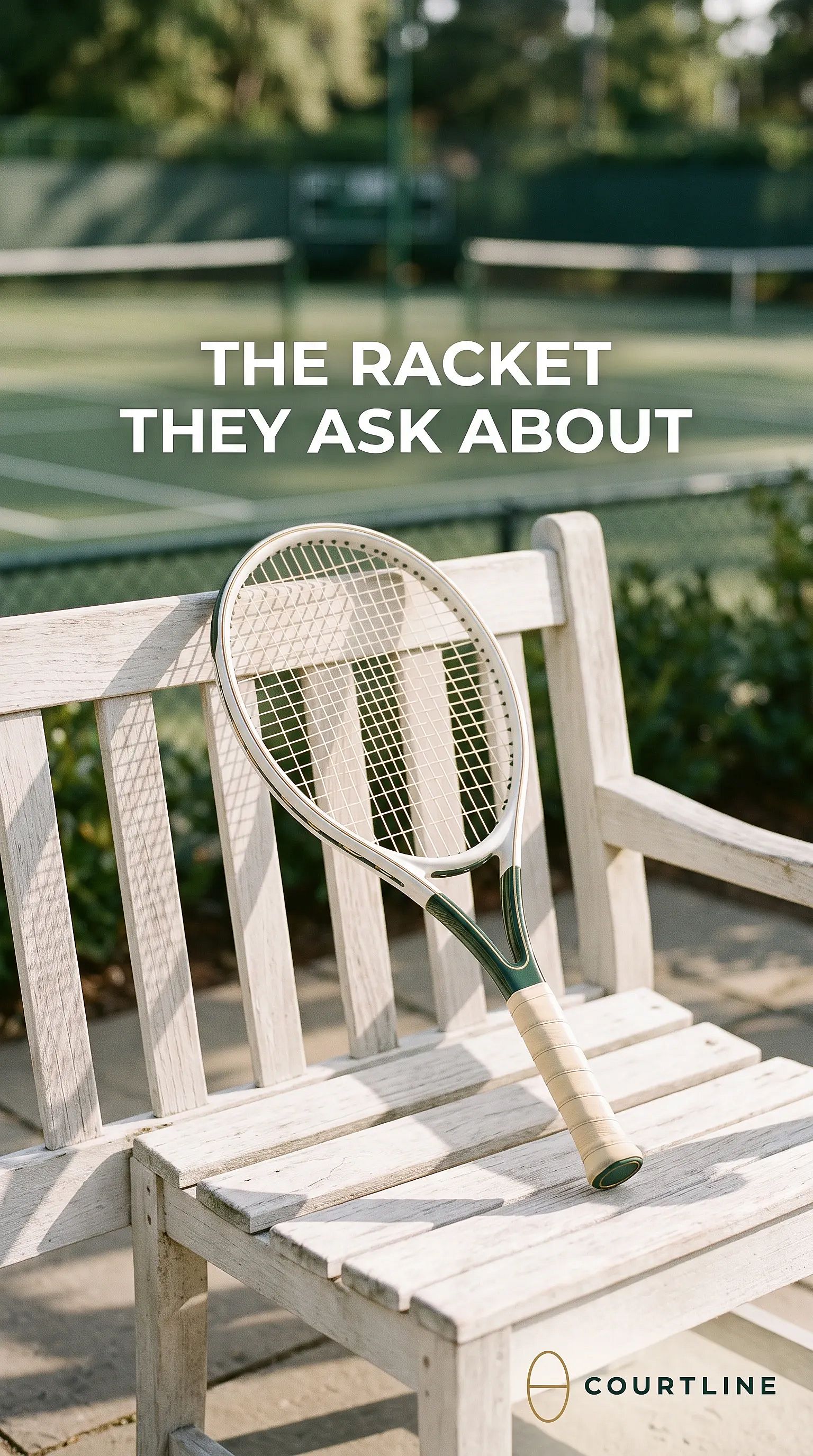
| S2 | Stories, 9:16 | Style: racket leaning on a clubhouse bench in morning light | THE RACKET THEY ASK ABOUT | Nano Banana 2.1, 2K |
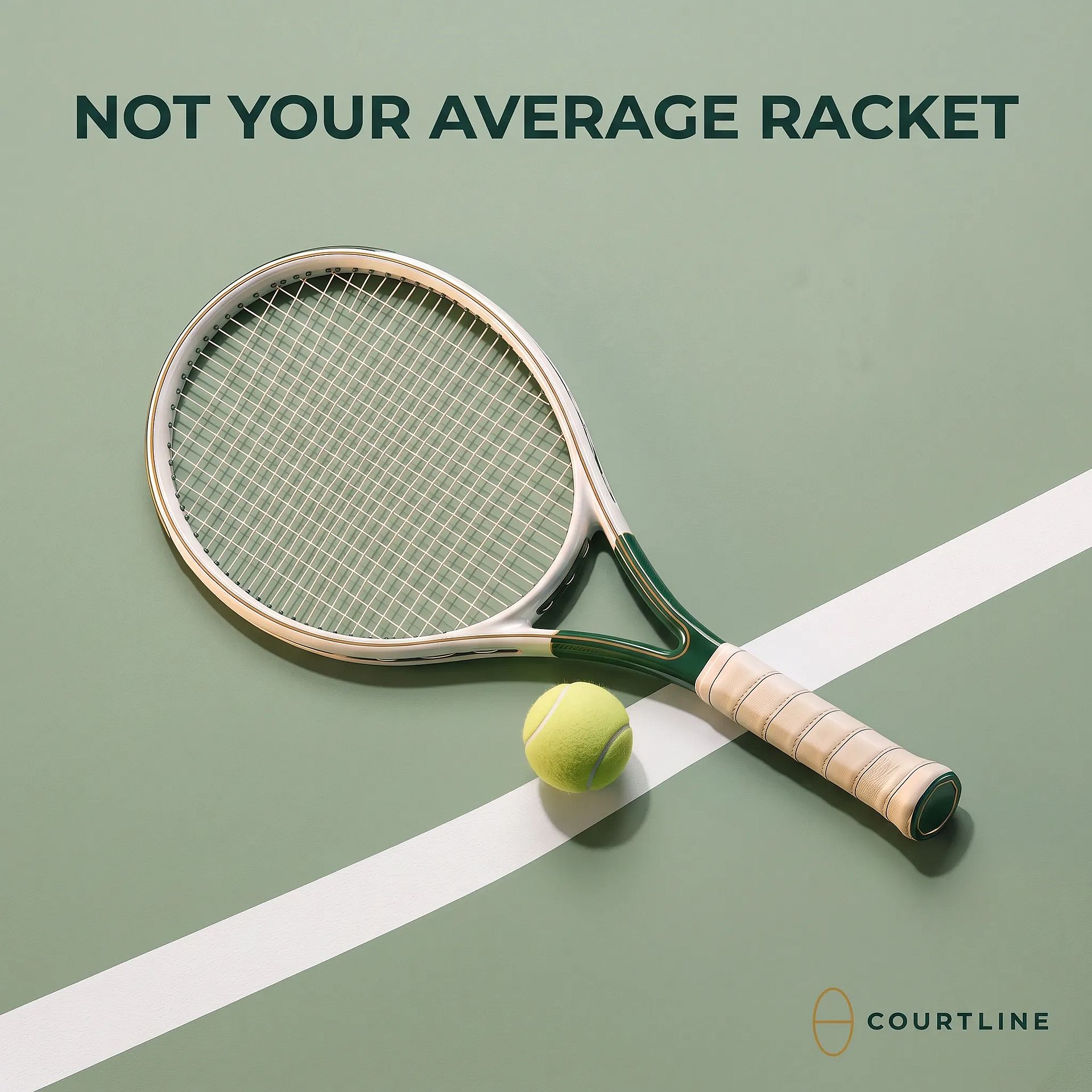
| S3 | Square feed, 1:1 | Style: overhead flat lay on a sage court surface | NOT YOUR AVERAGE RACKET | Nano Banana 2.1, 2K |
| V1 | Reels, 9:16 | Craft: slow orbit around the racket, ending on the gold trim | None, added in the edit | Seedance 2.5 Draft, 480p |
Claude kept both of our headlines and wrote a third one for the Style angle. It picked Nano Banana 2.1 because it renders text in images well.
Every prompt told the model to keep the racket exactly as shown and to leave text off the product. Here is the S1 prompt Claude wrote:
"Premium studio product shot of the referenced tennis racket. Keep it exactly as shown: white frame, deep green throat, gold pinstripes, cream leather grip. The racket floats at a diagonal in the lower two thirds against a smooth cream-to-sage gradient. Soft studio light, a soft shadow below and a warm gold rim light on the frame edge. The top third is empty, with the headline 'CRAFTED FOR THE COURT' in clean, bold white sans-serif capitals, centered. No text on the racket, no other products, no people."
It Checked the OpenArt Balance Too
Claude compared the plan's total with our credit limit and with the balance in our OpenArt account. The account we started in only covered one test ad, so Claude said so and offered to make S1 at 1K with what we had.
We switched to our team workspace, and Claude checked the balance again before asking for approval. It also said it would quote the 1080p video upgrade separately before making it.
Any Claude skills that spend credits should record this balance check.
A Gap Came Up Along the Way
We did not have any logo for the brand, so Claude offered to design one instead. It generated 4 logo options with Ideogram 4.5 from our brand colors. We picked the one below, and Claude added it as an image reference in every ad. It's AI-made, but anyone using this skill should use their actual logo designs to ensure brand consistency across all ads.
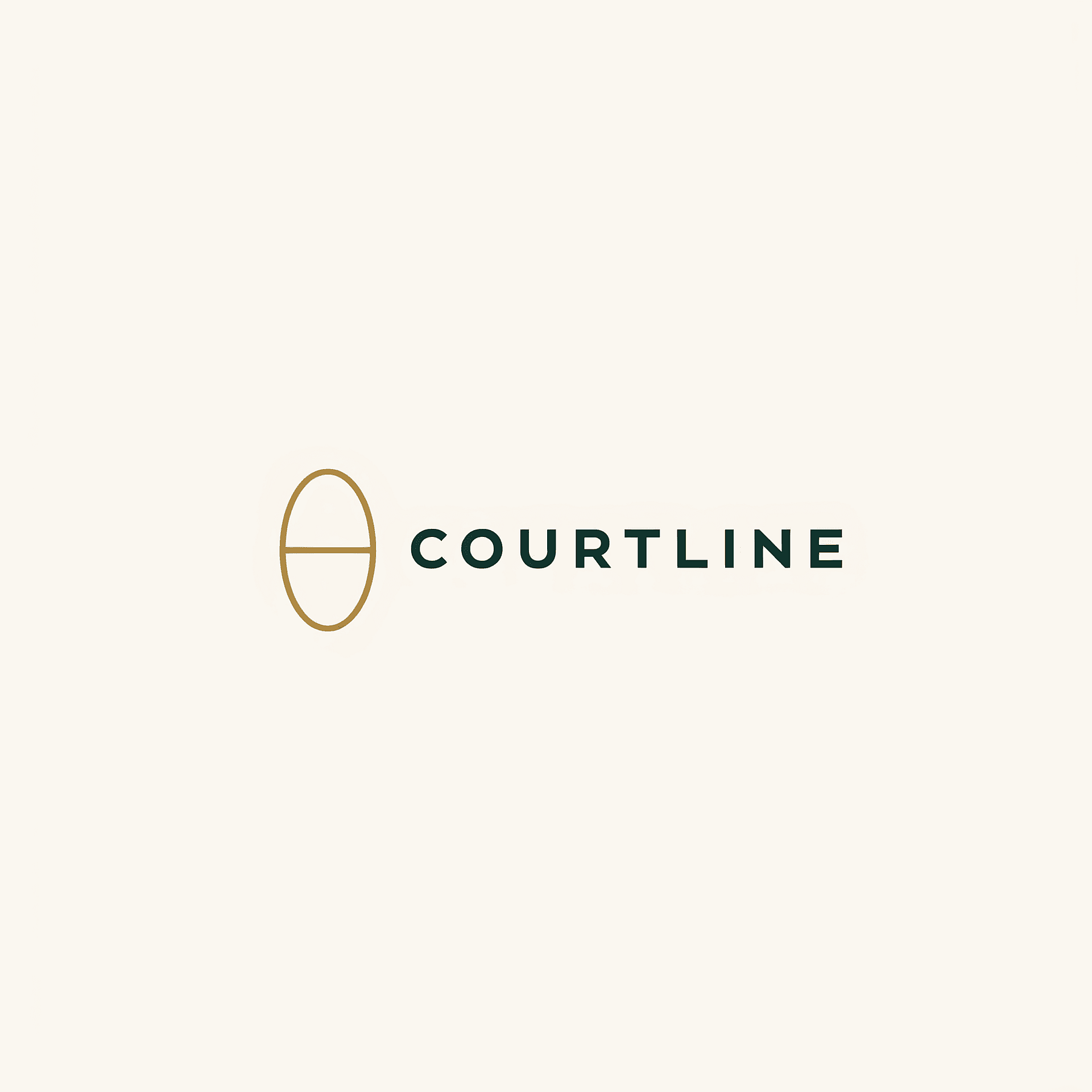
Once we approved the plan, Claude asked us to upload the reference racket photo (attached below) and selected logo photo into the picker. Nothing was generated before our approval.

The First Ad Came Before the Rest
Claude made the 4:5 Meta feed ad first with Nano Banana 2.1 at 2K. It used the racket photo and the new logo as references.
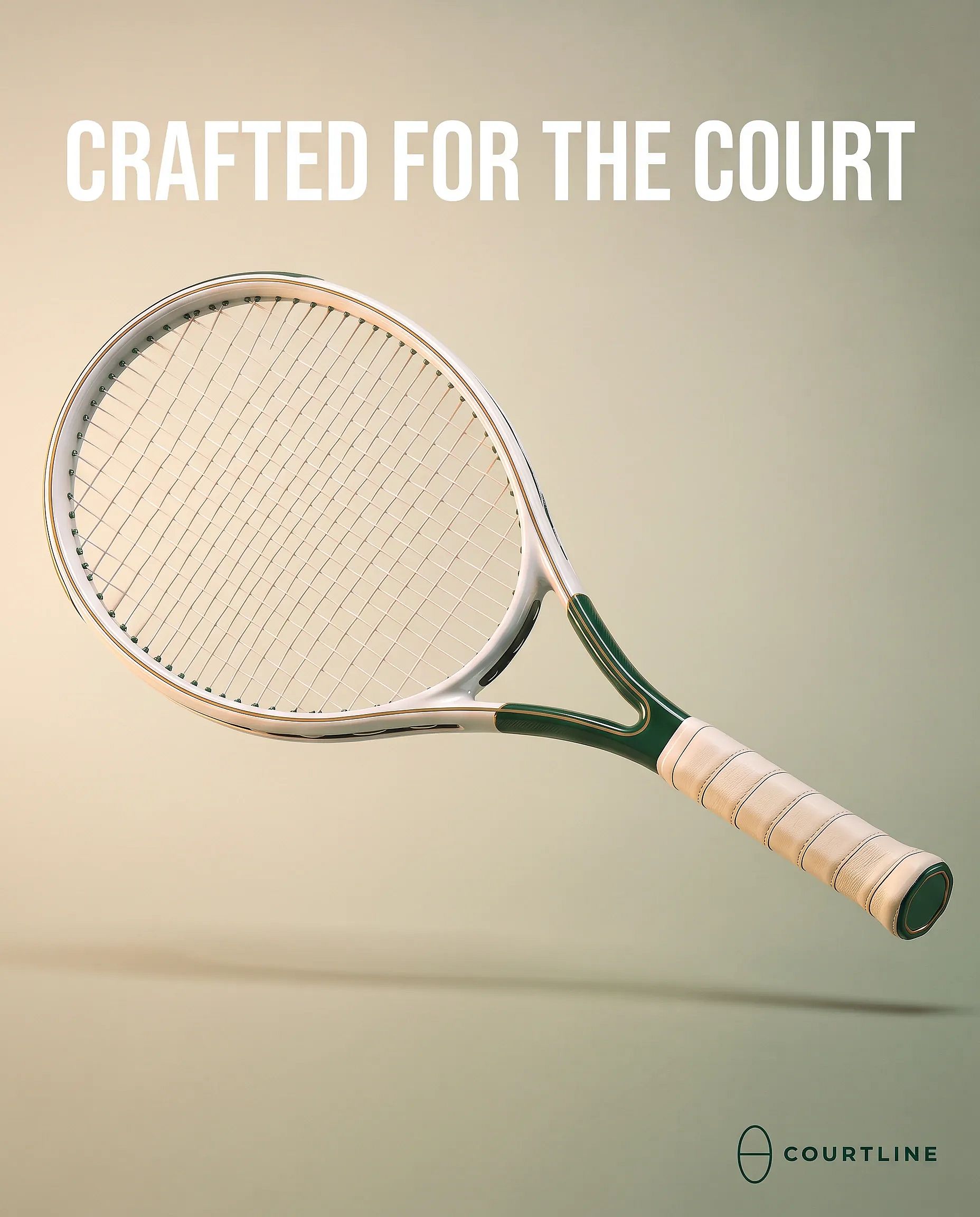
We approved it, and Claude made the 9:16 Stories ad and the 1:1 square ad with the same references.
Claude Wouldn't Make Up Product Claims
The brand rules ban fake claims, so Claude used only features it could see in the photo for the video text. The final line, "OPEN-THROAT FRAME DESIGN", names a real feature of the frame.
To experiment with how closely Claude follows the brand rules, we suggested adding a feature “open string pattern” in video text. It zoomed into the reference image before agreeing to it and concluded that the strings looked dense and AI-drawn, so Claude dropped that line.
The Video Ad Followed a Shot Plan
Claude made the Reels ad as a 10-second showcase with Seedance 2.5 Draft, at 9:16 and 480p with audio. It wrote a timed shot plan first, and each shot left space for text.
| Time | Shot | Text overlay |
|---|---|---|
| 0–2s | Hero reveal: the full racket turns slowly into frame, centered | THE COURTLINE RACKET |
| 2–4s | Slow pan along the frame, showing the gold pinstripes | Feature 1 |
| 4–6s | Smooth move to the deep green throat | Feature 2 |
| 6–8s | Slide down to the cream leather grip and green end cap | Feature 3 |
| 8–10s | Pull back to the full racket, centered, with a clean end frame | CRAFTED FOR THE COURT + logo |
Claude Added the Text Overlays Itself
Claude advised against letting the video model write the text, since video models often garble letters. It added the overlays afterward, which used no OpenArt credits.
It set the footage a little smaller on a cream-to-sage background. That kept the text off the racket and inside the 9:16 safe zone, in a 1080x1920 file plus a clean copy with no text. This was the plan for text overlay:
| Time | Text |
|---|---|
| 0–2s | THE COURTLINE RACKET |
| 2–4s | GOLD PINSTRIPE FINISH |
| 4–6s | OPEN-THROAT FRAME DESIGN |
| 6–8s | HAND-WRAPPED LEATHER GRIP |
| 8–10s | CRAFTED FOR THE COURT + logo |
Claude offered the 1080p upgrade but flagged that it would go over our limit, so we skipped it.
The Final Report Flagged What Didn't Match
The report listed every ad with its model, link and status. It flagged the AI-made logo as a file a designer should finish. It also included cost/credit consumption. Claude reported the credits used and what was left.
Bonus: A Product Page Link Worked as the Reference
We also tested a product page from a big home goods store. OpenArt accepted the photo's web link as the reference, and Nano Banana 2.1 made a 4:5 ad from it. Since this product page doesn’t follow the brand rules or target the same audience, we told Claude to ignore those rules. Claude then asked us questions to help define the target audience.
Once the plan was approved, Claude left out the store's logo, price, and rating. If your product lives on a store page, you can skip the upload step and use the product page URL for AI ad generation. Only use product photos you own or have the rights to use.
Claude Skills Examples for Ads You Can Build Next
Once brief-to-ads works, the same pattern covers other Claude skills for marketing. These Claude skills examples reuse your brand.md and formats.md files, so each new skill mostly needs a new SKILL.md.
UGC Hook Variations
This skill takes one product and writes 5 to 10 opening hooks for short videos. It makes a short clip for each hook, so you can test which opening holds attention.
Start the description with: "Makes several UGC-style video hooks for one product. Use when the user asks for hooks, UGC ads or hook tests."
Marketplace Product Shots
This skill turns one product photo into clean listing images, like a white background shot and a lifestyle scene. Add each store's image rules to a file in the folder so Claude follows them.
Every Placement From One Approved Concept
This skill takes an approved ad and makes new versions for each size in formats.md, using the same product reference. OpenArt MCP generates each size as a new image and doesn't crop or edit the old one, so expect small changes between sizes.
10 Product Ads for Creative Testing
This skill makes 10 ads from one product image, each with a different angle, scene or headline. It suits teams that want to scale creative testing with AI. For a simpler walkthrough of single ads, see our guide on product ads from Claude.
A Scheduled Planning Skill
The skills can also run on a timer through Claude scheduled tasks. Since nobody is there to approve spending, write a version of the skill that only plans the ads and checks the cost.
You review the plan when you start work and approve the ones worth making. Keep the generation step behind your approval.
Tips for Better Ads With Claude Marketing Skills
These tips for Claude marketing skills come from our test run. Each one is something we'd set up before the next brief.
- Add your real logo file. A placeholder in brand.md makes Claude offer to design one, which still needs a designer before launch.
- Put a credit limit in every brief. The skill compares the plan's total cost with it before anything runs. Switch to the right OpenArt workspace first, since the skill checks that balance too.
- List your product claims in the brief. Claude only used features it could see in the photo, so write the facts you want in the copy.
- Add video text after generation. Video models often garble letters, and overlays added afterward stay sharp and easy to change. See how to edit videos with ChatGPT and Claude.
- Draft videos first. Make videos as 480p drafts, approve the motion and then upgrade only the keepers.
- Check every ad before it goes live. Read the headlines letter by letter and look closely at the product.
Know the Ad Platform Rules for AI Content
Meta adds an AI disclosure in "About this ad" for ads made with AI. That includes ads it detects were made with outside tools, through signals such as C2PA.
Google requires a disclosure on election ads with realistic AI-made content.
On YouTube, turn on the altered or synthetic content setting in Studio when realistic content was made with AI. For more ways to use AI across a team, see our roundup of AI agents for marketing and our Claude for marketing guide.
Build Your First Ad Skill With OpenArt MCP
Connect OpenArt MCP to Claude, upload the brief-to-ads skill and run it on your next campaign brief. From there, build Claude marketing skills for every ad job your team repeats. You can also make one-off ads with the AI image generator and AI video generator on OpenArt.
Frequently Asked Questions
What are Claude marketing skills?
Claude marketing skills are saved folders of instructions and files that Claude loads for marketing tasks, like writing ad copy or making ads from a brief. You build one once, and Claude follows the same steps every time the task comes up.
Do I need to code to build Claude skills?
No. A skill is a SKILL.md text file plus any notes files you add, like brand rules. You write it in plain language, zip the folder and upload it in Customize > Skills.
Do Claude skills work in ChatGPT?
ChatGPT Skills follow the same Agent Skills open standard, and they're available on ChatGPT Business, Enterprise, Healthcare and Edu plans. We ran our test in Claude only, so test the skill in ChatGPT before you rely on it there.
How much does it cost to make ads with a Claude skill?
Ad skills come with your Claude plan, and OpenArt MCP uses your OpenArt credits for each image and video. Our skill checks the cost of every ad and shows the total before it makes anything.
What's the difference between a Claude skill and an MCP?
A skill tells Claude how to do a task. An MCP connects Claude to another app's tools, so OpenArt MCP lets Claude make the images and videos your skill plans.
Can a Claude skill use my OpenArt Brand Kit?
OpenArt MCP has no Brand Kit tool right now. Claude skills can read your brand rules from a brand.md file instead. Put it in the skill folder and pass your logo as an image reference.
Can I run a Claude skill on a schedule?
Yes, with Claude scheduled tasks. Since nobody is there to approve spending, set the scheduled run to plan the ads and check costs, then approve generation yourself.
Do I have to label AI-made ads on Meta and Google?
Meta adds an AI disclosure in "About this ad" for ads made with AI, including some made with outside tools. Google requires a disclosure on election ads with realistic AI-made content, so check each platform's current policy before you launch.