1
Open Plugins in ChatGPT
Add OpenArt plugin directly, or go to chatgpt.com/plugins and search for OpenArt.
Top image & video models, 10% off in ChatGPT, Claude & more with OpenArt MCP.
Claim 10% Off ›Create with OpenArt across your favorite AI tools. Generate images and videos directly through ChatGPT, Claude, Cursor, Kimi and other compatible agents.
Add OpenArt plugin directly, or go to chatgpt.com/plugins and search for OpenArt.
Click Install Plugin, then Sign in with OpenArt.
Type @OpenArt in any chat and describe what you want.
In Claude desktop or claude.ai, go to Customize → Connectors.
Name it OpenArt and paste the link:
Click Add → Connect, sign in with your OpenArt account. Then ask Claude to make an ad video.
For team setup, open Plugins & MCPs in your Cursor dashboard and sign in. For local setup, open Cursor settings → Tools & MCP in the desktop app.
Add a new MCP server named OpenArt using this URL. If Cursor opens mcp.json, add it as the server’s url:
Click Connect next to the OpenArt MCP server and sign in with your OpenArt account. Then ask Cursor to make an ad video with OpenArt.
On kimi.ai, open OpenArt in the plugin store and install the plugin.
Sign in with your OpenArt account to connect. No API key is needed.
Type /OpenArt in a Kimi chat to enable it. Then ask Kimi to make an ad video with OpenArt.
Look for Connectors, Integrations, or MCP servers.
Add a server with transport Streamable HTTP and the URL above. No API key, no extra config.
Sign in with your OpenArt account on first use. Credits and results stay tied to your account.
curl -fsSL https://raw.githubusercontent.com/OpenArt-AI/cli/main/install.sh | shirm https://raw.githubusercontent.com/OpenArt-AI/cli/main/install.ps1 | iexLogin with your OpenArt account.
openart loginStart generate an image or video.
openart generate image "a red fox in the snow" --model nano-banana-2 -o ./out/curl -fsSL https://raw.githubusercontent.com/OpenArt-AI/cli/main/install.sh | shirm https://raw.githubusercontent.com/OpenArt-AI/cli/main/install.ps1 | iexLogin with your OpenArt account.
openart loginStart generate an image or video.
openart generate image "a red fox in the snow" --model nano-banana-2 -o ./out/curl -fsSL https://raw.githubusercontent.com/OpenArt-AI/cli/main/install.sh | shirm https://raw.githubusercontent.com/OpenArt-AI/cli/main/install.ps1 | iexLogin with your OpenArt account.
openart loginStart generate an image or video.
openart generate image "a red fox in the snow" --model nano-banana-2 -o ./out/curl -fsSL https://raw.githubusercontent.com/OpenArt-AI/cli/main/install.sh | shirm https://raw.githubusercontent.com/OpenArt-AI/cli/main/install.ps1 | iexLogin with your OpenArt account.
openart loginStart generate an image or video.
openart generate image "a red fox in the snow" --model nano-banana-2 -o ./out/If you are using Claude Code or Codex, it's better to
GitHubReady-to-use prompts for AI ads, UGC, music videos, anime and more. Paste one into ChatGPT or Claude.
@OpenArt First ask me to upload a person’s photo if none is attached. Use it as the character reference for a 24-second, 16:9 fashion film with Seedance 2.5. Follow them through a European street as two suited pursuers approach. Freeze the surrounding pedestrians and floating papers in bullet time while the character keeps moving. They hide as a printed model inside a fashion poster, then step back into the street after the pursuers leave. Preserve their face and outfit. Use cool cinematic lighting, smooth camera moves and restrained suspenseful sound.
@OpenArt First ask me to upload a product photo if none is attached. Create a 24-second Y2K studio commercial using its packaging, dominant color, product name and flavor. Show five fashion models in denim and white streetwear interacting with the product against a matching color backdrop. Use oversized 3D typography, fast whip pans, crash zooms and a playful slow-motion product catch. Finish with a group pose and a clean product hero shot. Keep the packaging consistent.
@OpenArt First ask me to upload a product photo if none is attached. Use it as the product reference to create a 20-second, 16:9 commercial with Seedance 2.5. Open on an oversized product in New York with a dramatic fisheye view. Cut to packaging details, then let the product’s colors spread through streets as playful illustrated graphics. End on a bold product hero shot against the skyline. Preserve the product’s shape, label and colors. Add energetic music and city ambience.
@OpenArt First ask me for reference images of the explorer and reptilian mount. Plan a 30-second fantasy adventure short film as two connected 15-second sequences, then generate the shots. Follow the last human explorer through vast grasslands, ancient forests and a river to a cliff above floating islands. Slow down for close-ups of the explorer and mount before revealing an overgrown ruined civilization. Use realistic live-action cinematography, golden sunlight and natural environmental sound. Keep both characters consistent; no music, dialogue or text.
@OpenArt First ask me to upload the female soldier’s reference image. Plan a cinematic dark-fantasy movie trailer, then generate matching shots: a colossal humanoid emerges above a misty forest; the soldier watches from a cliff; it notices her; she escapes the collapsing cliff using cable gear. When she reaches its chest, a matching symbol hints at a shared past. Preserve her identity and outfit. Use realistic creature weight, natural lighting and environmental sound, without background music.
@OpenArt Plan a cinematic mystery short film, then generate its key shots. Open with an overhead view of a lone person in a stark, brightly lit room, surrounded by a circle of black-cloaked figures. Build a clear visual hook, unsettling symbolism and dramatic irony around what the protagonist wants versus what they need. Use photorealistic live-action imagery, precise compositions and restrained movement. Reveal the story through images rather than exposition, ending with an emotionally charged question.
@OpenArt First ask me to upload a portrait of the performer. Create a 30-second punk-rock music video with that person as the lead singer, preserving their face, skin tone and gender presentation. Move between backstage, an industrial live stage and an arena crowd. Use gritty film texture, metallic styling, dramatic lighting, whip pans and beat-synchronized cuts. Create an original rock song with continuous vocals, guitars and drums; match the singer’s lip movements to the lyrics. Keep it a music-led performance throughout.
@OpenArt First ask me for four portrait references, one for each adult girl-group member. Create a 30-second retro summer music video at a colorful Mediterranean resort. Preserve each member’s identity across bold 1960s–70s outfits, sunglasses transitions and rhythmic choreography. Use cobalt seas, red-and-yellow color blocking, harsh midday sunshine and rich film texture. Pair the visuals with original upbeat retro-funk pop at 132–136 BPM. Keep all four members recognizable and show no more than four people at once.
@OpenArt Create a 30-second Y2K music video following a stylish woman through Hong Kong streets in daytime. Use a gritty handheld DV-camcorder look, soft focus edges and 16mm-style grain. Cut rapidly between extreme low angles, shoes passing over the camera and tight character shots. Build a hyperactive montage driven by fast electronic music, digital beeps, buzzes and record scratches. Keep the same character throughout and preserve the raw, spontaneous street-footage energy.
@OpenArt First ask me to upload the alpaca’s start frame and the fence-side end frame. Animate a 16-second cartoon scene with Willow, a fluffy cream-colored alpaca, grazing in a sunny paddock. A man calls “Willow!” Willow looks around and says, “Did somebody call me?” On the second call, Willow runs to the fence, where the man offers fresh greens. End on Willow calmly eating from his hand. Preserve both reference compositions and Willow’s appearance. Use countryside sounds and dialogue, with no music.
@OpenArt First ask me for the reference image of the two beach characters. Create a 30-second anime comedy that begins with them holding up a blue-and-white fabric tent in strong wind. Escalate from billowing fabric to the tent dragging them across golden sand, then lifting them into the air like a giant kite. Keep their faces, outfits and designs consistent. Use expressive physical comedy, flowing camera movement, turquoise water, bright sunlight and convincing wind in the fabric, hair and flying sand.
@OpenArt Create a heartwarming 2D flat-cartoon scene about a mother teaching her daughter to ride a bike. The mother runs alongside while holding the seat, then quietly lets go. The daughter pedals forward on her own. The mother stops mid-run, watching with pride and emotion, her hand still outstretched. Tell the story through facial expressions and body language, without dialogue or speaking. Use a warm greeting-card illustration style and gentle, uplifting music.
@OpenArt First ask me to upload the creator’s reference portrait and name the three New York sushi bars to feature. Plan a casual UGC food-tour video, then generate the shots with the same creator throughout. Give her upbeat, playful New York energy as she introduces each stop. Use phone-style handheld framing, natural imperfections, street ambience and platform-native pacing. Keep it conversational and spontaneous. Use only the restaurant details I provide.
@OpenArt Create a casual UGC travel vlog of a woman visiting the Golden Gate Bridge for the first time on a spontaneous solo trip. Follow her first steps onto the bridge and her delighted reactions to the view. Use natural handheld phone footage, candid expressions, wind in her hair and real outdoor ambience. Keep the same traveler and outfit throughout. Make it feel like a personal travel memory she would share with friends.
@OpenArt First ask me to upload a photo of the canvas tote bag and provide the product features to mention. Create a TikTok-style UGC ad with one creator casually demonstrating that exact bag. Show the fabric, handles and opening in close-up, followed by the creator carrying it in everyday use. Preserve its shape, color and any printed design. Use natural home lighting, handheld phone framing and conversational delivery. Include only product claims I have supplied.
@OpenArt First ask me for three references: the heroine in modern clothing, the same heroine in historical clothing, and her romantic partner. Plan a short romantic micro drama, then generate the shots. She falls asleep in the modern world and wakes in an ancient setting, where she meets and falls in love with the partner. Show them exploring together and riding a dragon, before she suddenly returns to modern life. Preserve the heroine’s identity across both eras and maintain consistent character designs.
@OpenArt Plan a playful school-romance micro drama, then generate the scenes with consistent characters. Jake, the school’s number-seven basketball player, accepts a $20 bet to ask Angel out. At her locker, she reveals she already knows about the bet. He drops the act and admits he really likes her. She gives him a note: “Asked first. You owe ME the milkshake. — Angel.” End on Jake smiling as he realizes she was ahead of him all along.
@OpenArt Plan a roughly 60-second school comedy micro drama in six shots, then generate the matching clips. A confident clique spots a new transfer student and its leader declares, “He’s mine.” Follow their entrance, hallway status display and cafeteria stakeout, then reverse expectations: the boy walks past their table and sits beside the overlooked girl. Use bright natural daylight, warm pastel colors, gentle camera moves and light comedy music beneath dialogue. Keep all five characters consistent and let reactions carry the final joke.
@OpenArt First ask me to upload the anime rooftop reference image. Animate a calm 7-second vertical 9:16 loop with an extremely slow push-in and subtle parallax between the rooftop, character and skyline. Let haze, rooftop steam and distant transit lights move gently. Keep the character almost still, with only breathing, slight hair movement and restrained coat drift. Preserve the reference composition and quiet evening mood. Avoid rapid motion, camera shake, lighting flicker or exaggerated effects.
@OpenArt Create a serene anime scene of a red torii gate built into a forested cliff, with stone lanterns, hanging white paper streamers and a small long-haired figure in patterned red clothing below. Use painterly shapes, deep tree shadows and warm sunlight against pale clouds. Add a slow, gentle camera push, drifting leaves and subtle movement in the clothing and streamers. Keep the architecture and character stable, with a quiet, contemplative atmosphere and no text.
@OpenArt First ask me to upload the red-scarf reference image. Animate a slow 5-second cinematic shot while preserving the character’s pose against the wooden pillar. She barely moves apart from breathing and a soft blink. Gently orbit the camera to reveal her profile and the sunset horizon. Let the red scarf and hair move in the wind while cherry-blossom petals drift past and water reflects the light. Use warm rim lighting, teal shadows and shallow depth of field.
@OpenArt First ask me to upload the storyboard or moodboard. Plan a one-minute poetic explainer video about memory being rebuilt each time we recall it, then generate its visual sequence. Combine black-and-white live-action imagery with colorful hand-drawn marks, paint, collage and torn-paper animation that alter the images as we watch. Follow the reference aesthetic. Use a calm, intimate female voiceover, subtle music and tactile drawing or paper sounds. Keep the mood reflective, handcrafted and slightly melancholic.
@OpenArt Plan an educational found-footage documentary vlog, then generate the shots. Follow Cantika, a fictional prehistoric huntress, quietly observing a T. rex in a Late Cretaceous forest. Use handheld framing, whispered narration and natural forest sounds. Cover its anatomy, nesting, hunting and bite force, ending with extinction. Keep the host and dinosaur designs consistent. Check the paleontology facts before writing the narration, distinguish evidence from speculation, and treat the human-and-dinosaur encounter as a fictional framing device.
@OpenArt First ask me to upload the eye reference image. Create a 16:9 photorealistic macro shot of that eye looking directly at the camera. The pupil is heart-shaped from the first frame and slowly dilates over one to two seconds without losing its shape. Keep the iris, eyelids and surrounding skin nearly still, with a slight blink near the end. Use detailed skin texture, natural moisture and reflections, shallow depth of field, subtle analog grain and muted cinematic color. Keep the camera fixed.
Connect OpenArt with Claude, ChatGPT, Cursor, and more to unify image generation, video creation, and all your creative library in one seamless workflow.
Turn text into images and videos, all through a single OpenArt connection. Results appear right in your conversation and are saved to your OpenArt library.
Try it Now

Turn selected start and end frames into a polished image to video while keeping the transition under your direction.
Try it Now

Hand Smart Shot your references and a text prompt, and it plans the shots, framing and motion for a multi-cut, finished spot.
Try it Now
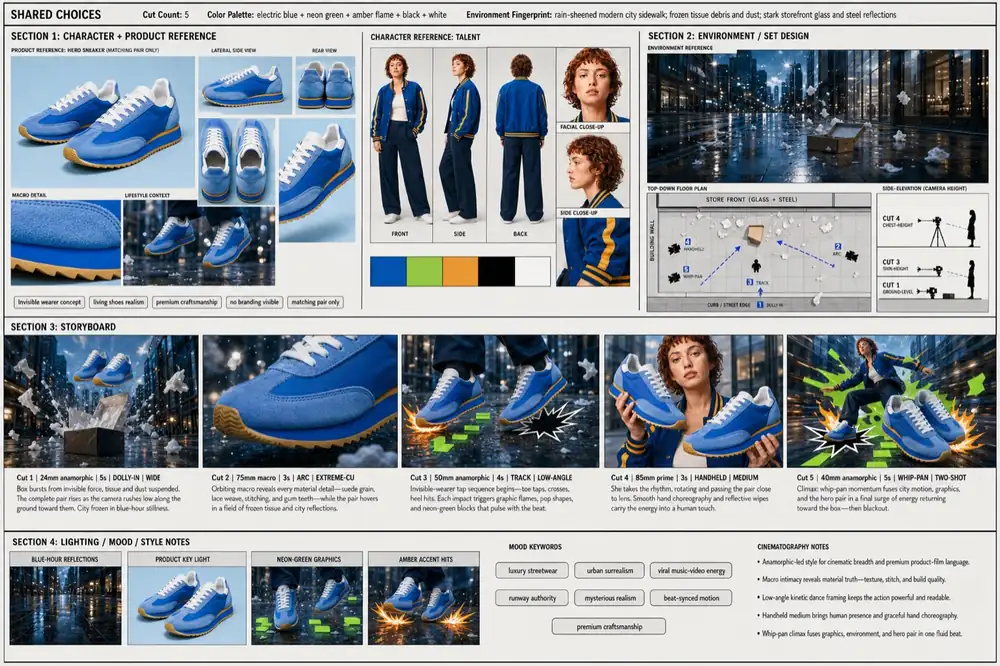
Add one URL and your agent instantly accesses OpenArt's full catalog of image and video models. Every new model is synced automatically, so your setup never needs manual updating.
Try it NowImage
 GPT Image 2 Recommended
  Nano Banana Pro Nano Banana 2 Nano Banana 2 Lite
  Seedream 5 Pro Seedream 5 Lite Seedream 4.5
  Kling 3 Omni
 Video
Seedance 2.5 Seedance 2.0 Seedance 2.0 Mini Gemini Omni 1.1 Flash Gemini Omni Flash Kling 3 Omni  Grok Imagine 1.5
  PixVerse V6
  Wan 2.7
 Pull any past OpenArt generation into a new creation as a style reference or a video start frame. Your entire creative history is always within reach for reference.
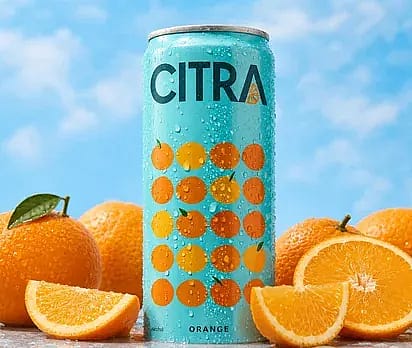
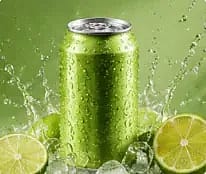
Try it NowCreate a premium beverage ad for the Citra orange soda can, surrounded by fresh oranges and splashing citrus. Use vibrant studio lighting, crisp product detail, and polished commercial styling.
Work with the same OpenArt account, credits, projects, and workspaces you already use, for maximum convenience. List your projects, choose where to create, and check your plan and remaining credits directly in chat.
Try it Now