

Sora 2
DISCONTINUED MODEL - Sora 2 is no longer available. Please try newer AI video models such as Gemini Omni Flash, MiniMax H3, and Kling 4.0. All in a single platform on OpenArt.
Key Features of Sora 2
Longer 20-Second AI Video Generation
Sora 2 delivers longer AI video generation with clips up to 20 seconds in a single output. This extended duration allows creators to produce more complete scenes with smoother motion and continuous action. Instead of combining multiple short clips, creators can generate longer sequences that better capture storytelling moments and environmental movement.
Try it NowConsistent Multi-Character Generation
Sora 2 update improves character consistency in AI-generated video while supporting up to two characters within the same scene. Characters maintain recognizable details such as clothing, facial structure, and overall design across frames, helping scenes feel stable and believable.
Try it NowFull 1080p Output in Two Aspect Ratios
Sora 2 now generates videos in full 1080p resolution, supporting both portrait (1080 × 1920) and landscape (1920 × 1080) formats. The higher resolution helps preserve visual detail in lighting, textures, and motion throughout the video.
Try it NowHow To Use Sora 2
Turn a real motion clip into a new AI video in five simple steps.
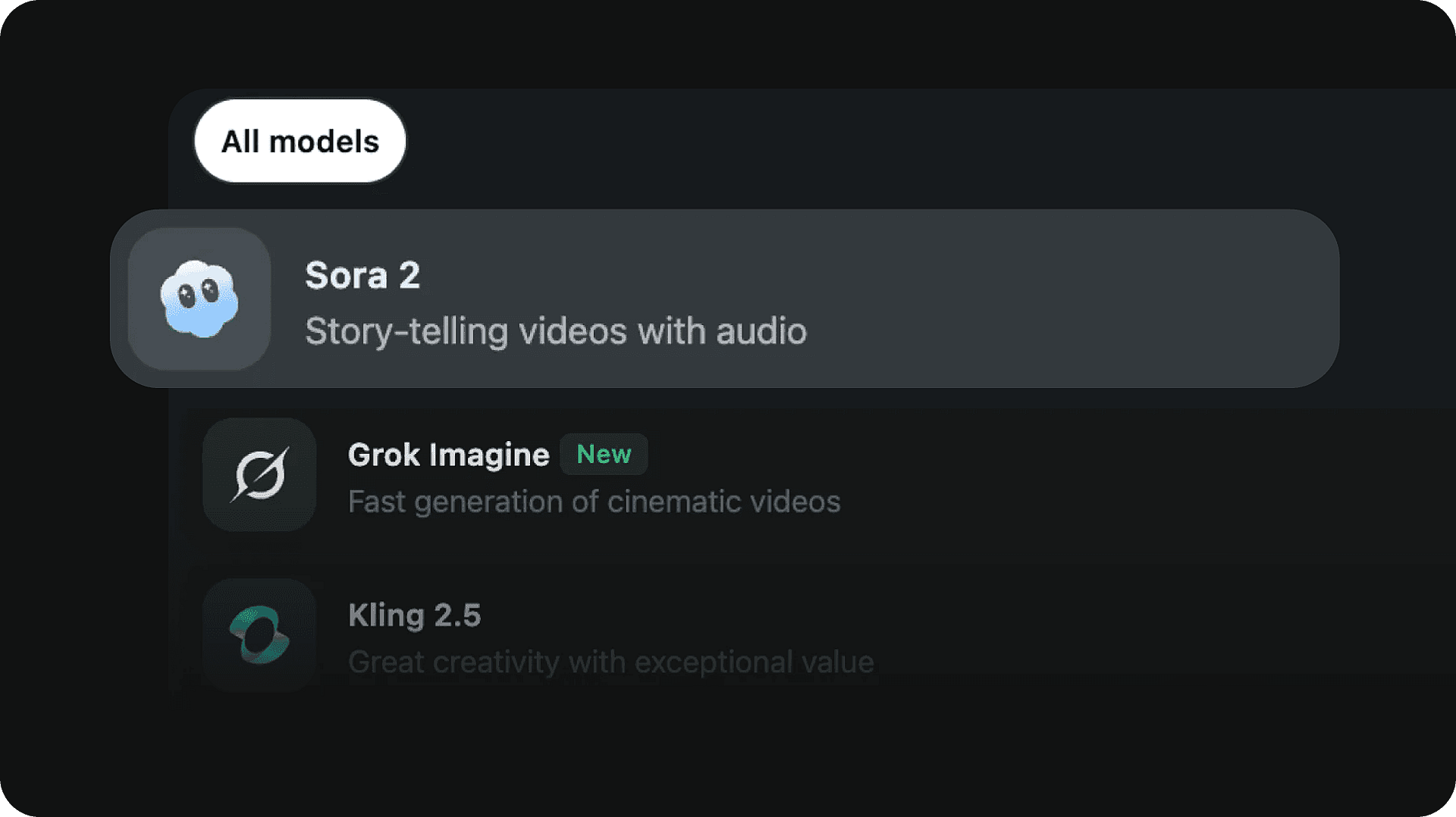
Pick the model
Select the Sora 2 AI video model to get started.
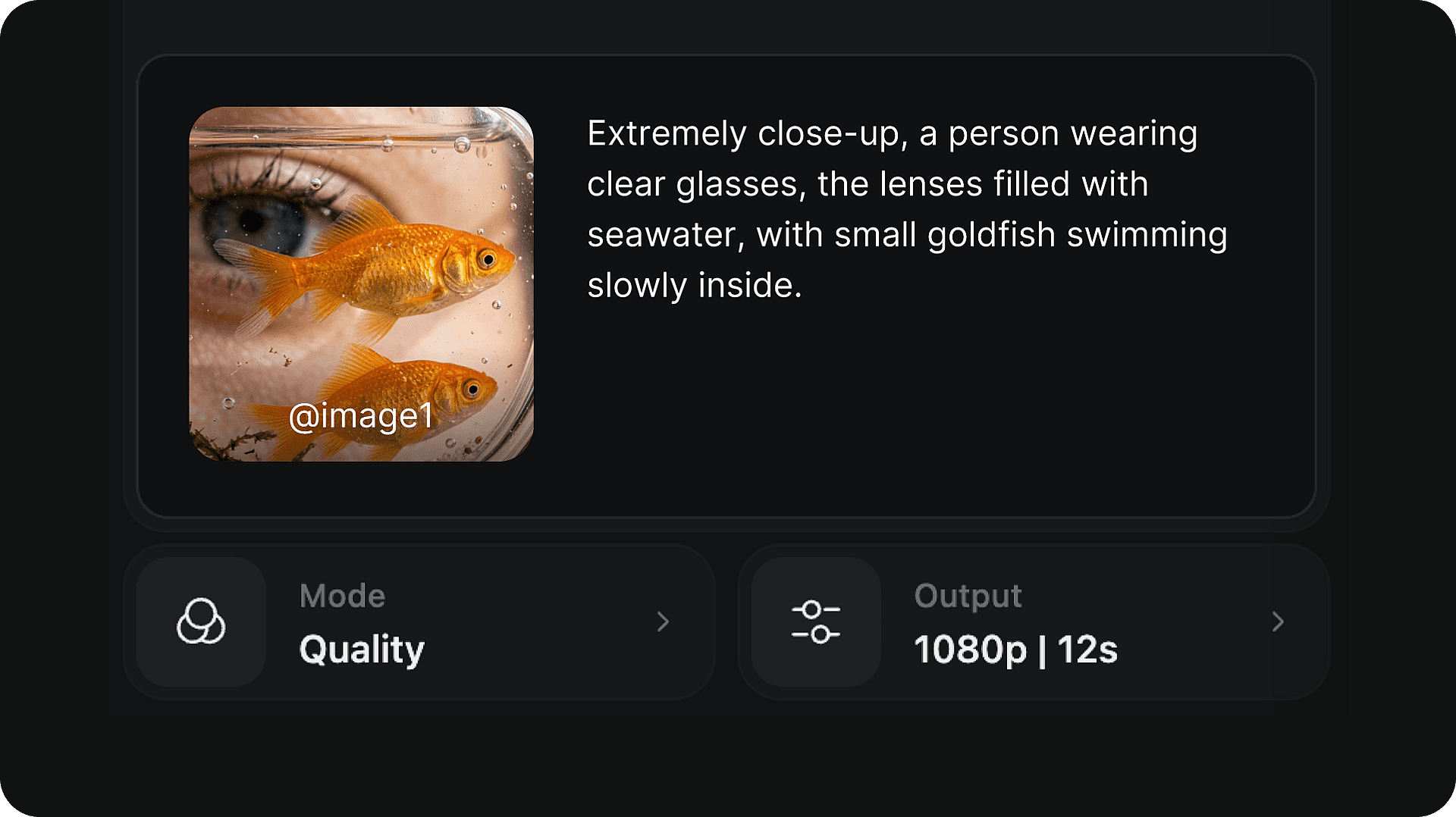
Write your prompt
Describe the scene, characters, lighting, and action you want to generate.
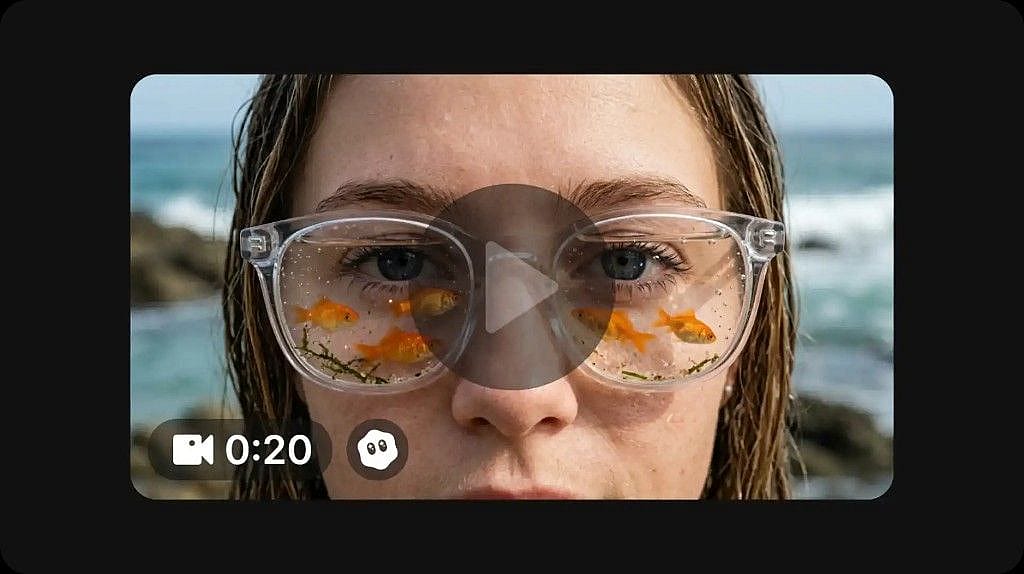
Generate and download your video
Click generate to create your video. Once complete, preview the result and download it directly to your device in full 1080p resolution.
Loved by Creators
I've tried many AI platforms... but OpenArt is still the best for character creation, image-to-video quality, and the variety of models available.
OpenArt offers an excellent array of AI tools... once you learn the features, the creative possibilities are amazing - and their support team is outstanding.
OpenArt is a very versatile AI platform with many image and video models, consistent character creation, and powerful editing tools.
Helpful AI tools all in one place - image and video generation, editing, and more... no need for multiple subscriptions.
Customer service is always quick and helpful... and the platform keeps getting better with new features and tools.
I've tried many AI platforms... but OpenArt is still the best for character creation, image-to-video quality, and the variety of models available.
OpenArt offers an excellent array of AI tools... once you learn the features, the creative possibilities are amazing - and their support team is outstanding.
OpenArt is a very versatile AI platform with many image and video models, consistent character creation, and powerful editing tools.
Helpful AI tools all in one place - image and video generation, editing, and more... no need for multiple subscriptions.
Customer service is always quick and helpful... and the platform keeps getting better with new features and tools.
I've tried many AI platforms... but OpenArt is still the best for character creation, image-to-video quality, and the variety of models available.
OpenArt offers an excellent array of AI tools... once you learn the features, the creative possibilities are amazing - and their support team is outstanding.
OpenArt is a very versatile AI platform with many image and video models, consistent character creation, and powerful editing tools.
Helpful AI tools all in one place - image and video generation, editing, and more... no need for multiple subscriptions.
Customer service is always quick and helpful... and the platform keeps getting better with new features and tools.
With so many AI platforms out there, OpenArt stood out as a stellar choice - I'd recommend it to any creator.
This platform includes everything you need for AI content creation - images, video, characters, audio, and multiple AI models in one place.
OpenArt is pushing the boundaries of AI video creation... and it's clear the team is committed to improving the creator experience.
I made my first AI music video with OpenArt... and their support team was the best help I've ever experienced.
I'm very happy with the support - my issue was resolved quickly and the team made the process easy.
With so many AI platforms out there, OpenArt stood out as a stellar choice - I'd recommend it to any creator.
This platform includes everything you need for AI content creation - images, video, characters, audio, and multiple AI models in one place.
OpenArt is pushing the boundaries of AI video creation... and it's clear the team is committed to improving the creator experience.
I made my first AI music video with OpenArt... and their support team was the best help I've ever experienced.
I'm very happy with the support - my issue was resolved quickly and the team made the process easy.
With so many AI platforms out there, OpenArt stood out as a stellar choice - I'd recommend it to any creator.
This platform includes everything you need for AI content creation - images, video, characters, audio, and multiple AI models in one place.
OpenArt is pushing the boundaries of AI video creation... and it's clear the team is committed to improving the creator experience.
I made my first AI music video with OpenArt... and their support team was the best help I've ever experienced.
I'm very happy with the support - my issue was resolved quickly and the team made the process easy.
Frequently Asked Questions
Create without limits
Join thousands of creators using OpenArt to generate stunning images, videos, and more — all in one platform.
Get Started for Free →