

Seedance 2.0 - Native 4K
Create 4K cinematic AI videos with the Seedance 2.0 AI video model on OpenArt. Get lifelike results, solid character consistency, and smooth motion.

Examples
Key Features of Seedance 2.0
Seedance 2.0 on OpenArt lets you combine text, images, video, and audio to create cinematic AI videos with complete creative control. It maintains consistent faces, scenes, styles, and motion across your entire video. You can also extend, merge, or edit clips later on.
Multi-Modal Support
Seedance 2.0 on OpenArt's AI video generator combines text, images, videos, and audio to guide your video across multiple scenes. You can upload up to 9 images, 3 audio, and 3 videos (15s total) as a reference to create cohesive and visually consistent videos that match your creative vision.
Try it NowDirector-Level Camera Control
You can use Seedance 2.0 for full control over lighting, shadows, and performance, while handling advanced camera moves like tracking, dolly, POV, and rack focus shots. Provide a reference video, and Seedance 2.0 will reproduce it with cinematic precision.
Try it NowAudio Generation And Lip-Sync
Seedance 2.0 creates native audio alongside your 4K video to produce clear dialogue, synced sound effects, and immersive music automatically. Context-aware audio and precise lip-sync ensure audio matches the action and timing in your video.
Try it NowHow To Use Seedance 2.0
Turn your ideas into stunning AI videos using ByteDance Seedance 2.0 in just three simple steps.
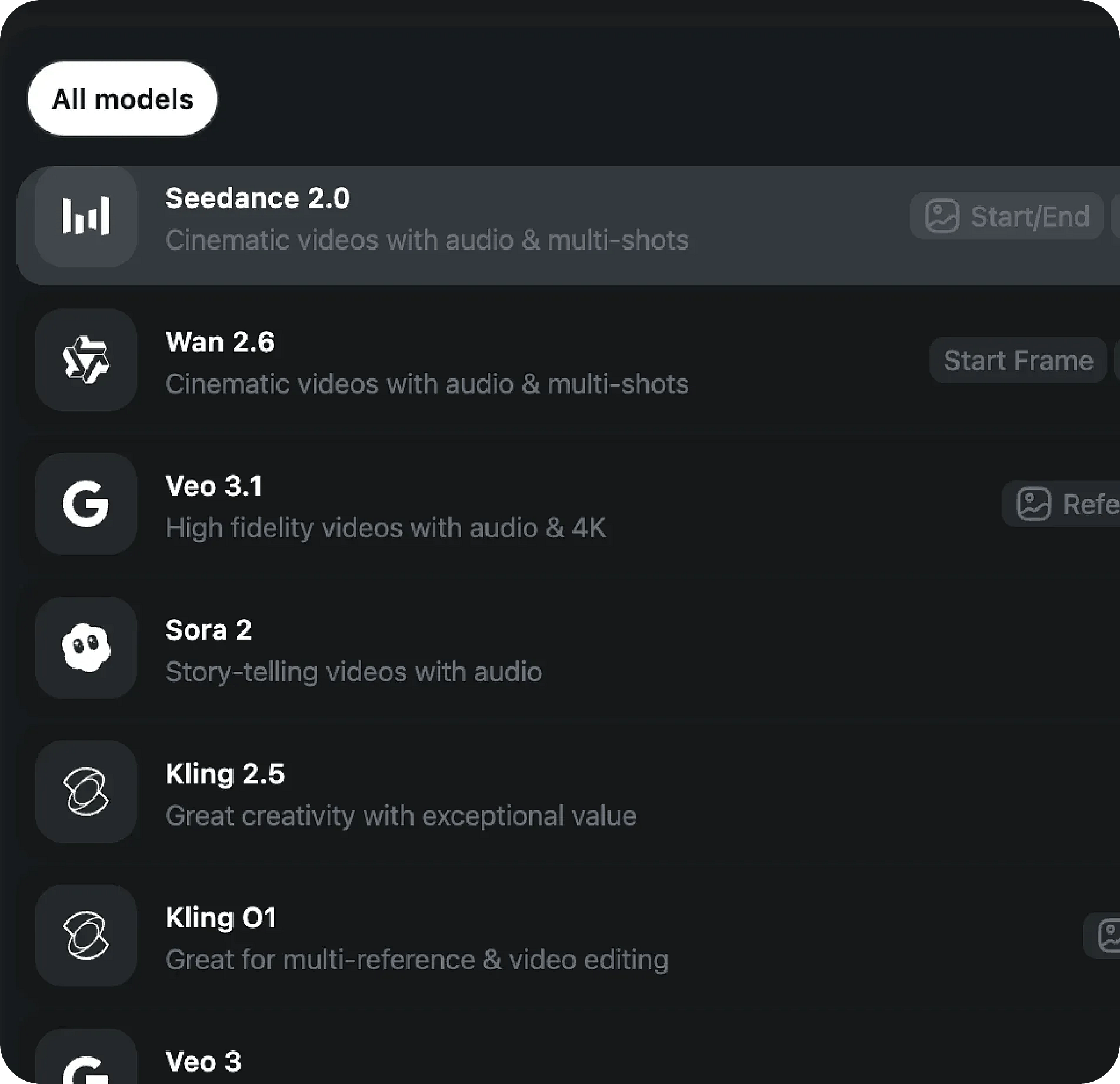
Choose the AI model
To get started, select the Seedance 2.0 Al video model as your starting point.
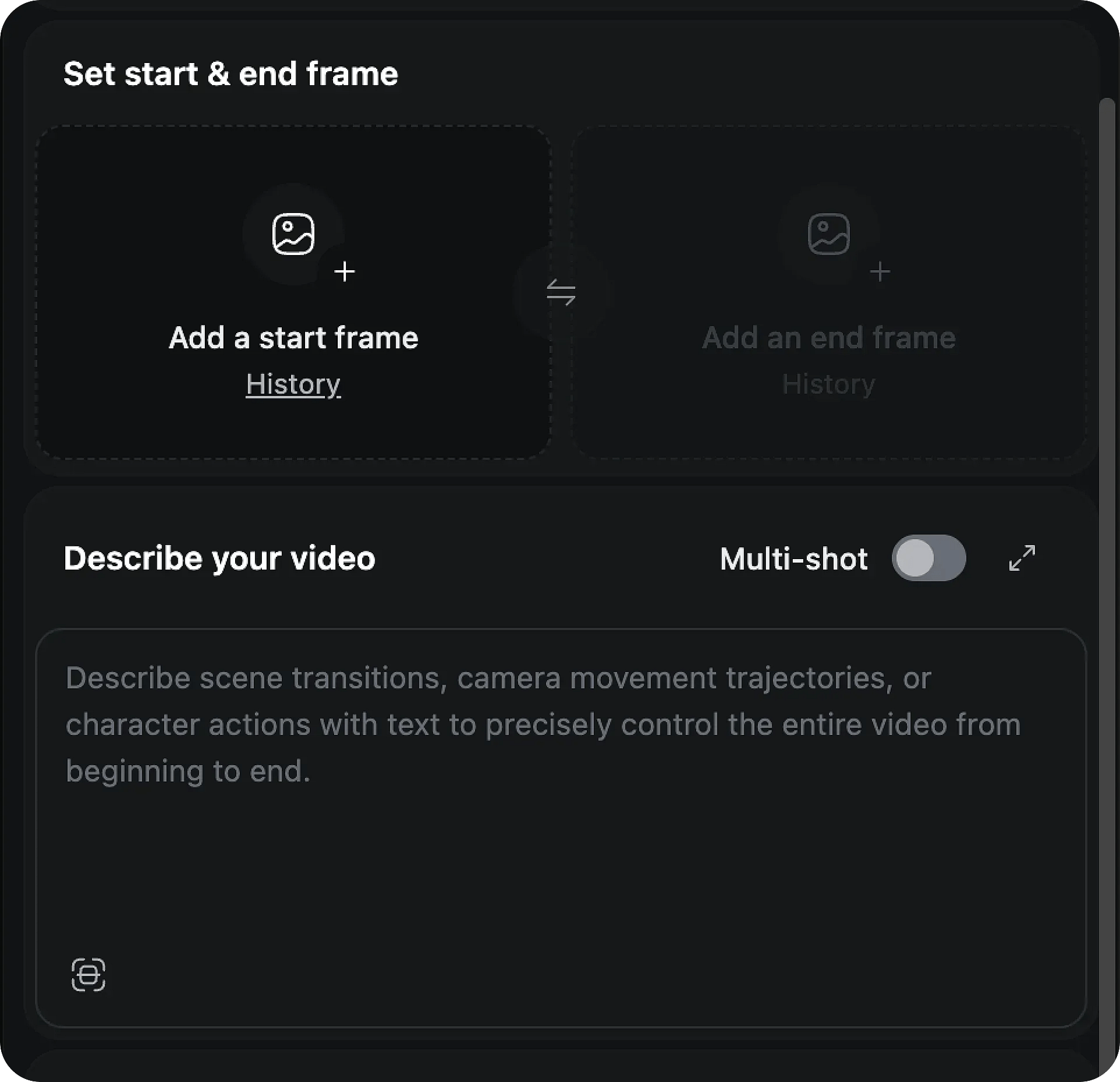
Prompt and add your references
Enter a detailed prompt or upload a reference image, video, or audio file to define the style, mood, and visuals of your project. You can upload up to 12 files across different formats.
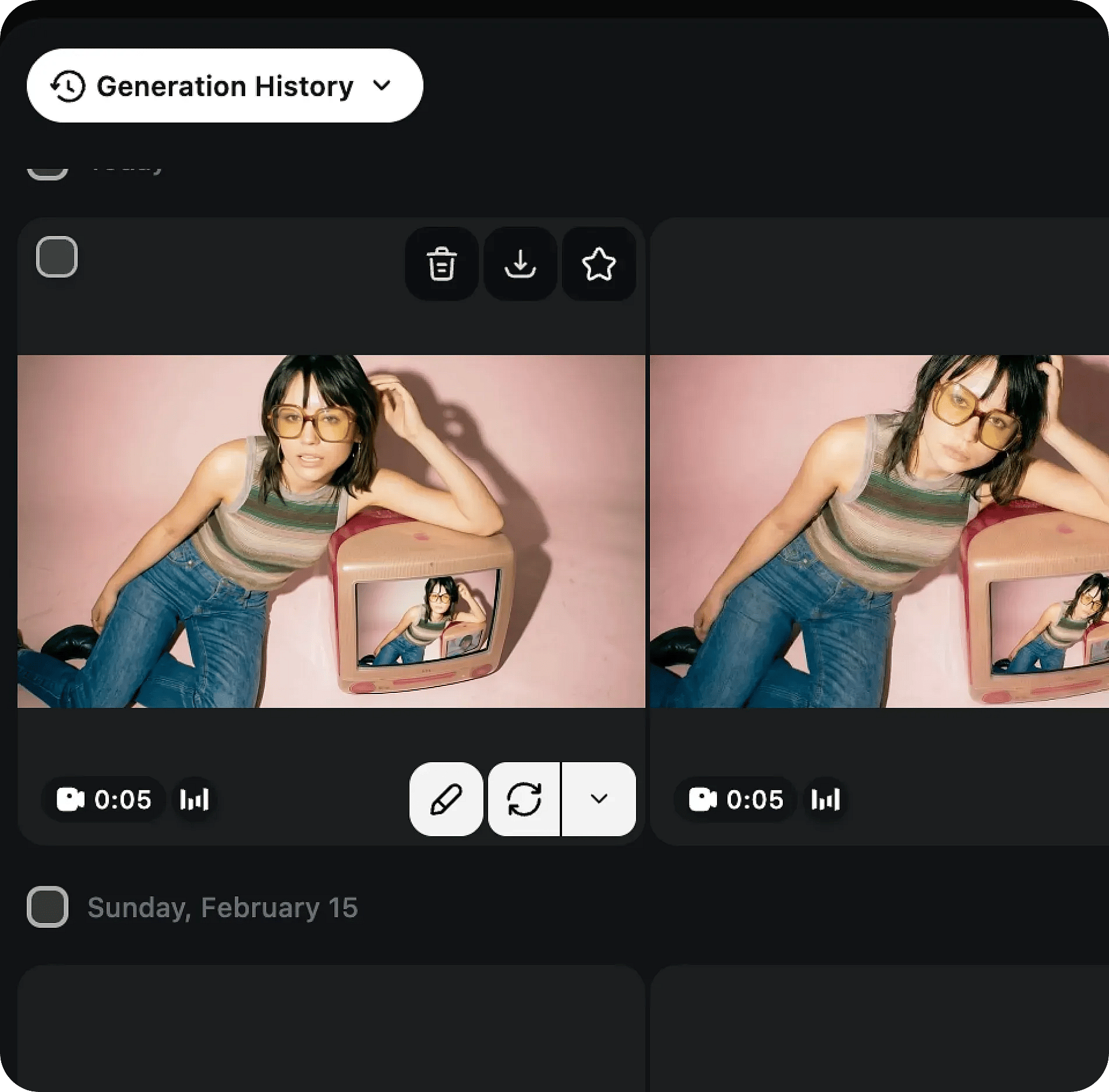
Generate, refine, and download
Review the generated results and adjust your prompt and style to align with your vision. Download the results once satisfied.
How To Get The Best Results With Seedance 2.0
Define the theme
Start by choosing the main subject or concept for your video. Clear direction helps Seedance 2.0 AI video model understand what to focus on.

Experiment with styles
Test different visual styles, moods, and settings. Include references from images, videos, and audio to shape the look and feel of your video.
Consider combinations
Provide visual details like colors, lighting, textures, and effects, and combine multi-modal inputs to give the Seedance 2.0 Video Generator a better cinematic context.
Integrate elements
Mix images, video clips, and audio to guide motion, camera angles, characters, and scenes for a cohesive output.
Embrace originality
Utilize tools like Auto Enhance to refine your prompt and improve the accuracy of your AI video.

Patience and iteration
Make small adjustments to your prompts, inputs, and references across multiple generations until the video aligns with your vision.
Define the theme
Start by choosing the main subject or concept for your video. Clear direction helps Seedance 2.0 AI video model understand what to focus on.
Experiment with styles
Test different visual styles, moods, and settings. Include references from images, videos, and audio to shape the look and feel of your video.
Consider combinations
Provide visual details like colors, lighting, textures, and effects, and combine multi-modal inputs to give the Seedance 2.0 Video Generator a better cinematic context.
Integrate elements
Mix images, video clips, and audio to guide motion, camera angles, characters, and scenes for a cohesive output.
Embrace originality
Utilize tools like Auto Enhance to refine your prompt and improve the accuracy of your AI video.
Patience and iteration
Make small adjustments to your prompts, inputs, and references across multiple generations until the video aligns with your vision.
Frequently Asked Questions
Get Insights from Experts Blog
Get the insights you need. Our experts share actionable hacks, break down the hottest topics, and provide essential how-to guides to help you create, optimize, and scale.
Read More
Loved by Creators
I've tried many AI platforms... but OpenArt is still the best for character creation, image-to-video quality, and the variety of models available.
OpenArt offers an excellent array of AI tools... once you learn the features, the creative possibilities are amazing - and their support team is outstanding.
OpenArt is a very versatile AI platform with many image and video models, consistent character creation, and powerful editing tools.
Helpful AI tools all in one place - image and video generation, editing, and more... no need for multiple subscriptions.
Customer service is always quick and helpful... and the platform keeps getting better with new features and tools.
I've tried many AI platforms... but OpenArt is still the best for character creation, image-to-video quality, and the variety of models available.
OpenArt offers an excellent array of AI tools... once you learn the features, the creative possibilities are amazing - and their support team is outstanding.
OpenArt is a very versatile AI platform with many image and video models, consistent character creation, and powerful editing tools.
Helpful AI tools all in one place - image and video generation, editing, and more... no need for multiple subscriptions.
Customer service is always quick and helpful... and the platform keeps getting better with new features and tools.
I've tried many AI platforms... but OpenArt is still the best for character creation, image-to-video quality, and the variety of models available.
OpenArt offers an excellent array of AI tools... once you learn the features, the creative possibilities are amazing - and their support team is outstanding.
OpenArt is a very versatile AI platform with many image and video models, consistent character creation, and powerful editing tools.
Helpful AI tools all in one place - image and video generation, editing, and more... no need for multiple subscriptions.
Customer service is always quick and helpful... and the platform keeps getting better with new features and tools.
With so many AI platforms out there, OpenArt stood out as a stellar choice - I'd recommend it to any creator.
This platform includes everything you need for AI content creation - images, video, characters, audio, and multiple AI models in one place.
OpenArt is pushing the boundaries of AI video creation... and it's clear the team is committed to improving the creator experience.
I made my first AI music video with OpenArt... and their support team was the best help I've ever experienced.
I'm very happy with the support - my issue was resolved quickly and the team made the process easy.
With so many AI platforms out there, OpenArt stood out as a stellar choice - I'd recommend it to any creator.
This platform includes everything you need for AI content creation - images, video, characters, audio, and multiple AI models in one place.
OpenArt is pushing the boundaries of AI video creation... and it's clear the team is committed to improving the creator experience.
I made my first AI music video with OpenArt... and their support team was the best help I've ever experienced.
I'm very happy with the support - my issue was resolved quickly and the team made the process easy.
With so many AI platforms out there, OpenArt stood out as a stellar choice - I'd recommend it to any creator.
This platform includes everything you need for AI content creation - images, video, characters, audio, and multiple AI models in one place.
OpenArt is pushing the boundaries of AI video creation... and it's clear the team is committed to improving the creator experience.
I made my first AI music video with OpenArt... and their support team was the best help I've ever experienced.
I'm very happy with the support - my issue was resolved quickly and the team made the process easy.
Create without limits
Join thousands of creators using OpenArt to generate stunning images, videos, and more — all in one platform.
Get Started for Free →