No tricks, only treats 🎃 Unlock up to 30% off plans or free AI generations. Ends Nov 1.🎃 Halloween treat: up to 30% off. Ends Nov 1.

Claim my treat ›

AI Graphic Design Generator

OpenArt's AI graphic design generator turns a short description or a reference picture into posters, social media graphics, logos, and ads. Type what you need, pick a model that writes clear text, and get several designs to choose from in seconds.
Add image reference
Generate Graphic Design Now

Key Benefits of AI Graphic Design Generator

Globe icon

Clear Text on Your Designs

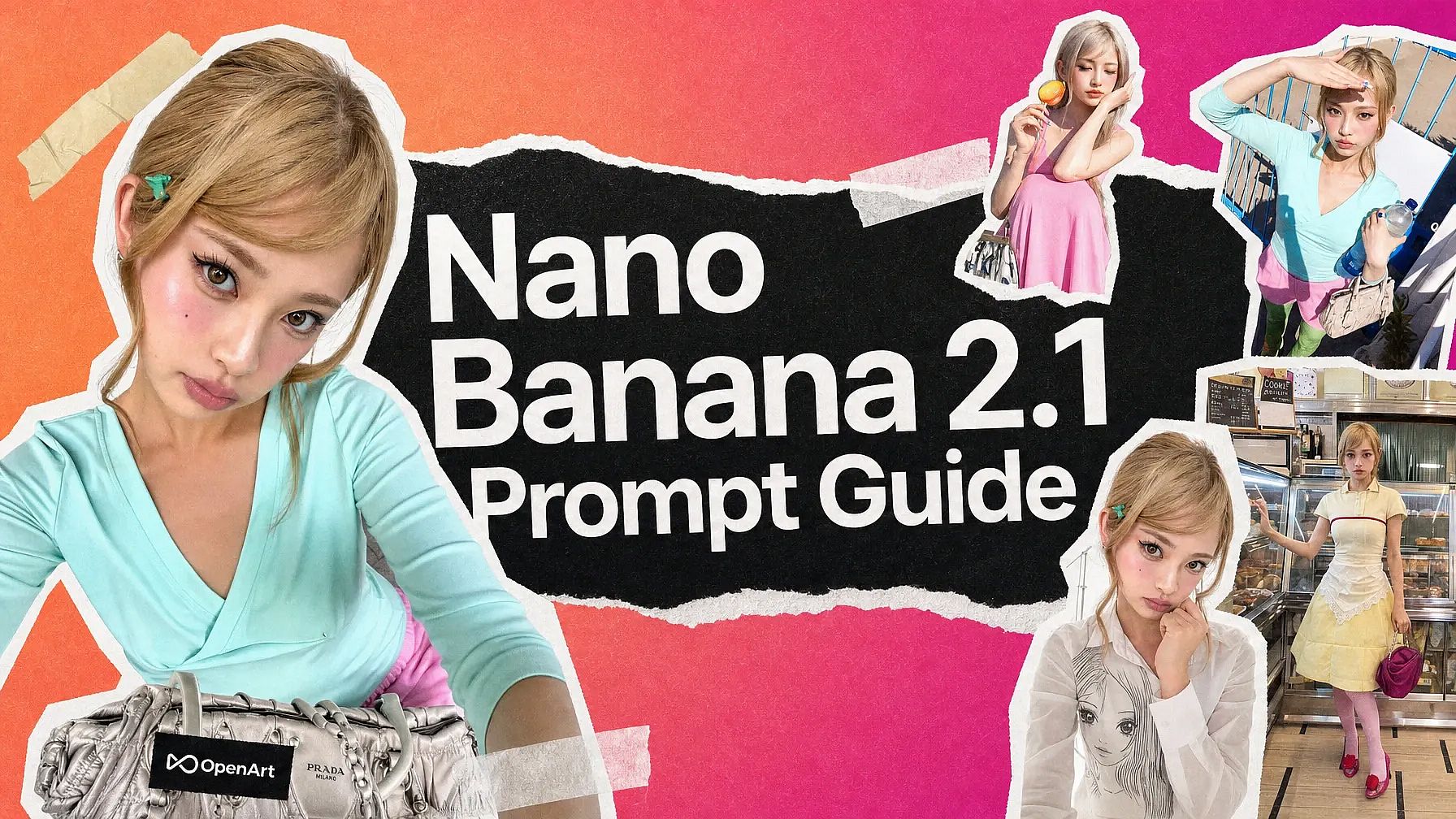
Pick a text-strong model like GPT Image 2.5 or Nano Banana 2.1, and the headline, date, and price you type show up clear and readable on the finished design.


Bell icon

Designs Built From Your Photos

Upload your product photo, an old flyer, or a rough sketch, and OpenArt builds the new design around the picture you already have.
Folder icon

One Design in Every Size

Expand Image resizes a finished design to an Instagram Story, a YouTube thumbnail, or a Facebook post, so one idea covers every channel.

Key Features of AI Graphic Design Generator
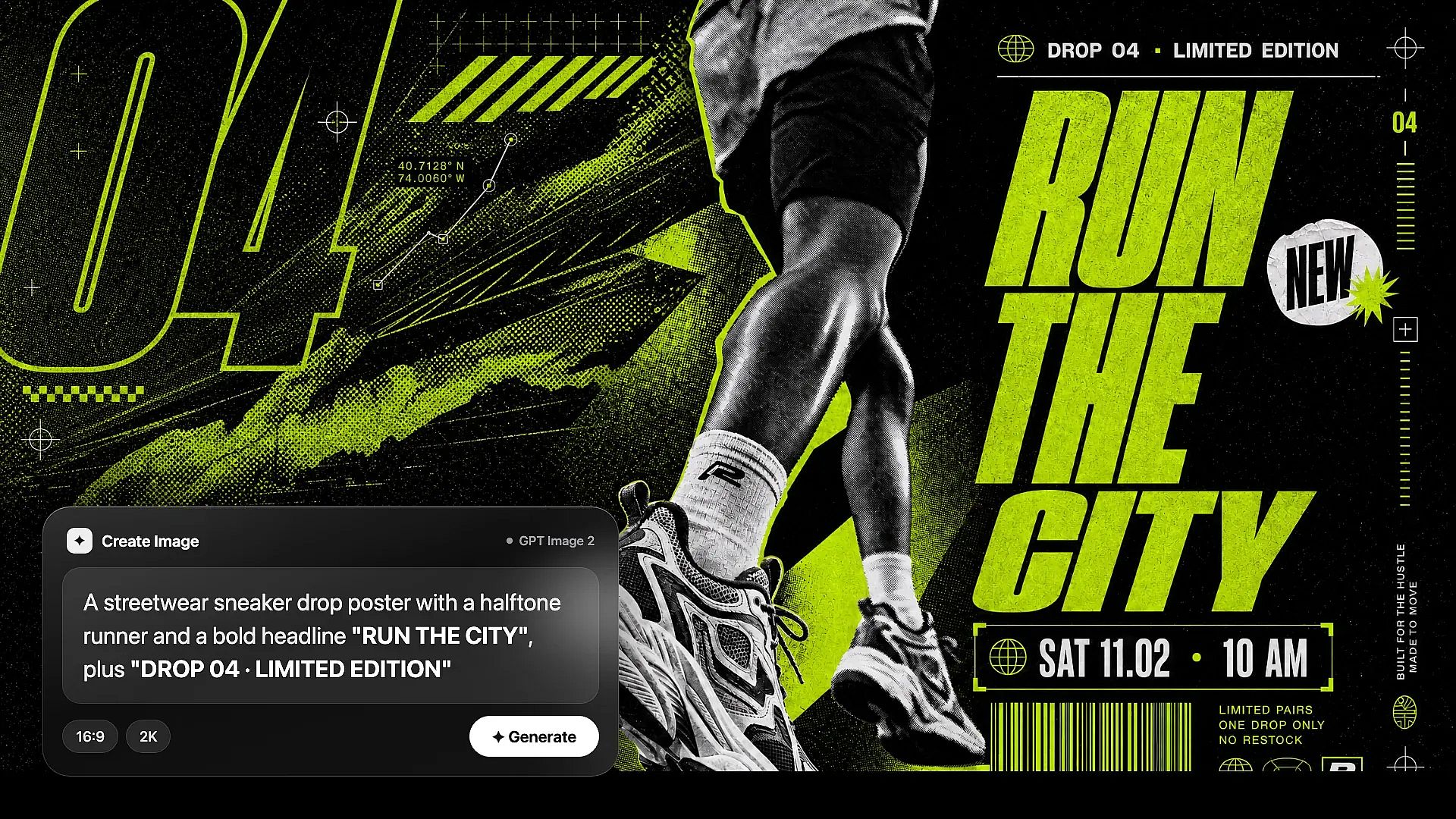
OpenArt AI graphic design generator: a typed prompt in the Create Image chat turns into a finished streetwear sneaker drop poster with the headline RUN THE CITY

Describe a Design and Generate It

Using AI for graphic design on OpenArt starts with a few plain words in Create Image. Write what the design should show, like "a summer sale poster with a yellow background and the words 50% OFF in big bold letters." Put any words you want on the design inside quotes so the model knows to write them. Turn on Auto-Polish Prompt if you want OpenArt to fill out a short prompt for you. You can make up to 8 designs at once in the OpenArt AI image generator and keep the best one.
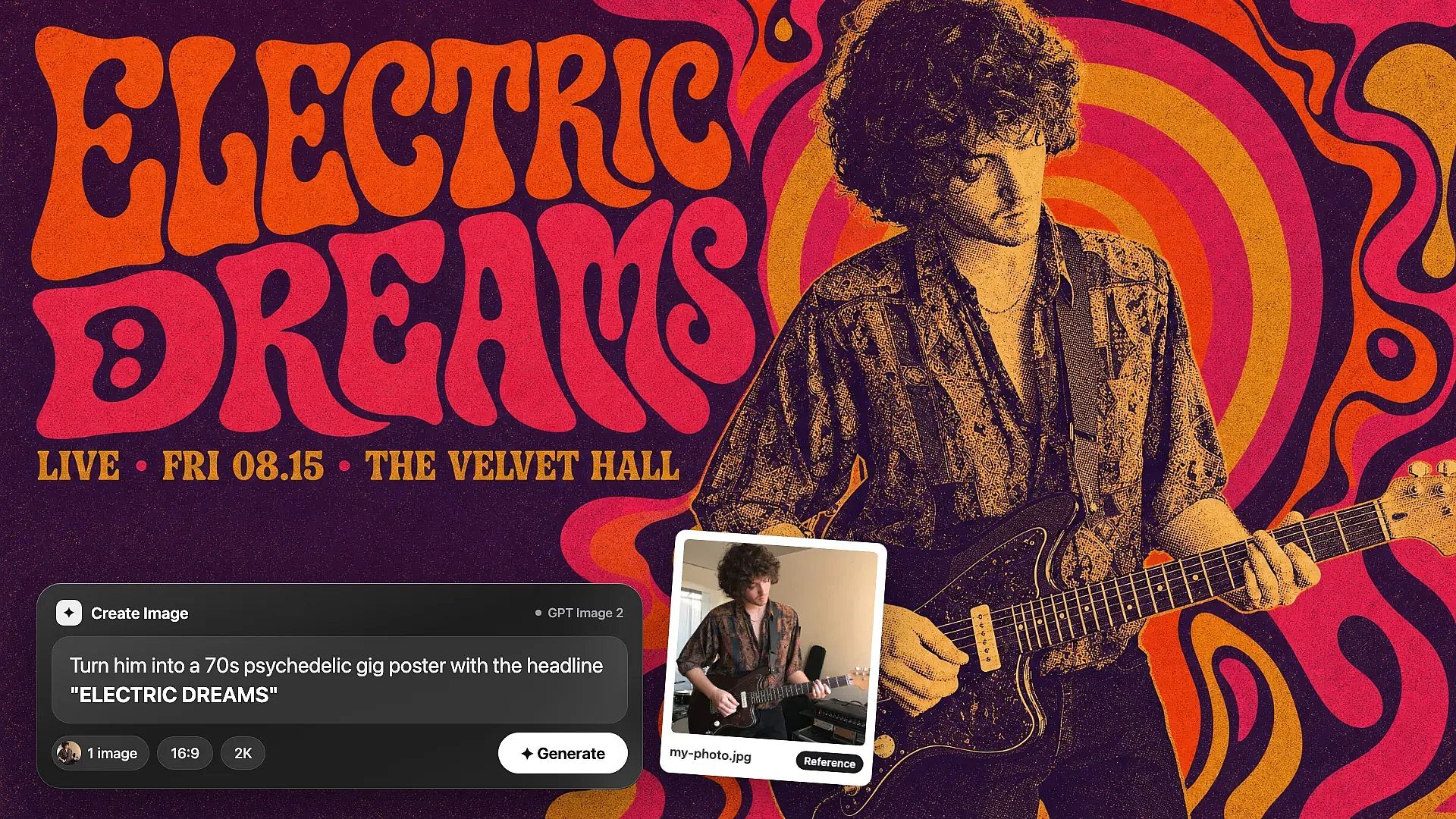
OpenArt AI graphic design generator: an uploaded reference photo of a guitarist plus a prompt in the Create Image chat turns into a 70s psychedelic gig poster titled ELECTRIC DREAMS

Upload a Picture to Guide the Design

OpenArt's graphic design AI also works from an image you already have. Upload a reference picture next to your prompt in Create Image, and the new design follows its look, its subject, or its layout. A real product photo stays accurate this way, so the bottle or shoe in your ad matches the one you sell. Image Variations gives you up to 8 new takes on one design, with a creativity slider that sets how close each one stays to the original. The AI image to image workflow shows more ways to remake a picture.
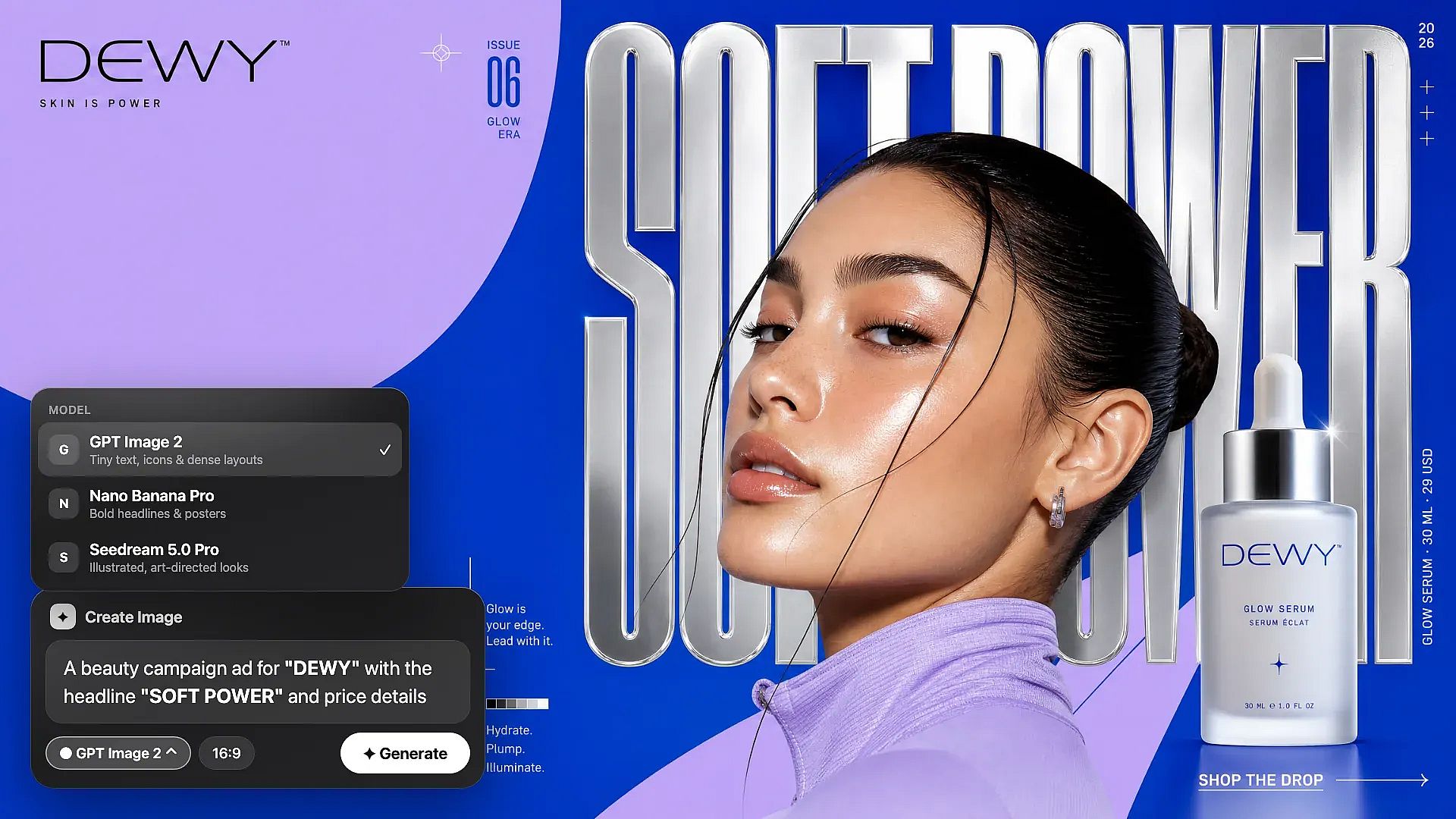
OpenArt AI graphic design generator: picking GPT Image 2 in the Create Image model menu to make a beauty campaign ad for DEWY with the headline SOFT POWER

Pick a Model Made for Text and Layout

The AI design generator lets you switch image models for each graphic design job. GPT Image 2.5 is good at tiny text, small icons, and layouts for ads and posters in many languages. Nano Banana Pro is OpenArt's in-image text specialist, with native 4K output. Seedream 5.0 Pro handles busy poster layouts and logo designs that combine several reference images. Recraft V4 makes clean, design-style images and illustrations.
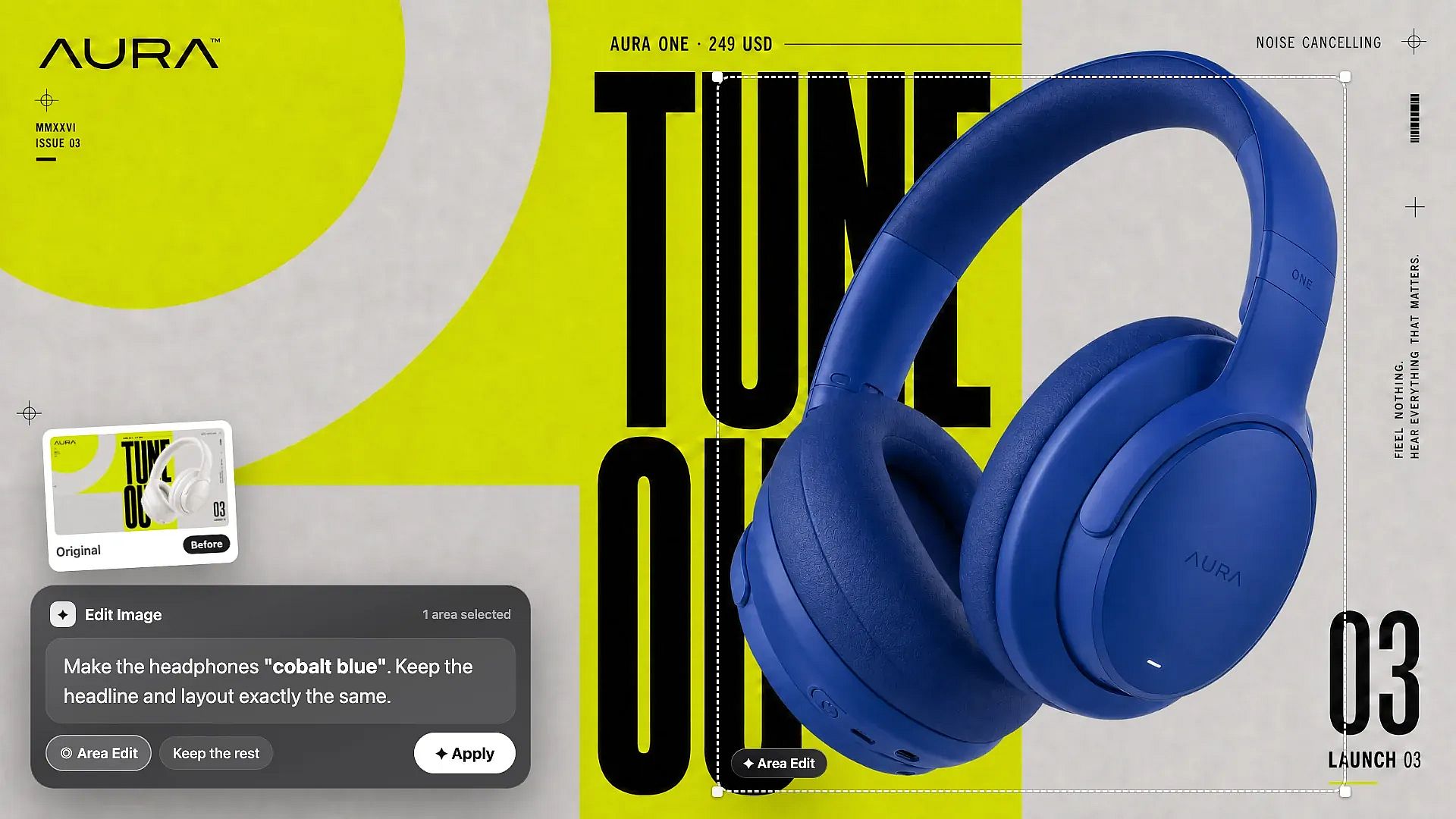
OpenArt AI graphic design generator: Area Edit in OpenArt Edit Image changes only the headphones to cobalt blue on the AURA TUNE OUT launch poster while the headline and layout stay the same

Make Precise Edits Without Regenerating

OpenArt's Edit Image tool changes one part of a graphic design and leaves the rest alone. Use Area Edit to highlight the date on a flyer and type the new date. Use Annotate to draw arrows, boxes, and notes on the design before you generate the change. When the design is final, Image Upscale makes it up to 10x bigger so it prints sharp on a poster or a banner.

How to Use the AI Graphic Design Generator
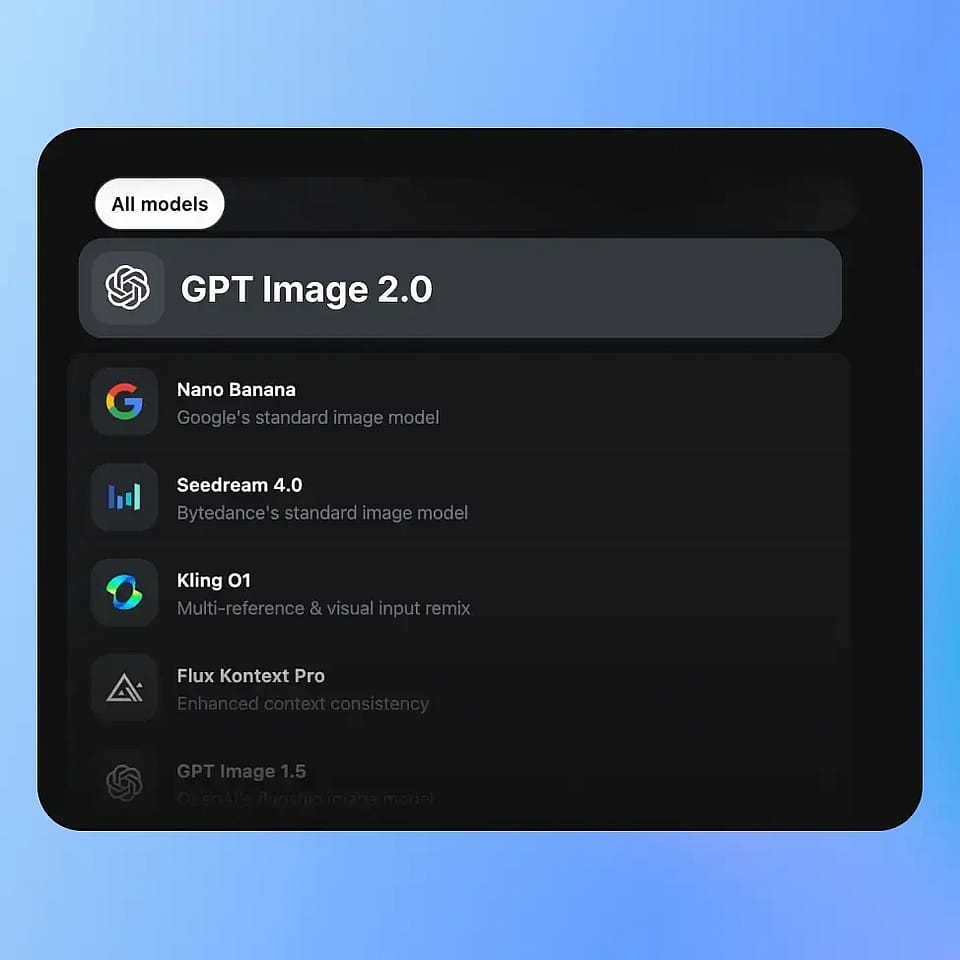
Pick an image model
Step 01

Pick an image model

Open Create Image and choose a model that writes clear text, like GPT Image 2.5 or Nano Banana Pro.
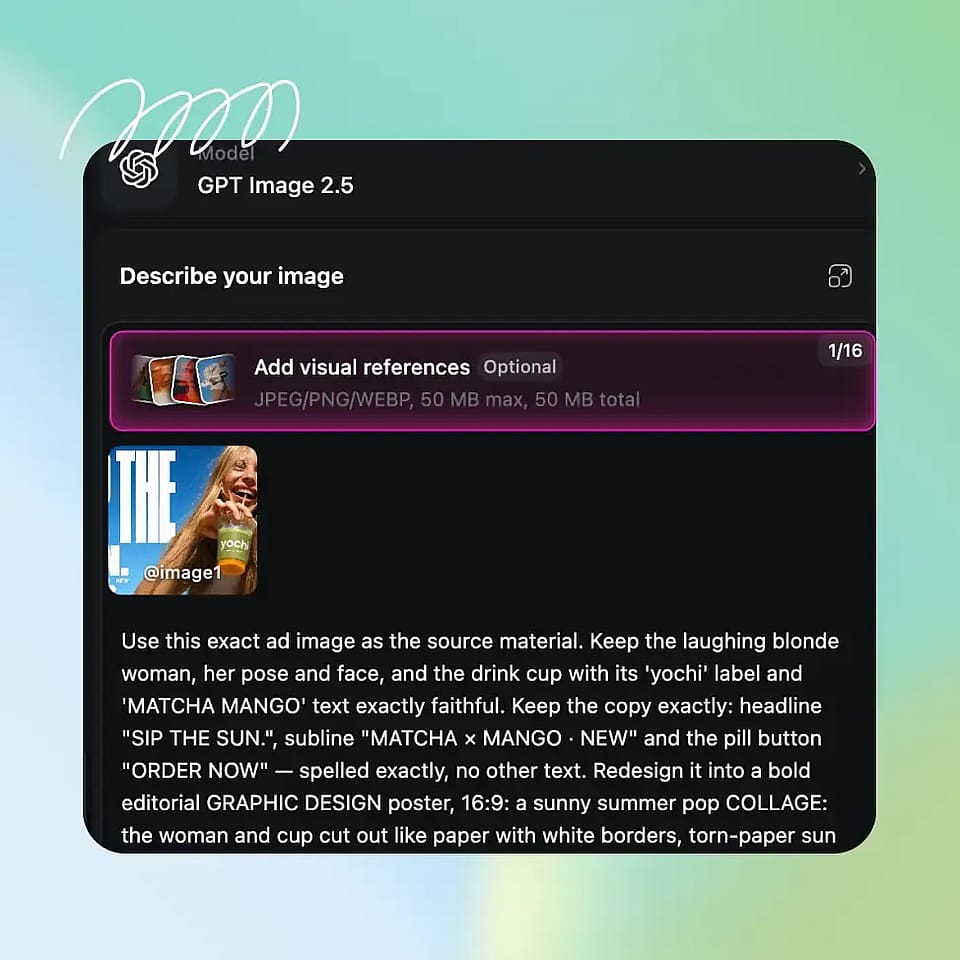
Prompt and add references
Step 02

Prompt and add references

Type what the design should show and put the exact words in quotes. Upload a reference image if you want the design to follow a photo or an old layout.
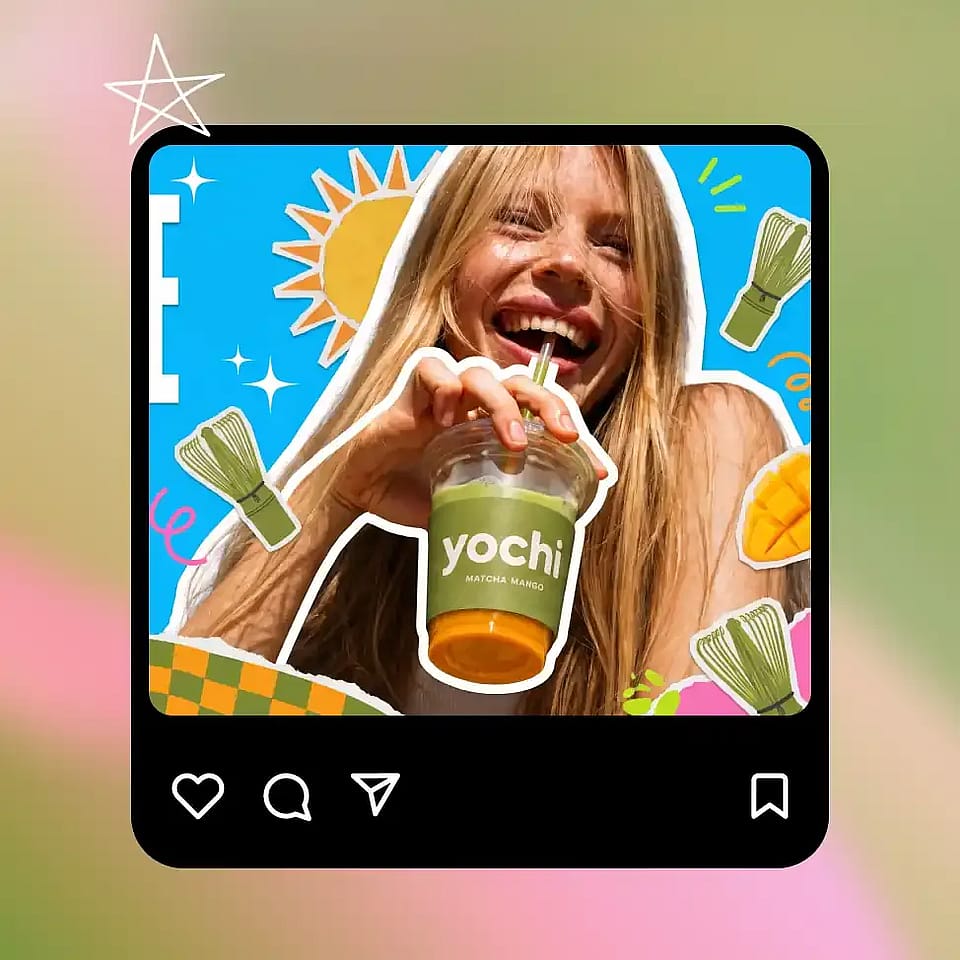
Generate and download
Step 03

Generate and download

Pick an aspect ratio, a resolution, and how many designs you want, up to 8, then generate.

Best Uses of Graphic Design AI
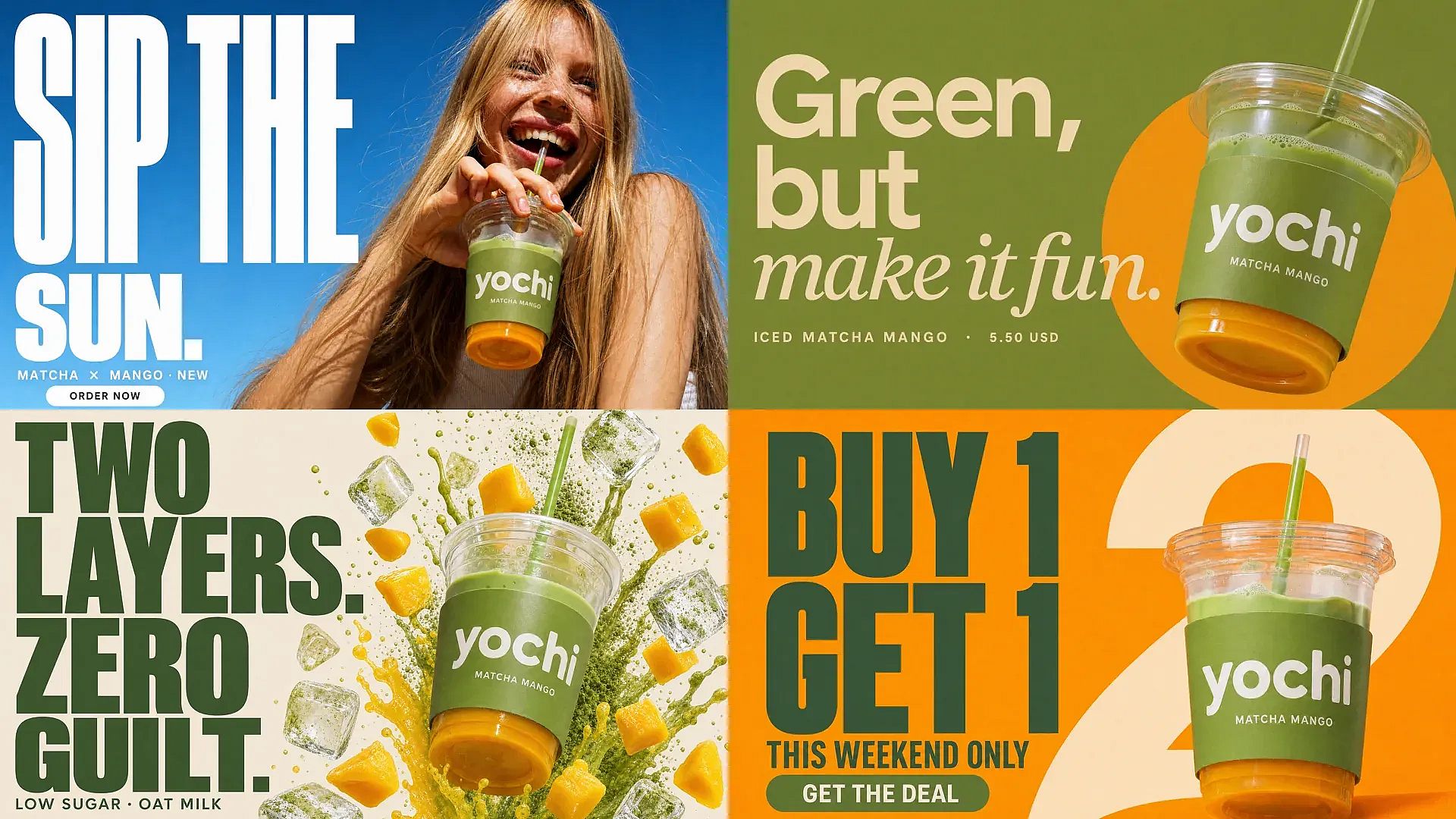
OpenArt AI graphic design generator: four performance ad variants for the yochi matcha mango drink with different headlines and backgrounds, made from one product photo for A/B testing

Marketers Making Ads and Promo Banners

Performance marketers and ad designers use OpenArt's graphic design AI to make product ads, promo banners, and seasonal campaign visuals. Start from your real product photo as a reference image so the product stays accurate. Generate several versions of the same ad with different headlines or backgrounds to test which one people click. For product scenes on their own, the AI Product Image Generator places your product in studio and lifestyle settings.

Try it Now
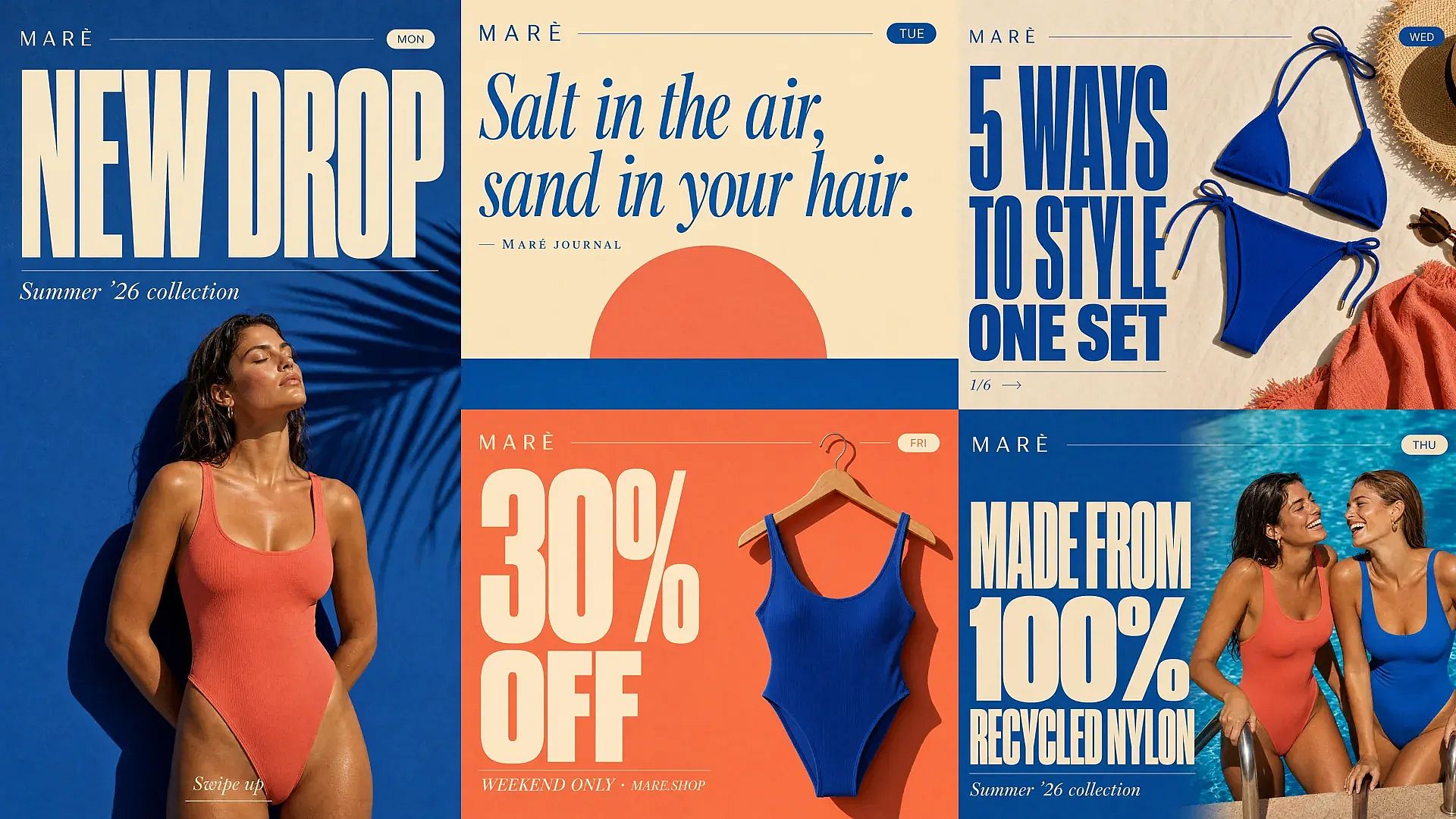
OpenArt AI graphic design generator: a week of social media graphics for the MARÈ swimwear brand in one matching style, including an Instagram story, quote card, carousel cover, announcement post and promo post

Brand Teams Making Social Media Graphics

Brand and social media teams use OpenArt's AI graphic design generator to make feed posts, stories, carousel covers, and quote cards for Instagram, TikTok, and LinkedIn. Keep the same prompt structure and the same reference image, and you can make a whole week of posts in one matching style in one sitting. Expand Image then resizes each post for a story or a wide banner. For stats, timelines, and step-by-step charts, the AI Infographic Generator turns your numbers into one shareable picture.

Try it Now
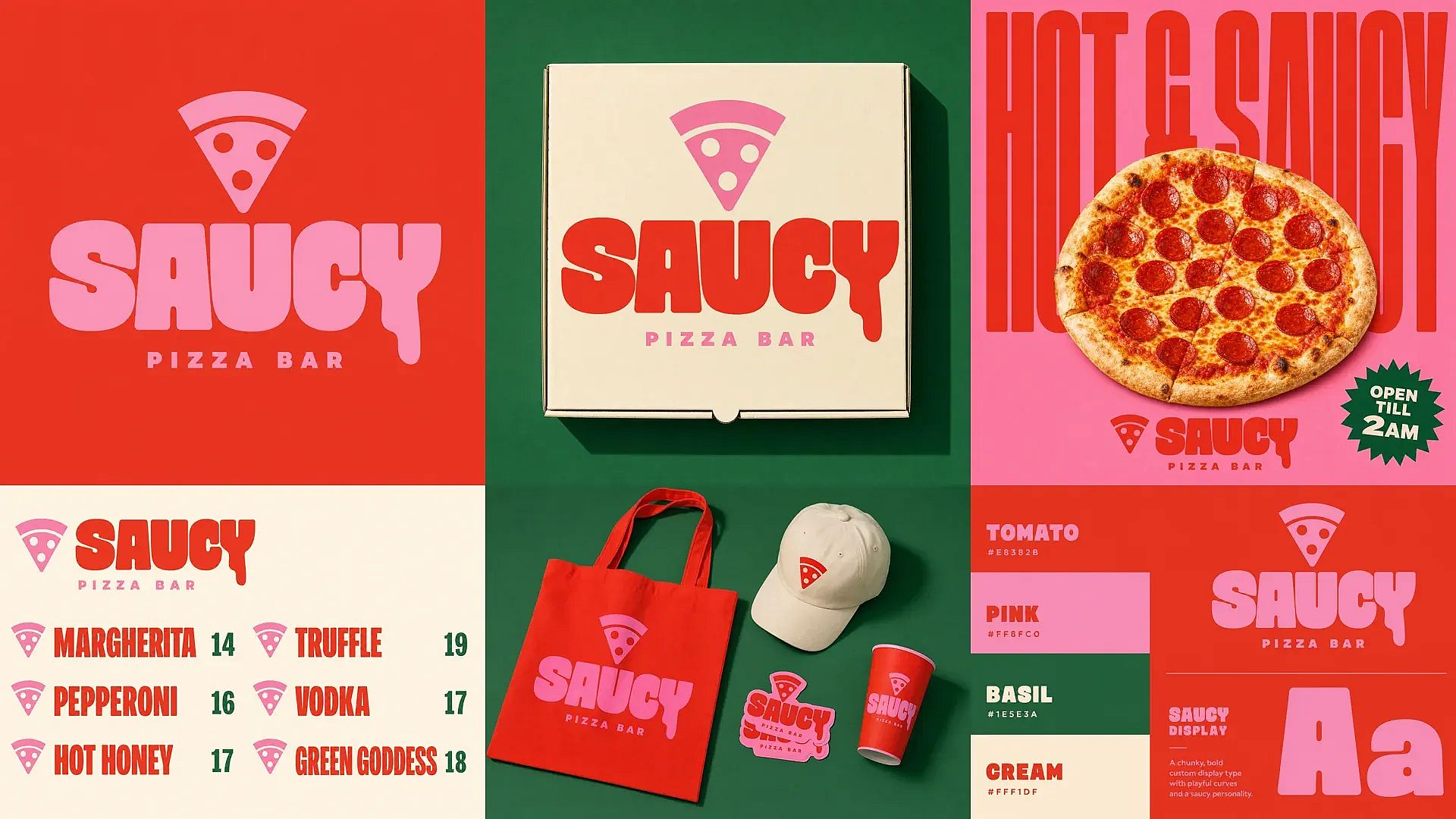
OpenArt AI graphic design generator: brand identity for the SAUCY pizza bar, including primary logo, pizza box, street poster, menu, merch and brand color palette in one consistent style

Designers Sketching Logos and Brand Assets

Brand designers use OpenArt's AI graphic design generator to try logo ideas, icons, patterns, and brand color options in a few minutes. Treat each AI logo as a strong first draft, then clean it up in your design software and check trademark rules before you register it. Save the logo, colors, and fonts you pick to a Brand Kit, and GPT Image models apply them to every image in the project. The AI Logo Generator has more ideas built just for logos.

Try it Now
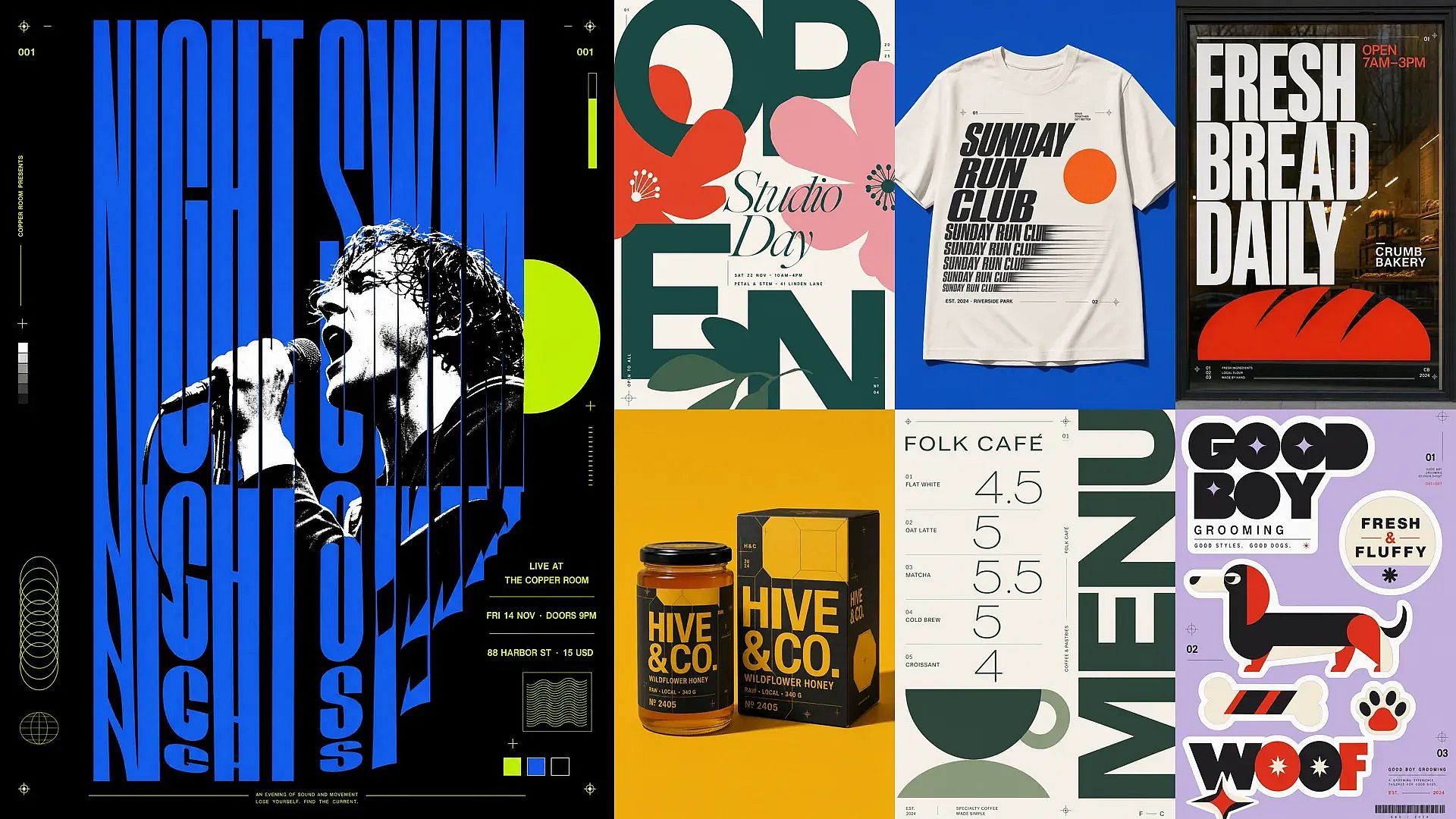
OpenArt AI graphic design generator: small business designs including a gig poster, open day poster, cafe menu, bakery window sign, honey packaging, run club t-shirt graphic and dog grooming sticker sheet

SMBs Making Posters, Menus, and Merch

Small business owners use OpenArt's AI design tool to make event posters, gig flyers, and open-day announcements without a designer on call. Pick a text-strong model and type the exact headline, date, and address into the prompt so every word shows up on the poster. The same flow makes cafe menus, window signs, product labels, and packaging mockups. For merch, the AI clothing generator and the AI sticker generator make shirt graphics and sticker sheets.

Try it Now

Frequently Asked Questions

An AI graphic design generator is a tool that makes posters, social media graphics, logos, and ads from a written description or a reference picture. With OpenArt's AI graphic design generator, you type what the design should show, pick an image model, and get several finished designs in seconds. You can then edit one part, resize the design, or make it bigger for print.
Yes. Text-strong models on OpenArt, including GPT Image 2, Nano Banana Pro, Nano Banana 2, and FLUX 3 Image, write clear headlines, dates, and prices on a design. Put the exact words inside quotes in your prompt so the model knows what to write. If one word comes out wrong, highlight it with Area Edit in Edit Image and type the fix.
The best AI design generator for graphic design depends on the task, so OpenArt lets you pick a different AI model for each one. GPT Image 2.5 is strong at small text and ad layouts, Nano Banana Pro is strong at in-image text, Seedream 5.0 Pro handles busy poster and logo layouts, and Recraft V4 makes clean illustrations. You can run the same prompt on two models and keep the design you like better.
You can use an AI-generated logo from OpenArt as a strong starting point for your official logo. Clean it up in your design software, and talk to a trademark lawyer before you register it, because trademark rules change from country to country. OpenArt's AI Copyright and IP Check scans an image for similarity to well-known brands and logos and gives you a risk rating before you use it. The IP check is a warning tool and gives no legal guarantee.
Yes. Every new OpenArt account starts with 40 free credits, so you can try the AI graphic design generator for free right away. When you're ready to create more, paid plans add monthly credits and watermark-free downloads. See current plans on the OpenArt pricing page.
AI speeds up the production side of design, like first drafts, resizing, and ad variations. Designers still drive the ideas, brand judgment, and final polish that clients pay for. Many designers now use AI for graphic design to test more ideas in less time, then refine the best one by hand.
Yes. AI can make complete graphic designs, including the layout, the pictures, the colors, and the words on the design. OpenArt's graphic design AI generator uses image models like GPT Image 2, Nano Banana Pro, and Seedream 5.0 Pro to make posters, flyers, social posts, and ads from a prompt. You still choose the idea and pick the design that fits your brand.
Yes. Upload a reference image next to your prompt in OpenArt's Create Image, and the new design follows the picture's look, subject, or layout. A real product photo works well for ads because the product stays accurate. Image Variations makes up to 8 new versions of one design, and a creativity slider sets how close each one stays to the original.
Save your logo, color codes, fonts, and brand rules to an OpenArt Brand Kit, and GPT Image 2.5 and GPT Image 2 apply them to every image in the project. With other image models, upload your logo or an old design as a reference image to guide the look. Keeping the same prompt structure from post to post also keeps a set of designs matching.
Yes. Commercial rights apply on eligible paid plans, so you can use designs from OpenArt's AI graphic design generator in ads, social posts, and client work. Make sure you own any photo or logo you upload as a reference, or have the rights to use it.
Name the kind of design, the main words, the colors, and the style in your prompt, like "a square Instagram post, cream background, the words Grand Opening in bold green letters." Put every word you want on the design inside quotes. Pick the aspect ratio before you generate so the layout fits the channel. Make several designs at once and fix small mistakes with Area Edit in the Edit Image tool. For more prompt ideas, see these graphic design AI prompts.

Get Insights from Experts Blog

Get the insights you need. Our experts share actionable hacks, break down the hottest topics, and provide essential how-to guides to help you create, optimize, and scale.

Read More
Create without limits

Join thousands of creators using OpenArt to generate stunning images, videos, and more — all in one platform.

Get Started for Free →