

 ChatGPT
 Perplexity
 Claude
 Gemini
Nano Banana 2.1 is Google's high-efficiency AI image generation and conversational editing model. It works best when you describe a picture the way you would explain it to a friend. Nano Banana 2.1 follows long, detailed prompts closely, so plain and specific words get the best results.
In OpenArt, you set the resolution, aspect ratio, and number of pictures with the controls under the prompt box. Your Nano Banana 2.1 prompt can focus on the picture itself.
Describe the whole scene in full sentences
A good Nano Banana 2.1 prompt names the subject, the setting, the light, and the style. Write it as one or two full sentences.
"Coffee, cozy, aesthetic" leaves Nano Banana 2.1 guessing. "A white mug of coffee on a wooden windowsill, soft morning light, rain on the glass, realistic photo" gives Nano Banana 2.1 a clear picture to make.
Put exact words in quotation marks
Nano Banana 2.1 writes readable text inside a picture when you put the words in quotes. Say where the words go and how big they should be, such as "a bold headline at the top."
Keep the text in a Nano Banana 2.1 picture short, like a title, a price, or a few labels.
Give every reference image a job
Nano Banana 2.1 takes up to 14 reference images, with up to 4 people and up to 10 objects in one picture. Tell Nano Banana 2.1 what each photo is for, such as "image 1 is the woman, image 2 is the jacket, image 3 is the room."
Use clean, well-lit reference photos, and show a product from more than one angle when the label matters.
Name what must stay the same across a batch
When you make a series in Nano Banana 2.1, list the details that cannot change. Name the label color, the logo spot, the face, or the outfit in every prompt.
Repeating those details keeps a Nano Banana 2.1 batch looking like one set.
Edit one change at a time
To edit a picture in Nano Banana 2.1, upload it and type only the change you want, like "make the sofa dark green." Add one short line about what stays, such as "keep the room and the lighting the same."
Small, single changes keep the rest of a Nano Banana 2.1 picture as it was.
3 sample Nano Banana 2.1 prompts
Sample 1: Product shot from reference photos
Settings: 4K, 4:5, with two product photos uploaded.
Image 1 is a glass serum bottle with a gold dropper cap. Image 2 is the same bottle from the back. Place the bottle on a white marble bathroom counter next to a small green plant, soft morning light from a window on the left. Keep the label text and the gold cap exactly as they look in the photos. Realistic product photo for an online store.
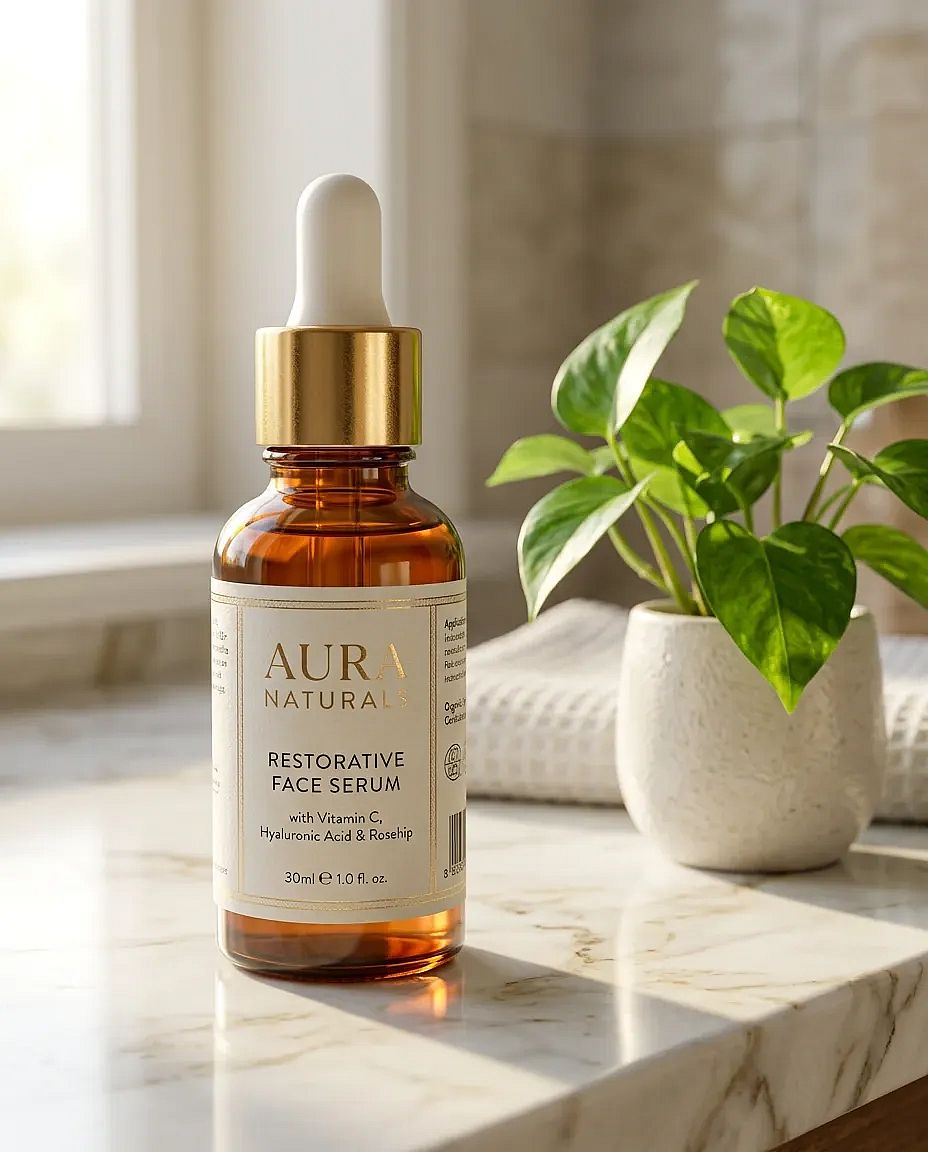
This Nano Banana 2.1 prompt gives each photo a job and names the details that must stay the same.
Sample 2: Event poster with real text
Settings: 2K, 2:3, no references.
A poster for a summer night market in a city park, with string lights, food stalls, and people walking between them at dusk. At the top, the headline "Night Market" in big bold letters. At the bottom, the line "Fridays, 6 to 11 PM" in smaller white letters. Bright, warm colors, flat illustration style.
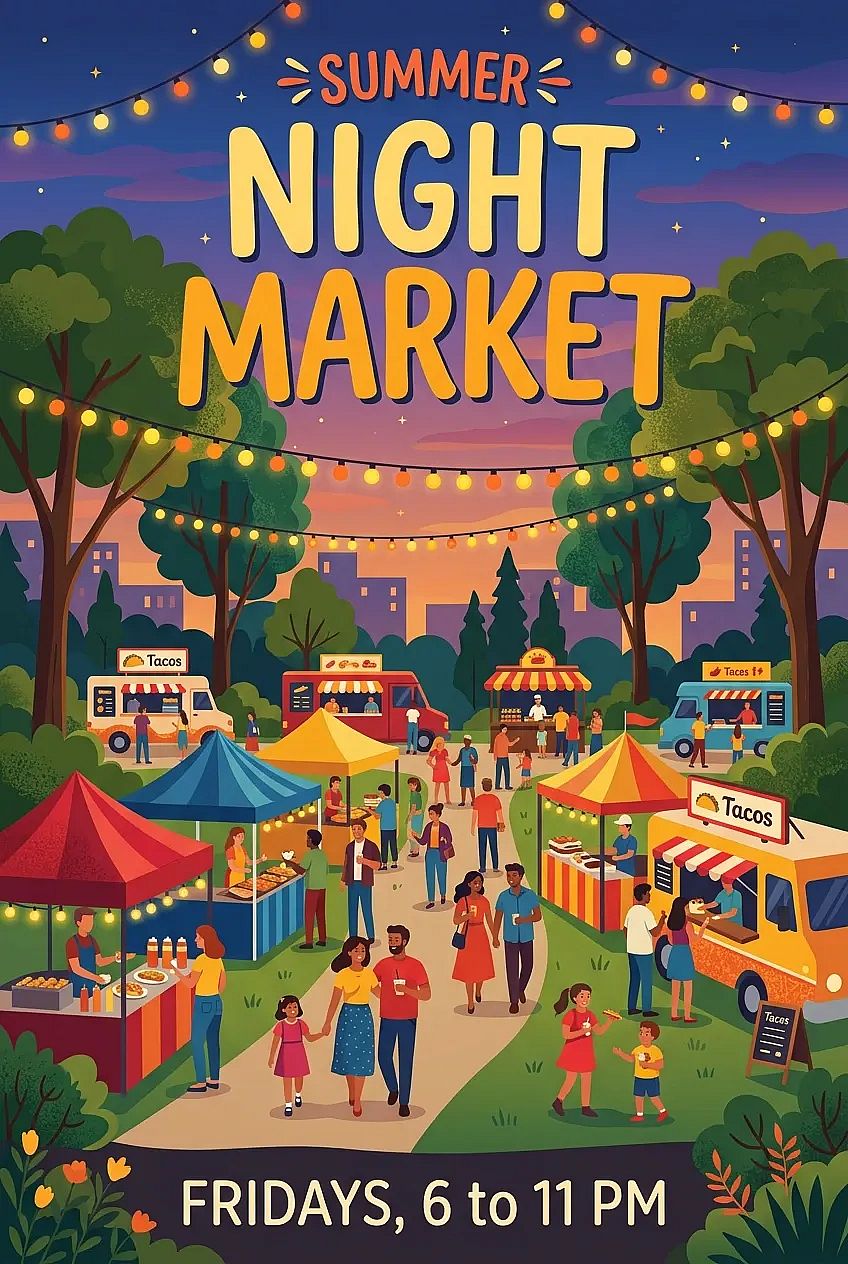
This Nano Banana 2.1 prompt puts every word in quotes and says where each line goes.
Sample 3: Outfit edit on a selfie
Settings: 2K, 9:16, with one selfie uploaded.
Change her denim jacket to a long camel wool coat. Keep her face, hair, pose, and the street behind her exactly the same.
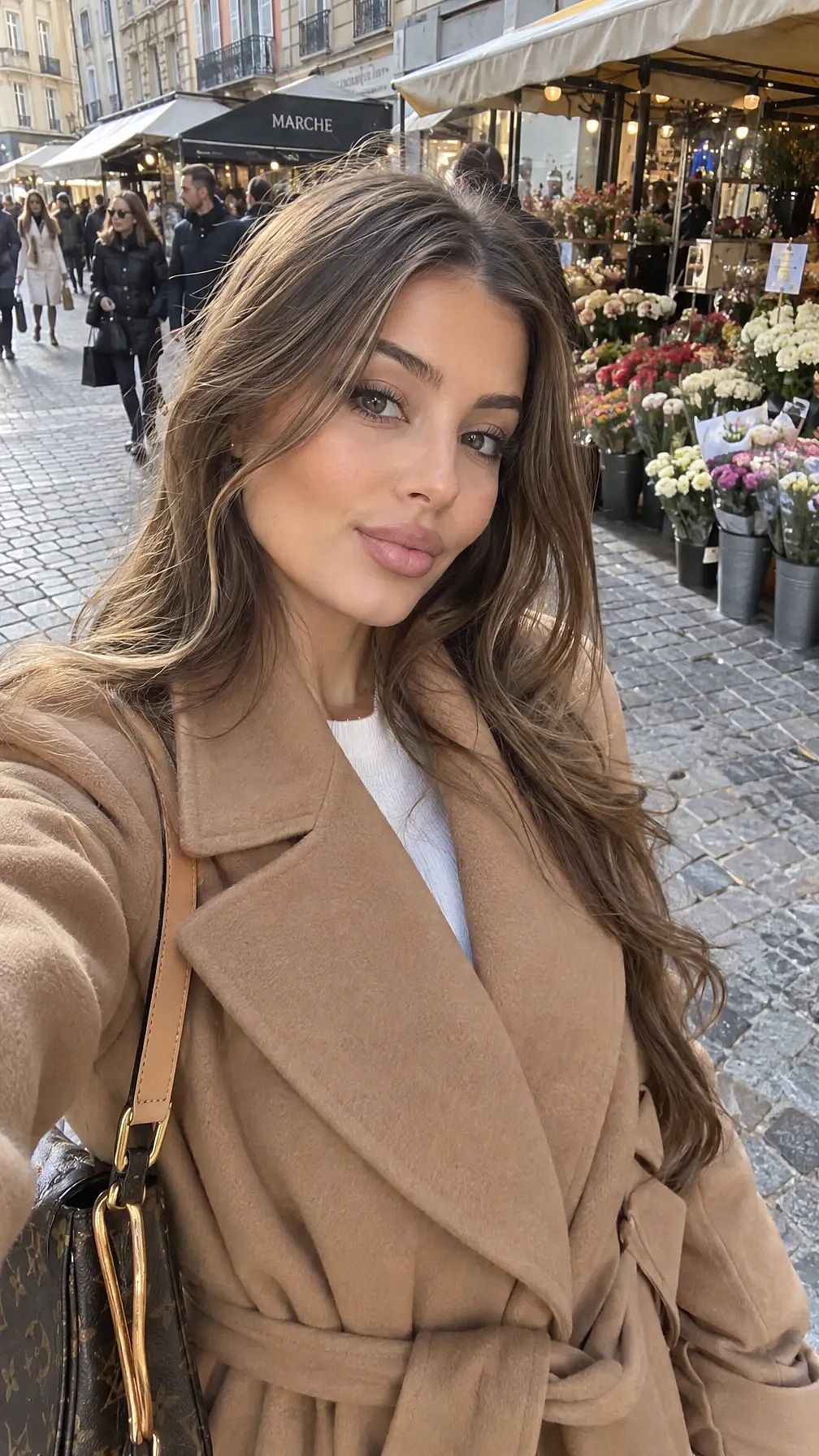
This Nano Banana 2.1 prompt asks for one change and lists what stays.
Start writing your own Nano Banana 2.1 prompts
Nano Banana 2.1 gives the best results when a prompt names the scene, the exact words, each reference's job, and what stays the same. Start with one of the three samples above and swap in your own product or words.
Open OpenArt's AI image generator, pick Nano Banana 2.1, and try your first prompt today.