



 ChatGPT
 Perplexity
 Claude
 Gemini
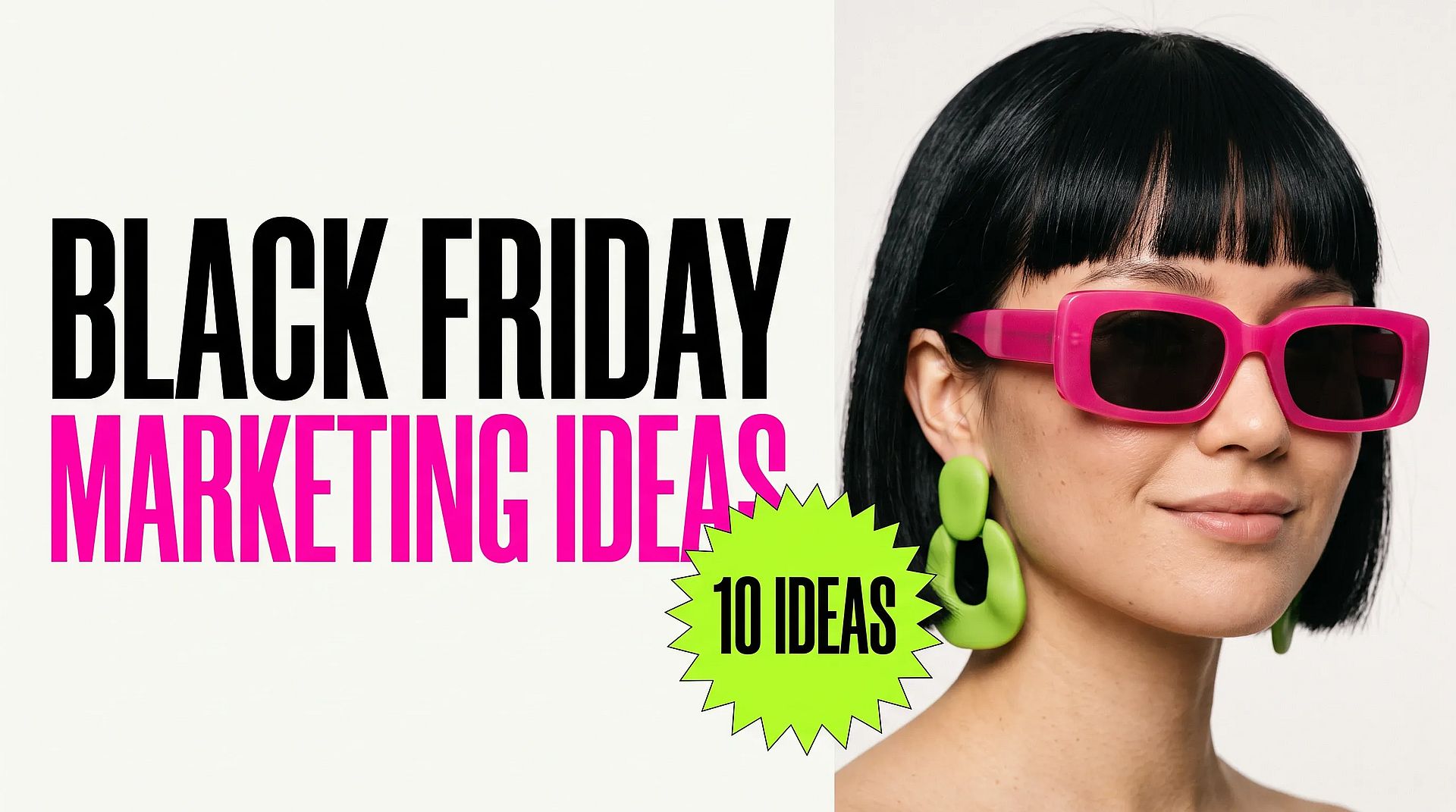
These Black Friday marketing ideas are for small businesses that need to plan fast and still look good. Black Friday falls on November 27 this year and Cyber Monday on November 30, so the busiest week of the shopping year is close. Below are 10 ideas on a simple timeline, with what to make for each one and how to make it quickly with AI, even without a designer or a photo shoot.
TL;DR
- Black Friday is Friday, November 27, and Cyber Monday is Monday, November 30. Most shoppers start looking a week or more before.
- Plan in four stages: warm-up, Black Week, Black Friday weekend, and the Cyber Monday last call.
- The 10 ideas below cover email, product photos, sale graphics, social posts, short videos, and ads.
- One sale design in every size, plus fresh holiday product shots, covers most of the visuals a small shop needs.
- AI tools can make the photos, banners, and short video ads in an afternoon, so the time goes into the offer instead.
What is a Black Friday marketing strategy?
A Black Friday marketing strategy is your plan for the offer, the timing, and the channels you will use to sell during the Black Friday and Cyber Monday period. For a small business, it usually comes down to three questions:
- What is the offer? A discount, a bundle, a free gift, or early access.
- When does each message go out? Before, during, and after Black Friday.
- Where will people see it? Email, Instagram, TikTok, your website, and paid ads.
The ideas below follow that order. Each one says what to make, when to post it, and how to make the creative.
Black Friday marketing timeline
Shoppers start early. TikTok says Black Friday and Cyber Monday run on TikTok Shop from November 11 to November 30 this year, and that #holidayshopping content rose 263% in September compared with August. So the sale starts well before the day itself.
| Stage | Dates | Goal | Ideas to run |
|---|---|---|---|
| Warm-up | Now to Nov 22 | Build a list of people who want the deal | 1, 2, 3 |
| Black Week | Nov 23 to Nov 26 | Show the offer everywhere | 4, 5, 6, 7 |
| Black Friday weekend | Nov 27 to Nov 29 | Turn interest into orders | 7, 8, 9 |
| Cyber Monday | Nov 30 | Last call for late shoppers | 10 |
Starting late? Run the warm-up and Black Week ideas together. Ideas 2, 3, and 6 give you the most visuals for the least time.
10 Black Friday marketing ideas for small businesses
1. Send an early-access email to your list
People who already know your brand are the easiest sales. Send an email this week that says a deal is coming and lets subscribers in a few hours early. Keep it short: what the offer is, when it starts, and one button.
What to make: one email header image that matches the rest of your sale graphics (see idea 3). It's best to design the header first, then reuse the same look everywhere else.
2. Reshoot your best sellers for the holidays
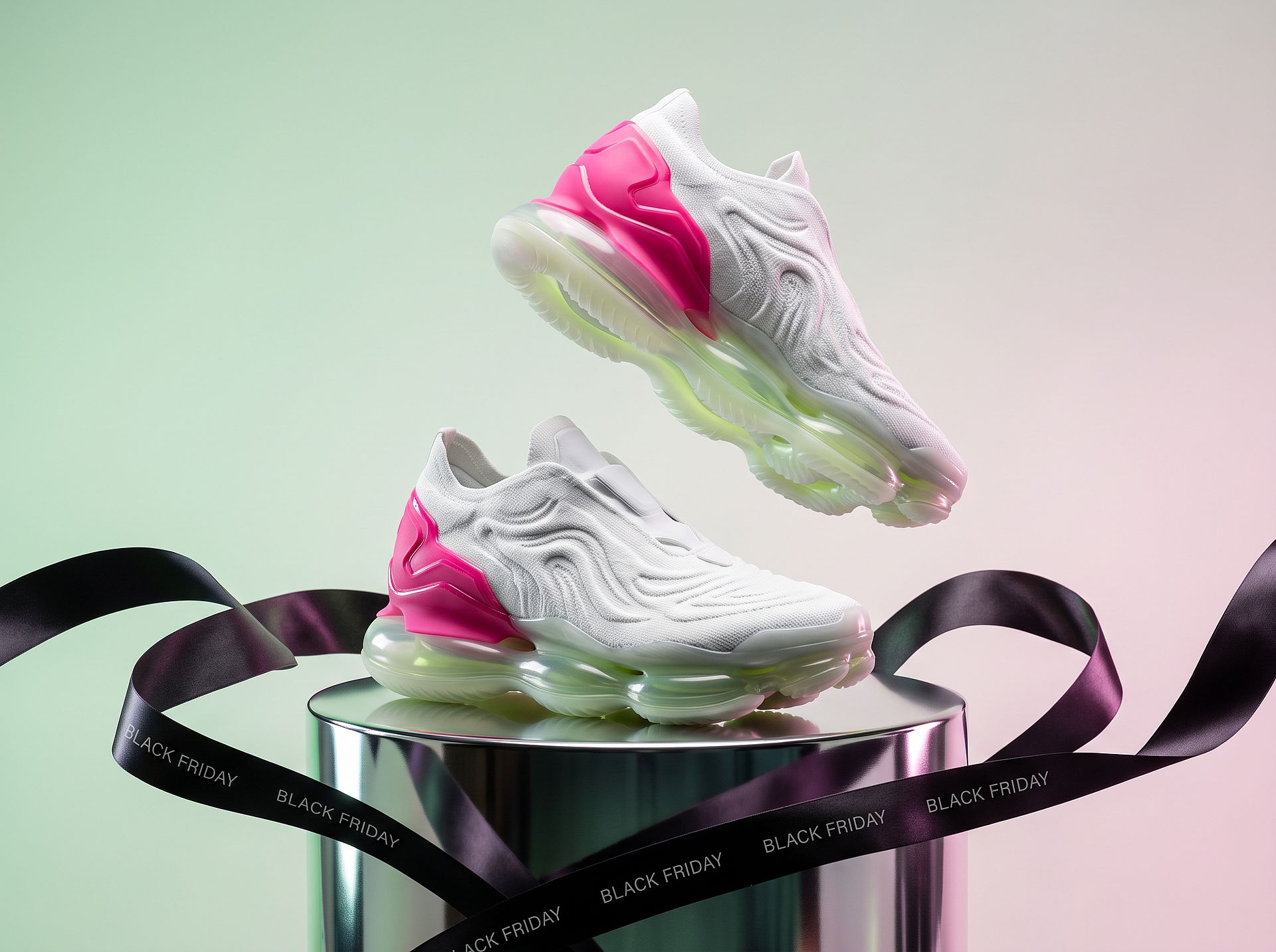
Your normal product photos work all year. For Black Friday, the same products look more exciting on a chrome pedestal, wrapped in a sale ribbon, or set in a bold holiday scene. You don't need a new shoot. Upload one clear photo of the product to the AI Product Image Generator and describe the holiday scene. A handful of basic product photos is enough to cover Instagram, email, and your website. Later in the season, the AI Christmas Photo Generator turns photos into holiday promos for your Christmas sale.
Prompt to try:
Premium product photo of [your product], one floating at an angle above a mirror-chrome pedestal, a wide black satin ribbon printed "BLACK FRIDAY" looped around the base, pale mint to pale pink gradient background, soft studio light with a sharp rim highlight, realistic materials, product-drop look.
Make three or four versions, one per channel color, so your feed doesn't repeat the same shot.
3. Make one sale design in every size
A Black Friday sale needs the same message in many shapes: a wide website banner, a square Instagram post, a tall story, and an email header. The fastest way is to design one version, then make the others from it with the same colors, fonts, and offer text.
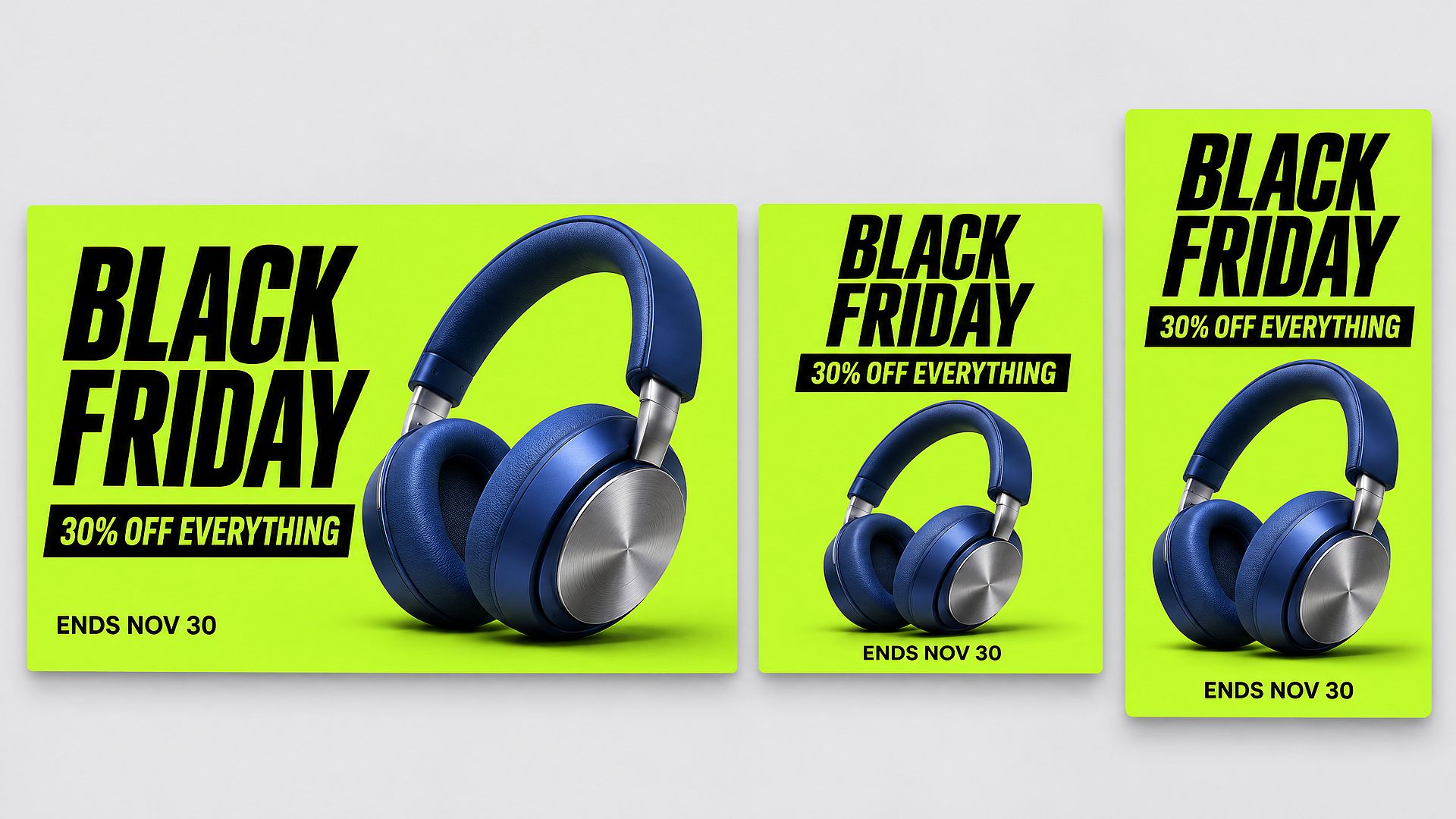
On OpenArt, save your logo and brand colors in Brand Kit first. Then describe the offer in the AI Image Generator and ask for each size. Need several products in one banner? Upload the product photos as references and ask for one clean layout with all of them. Models such as GPT Image 2.5 render short sale text clearly, so "30% OFF EVERYTHING" and "ENDS NOV 30" come out readable. Always check the numbers and dates before you post.
4. Count down on social media
A countdown gives followers a reason to come back each day. Post a simple "3 days left", "2 days left", "Tomorrow" series in your stories and feed, using the same design from idea 3 with only the number changed.
The AI Instagram Post Generator can make a matching set in one go, so every day looks like part of the same campaign.
5. Post a gift guide carousel
Plenty of Black Friday shoppers are buying for someone else. TikTok says nearly a third of its US users expect to buy a gift this Black Friday. A gift guide does the choosing for them. Group your products by price ("Gifts under $50") or by person ("For the coffee lover"), one product per slide.
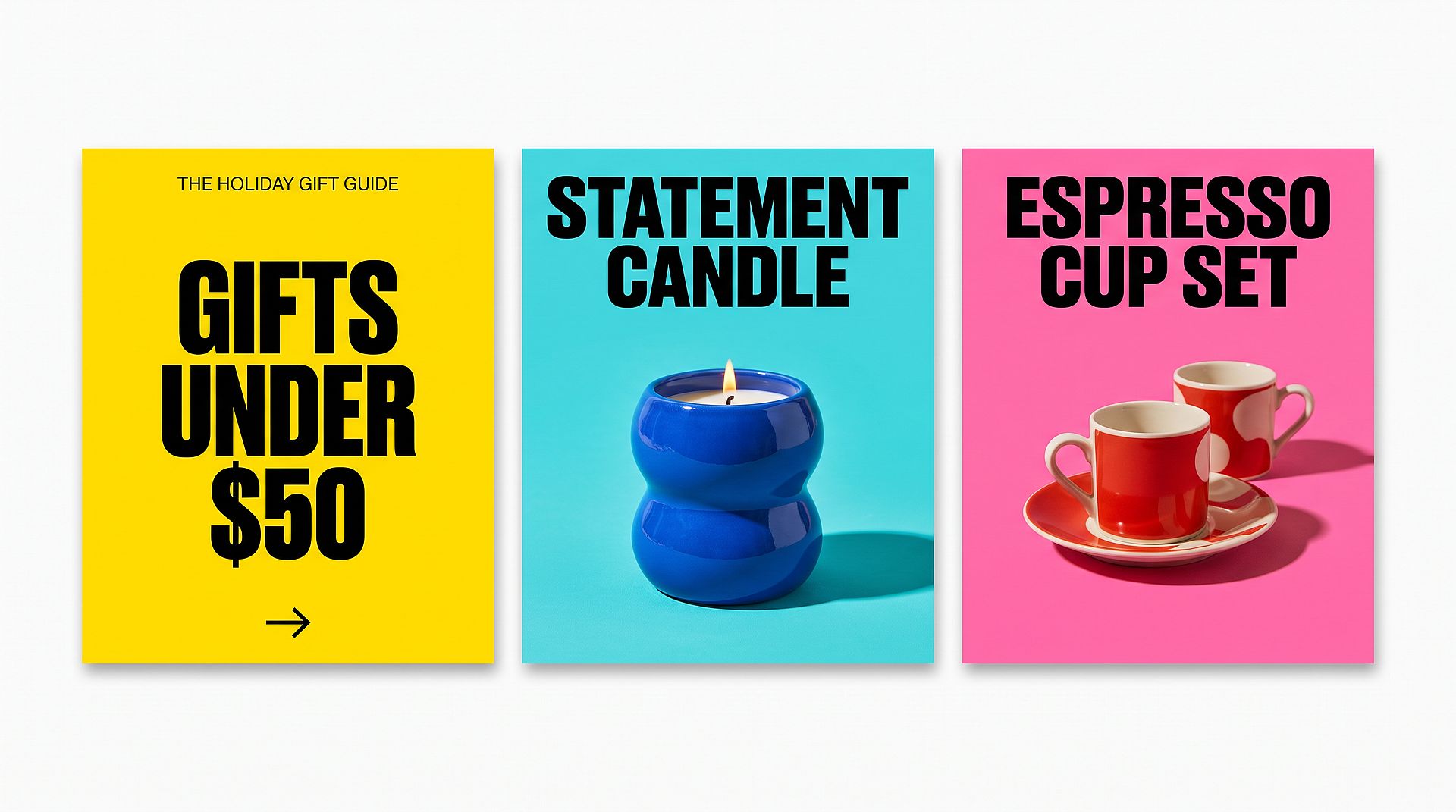
Put the hook on slide 1 and a clear "Shop the guide" on the last slide. For sizes and slide limits, see our guide on how to make a carousel on Instagram.
6. Turn product photos into short videos for TikTok and Reels
TikTok Shop runs its own Black Friday and Cyber Monday event this year, so short product videos are worth the effort. You don't need to film anything: take the holiday product photo from idea 2 and turn it into a 5-second clip with Image to Video. A slow rotation, a gentle camera push-in, or a light glint across the product is enough to stop the scroll.
Prompt to try:
The floating product slowly rotates in mid-air while the camera pushes in gently. The black satin ribbon ripples softly, a light glint sweeps across the chrome pedestal. Premium product-drop ad, smooth and steady motion, keep the product design unchanged, no new text.
Post it to TikTok, Reels, and Shorts, and use it on the product page too. For more ways to use video, the AI Video Generator has every video model in one place.
7. Test three hooks on one video ad
The first 3 seconds decide whether people keep watching. Instead of making three different ads, keep one base video and change only the opening: a price reveal, an unboxing, or a before-and-after. Then put your budget behind the version that gets the most clicks.
It costs far less than shooting new ads, and you learn which hook works before Black Friday itself. Run the winners as Instagram video ads or Facebook video ads. Our guide on how to scale creative testing with AI shows how to make the variations quickly. The AI Product Ads Generator turns a product photo into a finished video ad, and you direct it by chatting. For a worked example with one model, see how shops use Seedance 2.5 for product ads, and for a wider comparison, the best AI ad generators for ecommerce products.
8. Make a UGC-style ad without booking creators
Reviews and "here's what I bought" videos sell well during the holidays, but booking creators can take weeks. A UGC-style ad shows a presenter holding or talking about your product in a casual, phone-filmed style.
With the UGC Ads Generator, you write a short script and get a realistic AI creator talking about your product. Build the presenter once with OpenArt Characters, and they keep the same look across every product, so you can make one ad for each best seller.
9. Bundle products into gift sets
A bundle raises your order value without a deep discount. Put two or three products that go together into one set, give it a gift-friendly name, and price it a little below buying them one by one.
Make one hero image of the set with the same product image tool from idea 2, and use it on the product page, in your gift guide (idea 5), and in your email. Bundles also help if you don't want to cut prices on your best sellers.
10. Extend into Cyber Monday with a last-call video
Some shoppers wait until the last day. On Cyber Monday, send a final email and post a short "last chance" video that repeats the offer and the end time.
The AI Promo Video Generator turns your product images and a short brief into a promo clip. For a longer, multi-scene video, Director builds the whole sequence in one project.
Black Friday creative checklist
Use this list to check that every channel has what it needs before Black Week starts.
| Channel | What to make | Size |
|---|---|---|
| Website | Homepage banner | Wide, 16:9 or 3:1 |
| Header image | Wide, about 600 px across | |
| Instagram feed | Sale post and gift guide carousel | 4:5 or 1:1 |
| Stories, TikTok, Reels | Countdown stories and short product video | 9:16 |
| Paid ads | Video ad with 3 hook versions | 9:16 and 1:1 |
| Product pages | Holiday product photos and a short clip | Same as your current listings |
Common Black Friday marketing mistakes
Shoppers trust Black Friday discounts less each year. Boston Consulting Group's sixth annual Black Friday Consumer Study, published in November 2026 and covering 10,220 consumers in ten countries, found that only 54% trust advertised Black Friday prices to be lower than usual. Another 22% plan to spend less or skip the sales because they feel discounts are always available. Price tracking backs this up: in its November 2025 price study, the UK consumer group Which? found that 83% of 175 Black Friday deals were the same price or cheaper at other times of the year. That points to the first mistake, and the rest follow from it.
- Discounting everything. A clear, honest offer on a few products often works better than a big discount across the whole store. Show the regular price next to the sale price: in the same BCG study, a clear price comparison was one of the things that built the most trust.
- Using a different look on every channel. If the banner, the email, and the ad don't match, shoppers don't connect them. Keep one design from idea 3.
- Starting the day before. Many shoppers make their lists early, so post at least a week of warm-up content before November 27.
- Forgetting the product page. Ads send people to your site, so update the photos and banner there too.
- Leaving out the end date. "Ends Nov 30" gives people a reason to buy now. Put it on every graphic.
FAQ
When should a small business start Black Friday marketing?
It's best to start at least one to two weeks before Black Friday. This year, that means warm-up posts and emails before November 22, then the full offer from November 23. If you're starting late, focus on your email list, one sale design in every size, and a short product video.
What are the best Black Friday marketing ideas for a small business?
The ideas that need the least time and budget usually work best: an early-access email to your list, holiday product photos, one sale design for every channel, a gift guide carousel, and short product videos for TikTok and Reels.
How can I make Black Friday ads without a designer?
You can describe the offer and the look you want, and an AI image tool will make the banner, the social post, and the story in matching sizes. To turn a product photo into a short video ad, an image-to-video tool can add simple motion in a few minutes.
Can AI make a Black Friday banner with several products in it?
Yes. Upload the product photos you already have as references, describe the offer and the colors, and ask for one clean banner that shows all of them. Models that accept several reference images, such as Nano Banana 2.1 on OpenArt, can keep each product recognizable in a single layout.
How can I make a Black Friday video ad that shows several products?
Start from your catalog photos rather than a shoot. Turn each product photo into a short clip, or give a video model several product images at once and ask for one spot that moves between them. For a longer ad with several scenes, Director plans the shots in one project.
Should my Black Friday sale run through Cyber Monday?
Many shops run one offer from Black Friday to Cyber Monday, then send a "last call" on Monday. It keeps the message simple and gives late shoppers one more chance.
Does OpenArt have a Black Friday deal?
Yes. OpenArt's Black Friday sale runs through November 30 at 11:59 PM PT, with up to 40% off annual plans and no promo code needed. Details are on the Black Friday deal page.
Can I use AI-made images and videos in my Black Friday ads?
Yes. On OpenArt, commercial rights apply on eligible paid plans. You can also sign up for free to try the tools first, and current plan details are on the pricing page.