

 ChatGPT
 Perplexity
 Claude
 Gemini
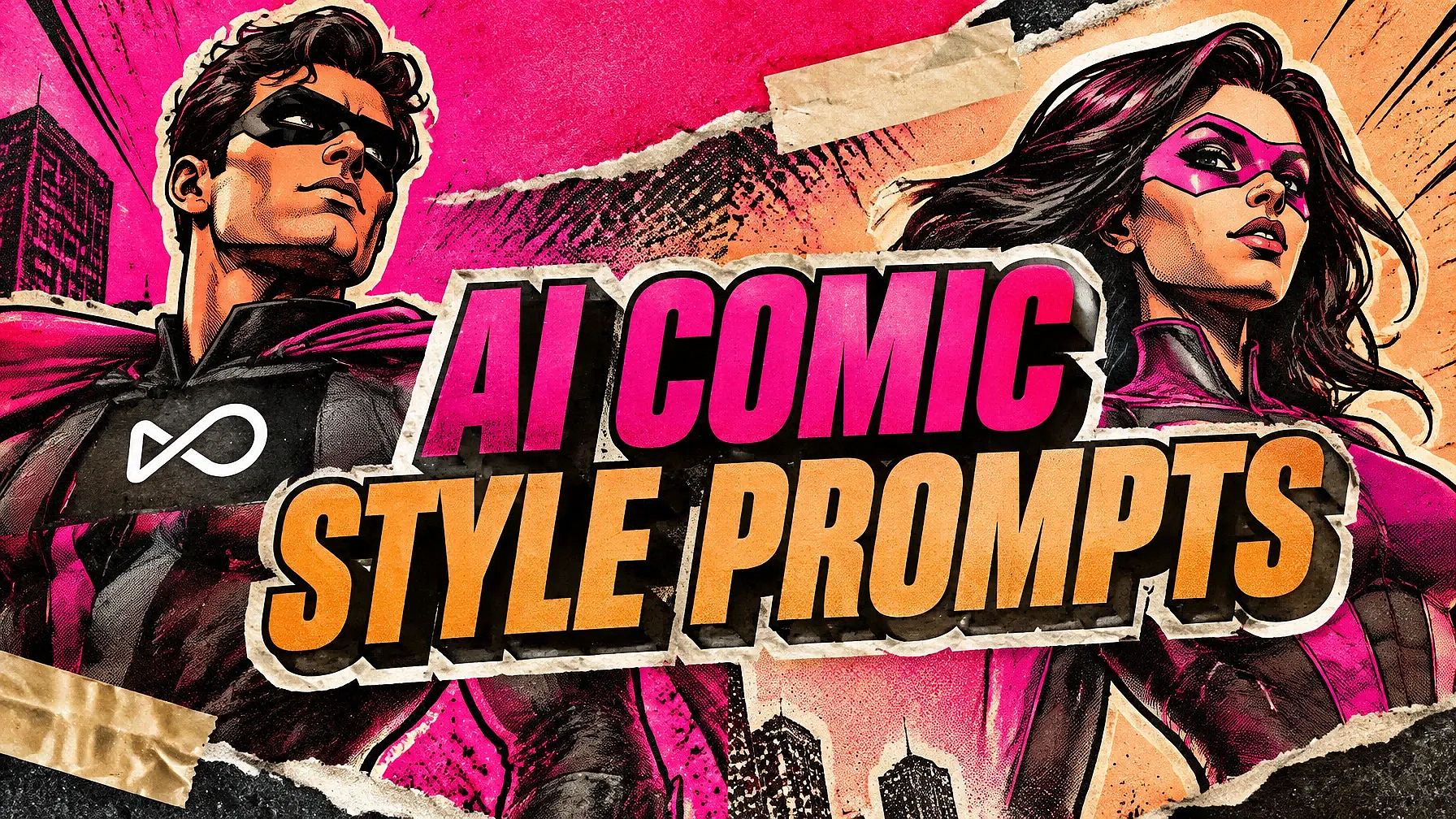
In the 1940s, ten cents bought a kid a full-color comic book. It was printed on cheap newsprint, and the printers shaded skies and faces with tiny dots of ink.
By the 1960s, those ink dots and thick black outlines had become a look of their own. Eighty years on, superhero movies and webtoon apps keep it everywhere, and one comic style prompt lets you make it yourself in seconds.
We wrote 40 comic style prompts you can copy, from superhero comics and manga to noir, pop art and comic book covers. Paste any prompt into OpenArt's AI comic generator for quick comic book art, or into the AI image generator when you want to pick the model yourself.
Key takeaways
- Name the comic style and era, like "1960s American superhero comic" or "black-and-white manga."
- Describe the linework and color: bold ink outlines, flat colors, cel shading or halftone dots.
- Say the panel layout, like a single splash page or a four-panel strip.
- Keep speech bubble text short, ideally under eight words, and put it in quotes.
- Save your character once in OpenArt Characters so it looks the same in every panel.
What is a comic style prompt?
A comic style prompt is a text instruction that tells an AI image generator to draw a scene the way a comic book would. It names the comic art style, the panel layout, the linework and color, and any speech bubbles or sound effects.
The comic style and the story genre are two different things. "Pirate adventure" is the genre. "1970s American comic book art with bold ink and halftone shading" is the comic style. A strong comic prompt names both.
The comic style prompt formula
Fill these slots in order and you'll get comic book art that looks drawn, not filtered:
[comic style or era] + [character and action] + [panel layout] + [linework and color] + [speech bubble or sound effect] + [aspect ratio]
- Comic style or era. "1960s American superhero comic," "black-and-white manga" or "vertical webtoon."
- Character and action. Say who it is and what they're doing: "a young inventor leaping off a rooftop."
- Panel layout. A single splash page, a three-panel strip or a 2x2 four-panel page.
- Linework and color. Bold black ink outlines, flat colors, cel shading or halftone dots.
- Speech bubble or sound effect. Put the words in quotes: speech bubble saying "Not today!" or a big "WHOOSH" sound effect.
- Aspect ratio. Use 2:3 for a comic book cover, 9:16 for a webtoon and 16:9 for a horizontal comic strip.
Here is the formula filled in:
1960s American superhero comic style, a young inventor in a red jumpsuit leaping off a rooftop at night, single splash page, bold black ink outlines, flat bright colors, halftone dot shading, big yellow "WHOOSH" sound effect, 2:3 vertical
The same slot-by-slot approach works for any picture. Our guide to the best AI image generator prompts covers the basics beyond comics.
Comic style cheat sheet
Use these comic art styles as the first words of your prompt. Each name points the AI to a specific look.
| Comic style | What it looks like | Prompt words to use |
|---|---|---|
| American comic style (superhero) | Muscular heroes, dynamic poses, bold ink, bright primary colors | "American superhero comic book style, bold ink outlines, dynamic pose" |
| Silver Age retro | Simple shapes, flat colors, visible print dots, 1960s feel | "1960s comic book art, flat colors, halftone dots, aged newsprint" |
| Noir comic | Black and white, heavy shadows, rain and streetlights | "noir comic style, black and white ink, heavy shadows, high contrast" |
| Manga style | Black-and-white screentone, big expressive eyes, speed lines | "black-and-white manga style, screentone shading, speed lines" |
| Webtoon | Full color, soft cel shading, tall vertical panels | "vertical webtoon style, soft cel shading, full color, tall panels" |
| Pop art | Thick outlines, Ben-Day dots, bold red, yellow and blue | "pop art comic panel, Ben-Day dots, thick black outlines, bold primary colors" |
| Newspaper comic strip | Three or four small panels, simple characters, a punchline | "three-panel newspaper comic strip, simple clean linework, flat colors" |
| Graphic novel | Painterly color, moody light, cinematic framing | "graphic novel style, painted colors, moody lighting, cinematic panel" |
| Chibi | Tiny bodies, huge heads, cute faces | "chibi comic style, big head, small body, cute expression" |
| Ligne claire | Clean, even outlines, flat colors, no hatching | "ligne claire comic style, clean uniform outlines, flat colors, no shading" |
40 comic style prompts
Each group starts with one example image. Copy a comic prompt, change the character or the words, and generate.
Photo to comic style prompts
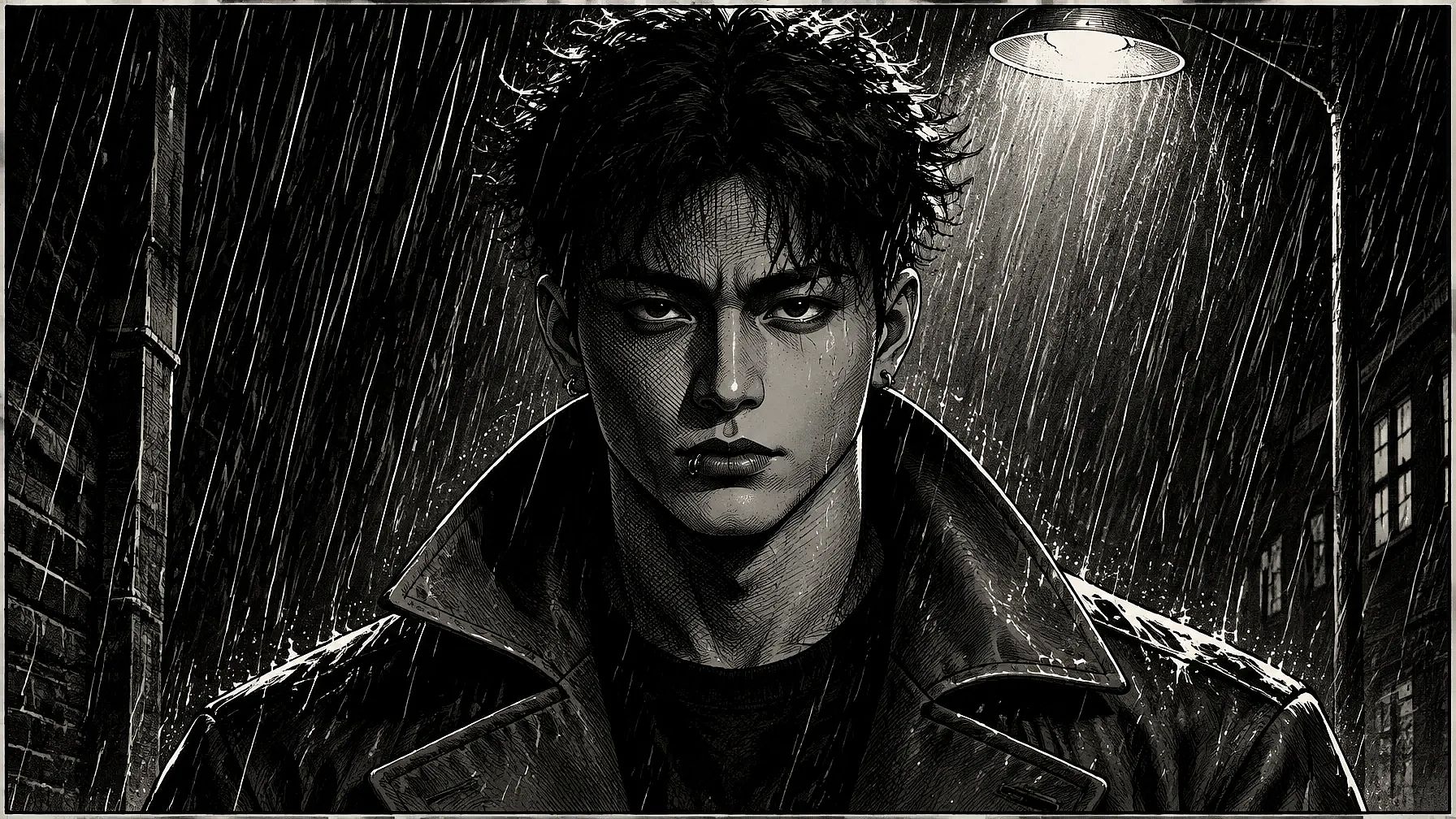
These comic style photo prompts turn your picture into comic book art, so you can cartoon yourself in any comic style. Upload your photo first and keep the last line so you still look like you. For a one-click comic filter, try OpenArt's comic book filter.
1. Comic book style portrait
turn my photo into an American comic book style portrait, bold black ink outlines, flat bright colors, halftone shading on the cheeks, dramatic side light, keep my face recognizable
2. Superhero you
turn me into a comic book superhero standing on a rooftop at sunset, cape blowing in the wind, confident pose, bold ink and flat colors, keep my face recognizable
3. Manga you
turn my photo into a black-and-white manga character, screentone shading, big expressive eyes, speed lines behind me, keep my hairstyle and face shape
4. Noir you
turn my photo into a noir comic panel, black and white ink, rain falling, a single streetlight from above, trench coat, heavy shadows across my face, keep my face recognizable
5. Webtoon you
turn my photo into a full color webtoon character, soft cel shading, pastel background, gentle smile, 9:16 vertical, keep my face recognizable
6. You and your pet in a comic panel
turn this photo of me and my dog into a comic book panel, both of us laughing, a speech bubble from the dog saying "Walk time?", bold outlines, flat colors, keep both faces recognizable
Superhero comic prompts
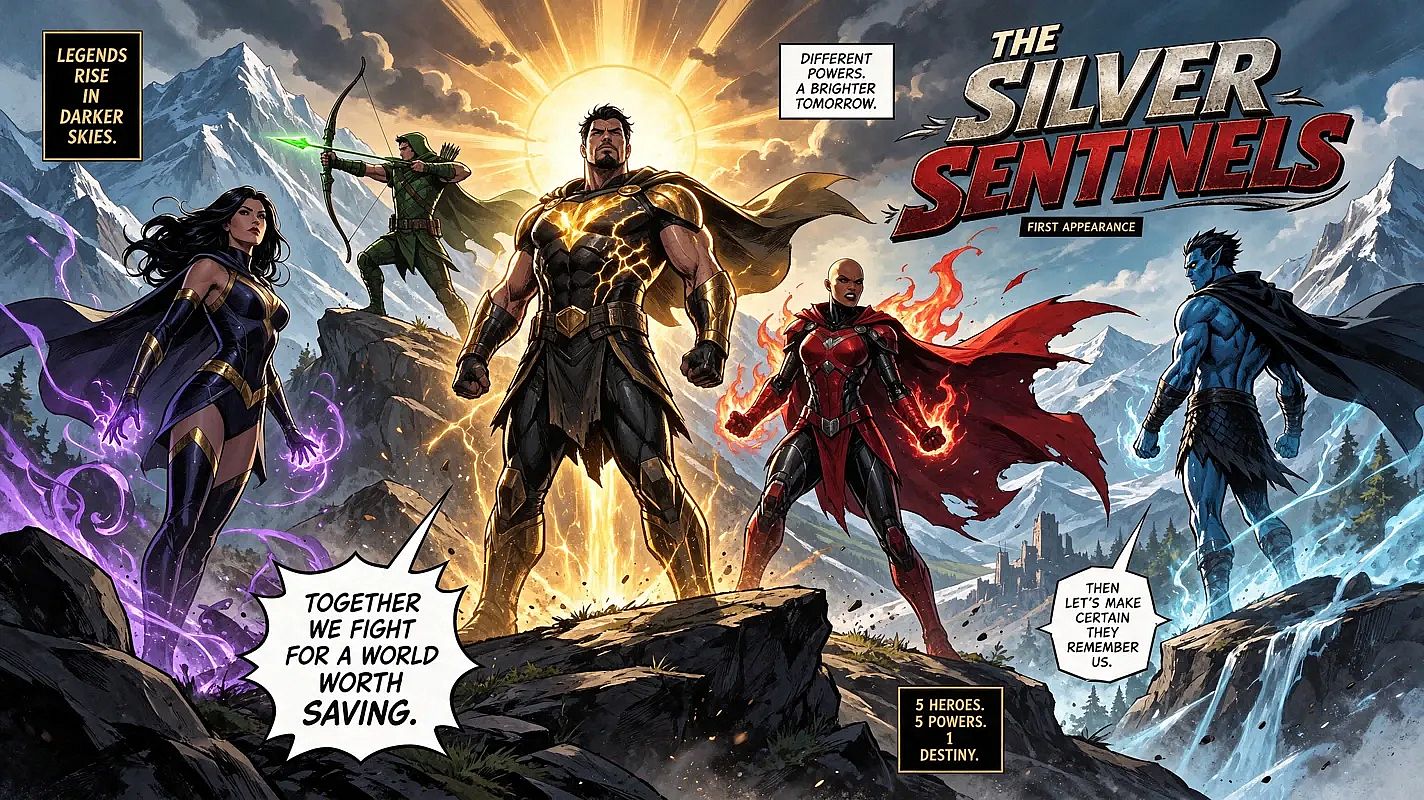
Superhero comics need movement. Name the pose, add debris or speed lines, and finish with a sound effect.
7. Superhero in action
American superhero comic style, a hero in a blue and silver suit punching through a brick wall, dynamic pose, debris flying, city skyline behind, bold ink, bright colors, "KRAK!" sound effect
8. Superhero team
comic book splash page of a superhero team of five different heroes standing together on a cliff, each power glowing a different color, dramatic low angle, bold ink, vivid colors
9. Villain reveal
comic panel of a masked villain stepping out of green smoke in a dark lab, menacing grin, heavy black shadows, sickly green and purple colors, bold ink
10. Hero landing
superhero landing on one knee, cracked pavement, dust cloud, glowing eyes, close low angle, American comic style, speed lines, bold colors
11. Origin story flashback
sepia-toned comic panel flashback of a young hero discovering their power in a small-town barn, soft glow from their hands, aged paper texture, caption box saying "It started that night..."
Comic book cover prompts
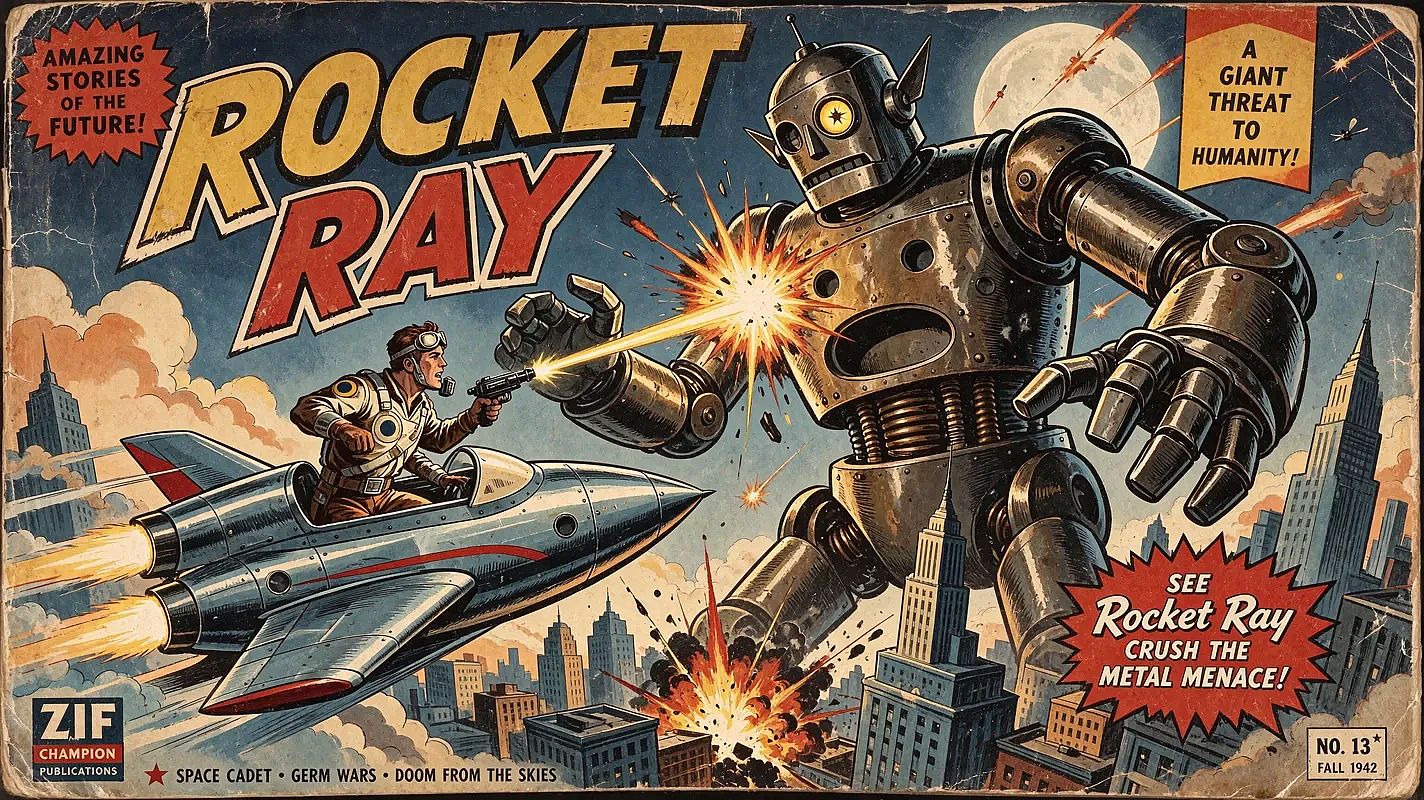
A comic book cover needs a big title, one strong pose and a 2:3 vertical frame, which matches the shape of a printed comic.
12. Issue #1 debut cover
comic book cover, issue #1, a new hero bursting toward the reader, big bold title text "NOVA STRIKE" at the top, small issue number box in the corner, bright colors, 2:3 vertical
13. Retro pulp cover
1940s pulp comic book cover, a rocket pilot fighting a giant robot over a city, worn paper texture, faded colors, bold title "ROCKET RAY", 2:3 vertical
14. Dark variant cover
dark variant comic book cover, a lone antihero standing in the rain, almost black and white with one red accent, painted graphic novel style, title "ECHO", 2:3 vertical
15. Team roster cover
comic book cover with six heroes stacked in a dramatic pyramid pose, everyone looking at the reader, title "THE DAYBREAK SIX", bright retro colors, halftone texture, 2:3 vertical
Comic strip and comic panel prompts
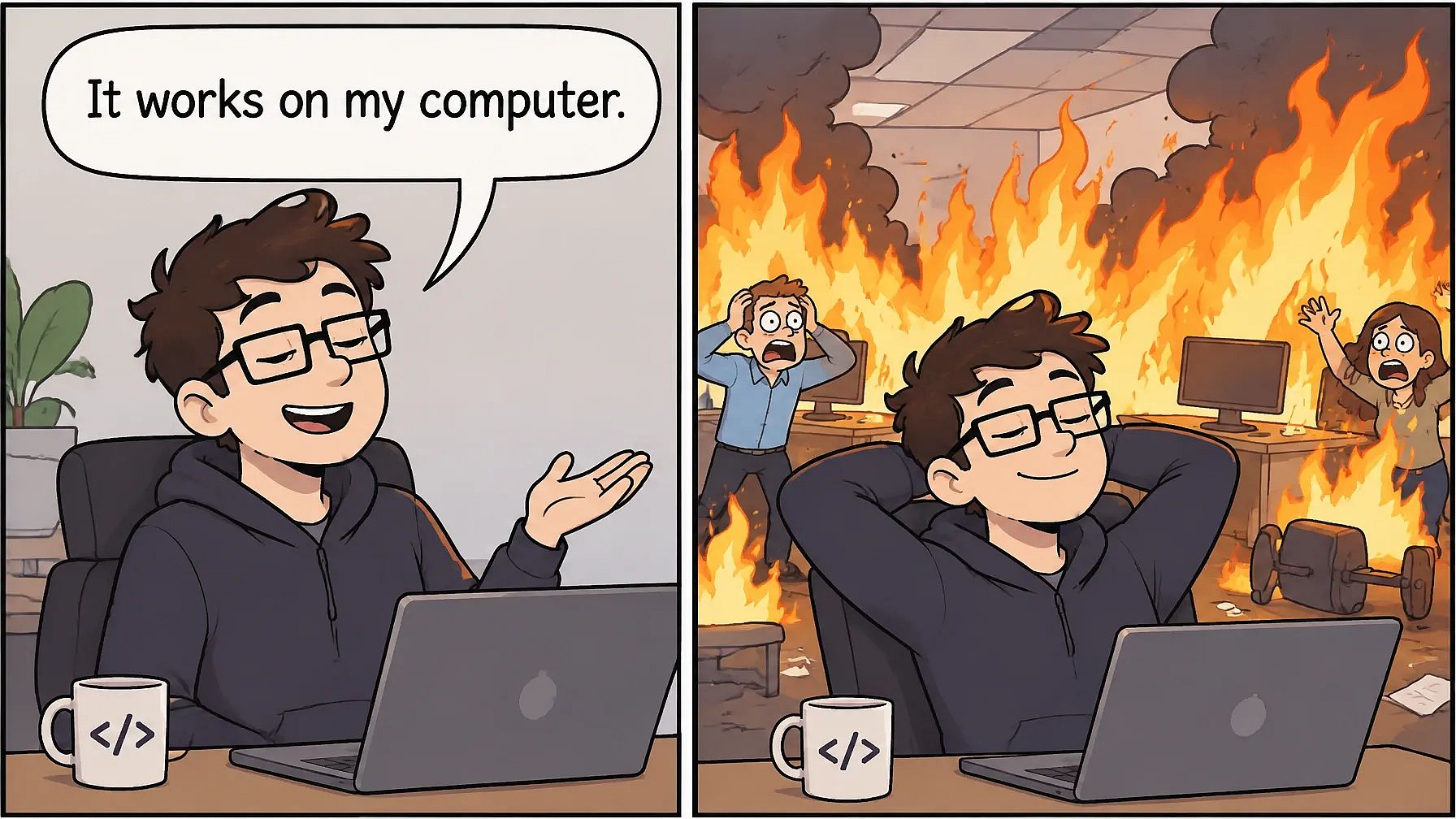
Comic strip prompts work best when you describe each panel in order. Keep one short line of text per speech bubble.
16. Three-panel gag strip
three-panel newspaper comic strip: panel 1 a cat staring at a full food bowl, panel 2 the cat pushing the bowl off the table, panel 3 the cat looking proud with a speech bubble saying "Better.", simple clean lines, flat colors, 16:9
17. Four-panel page, same character
2x2 four-panel comic page, the same girl with a red scarf in every panel: missing the bus, running in the rain, catching the bus, asleep on the bus, clean panel borders and white gutters, webcomic style
18. Script-to-panel template
panel 3 of 6, [your saved character] [the action from your script], [close-up or wide shot], [comic style], speech bubble: "[one short line]"
19. Splash page with a sound effect
full splash page, a giant sea monster rising from the harbor, tiny people running, huge "KRAKOOM" sound effect lettering, American comic style, bold ink, 2:3 vertical
20. Two-panel webcomic
two-panel webcomic: panel 1 a developer saying "It works on my computer.", panel 2 the whole office on fire and the developer still calm, minimal clean linework, flat colors
Manga and webtoon prompts
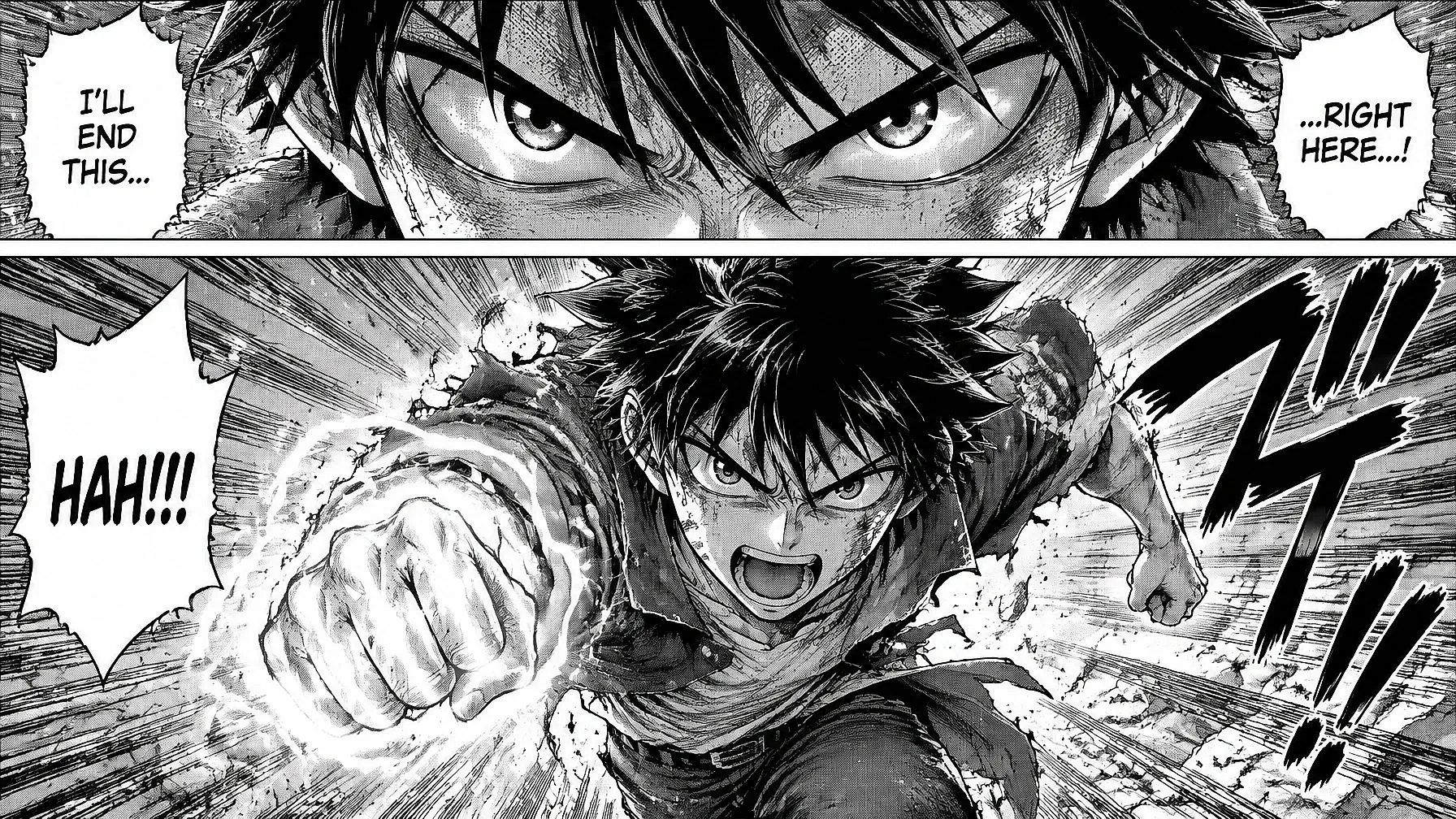
Manga style prompts work in black and white with screentone shading, while webtoon prompts use full color and tall vertical panels. To turn a photo into manga in one click, use the manga filter, or try the manga art generator from text.
21. Shonen action page
black-and-white shonen manga page, a young fighter charging forward with a glowing fist, intense speed lines, screentone shading, dramatic close-up of the eyes in the top panel
22. Shojo romance panel
shojo manga panel, two students under a cherry blossom tree, soft sparkles and flower petals in the air, delicate linework, blushing faces, gentle screentone
23. Chibi reaction strip
three-panel chibi comic strip, a tiny round character dropping an ice cream, crying with huge tears, then getting a new one and grinning, cute pastel colors
24. Vertical webtoon scroll
vertical webtoon panels stacked top to bottom, a girl opening a mysterious glowing letter in her bedroom at night, soft cel shading, full color, 9:16 tall format
25. Yonkoma gag comic
vertical four-panel yonkoma manga, a student studying hard, getting sleepy, falling asleep on the book, waking up with the page stuck to the face, simple black-and-white style
Noir and retro comic prompts
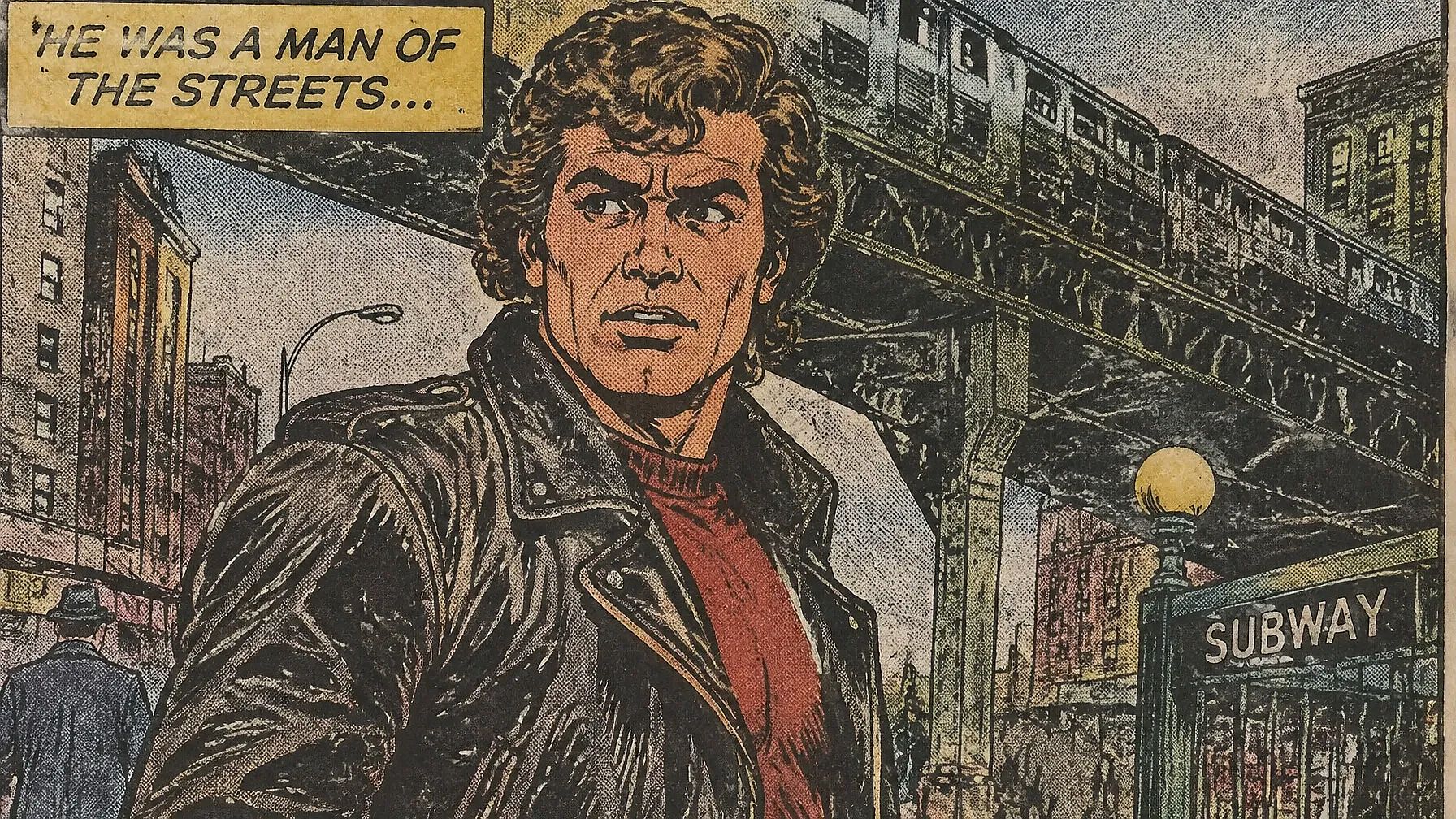
Noir comics are mostly black ink, so describe where the light falls and let the shadows do the rest. For retro comics, name the decade.
26. Noir detective
noir comic style, a detective in a trench coat and fedora in a rainy alley, a single streetlight, heavy black shadows, high contrast black and white ink, caption box saying "The city never sleeps."
27. 1940s pulp adventure
1940s pulp comic panel, an explorer swinging on a vine over a jungle river, faded yellowed colors, rough print texture, bold title caption at the top
28. Black-and-white ink rooftop
black-and-white graphic novel panel, a lone figure on a rooftop watching the city below, detailed crosshatching, moonlight, quiet moody framing
29. 1970s gritty comic
1970s comic book art, a street-level hero in a leather jacket under a subway bridge, muted colors, gritty city texture, visible print dots, bold ink
Pop art comic prompts
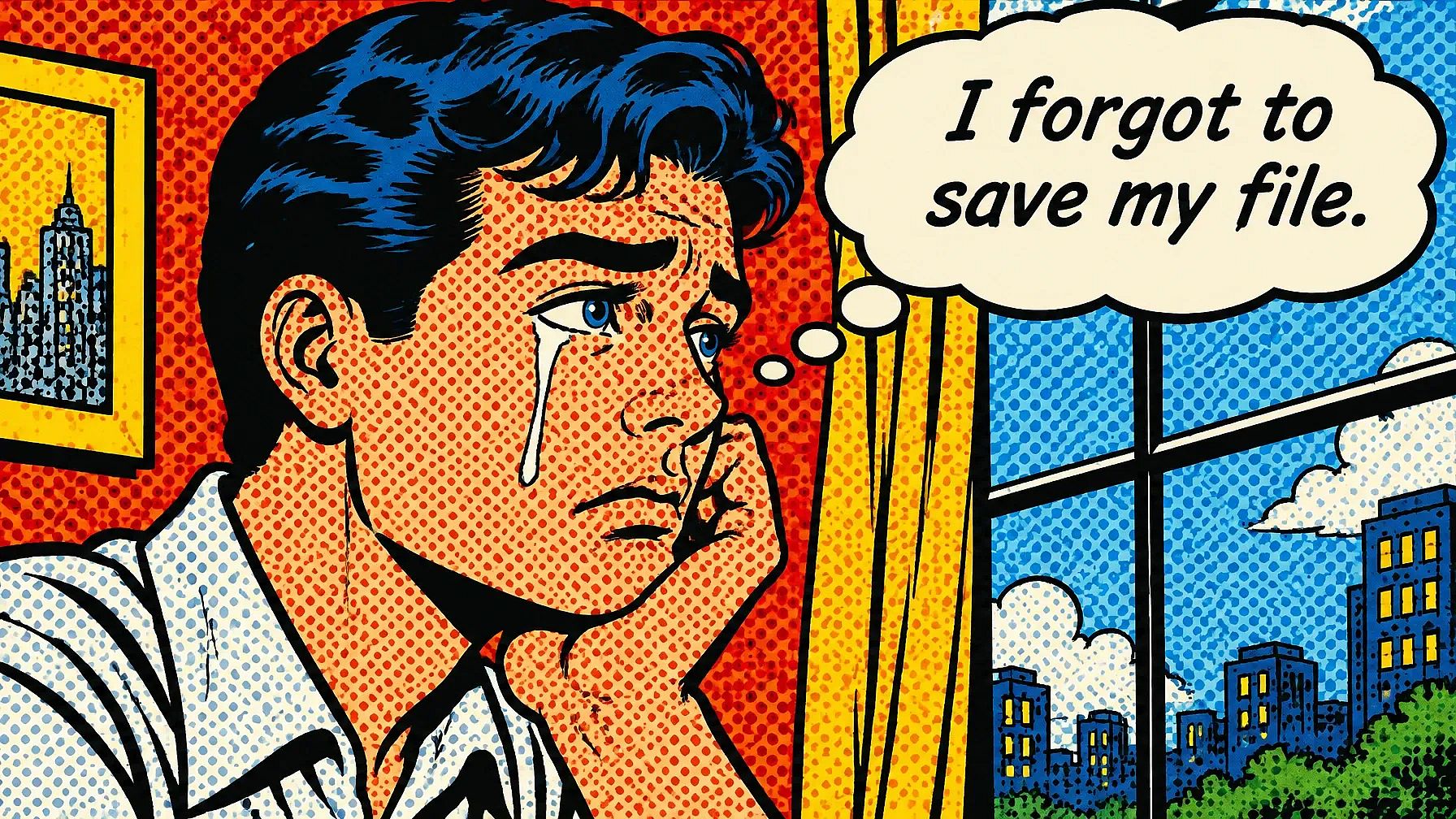
Pop art comic panels use thick outlines, Ben-Day dots and bold primary colors. Want a pop art portrait of yourself? Try photo to pop art.
30. Halftone pop art portrait
pop art portrait of a woman with blonde hair, large Ben-Day dots on the skin, thick black outlines, bright red lips, yellow background, comic panel border
31. Dramatic pop art panel
pop art comic panel of a young man looking out a window with one tear on his cheek, thought bubble saying "I forgot to save my file.", halftone dots, bold primary colors
32. POW burst
pop art comic panel, a huge jagged "POW!" burst in red and yellow over a blue halftone background, a fist entering from the left, thick black outlines
Genre comic scenes
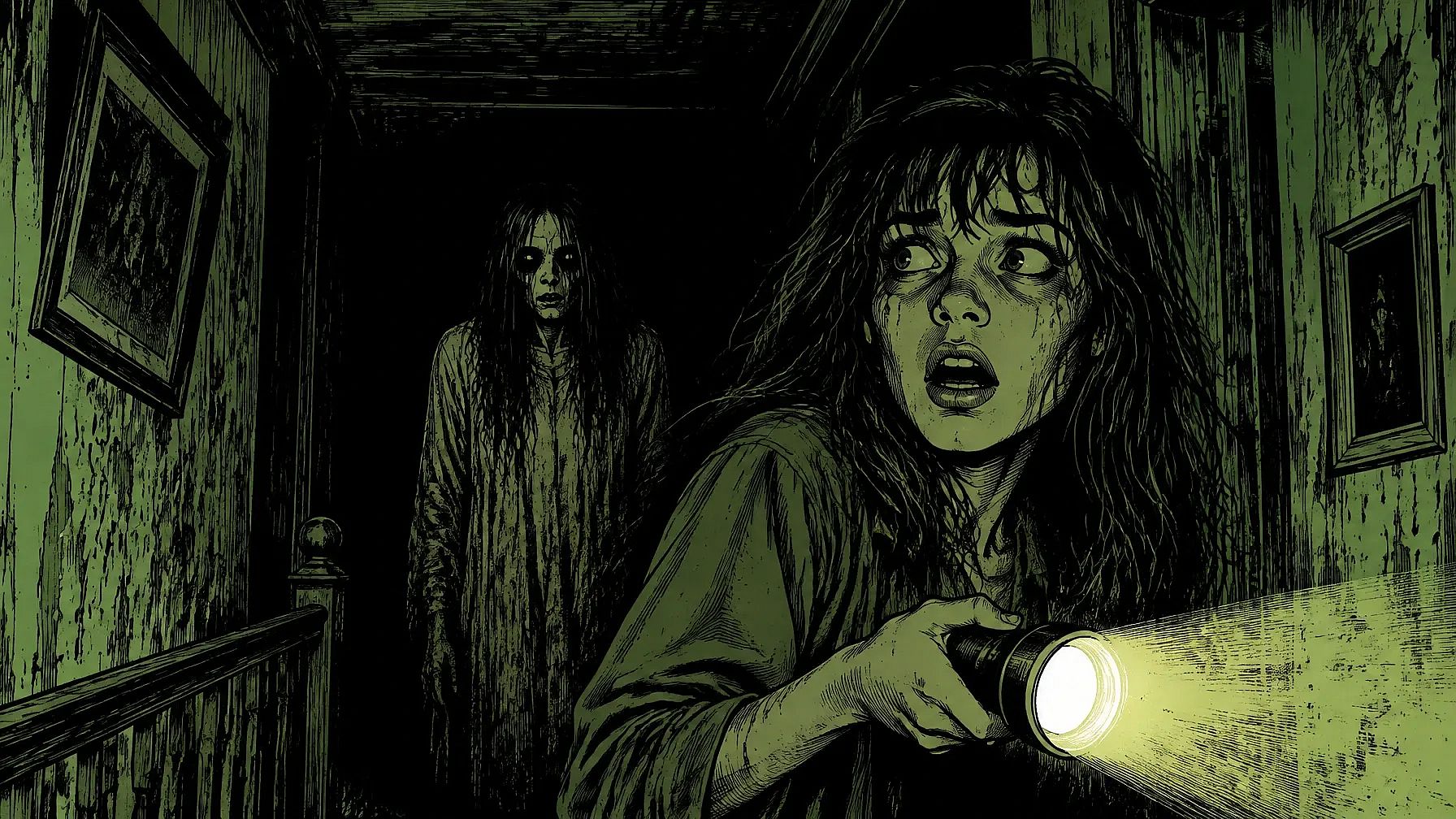
These comic style image prompts are rewritten versions of our most popular originals. Each adds a comic style, a layout and the linework, so the result looks like a page from a comic book. For softer cartoon looks, see our 2D cartoon prompts.
33. Fantasy warrior
fantasy comic book art, a warrior in silver armor raising a glowing sword in an enchanted forest, magical sparks in the air, dynamic angle, bold ink, rich colors
34. Space explorer
retro sci-fi comic panel, a space explorer stepping onto a purple alien planet next to a silver rocket, two moons in the sky, bold outlines, flat bright colors
35. Pirate adventure
comic book splash page, a pirate captain swinging onto an enemy ship during a storm, cannon smoke, crashing waves, "BOOM" sound effect, bold ink, vivid colors
36. Haunted house horror
horror comic panel, a girl with a flashlight in a haunted hallway, a pale ghost behind her, deep black shadows, sickly green tint, scratchy ink lines
37. Cyberpunk city
cyberpunk comic panel, a courier on a hover bike racing through a neon city in the rain, pink and cyan lights, motion lines, bold ink, graphic novel coloring
38. Western showdown
western comic panel, two gunslingers facing each other on a dusty main street at noon, long shadows, tumbleweed rolling, wide cinematic panel, warm muted colors
39. Zombie apocalypse
comic book panel of survivors on a rooftop looking down at a city full of zombies, smoke in the sky, gritty ink, desaturated colors, tense caption box "Day 41."
40. Steampunk inventor
steampunk comic panel, an inventor with brass goggles fixing a flying machine in a Victorian workshop, gears and steam everywhere, detailed ink, warm copper tones
How to turn a script into comic panels
You can turn a script into comic panels with OpenArt's AI storyboard generator. Paste your script or shot list, add your saved character, and it makes one still panel per beat that you can export as a numbered sequence.
- Build your character once. Save your hero in OpenArt Characters from a reference image or a text description.
- Break the script into beats. One beat is one comic panel, with one line of dialogue at most.
- Write a prompt per panel. Use the comic style formula above and prompt 18 as a template. Keep the style words the same in every panel.
- Generate the panels in order. If one panel looks off, fix that panel and leave the rest alone.
- Export the numbered frames. Lay them out as a comic page, or animate them into a short motion comic in the AI video generator.
Want it faster? Paste your script into Chat Mode and ask for one comic panel per beat. Chat Mode can handle several images in one request.
How to keep one character consistent across comic panels
The easiest way to keep a comic character consistent is to save them once and reuse them in every panel. OpenArt Characters does that. You build the character from a reference image, a prompt or presets (the button in the app is called Character Builder), and the face and style stay recognizable in new images and videos.
A few more habits help with long webcomics and graphic novels:
- Make a character sheet first. Upload your character to Multi-View and get 9 different angles, like a front, side and back view, to use as references.
- Repeat the same description. Copy the same outfit and hair details into every panel prompt, word for word.
- Turn your sketch into finished comic art. Upload a rough character sketch as a reference image in Create Image and ask for "finished comic book art, bold ink, flat colors."
- Match backgrounds to your art. Upload one of your hand-drawn panels as a style reference when you generate comic book backgrounds, so the lines and colors match.
How to get speech bubbles and comic text right
AI models spell short words well, so keep each speech bubble short and put the exact words in quotes. These habits help:
- Keep it under eight words. Long lines often come out jumbled.
- One bubble per character per panel. More bubbles make the layout messy.
- Name the lettering style. Write "comic book lettering in a white speech bubble" or "big hand-drawn sound effect."
- Pick a model that handles text. GPT Image 2 handles comic layouts with text, and Nano Banana Pro is strong at in-image text and keeps up to five people consistent.
- Fix one wrong word. Use Area Edit in Edit Image, highlight the bubble and type the right text.
Start your first comic page
Pick a comic style prompt, swap in your own hero and generate it in Create Image. Start with one splash page, then add panels until you have a full comic page.
Frequently Asked Questions
What is a comic style prompt?
A comic style prompt is a text instruction that tells an AI image generator to draw a scene like a comic book. It names the comic art style, the panel layout, the linework and color, and any speech bubbles. "1960s superhero comic, bold ink, halftone dots, splash page" is a simple example.
How do I turn my photo into a comic?
Upload your photo, paste a photo to comic prompt like "turn my photo into an American comic book style portrait, bold ink outlines, flat colors," and add "keep my face recognizable." For a one-click version, use a comic book filter. Prompts 1 to 6 above cover superhero, manga, noir and webtoon looks. These photo prompts also work in Gemini, and our list of Gemini AI photo prompts has more ideas for editing your own pictures.
How do I keep the same character in every comic panel?
Save the character once in OpenArt Characters and add it to every panel prompt. Repeat the same outfit and hair description word for word. A Multi-View character sheet gives you more angles to work from.
Can AI lay out comic panels from my script?
Yes. Paste your script or shot list into OpenArt's AI storyboard generator, add your saved character, and it makes one still panel per beat. You can fix a single panel without redoing the rest, then export the panels as a numbered sequence.
Will speech bubble text come out right?
Short text usually does. Keep each bubble under eight words, put the exact words in quotes and use a model that handles text well, like GPT Image 2 or Nano Banana Pro. Fix any wrong word with Area Edit.
What's the best AI comic generator for comic book pages?
For single comic images, an AI comic generator with a comic style prompt is the fastest route. For full comic book pages with the same characters, combine OpenArt Characters with the AI storyboard generator, so every panel stays consistent.
Can I make a comic strip with AI?
Yes. Describe each panel in order in one prompt, like "three-panel comic strip: panel 1..., panel 2..., panel 3...," and keep one short line per speech bubble. Use 16:9 for a horizontal strip and a 2x2 grid for a four-panel page.
Can I use Midjourney comic prompts in OpenArt?
Yes. The comic prompts in this guide are plain descriptions, so they work in OpenArt as written. Midjourney settings like --ar aren't needed, because you pick the aspect ratio in the settings panel.
Can I try these comic prompts for free?
You can try some features for free. New accounts get 40 free credits, no credit card required. Every generation uses credits, and the exact cost shows before you click Generate. To keep creating, choose a paid plan. You can compare plans, prices and annual billing options on the pricing page. Commercial use requires the Plus plan or above.