


 ChatGPT
 Perplexity
 Claude
 Gemini
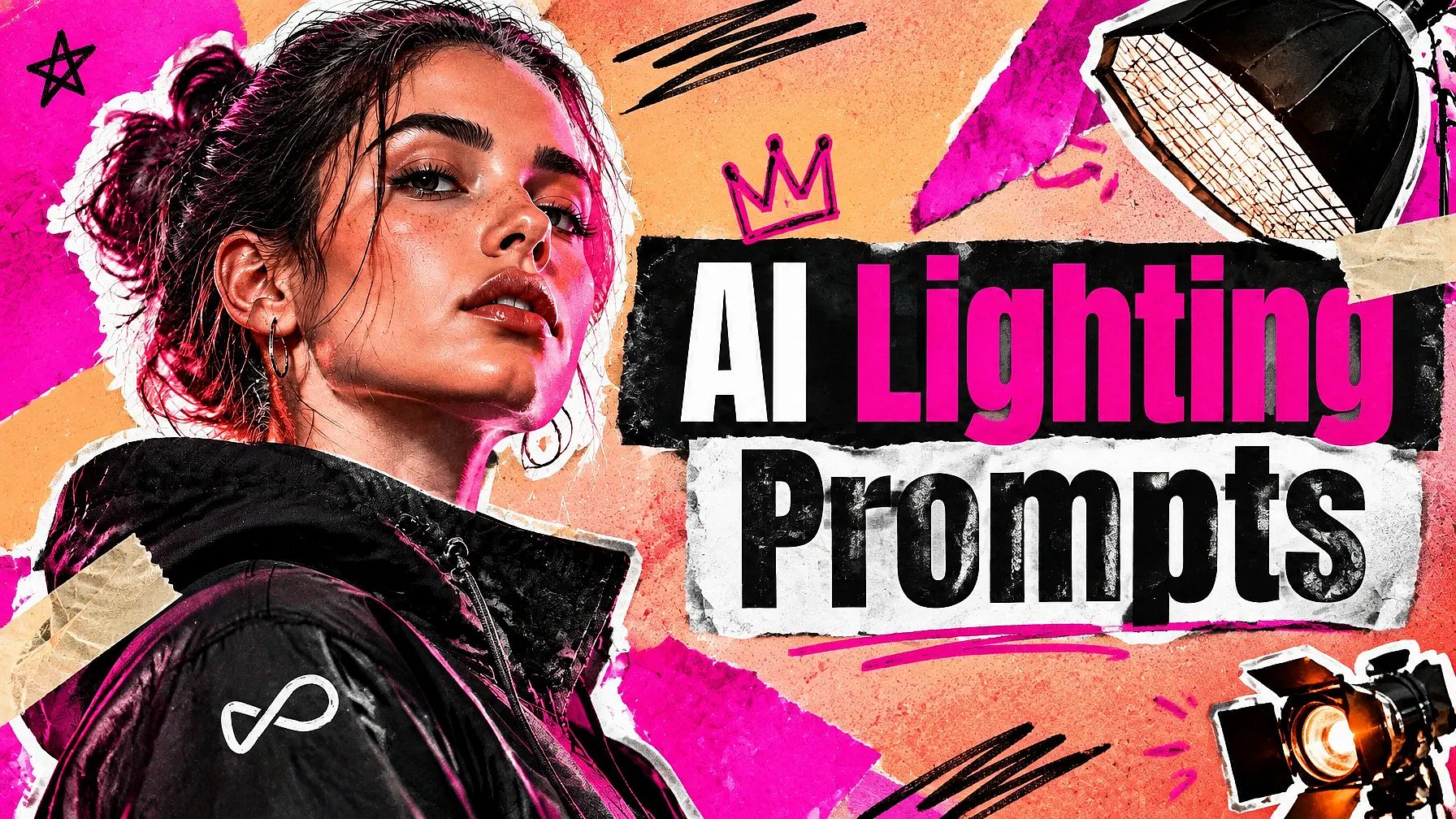
Most flat AI images come from prompts that never say where the light comes from. Add one clear sentence about the light, and the same image starts to look like a real photo.
Below are 40 lighting prompts for AI images, photos and video. You'll find studio light prompts, cinematic lighting, golden hour and light effect prompts. There's also a set of prompts that add background light to a photo you already have.
We added a cheat sheet of lighting terms too, like Rembrandt lighting and rim light. Paste any prompt into OpenArt's AI image generator to try it.
Key takeaways
- Name the light source and the direction it comes from.
- Say whether the light is hard or soft, because that sets the shadows.
- Use one main light. Add a second only for a rim or background glow.
- When you edit your own photo, end the prompt with "keep my face and outfit exactly the same."
- Lighting terms like Rembrandt, butterfly and rim light give the AI a precise look to copy.
What is a lighting prompt?
A lighting prompt is the part of an AI image prompt that describes the light. It tells the AI where the light comes from, how hard or soft it is, what color it is and what shadows it makes.
Writing "cinematic lighting" on its own often gives a flat result. The AI still has to guess where the light sits. "A single lamp from the upper left, deep shadows on the right" gives it a clear picture to follow.
The lighting prompt formula
A good lighting prompt describes the subject first and the light second. Fill in these slots in order:
[subject] + [light source] + [direction] + [hard or soft] + [color or time of day] + [shadows and mood] + [camera]
- Subject. Say who or what is in the picture: "an older fisherman on a wooden dock."
- Light source. Name a real light: a window, a candle, a softbox, a streetlamp or the sun.
- Direction. Say where it sits: from the left, from behind, from above or low at eye level.
- Hard or soft. Hard light makes sharp shadows. Soft light wraps around the face and hides texture.
- Color or time of day. Warm 2700K lamp light looks orange and cozy. Cool 5600K daylight looks clean and white. Golden hour and blue hour carry their own color.
- Shadows and mood. Describe what the dark side of the picture looks like: deep shadows, a soft fade or no shadows at all.
- Camera. Add the shot type, like a close-up portrait or a wide street photo.
Here is the formula filled in:
close-up portrait of an older fisherman on a wooden dock, lit by a single warm lantern from the upper left, hard light, warm 2700K glow, deep shadows on the right side of his face, moody night scene, 85mm photo
Lighting cheat sheet
These lighting terms come from photography and film, and AI image models recognize them. Use the name in your prompt, then add the direction to lock in the look.
| Lighting style | What it looks like | Use it for |
|---|---|---|
| Rembrandt lighting | One light high and to the side, with a small triangle of light on the shadowed cheek | Moody, painterly portraits |
| Butterfly lighting | Light straight in front and above, with a small butterfly-shaped shadow under the nose | Beauty and glamour shots |
| Split lighting | Light from one side, so half the face is lit and half is dark | Drama and mystery |
| Loop lighting | Light slightly to the side, with a small nose shadow that curves toward the cheek | Natural headshots |
| Rim light | Light from behind that draws a bright outline around the subject | Dark backgrounds, sports, products |
| Three-point lighting | A main light, a softer fill light and a back light | Interviews, YouTube, clean studio portraits |
| High key lighting | Bright and even, with almost no shadows | E-commerce, beauty, cheerful ads |
| Low key lighting | Mostly dark, with one light and deep shadows | Thrillers and moody portraits |
| Chiaroscuro | Strong contrast between bright light and deep dark, like an old oil painting | Dramatic art and fine art portraits |
| Volumetric lighting (god rays) | Visible beams of light through fog, dust or trees | Fantasy scenes, forests, old churches |
| Golden hour | Low, warm sun with long soft shadows, just after sunrise or before sunset | Portraits, travel, warm lifestyle shots |
| Blue hour | Cool blue sky just after sunset or before sunrise | Calm city scenes and night streets |
| Backlighting | Light behind the subject, facing the camera, for a glow or a silhouette | Sunset portraits and dreamy shots |
40 lighting prompts by style
Each group starts with one example image. Copy a prompt, change the subject to yours and generate.
Studio and portrait lighting prompts
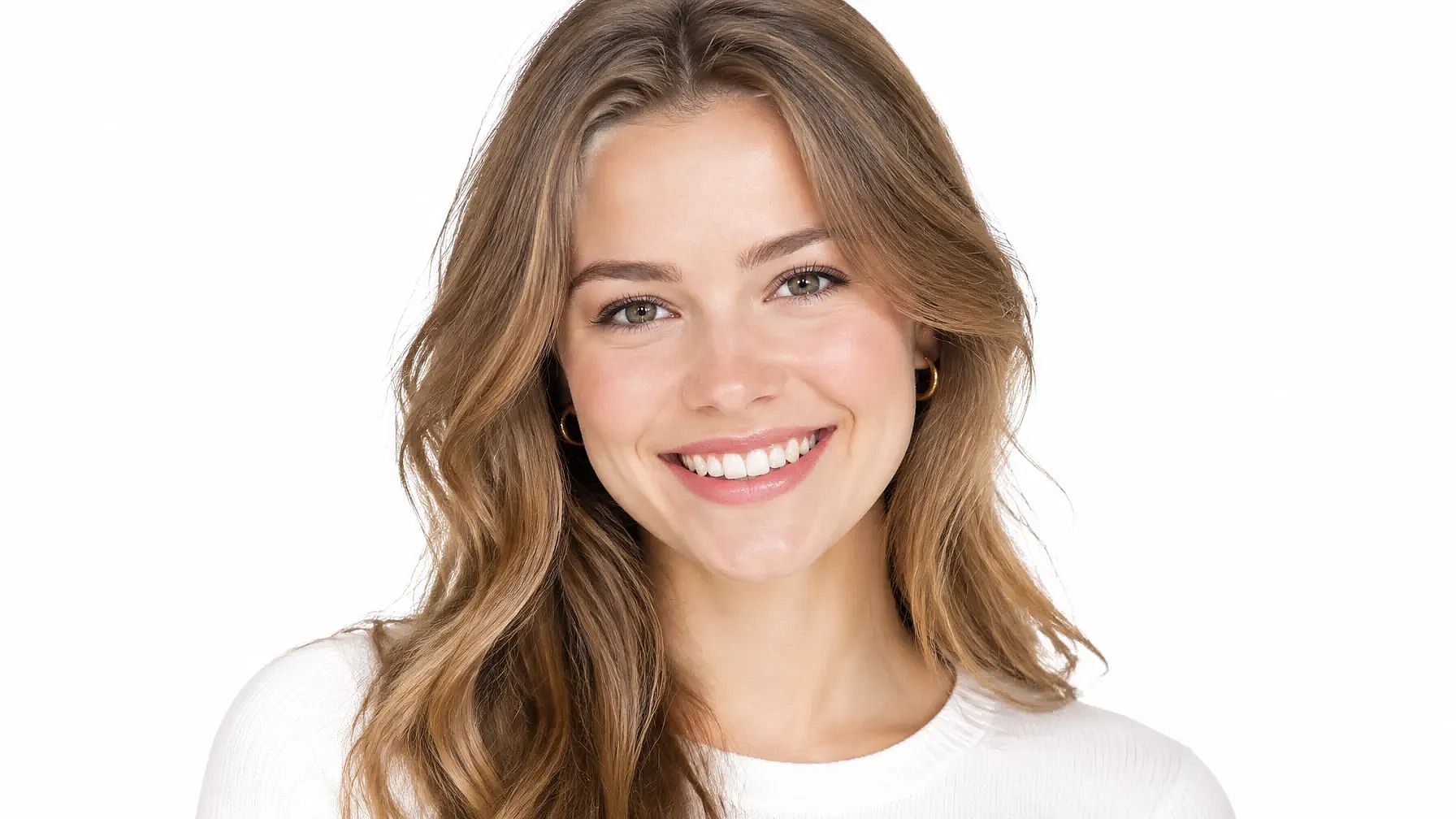
Studio light prompts work best when you name the light and where it sits. For a clean three-point lighting look, ask for a main light, a soft fill and a back light.
1. High key studio portrait
headshot of a smiling young woman, high key studio lighting, large soft light in front, bright white background, almost no shadows, clean and fresh, professional portrait photo
2. Soft diffused beauty light
beauty close-up of a woman with dewy skin, soft diffused softbox light from the front left, pastel pink backdrop, gentle shadows, dreamy and calm, 85mm photo
3. Rembrandt portrait
portrait of a bearded man in a dark sweater, Rembrandt lighting, one hard light high on the left, small triangle of light on his right cheek, dark background, moody painterly photo
4. Butterfly beauty light
glamour portrait of a woman with red lipstick, butterfly lighting from straight in front and above, small shadow under the nose, soft glow on the cheekbones, gray studio backdrop
5. Split light portrait
portrait of a young man looking at the camera, split lighting, hard light from the right side only, left half of the face in deep shadow, black background, dramatic photo
6. Rim light on an athlete
boxer standing in a dark gym, strong rim light from behind on both sides, bright outline on the shoulders and arms, face in soft shadow, sweat catching the light, sports photo
Cinematic and moody lighting prompts
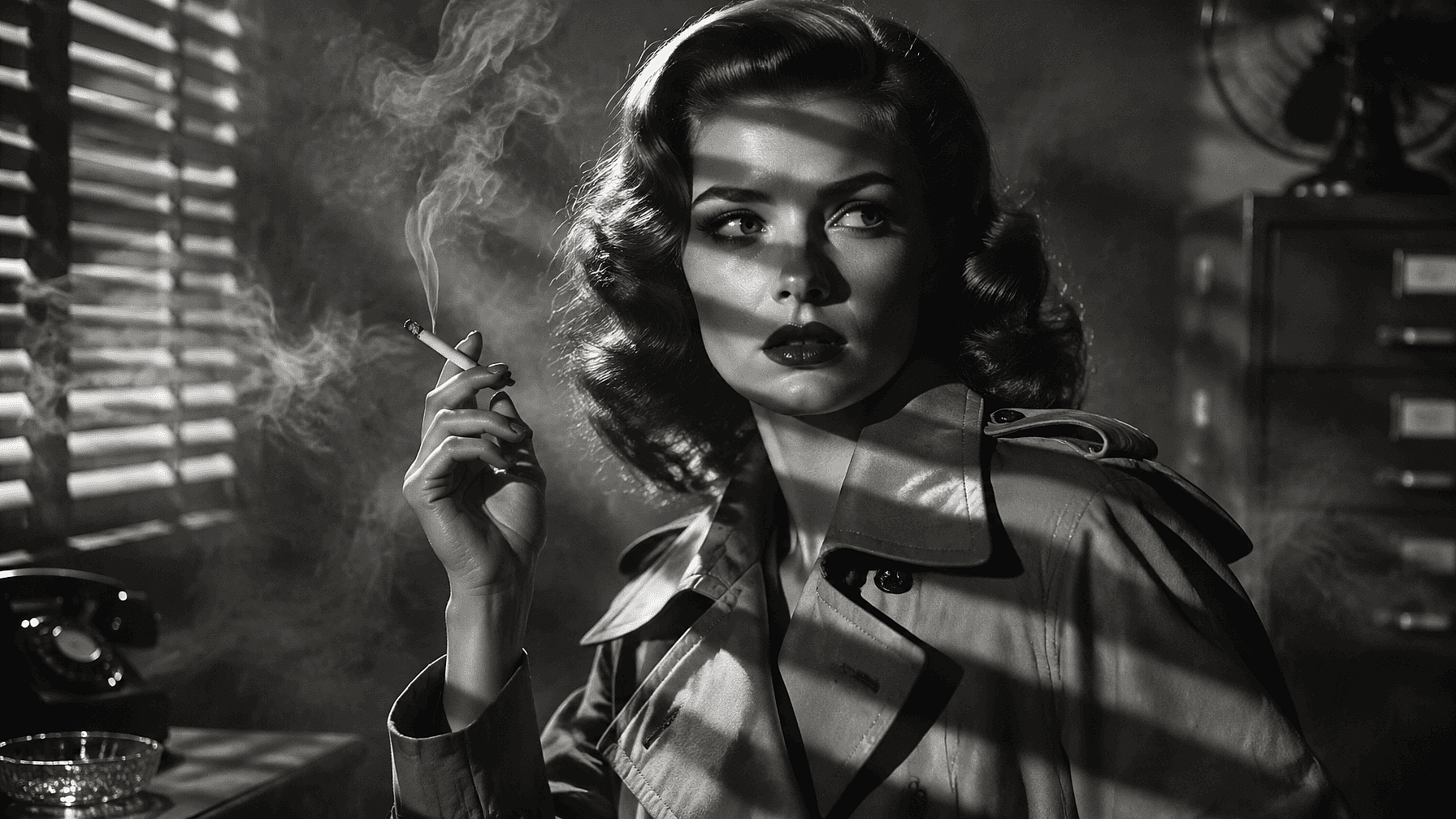
Cinematic lighting needs a source the viewer could believe is in the scene, like a lamp, a window or a streetlight. Name it and the mood follows.
7. 1940s film noir
1940s Hollywood actress in a trench coat, film noir lighting, hard light through window blinds casting striped shadows across her face, black and white, high contrast, smoky office
8. Low key chiaroscuro
old violin maker at his workbench, low key lighting, a single candle on the right, chiaroscuro contrast, deep black shadows, warm glow on his hands, oil painting style
9. Volumetric god rays
hiker standing in a misty pine forest, volumetric lighting, god rays streaming through the trees from the upper right, soft fog, golden morning light, wide shot
10. Theatrical spotlight
singer alone on a dark stage, single spotlight from above, focused beam of white light, dust floating in the beam, black theater around her, dramatic concert photo
11. Neon cyberpunk street
woman in a raincoat on a wet city street at night, neon lighting in pink and blue from shop signs, colored reflections on the wet ground, cyberpunk mood, cinematic photo
12. Streetlamp noir alley
detective under a single streetlamp in an empty alley at night, warm sodium light from above, long shadow on the brick wall, light rain, moody noir photo
Natural light prompts
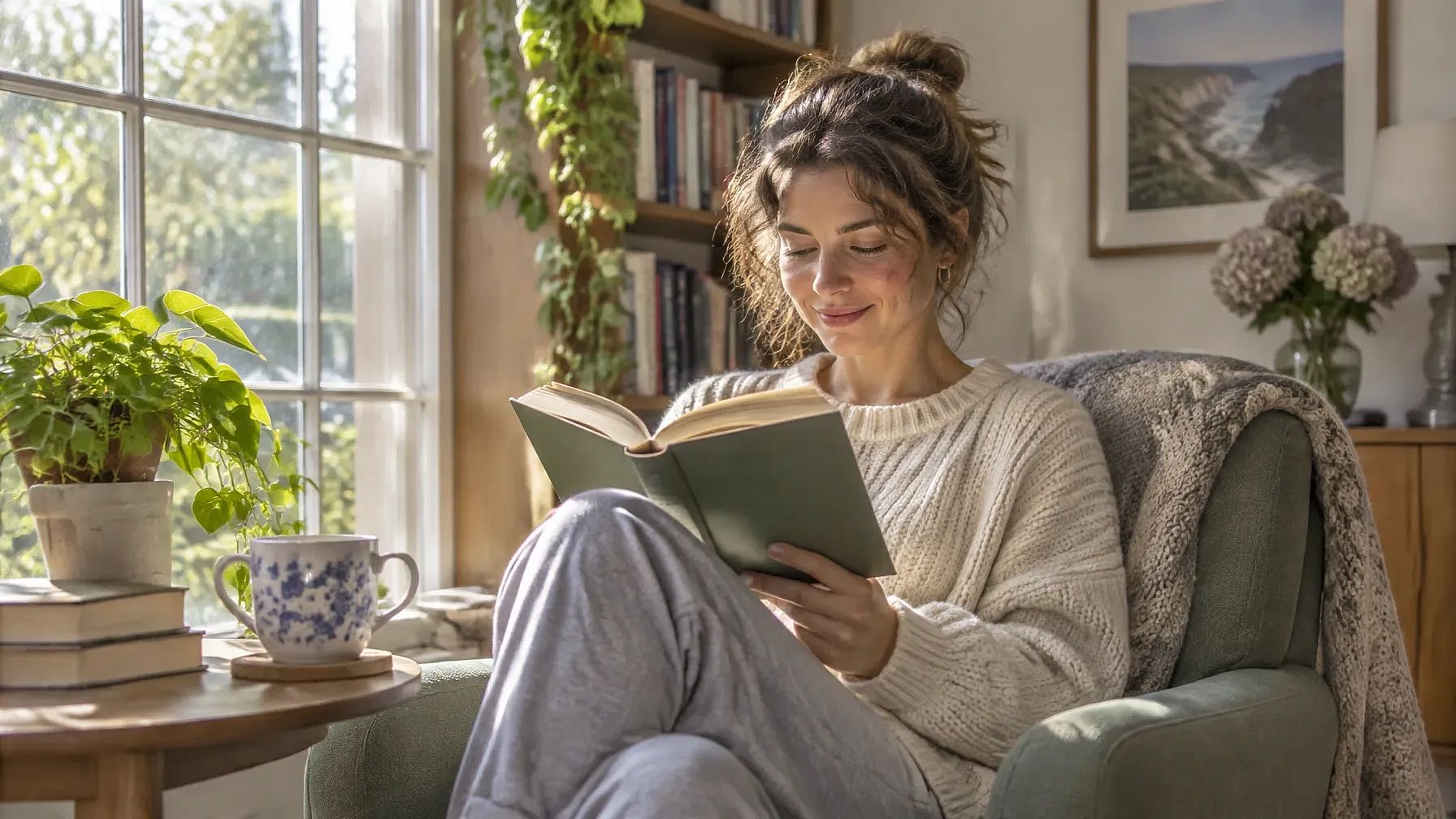
Natural light prompts start with the time of day. Golden hour gives warm, soft light, and blue hour gives cool, calm color. Want golden hour on a photo you already took? Try add sun to a photo.
13. Golden hour portrait
portrait of a teenage girl in a wheat field, golden hour lighting, low warm sun from behind and to the left, glowing hair, long soft shadows, warm tones, 85mm photo
14. Blue hour city
city bridge at blue hour, cool blue sky just after sunset, warm streetlights starting to glow, calm water reflections, quiet mood, wide photo
15. Window light reading nook
woman reading in an armchair by a large window, soft natural window light from the left, gentle shadows on the right, cozy living room, morning calm, lifestyle photo
16. Backlit silhouette
couple standing on a beach at sunset, strong backlighting from the low sun, dark silhouettes against an orange sky, glowing edges, calm sea, wide photo
17. Moonlight over a lake
wooden cabin by a lake at night, cool soft moonlight from above, silver reflection on the water, faint mist, quiet and calm, landscape photo
18. Harsh midday street
street vendor at a busy market at noon, harsh direct sunlight from above, hard short shadows, high contrast, gritty urban street photography, raw colors
Warm practical light prompts
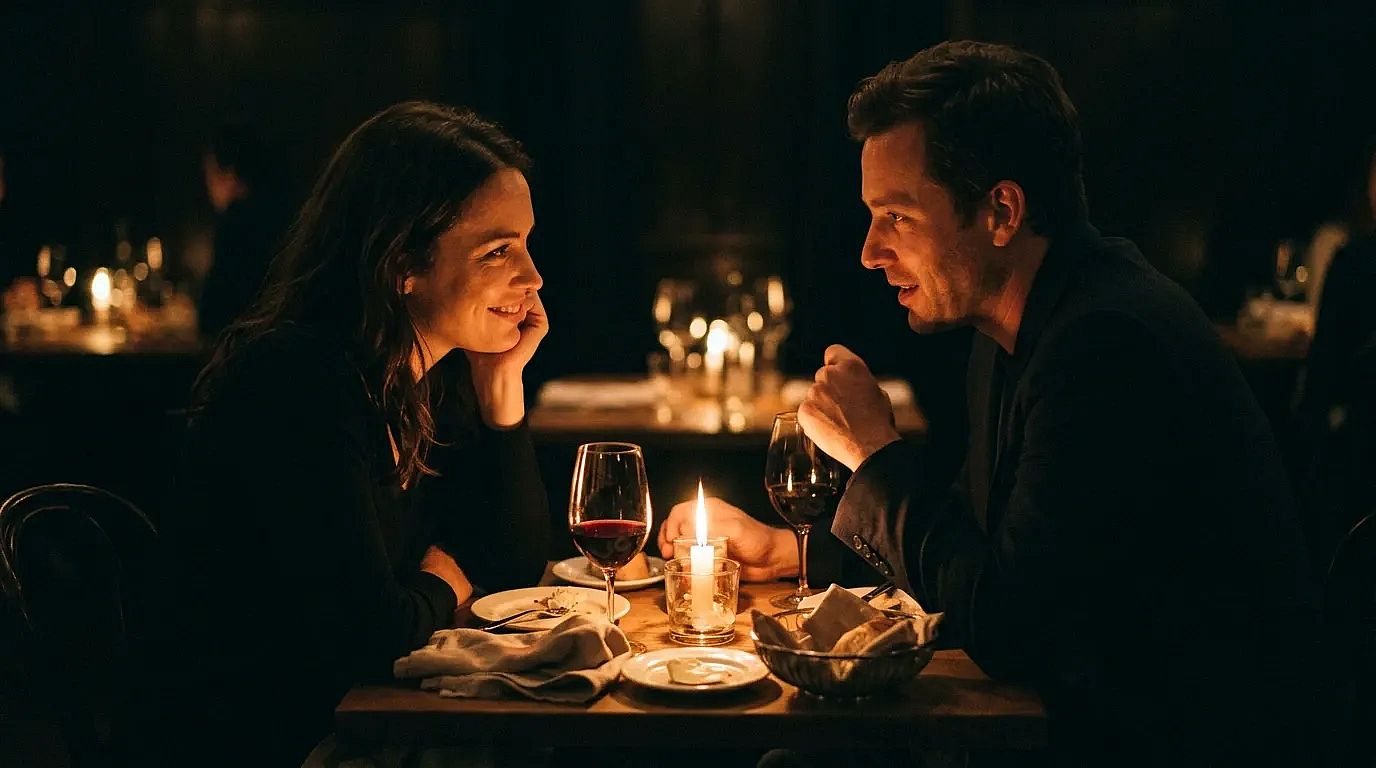
Practical light comes from a source inside the picture, like a candle or a lamp. Keep it as the only light for the warmest, most intimate look.
19. Candlelit dinner
couple at a small table for two, warm candle light as the only light, flickering glow on their faces, dark restaurant around them, romantic, close photo
20. Campfire faces
three friends around a campfire at night, warm firelight from below, orange glow on their faces, sparks rising, dark forest behind, cozy outdoor photo
21. Fairy lights bedroom
cozy bedroom at night, strings of warm fairy lights on the wall, soft twinkling glow, blurred lights in the background, warm and festive, lifestyle photo
22. Industrial warehouse lamps
mechanic working on a motorbike in a warehouse, harsh light from hanging industrial lamps above, hard shadows on the concrete floor, gritty and raw, documentary photo
Light effect prompts
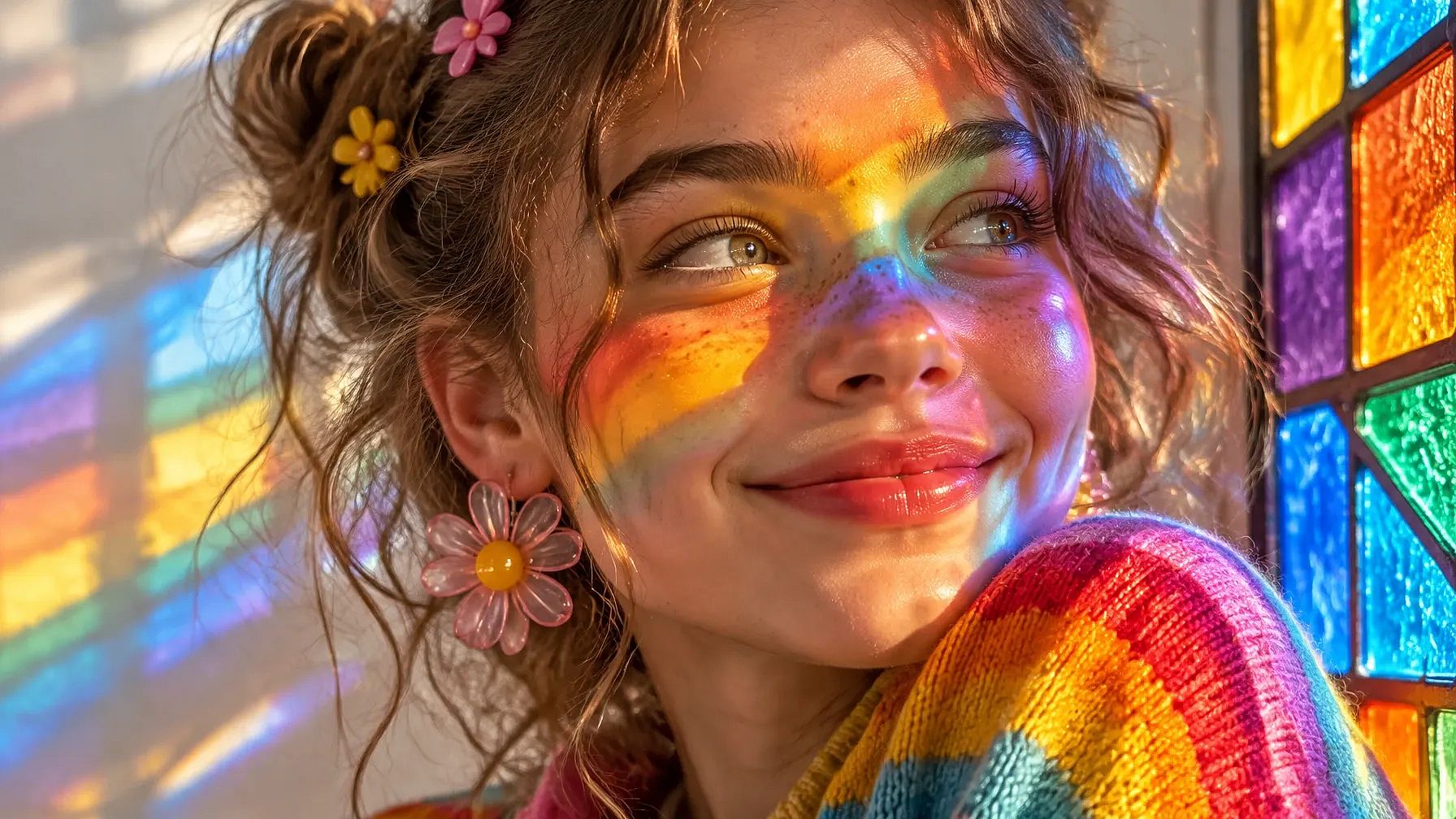
A light effect prompt adds something you can see in the air or on the subject, like a glow, a rainbow or a flash of lightning. Describe the effect and its color, then keep the rest of the scene simple. For storm shots on a real photo, try add lightning to a photo.
23. Aura glow portrait
portrait of a woman with her eyes closed, soft purple and pink aura lighting glowing around her head and shoulders, dark background, dreamy and spiritual, soft focus photo
24. Bokeh city lights
man in a winter coat on a city street at night, warm bokeh lights blurred in the background, soft light on his face from a shop window, shallow depth of field, romantic mood
25. Prism rainbow light
close-up of a girl's face, rainbow light from a glass prism falling across her eyes and cheek, soft daylight, playful and whimsical, colorful fashion photo
26. Club strobe lights
crowd dancing in a nightclub, bright strobe lighting in blue and magenta, frozen motion, light beams cutting through haze, high energy party photo
27. Underwater light rays
diver swimming under clear blue water, sunlight rays coming down from the surface, rippling light patterns on the sand, soft and dreamy, underwater photo
28. Lightning storm
city skyline at night during a storm, bright lightning bolt striking behind the tallest tower, purple glow in the clouds, wet streets below, dramatic wide photo
Product lighting prompts
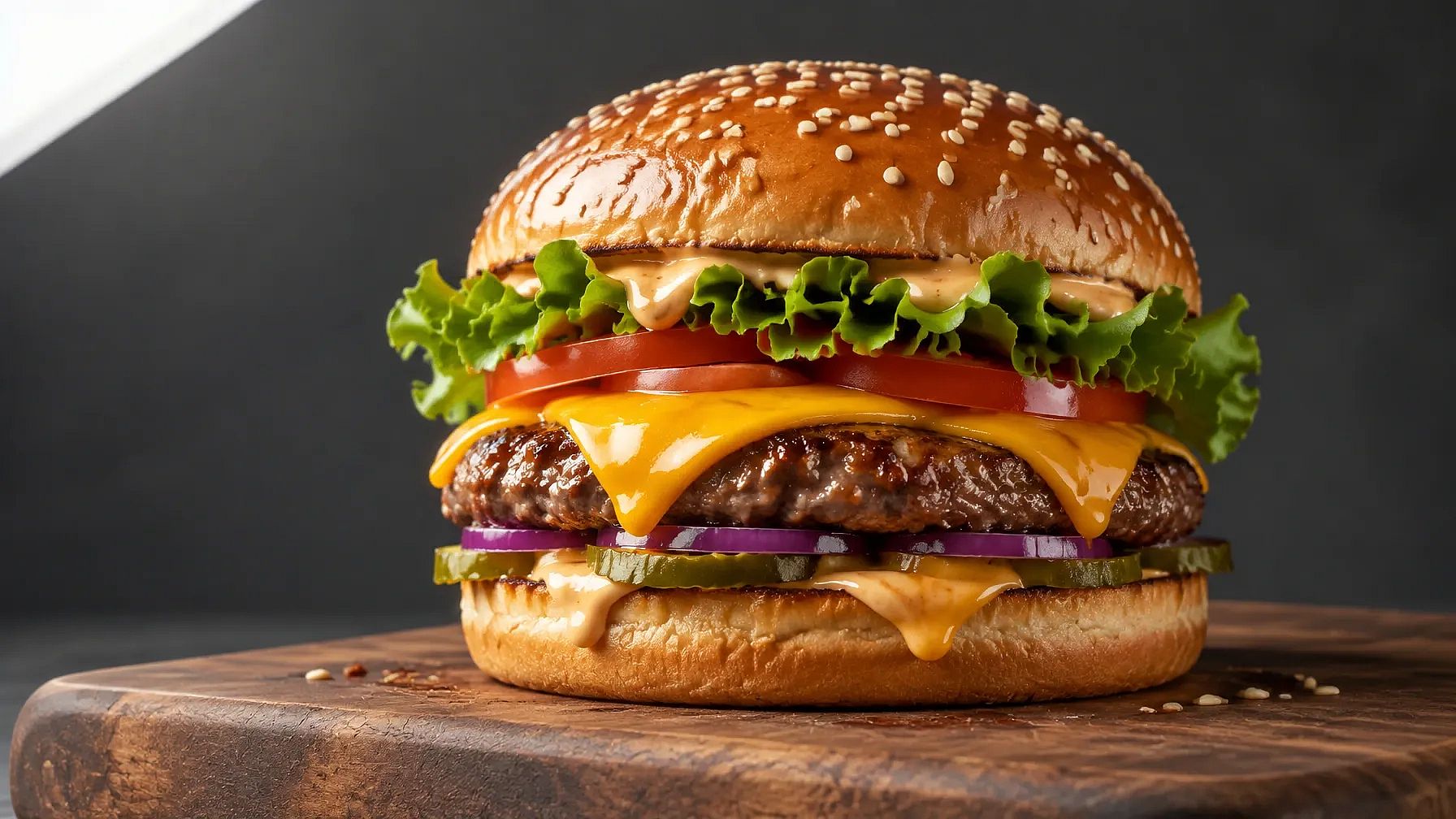
Product lighting decides whether a photo looks homemade or ready for a store. Soft light shows shape, and a rim or backlight makes glass and metal shine. Our guide to AI product photography covers full product shoots.
29. Softbox food shot
juicy cheeseburger on a wooden board, large softbox light from the upper left, even soft light, small highlight on the bun, dark gray background, commercial food photography
30. Jewelry with sparkle
gold diamond ring on black velvet, small hard spotlight from above, bright sparkle on the stone, soft fill light on the band, deep black background, luxury product photo
31. Backlit skincare bottle
amber glass serum bottle on a white stone, soft backlight making the liquid glow, gentle front fill light, light beige background, clean beauty product photo
32. Chrome on mirrored surfaces
chrome wireless headphones on a mirrored floor, cool blue rim light from behind, reflections of the light on the metal, dark modern studio, sleek tech product photo
Background light prompts for your photo
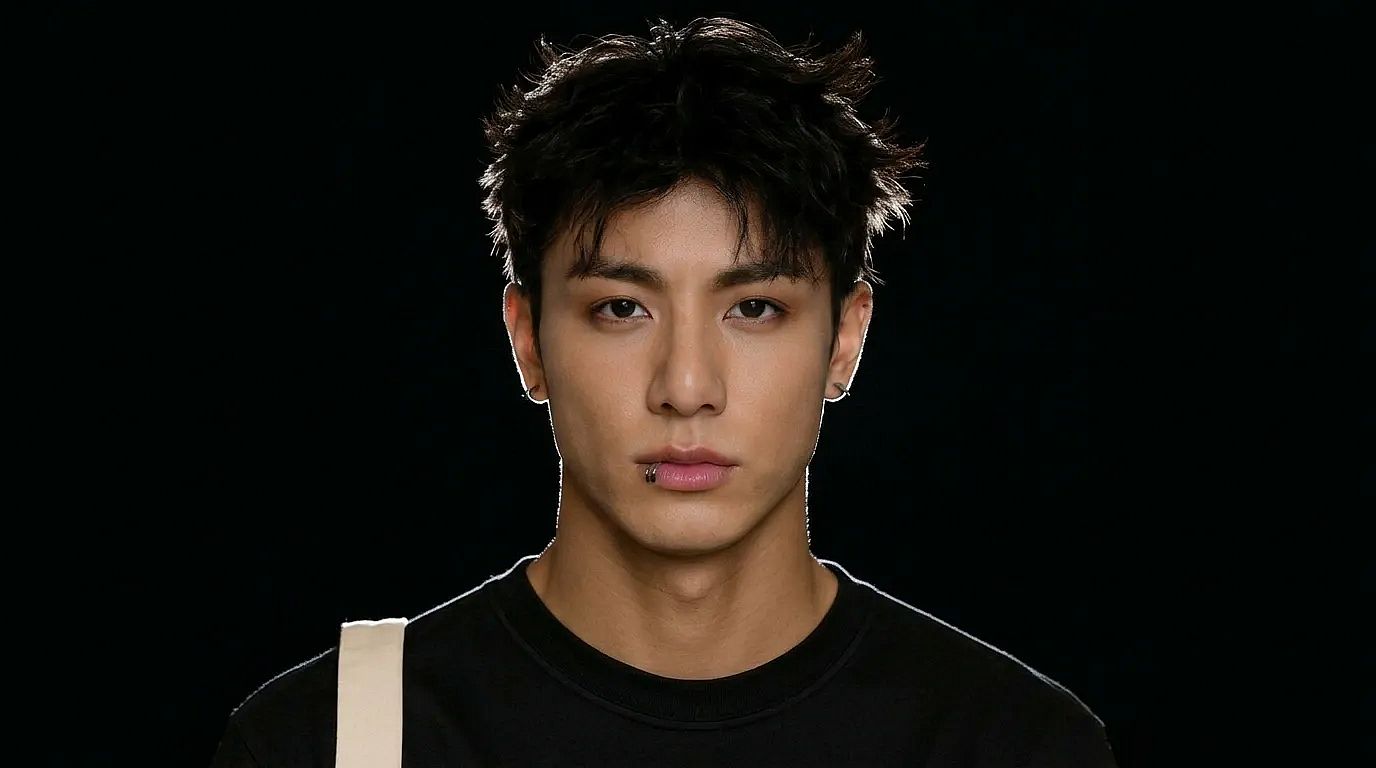
You can add background light to a photo you already have. Upload it, paste one of these edit prompts and keep the last line so your face stays the same. To swap the whole background with lighting that matches you, try the AI background changer.
33. Studio backdrop glow
add a soft studio light glow on the wall behind me, light fading from bright in the center to dark at the edges, keep my face, hair and outfit exactly the same
34. Halo rim light on a black background
change the background to black and add a thin white rim light behind my head and shoulders, keep my face, hair and outfit exactly the same
35. Soft sunlight from behind
add warm golden sunlight coming from behind me, soft glow on my hair and shoulders, slight light haze, keep my face, pose and outfit exactly the same
36. Neon color glow on the wall
add a pink and blue neon light glow on the wall behind me, soft colored light on the edges of my face, keep my face, hair and outfit exactly the same
37. Paparazzi flash look
make this photo look like it was taken with a bright camera flash at night, sharp shadows behind me, darker background, keep my face and outfit exactly the same
Video lighting prompts
Lighting in video can change during the clip, like a room going dark or a door spilling light. Describe one lighting change per clip in the AI video generator. To change the lighting in footage you already shot, use AI video relight, part of OpenArt VFX. Pick a lighting preset, or describe the light you want like prompt 40 below.
38. Day turning to night
wide shot of a quiet beach town, the light slowly changes from bright afternoon sun to blue hour, streetlights switch on one by one, camera stays still
39. Warm light spilling in
dark kitchen at night, a woman opens the door and warm hallway light spills across the floor and her face, soft shadows move as the door swings, camera stays still
40. Relit talking head
relight this video with a soft key light from the front left and a gentle warm rim light from behind, keep the person, background and movement the same
How to fix lighting in a photo
To fix the lighting in a photo with AI, upload it, describe the light you want and say what must stay the same. OpenArt's Edit Image tool handles this in a few steps:
- Upload your photo. Open Edit Image and add the photo with the bad lighting.
- Describe the new light. In Describe mode, write the fix, like "brighten my face with soft window light from the left."
- Say what stays. End with "keep my face, outfit and background exactly the same."
- Fix one spot only. Switch to Area Edit, highlight the dark or overexposed area and describe the change for that area alone.
- Generate and compare. Pick the version that looks most natural and download it.
For a full relight of a portrait or product shot, start with relight an image. To shift the mood from day to night or warm to cool, try change the lighting in an image.
Shooting in a strong sun can leave bright patches on faces and glasses. You can remove sun glare from a photo before you add new light. If you're adding an object into a photo, our guide on how to match lighting in AI inpainting keeps the new piece from looking pasted on.
Common lighting prompt mistakes
Most lighting problems come from a prompt that leaves the AI guessing. Watch for these:
- Too many light sources. "Neon, candlelight, sunset and a spotlight" gives muddy color. Pick one main light and one accent at most.
- "Cinematic lighting" with no source. Name the lamp, window or sun that makes the light.
- No direction. "From the left" or "from behind" changes the whole image. Always add it.
- Soft and hard light together. Choose one. Soft light hides skin texture, and hard light shows every line.
- No "keep" line in photo edits. Without it, the AI may change your face, hair or clothes along with the light.
Start with one light
Pick a prompt, swap in your own subject and generate it in Create Image. Already have a photo you like? Upload it, paste a background light prompt and keep the last line so you still look like you.
Frequently Asked Questions
What is a lighting prompt?
A lighting prompt is the part of an AI image prompt that describes the light. It names the light source, its direction, whether it's hard or soft, its color and the shadows it makes.
What is the difference between soft light and hard light?
Soft light comes from a big or diffused source, like a cloudy sky or a softbox, and makes gentle shadows. Hard light comes from a small, strong source, like the noon sun or a bare bulb, and makes sharp shadows. Soft light flatters skin, and hard light adds drama.
What is the best lighting prompt for portraits?
For a clean headshot, use soft light from the front left with a light background. For a moody portrait, use Rembrandt lighting with one light high on the side and a dark background. Add a rim light from behind when the subject needs to stand out from a dark scene.
What is Rembrandt lighting?
Rembrandt lighting puts one light high and to the side of the face. It leaves a small triangle of light on the cheek that sits in shadow. The name comes from the painter Rembrandt, who often lit his portraits this way.
How do I add background light to my photo with AI?
Upload your photo and describe the light you want behind you, like "a soft studio glow on the wall behind me." End the prompt with "keep my face, hair and outfit exactly the same." Prompts 33 to 37 above are ready to copy.
How do I fix bad lighting in a photo?
Upload the photo to Edit Image and describe the light you want, like "brighten my face with soft window light." Add a line saying what must stay the same. Use Area Edit when only one part of the photo is too dark or too bright.
Do lighting prompts work for AI video?
Yes. Describe the light the same way, then add any change you want during the clip, like a door opening and spilling warm light. Keep it to one lighting change per clip so the video stays smooth.
Can I use Midjourney lighting prompts in OpenArt?
Yes. The prompts in this guide are plain descriptions, so they work in OpenArt as written. Midjourney settings like --ar aren't needed, because you pick the aspect ratio in the settings panel.
Can I try these lighting prompts for free?
Yes, new accounts get 40 free credits, no credit card required. Every generation uses credits, and the exact cost shows before you click Generate. To keep creating, choose a paid plan. You can compare plans, prices and annual billing options on the pricing page. Commercial use requires the Plus plan or above.