


 ChatGPT
 Perplexity
 Claude
 Gemini
Your best feature might be the one you've never posted on its own. Crop a selfie down to just your eyes, add soft light, and an ordinary photo turns into the kind of close-up people stop and save.
That's the trending eyes photo edit, and one eye prompt does the whole thing for you. Upload your picture, paste the prompt, and only your eyes and the bridge of your nose fill the frame.
We wrote 40 AI prompts for eyes, each in a copy-paste block. Most start from your own photo, like eye close-ups, eye contact shots and eye color edits. The rest work from text alone, like eye reflections, iris macros and eye wallpapers.
Paste any eye prompt into OpenArt's AI image generator, upload your picture and generate.
Key takeaways
- Start every photo prompt with "use my uploaded photo and keep my face exactly the same."
- Ask for an extreme close-up of only the eyes and the bridge of the nose.
- Name one light source so the iris shows detail and a bright catchlight.
- Use a 9:16 vertical frame for Instagram Reels and stories.
- These eye prompts work in Gemini and ChatGPT too.
What is an eye prompt?
An eye prompt is a text instruction that tells an AI image generator to focus on the eyes. It describes the framing, the iris and lash detail, the light and the mood you want.
Most eye prompts fall into one of these types:
- Eye edit prompt. You upload your own photo and the AI turns it into an eye close-up. This is the one behind the trending eyes photo edit.
- Eye macro prompt. You describe an eye from text alone, in the style of iris photography.
- Eye effect prompt. You change something about the eyes in a photo, like the eye color or a soft glow.
An eye photo editing prompt always needs a line that keeps your face the same. A text-only eye image prompt doesn't need a photo at all.
The eye prompt formula
The best eye prompt fills these slots in order. Leave out the keep line only when you're not using a photo.
[keep line] + [framing: extreme close-up of eyes and nose bridge] + [eye details: iris, lashes, kohl] + [what frames the eyes: hair, hands, glasses] + [light] + [reflection or mood] + [9:16 vertical]
- Keep line. "Use my uploaded photo and keep my face exactly the same."
- Framing. "Extreme close-up of only my eyes and the bridge of my nose." For a wider eye portrait or eye shot, ask for "eyes and eyebrows, forehead cropped."
- Eye details. Name what should look sharp: the iris pattern, long lashes or a thin line of kohl.
- What frames the eyes. A few strands of hair, fingers across the face or the edge of sunglasses add a story.
- Light. Name one light, like "soft window light from the left." It gives the iris detail and puts a bright catchlight in each eye.
- Reflection or mood. Add a reflection, a tear or a calm, intense stare.
- Frame. End with "9:16 vertical, photorealistic" for a Reel-ready eye pic.
Here is the formula filled in:
use my uploaded photo and keep my face exactly the same, extreme close-up of only my eyes and nose bridge, sharp brown iris detail, long natural lashes, a few strands of messy hair across one eye, soft window light from the left, calm intense stare, 9:16 vertical, photorealistic
New to writing prompts? Our guide to the best AI image generator prompts covers the basics that work for any picture.
40 eye prompts by style
Each group starts with one example image. For photo prompts, upload a clear selfie first, then paste the prompt.
Trending eye close-up prompts for your photo
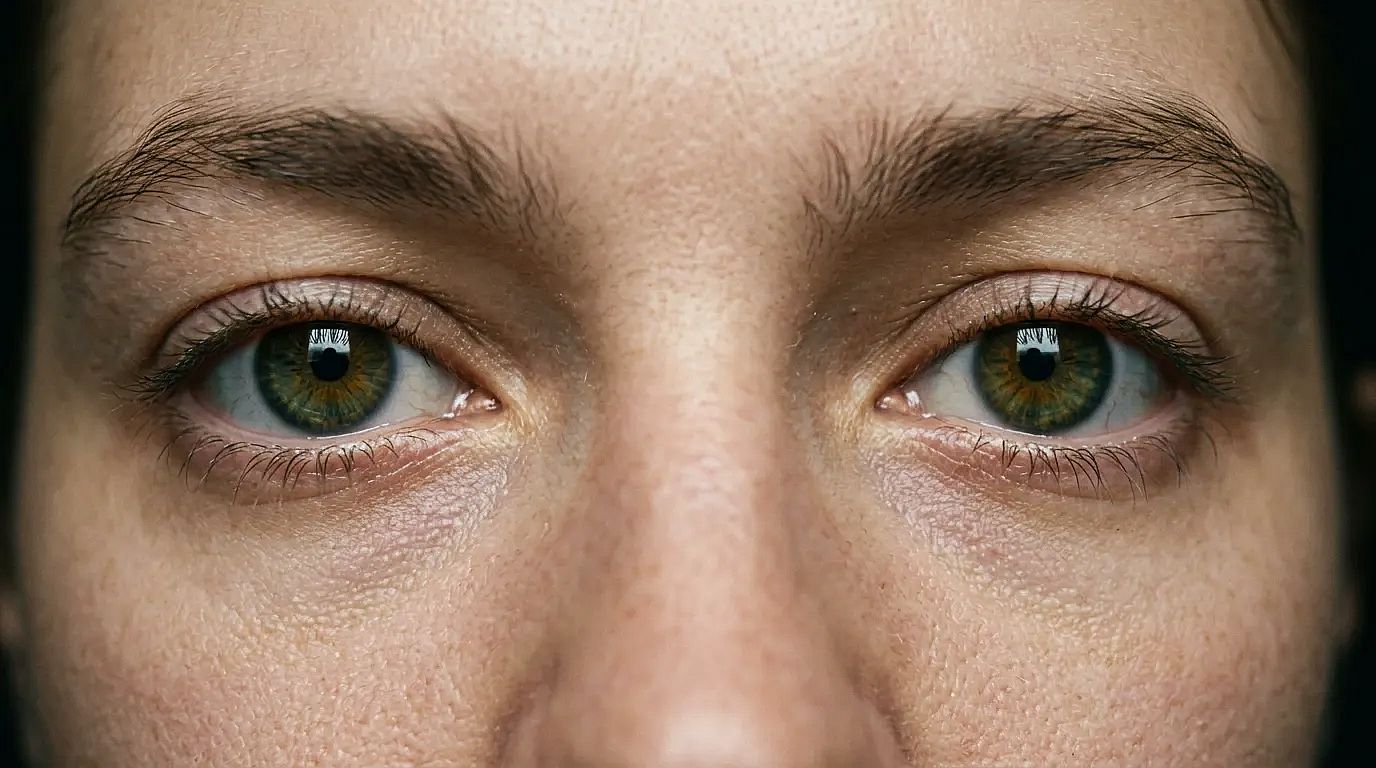
This is the trending AI eye photo prompt behind the "eye wala" or "aankhon wala" photos on Reels. Prompt 1 is the viral original. The other seven are new eye prompts that change one thing, like the light or what covers your eyes, so your only-eyes photo stands out.
1. The viral eyes and nose bridge close-up
use my uploaded photo and keep my face exactly the same, ultra-realistic cinematic extreme close-up of only my eyes and the bridge of my nose, sharp iris detail, natural skin texture, soft light from the front, calm intense stare, dark background, 9:16 vertical
2. Messy hair over your eyes
use my uploaded photo and keep my face exactly the same, extreme close-up of my eyes, a few strands of messy hair falling across one eye, soft side light, moody brown tones, sharp lashes, 9:16 vertical, photorealistic
3. Hand half covering your face
use my uploaded photo and keep my face exactly the same, close-up of my eyes with my fingers spread across the lower half of my face, eyes looking straight ahead, soft window light, shallow depth of field, 9:16 vertical
4. Golden hour eyes
use my uploaded photo and keep my face exactly the same, extreme close-up of my eyes in warm golden hour sunlight, glowing amber iris, light catching every lash, soft warm background, 9:16 vertical, photorealistic
5. Black and white intense eyes
use my uploaded photo and keep my face exactly the same, black and white extreme close-up of my eyes, high contrast, deep shadows under the brows, sharp iris texture, intense stare into the camera, film grain
6. Rain on the window
use my uploaded photo and keep my face exactly the same, close-up of my eyes seen through a rainy window, raindrops in soft focus on the glass, eyes perfectly sharp, cool blue evening light, 9:16 vertical
7. Half your face in shadow
use my uploaded photo and keep my face exactly the same, cinematic close-up of my eyes with one side of my face lit and the other in deep shadow, single hard light from the left, dark background, 9:16 vertical
8. Eyes over sunglasses
use my uploaded photo and keep my face exactly the same, close-up of my eyes peeking over lowered sunglasses, the city reflected in the lenses, bright daylight, playful look, 9:16 vertical, photorealistic
Eye contact prompts
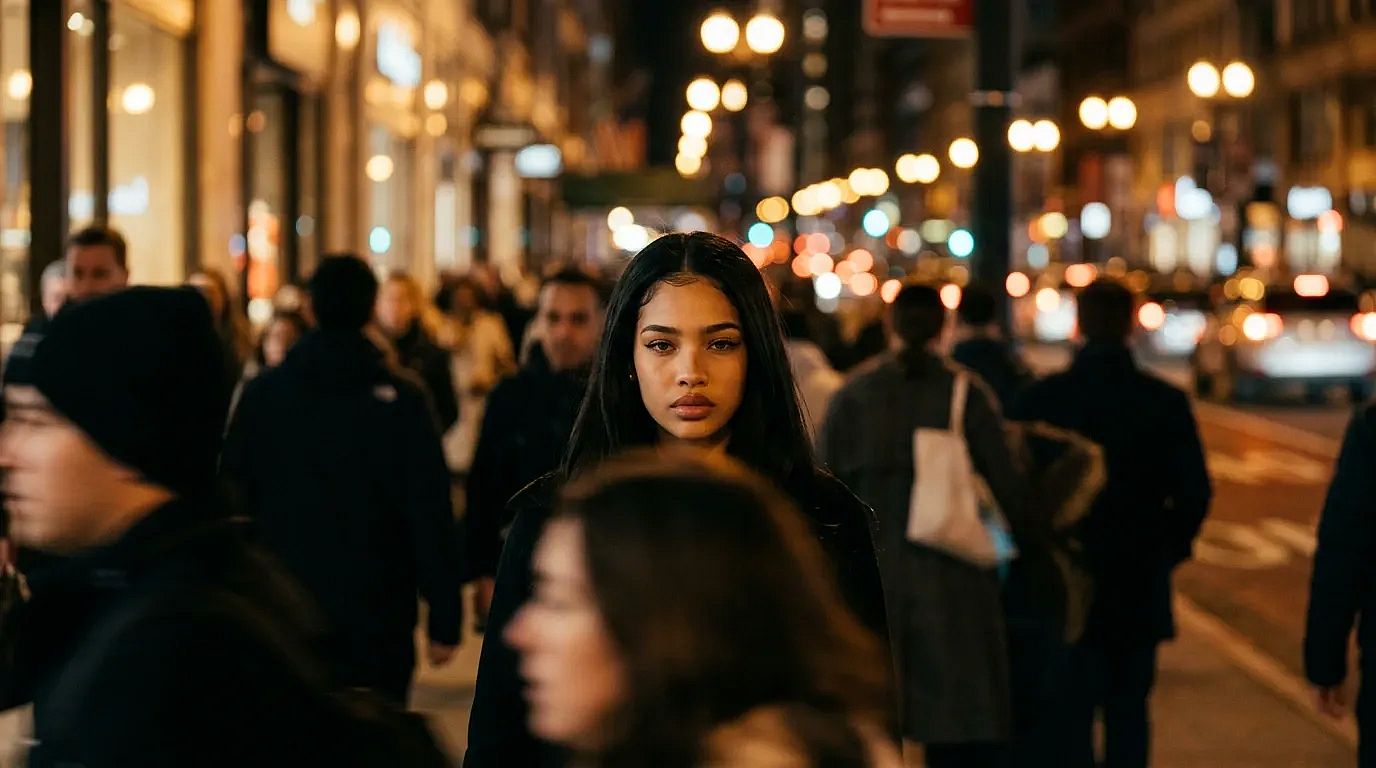
An eye contact prompt makes the eyes look straight at the viewer, which is why these photos feel so personal. Say exactly where the eyes should look, like "straight into the camera lens."
9. Straight-to-camera eye contact
use my uploaded photo and keep my face exactly the same, close-up portrait with strong eye contact, eyes looking straight into the camera lens, soft front light, neutral background, sharp focus on both eyes, 9:16 vertical
10. Eye to eye with your reflection
use my uploaded photo and keep my face exactly the same, side close-up of me looking eye to eye with my own reflection in a mirror, both pairs of eyes sharp, soft bathroom light, quiet mood
11. Eyes on me over the shoulder
use my uploaded photo and keep my face exactly the same, I look back over my shoulder with direct eye contact, eyes sharp and slightly narrowed, soft evening light, blurred street behind me, 9:16 vertical
12. Eye contact through a crowd
use my uploaded photo and keep my face exactly the same, my eyes making eye contact with the camera through a busy blurred crowd, only my eyes in sharp focus, warm street lights, cinematic look
Aesthetic eye prompts for girls and boys
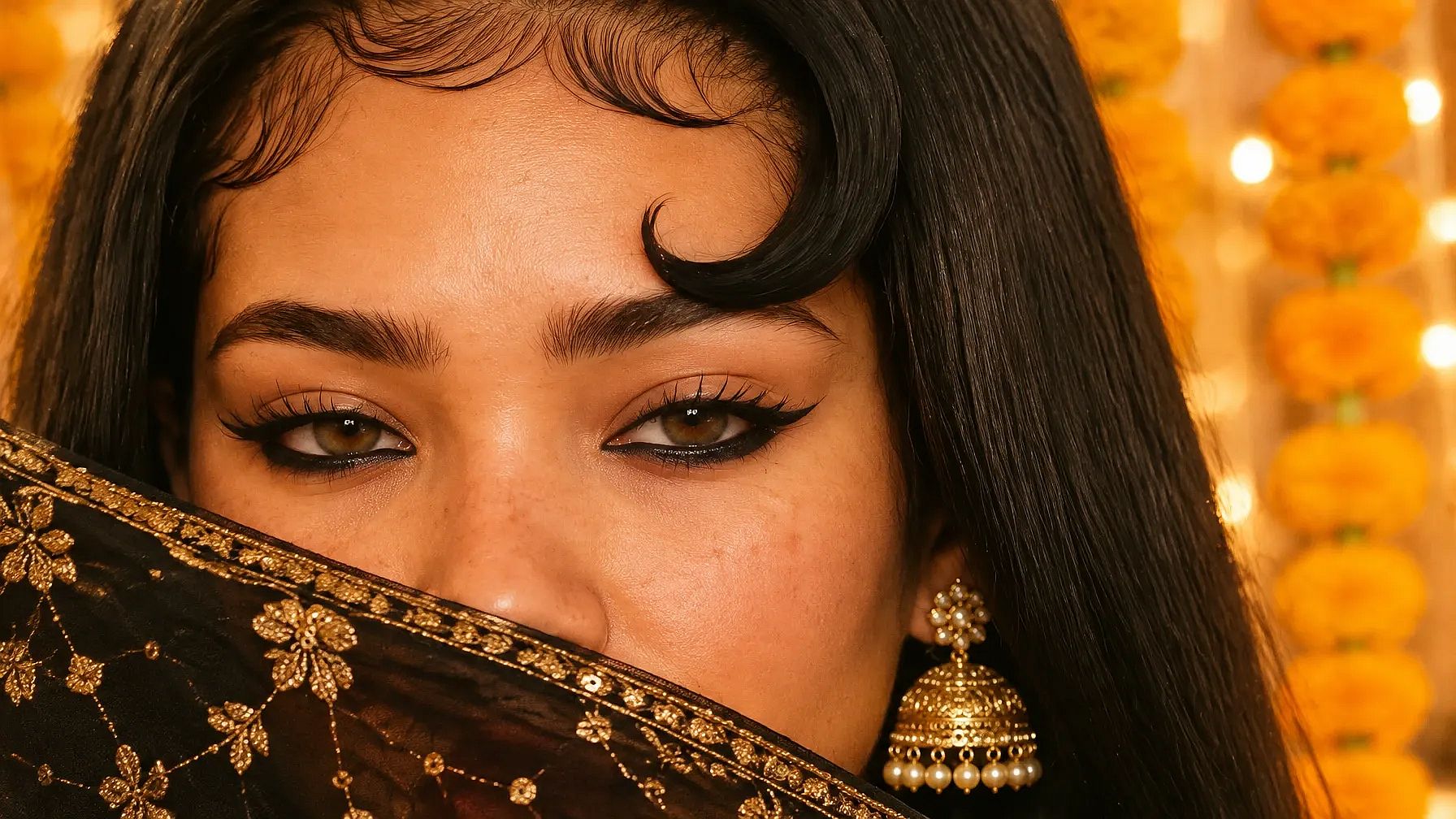
Aesthetic eye prompts add makeup, accessories or soft color so the photo looks styled. The first three suit a beautiful eyes prompt for girls, and the next two work as eyes prompts for boys. For realistic skin around the eyes, see our skin prompts guide.
13. Kohl eyes with jhumka
use my uploaded photo and keep my face exactly the same, aesthetic close-up of my eyes with soft black kohl, a gold jhumka earring at the edge of the frame, warm festive light, blurred marigold background, 9:16 vertical
14. Winged liner and glitter
use my uploaded photo and keep my face exactly the same, extreme close-up of my eyes with sharp winged eyeliner and a little silver glitter on the lids, soft pink light, glossy lashes, beauty photo
15. Dreamy pastel eyes
use my uploaded photo and keep my face exactly the same, dreamy close-up of my eyes framed by small pastel flowers, soft hazy light, light pink and lavender tones, gentle look, 9:16 vertical
16. Cinematic eyes under a hoodie
use my uploaded photo and keep my face exactly the same, cinematic close-up of my eyes under the shadow of a black hoodie, cool blue street light, sharp focused stare, dark moody tones, 9:16 vertical
17. Lowering the sunglasses
use my uploaded photo and keep my face exactly the same, close-up of me pulling my sunglasses down to show my eyes, confident look, bright sunny street, warm tones, photorealistic
18. Freckles in soft daylight
use my uploaded photo and keep my face exactly the same, aesthetic close-up of my eyes and freckles in soft natural daylight, light brown iris detail, natural lashes, no makeup look, 9:16 vertical
Emotional eye prompts
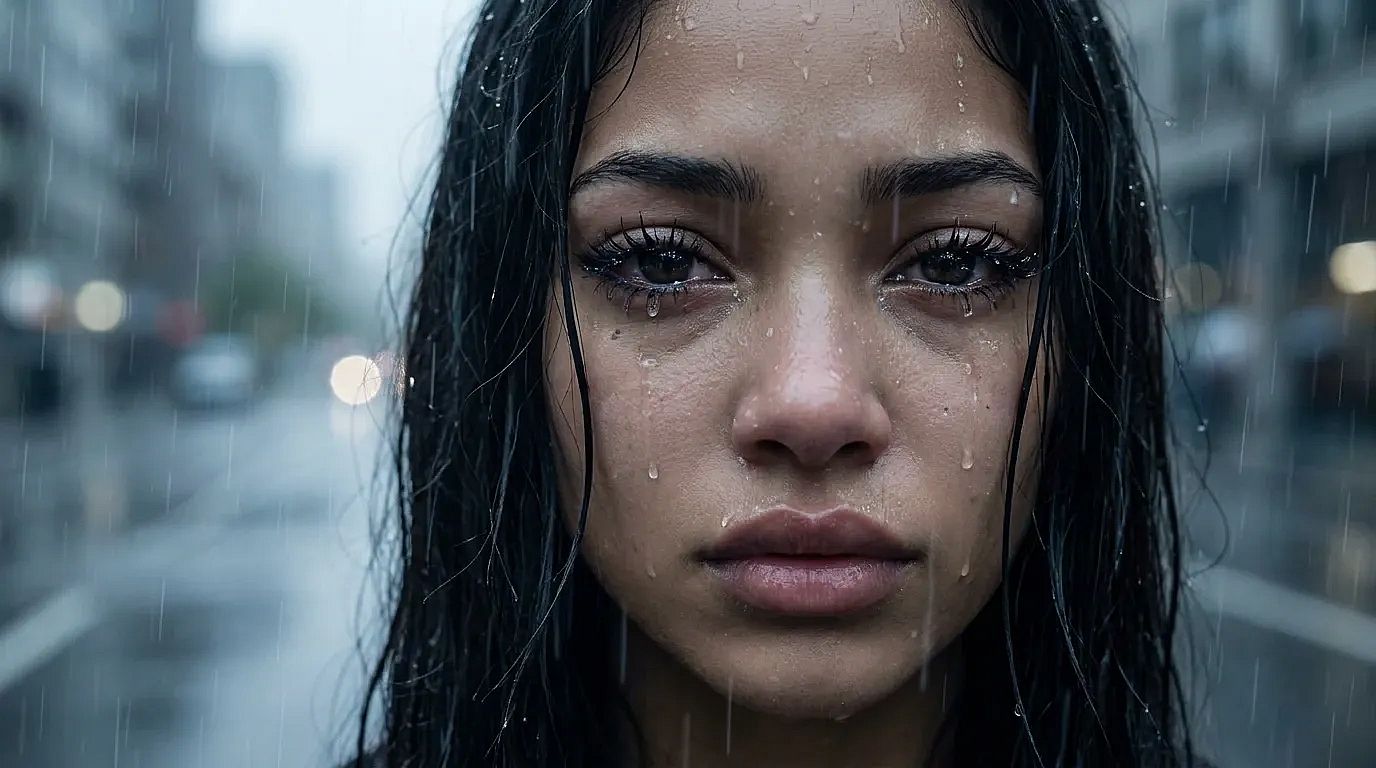
Emotional eye prompts tell a story with one small detail, like a tear or closed eyes. Keep the light soft so the feeling shows in the eyes.
19. A single tear
use my uploaded photo and keep my face exactly the same, extreme close-up of my eyes with a single tear running down one cheek, soft side light, glassy eyes, quiet emotional mood, 9:16 vertical
20. Teary eyes in the rain
use my uploaded photo and keep my face exactly the same, close-up of my teary eyes in the rain, raindrops on my lashes, cool gray light, blurred city behind, cinematic emotional look
21. Eyes gently closed
use my uploaded photo and keep my face exactly the same, close-up of my face with eyes gently closed, peaceful expression, warm morning light across my eyelids, soft background, calm mood
Eye reflection prompts
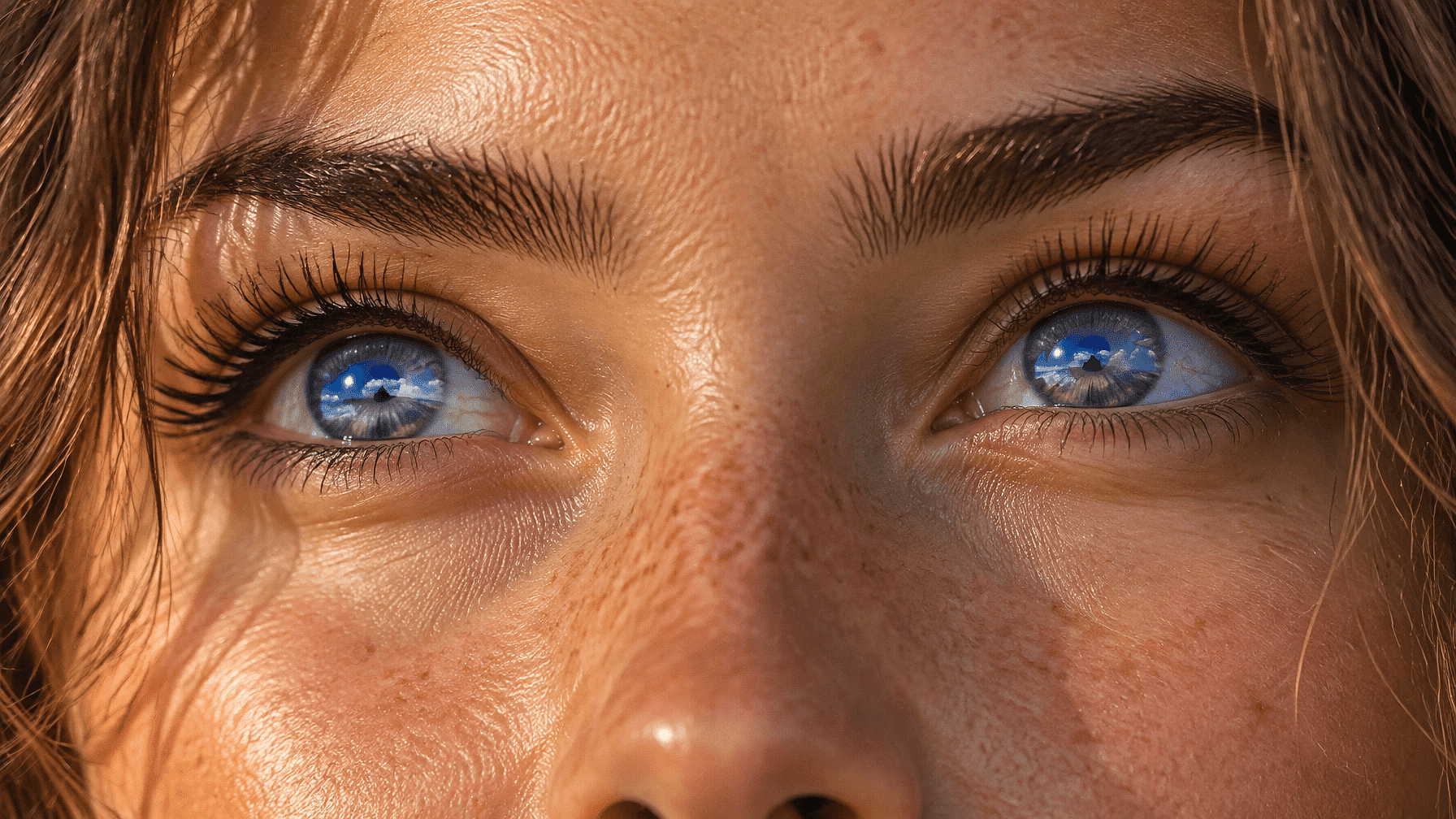
An eye reflection prompt puts a whole scene inside the eye. These work from text alone, or you can add the keep line and use your own photo.
22. City skyline at night
extreme close-up of a brown eye, a glowing city skyline at night reflected in the iris and pupil, sharp lashes, dark background, photorealistic macro photo
23. A galaxy in the iris
extreme close-up of a human eye with a swirling purple and blue galaxy reflected in the iris, tiny stars in the pupil, soft rim light, photorealistic macro photo
24. Sunset in the eyes
close-up of a woman's eyes with a glowing orange sunset and ocean horizon reflected in both irises, warm golden light on the lashes, 9:16 vertical, photorealistic
25. Starry night sky
extreme close-up of a dark eye with a starry night sky and a faint milky way reflected in the iris, cool blue tones, quiet mood, photorealistic macro photo
26. Coral reef
extreme close-up of a blue-green eye with a bright coral reef and small fish reflected in the iris, water light ripples on the skin, photorealistic macro photo
Macro iris prompts, no photo needed
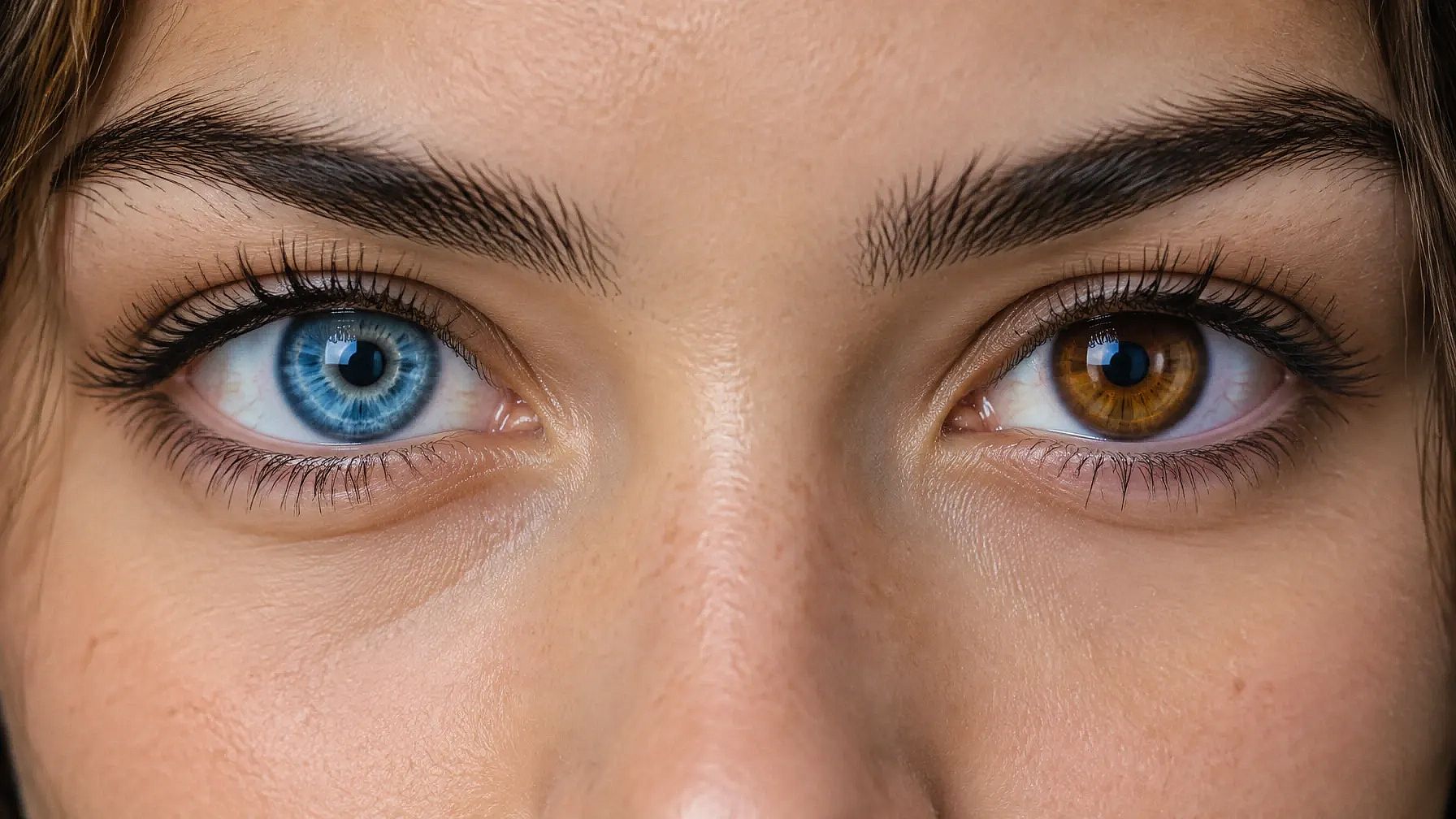
These prompts copy the look of iris photography and macro eye photography. They need no reference photo, so they're good for art, wallpapers and testing models.
27. Blue iris macro
macro eye photography of a bright blue iris, every fiber and fleck in sharp detail, small round catchlight, black pupil, soft ring light, ultra sharp
28. Green eye with every vein
high detail close-up of a green eye, tiny veins in the white, gold flecks near the pupil, natural lashes, soft daylight, photorealistic
29. Heterochromia
close-up of two eyes with heterochromia, one ice blue and one warm brown, both sharp, soft even light, neutral skin tones, photorealistic portrait crop
30. Long lashes with mascara
macro shot of one eye with long curled lashes and black mascara, soft brown eyeshadow, light reflecting on the lashes, beauty photography
31. Contact lens detail
extreme close-up of an eye wearing a clear contact lens, the thin edge of the eye lens visible over the iris, soft light reflection on the lens, clinical clean background
Eye color and glowing eye prompts
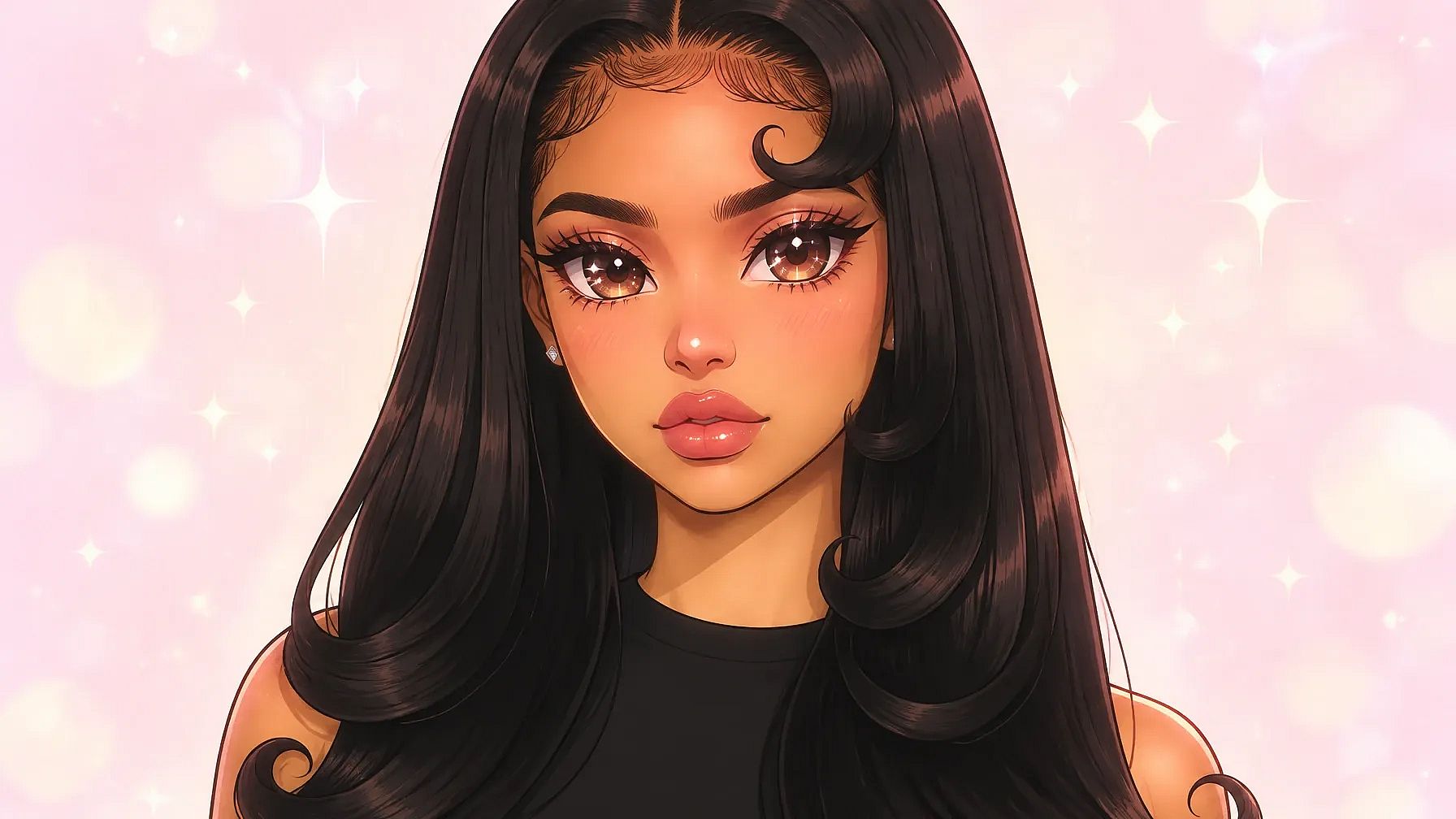
You can change eye color with a prompt in Edit Image. For a one-click result, try OpenArt's eye color changer, the blue eye filter, the glowing eye filter or the cat eye filter.
32. Ice blue eye color
change my eye color to ice blue, keep the iris pattern natural, keep my face, skin and everything else exactly the same
33. Glowing eyes
make my eyes glow soft electric blue, light spilling onto my lashes and cheeks, dark night background, keep my face exactly the same
34. Cat eyes
change my eyes to golden cat eyes with narrow vertical pupils, keep my face, skin and expression exactly the same
35. Anime eyes
turn me into an anime character with large sparkling anime eyes, bright highlights in the iris, soft pastel colors, keep my hairstyle and face shape
Eye wallpaper, background and collage prompts
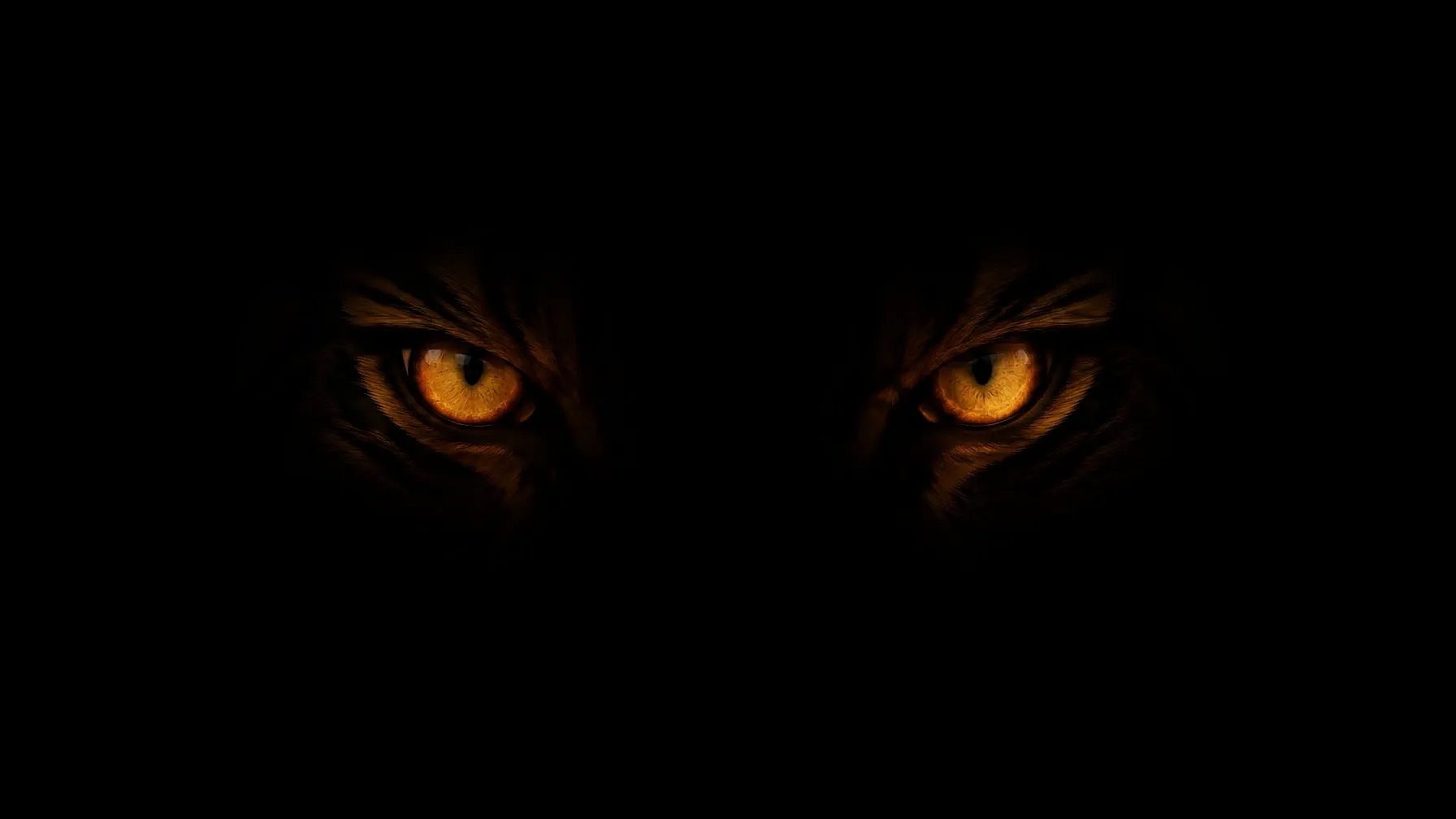
An eye wallpaper prompt keeps the eyes small enough to leave room for your phone's clock. Ask for 9:16 and a simple eye background.
36. Only eyes wallpaper
only a pair of eyes glowing softly in the middle of a dark background, everything else fading into black, minimal eye art, 9:16 phone wallpaper
37. Eye collage
use my uploaded photo and keep my face exactly the same, an eye collage of four close-ups of my eyes in a grid, one in daylight, one in neon light, one in black and white, one with golden light
38. Sharp eyes, blurred background
use my uploaded photo and keep my face exactly the same, my eyes in sharp focus with a strong eye blur effect on everything else, soft bokeh lights behind me, 9:16 vertical
Eye video prompts
A short eye video makes the close-up feel alive. Upload your eye photo to the AI video generator and describe one small movement.
39. Slow blink
extreme close-up of my eyes, I blink slowly once, then look straight into the camera, light shifts softly across my iris, camera stays still
40. Eyes opening in morning light
close-up of my closed eyes in soft morning light, my eyes slowly open and focus on the camera, sunlight catches my lashes, camera stays still
Tips for sharp, realistic eyes
Blurry or flat eyes usually come from a weak starting photo or a prompt with no light named. These fixes help:
- Start with a bright, front-facing selfie. Both eyes should be open, in focus and free of heavy shadows.
- Name one light. "Soft window light from the left" gives the iris texture and a catchlight. No light named often means flat, gray eyes.
- Ask for 9:16 vertical. It suits Reels, stories and phone wallpapers, and it keeps the framing tight on your face.
- Control the crop in words. "Only my eyes and nose bridge" gives the viral look. "Eyes and eyebrows" gives a little more face.
- Fix one eye at a time. If one eye looks off, use Area Edit in Edit Image, highlight that eye and describe the fix.
- Sharpen at the end. Run the final picture through Image Upscale with face enhancement on to bring back lash and iris detail.
- Keep the background simple. A dark or blurred background makes the eyes the first thing people see.
Make your eye close-up
Pick an eye prompt, upload your selfie and generate it in Create Image. Start with prompt 1 for the viral look, then try the golden hour or kohl eyes version for your next post
Frequently Asked Questions
What is the trending eyes photo prompt?
The trending eyes photo prompt turns your selfie into an extreme close-up of only your eyes and the bridge of your nose. It uses a keep line so your face stays the same, plus soft cinematic light and a 9:16 frame. Prompt 1 above is the viral version, and prompts 2 to 8 are new variations.
How do I make an eye close-up of my own photo?
Upload a clear, front-facing selfie and paste an eye close-up prompt. Start it with "use my uploaded photo and keep my face exactly the same." Generate a few versions and keep the sharpest one.
Do these eye prompts work in Gemini and ChatGPT?
Yes. These are plain-language prompts, so they work in Gemini, ChatGPT and OpenArt. Upload your photo and paste the full prompt as one message. For more ideas, see our list of Gemini AI photo prompts.
Do I need a reference photo?
Only for the prompts that start with "use my uploaded photo." The eye reflection, macro iris and wallpaper prompts work from text alone.
Why do my eyes come out blurry?
The usual cause is a dim or blurry selfie, or a prompt with no light named. Start with a bright photo, add one light like "soft window light," and ask for sharp iris detail. Image Upscale with face enhancement can sharpen the final picture.
How do I change my eye color with AI?
Upload your photo and write "change my eye color to ice blue, keep my face exactly the same." For a one-click result, use an eye color changer or an eye filter, like a blue or glowing eye filter.
How do I get eye contact in an AI photo?
Write where the eyes should look, like "eyes looking straight into the camera lens." Add "sharp focus on both eyes" so the AI keeps them clear.
Can I use Midjourney eye prompts in OpenArt?
Yes. The prompts here are plain descriptions, so they work in OpenArt as written. Midjourney settings like --ar aren't needed, because you pick the aspect ratio in the settings panel.
Can I try these eye prompts for free?
You can try some features for free. New accounts get 40 free credits, no credit card required. Every generation uses credits, and the exact cost shows before you click Generate. To keep creating, choose a paid plan. You can compare plans, prices and annual billing options on the pricing page. Commercial use requires the Plus plan or above.