
 ChatGPT
 Perplexity
 Claude
 Gemini
A 2D cartoon prompt is a text instruction that tells an AI image generator what to draw and how to draw it. The "how" is where most prompts fail.
Writing "2D cartoon style, a dog in a park" gives you a cartoon dog, but you have no control over the line weight, color treatment, or composition.
15 2D cartoon prompts by what you want to make
Each prompt includes the full copyable text, what produces the 2D look, and one variation you can try. Test every prompt in your chosen model before using the result.
Single characters
Start with a single character to get more control over its appearance, pose, and expression. These prompts show how to create different character designs while keeping a consistent 2D cartoon style.
1. Flat-color 2D character
A cheerful young girl with short red hair and a yellow raincoat, standing with hands on hips, flat cel-shaded colors, thick black outlines, simple solid-color background, 2D cartoon illustration style, clean vector-like shapes, front-facing view, 3:2 aspect ratio
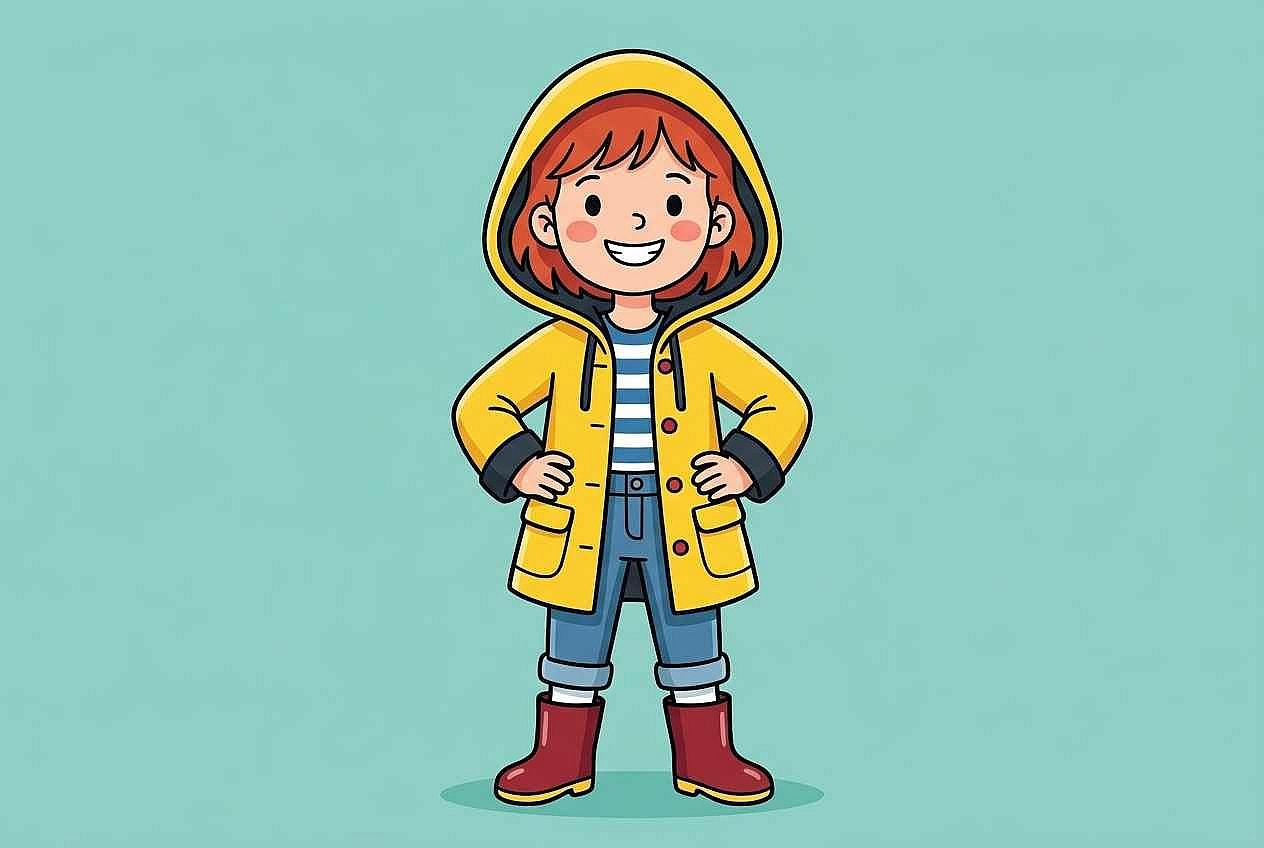
"Flat cel-shaded colors" and "thick black outlines" are the two instructions that separate a 2D cartoon from a 3D render or a painterly illustration. Without them, the AI defaults to whatever style it associates with the subject. Try replacing "flat cel-shaded" with "soft gradient shading" for a slightly more dimensional look while keeping the 2D feel.
2. Same character, different expression
The same young girl with short red hair and a yellow raincoat, now laughing with eyes closed and mouth wide open, flat cel-shaded colors, thick black outlines, simple solid-color background, 2D cartoon illustration style, clean vector-like shapes, front-facing view, 3:2 aspect ratio
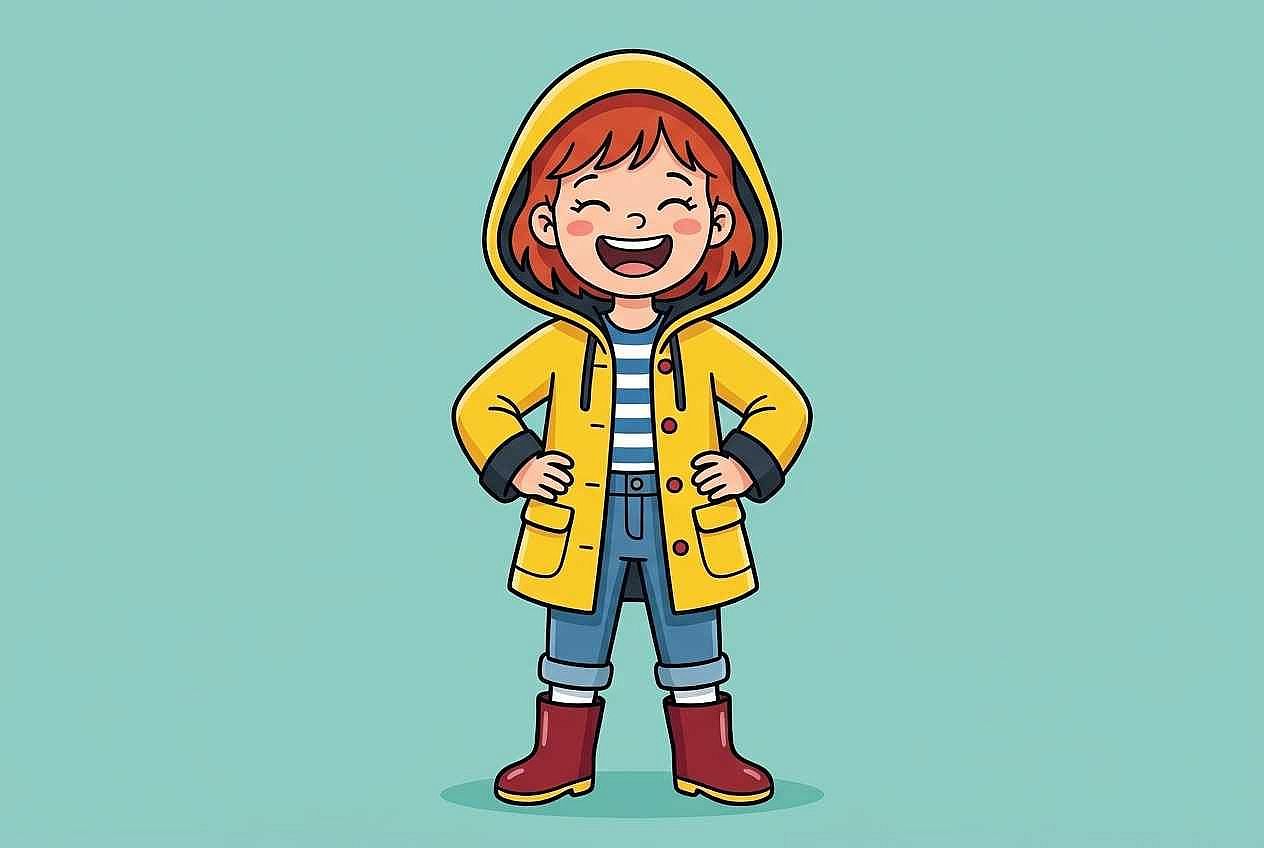
Only the expression changed (from confident hands-on-hips to laughing with closed eyes). The clothing, hair, line style, and background stayed the same. Compare both outputs to see what the AI kept and what it changed. Try "looking surprised with eyebrows raised" for a third expression test.
3. Same character, different pose
The same young girl with short red hair and a yellow raincoat, running forward with one arm stretched ahead, flat cel-shaded colors, thick black outlines, simple solid-color background, 2D cartoon illustration style, clean vector-like shapes, side-facing dynamic view, 3:2 aspect ratio
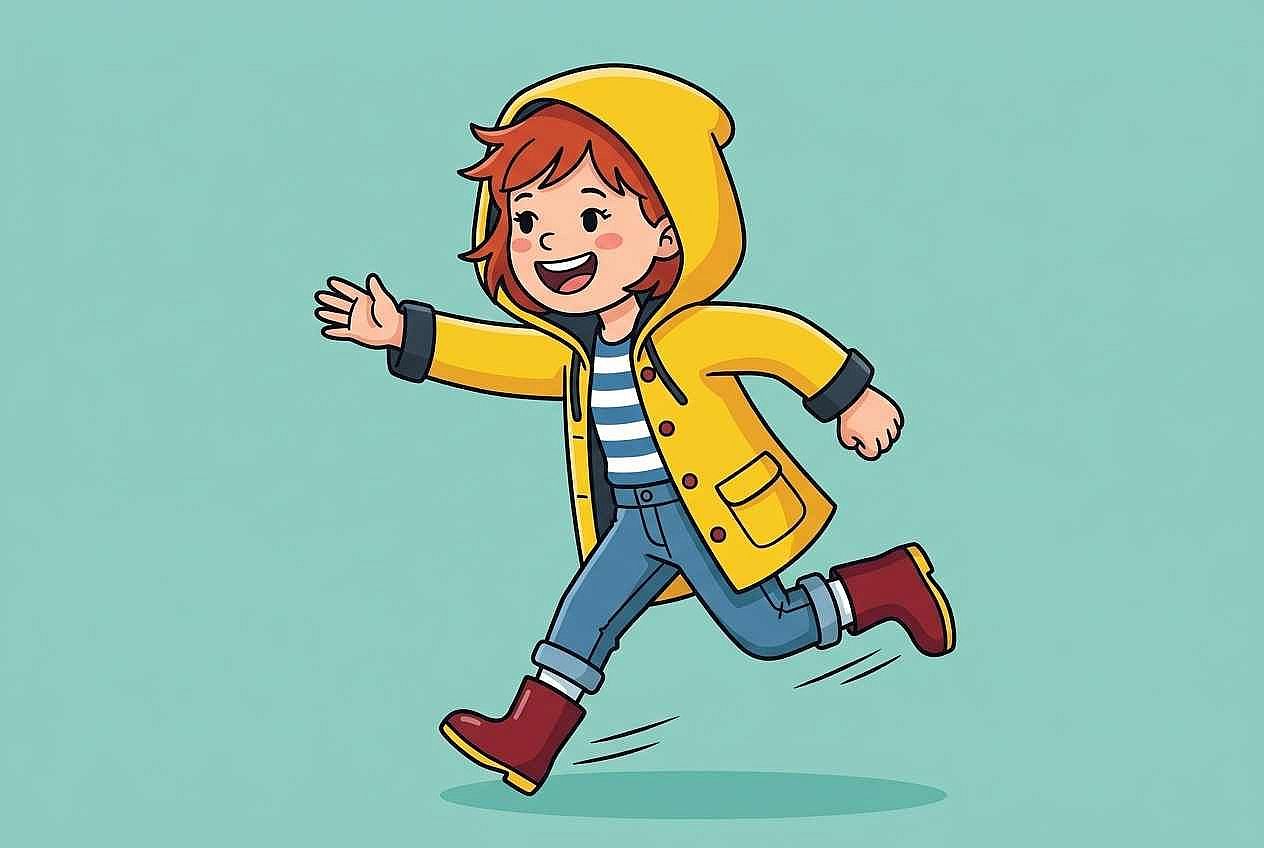
The pose changed from static to running, and the view shifted from front-facing to side-facing. Everything else stayed the same. The side view tests whether the outfit and hair stay recognizable from a different angle. Try "sitting cross-legged reading a book" for a calm pose that tests the character in a completely different posture.
4. Cartoon animal character
A round, fluffy orange cat with oversized green eyes and a curly tail, sitting upright with one paw raised, thick clean outlines, flat pastel colors, soft cream background, 2D cartoon character design, exaggerated proportions with a large head and small body, front-facing view, 1:1 aspect ratio
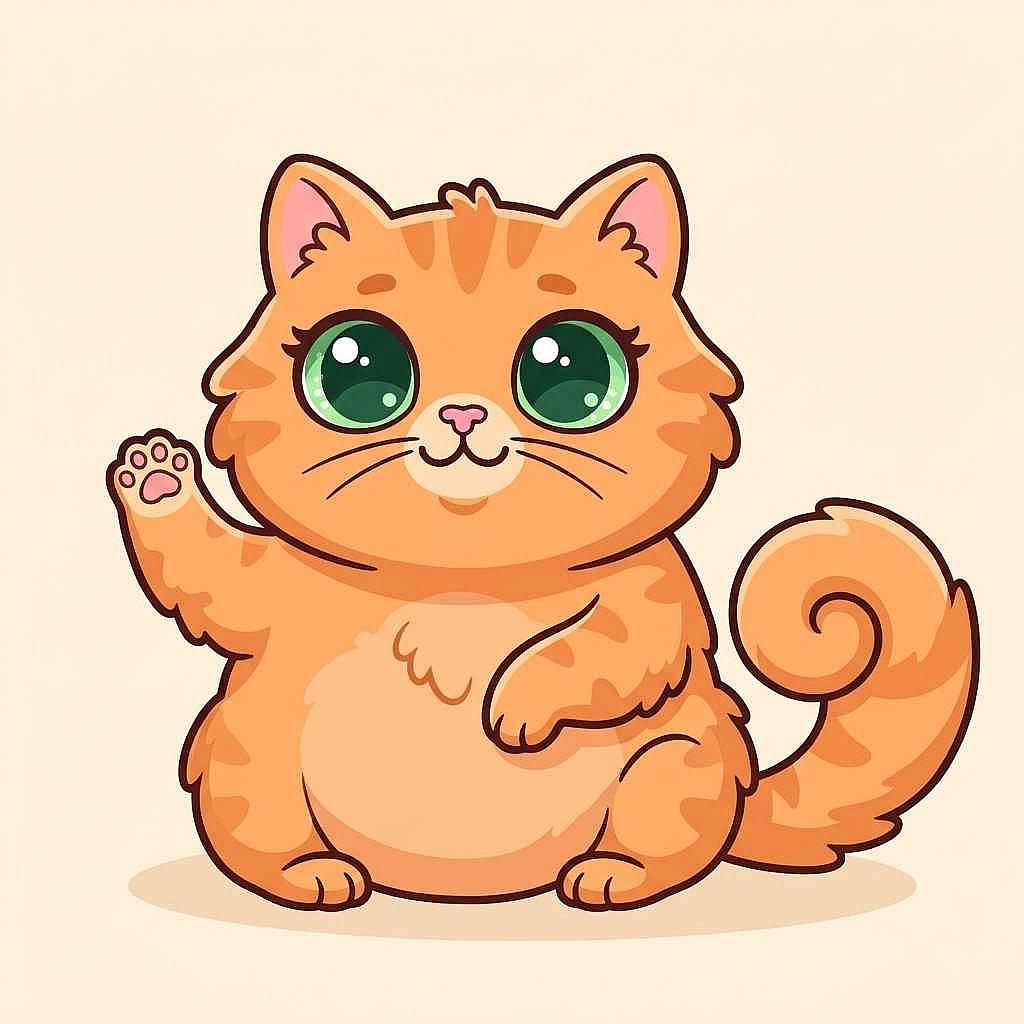
"Exaggerated proportions with a large head and small body" is what separates a cartoon animal from a realistic illustration. The oversized eyes and round body shape reinforce the character-design feel. Swap "cat" for "dog" or "rabbit" while keeping the same proportions and style instructions to see how the silhouette changes with a different animal.
Groups and interactions
When adding multiple characters, give each one a distinct appearance and action. This helps the AI create clearer interactions instead of repetitive or overlapping figures.
5. Two characters interacting
Two 2D cartoon children in a school hallway, one tall with glasses sharing a book with a shorter friend in a striped shirt, both smiling, the book held between them at chest height, flat cel-shaded colors, bold outlines, simple school-hallway background with lockers, warm color palette, 3:2 aspect ratio
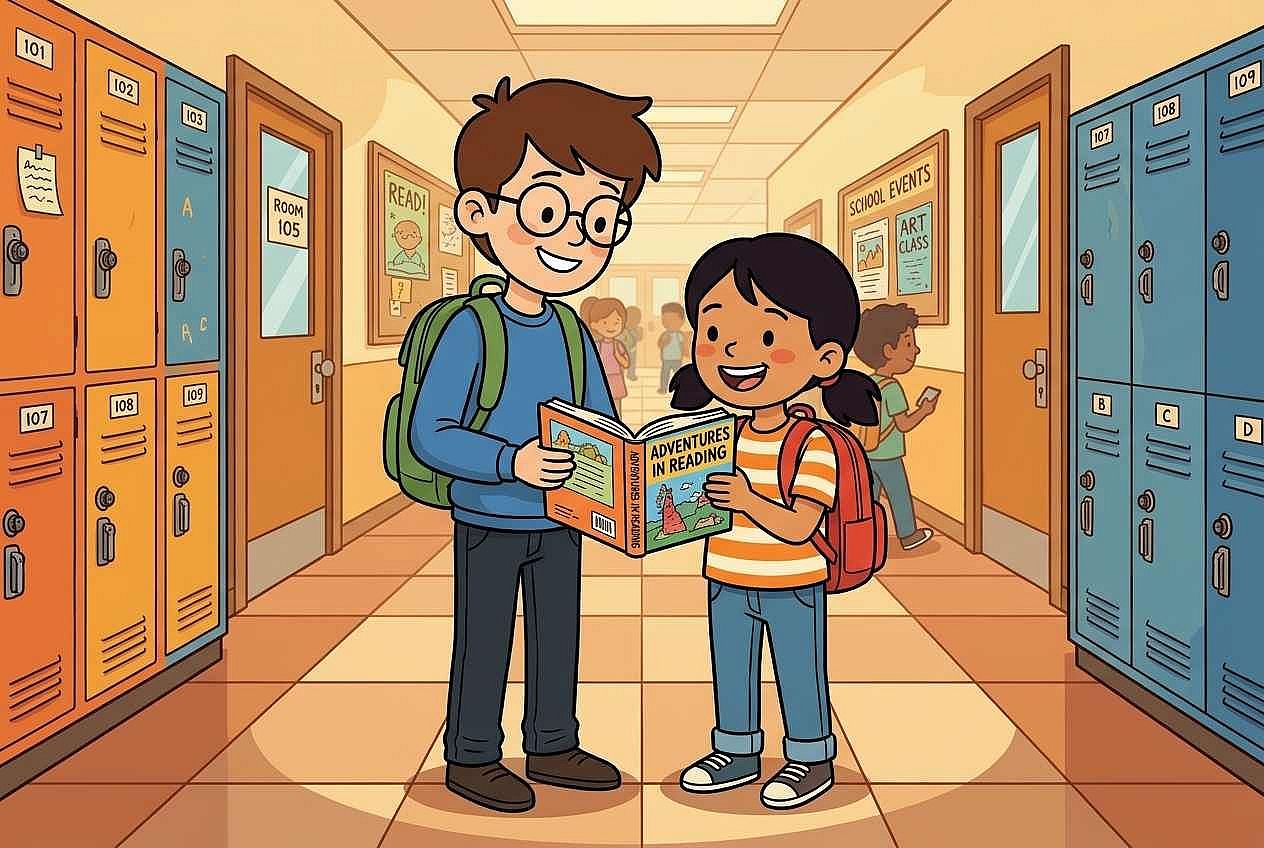
"One tall with glasses" and "a shorter friend in a striped shirt" give each character a visible identifier. Without those details, the AI tends to make both characters look identical. The shared book creates a specific interaction rather than two people standing near each other. Change the interaction to "one pointing at a map on the wall while the other looks confused" for a different dynamic.
6. Family scene
A family of four sitting around a kitchen table eating breakfast, each person wearing different colored clothing, the father pouring orange juice, the mother reading a newspaper, two children reaching for cereal, flat 2D cartoon style, bold outlines, warm morning light, cozy kitchen background with a window, 3:2 aspect ratio
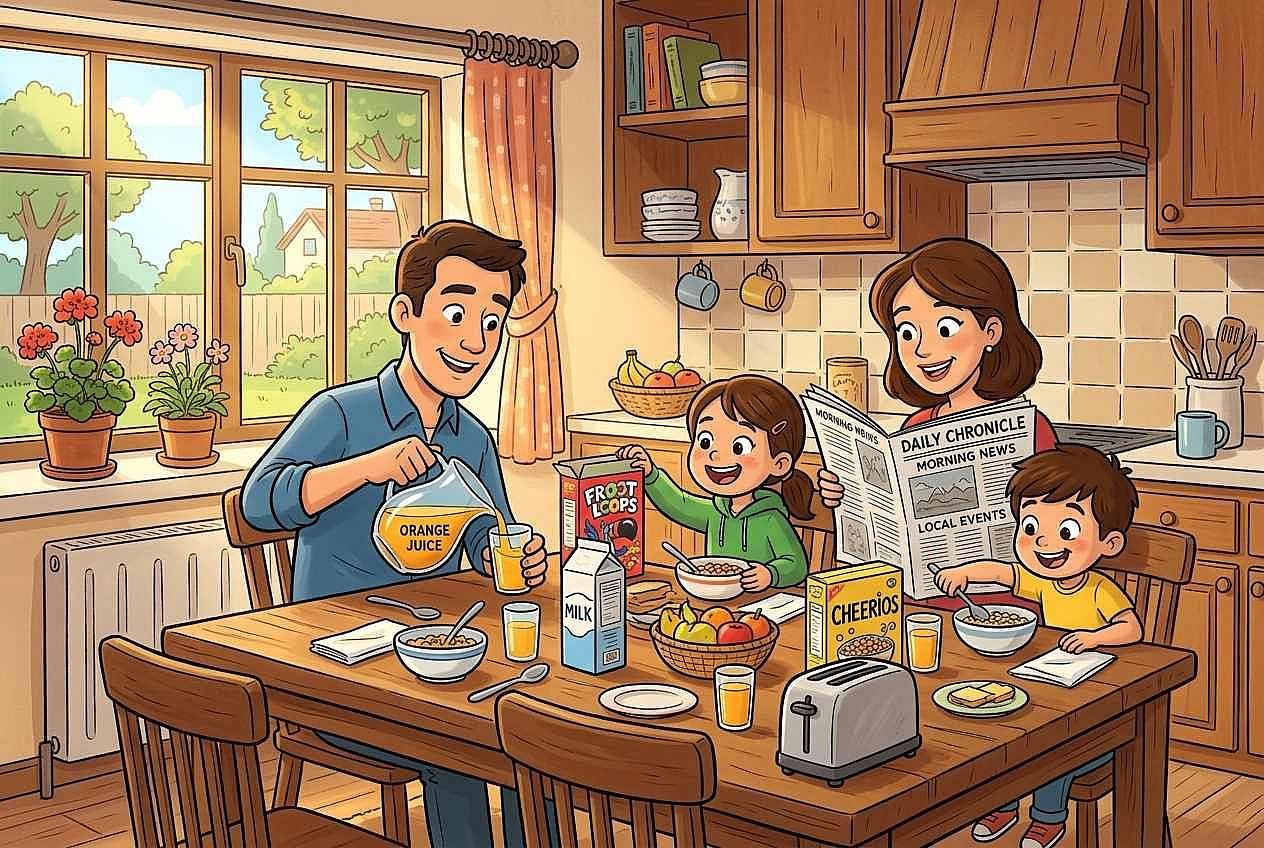
Giving each person a specific action ("pouring," "reading," "reaching") and a clothing color prevents the AI from generating four identical figures doing the same thing. Reduce the family to three members and move the scene to a park bench for a simpler composition with fewer elements to keep track of.
Scenes and settings
The background can change how a cartoon character or scene feels. These prompts cover everything from simple, plain backgrounds to detailed environments.
7. Brand mascot concept
A friendly 2D cartoon owl mascot with round glasses and a graduation cap, standing upright with wings folded, clean readable silhouette, bold black outlines, flat teal and gold colors, plain white background, simple character design suitable for a logo, front-facing view, 1:1 aspect ratio
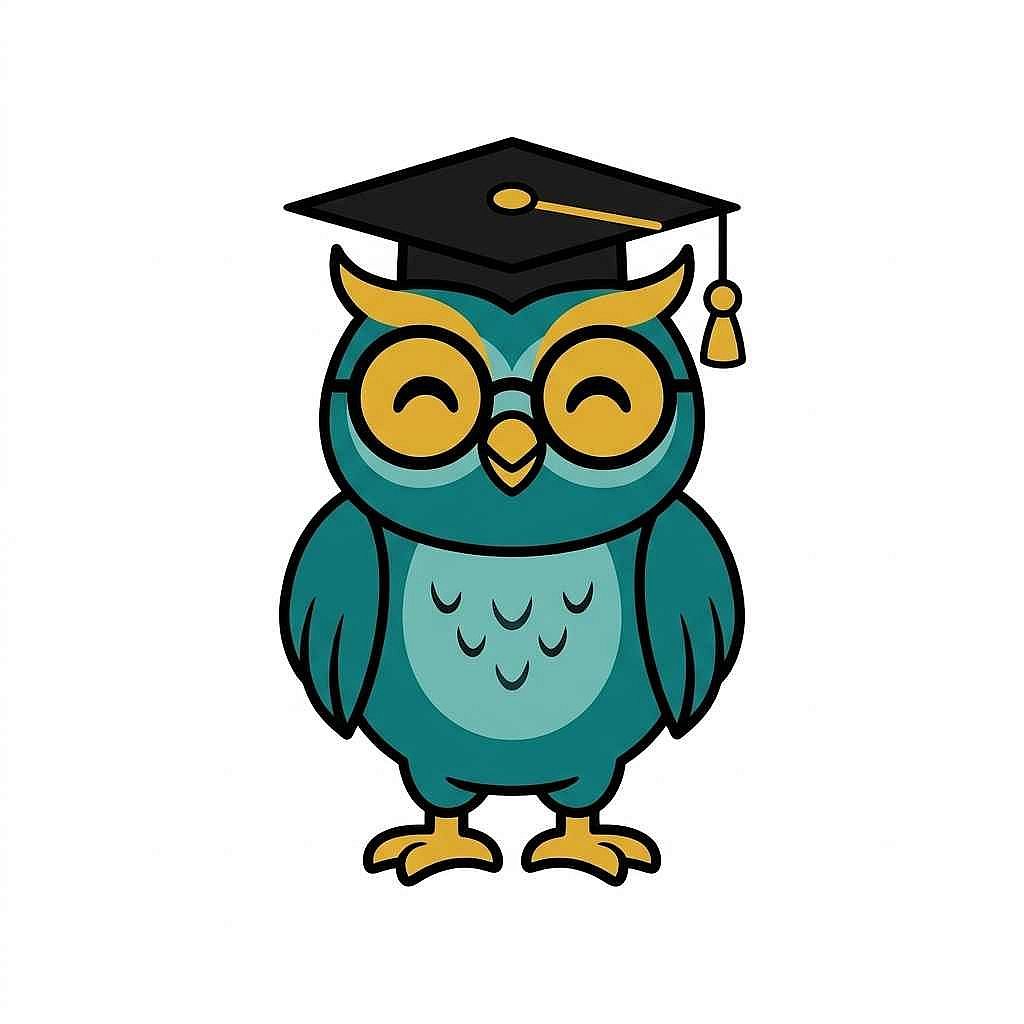
"Clean readable silhouette" and "plain white background" are the instructions that make the character work as a standalone mascot rather than a scene illustration. The limited color palette (teal and gold only) keeps it brand-ready. Replace the owl with a fox or a robot while keeping the same structural instructions to test a different mascot concept.
8. Character on a plain background
A 2D cartoon astronaut with a round helmet and a bright orange spacesuit, floating in a relaxed pose with arms slightly spread, thick outlines, flat colors, solid light-blue background with no other elements, character centered in the frame, full body visible, clean illustration style, 1:1 aspect ratio
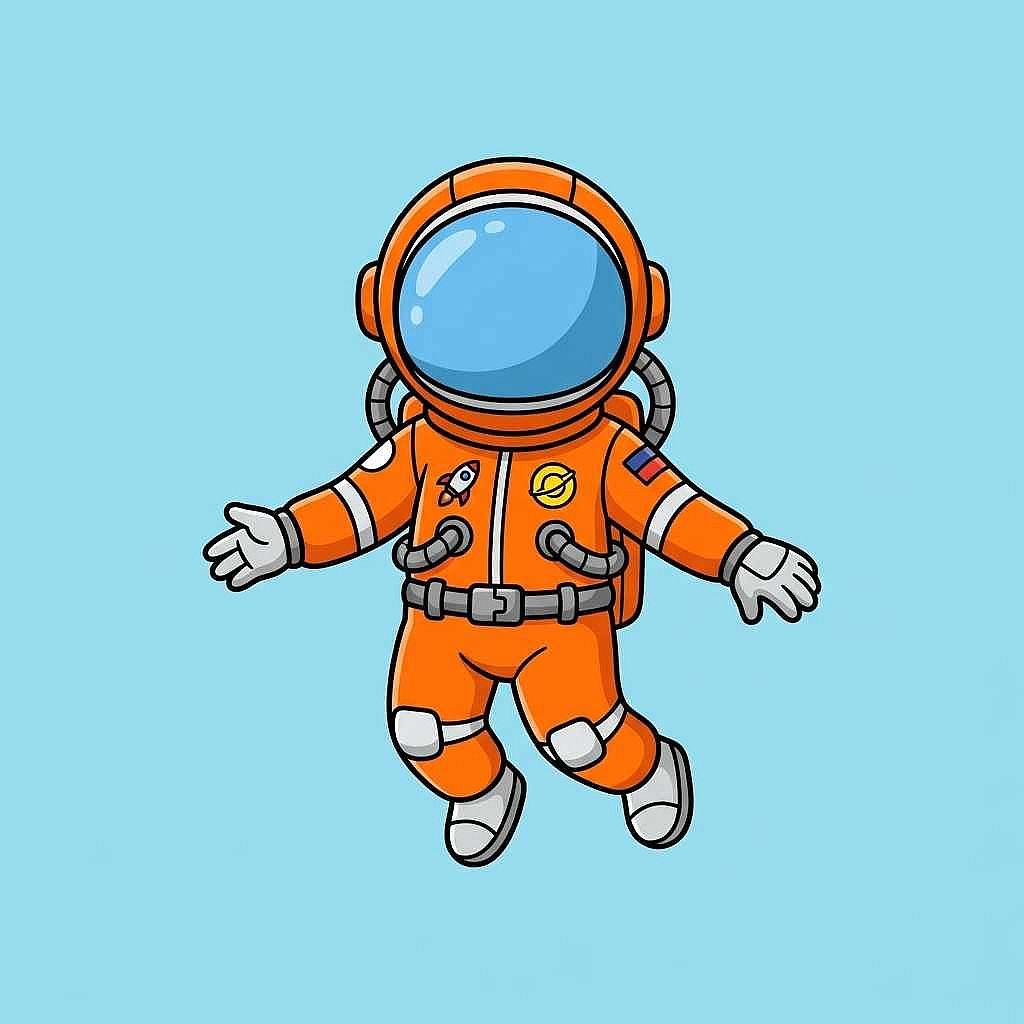
A character on a plain background is a reusable asset (think stickers, avatars, explainer graphics). Specifying "no other elements" prevents the AI from adding stars, planets, or a floor that you would need to remove later. Change the background color to white if you plan to isolate the character in a design tool afterward.
9. Character in a setting
A 2D cartoon mail carrier with a blue uniform and a large brown bag, walking along a tree-lined suburban sidewalk on a sunny day, houses with colorful doors in the background, leaves scattered on the path, flat cel-shaded colors, bold outlines, warm autumn palette, wide horizontal composition, 16:9 aspect ratio
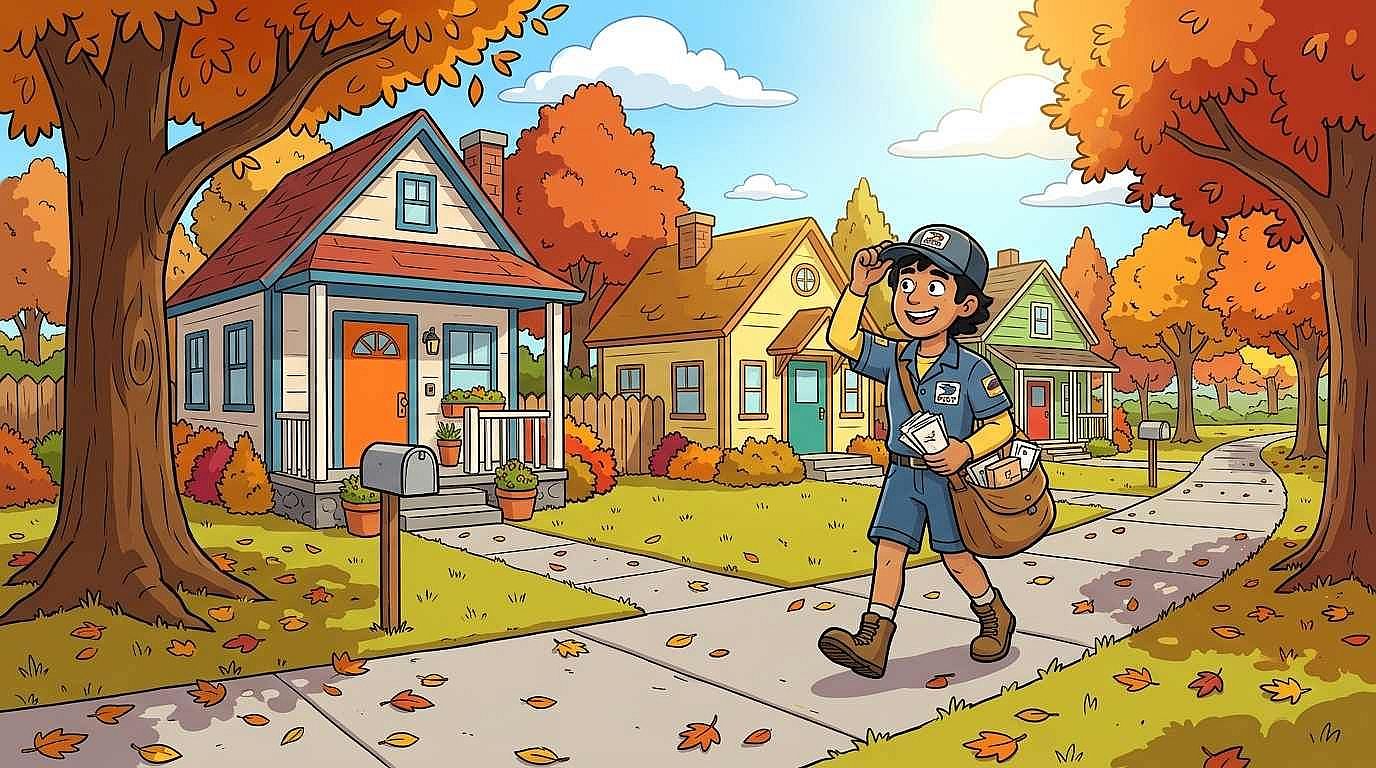
The trees, houses, scattered leaves, and autumn palette turn the character into a scene. The wide 16:9 ratio gives the setting room to breathe and places the character inside a world rather than in front of a flat backdrop. Swap the setting to "a snowy village street at night with glowing lampposts" to see how the same character reads in a completely different environment.
10. Environment-only background
A 2D cartoon forest clearing at sunrise, tall trees with thick trunks and rounded canopies framing a small mossy pond, soft golden light filtering through the leaves, mushrooms and wildflowers along the edges, flat layered colors, bold outlines, no characters or animals, painterly but simplified, wide horizontal composition, 16:9 aspect ratio
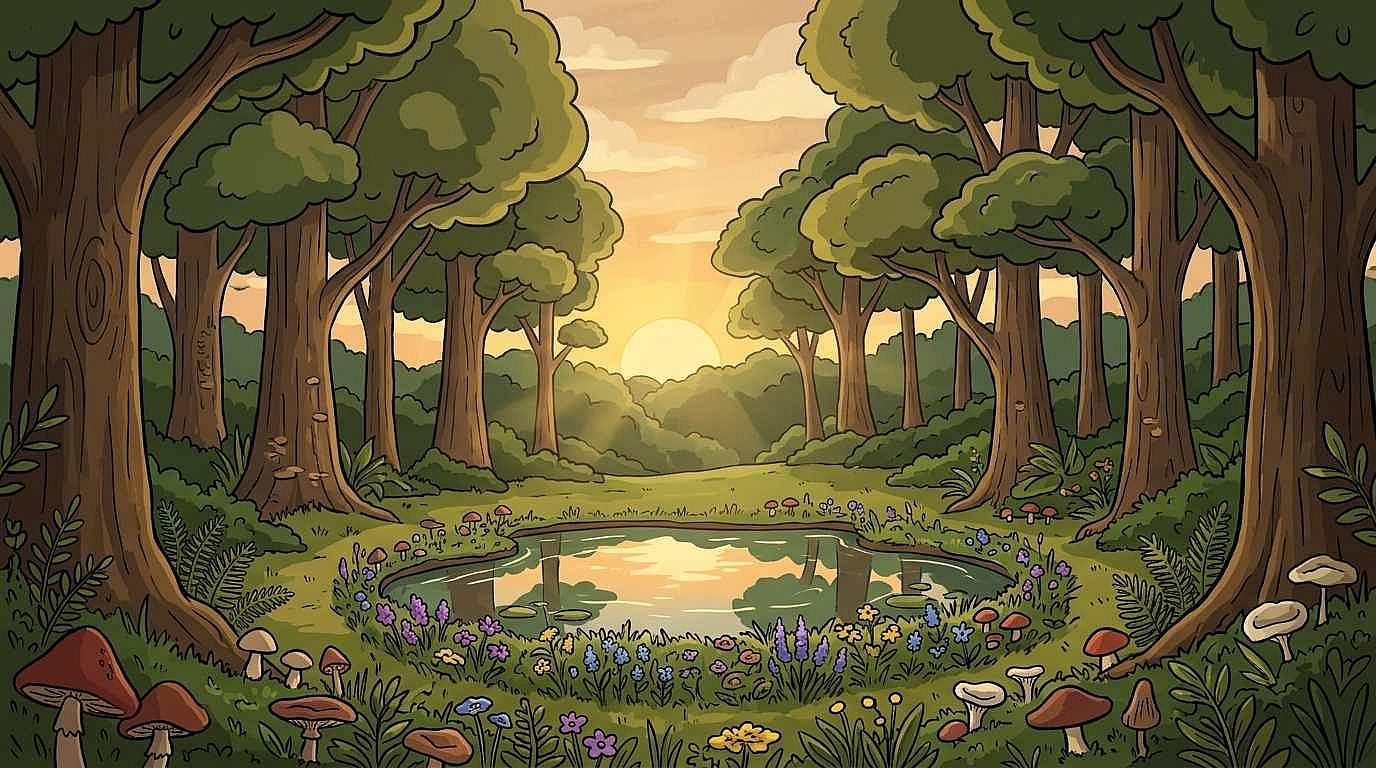
An environment without characters is useful as a background for animation, a game scene, or a web illustration. "No characters or animals" keeps the scene empty and ready for compositing. Replace "forest clearing" with "cartoon city rooftop at sunset" or "underwater coral reef" for a completely different environment using the same structural instructions.
Action and story
A 2D cartoon can tell a story through movement, expressions, and composition. These prompts show how to capture action and storytelling in a single image.
11. Action scene (still image)
A 2D cartoon firefighter leaping from a ladder toward an open window, cape and hose trailing behind, dynamic diagonal composition, strong motion lines around the figure, bold outlines, flat colors, simplified city-building background, action-comic energy, 3:2 aspect ratio
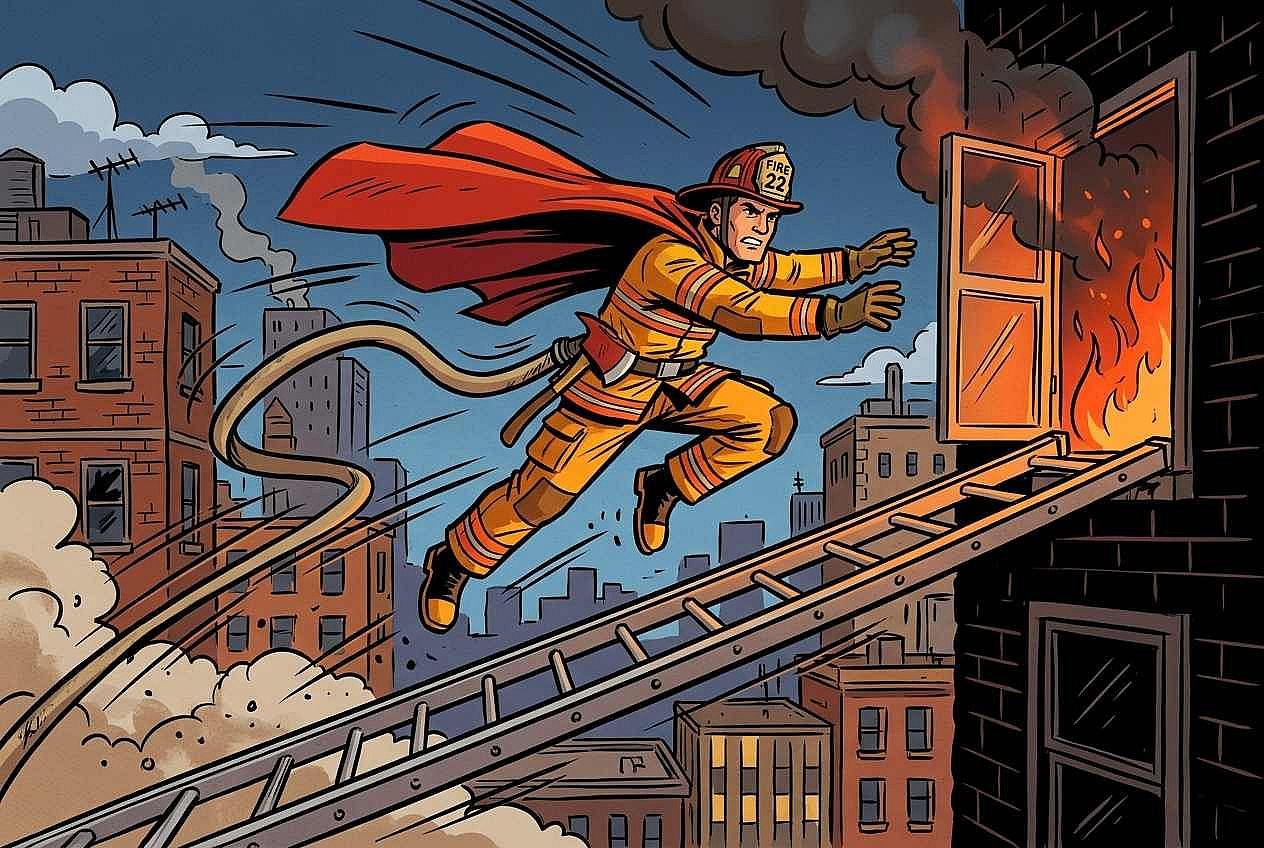
"Dynamic diagonal composition" and "strong motion lines" convey movement in a still image without generating animation. The diagonal pose and trailing elements suggest speed and urgency. Replace the firefighter with a skateboarder doing a trick over a ramp for a different type of action with the same compositional approach.
12. Storyboard frame
A single 2D cartoon storyboard frame showing a young explorer discovering a glowing treasure chest inside a dark cave, the character's face lit from below by the chest's glow, dramatic shadow contrast, thick outlines, flat muted colors except for the golden glow, cinematic framing with empty space at the top for a caption, 16:9 aspect ratio
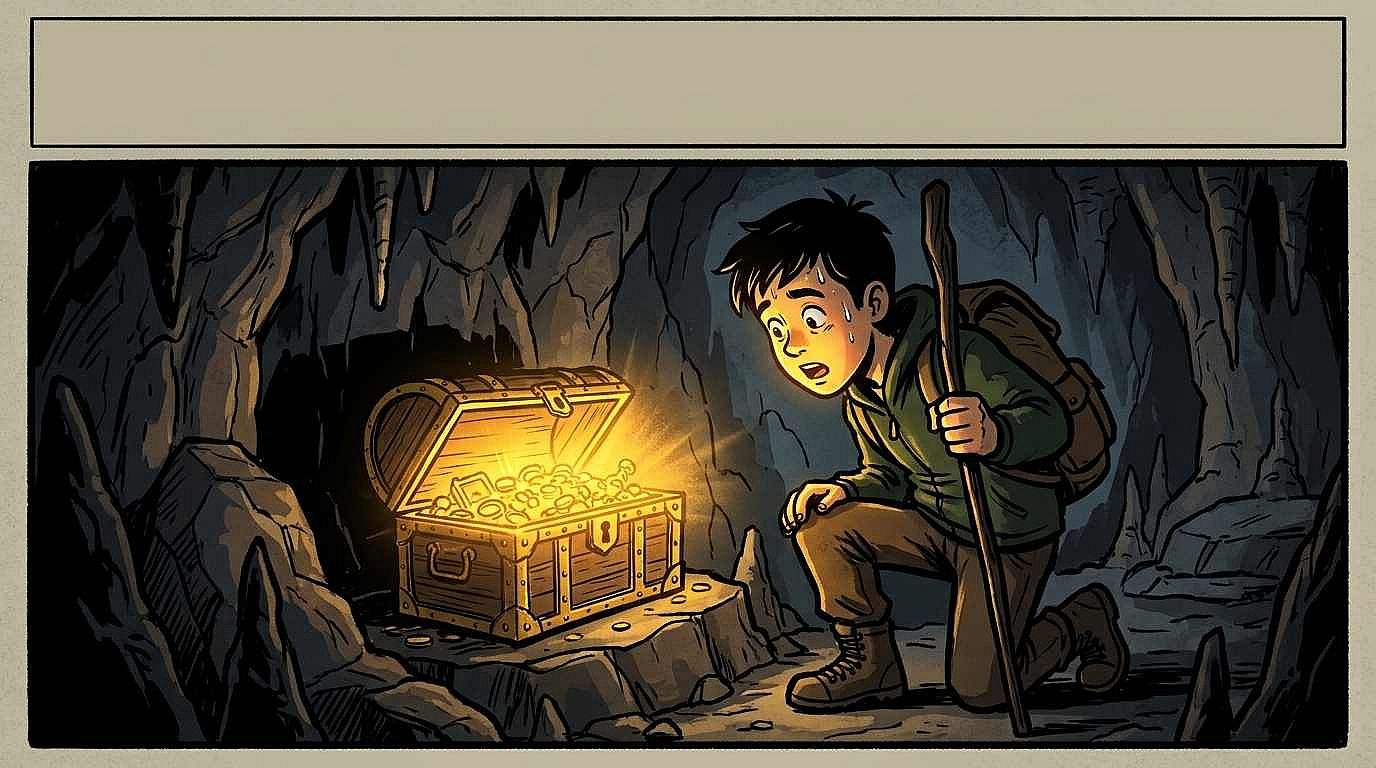
"Single frame" prevents the AI from generating a multi-panel comic strip. "Empty space at the top for a caption" and "cinematic framing" give it the feel of one planned moment from a sequence. Change the moment to "the same explorer standing at the entrance of the cave, looking in" for a preceding frame that pairs with this one.
13. Story illustration
A 2D cartoon illustration of a small robot carrying a wilting flower through a rainy city street, holding a tiny umbrella over the flower instead of itself, puddles reflecting streetlights, gentle sadness in the robot's posture, flat colors with a blue-gray palette, clean outlines, children's book illustration style, 3:2 aspect ratio
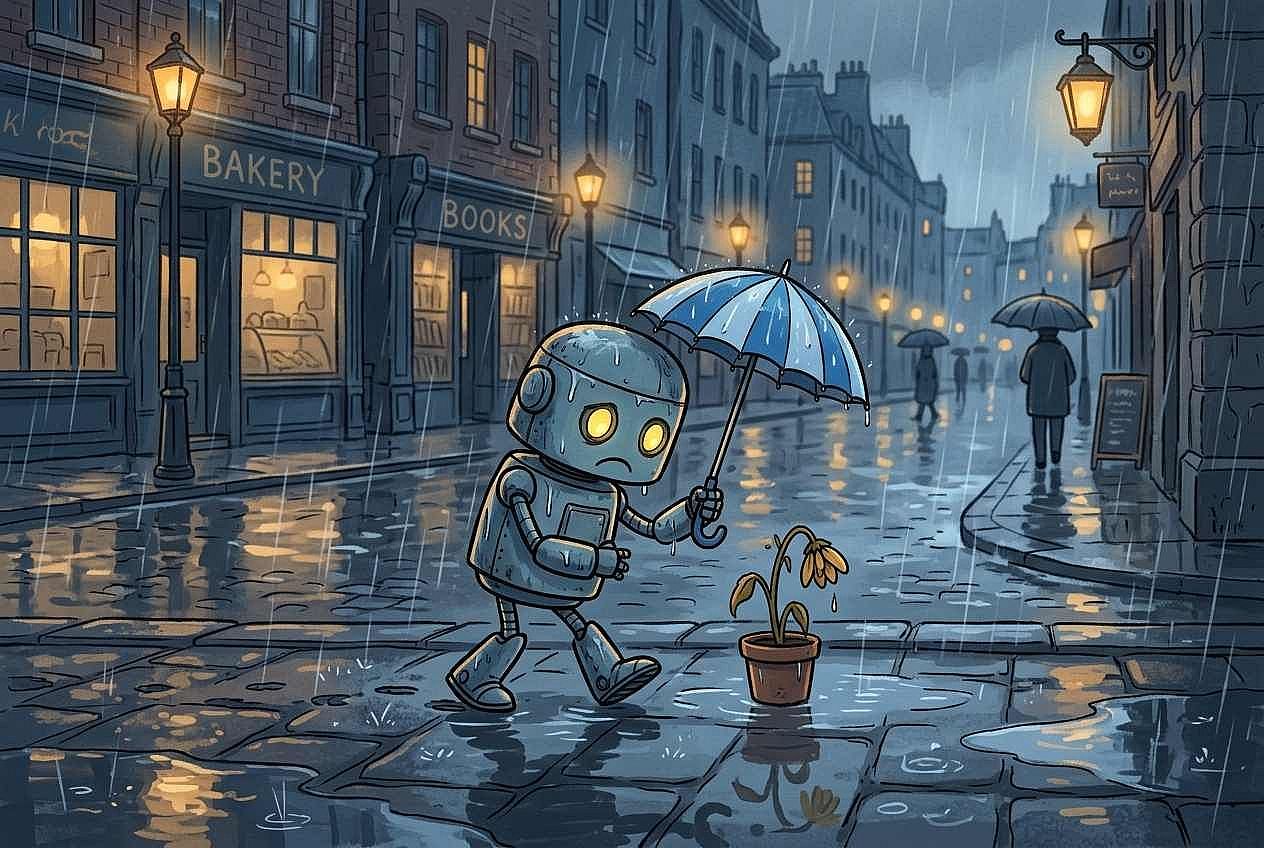
The robot's action (protecting the flower, not itself) creates a visible narrative without needing a paragraph of explanation. The posture, the rain, and the muted color palette all reinforce the same mood. Change the weather to sunny and the posture to upright and proud, with the flower now blooming, for a "happy ending" version of the same story.
Style comparisons
The strongest way to see how a single instruction changes the look is to hold everything else identical and swap only one variable.
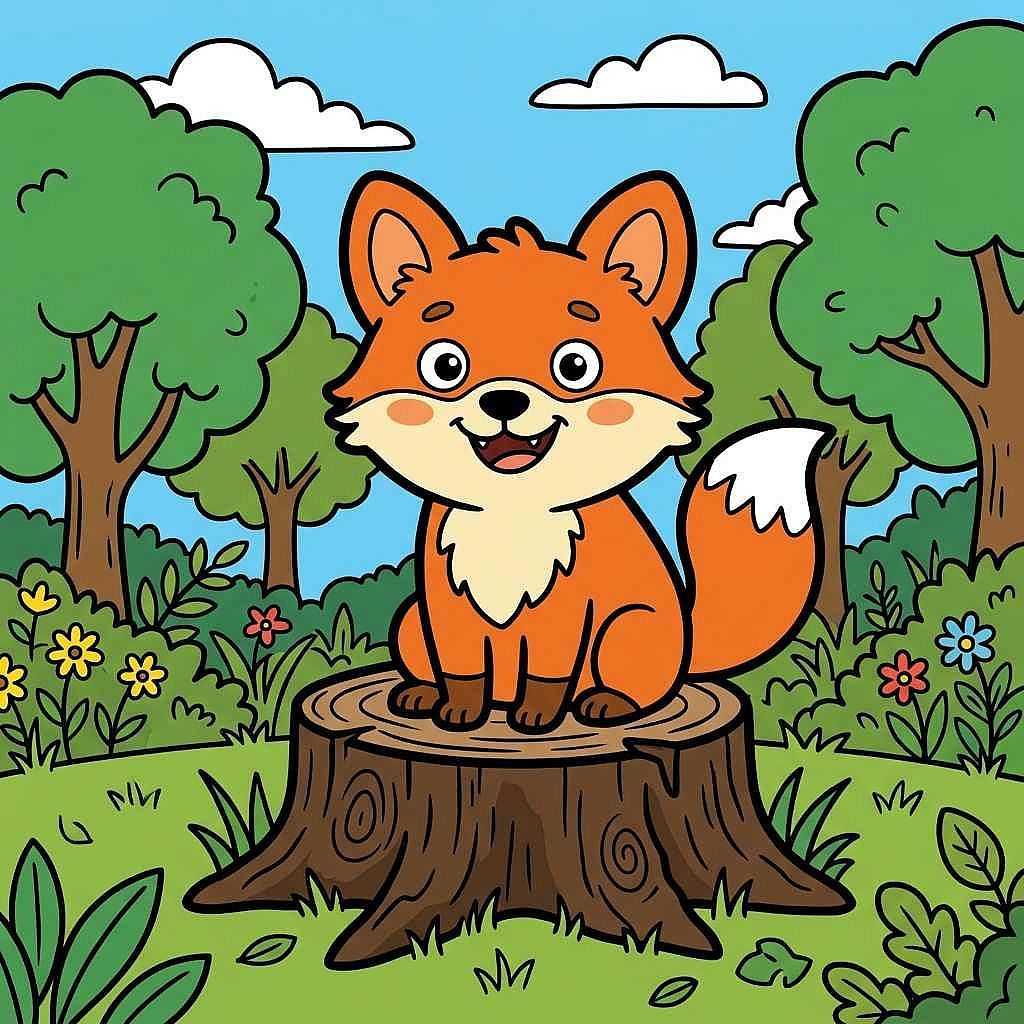
14. Bold outlines versus thin lines
Line thickness changes the overall feel of a 2D cartoon. Compare these two prompts to see how bold and thin outlines affect the same illustration.
Bold outlines version
A 2D cartoon fox sitting on a tree stump in a forest clearing, thick heavy black outlines around every shape, flat orange and green colors, simplified round forms, cheerful expression, 1:1 aspect ratio
Thin lines version
A 2D cartoon fox sitting on a tree stump in a forest clearing, thin delicate black outlines around every shape, flat orange and green colors, simplified round forms, cheerful expression, 1:1 aspect ratio
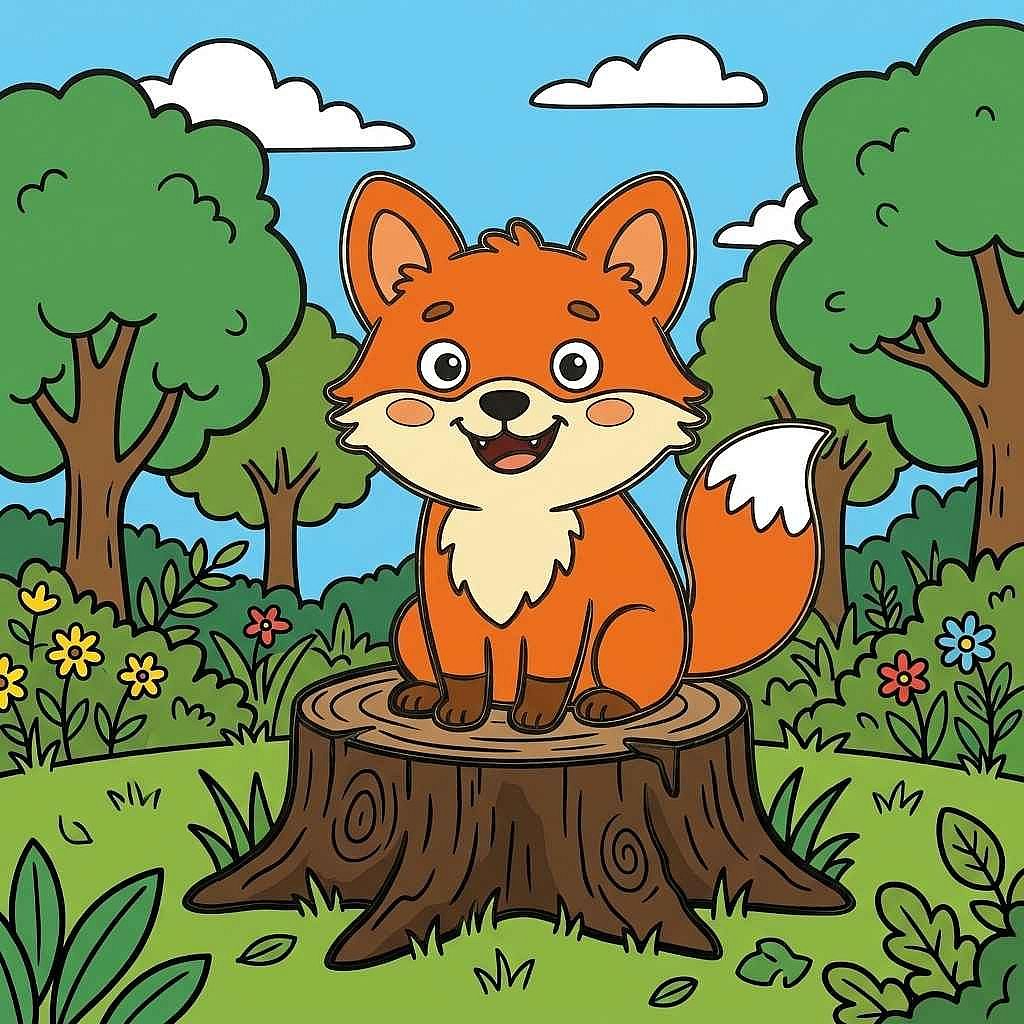
Only the line weight changed. The subject, pose, colors, background, and composition are identical. Compare both outputs side by side to see how "thick heavy outlines" versus "thin delicate outlines" affects the overall feel. Bold outlines push toward graphic poster art. Thin lines pull toward soft editorial illustration.
15. Bright palette versus limited palette
Color choices can change the mood of a cartoon without changing the subject. These prompts show how bright and limited palettes create different visual effects.
Bright palette version
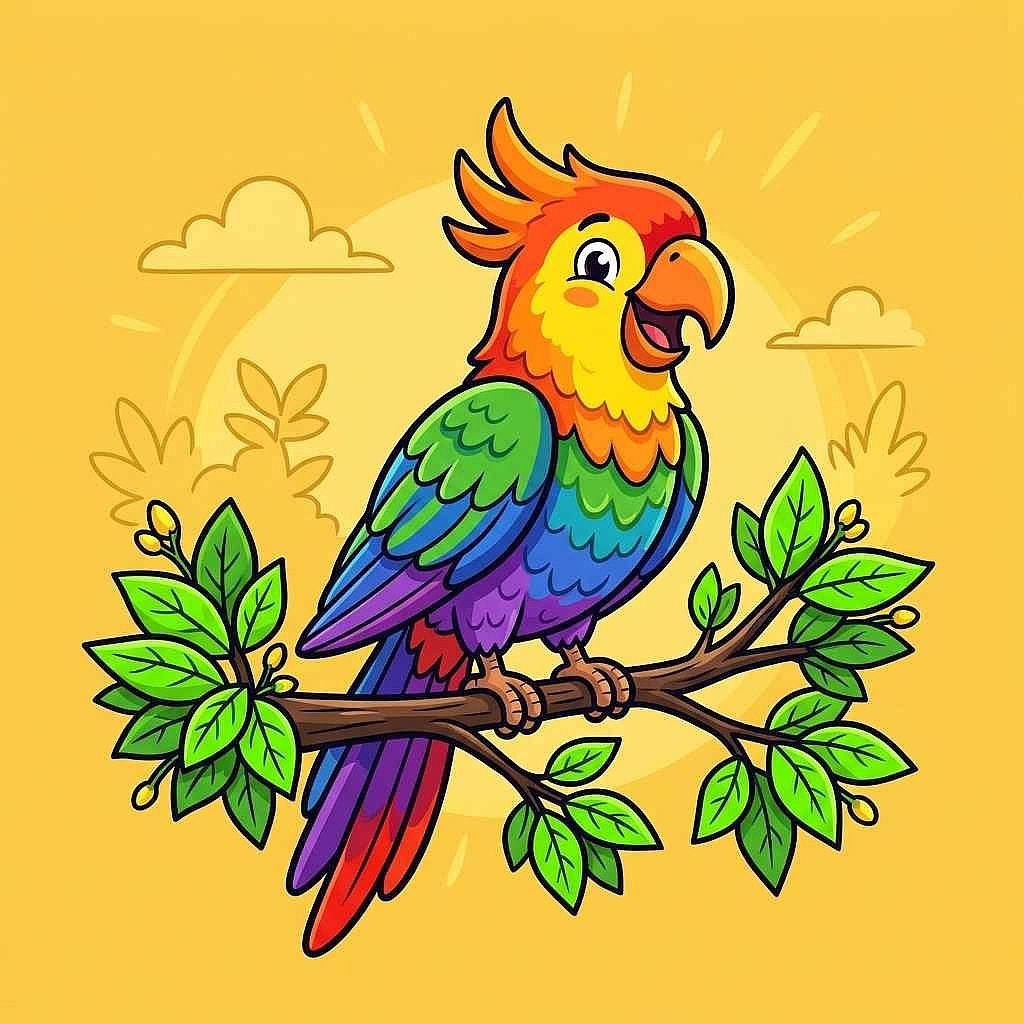
A 2D cartoon parrot perched on a branch, vibrant rainbow-colored feathers, bright green leaves, sunny yellow background, bold outlines, flat cel-shaded colors, cheerful and energetic, 1:1 aspect ratio
Limited palette version
A 2D cartoon parrot perched on a branch, muted teal and dusty rose feathers, soft sage-green leaves, warm cream background, bold outlines, flat cel-shaded colors, calm and subdued, 1:1 aspect ratio
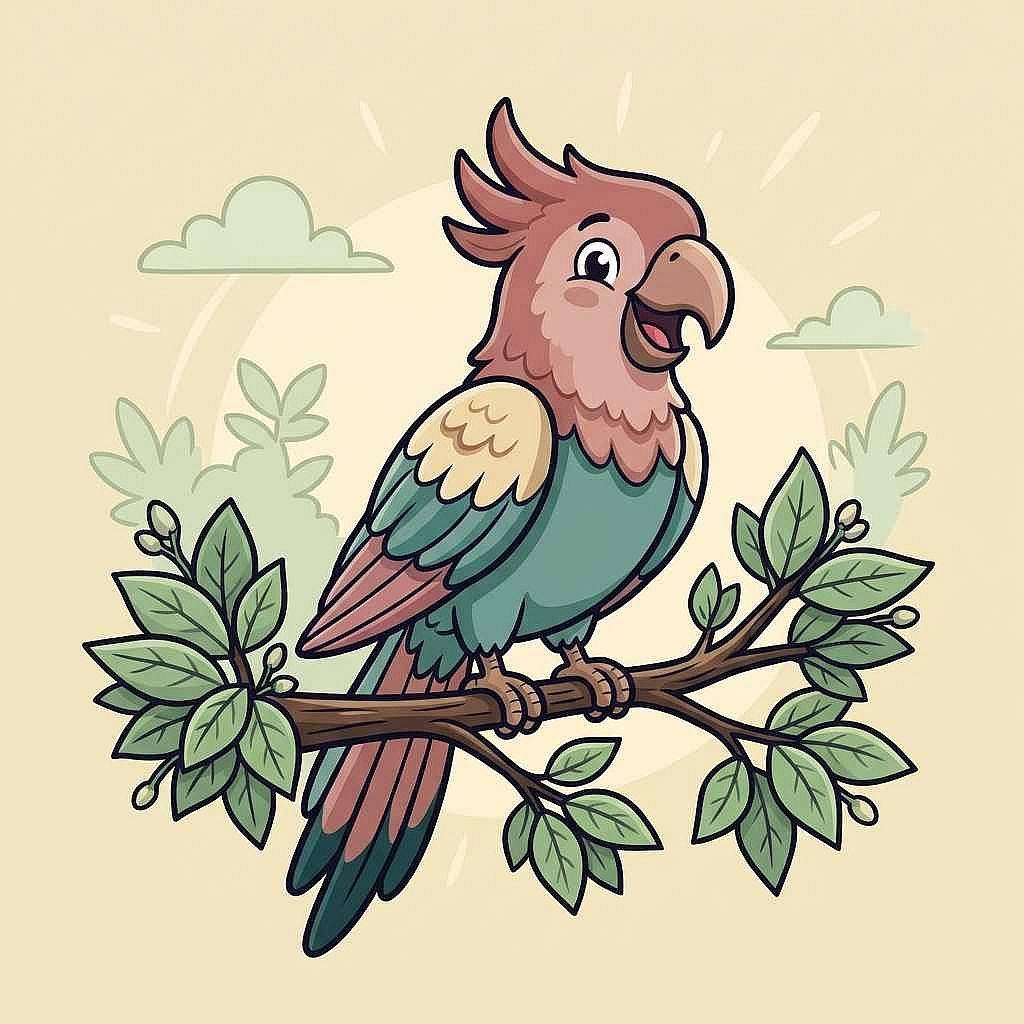
Only the colors and the mood words changed. The bird, the branch, the composition, and the outline style are identical. The bright version feels energetic. The limited version feels calm. Same subject, completely different emotional register.
How do you write a 2D cartoon image prompt?
A useful cartoon prompt answers five questions in order. Skip any one and the AI fills the gap with its own guess.
2D cartoon prompt template
[Subject and action], [line style], [color treatment], [background], [2D cartoon illustration style], [composition and aspect ratio]
| Prompt field | What it controls |
|---|---|
| Subject and action | Who or what appears, and what they are doing |
| Line style | Thick bold outlines, thin delicate lines, no outlines, sketchy pencil lines |
| Color treatment | Flat cel-shaded, soft gradients, limited palette, bright rainbow |
| Background | Plain solid color, simple shapes, full environment, or "no other elements" |
| Composition | Framing (front view, side view, wide shot) and aspect ratio (1:1, 3:2, 16:9) |
The template works because each field controls a visible part of the image independently. You can swap any one field without changing the others.
Weak prompt vs. strong prompt
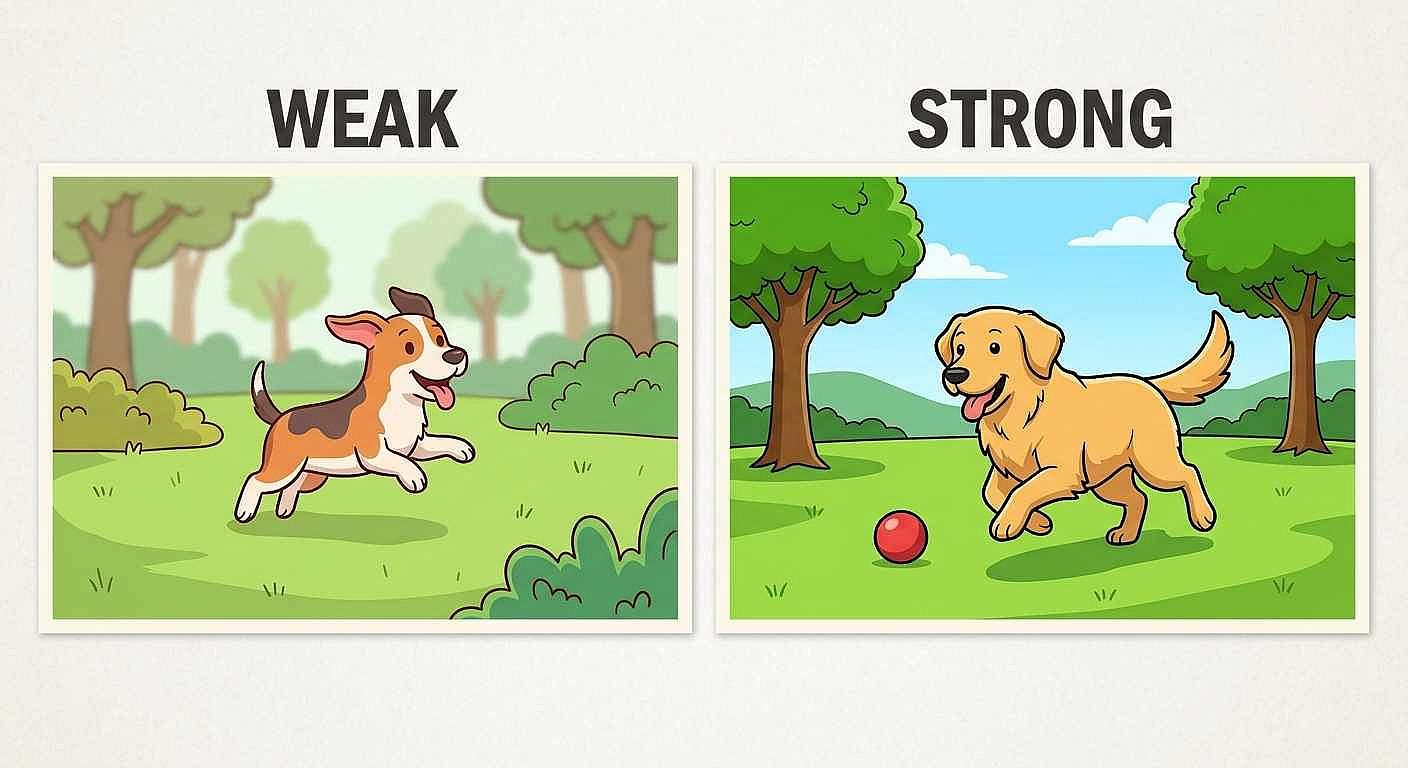
Weak. "2D cartoon style, a cheerful dog playing in a park, vibrant colors, simple lines"
Strong. "A cheerful golden dog chasing a red ball across green grass, thick clean black outlines, flat cel-shaded colors, simple sunny park background with two trees, 2D cartoon illustration style, front-facing view, 3:2 aspect ratio"
The weak version gives you a cartoon dog. The strong version gives you a cartoon dog where you chose the line weight, the color treatment, the background complexity, and the framing. Run both and compare the results.
Which 2D cartoon style fits the image you want?
"2D cartoon" covers a wide range of looks. Before picking a prompt from the gallery below, decide which look fits your project. Each row in the table names the prompt ingredients that produce that look.
| Visual look | Prompt ingredients that produce it | Works well for |
|---|---|---|
| Clean flat-color character art | "Flat cel-shaded colors, thick black outlines, simple shapes" | Mascots, explainers, social media avatars |
| Bold graphic cartoon | "Heavy bold outlines, high-contrast flat colors, exaggerated proportions" | Posters, stickers, merchandise |
| Soft limited-palette illustration | "Muted tones, thin delicate outlines, soft gradient shading" | Children's books, editorial illustration |
| Simple character design | "Clean readable silhouette, plain background, minimal detail" | Logos, brand mascots, app icons |
| Detailed 2D scene art | "Layered background, environmental detail, wide composition" | Game backgrounds, storyboards, web illustration |
For comic-style prompt examples (panel layouts, speech bubbles, halftone shading), see the separate article. Comic art and 2D cartoon illustration overlap in linework but differ in layout and storytelling conventions.
How do you keep a cartoon character recognizable across images?
Repeating the same text description (red hair, yellow raincoat, thick outlines) works for two or three images.
Beyond that, the AI starts drifting. Hair length changes slightly. The coat gets a hood it did not have before. The face shape shifts.
If you need the same character to stay consistent across many images, upload a reference image alongside your prompt.
OpenArt lets you save and reuse a cartoon character as a saved reference, so every new image starts from the same visual anchor instead of a text description the AI reinterprets each time.
You can also turn an existing sketch into a cartoon-style image using Image to Image. Upload your hand-drawn character and apply a 2D cartoon style to it, which gives you more control over the proportions and features than starting from text alone.
How can you make these cartoon images in OpenArt?
OpenArt gives you a direct path from prompt to finished 2D cartoon image.
- Open AI Image Generator and paste your prompt
- Pick a model that handles illustration well (test your prompt on more than one model to compare results), set the aspect ratio, and generate
- Review the output. If the character looks right but the background needs changes, use Edit Image to fix that region without regenerating the whole illustration
Free credits are available for new OpenArt accounts (40 trial credits). Model access and generation limits depend on your plan. Check current pricing for details.
Frequently asked questions
Here are some commonly asked questions on this topic:
What should a 2D cartoon image prompt include?
At minimum, name the subject (who or what), the line style (thick outlines, thin lines, no outlines), the color treatment (flat colors, soft gradients, limited palette), the background (plain, simple, or full environment), and the aspect ratio. The line style and color treatment are what make the image read as "2D cartoon" rather than a generic illustration.
How can I change the cartoon style without changing the subject?
Keep the subject, pose, and composition identical. Swap only the style instructions. Prompts 14 and 15 in this article demonstrate exactly that. Changing "thick heavy outlines" to "thin delicate outlines" produces a visibly different look from the same subject. Changing the color palette from bright rainbow to muted teal and rose shifts the emotional feel without touching the drawing itself.
Are the examples on this page made with Midjourney or OpenArt?
The example images were generated in OpenArt. OpenArt does not include the Midjourney model, so the outputs come from OpenArt's own supported models. The prompts themselves are descriptive instructions that work in both Midjourney and OpenArt (and most other text-to-image generators). Remove Midjourney-specific syntax like --ar 3:2 and --no before using these prompts in OpenArt, and use OpenArt's built-in controls for aspect ratio and model selection instead.
How do I keep the same cartoon character looking the same in another image?
For a few images, repeat the full character description (hair color, clothing, proportions, line style) in every prompt. For more than a few, upload a reference image or use OpenArt's saved character feature to maintain consistency. A saved visual reference is more reliable than a text description the AI reinterprets with each generation.
Do these prompts produce animated cartoons?
No. Every prompt in this article produces a still 2D cartoon image. If you want to turn a still cartoon image into a short animated video, that is a separate workflow using OpenArt's video tools. Do not describe a still-image prompt as an animation prompt, because the result will be a single frame, not a moving sequence.