

 ChatGPT
 Perplexity
 Claude
 Gemini
Scroll any feed right now and you'll see the same formats over and over: people turned into boxed action figures, fruit characters with dramatic little faces, pets reimagined as adventure heroes, product shots that look like a full studio team made them, and AI characters who somehow keep the same face across twenty posts.
Most of that traces back to one model family: Nano Banana.
This post gives you the working prompts behind each of those formats. Every prompt is copy and paste ready, tested against what the model actually does well, and paired with notes on when to use it. You'll also get a short walkthrough for running them on OpenArt's AI image generator, so you can go from reading to generating in about two minutes.
What is Nano Banana?
Nano Banana is the nickname for Google's Gemini image generation models. The codename leaked, the internet liked it better than the official name, and it stuck. Google now uses it openly for the whole family.
What makes these models different from a typical image generator comes down to three things:
- They hold a subject steady. The same face, pet, product, or character can appear across many images without drifting into a stranger.
- They work from reference images. Upload a photo and the model treats it as the identity, not just loose inspiration.
- They follow editing instructions conversationally. You can say what must stay the same and what is allowed to change, and the model respects the difference.
On OpenArt you can generate with Nano Banana 2 for everyday images, Nano Banana Pro for the most consistent and polished output, or Nano Banana 2 Lite when you want fast, high-volume drafts. All three sit next to GPT Image 2, Seedream 5.0, and Recraft in the same workspace, so you can switch models without rebuilding your prompt.
Why creators keep picking it
This is not a niche tool with a loud fanbase. But the number worth leading with isn't the launch-week hype from 2025. It's what's happening right now, a year into the Nano Banana family.
When Google shipped the first Nano Banana model in August 2025, it pushed Gemini to the top of the app store charts within days (IBTimes, Sep 2025). That model is now what Google calls its "legacy" image model. The family has moved three generations past it since then, and usage kept climbing every step.
Gemini's VP for Labs, Josh Woodward, said users generated over a billion images with Nano Banana Pro in 53 days (via Nano Banana usage stats). By December, the Gemini app had passed 750 million monthly active users. On February 26, 2026, Google made Nano Banana 2 the new default image model in Gemini, Search, and Flow, replacing Pro on day one (DD News). That's not a model quietly fading. That's Google betting its default experience on it.
Creators on Reddit are drawing the same conclusion reviewers are. In r/Bard, the thread on Nano Banana 2 (Gemini 3.1 Flash Image) centers on multi-subject reference, style transfer, and using outputs as consistent starting frames for video models. Those are exactly the jobs this post is built around.
That consistency point matters for this whole post. Viral formats are rarely a single image. They're sets: a before and after, a six-image campaign, a character sheet, a matched pair of video frames. The prompts below work because the model holds the subject steady across all of them.
Quick comparison: Nano Banana 2 Lite vs. Nano Banana 2 vs. Nano Banana Pro
| Model | Best for | Use it when |
|---|---|---|
| Nano Banana 2 Lite | Fast drafts and high-volume testing | You want to test ten prompt ideas before choosing a direction |
| Nano Banana 2 | Balanced everyday generation | You need strong quality, reference-image support, and sharp detail for social or product shots |
| Nano Banana Pro | Precision and consistency | You need the same subject across a campaign, character sheet, poster set, or product series |
How to run these prompts on OpenArt
You don't need anything technical. The whole flow is pick a model, paste a prompt, generate.
Step 1: open the image generator
Go to openart.ai/ai-image-generator, or open Create Image inside your OpenArt workspace. The prompt box sits at the top of the page.
Step 2: pick a Nano Banana model
Click the model name inside the prompt box. It shows the current model, for example GPT Image 2. Choose Nano Banana 2 for everyday images or Nano Banana Pro for the most consistent, polished results.
Step 3: paste your prompt and add a reference image if the prompt needs one
Copy any prompt from this post into the box. If the prompt says "use the reference photo as the exact identity," upload your photo first with the image upload button next to the prompt box.
Step 4: generate, then refine
Click Generate and pick your favorite result. From there you can edit details, upscale for 4K or print use, or send the frame into OpenArt's video tools. New accounts start free with credits, so you can test a few prompts before deciding on a plan.
Now we can use the prompts to create ideas.
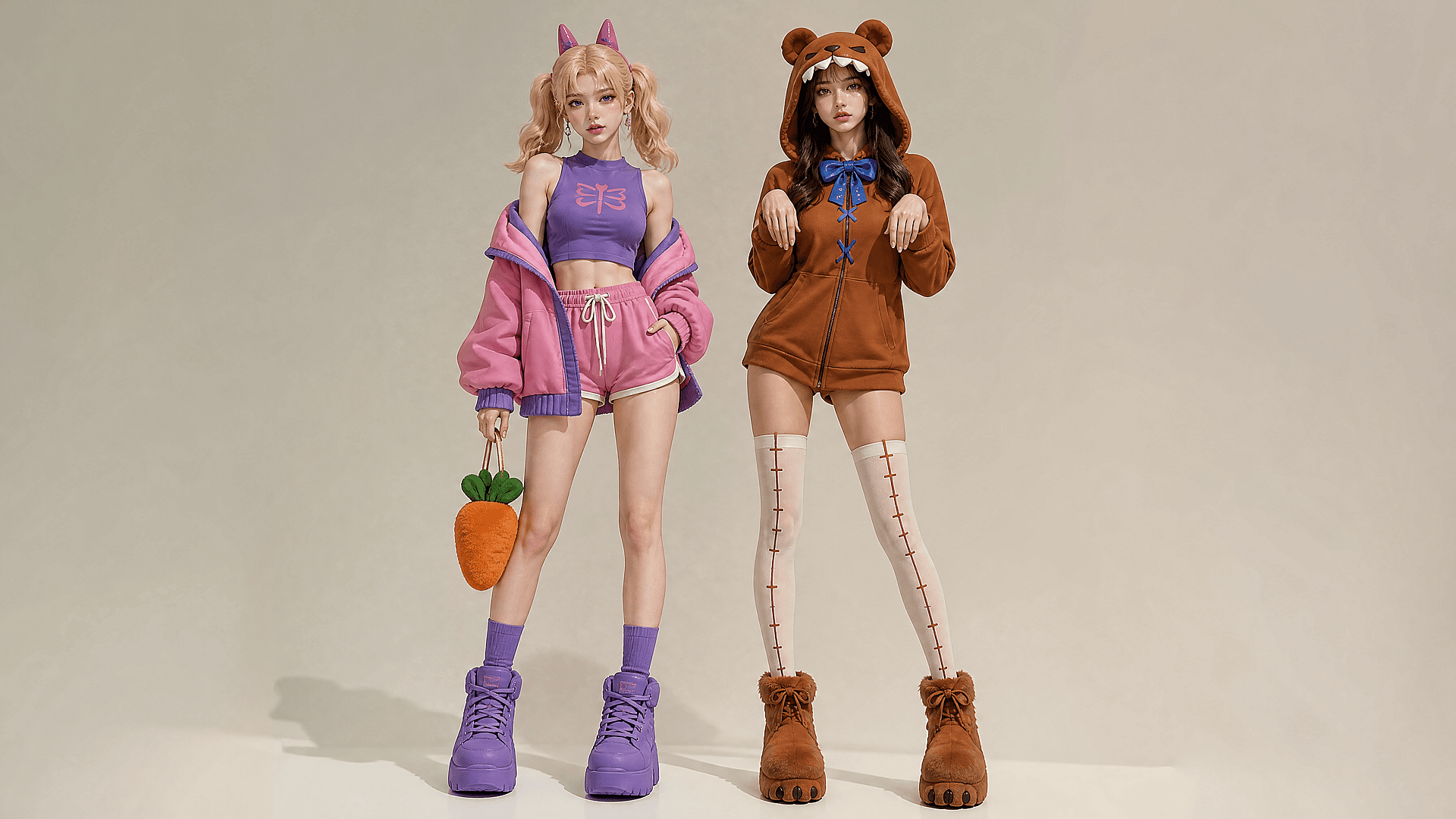
1. The viral action figure prompt
This is the format that carried the first Nano Banana wave. Figurine-style portraits flooded Instagram and X in September 2025, and news coverage credited the trend with pushing Gemini past ChatGPT in the app stores (IBTimes). It works because a boxed figure is instantly legible in a feed. It turns a person into a product, and the image reads like a reveal.
Full-body studio shot of two women in stylized cosplay outfits against a plain beige background. The left woman wears a pink jacket, purple crop top, pink shorts, chunky purple boots, and holds a plush carrot. The right woman wears a brown bear hoodie dress, white stitched thigh-highs, and fuzzy bear paw boots. Soft studio lighting, photorealistic, high fashion.
2. The character sheet prompt for AI short videos
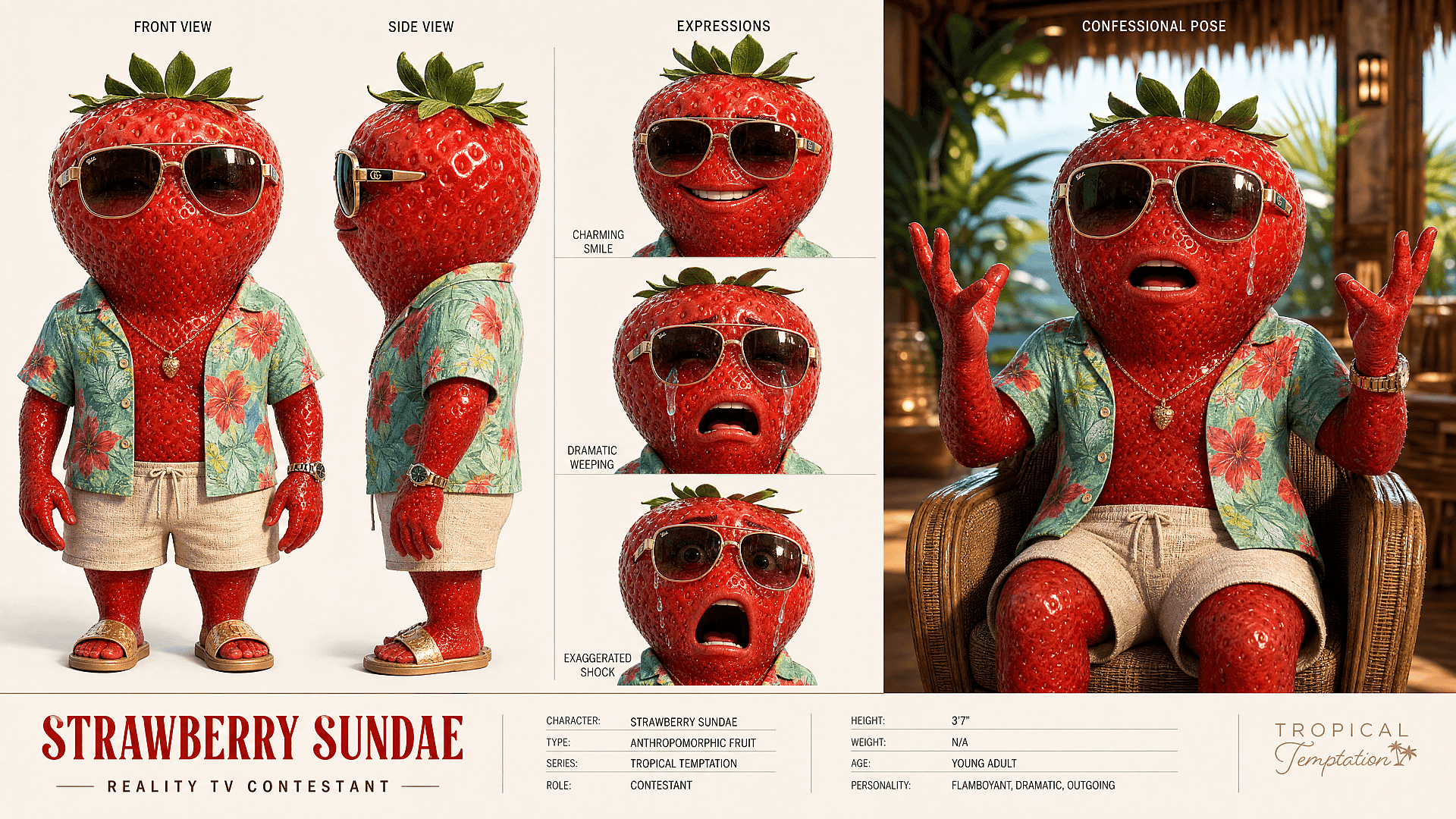
If you make AI short videos, this is the prompt you'll keep coming back to. It's built for YouTube Shorts and TikTok series work, where a recurring character has to survive dozens of episodes, and it's the natural starting point for storyboards and AI fruit with face characters.
This is where Nano Banana connects to video. Before you animate a character, you need a stable look: front view, side view, expressions, outfit, props. Creators on r/Bard describe this exact pipeline: lock the character as a still with Nano Banana, then hand the frames to video models.
When your character sheet looks right, move the frame into OpenArt's video tools for motion. If you plan to reuse the character across a series, OpenArt's AI Character feature keeps the identity locked across future generations too.
A 3D realistic character sheet for an anthropomorphic strawberry wearing a floral Hawaiian shirt, beige shorts, gold aviator sunglasses, and gold jewelry. The layout features standing front and side views, plus three close-up expressions: smiling, crying, and shocked. The right side displays a cinematic confessional scene of the strawberry crying in a wicker chair within a tropical cabana. Bottom text includes Strawberry Sundae and character stats. High-end 3D render with detailed textures.
3. The 4K product hero prompt
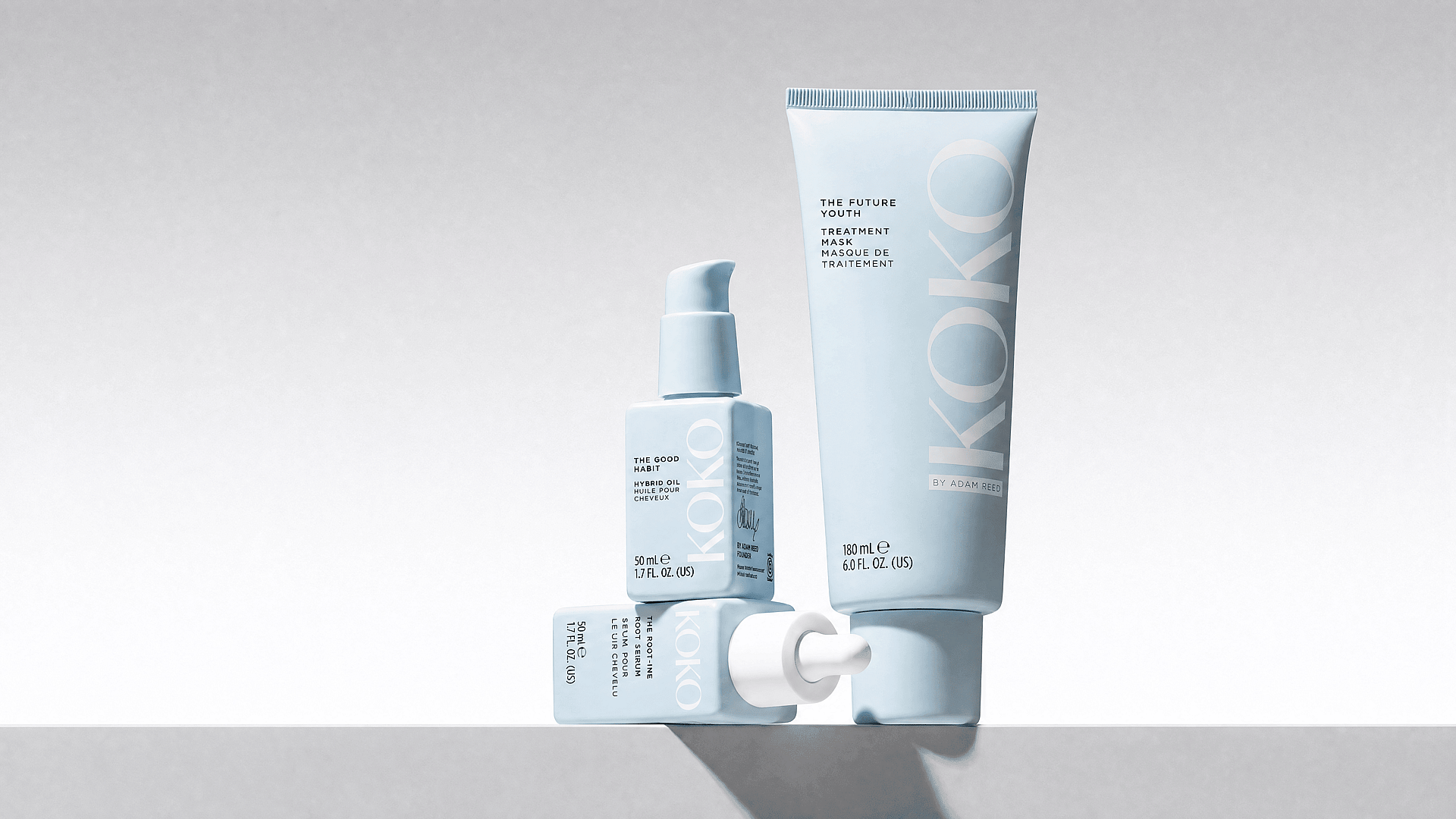
This is the workhorse prompt for anyone selling something physical. Shopify and Etsy sellers use it to replace phone photos, Amazon sellers use it for listing creative, and it does clean hero-image duty on launch pages too.
Minimalist commercial product photography of three light blue KOKO brand cosmetic items on a clean white surface against a light grey background. A large standing tube labeled THE FUTURE YOUTH TREATMENT MASK is on the right. On the left, a square pump bottle labeled THE GOOD HABIT HYBRID OIL stands on top of a horizontal square dropper bottle labeled THE ROOT-INE SCALP SERUM. Soft diffused studio lighting, crisp focus, matte textures, subtle shadows, modern aesthetic.
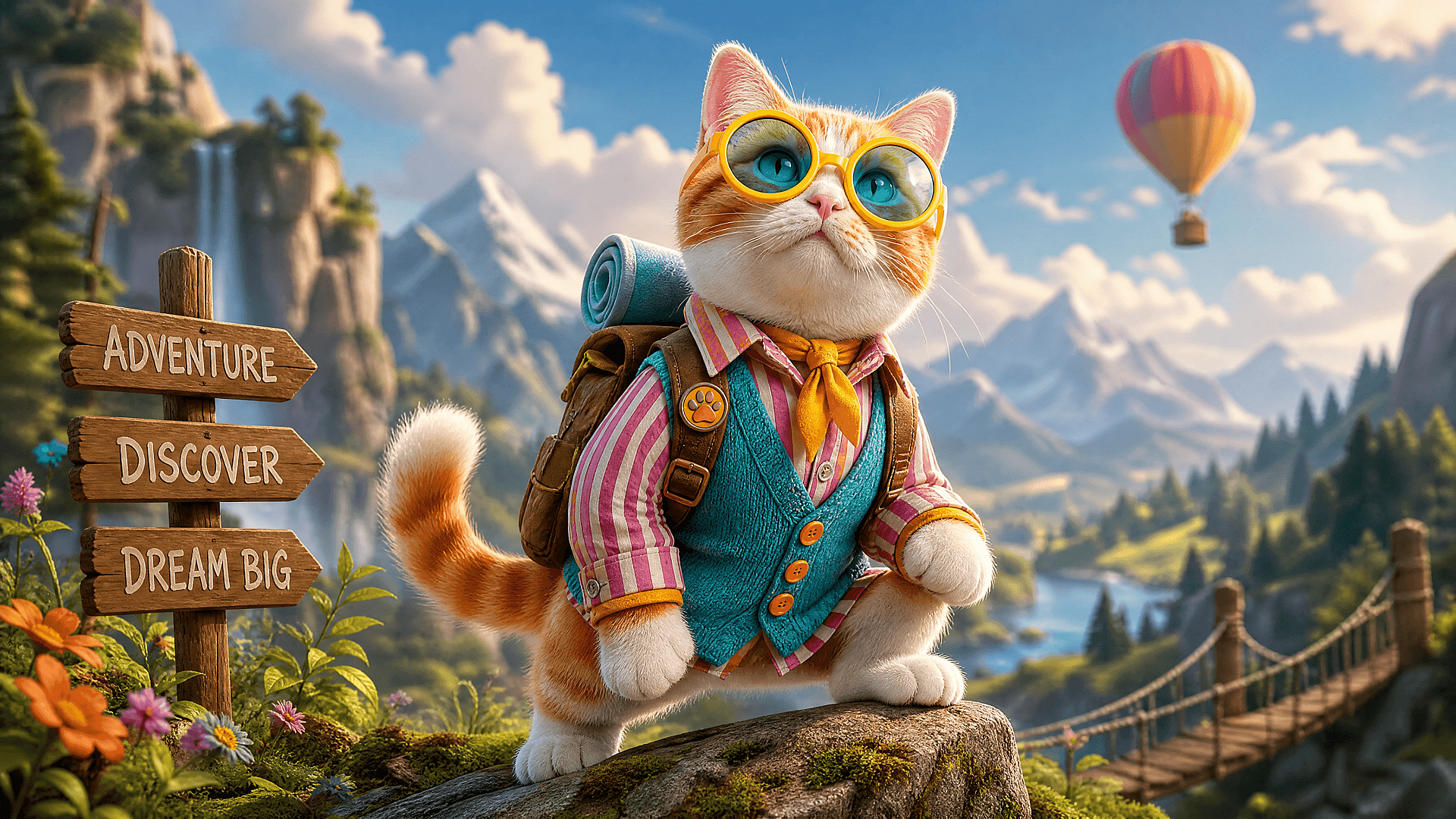
4. The pet-to-character prompt
Pet accounts are the obvious audience here, but this prompt does quiet work elsewhere too: personalized gifts, meme pages, and the kind of light UGC that brands post between campaigns. Anything that needs instant warmth.
Pet content already has emotional pull. Consistency is what turns one cute image into a set: hero image, sticker pack, mini comic, video character.
Use the pet in the reference image as the exact identity. Turn the pet into a charming animated adventure character, keeping the same fur pattern, eye color, ears, and personality. Add a tiny explorer jacket, a small backpack, expressive face, cinematic soft light, detailed fur, whimsical but realistic style, square social post composition.
5. The AI influencer campaign set prompt
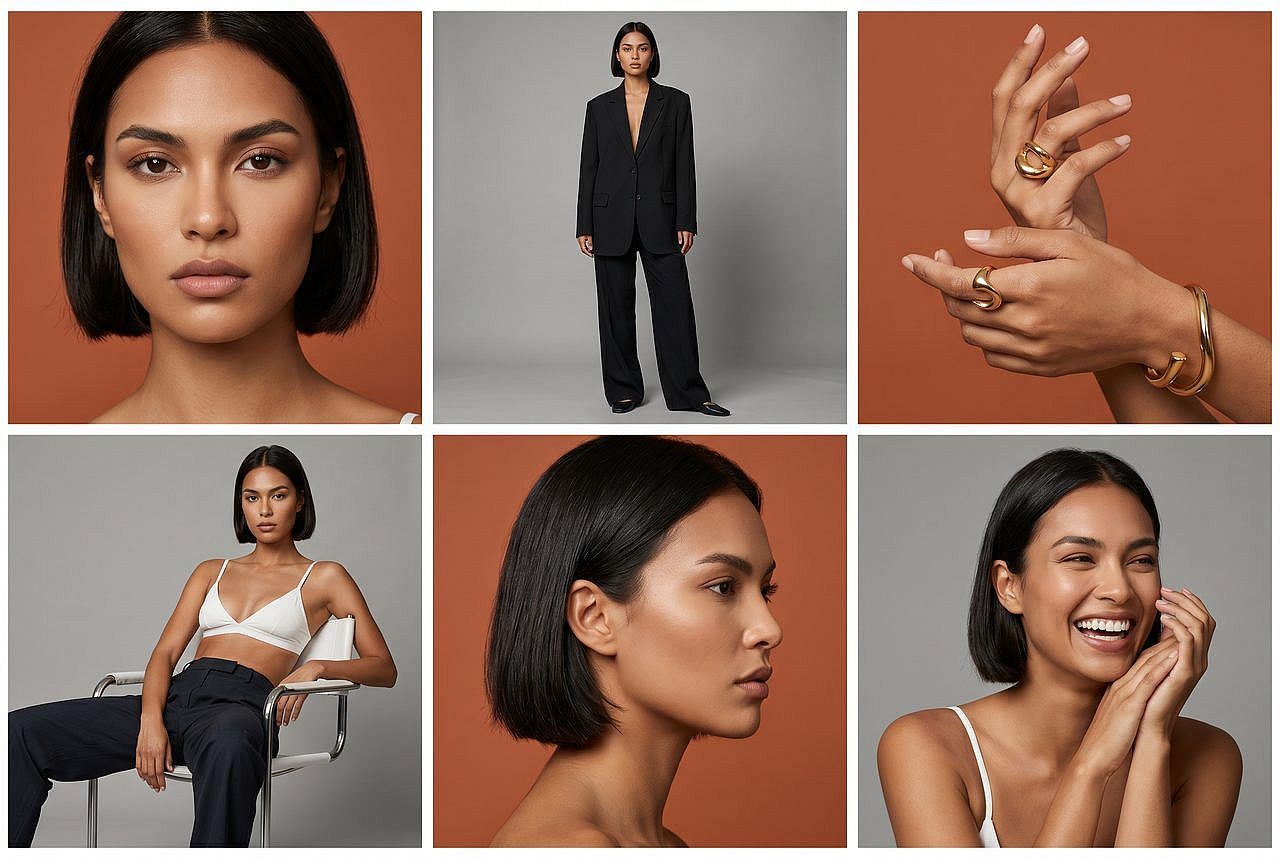
Fashion and beauty brands get the most out of this one, but it's just as useful for creator brands building a consistent visual identity, and for teams that want to test ad concepts before paying for a real shoot.
Six frames, one identity. This is the prompt where Nano Banana Pro earns its keep, because a campaign set with a drifting face is worthless. Generate the set, then pick the two or three strongest frames for publishing.
Use the reference person as the exact identity. Create a 6-image campaign set for an AI influencer: 1 close-up portrait, 1 full-body fashion shot, 1 product-holding shot, 1 street-style candid, 1 studio beauty shot, and 1 social profile image. Keep the same face, hairstyle, skin tone, body type, and brand mood in every image. Modern fashion editorial, natural poses, high-end lighting, cohesive color palette.
6. The poster with readable text prompt
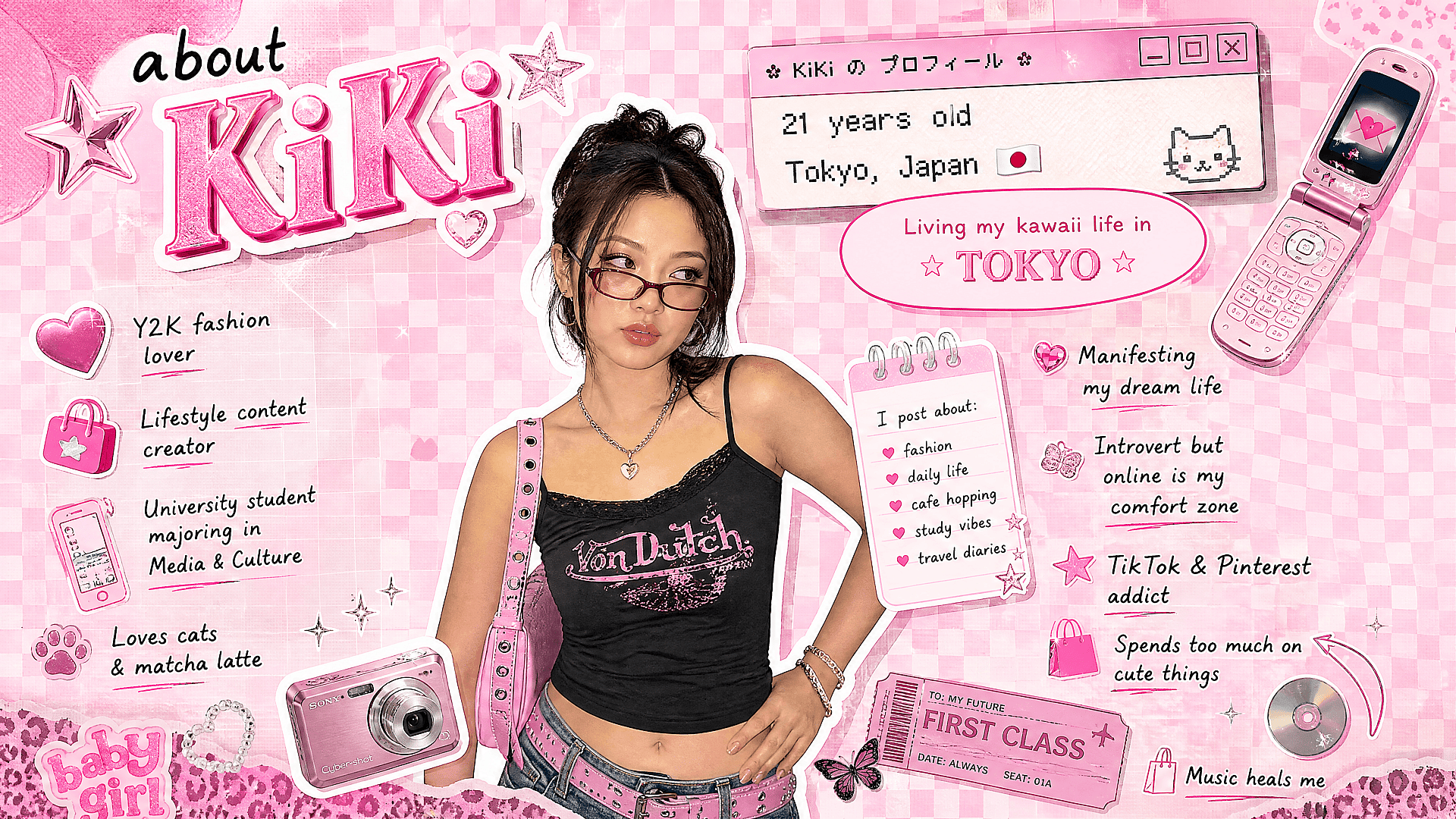
Reach for this one when the image has to carry words: event posters, merch drop announcements, quote graphics, YouTube thumbnails. Anywhere a headline does the selling. Text held up in one attempt. Short headlines in quotation marks work best.
Y2K aesthetic collage featuring a young Asian woman wearing a black Von Dutch camisole, low-rise jeans, pink studded belt, and red-tinted glasses. She is centered against a pink checkerboard background filled with retro digital scrapbook elements. The graphic includes sparkly 3D text 'about KiKi', a pink flip phone, a pink digital camera, a retro computer window, a pink notebook, and scattered text snippets about her lifestyle. Bright, flat lighting, hyper-feminine early 2000s cybercore style.
7. The food reveal first-frame prompt
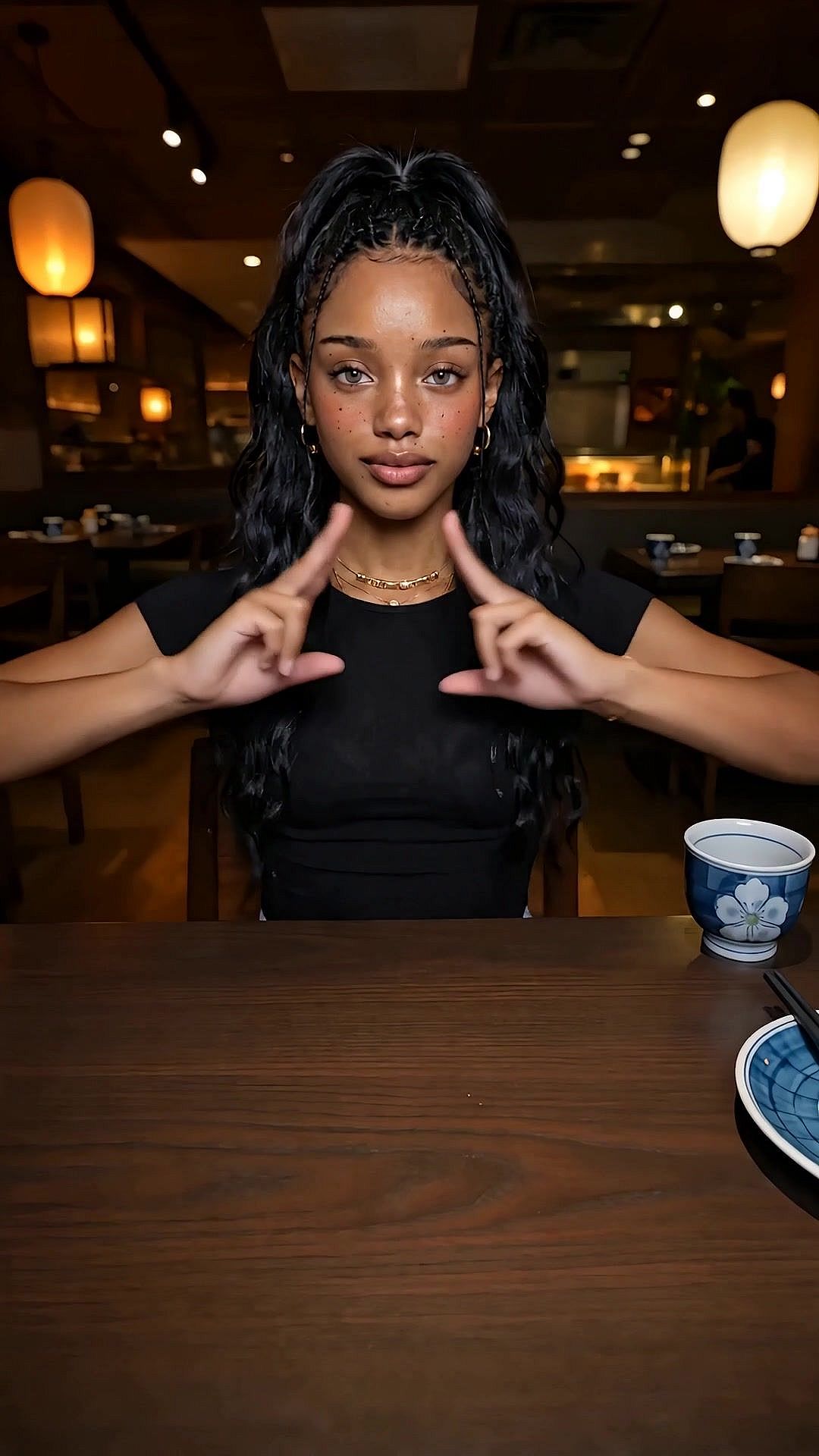
Restaurants and food creators are the natural fit, but the same reveal structure works for any product launch where something appears out of nowhere. It's also the still-image backbone of Food Jutsu-style videos.
Food Jutsu is a video transition trend, not a still-image trend. But the trick to a clean AI version is a matched pair of stills: the before frame and the after frame, same camera, same hands.
Cinematic portrait of a young Black woman with freckles and light eyes at a dark restaurant table, wearing a black t-shirt and gold jewelry. She looks directly at the camera, making a symmetrical framing gesture with her hands. The background is blurred with warm glowing lanterns. A blue floral teacup and chopsticks rest on the table. Warm moody lighting, shallow depth of field, photorealistic, highly detailed.
Photorealistic portrait of a young Black woman with freckles and wavy hair in an upscale Japanese restaurant. She smiles behind a massive black platter of premium sashimi on crushed ice, featuring thick cuts of salmon, tuna, sweet shrimp, and uni in wooden boxes, garnished with flowers and a miniature bamboo ladder. Warm ambient lighting, blurred background with glowing lanterns, shallow depth of field, vibrant colors, cinematic food photography.
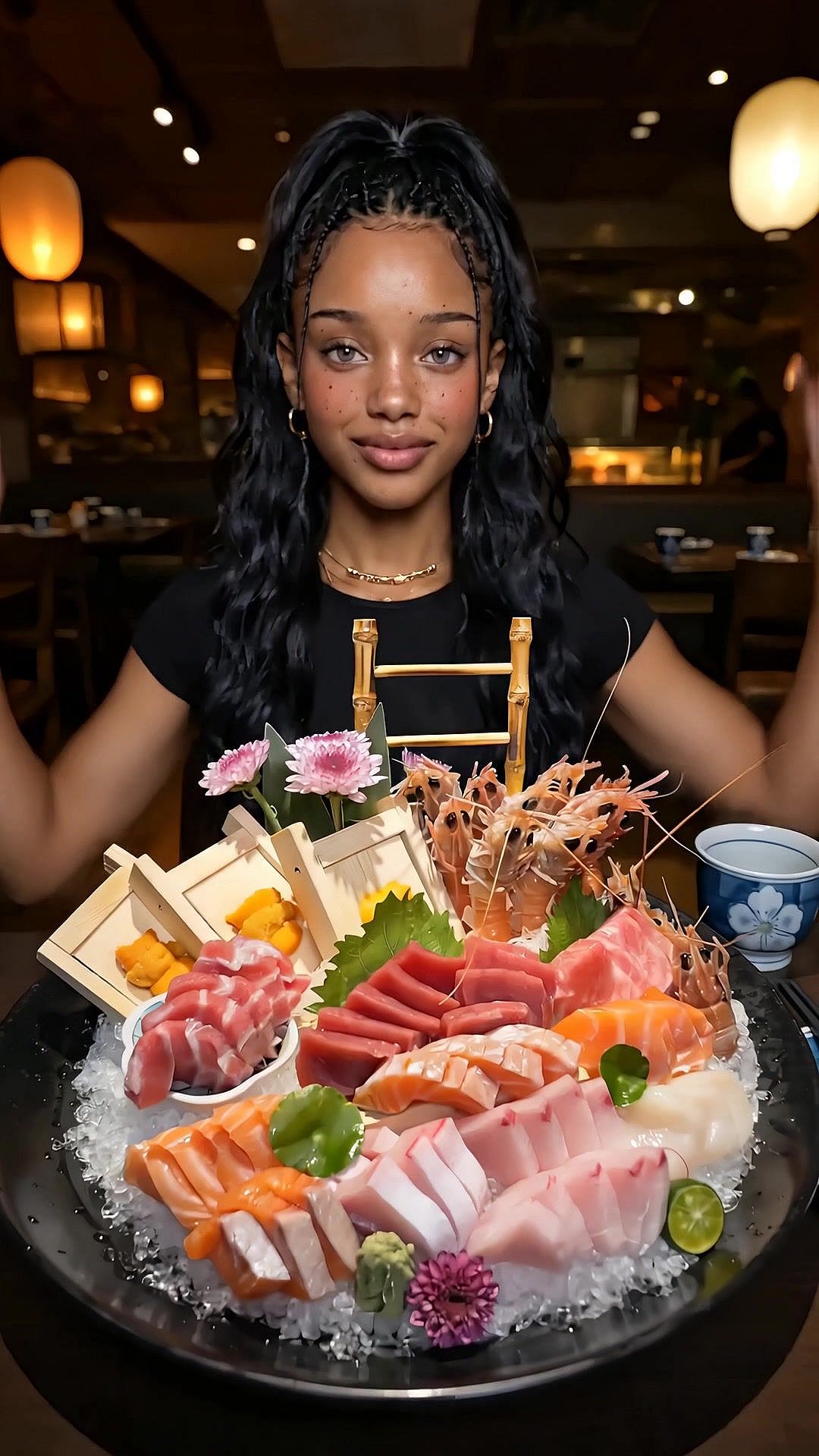
Generate these two frames, then use an image-to-video tool to create an animation that brings the scene to life. Sound effects or hard cuts in the edit can enhance the transition. This is the final video for "Food Ninjutsu."
How to write your own Nano Banana prompt
Every prompt above follows the same proven structure. Use it to create your own ideas.
Use the reference image as the exact identity for [subject]. Create [output type] in [style]. Keep the same face/body/pet/product details. Change only [allowed changes]. Add [scene, lighting, camera, composition]. Make it suitable for [platform/use case].
The phrase "exact identity" tells the model not to reinvent your subject. "Change only" protects the parts you care about. Naming an output type (a poster, a character sheet, a hero image) makes the result useful instead of just pretty. And naming the platform nudges the composition toward real publishing sizes.
Before you hit generate, run a five-second check: reference image uploaded if identity matters, said what stays the same, said what can change, chose an output type, wrote for the right aspect ratio. If you want more general prompt patterns beyond this model family, our best AI image generator prompts guide covers them.
Questions and Answers About Nano Bananas
What is the Nano Banana trend?
The Nano Banana trend is the wave of viral AI photos made with Google's Gemini image models: boxed action figures, 3D figurines, character sheets, AI fruit characters, and consistent AI influencer sets. It took off when those toy-style figurine portraits pushed Gemini to the top of the app stores, and it keeps evolving as the models improve. The prompts in this post are the templates behind the formats trending right now.
What is the best Nano Banana prompt?
One that gives the model a repeatable subject and a clear output type. "Use this reference photo as the exact identity and create a boxed action figure product shot" beats "make it viral" every time.
Is Nano Banana good for viral AI photos?
Yes, especially when the trend depends on consistency: action figures, pet transformations, character sheets, AI influencer sets, and first frames for short videos.
Which Nano Banana model should I use?
Nano Banana 2 Lite for fast drafts, Nano Banana 2 for balanced everyday images, Nano Banana Pro for the most polished or consistent results.
Can Nano Banana make videos?
It's an image model. Use it for stills, character sheets, and first and final frames, then move those into OpenArt's video tools for motion.
Can I use Nano Banana for product photos?
Yes. Product heroes, packaging mockups, seasonal campaign visuals, and consistent ecommerce sets all work well. Upload a reference image and state clearly what must stay unchanged.
Does Nano Banana handle text in images?
It can, especially in the newer models. Keep text short and large anyway, and compare against GPT Image 2 when typography is the whole point of the image.
Are these prompts free to use?
The prompts are yours to copy. Running them on OpenArt starts free with credits, so you can test before choosing a plan.
Start with one prompt
Don't try all seven formats today. Pick the one closest to what you already post, run it with your own reference photo, and see what comes back. The action figure prompt is the fastest win for a personal account. The product hero is the fastest win for a store.
Pick your model on OpenArt's Create Image page, paste the prompt, and drop in your reference photo.