

Seed TTS 3.0 AI Voice Generator
Use Seed TTS 3.0 on OpenArt, an independent AI platform that integrates leading audio models. Turn your script into AI voiceovers, with 82 tags for emotion, sounds, and delivery speed. Choose from 600+ voices or clone your own, and that voice works in 100+ languages.

Key Features of Seed TTS 3.0
ByteDance's newest emotional text to speech model is now on OpenArt AI text to speech tools, and it reads your script the way a voice actor would.
Pick from 600+ voices that speak 100+ languages
Seed TTS 3.0 comes with more than 600 preset voices, and every one of those voices can speak all 100+ languages the model supports. Pick a voice you like, and it can read your script in English, Japanese, Swahili, or Urdu. Voices you clone work the same way, so a voice you record in English can read a Spanish or Hindi script and still sound like you. Your brand or channel keeps one voice in every country you post in. You type tags in English, even when the script is in another language.
Try it NowSet the emotion for every line
Seed TTS 3.0 gives you 31 emotion tags that you can use to direct the feeling of your AI voiceover. Put the [nervous] tag in your script, and the voice says that line nervously. You can switch from [happy] to [disappointed], controlling the entire mood. Try the [sarcastic] tag, and you can hear the eyeroll. You get realistic text to speech with the exact feeling you want, without recording a single line yourself.
Try it NowInsert real sounds in your audio
Seed TTS 3.0 has 28 vocal tags that drop a real sound into your audio at the exact spot you place them. Type "[sighs] Fine, I'll do it." and the voice sighs before it speaks. You can add nonverbal sounds like [chuckles], [gasps], [clears throat], [yawns] or a breath or a laugh, into your audio. These paralinguistic cues are what make a voice sound like a person in the room with you. Most text to speech voices read straight through, with no breaths or laughs between the words. Seed TTS 3.0 puts those human moments back into your audio.
Try it NowChange the speed and pitch of any line
The 23 delivery tags change the pitch, volume, speaking rate, and rhythm of the next of the text to speech result. Pitch goes from [very low pitch] up to [very high pitch], and speed goes from [very slow] to [very fast]. Volume works the same way, from [very quiet] up to [very loud]. You can also make the voice sound [tired], [trembling], [in pain], or [whispering]. Tags like [stammering] and [hurried] help a nervous character sound real. All of this comes from the words you type, so you get a full performance from text alone.
Try it NowClone any voice and use it in 100+ languages
With AI voice cloning, you upload or record 20 to 30 seconds of reference audio, and Seed TTS 3.0 learns that voice. If the recording has background noise, the AI text to speech model supports optimization for noise suppression and cleans it up while it learns. With cross-lingual voice cloning, that voice can then speak all 100+ languages the model supports. Record yourself in English, and your cloned voice can read a Spanish or Hindi script and still sound like you. When you need the closest possible match, a professional voice clone learns from about 30 minutes of audio.
Try it NowDetect languages automatically in one script
Seed TTS 3.0 detects the language of your script on its own. If your script uses more than one language, the model reads each part in its own language. So, a script with a mix of two languages can carry on in both languages, without any extra steps. It follows the way many people talk, switching between languages in conversation. You write everything as one script and generate it all at once. The whole script comes back as a single audio file.
Try it NowHow to Use Seed TTS 3.0 on OpenArt
Making a voiceover with Seed TTS 3.0 takes three steps.
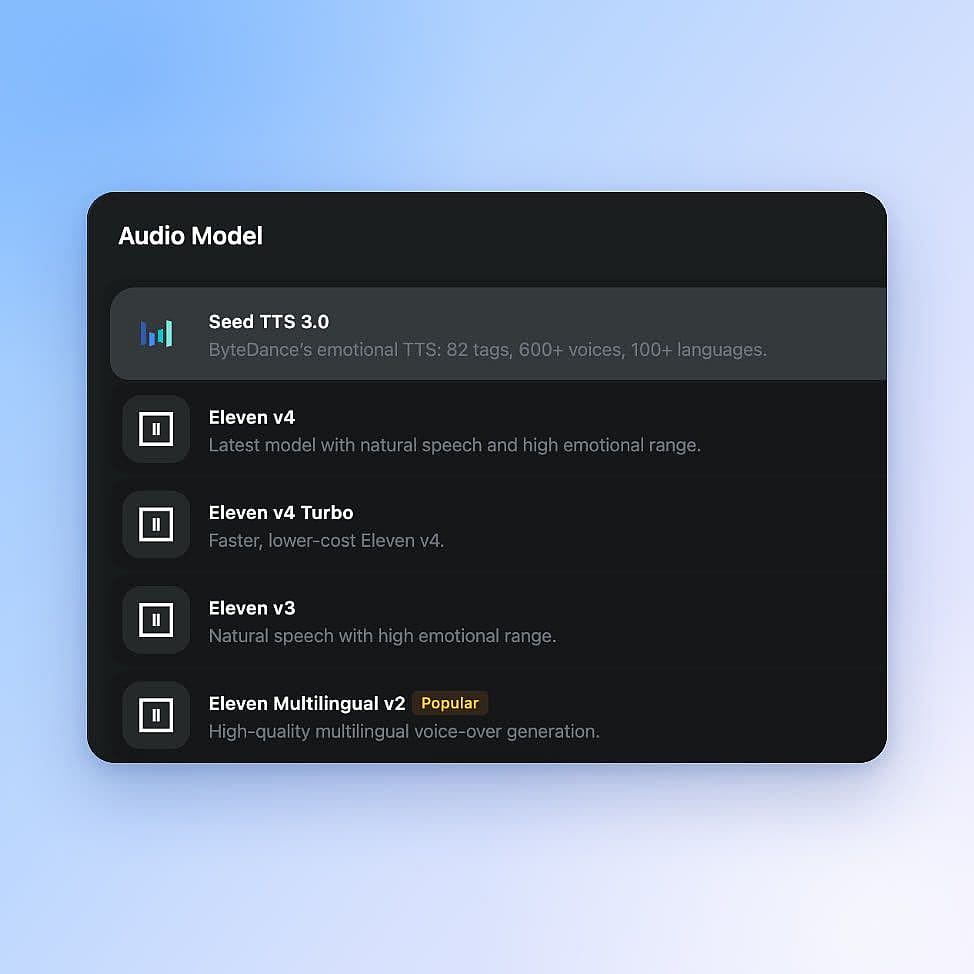
Open Create voice-over and pick Seed TTS 3.0
Choose Seed TTS 3.0 in OpenArt's audio tools. To use your own voice, open Voice Clone first and upload a 20 to 30 second recording. To use your own voice, clone it first in Voice Clone by uploading or recording 20 to 30 seconds of audio.
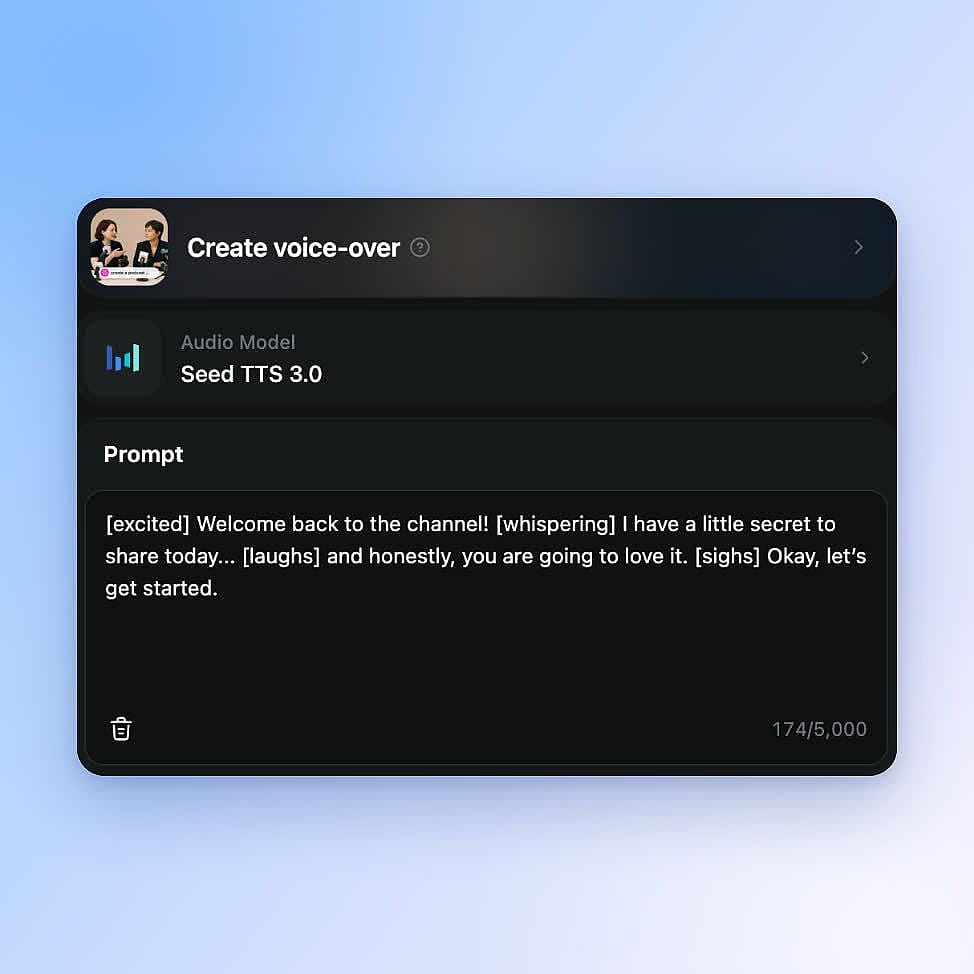
Paste your script and add tags
Paste your script and type tags in square brackets where you want them, like [excited] or [sighs]. Write each tag in English and spell it exactly as it appears in the tag list.
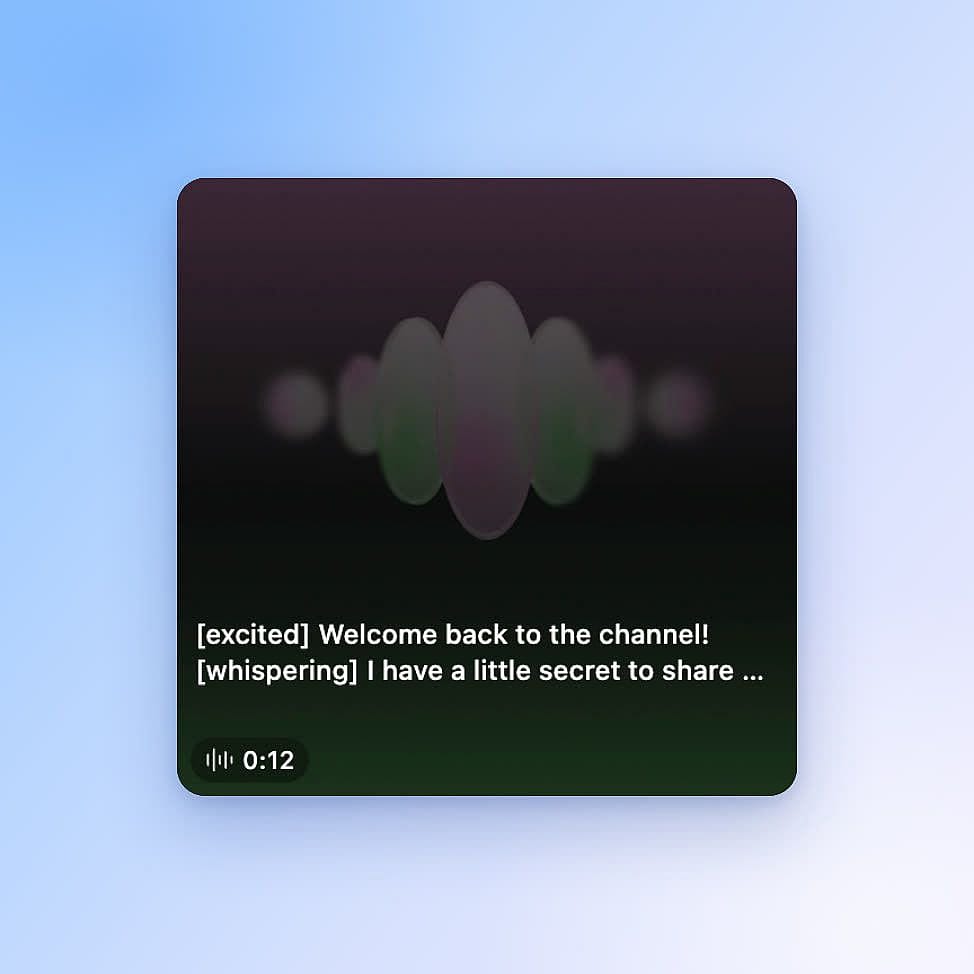
Pick a voice, generate, and download
Choose a preset voice or your cloned voice, then generate. Listen back, change any tag you want to adjust, and download the final file.
Best Use Cases for Seed TTS 3.0
Seed TTS 3.0 fits any project where the voice has to carry real feeling.
Make ad voiceovers for every market you sell in
Seed TTS 3.0 helps you turn one ad script into voiceovers for every country you sell in. Write a script in English and generate the ad voiceover. Then paste in the Mexican Spanish and Indonesian versions of the script and keep the same voiceover for every ad. Every market hears the same brand voice with the same energy, minus the dubbing budget. Pair the audio with a product clip from the AI video generator, and you have a full ad for each market.
Try it NowGive your film and animation characters their voices
Filmmakers and animators can hear every scene acted out with real emotion and sentiments before casting any actor. Seed TTS 3.0 gives your characters a voice with the right emotion, so your drafts sound like a finished film. Write the script and generate each character's lines on their own, with a different voice for each one. Mark the big moments with tags, like [whispering] for a secret and [gasps] for the reaction. Swap a tag and generate again until the performance matches what you pictured. When the voice lines are ready, bring the scene to life in Director mode.
Try it NowGive your AI character the same voice in every language
Keep the voice of your AI influencer or recurring characters the same across every shot with Seed TTS 3.0. Clone a 20-second voice sample once, or pick a preset voice that fits your character. Change the language of the video with just a single selection, and your followers hear the same character in every language the videos come out in. Tags like [chuckles] and [sarcastic] help the character keep a steady personality too. Build the look of your character with OpenArt Characters so the face and the voice both stay the same.
Try it NowExplain lessons and training videos in many languages
Seed TTS 3.0 turns written lessons and onboarding guides into clear narration your students or team can follow. Write each step as a short line, and put [slow] in front of the parts people need extra time to take in. Add [reassuring] before a step that often confuses people, so the voice sounds patient. Once the English version sounds right, paste in the French or Arabic script and keep the same voice. Everyone gets the same lesson in their own language from one set of steps.
Try it NowLoved by Creators
I've tried many AI platforms... but OpenArt is still the best for character creation, image-to-video quality, and the variety of models available.
OpenArt offers an excellent array of AI tools... once you learn the features, the creative possibilities are amazing - and their support team is outstanding.
OpenArt is a very versatile AI platform with many image and video models, consistent character creation, and powerful editing tools.
Helpful AI tools all in one place - image and video generation, editing, and more... no need for multiple subscriptions.
Customer service is always quick and helpful... and the platform keeps getting better with new features and tools.
With so many AI platforms out there, OpenArt stood out as a stellar choice - I'd recommend it to any creator.
This platform includes everything you need for AI content creation - images, video, characters, audio, and multiple AI models in one place.
OpenArt is pushing the boundaries of AI video creation... and it's clear the team is committed to improving the creator experience.
I made my first AI music video with OpenArt... and their support team was the best help I've ever experienced.
I'm very happy with the support - my issue was resolved quickly and the team made the process easy.
Frequently Asked Questions
Seed TTS 3.0 is ByteDance's newest text to speech model for voiceovers and character voice lines. It reads your script like a voice actor, with 82 tags that control how each line is spoken. You can use it on OpenArt with 600+ preset voices or a voice you clone yourself. ByteDance also offers it through its BytePlus platform.
Type an emotion tag in square brackets right before the line you want to change, such as [excited] or [sad]. Seed TTS 3.0 then says the text that follows with that feeling. You can use several tags in one script to show a mood that changes as the scene goes on.
Seed TTS 3.0 comes with more than 600 preset voices. Each one can speak all 100+ supported languages, so you can keep one voice across every version of your script. You can also clone your own voice and use it the same way.
Yes. Seed TTS 3.0 detects each language in your script on its own and reads it all in one go. This works well for scripts that switch languages partway through, like a bilingual greeting.
Seed TTS 3.0 supports 82 tags in three groups. There are 31 emotion tags like [happy] and [worried], 28 vocal tags that add sounds like [laughs] and [coughs], and 23 delivery tags like [whispering] and [very fast]. Type each tag in English inside square brackets, spelled exactly as it appears in the tag list.
Seed TTS 3.0 is a multilingual text to speech model that supports more than 100 languages, from English and Chinese to Urdu, Swahili, and Welsh. It also covers regional versions, like Spanish for Mexico and Spain and Portuguese for Brazil and Portugal. Every preset voice can speak every one of these languages. Seed TTS 3.0 uses automatic language detection to find each language in your script.
Yes. Voice cloning takes a 20 to 30 second recording, which you can upload as a file or record on OpenArt, and the instant voice clone is ready right away. For the closest match, a professional voice clone learns from about 30 minutes of audio.