

 ChatGPT
 Perplexity
 Claude
 Gemini
Stable Diffusion prompts for profile pictures let you generate polished headshots, creative avatars, and social media portraits without a photographer or studio. Whether you need a professional LinkedIn profile picture, a casual photo for Instagram, or a unique avatar for gaming, the right prompt produces a photorealistic result in seconds. These 25 profile picture prompts cover professional, casual, and creative styles for every platform.
Key Takeaways
- Specifying the platform (LinkedIn, Instagram, Facebook) in your prompt helps the AI match the right tone and framing for that audience.
- Background details like "office setting," "nature backdrop," or "urban street" add context that makes the portrait feel grounded and intentional.
- These prompts work with any AI image generator that supports Stable Diffusion models.
- Expression modifiers ("confident smile," "serene expression," "thoughtful look") are what separate a flat AI portrait from one that feels natural.
- Adding clothing and style details ("business suit," "casual attire," "leather jacket") gives the AI specific texture targets that improve realism.
25 Best Stable Diffusion Profile Picture Prompts
Each prompt below is ready to copy and paste. We have included a description of what makes each prompt effective so you can customize it for your own profile picture needs.
1. Professional LinkedIn Headshot (Woman)
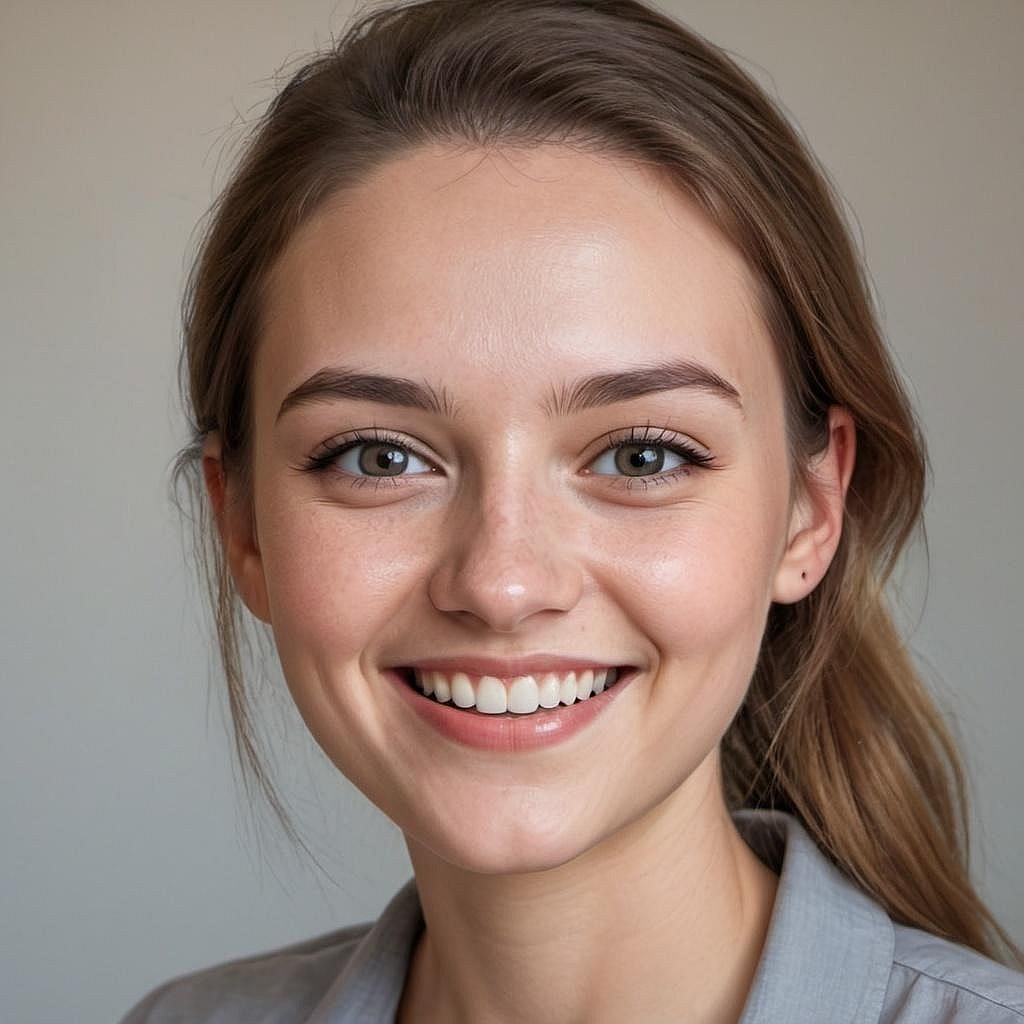
Prompt: Realistic photo of a smiling young woman with natural makeup, perfect for a professional LinkedIn profile.
Mentioning "LinkedIn" in a profile picture prompt signals a specific visual language: clean backgrounds, soft lighting, and approachable expressions. The "natural makeup" detail prevents the AI from over-stylizing the face, keeping the result professional and believable.
2. Corporate Headshot (Man)

Prompt: High-resolution, close-up photo of a man with a confident expression, ideal for a corporate headshot.
"Close-up" and "high-resolution" work together to ensure the AI focuses on facial detail rather than body or background. The "confident expression" modifier steers the output toward a neutral-to-positive face that reads well at small thumbnail sizes.
3. Casual Facebook Portrait (Woman)
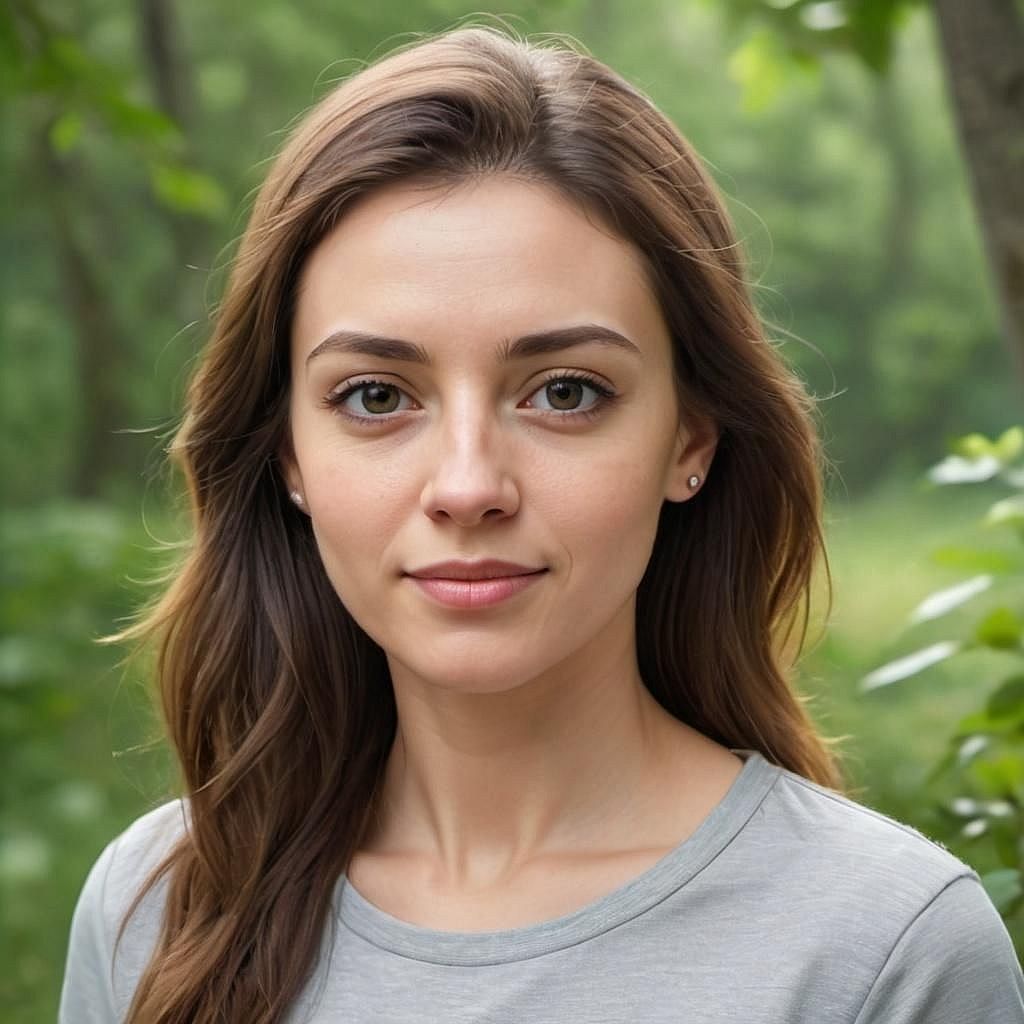
Prompt: Realistic portrait of a woman in casual attire, set against a nature background, perfect for a Facebook profile picture.
"Casual attire" and "nature background" shift the mood from corporate to approachable. This combination produces portraits that feel candid rather than posed, which performs well on social platforms where overly polished photos look out of place.
4. Business Suit Portrait (Man)

Prompt: Photo of a man in a business suit, looking directly at the camera, suitable for a professional profile.
"Looking directly at the camera" is a small but powerful instruction. Direct eye contact creates a sense of connection with the viewer, which is exactly what a professional profile picture should achieve. The business suit provides texture variety between fabric, collar, and tie.
5. Artistic Portrait (Woman)
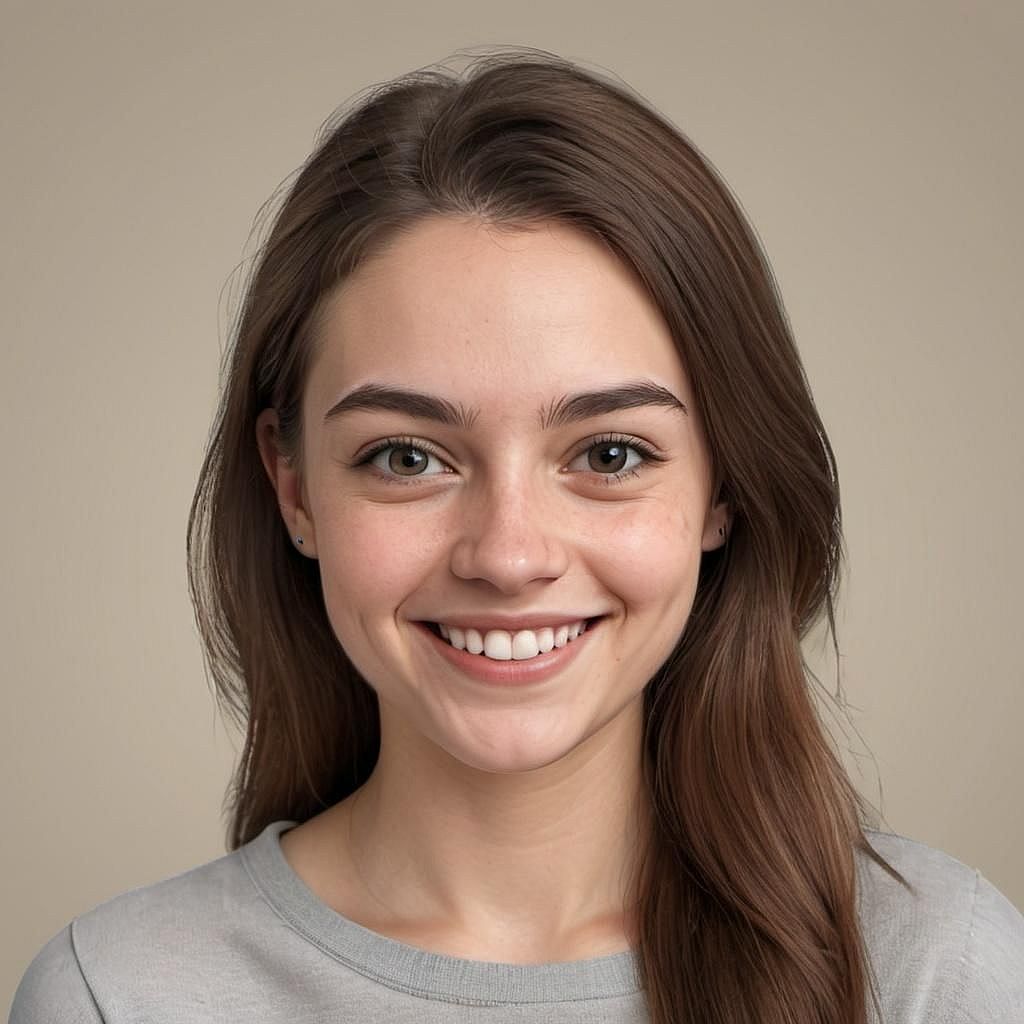
Prompt: Realistic image of a woman with an artistic, elegant look, set against an abstract background, ideal for a creative portfolio profile.
Abstract backgrounds free the AI from rendering realistic environments and let it focus entirely on the subject. For creative professionals, this combination signals artistic sensibility while keeping the person as the clear focal point.
6. Casual Social Media Portrait (Man)

Prompt: High-quality photo of a man with a relaxed expression, wearing casual clothes, perfect for a social media profile.
"Relaxed expression" produces a different result than "smiling" or "confident." It tells the AI to generate a natural, unforced look that feels candid. This is the modifier to use when you want a profile photo that looks like a friend took it.
7. Creative Professional Portrait (Woman)
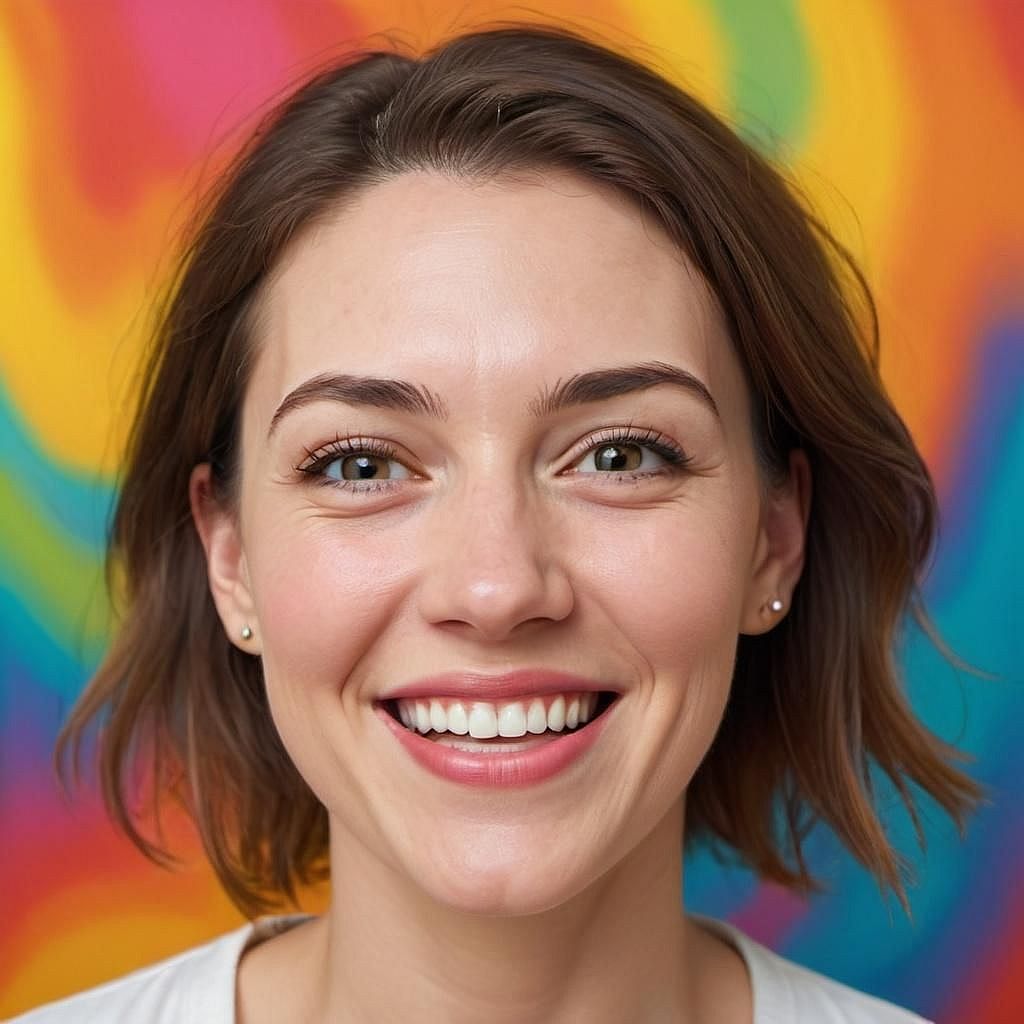
Prompt: Realistic close-up of a woman with a joyful expression, set against a colorful background, ideal for a creative professional's profile.
"Colorful background" paired with "joyful expression" creates energy and approachability. This combination works well for designers, marketers, and other creative roles where personality matters as much as professionalism.
8. Academic Profile (Man)

Prompt: Photo of a man with a thoughtful expression, wearing glasses, suitable for an academic profile.
Accessories like glasses give the AI an extra detail to render accurately, which improves the overall realism of the portrait. "Thoughtful expression" is a subtle modifier that produces a reflective look without seeming distant or unapproachable.
9. Travel Blog Portrait (Woman)
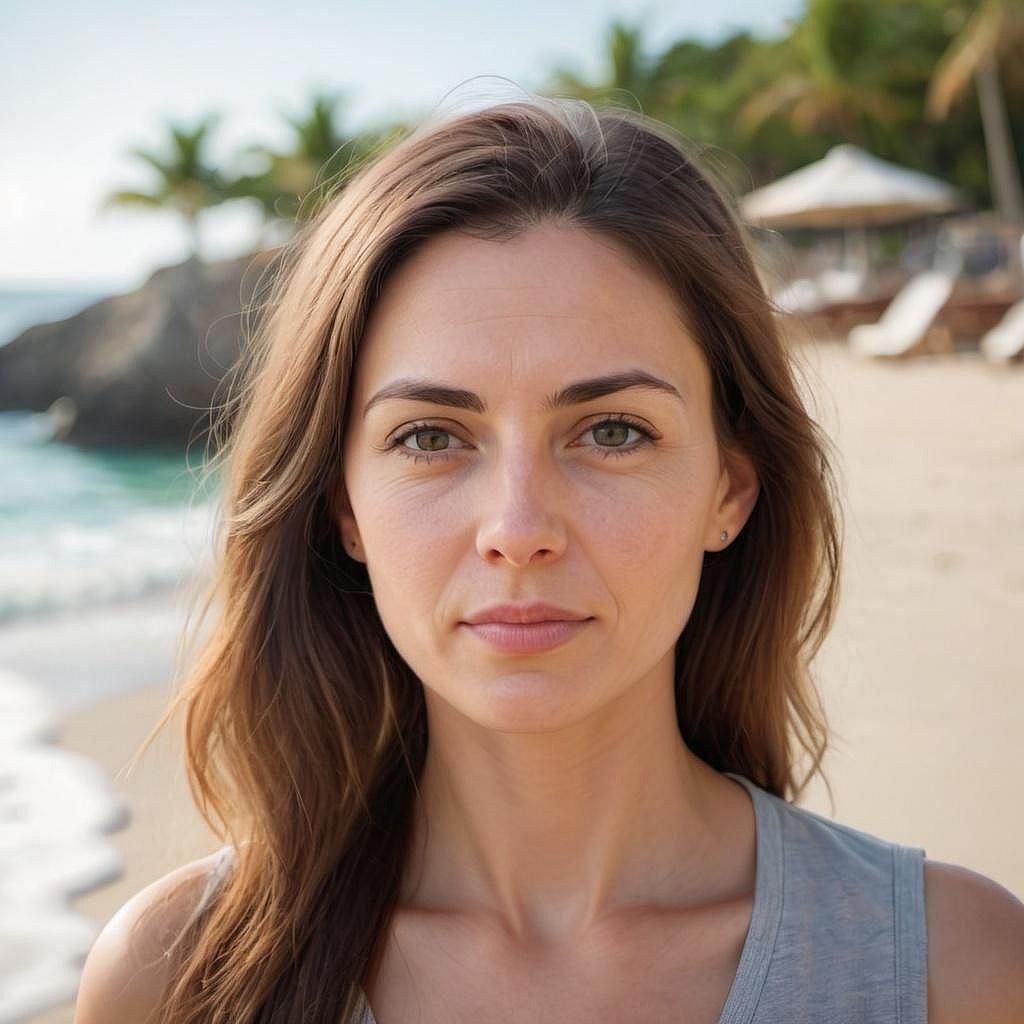
Prompt: Realistic portrait of a woman with a serene expression, set against a beach background, perfect for a travel blog profile.
Beach backgrounds introduce natural lighting challenges (bright sun, reflected light from water and sand) that the AI handles well when prompted correctly. "Serene expression" matches the relaxed atmosphere of the setting, keeping the portrait cohesive.
10. Lifestyle Influencer Portrait (Man)
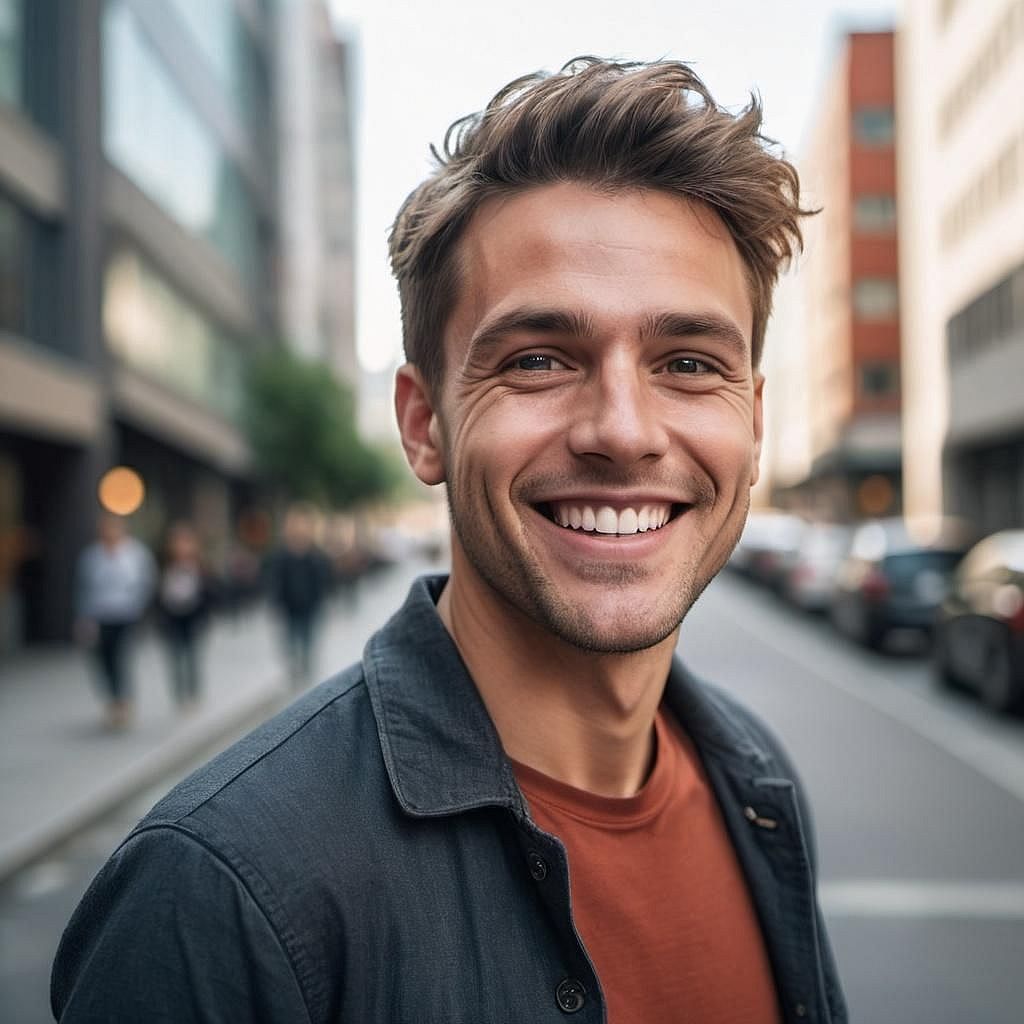
Prompt: High-resolution image of a man with a playful smile, set against an urban backdrop, ideal for a lifestyle influencer's profile.
"Urban backdrop" gives the AI architectural geometry, street textures, and bokeh opportunities that create a visually rich background. Combined with "playful smile," the result feels contemporary and social-media ready.
11. Fashion Blog Portrait (Woman)
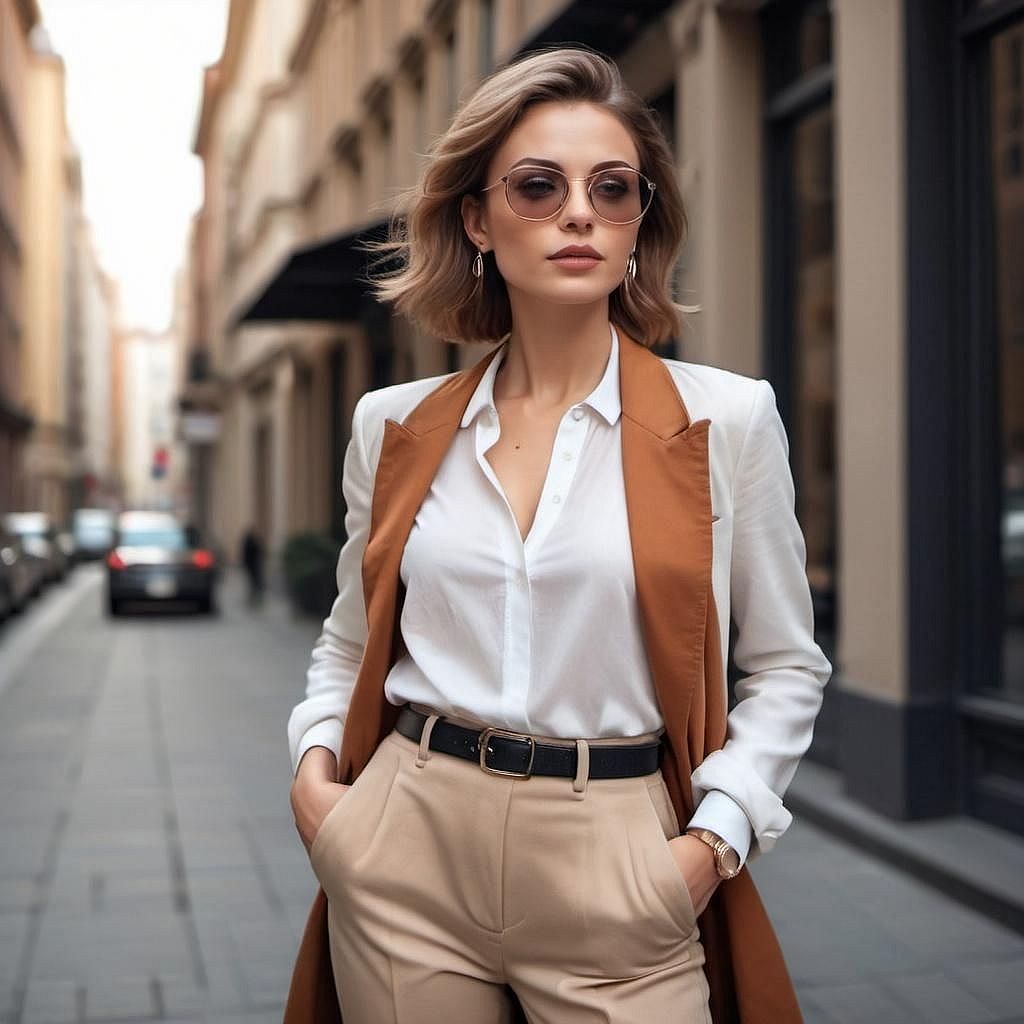
Prompt: Realistic photo of a woman in a stylish outfit, looking confident, perfect for a fashion blog profile.
"Stylish outfit" is intentionally open-ended, which lets the AI showcase its interpretation of current fashion. If you want something more specific, replace it with details like "tailored blazer" or "silk blouse" to get targeted clothing textures.
12. Adventure Enthusiast Portrait (Man)
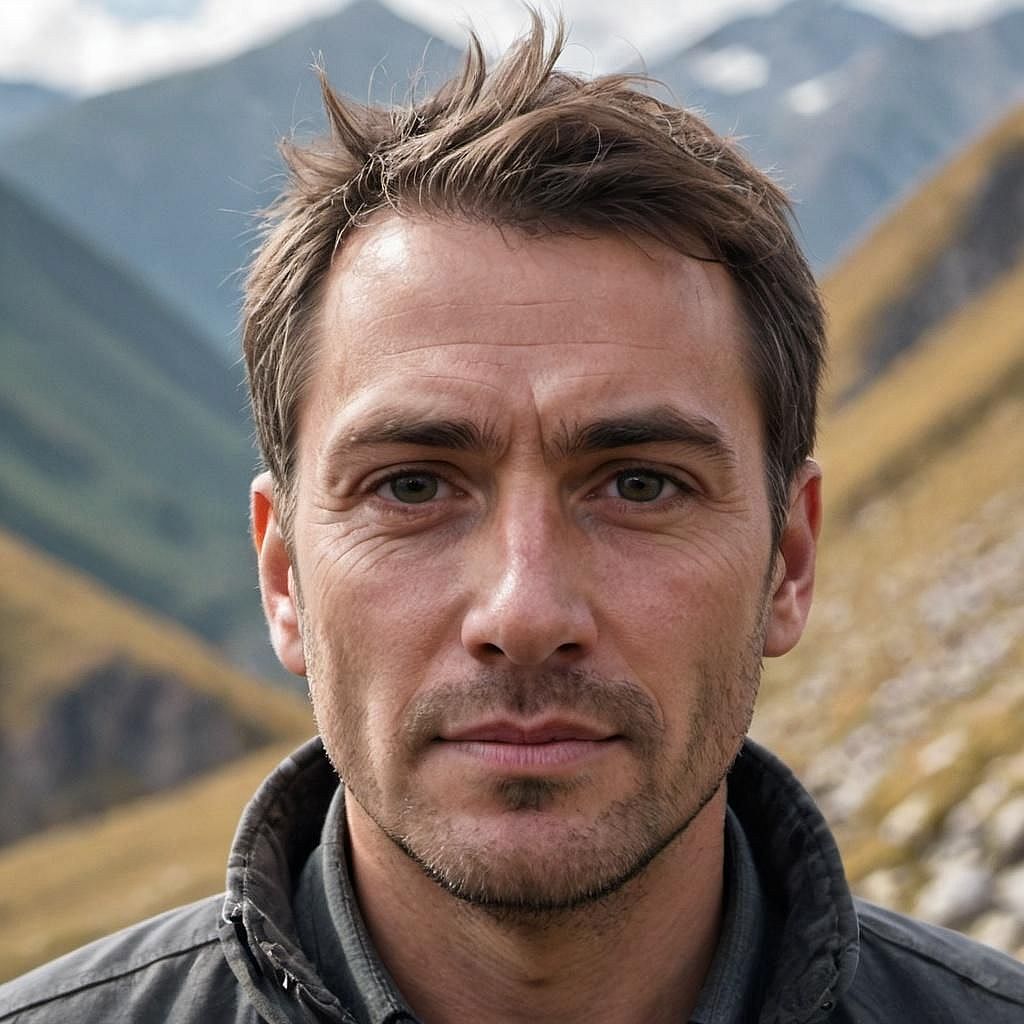
Prompt: Close-up photo of a man with a rugged look, set against a mountain background, suitable for an adventure enthusiast's profile.
"Rugged look" tells the AI to include textured skin, facial hair, and weathered features that signal an outdoor lifestyle. The mountain background adds scale and reinforces the adventurous persona without competing with the subject for attention.
13. Business Profile (Woman)

Prompt: Realistic image of a woman with a professional demeanor, set against an office background, ideal for a business profile.
"Professional demeanor" and "office background" reinforce each other, creating a portrait that communicates competence and workplace presence. The office setting adds depth and context that a plain backdrop cannot provide.
14. Personal Blog Portrait (Man)

Prompt: High-quality photo of a man with a friendly smile, wearing a casual shirt, perfect for a personal blog profile.
Personal blog profiles benefit from simplicity. A "friendly smile" and "casual shirt" create a portrait that feels genuine and relatable. The lack of a specified background lets the AI choose something neutral, which keeps the focus entirely on the face.
15. Professional Network Portrait (Woman)
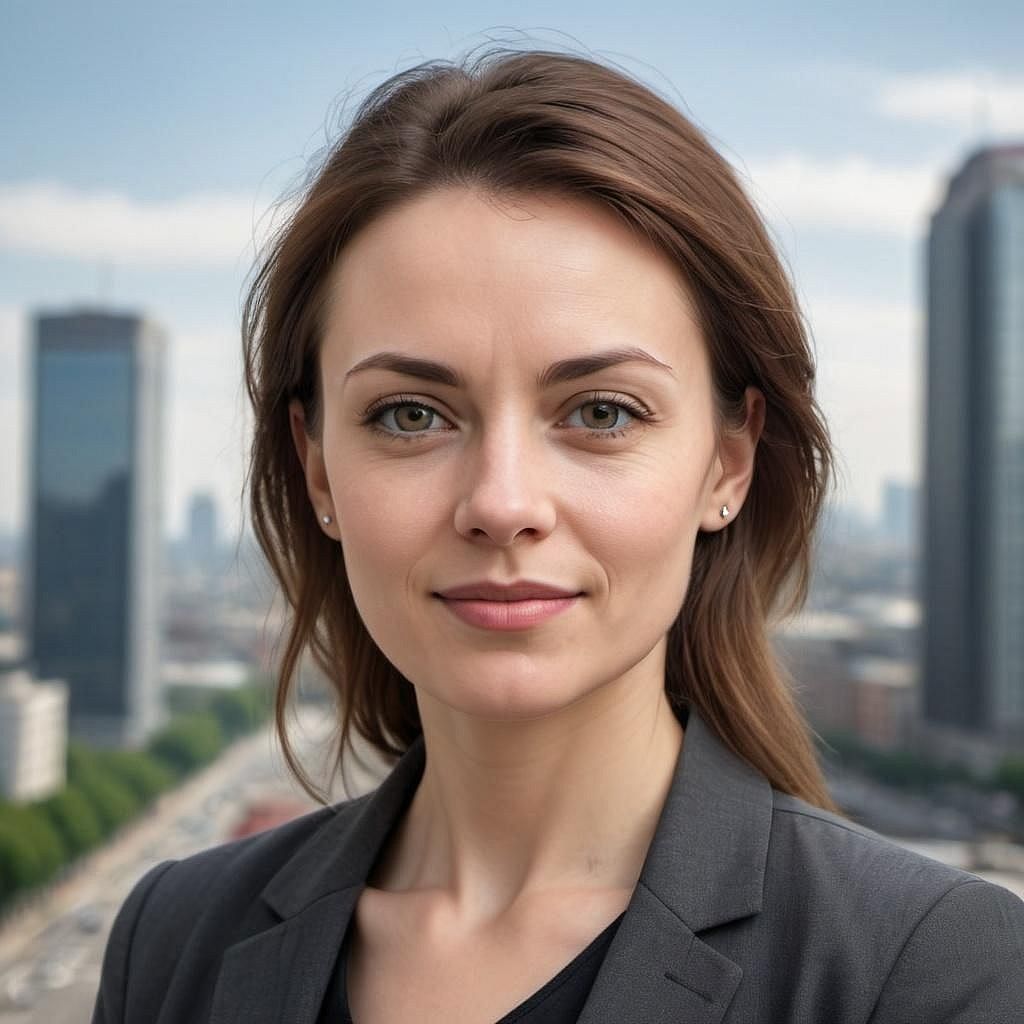
Prompt: Realistic portrait of a woman with a confident expression, set against a cityscape, ideal for a professional network profile.
City backgrounds convey ambition and metropolitan professionalism. The "confident expression" paired with an urban skyline creates a power portrait that works well for executive profiles, consulting bios, and professional networking platforms.
16. Fitness Profile (Man)
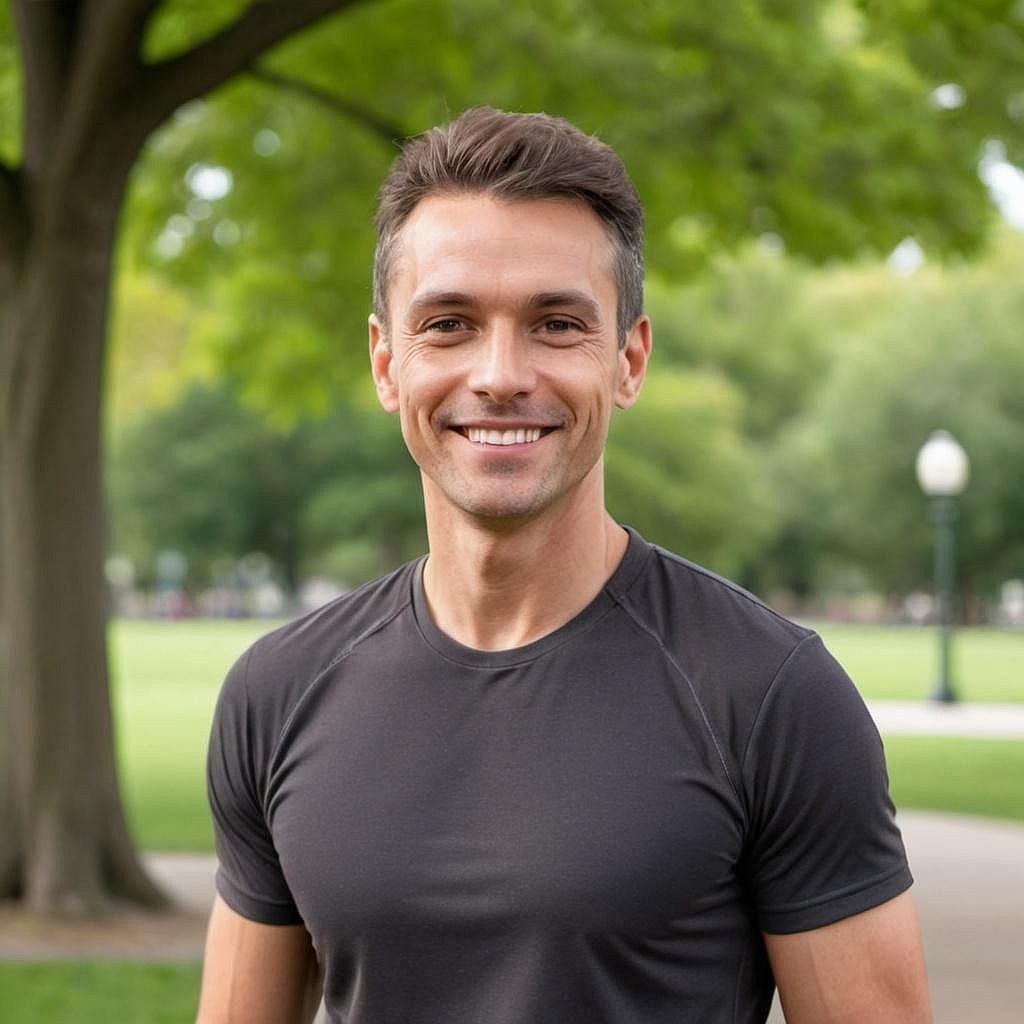
Prompt: Photo of a man with a relaxed smile, set against a park background, suitable for a fitness enthusiast's profile.
Park backgrounds offer natural green tones and dappled sunlight that flatter skin tones. For fitness profiles, this outdoor setting suggests an active lifestyle more convincingly than a gym or studio background would.
17. Lifestyle Blog Portrait (Woman)
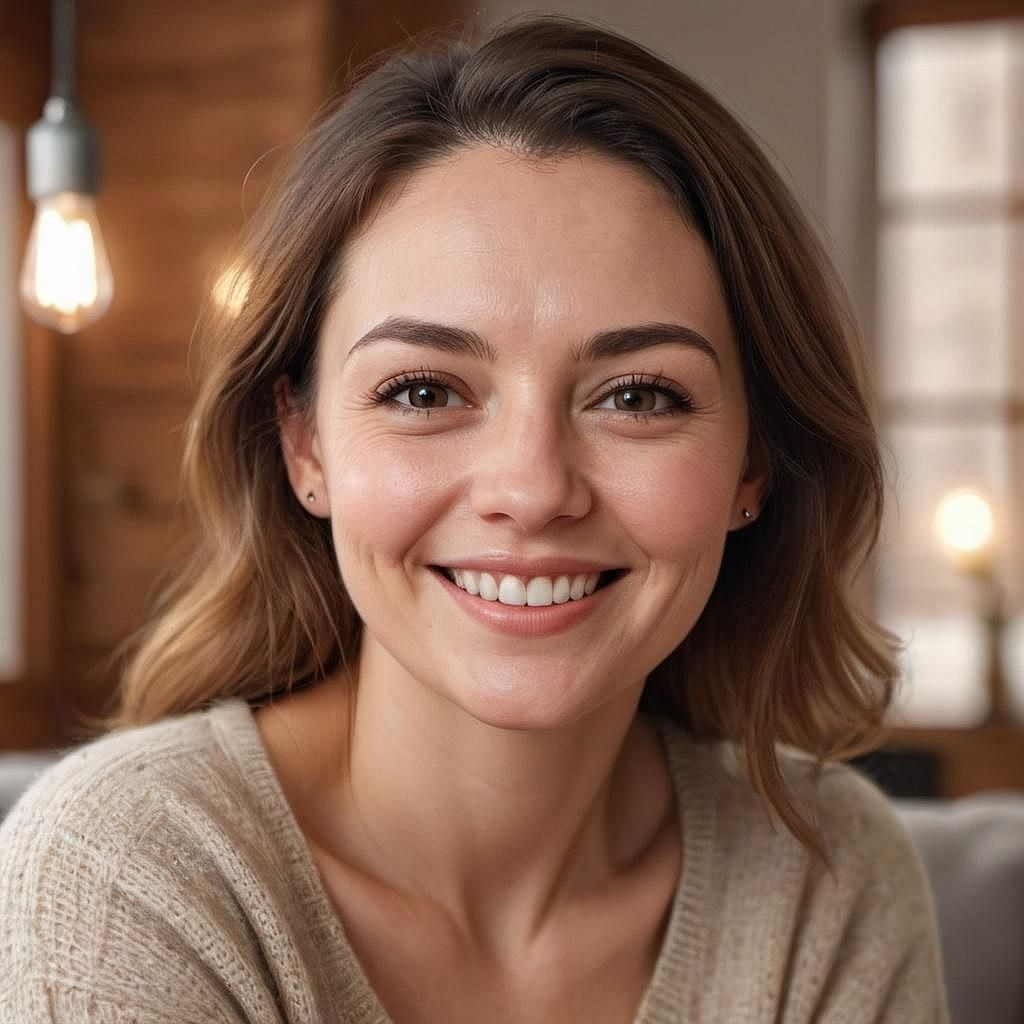
Prompt: Realistic close-up of a woman with a warm smile, set against a cozy indoor background, perfect for a lifestyle blog profile.
"Cozy indoor background" triggers warm lighting, soft textures, and domestic elements that create a welcoming atmosphere. This prompt style works for anyone who wants their profile to communicate warmth and approachability.
18. Music Artist Profile (Man)
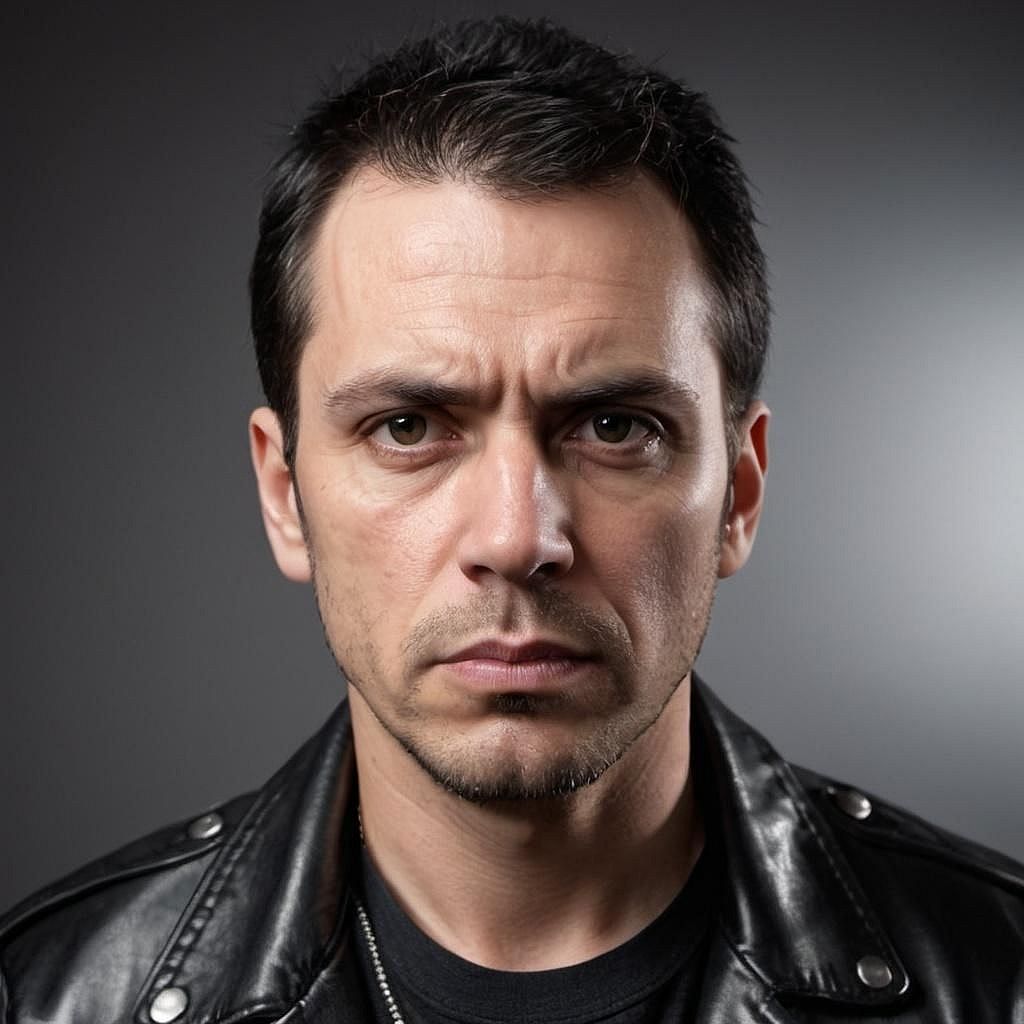
Prompt: High-resolution image of a man with a serious expression, wearing a leather jacket, ideal for a music artist's profile.
"Serious expression" and "leather jacket" create a moody, artistic vibe that suits musicians, producers, and performers. This prompt demonstrates how clothing choice can completely change the personality conveyed by a profile picture.
19. Holiday-Themed Portrait (Woman)

Prompt: Realistic photo of a woman with a cheerful expression, set against a festive background, perfect for a holiday-themed profile.
"Festive background" is a seasonal modifier that tells the AI to include holiday-related elements (lights, decorations, warm tones). Seasonal profile pictures are a great way to keep your social media presence feeling fresh and current.
20. Tech Professional Portrait (Man)

Prompt: Close-up photo of a man with a confident look, set against a modern office background, suitable for a tech professional's profile.
"Modern office background" produces clean, minimalist interiors with tech-forward design elements (glass walls, standing desks, monitors). This positions the subject in an innovative workspace that signals tech industry membership.
21. Wellness Blog Portrait (Woman)
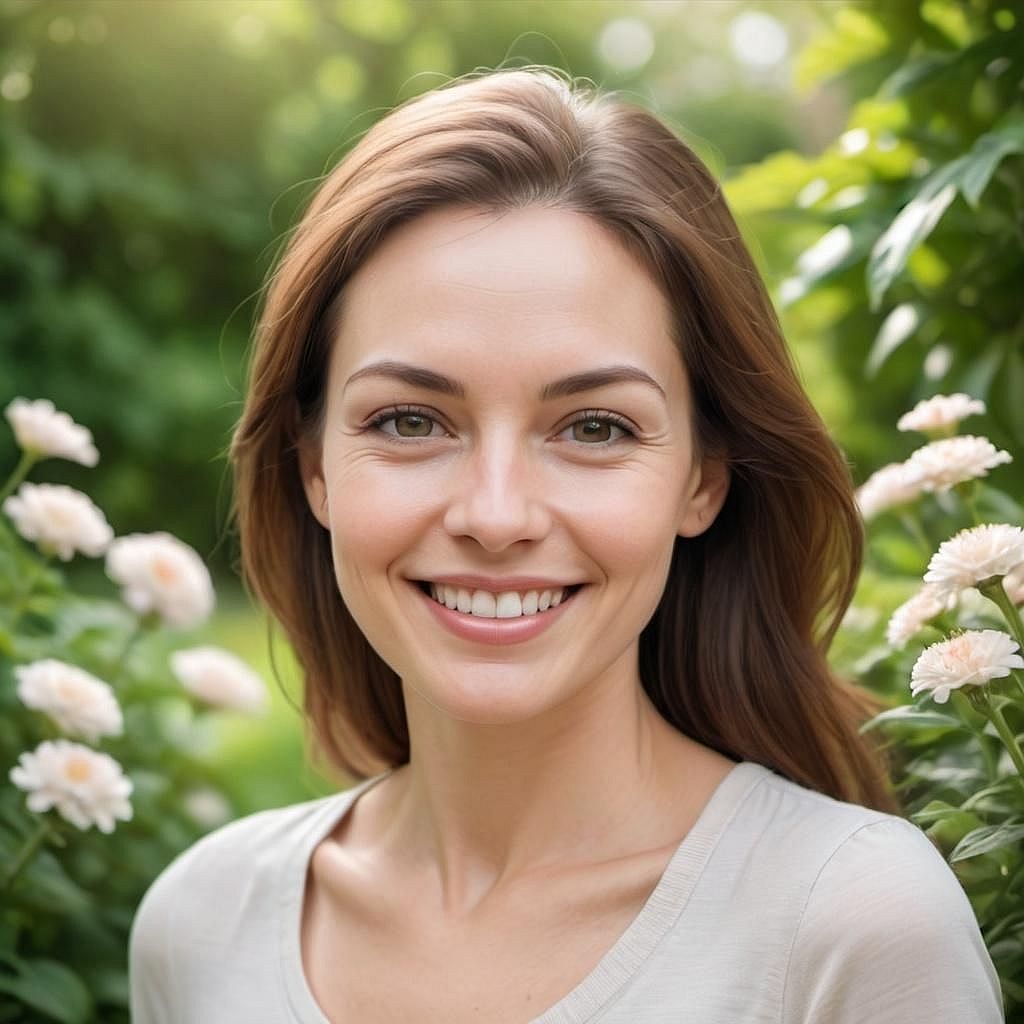
Prompt: Realistic image of a woman with a gentle smile, set against a garden background, ideal for a wellness blog profile.
"Gentle smile" and "garden background" create a portrait that communicates calm, health, and mindfulness. The natural greenery and soft expressions work together to establish the kind of trust that wellness-focused audiences respond to.
22. Travel Influencer Portrait (Man)
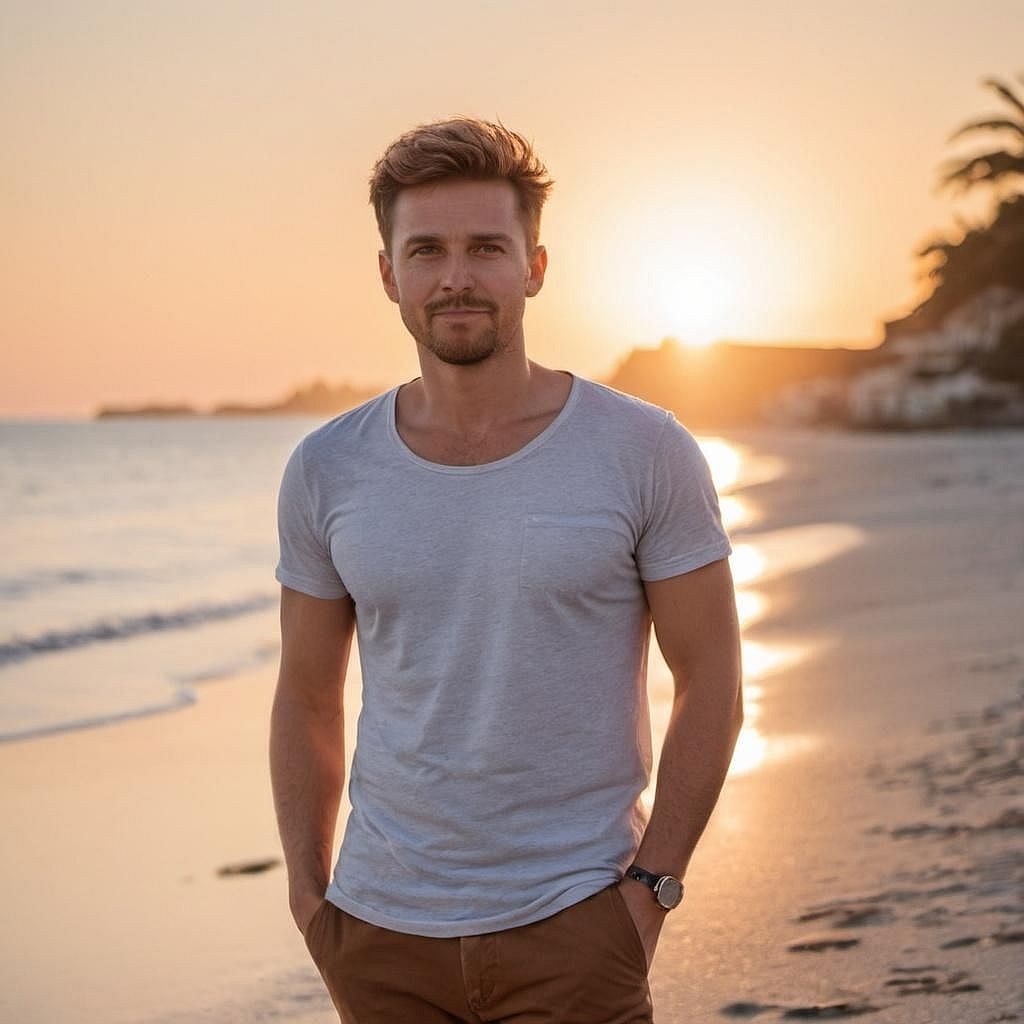
Prompt: High-quality photo of a man with a casual look, set against a beach sunset, perfect for a travel influencer's profile.
Sunset lighting produces warm golden tones that flatter all skin types. "Beach sunset" is one of the most effective background prompts for profile pictures because it combines dramatic lighting with an aspirational setting.
23. Academic Portrait (Woman)
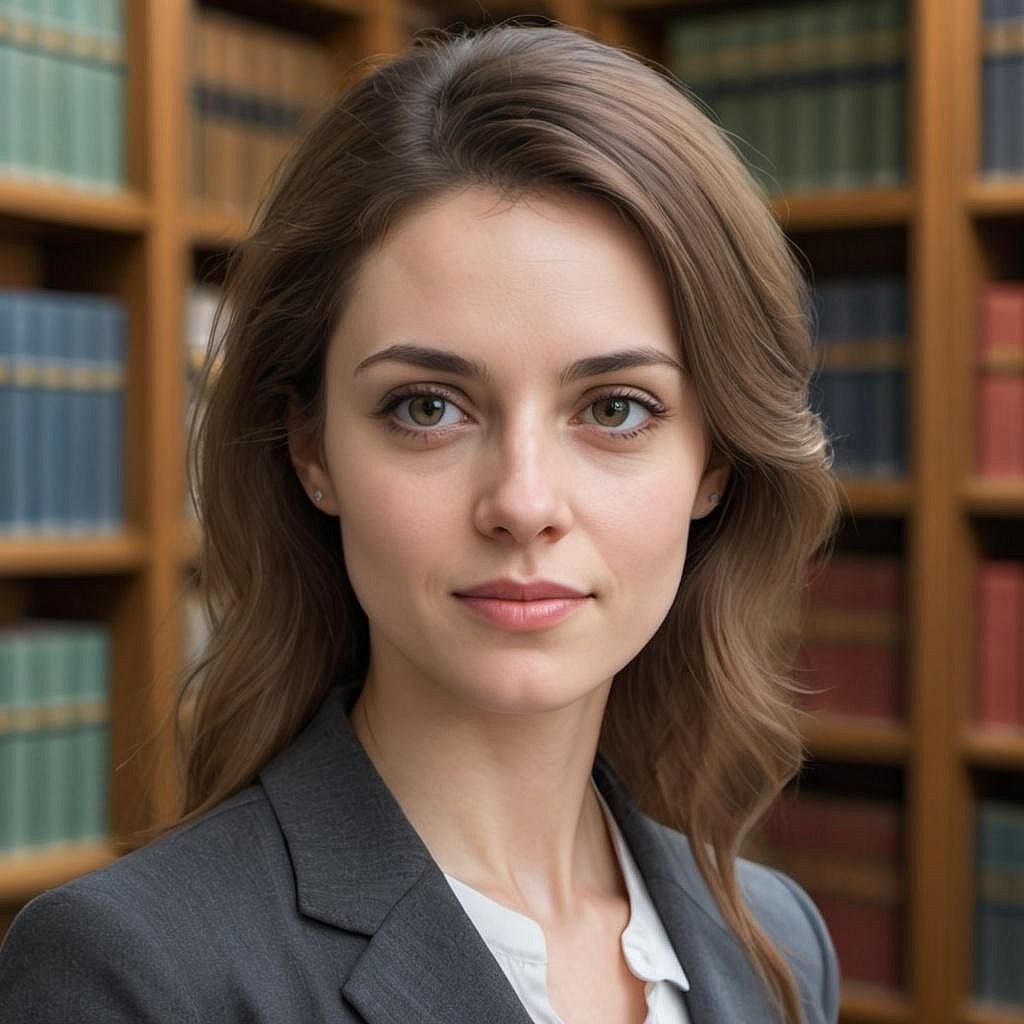
Prompt: Realistic portrait of a woman with a sophisticated look, set against a library background, ideal for an academic profile.
"Library background" immediately signals intellectual credibility. The rows of books create visual depth and texture variety that the AI renders well, and the warm wood tones of a library complement most skin tones naturally.
24. Sports Enthusiast Portrait (Man)
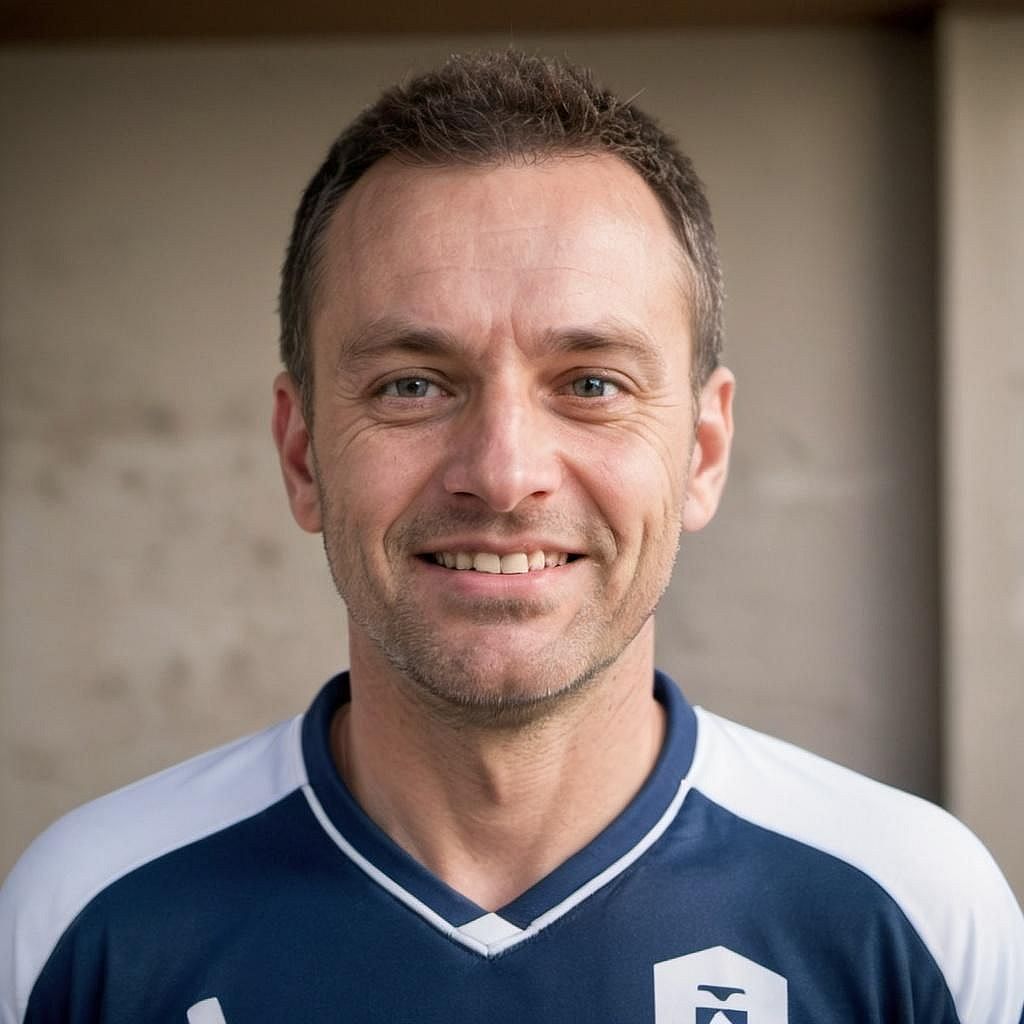
Prompt: Photo of a man with a friendly expression, wearing a sports jersey, suitable for a sports enthusiast's profile.
Clothing-specific prompts like "sports jersey" give the AI a distinct texture and pattern to render, which often improves the overall realism of the image. The jersey also immediately communicates the person's interests, making it an efficient visual shorthand.
25. Creative Professional Portrait (Woman)
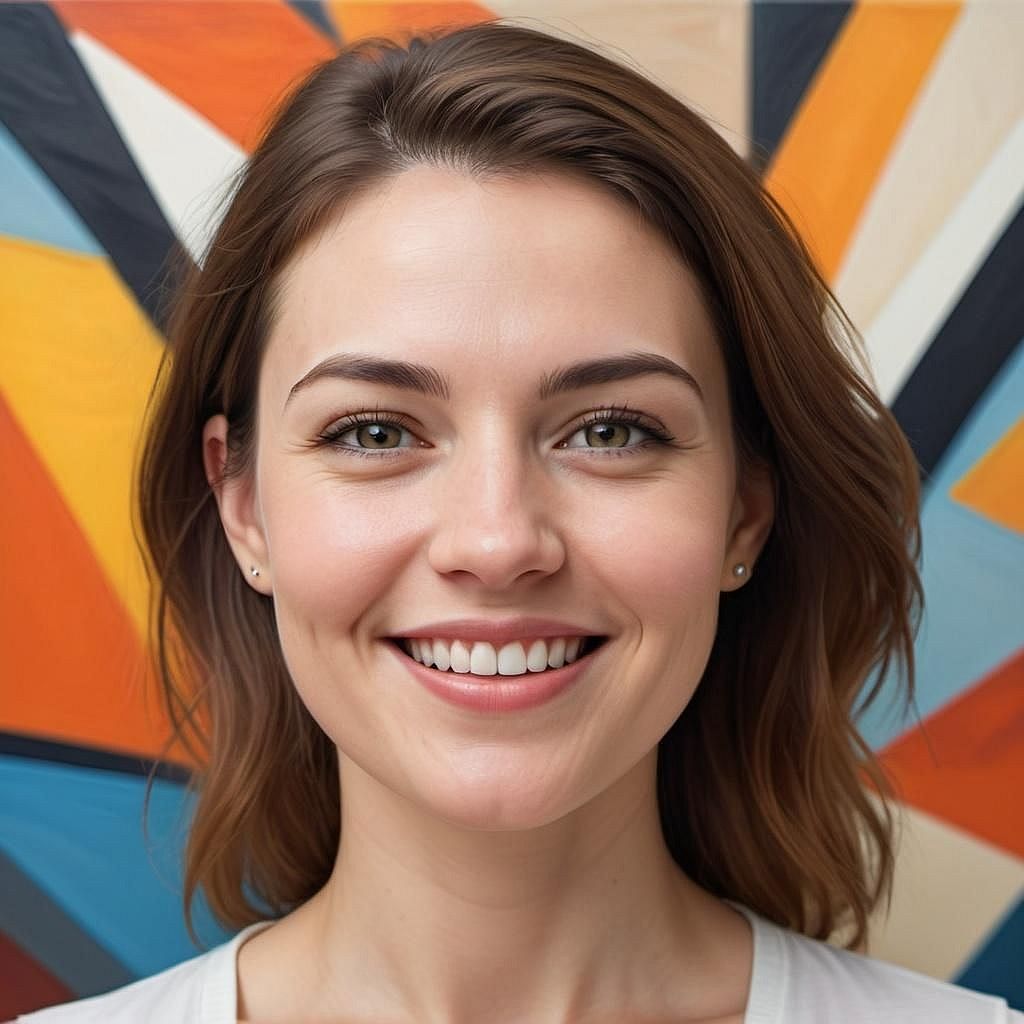
Prompt: Realistic close-up of a woman with a confident smile, set against a modern art background, perfect for a creative professional's profile.
"Modern art background" produces bold colors and abstract shapes that frame the subject without competing for attention. This is a strong choice for anyone in design, advertising, or the arts who wants their profile to reflect their creative field.
7 Tips for Writing Better Profile Picture Prompts
Getting a usable AI headshot requires more precision than most other Stable Diffusion prompts. These tips will help you generate portraits that actually work as profile pictures.
1. Specify the platform and purpose. "LinkedIn headshot," "Instagram profile photo," and "Discord avatar" each produce different framing, lighting, and tone. The platform context helps the AI match the visual expectations of that audience.
2. Choose your expression carefully. Expressions set the entire mood. "Confident smile" reads differently than "warm smile" or "serious look." Pick the one that matches the impression you want to make, and be specific rather than leaving it to the AI.
3. Describe the background with intention. Backgrounds are contextual storytelling tools. An "office backdrop" says professional. A "coffee shop" says approachable. A "plain white background" says corporate. Choose the setting that communicates your personal brand.
4. Include one or two clothing details. "Business suit," "casual linen shirt," or "knit sweater" each tell the AI what kind of person this portrait represents. Clothing is one of the strongest signals for tone and profession in a profile picture.
5. Use "close-up" or "headshot framing." Profile pictures display at small sizes on most platforms. Adding framing instructions ensures the AI fills the frame with the face rather than generating a full-body shot that loses detail when cropped down.
6. Add lighting modifiers. "Soft natural light," "studio lighting," and "golden hour" each produce distinct results. Natural light tends to look the most authentic, while studio lighting gives a more polished, commercial feel.
7. Generate multiple versions and compare. Run the same prompt three to five times with slight variations in expression or background. AI-generated portraits can vary significantly between runs, and having options lets you pick the one that feels most natural.
Where to Create AI Profile Pictures
You can generate all of these profile picture styles on OpenArt, which supports multiple Stable Diffusion models along with other AI image tools. The platform lets you switch between models, adjust generation parameters, and save your favorite prompts for future use.
If you want to take your AI portrait further, the AI character generator lets you build fully customized characters with specific facial features, hairstyles, and outfits that you can use across multiple profile pictures.
For animated profile content on platforms that support video avatars, the AI video generator can turn your static portrait into short animated clips and video introductions.
Frequently Asked Questions
Can I use an AI-generated profile picture on LinkedIn?
Yes. LinkedIn does not prohibit AI-generated profile photos, and many professionals use them for privacy or branding purposes. For the best results, use prompts that specify "professional headshot" or "LinkedIn profile picture" to get the right tone, framing, and lighting that matches what hiring managers and recruiters expect to see.
How do I make my AI profile picture look realistic?
Focus on three areas: expression specificity ("gentle smile" rather than just "smiling"), lighting conditions ("soft natural light from a window"), and clothing details ("navy blazer, white shirt"). Avoid fantasy or artistic style tags and stick with "realistic photo" or "photorealistic portrait" as your base instruction.
What resolution should I use for AI profile pictures?
Generate at the highest resolution your chosen platform supports. Most social media platforms display profile pictures between 110x110 and 400x400 pixels, but they store and crop from larger files. Generating at 1024x1024 or higher gives you a sharp source image that holds up at any display size.
How do I create different profile pictures for different platforms?
Change the platform reference and mood in your prompt. Use "professional, studio lighting, plain background" for LinkedIn, "casual, natural light, colorful background" for Instagram, and "fun, illustrated style" for Discord or gaming platforms. The same base description can produce very different results with these context shifts.
Are there legal concerns with using AI-generated profile pictures?
AI-generated portraits of fictional people are generally safe to use as profile pictures. The images in this guide do not depict real individuals. If you are using AI to modify or enhance a real photo of yourself, check the terms of service for both the AI platform and the social media platform where you plan to use it.