

 ChatGPT
 Perplexity
 Claude
 Gemini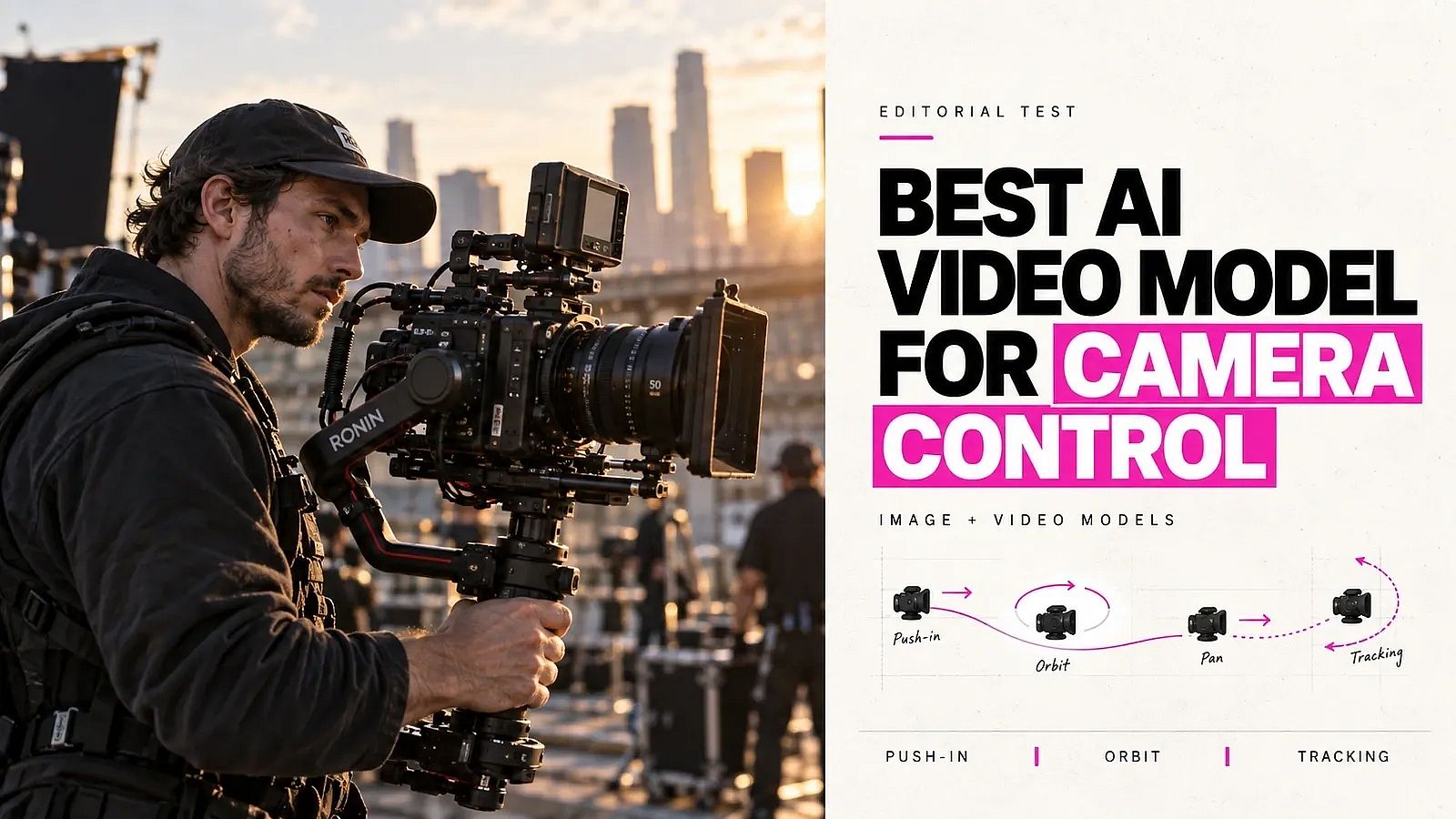
TL;DR
Seedance 2.5 ranks first for Camera & lighting in the current OpenArt Arena Video Film evaluation, scoring 1,222. It leads Seedance 2.0 by 62 points and ranks 195 points above Kling 3.0 Omni.
- Best judged camera and lighting execution: Seedance 2.5 at 1,222.
- Runner-up: Seedance 2.0 at 1,160.
- Best value: Wan 3.0 at 1,135 and $0.50 per five seconds.
- Strong alternative: Google Omni Flash at 1,128.
- Best documented camera vocabulary: Kling 3.0 Omni, although its Camera & lighting score of 1,027 places it joint ninth.
The central finding is straightforward. Detailed camera terminology does not guarantee stronger execution. OpenArt Arena judges generated results, and Seedance 2.5 currently leads the tested field.
See the Camera & lighting scores →
What "camera control" actually means in AI video
Camera control covers five separate capabilities, and strength in one does not imply strength in another. A model may follow "pan left" reliably but fail to preserve a product's shape across several shots.
- Prompt-based direction. Creators describe a move in text, such as a slow push-in or clockwise orbit, and the model interprets the requested path.
- Explicit presets. Creators choose a named movement or fixed setting in the interface. Presets reduce wording ambiguity, but they do not guarantee accurate execution.
- Motion-reference control. Creators provide a video that demonstrates the desired motion. Some tools transfer subject movement rather than the virtual camera path, so the exact behavior should be verified before production.
- Shot composition. Creators define the camera angle, shot size, perspective, and start or end framing. Composition sets the view, while camera movement changes that view over time.
- Multi-shot consistency. A production workflow must preserve identity, product geometry, lighting, screen direction, and lens character across cuts. A strong isolated shot can still fail inside a sequence.
The comparison judges instruction adherence and path precision separately. Instruction adherence asks whether the model attempts the requested move without adding another. Path precision asks whether the camera follows the intended direction, speed, and distance.
Subject stability measures whether faces, bodies, products, and backgrounds retain their form during movement. Temporal consistency covers flicker and unwanted frame-to-frame changes. Physical realism checks perspective and parallax, which help distinguish a real dolly move from a simple crop or zoom.
Repeatability measures how often the same settings produce an acceptable result. Cost per usable shot includes the price of failed attempts and retries, not just the price of one generation. Kling's own guide says generation remains probabilistic and recommends testing variations, even with specific camera language in VIDEO 3.0 and VIDEO 3.0 Omni.
How OpenArt Arena evaluates camera control
OpenArt Arena evaluates outputs through blind pairwise judging. Judges compare two results without seeing the model names, and a Bradley-Terry model converts their preferences into relative scores.
The Video Film board publishes five film-specific criteria. These are Acting/performance, Camera & lighting, Multi-shot continuity, Realism, and Style understanding. It also reports Prompt adherence, Subjective aesthetics, Physics & motion, Consistency, and Audio quality. This article uses the public Camera & lighting score as the primary ranking signal, then uses the other criteria to explain production tradeoffs.
Camera & lighting is more specific than the overall Film score, but it still combines two capabilities. It does not provide separate winners for pans, tilts, tracking shots, or dolly zooms. Those moves still require direct task testing.
Arena scores apply to the exact model versions shown on the board. OpenArt's Arena methodology explains the judging process, confidence intervals, and relative scoring system.
Seedance 2.5
Seedance 2.5 is the strongest camera-control choice in the current OpenArt Arena Video Film evaluation. It ranks first for Camera & lighting at 1,222, first for Overall Video at 1,125, and first for Film at 1,132.
Its Camera & lighting lead is meaningful within the published table. Seedance 2.5 sits 62 points above Seedance 2.0, 87 above Wan 3.0, and 195 above Kling 3.0 Omni. The result supports a clear recommendation for creators who prioritize judged camera and lighting execution.
Best for. Film, advertising, and product-video workflows that need the strongest current Arena evidence across camera execution and broader cinematic quality.
Pros. Seedance 2.5 leads the Camera & lighting criterion and the broader Overall and Film boards. It also ranks first on Ads at 1,072 and Motion Design at 1,097.
Cons. The Camera & lighting score combines camera behavior with lighting quality. Individual moves such as crane shots and dolly zooms still need direct testing.
Cost. The Arena price column lists Seedance 2.5 at $1.1556 per five seconds at 720p. Production budgets should also account for retries and rejected generations.
Kling 3.0 Omni
Kling 3.0 Omni offers the clearest documented camera vocabulary in this comparison, but its judged execution trails the leading models. It scores 1,027 for Camera & lighting, placing joint ninth with PixVerse V6.
Kling's camera guide says VIDEO 3.0 and VIDEO 3.0 Omni accept specific camera terms through prompts. The Kling camera control guide documents push in, pull back, pan left or right, tilt up or down, track forward, orbit slowly, and static camera. Specific terms give the model clearer direction than broad requests such as "make it cinematic," but Kling still produces probabilistic results that may require several generations.
According to Kling's camera guide, Kling 3.0 Omni adds multi-shot storyboard controls. Creators can set each shot's duration and size, then define its perspective, narrative content, and camera movement. Image, video, and element references help preserve characters, objects, or scenes while the camera moves. These controls support separate camera directions for each shot in a short narrative sequence.
Kling recommends one primary movement per shot. Prompts that combine a push, pan, tilt, orbit, and subject tracking can produce unstable motion. Conflicting directions also cause problems, especially when fast subject movement runs against the requested camera path.
Best for. Kling suits filmmakers and creative directors who want documented camera terminology, multi-shot planning, and reference-based continuity.
Pros. Kling supports a broad named movement vocabulary and provides practical prompting patterns. Its storyboard controls let you assign a separate camera job to each shot.
Cons. Kling's extensive camera terminology does not translate into a leading Camera & lighting score. It also ranks eighth Overall at 979, ninth on Film at 946, and tenth on Ads at 939.
Cost. OpenArt Arena lists Kling 3.0 Omni at $0.42 per five seconds without audio, the lowest price in this comparison. Its lower Camera & lighting score makes cost per usable shot more informative than generation price alone.
Other leading Camera & lighting models
Seedance 2.0 ranks second for Camera & lighting at 1,160. Its $0.756 price per five seconds makes it a lower-cost alternative to Seedance 2.5, although it trails the leader by 62 points.
Wan 3.0 ranks third at 1,135 and costs $0.50 per five seconds. It offers the strongest balance of Camera & lighting score and listed cost among the leaders, making it the value pick for higher-volume production.
Google Omni Flash ranks fourth at 1,128 and costs $0.50 per five seconds. Its seven-point gap from Wan 3.0 should not be treated as decisive if their published 95% confidence intervals overlap. Seedance 2.5's 62-point lead over second place is the more meaningful separation to inspect against those intervals.
Camera control comparison
| Model | Camera & lighting score | Position | Best fit | Listed cost |
|---|---|---|---|---|
| Seedance 2.5 | 1,222 | 1st | Strongest judged camera and lighting execution | $1.1556 per 5s at 720p |
| Seedance 2.0 | 1,160 | 2nd | Lower-cost Seedance option | $0.756 per 5s |
| Wan 3.0 | 1,135 | 3rd | Cost-conscious production volume | $0.50 per 5s |
| Google Omni Flash | 1,128 | 4th | Strong camera and lighting alternative | $0.50 per 5s |
| Kling 3.0 Omni | 1,027 | Joint 9th | Lowest listed cost; documented camera vocabulary | $0.42 per 5s, excluding audio |
Seedance 2.5 leads this criterion by 62 points. Kling remains useful for explicit camera terminology, but the 195-point gap shows why feature documentation should not substitute for judged output quality.
Arena publishes the clips behind these scores. The Camera & lighting prompt runs one fast 360-degree orbit around a seated subject through every model on the board, so you can check the ranking against your own eye before committing budget. Watch all eleven outputs on the Film board.
How each camera move performs
The Camera & lighting criterion gives an overall winner, but it does not break results down by individual camera move. OpenArt Arena publishes relevant prompt cases without separate rankings for pans, tilts, dolly shots, or other paths.
- Orbit shots. This is the one move with published side-by-side output. Arena's Camera & lighting prompt asks for a fast 360-degree orbit around a seated subject that cuts to a new location mid-move, and every model's clip sits in the same row on the Film board. Orbits force the model to infer the hidden sides of a subject, which is why identity and geometry errors show up there first.
- Tracking shots. Kling documents "track forward" as supported prompt language. Tracking adds subject movement on top of the camera path, so errors compound. No separate Arena ranking isolates it.
- Pans and tilts. Kling's camera guide documents pan left, pan right, tilt up, and tilt down for VIDEO 3.0 and 3.0 Omni. No published Arena test compares their accuracy across current models.
- Zooms. Arena's published signature cases include a slow zoom toward a stationary subject and a zoom-out during physical action. These cases test whether the model follows the requested framing change without adding subject motion or unwanted camera drift. Public results do not establish a zoom winner.
- Dolly moves and dolly zooms. Kling documents push-in and pull-back language, but vendor documentation does not prove that the model physically moves through the scene rather than enlarging the frame. A proper dolly changes perspective and parallax. Arena also includes a vertigo-style dolly zoom prompt, though its public pages do not rank models specifically on that task.
- Crane moves. OpenArt Arena does not publish a separate crane-shot ranking. A move-specific winner would require a direct same-prompt comparison.
Kling's vendor guidance identifies common failure modes across AI video generation. Prompts become less reliable when they combine several moves, contradict static and moving directions, pit fast subject motion against the camera path, or use vague terms such as "cinematic movement." One dominant move with a stated direction, speed, and stability constraint gives each model a clearer task.
Camera-movement prompt templates
Kling documents four reusable prompt structures. The templates below adapt those structures to give a model one primary camera task.
Subject + Move + Purpose. "A ceramic watch rests on a stone pedestal. The camera slowly pushes in to emphasize the engraved dial." Use this structure for prompt-based control when the camera movement serves a specific visual goal.
Start Frame + End Frame. "Start with a wide view of the chef and kitchen. End on a close view of the knife cutting through the pastry. The camera physically moves forward while the focal length remains constant." This prompt-based structure defines the framing change and helps distinguish a dolly move from a lens zoom.
Move + Speed + Stability. "Pan right slowly at a constant speed while the cyclist remains centered. Keep the horizon level, and add no zoom or rotation." Use this structure when unwanted drift matters more than complex action. Direction, speed, and exclusions give the model clearer constraints.
Shot List for multi-shot sequences. "Shot 1 uses a wide static view of the hotel lobby. Shot 2 slowly tracks behind the guest toward reception. Shot 3 tilts down to the room key. Preserve the guest's clothing, lighting, and screen direction across all shots." This structure exercises multi-shot consistency rather than a single camera path. Give each shot one dominant movement, and reuse the same subject and scene details throughout the sequence.
Matching a model to your workflow
Film and narrative projects should start with Seedance 2.5. OpenArt Arena ranks it first on Film at 1,132 and first for Camera & lighting at 1,222, giving it the strongest evidence across cinematic quality and camera-related execution.
Advertising work should also shortlist Seedance 2.5 first. It ranks first on the Arena Ads board at 1,072. Agencies should compare it with Kling 3.0 Omni by running the same product, subject, camera path, and duration through both models.
Product-video creators can use the Motion Design board as a starting point. Seedance 2.5 ranks first at 1,097, but the composite score does not isolate orbit shots, dolly moves, or subject stability. Test those moves separately with your actual product images.
Social and UGC workflows usually depend more on iteration speed and usable yield than cinematic polish. At $0.42 and $0.50 per five seconds, Kling 3.0 Omni and Wan 3.0 let you generate several attempts for the price of one Seedance 2.5 clip, which matters more than a few ranking points when you need volume.
For volume work, calculate cost per usable shot by dividing total generation spend by the number of clips you would publish. Run a fixed prompt batch and record retries, rejected clips, and accepted outputs before standardising on one model.
How to choose based on production priority
- Choose Seedance 2.5 when judged camera and lighting execution, general video quality, and cinematic output carry the most weight.
- Choose Wan 3.0 when you need a strong Camera & lighting result at volume pricing. It scores 1,135 at $0.50 per five seconds.
- Choose Kling 3.0 Omni when you need documented camera vocabulary and multi-shot storyboarding. Kling documents push, pull, pan, tilt, tracking, orbit, and per-shot direction in its camera guide, and it carries the lowest listed price in this comparison.
Frequently asked questions
Which AI video model offers the most precise camera motion?
Seedance 2.5 leads OpenArt Arena's Camera & lighting criterion at 1,222. The score supports the strongest current evidence for camera and lighting execution, although individual moves still merit direct testing.
Does Kling beat Veo for camera control?
OpenArt Arena does not provide a Kling-versus-Veo criterion comparison because Veo is not on the current board. Kling 3.0 Omni scores 1,027 for Camera & lighting and ranks joint ninth among the tested models.
Which models support pans and dolly shots?
Kling 3.0 Omni officially documents pans, push-ins, pull-backs, forward tracking, and slow orbits. Its push and pull commands can approximate common dolly movement, but the available documentation does not establish performance on every dolly technique. Equivalent claims for other models require controlled testing.
Which model produces the most film-like movement?
Seedance 2.5 has the strongest current Arena evidence for film-like movement. It ranks first on Film at 1,132 and first for Camera & lighting at 1,222.
Which camera-control model is cheapest?
Kling 3.0 Omni is the lowest listed price at $0.42 per five seconds, excluding audio, but it ranks joint ninth for Camera & lighting. Wan 3.0 at $0.50 per five seconds scores 1,135, which makes it the stronger value choice when output quality matters.
How does OpenArt Arena score camera-related quality?
OpenArt Arena uses blind pairwise evaluations and Bradley–Terry scoring. The Video Film board publishes a Camera & lighting score for each eligible model alongside nine other criteria. The Arena methodology explains the judging and scoring process.
Where can I check current rankings and compare models?
Check OpenArt's Arena leaderboard for current standings and criterion-level scores. The Camera & lighting column provides the most direct comparison for this decision.