

 ChatGPT
 Perplexity
 Claude
 Gemini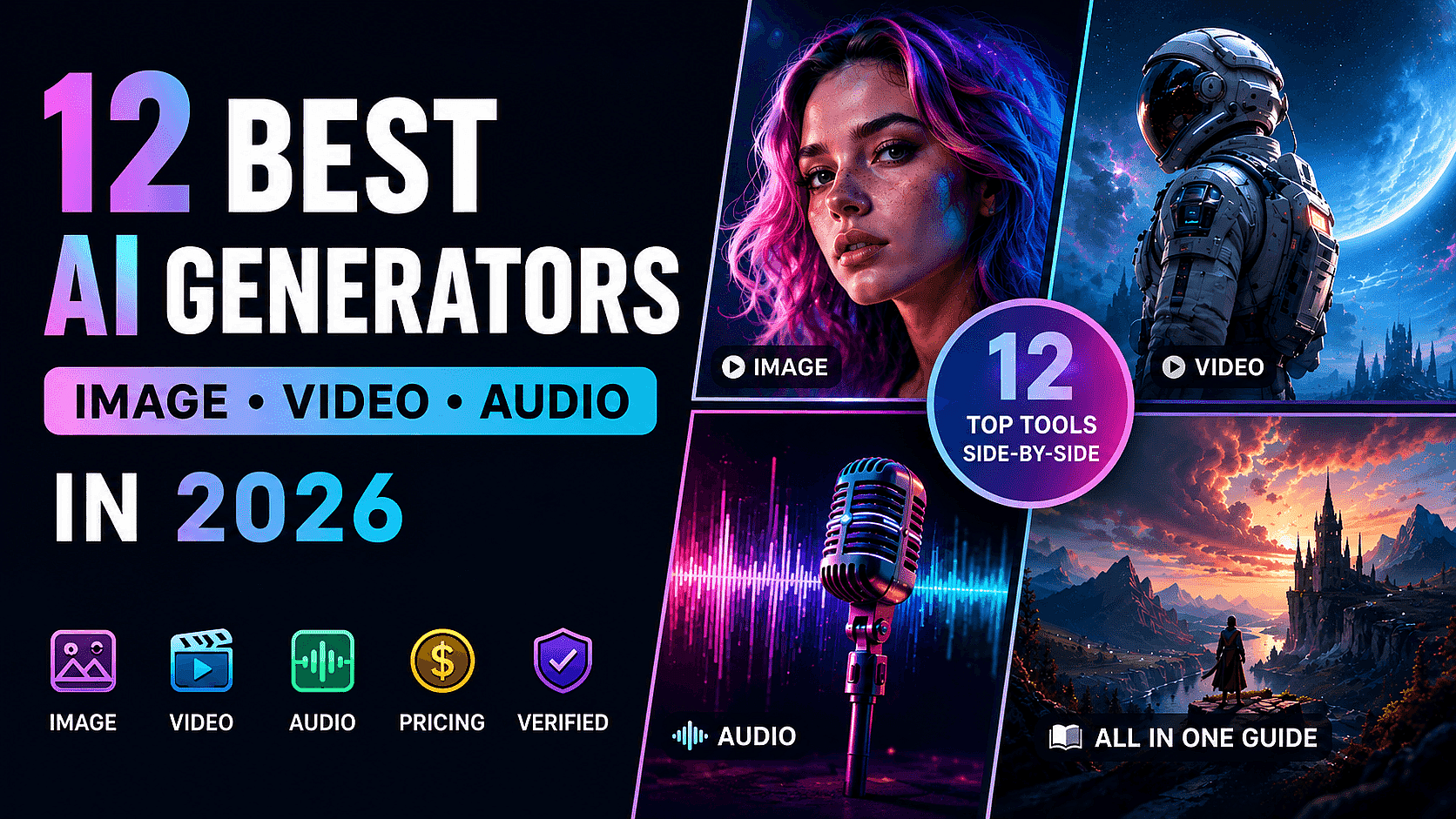
If you’re looking for the best AI generators in 2026, this guide compares 12 leading platforms side by side using the same evaluation criteria. We analyzed what each tool can generate (image, video, or audio), which models they support, pricing, workflow features, and the actual cost per generation to help users compare them more objectively and efficiently. For hands-on testing during research, we used the OpenArt AI Image Generator and OpenArt AI Video Generator as our default reference workbench.
Key Findings
- Lowest cost per video generation tested: OpenArt Wonder, on all four video models we tested (Seedance 2.0, Kling 3.0, Veo 3.1 Standard, Veo 3.1 Lite). See the Cost Per Generation table.
- Flexible credit top-ups: Every paid OpenArt tier lets you add extra credits anytime via a $15/month add-on pack, and unused add-on credits roll over indefinitely instead of expiring at month's end.
- Most modalities in one workspace: OpenArt, Magnific, ImagineArt, Invideo, Artlist, and Luma all generate image, video, and audio in a single app. OpenArt also exposes AI Character as a top-level category alongside Image, Video, and Audio.
All twelve tools give you access to models from outside providers such as OpenAI (GPT Image 2), Google (Veo, Lyria), ByteDance (Seedance, Seedream), Kuaishou (Kling), Black Forest Labs (Flux), and ElevenLabs (voice and music). Several platforms also offer proprietary models, including Recraft V4, Krea 2, Luma Ray, and Leonardo Phoenix. Because many of the same models appear across multiple platforms at different credit rates and subscription tiers, the actual cost per generation can vary significantly between tools. All prices below are shown in USD and reflect annual billing where available.
Quick Comparison Table
| Tool | Image | Video | Audio | Free trial | Starting price (annual) | Top tier (annual) | Commercial use |
|---|---|---|---|---|---|---|---|
| OpenArt | ✅ | ✅ | ✅ (voice + music + sfx) | Yes | $13 (Starter, 4K credits) | $44 (Pro, 24K credits) | $26/seat/mo |
| Magnific (Freepik) | ✅ | ✅ | ✅ (voice + music + sfx) | No | $14.5 (Premium, 240K credits/year) | $210 (Pro, 4M credits) | $55/seat/mo |
| ImagineArt | ✅ | ✅ | ✅ (voice + music) | Yes | $9 (Basic, 3K credits) | $175 (Creator, 100K credits) | $34/mo(From Teams Ultimate) |
| Higgsfield | ✅ | ✅ | Voice only | Yes | $15 (Starter, 200 credits) | $99 (Ultra,3000 credits) | $62/seat/mo |
| Krea | ✅ | ✅ | Lipsync only | Yes (100 units/day) | $9(Basic, 5K units/mo) | $105(Max, 60k units) | $200/mo |
| Invideo | ✅ | ✅ | ✅ (voice + music) | Yes | $17 (Plus, 75 credits) | $900 (Elite, 4,250 credits) | $40/standard seat/mo |
| Artlist | ✅ | ✅ | ✅ (voice + music) | No | $11.99 (AI Starter, 16.5k credits) | $89.99 (AI Pro, 180K credits) | / |
| Luma | ✅ | ✅ | ✅ (voice + music + sfx) | No | $25 (Plus) | $250 (Ultra) | / |
| Leonardo.Ai | ✅ | ✅ | ❌ | Yes (150 tokens/day) | $10 (Essential, 8.5k tokens) | $48 (Ultimate, 60K tokens) | $72/mo |
| Recraft | ✅ | ✅ (Pro tier only) | ❌ | Yes (30 credits/day) | $10 (Basic, 1K credits) | $16(pro,2K credits) | / |
| NightCafe | ✅ | ✅ | ❌ | Yes | $7.49 (Hobbyist, 200 credits) | $37.49 (Artist, 1.4k credits) | / |
| Civitai | ✅ | ✅ | ❌ | Yes | $10 (Bronze, 10K buzz) | $50 (Gold, 50K buzz) | / |
Notes on the table:
- “Image / Video / Audio” shows what the tool can make in its own workspace, without sending you to a different app.
- “Audio” includes a quick note when the tool only covers part of audio (voice but no music, or just lipsync).
- “Starting price” uses yearly billing, divided to a monthly number.
- “Top tier” is the highest published individual or team plan.
Cost Per Generation
Video generation is where cost-per-generation differences are most visible in 2026, because video models charge significantly more credits than image models. The numbers below show how much a single video costs on the highest individual tier of three tools, at identical settings, on each platform’s annual billing rate. We ran identical prompts on May 14, 2026.
| Model and settings | OpenArt (Wonder, $120/mo) | Higgsfield (Ultra, $99/mo) | Magnific (Pro, $174/mo) |
|---|---|---|---|
| Seedance 2.0 (720p, 5s, Standard) | $0.45 | $0.76* | $0.98 |
| Kling 3.0 (720p, 5s, no audio) | $0.14 | $0.29* | $0.25 |
| Veo 3.1 Standard (720p, 4s) | $0.32 | $0.96 | $0.56 |
| Veo 3.1 Lite (720p, 4s) | $0.09 | $0.20* | $0.60 |
Notes on the table:
- Asterisks mark Higgsfield’s ongoing 30% promotional credit-cost discount visible on the generate UI.
- Cost per generation changes with resolution, length, and quality. The settings above are one common point.
- Lower-priced plans give a higher cost per generation. For example, OpenArt’s $7/month plan works out to about $0.70 per Seedance 2.0 video at the same settings, compared with $0.45 on the $120/month plan.
- Promotional pricing rotates often. Figures reflect May 26, 2026 data.
Note on image generation: Image cost-per-generation varies by tool. OpenArt and Higgsfield bill per credit on image generations, so cost varies by tier (for reference, on OpenArt Wonder a GPT Image 2 or Nano Banana 2 image at 2K costs $0.034 per image). Some tools include unlimited image generations on selected models at higher tiers; check each tool’s pricing page for current details.
Tool Details
Each entry below gives a one-line snapshot, the model list, pricing, and the workflow features that set the tool apart. Commercial use details are in the Quick Comparison Table above.
1. OpenArt
Snapshot: Image, video, audio, and character generation in one workspace, with a 50% yearly discount (steepest of the twelve tools) and the lowest measured cost per video generation on Seedance 2.0, Kling 3.0, and Veo 3.1 at $120/month.
What it can make: image, video, audio, character generation, story video, 3D world.
Image models: GPT Image 2, Nano Banana 2, Nano Banana Pro, Seedream 4.5, Seedream 5.0 Lite, Recraft V4, Wan 2.7 Image, Kling Omni. Accessible from the AI Image Generator entry point.
Video models: Seedance 2.0, Veo 3.1, Kling 3.0 Omni, Wan 2.7, Sora 2 Fast, Happy Horse. Accessible from the Video Generator.
Editing tools: Motion Sync, Lip-Sync, Edit Image, Edit Video, One-Click Story, Camera Angle Control, Image Upscale, Remover Background.
Audio: Voice-over (ElevenLabs Multilingual v2), AI Music Generation, Sound Effects, Voice Clone, Voice Changer.
Pricing (yearly billing, per user, per month): Free / Essential $7 (4K credits) / Advanced $14.50 (12K credits) / Infinite $28 (24K credits) / Wonder $120 (106K credits).
2. Magnific
Snapshot: AI generation paired with a 250M+ photo, video, and vector stock library. Credits stay valid for one year, with no monthly resets.
What it can make: image, video, audio.
Listed models: GPT 2, Nano Banana 2, Veo 3, Seedream 5, Seedance 2, Kling 3, Flux 2, ElevenLabs, Wan, Minimax.
Workflow features: Spaces (a node-based canvas for building workflows). Stock catalog includes photos, videos, vectors, and PSDs.
Pricing (yearly billing, USD-equivalent, per user, per month): Essential $4.85 (96K credits/year) / Premium $11.35 (240K credits/year) / Premium+ $27.55 (600K credits/year) / Pro $174 (4M credits/year). Magnific bills in euros (€4.50 / €10.50 / €25.50 / €161.25 respectively).
Notes: Rebranded from Freepik in early 2026. Nano Banana 2 and Seedream 5.0 Lite are listed as “Unlimited” on higher tiers.
3. ImagineArt
Snapshot: Production-focused suite with Film Studio and Ad Studio modes. Promotional pricing rotates on the Creator tier.
What it can make: image, video, audio.
Listed models: GPT Image 2, Seedance 2.0, Nano Banana 2, Kling 3.0 Pro, Veo 3.1 Lite, ImagineArt 2.0, Flux.2 Pro.
Workflow features: Film Studio, Ad Studio, AI Music, AI Voice, voice clones.
Pricing (yearly billing, per user, per month): Basic $9 (3K credits) / Standard $20 (8K credits) / Ultimate $34 (16K credits) / Creator $175 (100K credits). Creator tier includes unlimited generations on Seedance 2 Fast, Kling 3.0 Pro, Nano Banana 2, ImagineArt 2.0, GPT Image 2, and Flux.2 Pro.
4. Higgsfield
Snapshot: Video-first platform with viral presets, an AI agent (Supercomputer), and a photo model with fashion and aesthetic controls (Soul V2).
What it can make: image, video, voiceover (no music generation).
Listed models: Nano Banana Pro, Seedance 2.0, GPT Image 2, Kling 3.0, Veo 3.1, Sora 2, Wan 2.6, Krea 2, Seedream 4.5, Seedream 5.0 Lite, Flux.2 Pro, Kling O1 Image.
Workflow features: Supercomputer (AI agent with skills, memory, automations), Cinema Studio, Marketing Studio, Soul V2.
Pricing (yearly billing with 30% off, per user, per month): Basic $5 (70 credits) / Plus $39 (1K credits) / Ultra $99 (3K credits, with up to 9K shown for some model selections) / Business $62/seat (1,500 credits/seat, 2 seats minimum). Ultra tier currently includes 365-day Unlimited access to Seedream 5.0 Lite, Flux.2 Pro, Seedream 4.5, Nano Banana, Kling O1 Image, and GPT Image.
5. Krea
Snapshot: Real-time canvas for visual exploration, with LoRA fine-tuning and 22K upscaling. Their own image model (Krea 2) alongside 64+ outside models.
What it can make: image, video, lipsync (no music or voice generation).
Listed models: Krea 2 (their own), plus 64+ outside models. Home page claims 10M+ users.
Workflow features: Real-time canvas generation, 22K image upscaling, LoRA fine-tuning, moodboards, node editor.
Pricing (yearly billing with 40% off): Free (100 compute units/day) / Basic (5K compute units/month) / Pro (20K compute units/month) / Max (60K compute units/month) / Business (80K compute units/month, with custom amounts for larger teams). Dollar prices are visible after sign-in. A time-limited promo offers Unlimited Krea 2, Seedance 2, and Seedance 2 Fast on Pro, Max, and Business plans.
6. Invideo
Snapshot: Video-first platform with a 30-minute single-prompt AI agent and stock footage integration.
What it can make: image, video, audio.
Listed models: Veo 3.1, Sora 2 Pro, Kling 3.0, Nano Banana Pro, ElevenLabs music, 200+ models total.
Workflow features: invideo v4 agent (up to 30 minutes of video from one prompt), stock provider integration (iStock, Storyblocks).
Pricing (yearly billing, per user, per month): Plus $17 (75 credits) / Max $85 (390 credits) / Generative $170 (800 credits) / Elite $900 (4,250 credits, 10TB storage, 20x more concurrent runs than Plus). Credits do not roll over.
7. Artlist
Snapshot: Hybrid AI generation plus a music, sound effects, and stock footage library.
What it can make: image, video, audio (music plus voiceover).
Listed models: Sora, Veo, Nano Banana, Kling, Seedance, ElevenLabs, GPT Image, Lyria (Google’s music model).
Workflow features: AI Studio (character casting, location building, scene framing, consistency tools). Stock catalog of music, stems, sound effects, footage, templates, LUTs, and plugins.
Pricing (yearly billing, per user, per month): AI Starter $11.99 (16,500 credits) / AI Professional $89.99 (180K credits) / Custom Business (pricing on request). Credits shared across all AI products and models.
8. Luma
Snapshot: Multimodal platform with their own video models (Ray3.14) and a team-focused “Creative Agents” framework.
What it can make: image, video, audio.
Their own models: Uni-1, Ray3.14, Ray3.14 HDR.
Outside models included: Nano Banana, Nano Banana Pro, GPT Image 2, Seedream, Veo 3.1, Kling 3.0, Kling Omni, Seedance 2.0. Audio via ElevenLabs (Music v1, SFX v2, v3 voice).
Workflow features: Creative agents framework, team workspaces with shared credit pool, voice-to-prompt input, EXR export, clip stitching, caption tools.
Pricing (yearly billing with 20% off, per month): Plus $30 / Pro $90 (4x Luma Agents usage vs Plus) / Ultra $300.
9. Leonardo.Ai
Snapshot: Image and video tool with their own models (Phoenix, Lucid Origin), a tutorial library, and SOC 2 security accreditation.
What it can make: image, video. No audio.
Their own models: Lucid Origin, Phoenix 1.0.
Outside models included: Veo 3, Nano Banana Pro, Seedream 4.5, Flux.
Workflow features: Tutorial library, SOC 2 Type I and Type II security accreditation.
Pricing (monthly): Free (150 tokens/day) / Essential $12 (8,500 tokens) / Premium $30 (25K tokens) / Ultimate $60 (60K tokens) / Team Starter $24/seat / Team Growth $48/seat. Premium and Ultimate tiers include “Unlimited Relaxed Image Generation” for a set of Leonardo’s own models.
10. Recraft
Snapshot: Image tool with vector output (logos, icons, scalable graphics) and a custom style system that doesn’t require LoRA training.
What it can make: image on most tiers; video added on Pro tier through outside models.
Their own models: Recraft V4.1 (image, with vector output and text generation).
Outside models on Pro tier: Kling, Veo, Sora, Seedance (video).
Workflow features: Custom style system (drop in reference images to lock a visual style), vector format output.
Pricing (yearly billing, per user, per month): Free (30 credits/day, no commercial use) / Basic $10 (1K credits) / Pro $16 (2K-16K credits) / Teams $18/seat (2K credits/seat). No audio generation. Video requires the Pro plan.
11. NightCafe
Snapshot: Community-driven AI art platform founded in 2019, with daily challenges and creation streaks.
What it can make: image, video. No audio.
Listed models: Nano Banana 2, Seedance 1.5 Pro, GPT Image 2, Google Veo 3.1, Flux, Ideogram, Seedream.
Workflow features: Daily AI art challenges, chat rooms, creation streaks, community features.
Pricing (yearly billing with 40% off, per user, per month): AI Hobbyist $7.49 (200 fast credits) / AI Enthusiast $14.99 (500 fast credits) / AI Creator $23.99 (850 fast credits) / AI Artist $37.49 (1,400 fast credits). Higher tiers include unlimited generations on curated model sets. Credit packs available for non-subscribers.
12. Civitai
Snapshot: Community marketplace for open-source model files (LoRAs, embeddings), plus on-platform generation.
What it can make: image, video. No audio.
Catalog: User-uploaded models, LoRAs, embeddings, with download counts and community leaderboards.
Currency: Buzz (Green Buzz is the type allocated by paid tiers).
Pricing (monthly): Bronze $10 (10K Green Buzz) / Silver $25 (25K Green Buzz) / Gold $50 (50K Green Buzz). Tier benefits include private models, priority generation, creator program participation, and ad-free browsing. NSFW content moved to civitai.red.
Recommended Platforms and Models by Workflow
This section maps common creative workflows to the platforms and models most commonly used for each use case. Since many tools support multiple workflows, some platforms appear across more than one category.
1. Image, video, and audio generation in one workspace. OpenArt, Magnific, ImagineArt, Invideo, Artlist, and Luma all support image, video, and audio generation within a single workspace.
2. Video-focused workflows with lower generation costs. OpenArt Wonder showed the lowest measured generation costs across Seedance 2.0, Kling 3.0, and Veo 3.1 in our tests, followed by Magnific Pro and Higgsfield Ultra. Commonly used models for these workflows include Seedance 2.0, Kling 3.0, and Veo 3.1. See the Cost Per Generation table for detailed comparisons.
3. Character consistency across multiple shots. OpenArt has Character as a top-level workspace category alongside Image, Video, and Audio, with up to ~353 saved characters on Wonder. ImagineArt has Personalize, Higgsfield has Soul V2, and Krea has LoRA fine-tuning with up to 50 reference images.
4. YouTube thumbnails and marketing creatives. Nano Banana Pro and GPT Image 2 are commonly used for typography-heavy image generation and layout control. OpenArt also has a dedicated AI YouTube Thumbnail Generator entry point.
5. Product photography. Seedream 5.0 Lite and GPT Image 2 are commonly used for photoreal product imagery with stronger lighting and background control.
6. Voiceover and short-form audio workflows. Most voice workflows rely on ElevenLabs integrations. For music generation, commonly used options include Lyria (Artlist), Suno (available in some Higgsfield and Magnific workflows), and built-in tools such as OpenArt Audio and ImagineArt AI Music.
7. Vector output for logos and scalable graphics. Recraft V4.1 generates directly in vector format. For logo-specific generation, OpenArt also has an AI Logo Generator entry point.
8. Open-source models and community LoRAs. Civitai hosts one of the largest community ecosystems for fine-tuned LoRAs, embeddings, and open-source model files, available for both download and on-platform generation.
Frequently Asked Questions
1. Which AI generator is best for video?
Veo 3.1 and Seedance 2.0 are the two most-cited video models in 2026. Both produce synchronized audio in one pass. Tools that include both (OpenArt, Magnific, ImagineArt, Higgsfield, Krea, Invideo, Artlist, Luma) cover the same model space; differences come from price, editing tools, and how the platform handles character consistency.
2. Is there a free AI generator?
Most tools in this comparison have a free trial. OpenArt, ImagineArt, Higgsfield, Krea, Leonardo.Ai, Recraft, NightCafe, and Civitai all offer free tiers or daily free credits. Magnific, Artlist, and Luma do not have an ongoing free plan. Invideo offers a limited free preview.
3. Can I use AI-generated images commercially?
Yes. Most tools in this comparison allow commercial usage on paid plans. Among them, OpenArt offers one of the lowest Business-tier entry prices at $17.50/seat/month while still supporting image, video, audio, and character workflows in one platform.
4. How much does one AI image actually cost?
On the highest tiers we tested, GPT Image 2 and Nano Banana 2 cost between $0.034 and $0.30 per 2K image, depending on the platform. A 5-second Seedance 2.0 video at 720p ranges from $0.45 to $0.98. Lower-priced plans usually have a higher cost per generation because credits are smaller relative to the plan price.
5. Which AI generator supports the most models?
Higgsfield, Magnific, and Invideo each list 200+ models. OpenArt and ImagineArt list around 15-25 named models but include all the major image and video architectures (GPT Image, Nano Banana, Seedream, Seedance, Veo, Kling, Wan). For LoRAs and community fine-tunes, Civitai’s catalog is the largest.
6. Can I generate music or voiceover with these tools?
OpenArt, Magnific, ImagineArt, Invideo, Artlist, and Luma support both native voice and music generation inside the platform. Krea mainly focuses on lipsync workflows rather than full native audio generation, while Leonardo.Ai, Recraft, NightCafe, and Civitai do not provide native audio generation.
7. What’s the difference between “credits”, “tokens”, “Buzz”, and “compute units”?
Each tool uses its own term for the in-platform currency you spend on a generation. The unit names differ but the mechanic is the same: a generation deducts a certain amount based on the model and settings. The Cost Per Generation section above normalizes these to USD so you can compare directly.
8. Which AI generator has the deepest yearly discount?
OpenArt have the lowest yearly-billed starting prices at $7/month, followed by ImagineArt and Krea at roughly $9/month, and Leonardo.Ai, Recraft, and Civitai at about $10/month. Higher-priced platforms such as Magnific, Luma, and Invideo generally target heavier professional workflows with larger generation quotas and business-oriented tooling.”
9. Which AI generator covers the most modalities natively?
Six tools generate image, video, and audio in one workspace: OpenArt, Magnific, ImagineArt, Invideo, Artlist, and Luma. OpenArt additionally exposes Character generation as a fourth top-level category. The other six tools (Higgsfield, Krea, Leonardo.Ai, Recraft, NightCafe, Civitai) each lack at least one modality or restrict it to higher tiers.
Methodology
1. Data capture Pricing information was collected from official pricing pages on May 28, 2026 and manually verified for accuracy.
2. Cost-per-generation tests Identical prompts were tested across all platforms using matched settings. Estimated generation costs were calculated based on credits consumed per output and each platform’s pricing structure.
3. Promotional rates Higgsfield runs an ongoing 30% promotional discount on credit costs visible as strikethrough pricing on the generate UI (e.g. “30 23 credits”). Our table uses post-promo rates, the price users actually pay today.
4. Currency All prices shown are in USD and reflect annual billing where available.
Final Thoughts
AI generation quality is improving across nearly every platform, but pricing structures, credit efficiency, and workflow flexibility still vary significantly.
For most creators, the best choice depends less on headline subscription price and more on how well a platform fits their actual workflow, especially when working across images, video, editing, and multiple models.
OpenArt combines many of these capabilities in a single workspace, including access to multiple leading image and video models. Full pricing and plan details are available at openart.ai/pricing.