AI Video Dubbing
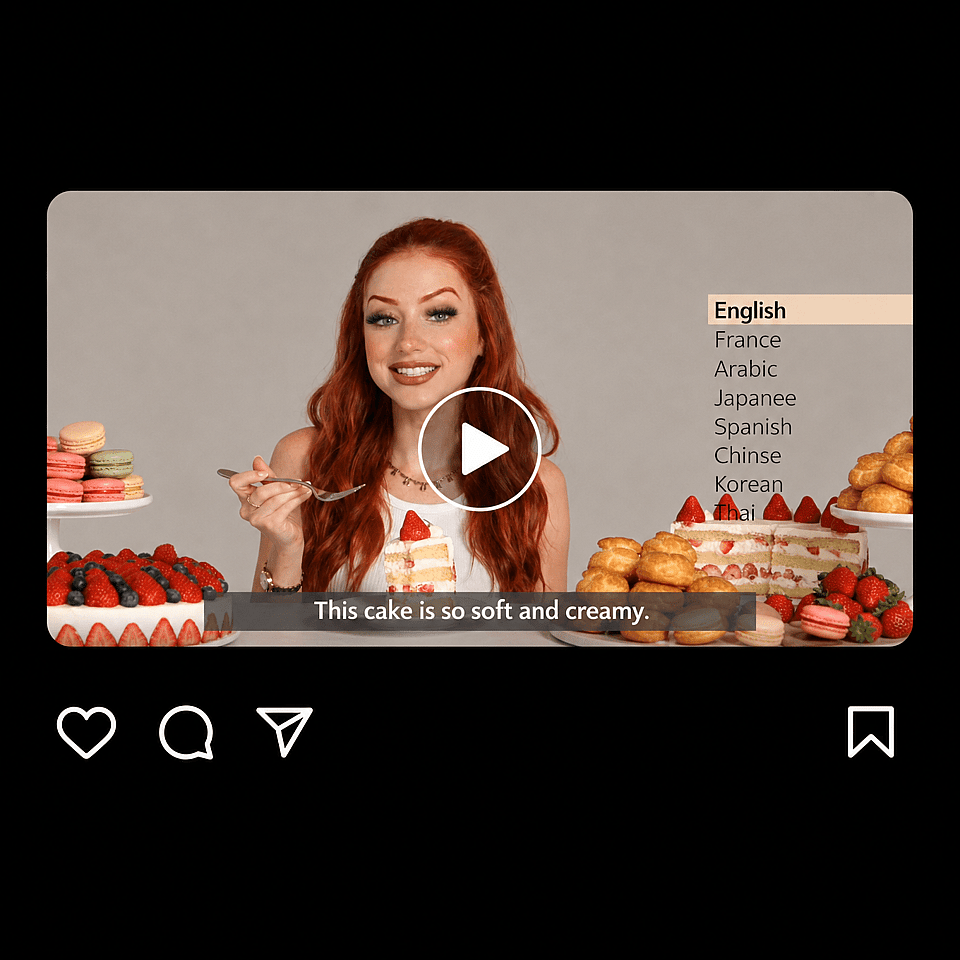
Dub or localize your videos for any audience. OpenArt's AI video dubbing tool takes one video of any language and delivers versions in 10 different languages, with lip sync so accurate that it matches every word.
Key Features of Dub Video Tool
Keep the performance, change the language
The dubbed speech carries the same feeling, tone, and timing the speaker had on camera. A line said with excitement still sounds excited in Japanese. Your viewer hears a real person talking to them, not a flat voice read over someone else's video.
Lip sync to the new words
Dub Video tool moves the speaker's lips so they line up with the language your viewer hears. A woman talking in English looks like she is talking in Spanish. This is the part a plain voiceover misses, and it is why people keep watching instead of clicking away.
Keep the rest of the video consistent
Only the speech and the lip movement change. The look of the shot, your product, the background, your text on screen, and your edit all stay put. You do not have to get the video approved a second time, and you never reshoot something that already works.
Dub into 10 languages at once
Upload your video once and pick every language you need. Each one comes back as its own video, ready to post. You can get Spanish, Japanese, and German versions of the same ad in one go, instead of setting the same job up three separate times.
Dub inside your Director project
You can also dub straight from OpenArt Director. Pick a clip on your timeline, choose Dub Video, and the new language versions land in the same project. Finish a scene and give it another language without exporting the file and starting over somewhere else.
How to Use AI Video Dubbing
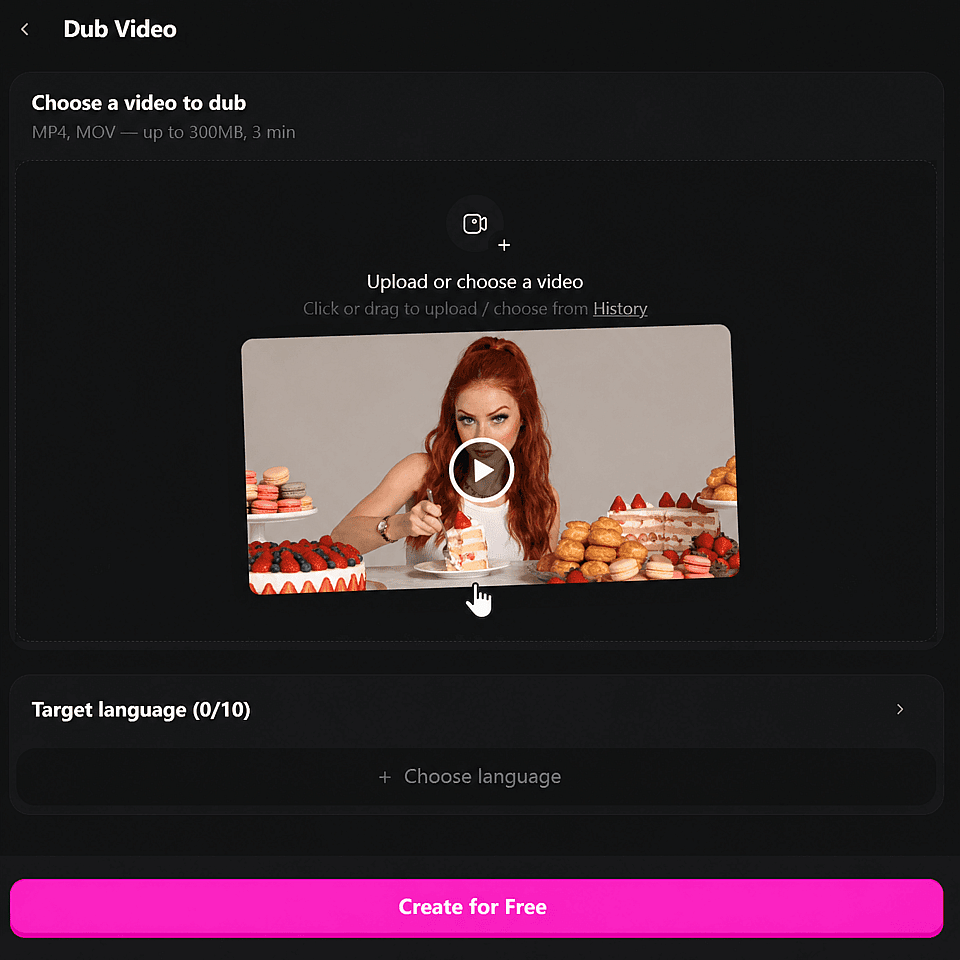
Upload your clip
Open ‘Dub Video’ from Video tools, add an MP4 or MOV with sound, up to three minutes long. You can also pick a video you already made on OpenArt.
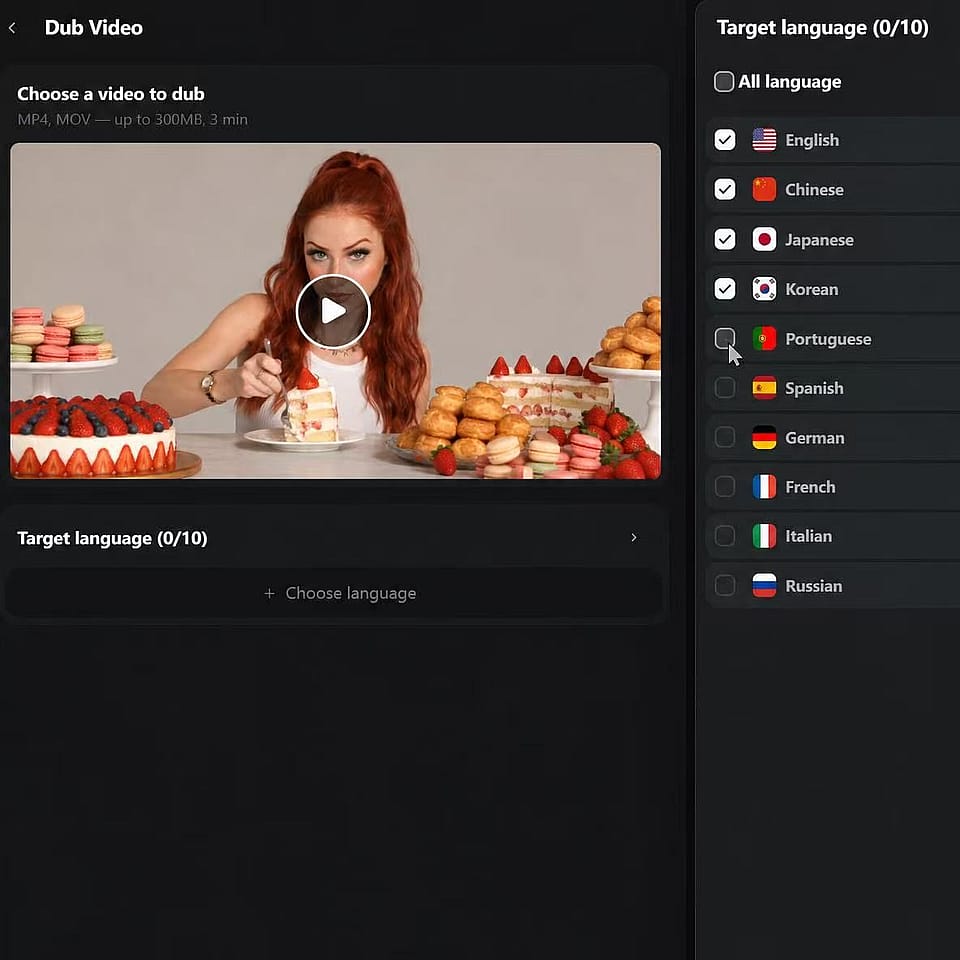
Pick your languages
Choose one language, or up to 10. Every language you pick comes back as its own video.
Generate and download
Hit Generate, then download your new dubbed video when it is ready.
Best Uses for AI Dubbing
Creators reaching new-language viewers
Your best video already works in one language. Dub it and the same video goes to work in nine more. A tutorial that did well in English can bring in viewers from Brazil, Japan, and Germany, and you did not film anything twice.
Try it NowLocalizing ads that already convert
Take the talking-head ad that is winning and run it in another market. The product, the hook, and the edit stay the same, so your team is not testing a brand new ad from zero. The only thing that changes is the language your buyer hears.
Try it NowProduct demos and course lessons
A demo or a lesson takes real work to record. Dub it and more customers or students can follow along in their own language. Every screen, every click, and every slide stays exactly where it was, so nothing needs recording again.
Try it NowScenes made inside OpenArt
Finish a scene either in Director or with the standard AI video generator, then dub it before you share it. Your short film, trailer, or pitch video can play for a festival crowd or a client in another country in the language they speak.
Try it NowFrequently Asked Questions
It is a way to make your video speak another language. You upload a video of someone talking, pick the language you want, and you get that same video back with the speech translated and the speaker's mouth moved to match the new words. On OpenArt this tool is called Dub Video.
Yes. Dub Video re-aligns the speaker's lips to the translated speech, so the mouth on screen matches the words your viewer hears. That is the difference between a dub and a voiceover sitting on top of an unchanged face.
They do different jobs. Subtitles ask your viewer to read while they watch, and dubbing lets them just watch. Dubbing also keeps the sound of the performance, which is most of what makes a talking-head video work.
Most tools that call themselves an AI video translator stop at the audio, so the words change and the face does not. Dub Video changes both. You get the translated speech and a mouth that moves with it, on the same video you uploaded.
Ten: English, Chinese, Japanese, Korean, Portuguese, Spanish, German, French, Italian, and Russian. You can pick one of them or all of them from the same upload.
No. The speech and the lip movement are the only things that change. Your background, your product, your on-screen text, your effects, and your cut all stay exactly as you made them.
An MP4 or MOV with an audio track, up to three minutes long. A clear shot of one person talking, with their face big enough to see their mouth, gives you the best result.
Start with clean audio and a clear view of the speaker's face. Cut the video down to the part you actually want to share, keep it under three minutes, and pick your languages in one go so every version comes from the same source.
Get Insights from Experts Blog
Get the insights you need. Our experts share actionable hacks, break down the hottest topics, and provide essential how-to guides to help you create, optimize, and scale.
Read More