

One OpenArt account
Use your OpenArt account, with personal and team workspaces.
OPENART DESKTOP
OpenArt Desktop works from your files, researches visual directions and runs batches for you. You set the direction and approve the results, from brief to finished work.
Bring OpenArt to your desktop.
THE EVERYDAY ESSENTIALS
One account, every format and the ad workflow, in one creative studio on your desktop.
Use your OpenArt account, with personal and team workspaces.
Built-in skills, video, image, voice, music and 3D, with OpenArt’s model library.
Trend research, hook tests, localization and resizing in one place.
Download for Mac, or join the waitlist for Windows.
MADE FOR YOUR CREATIVE FLOW
01 / 05
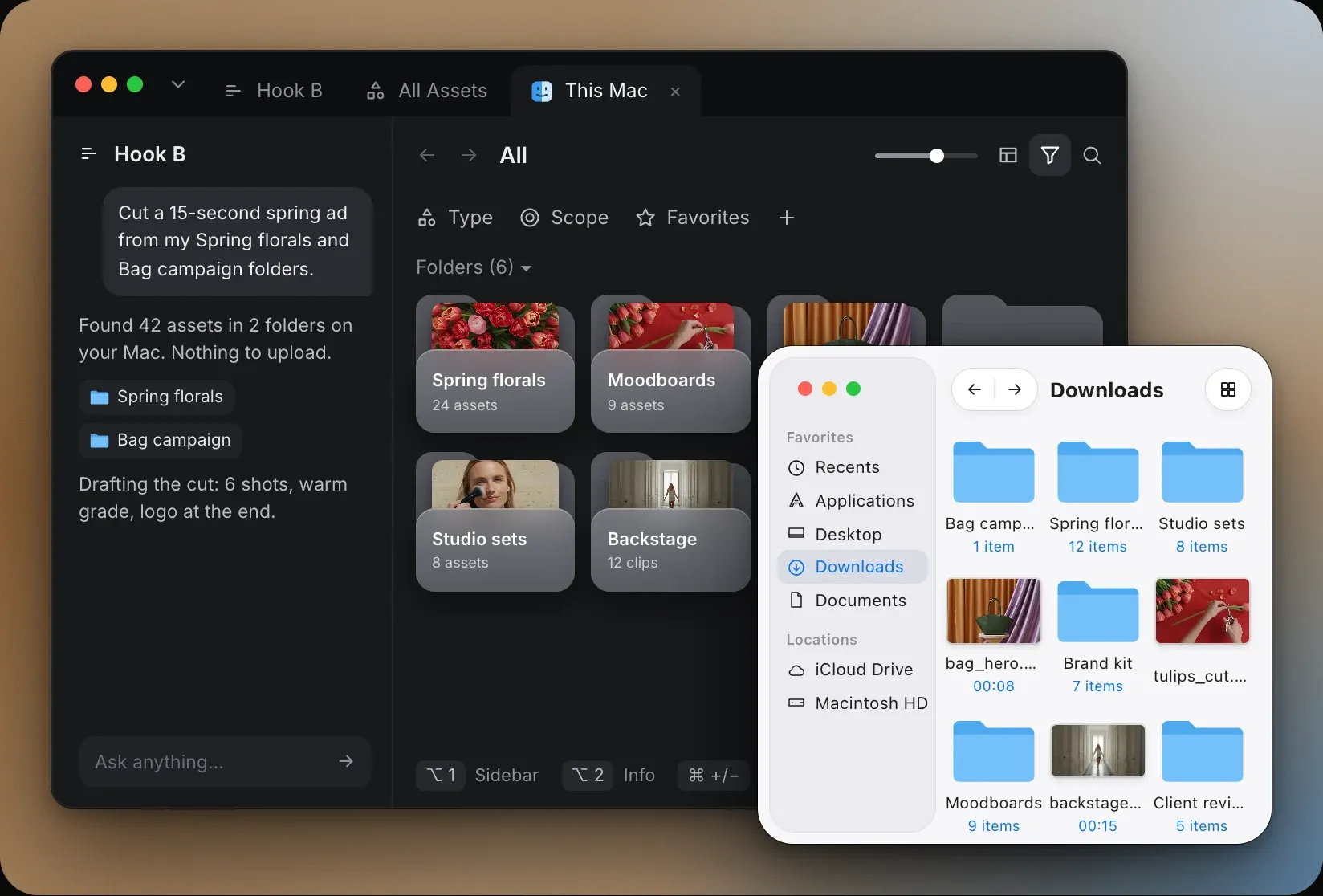
Add a folder from your Mac and its files appear in OpenArt Desktop, with nothing to upload. The files stay where they are in your local storage. Browse by image, video, audio or document, organize with groups, labels and favorites, and search by name. Every project opens in its own tab, runs next to the others and reopens right where you left it, one click away.
02 / 05
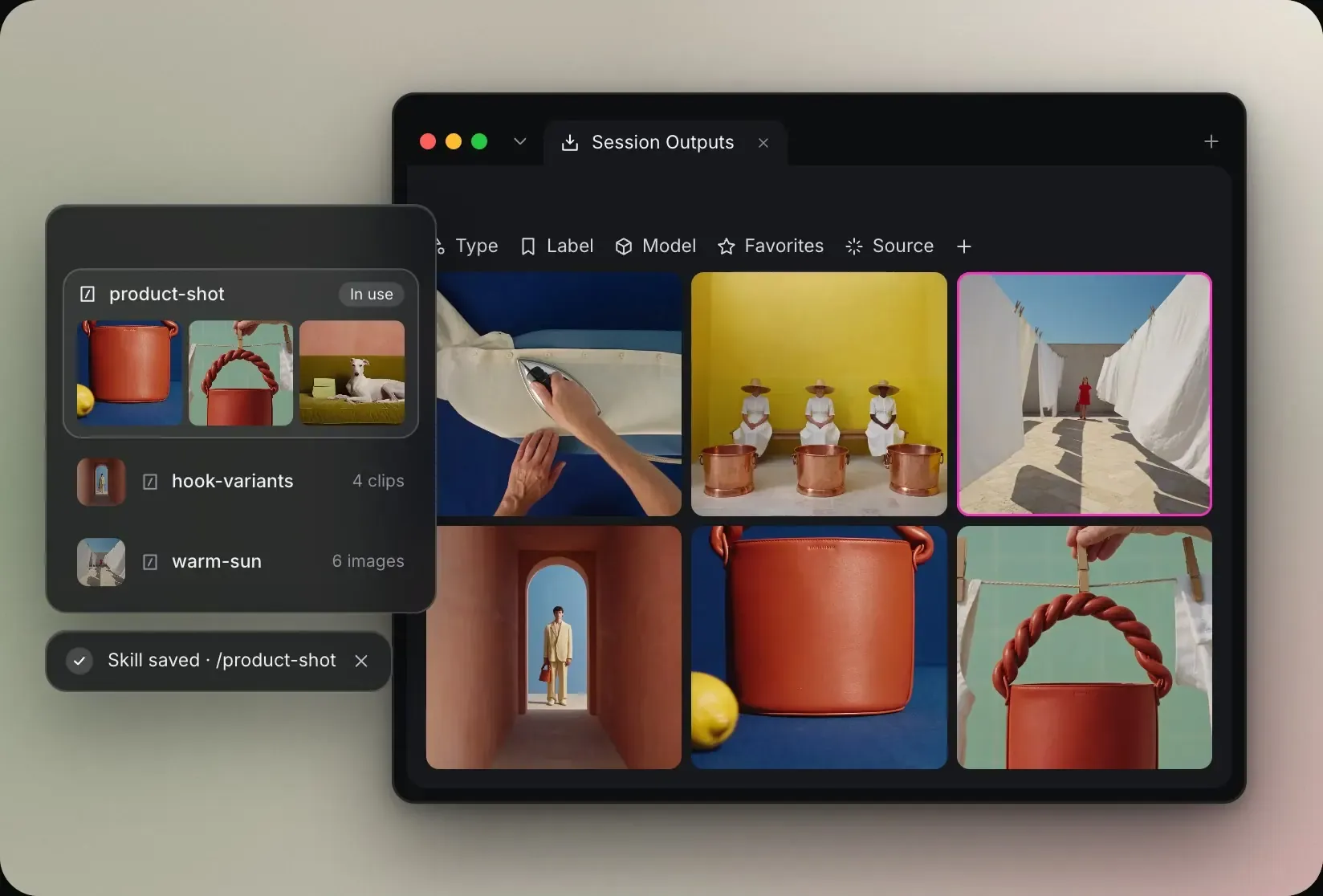
The agent remembers your preferences and turns repeated workflows into skills you approve before saving. Set custom instructions once, like brand tone or usual sizes, and it applies them in every chat. It reads character sheets, project notes, prompt structures and memory files from your AI assistants, and mentioning a character, product or location pulls its sheet into the prompt. Say “remember that…” to keep a preference like your visual style, or “forget that…” to remove it. Use built-in, custom or imported skills, and save a run that worked as a workflow you can rerun with one request.
03 / 05
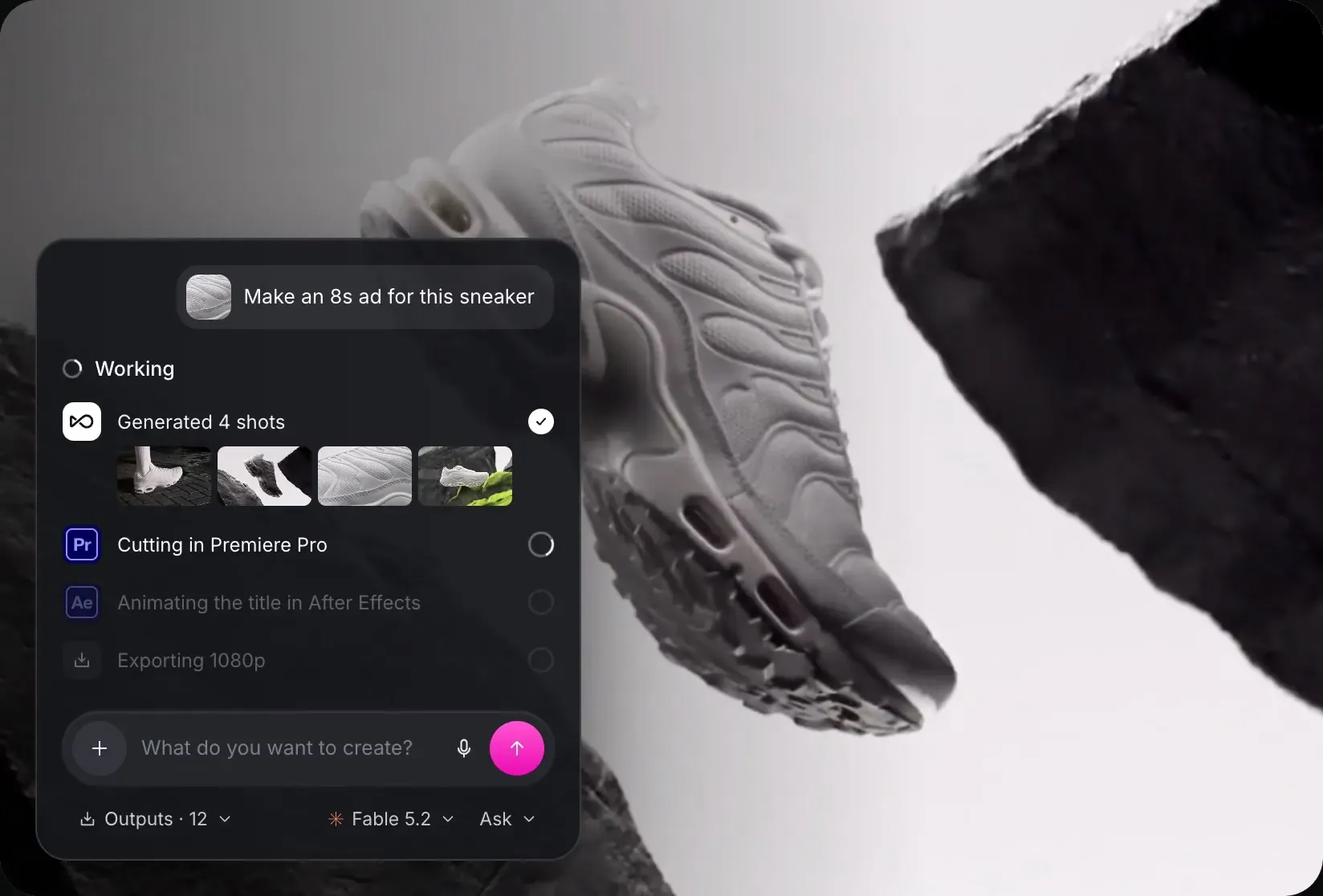
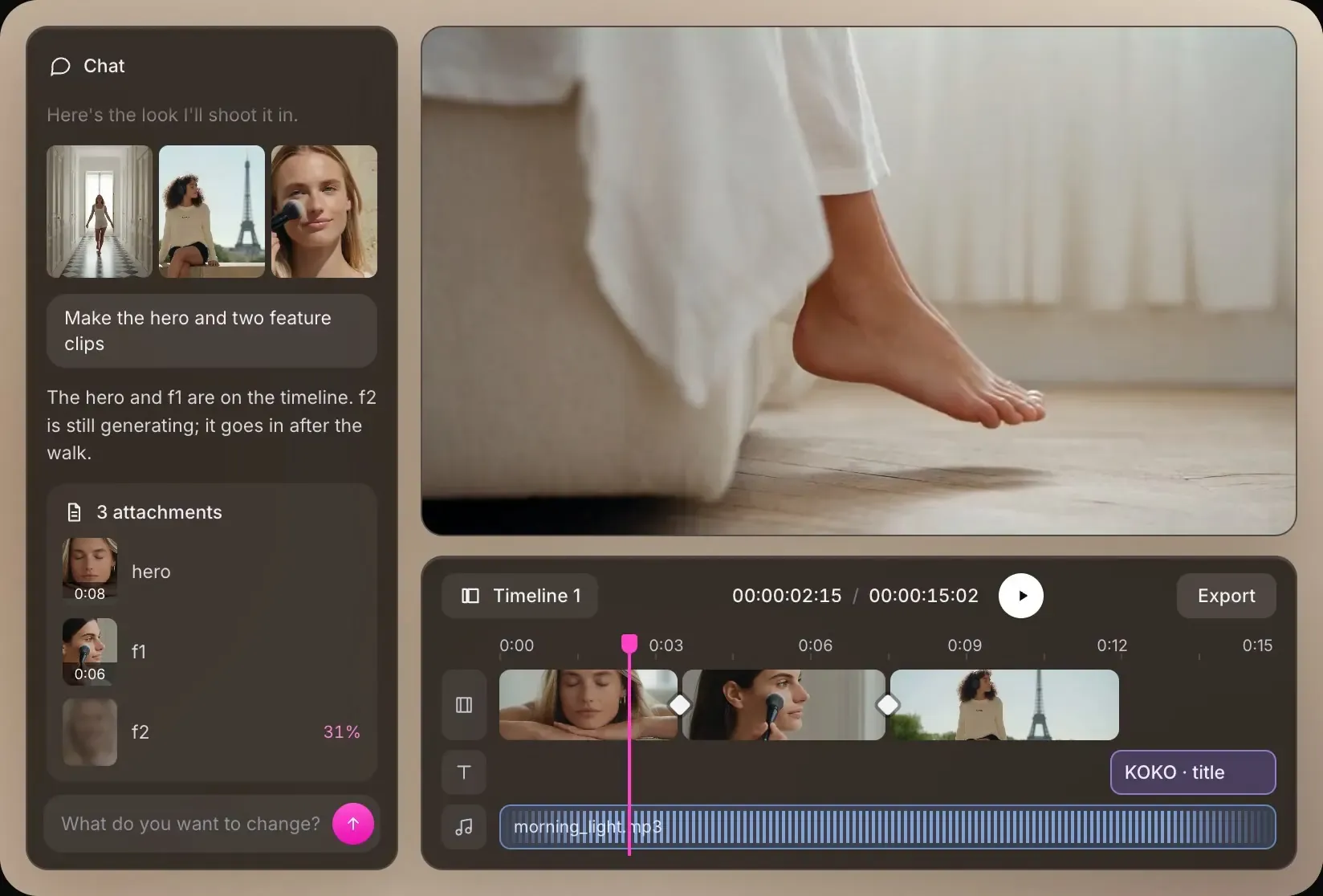
Describe what you want in one sentence. The agent plans the steps, picks the models, prepares the materials, then generates, edits and exports the finished piece. Set each chat to Always ask, Ask before generating or Auto, and step in at any point. Fork a new chat from any reply to try another direction, with the original untouched. Long generations run in the background, and with Computer Use on, the agent can work in apps like Premiere Pro and After Effects.
04 / 05
Work on several projects at the same time. Each one keeps its own chats, edits and results, so they stay separate, and everything is right where you left it when you switch back. Split any tab right or down to work side by side, or right-click a tab and choose Open in separate window. Pull images and videos straight from a web page into your project, and your layout saves automatically.
05 / 05
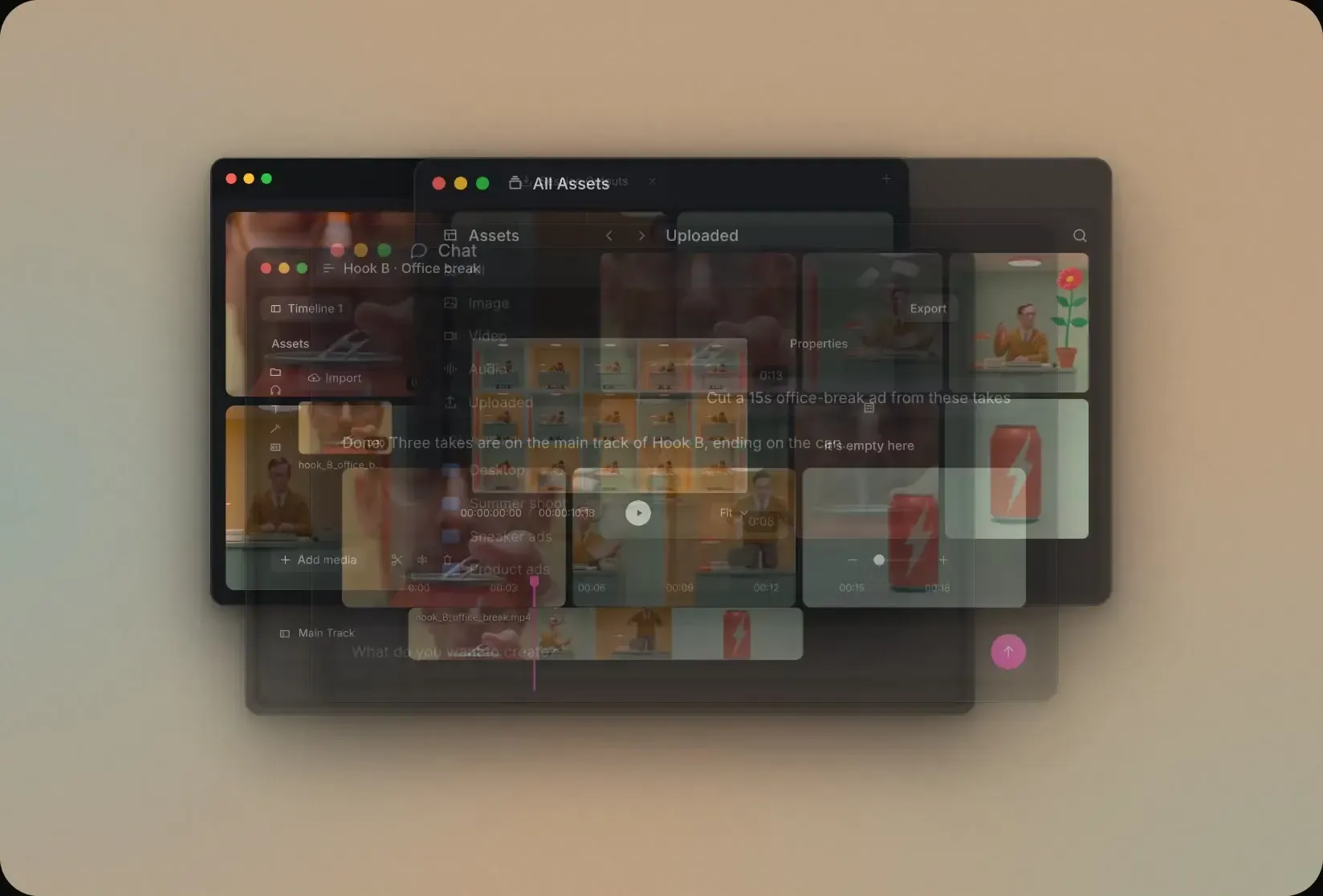
A multi-track timeline sits right next to your generations, so you can start editing as soon as a clip is ready, with no export to another app. Add transitions, effects, stickers and tracks from the sound library, then tighten the cut with the main-track magnet and audio fades. You and the agent take turns editing the same timeline, so you can hand it a rough cut and refine what comes back.
CHOOSE YOUR WORKSPACE
Same account and models in both. Pick by the job.
For a quick idea, anywhere.
For the work you do every day.
Choose the space that fits the way you work.
OPENART DESKTOP
Your files, your skills and a video agent. One creative studio on your Mac.
Mac download · Windows waitlist
A FEW MORE THINGS
OpenArt Desktop is OpenArt’s Mac app for creative work. It brings your files, your skills and one agent for images, video, voice and music into one creative studio on your desktop.
OpenArt Desktop is available for Mac. Windows is coming soon: click Notify me and we’ll email you when it’s ready.
No. Add a folder from your Mac and its files appear in OpenArt Desktop. The folder stays where it is on disk.
You decide. ‘Always ask’, ‘Ask before generating’ or ‘Auto’. Have the agent check in with you before it acts, or start a batch that runs on its own with your approval. You can step in at any point.
Within a chat, it uses what you tell it to adapt as you work. To keep a preference or project decision for future chats, such as your visual style or how you like drafts reviewed, say “remember that…”. To remove a saved detail, say “forget that…”.
Desktop works from folders you add from your Mac, remembers your preferences, imports your skills and runs several projects at once. Desktop sessions stay on your Mac and don't sync with the web.
Images, video, voice, music and 3D, with 30+ built-in tools and OpenArt’s model library. Run trend research without leaving the app. From one approved piece, the agent can make variations, localized versions and new sizes.
Skills are reusable workflows the agent follows. Use the built-in skills, create your own, or import the ones you built in your AI assistants. When a run works, the agent can save it as a skill you rerun once you approve.
Download the Mac app, sign in with your OpenArt account and add a folder. Then describe what you want to make.
No. OpenArt Desktop uses your existing OpenArt account, plan and credits.
 Text to Video
 Frame to Video
 Smart Shot
 Resize Video
 Product Shot
 Swap Anything
 Edit Video
 Dub Video
 Replace Background