


 ChatGPT
 Perplexity
 Claude
 Gemini
Even the Grinch worked out that Christmas is really about who’s around the table, and that’s exactly what a good Christmas photo should show.
An AI Christmas photo prompt helps you get there. Start with a clear photo from this year, where everyone’s face is easy to see, and the prompt builds the Christmas scene around you. Every prompt here opens with one line that keeps your faces as they are.
Below are 42 prompts for the 2026 holiday season. Most of them work on your own photo, grouped by who or what is in it. A short set at the end works with no photo at all.
Paste any of them into OpenArt's AI Christmas photo generator to make the photo right there.
Key takeaways
- Start every photo prompt with "Keep my face exactly the same." That one line does most of the work.
- Use a clear, front-facing photo in good light. Blurry photos give blurry results.
- For cards, keep the text to a few words and check the spelling before you print.
- Each group below has one example image and the OpenArt model we used.
- No photo? Skip to the text-only prompts at the end.
How to Do the AI Christmas Photo Trend
The AI Christmas photo trend is simple: you upload a photo of yourself and paste a prompt. The AI builds a Christmas scene around you. Here's how to do it on OpenArt.
- Upload your photo. Open the AI image generator and upload a clear photo where your face is easy to see.
- Paste a prompt. Copy any prompt from the groups below.
- Generate. Pick a model and generate a few versions.
- Download. Keep the one that looks most like you.
The same prompts work in Gemini and ChatGPT. Upload your photo in the chat, paste the prompt and send it.
Christmas AI Photo Prompts for Your Own Photo
These AI prompts for Christmas photos start from a picture you upload. Each one begins by telling the AI to keep the face the same, then describes everything else.
We grouped them by what's in your photo. Each group has one example image, with the OpenArt model we used.
Selfie and portrait prompts
Why it works: a portrait only needs one strong idea, like a sweater or snow, and the light does the rest.
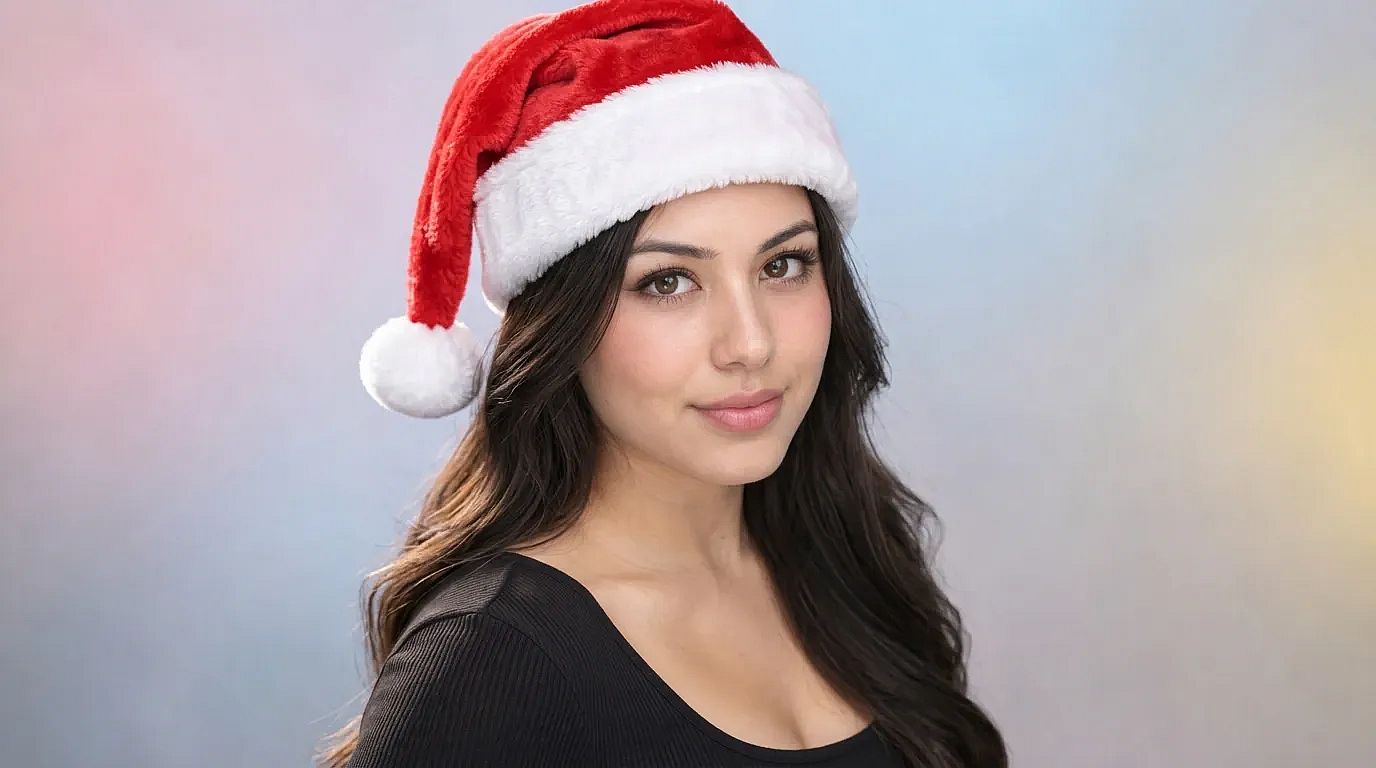 Made on OpenArt with Nano Banana 2.1
1. Cozy sweater by the tree
Keep my face exactly the same. Dress me in a red and white knit Christmas sweater, sitting next to a lit Christmas tree in a warm living room. Soft lamp light, gentle smile, 4:5 portrait.
2. Snowy street at dusk
Keep my face exactly the same. Place me on a snowy street at dusk with glowing shop windows and string lights behind me. Light snow falling, warm coat and scarf, cinematic portrait.
3. Santa hat selfie
Keep my face exactly the same. Add a soft red Santa hat with white fur trim, a little tilted. Keep my expression and the background as they are.
4. Christmas party outfit
Keep my face exactly the same. Dress me in a deep green velvet party outfit, standing in front of a wall of warm fairy lights and gold ornaments. Full-body shot, festive mood.
5. Holiday portrait for men
Keep my face exactly the same. Dress me in a dark wool coat over a cream turtleneck, standing by a snowy pine forest at golden hour. Natural light, sharp focus on my face, 4:5.
Want a different feel? Add "Polaroid photo" or "vintage 1950s film look" to the end of any prompt above. For a quick hat with no prompt, try add a Santa hat.
AI Christmas family photo prompts
Why it works: naming how many people are in the photo helps the AI keep every face and stops it from adding a stranger.
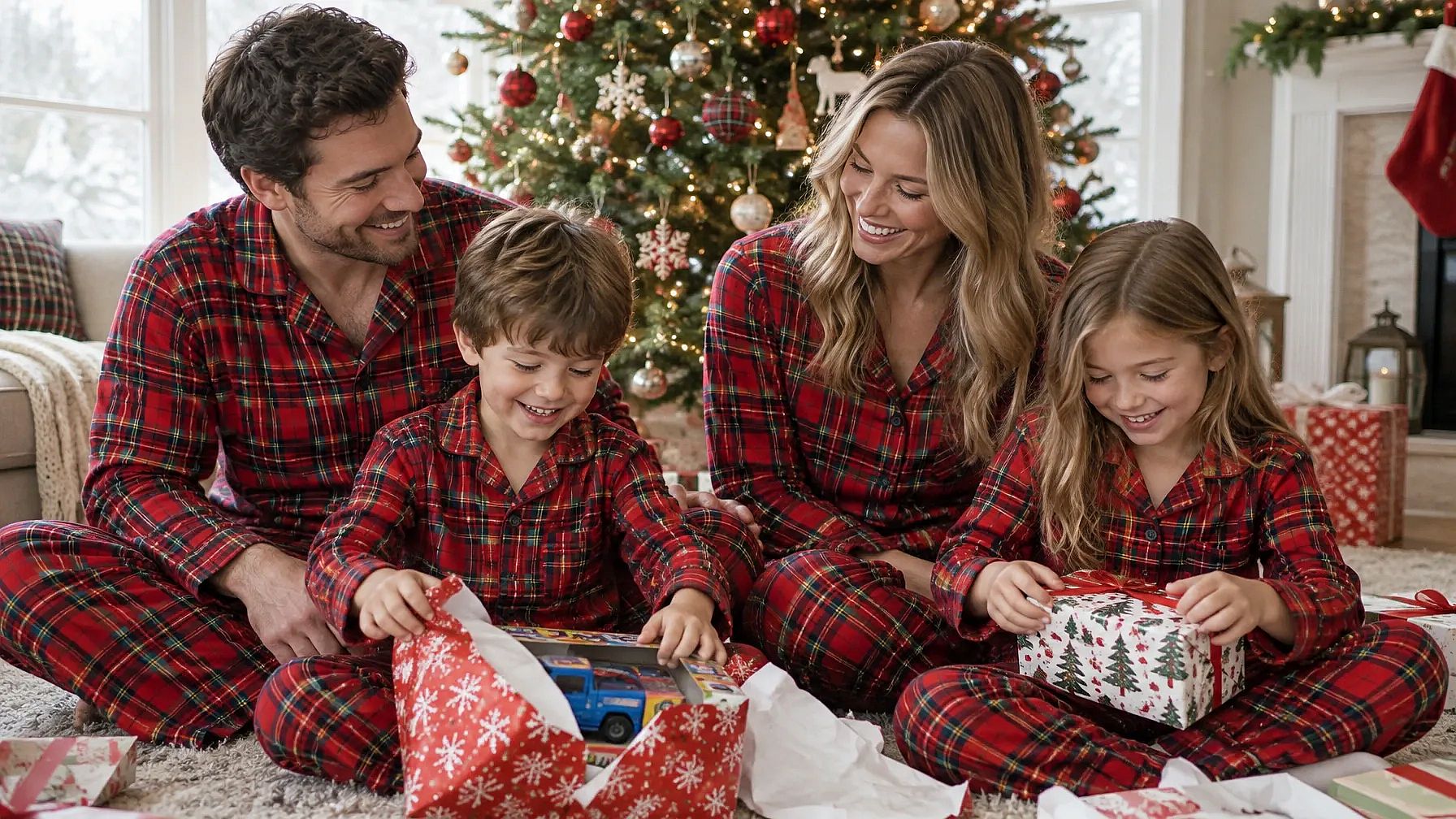 Made on OpenArt with GPT Image 2.5 Flare
6. Matching pajamas by the fireplace
Keep all [number] faces exactly the same. Dress our family in matching red plaid pajamas, sitting together on a rug by a crackling fireplace with stockings hung above it. Warm firelight, relaxed and happy, 4:5.
7. Family in the snow
Keep every face exactly the same. Place our family outside a snowy log cabin, wearing warm coats and knit hats, with soft snow falling and warm light from the windows behind us. Wide family portrait.
8. Christmas morning gifts
Keep every face exactly the same. Show our family on Christmas morning, opening gifts under a tall lit tree in a bright living room. Wrapping paper everywhere, natural morning light, candid moment.
9. Formal family portrait
Keep every face exactly the same. Dress our family in coordinated deep green and cream outfits, standing in front of a grand decorated staircase with garlands and gold lights. Classic studio-style family portrait.
10. Family Christmas dinner
Keep every face exactly the same. Seat our family around a long dinner table set for Christmas, with candles, a roast and red napkins. Warm candlelight, everyone laughing.
Couple Christmas photo prompts
Why it works: couple prompts look best with one shared moment, like a kiss under the mistletoe, and only a few props.
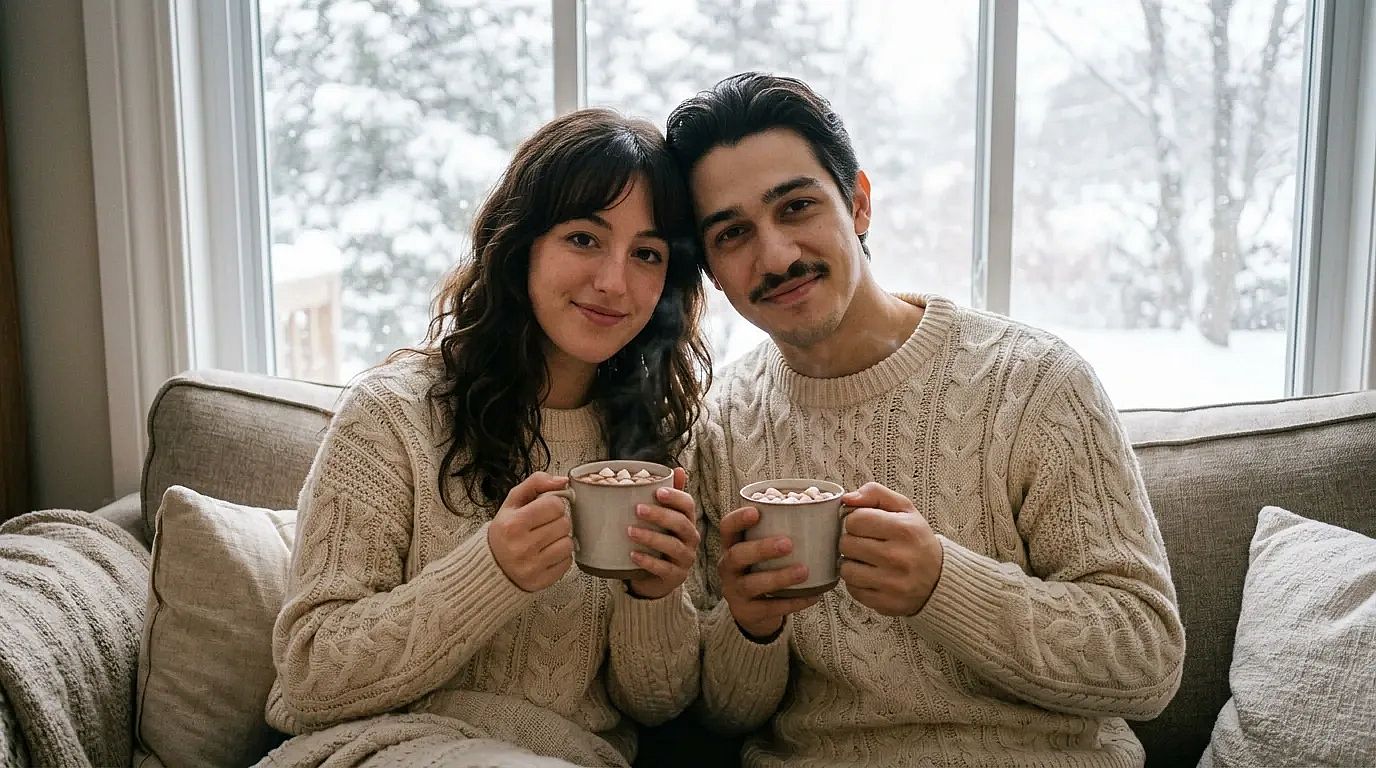 Made on OpenArt with Nano Banana 2.1
11. Under the mistletoe
Keep both our faces exactly the same. Place us under a sprig of mistletoe in a doorway, smiling at each other, with soft blurred Christmas lights behind us. Romantic, warm tones.
12. Ice skating under string lights
Keep both our faces exactly the same. Show us ice skating hand in hand on an outdoor rink, wearing scarves and mittens, with string lights overhead and light snow falling. Evening, joyful.
13. Matching sweaters and cocoa
Keep both our faces exactly the same. Dress us in matching cream knit sweaters, holding mugs of hot cocoa on a couch by a window with snow outside. Cozy, soft daylight.
14. Christmas market date
Keep both our faces exactly the same. Place us at a busy Christmas market at night, sharing a cup of mulled wine between wooden stalls covered in lights. Candid, warm glow.
Kids and baby Christmas photo prompts
Why it works: soft light and simple props keep the focus on your child, the same way a studio photographer would set it up. Use a photo of your own child.
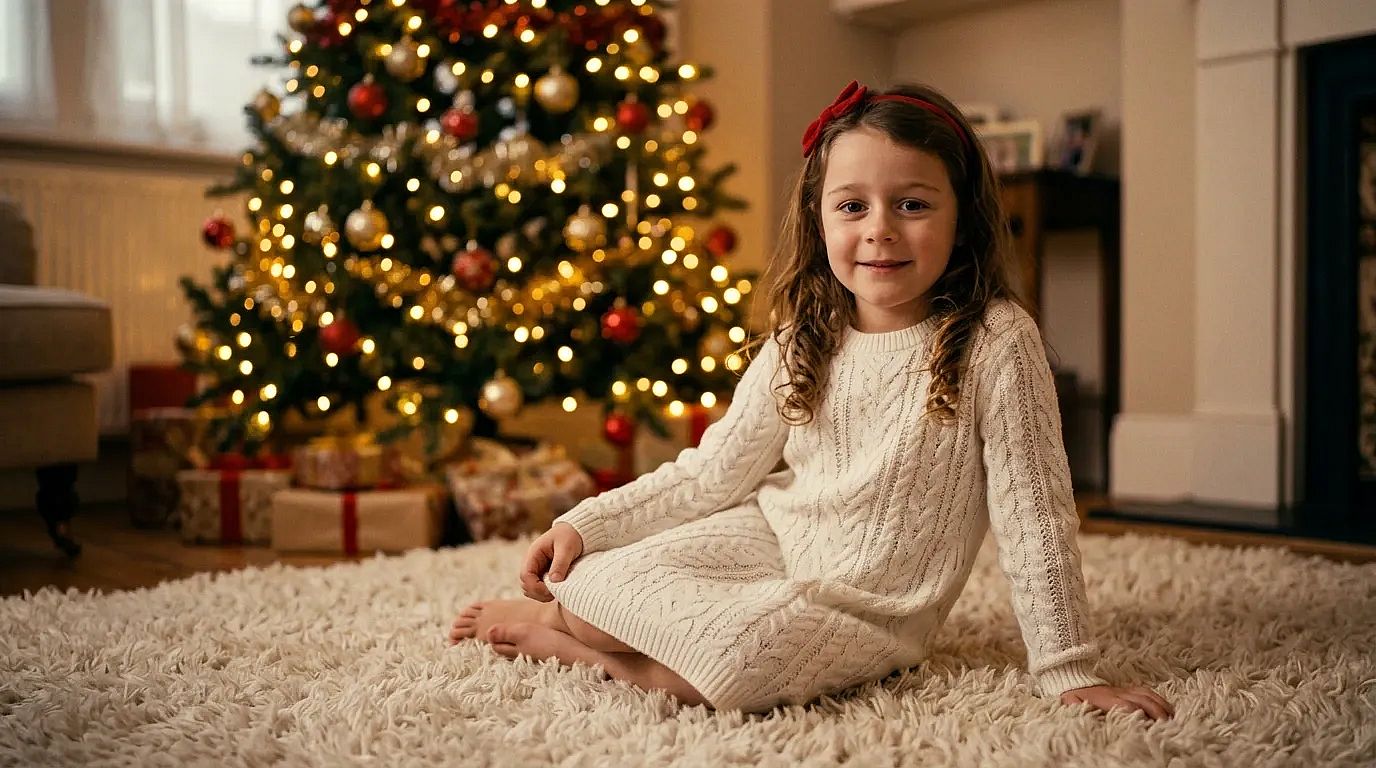 Made on OpenArt with Nano Banana 2.1
15. Baby in a Santa outfit
Keep my baby's face exactly the same. Dress my baby in a tiny red Santa outfit with a white fur trim hat, lying on a soft cream knit blanket with small pine branches around. Soft studio light, sweet and calm.
16. Baby in a gift box
Keep my baby's face exactly the same. Show my baby peeking out of a big open gift box with a red bow, surrounded by wrapping paper and a few ornaments. Bright, soft light, playful.
17. Baby girl by the tree
Keep my baby's face exactly the same. Dress my baby girl in a white knit dress with a small red bow headband, sitting on a fluffy rug in front of a softly lit Christmas tree. Warm and dreamy.
18. Baby boy as a little elf
Keep my baby's face exactly the same. Dress my baby boy in a green elf outfit with a pointy hat, sitting on a wooden sled in a snowy studio set with fake snow and lanterns. Cute, soft light.
19. Kids in pajamas on Christmas morning
Keep every child's face exactly the same. Show my kids in matching striped pajamas, laughing as they open presents under the tree on Christmas morning. Natural window light, candid.
Pet Christmas photo prompts
Why it works: your dog won't sit still for a holiday photo, and the AI doesn't need it to. Name the breed and color so your pet still looks like your pet.
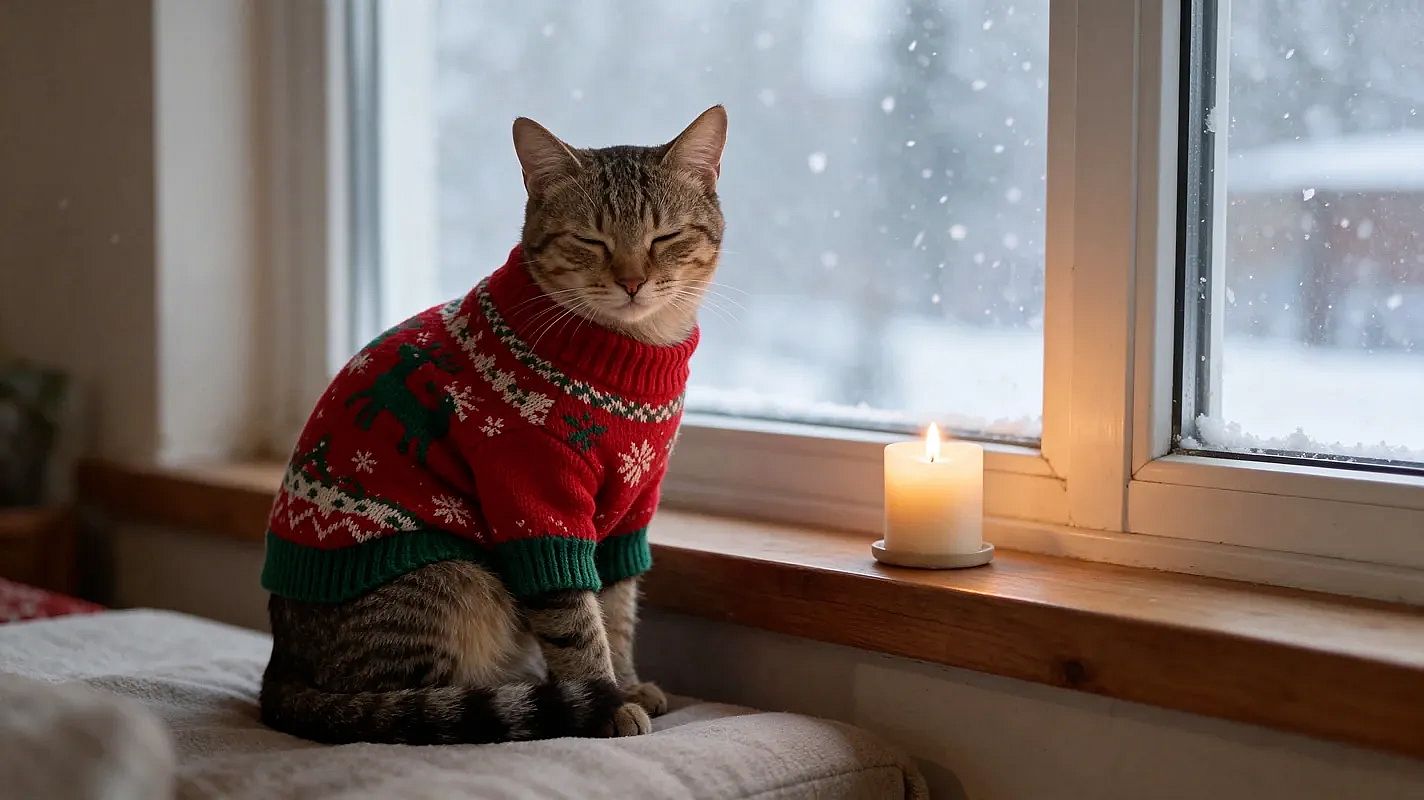 Made on OpenArt with Seedream 5.5
20. Dog in reindeer antlers
Keep my dog's face and fur exactly the same. Put a pair of soft brown reindeer antlers on my dog, sitting in front of a lit Christmas tree with presents. Warm light, 4:5.
21. Unimpressed dog, funny version
Keep my dog's face and fur exactly the same. Put a tiny Santa hat and a big red bow on my dog, looking completely unimpressed at the camera, with tangled Christmas lights around its paws. Funny holiday card style.
22. Cat in a Christmas stocking
Keep my cat's face and fur exactly the same. Show my cat curled up inside a big red knit Christmas stocking hanging by the fireplace, only its head peeking out. Cozy firelight.
23. Pet by the window in the snow
Keep my pet's face and fur exactly the same. Show my pet wearing a small knit sweater, sitting by a window with snow falling outside and a candle on the sill. Soft, quiet mood.
Christmas product photo prompts for shops and brands
Why it works: "keep the product exactly the same" protects your label and shape, while the scene around it changes for the season.
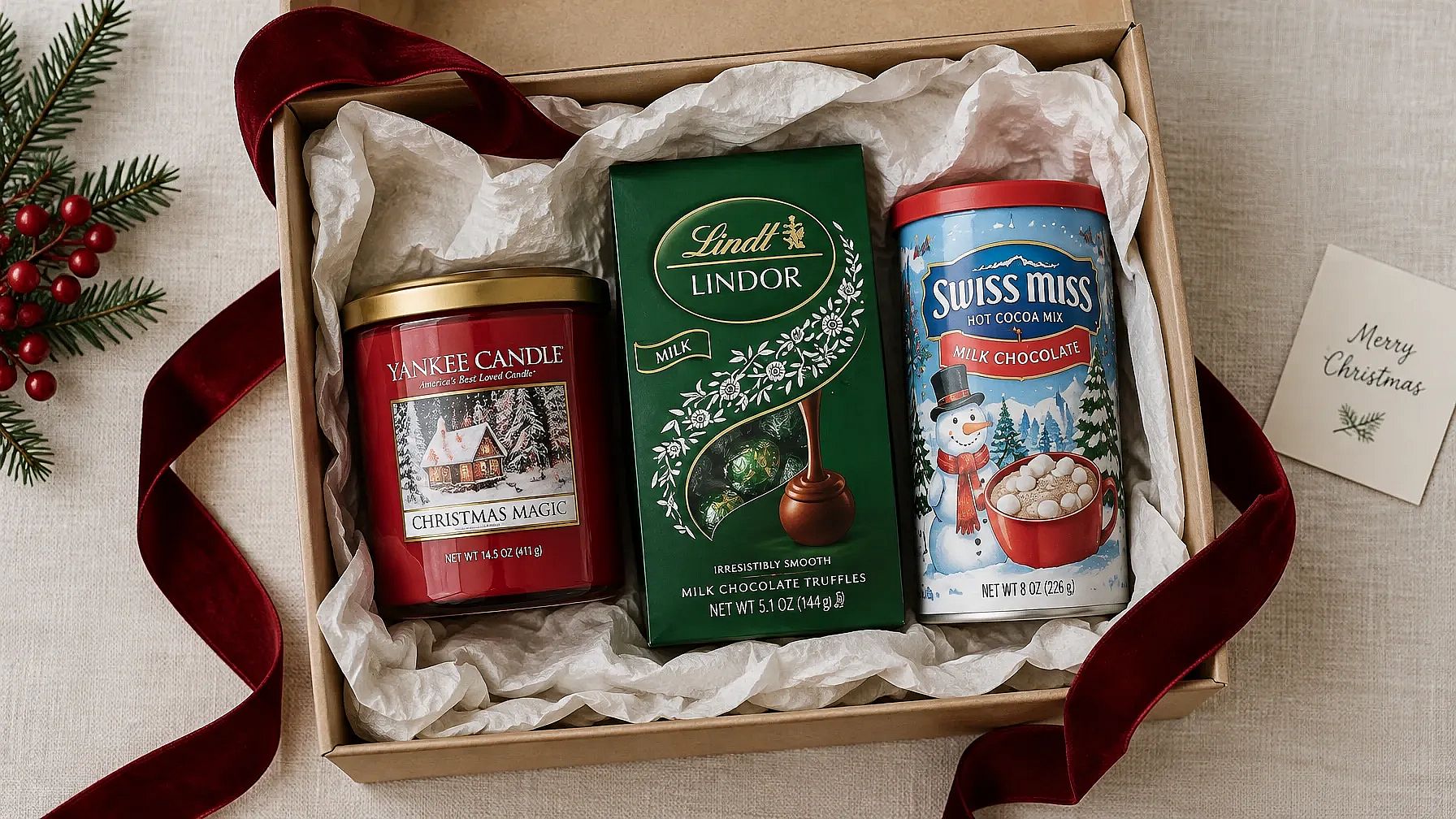 Made on OpenArt with GPT Image 2.5 Flare
24. Product among wrapped gifts
Keep the product in my photo exactly the same. Place it among wrapped gifts with red and gold ribbons, on a wooden table with warm blurred Christmas lights behind. Soft, warm product photo.
25. Holiday flat lay
Keep the product in my photo exactly the same. Show it in a top-down flat lay on white linen, with pine branches, pinecones, a few gold ornaments and cinnamon sticks around it. Bright, clean light, 1:1.
26. Holiday sale shot with space for text
Keep the product in my photo exactly the same. Place it on the right side of a deep red background with soft falling snow and a few gold sparkles. Leave the left half empty for sale text. 16:9.
27. Product by a cozy fireplace
Keep the product in my photo exactly the same. Set it on a wooden mantel by a glowing fireplace, next to a small candle and a sprig of holly. Warm, homey light.
If you have brand colors and a logo, add a Brand Kit to your project. It works in Create Image with GPT Image 2.5 and GPT Image 2, so every holiday shot matches your brand. Planning a full holiday campaign? Our guide to Christmas marketing ideas has a posting calendar and more prompts for ads and social posts.
Christmas card prompts
Why it works: putting the exact words in quotes tells the AI what to write. Short greetings come out cleaner than long ones.
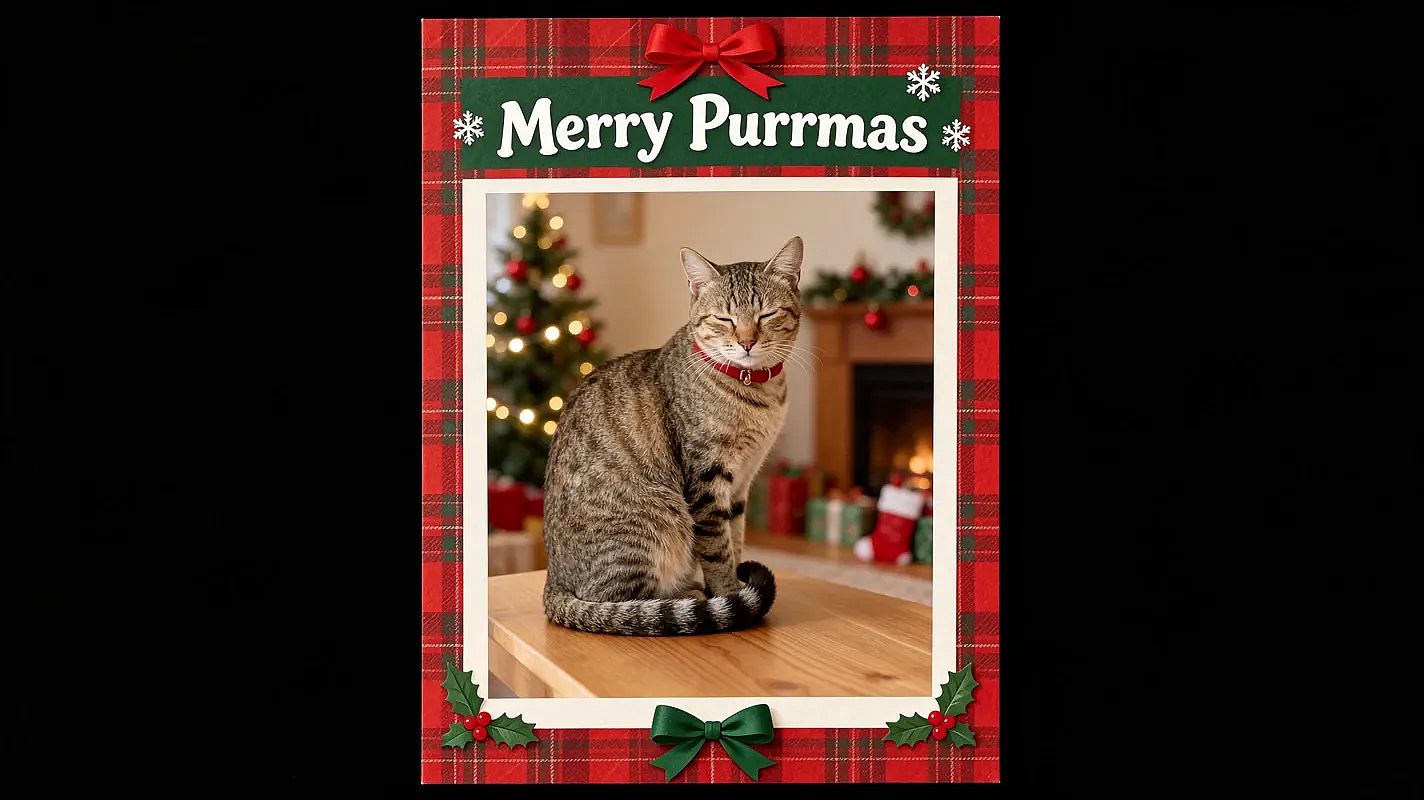 Made on OpenArt with Seedream 5.5
28. Family Christmas card
Keep every face exactly the same. Turn our family photo into a Christmas card with a cream border and small pine branches in the corners. Add the words "Merry Christmas from the [Name] Family" in elegant gold script at the bottom. 5:7 card.
29. Pet Christmas card
Keep my pet's face and fur exactly the same. Turn this photo into a Christmas card with a red plaid border and the words "Merry Woofmas" in playful white letters at the top. 5:7 card.
30. Minimal Merry Christmas card
Keep my face exactly the same. Make a simple Christmas card with my photo in a round frame on a plain forest green background. Add "Merry Christmas" in thin gold letters below. Lots of empty space, 5:7.
31. Vintage Christmas card
Keep every face exactly the same. Turn our photo into a vintage 1950s Christmas card with soft faded colors, a snowy village illustration around the photo and the words "Season's Greetings" in retro red letters.
32. Happy Holidays card for work
Keep every face exactly the same. Turn our team photo into a holiday card with a clean white background, small silver snowflakes and the words "Happy Holidays from [Company Name]" in dark blue. 5:7 card.
Print tip: keep the greeting to a few words and zoom in to check every letter. Before you print, run the card through Image Upscale on OpenArt so it stays sharp at 5 x 7 inches.
Christmas background prompts
Why it works: you keep the person and the pose, and only the background changes. Matching the light to the new scene is what makes it look real.
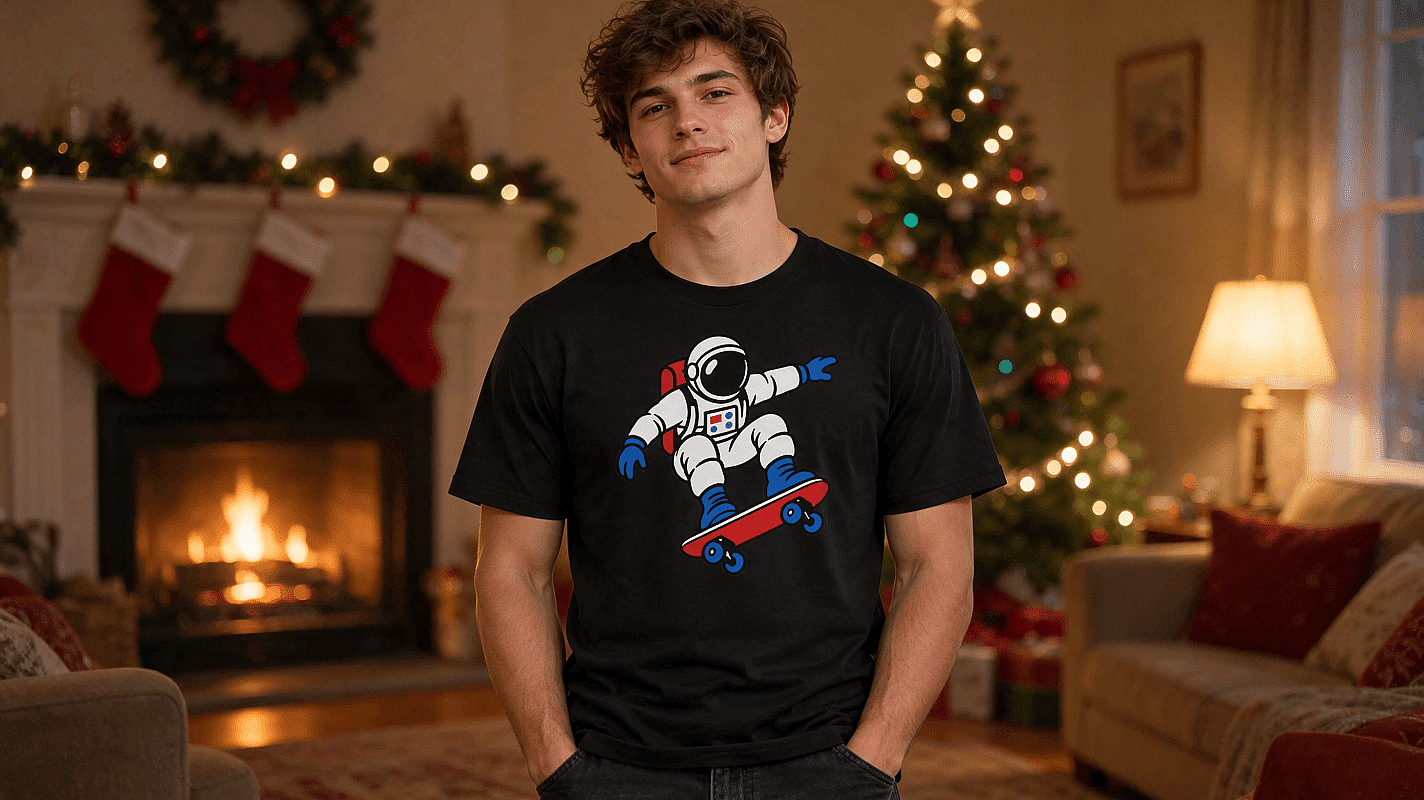 Made on OpenArt with GPT Image 2.6
33. Cozy living room background
Keep me, my pose and my clothes exactly the same. Replace only the background with a cozy living room decorated for Christmas, with a fireplace, stockings and warm lamp light. Match the light on me to the room.
34. Lit Christmas tree behind you
Keep me and my pose exactly the same. Add a tall, fully lit Christmas tree with gold and red ornaments right behind me, slightly blurred. Warm glow on my face.
35. Snowy village at night
Keep me and my pose exactly the same. Replace the background with a snowy village street at night, with glowing windows, string lights and soft falling snow. Cool blue night with warm lights.
36. Simple holiday studio background
Keep me and my pose exactly the same. Replace the background with a plain deep red studio backdrop with soft blurred gold bokeh lights. Clean, even studio light.
For a one-click version, try add a Christmas background or add a Christmas tree to your photo.
Christmas AI Prompts Without a Photo
No photo? These Christmas AI prompts make a full scene from text alone. They're good for wallpapers and holiday posts.
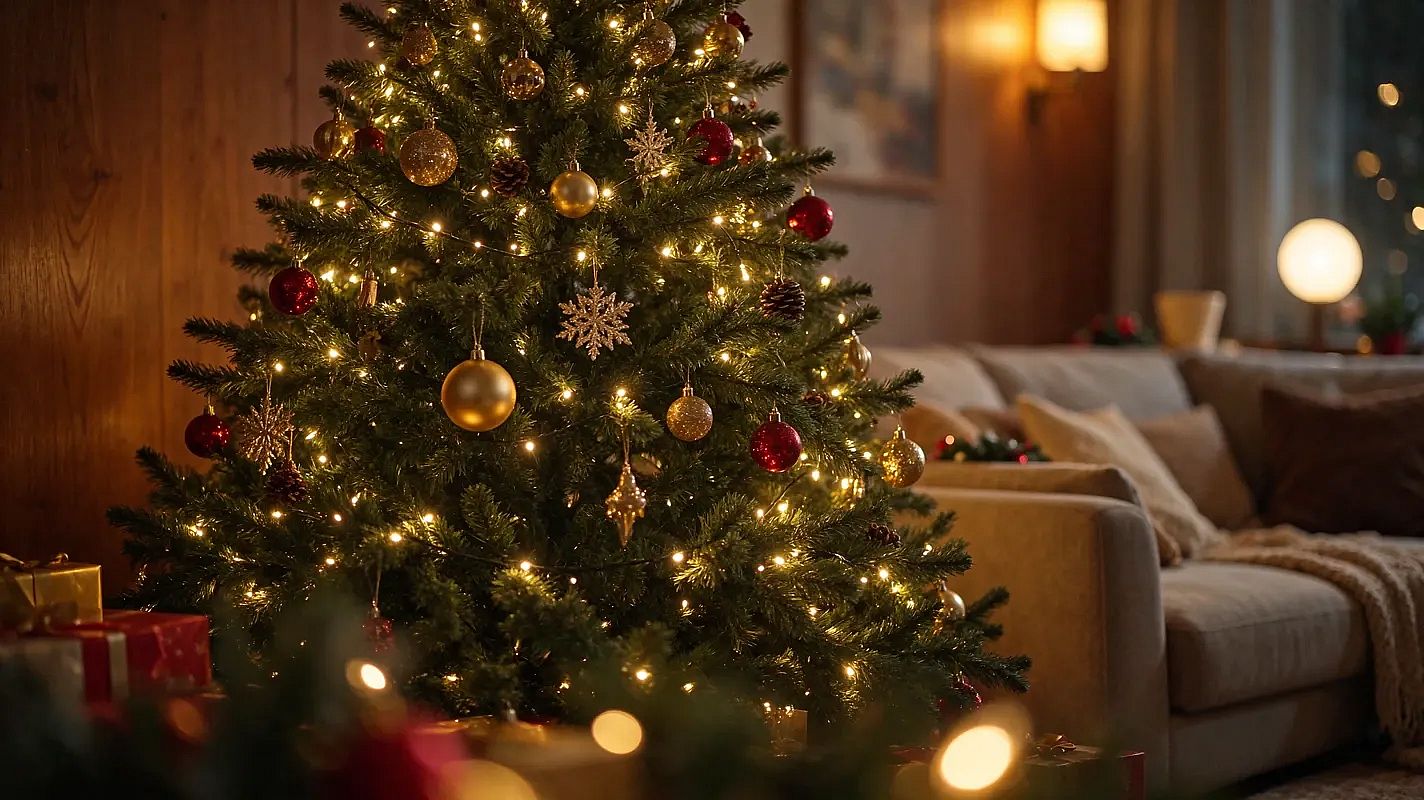 Made on OpenArt with GPT Image 2.6
37. Christmas tree in a cozy living room
Christmas tree decorated with lights and ornaments, in a cozy living room, photorealistic style.
38. Santa's sleigh over a snowy village
Reindeer pulling Santa's sleigh, flying over a snowy village, photorealistic style.
39. Gingerbread house
Gingerbread house with candy decorations, photorealistic style.
40. Snow-covered cabin
Snow-covered cabin in the woods, warm light from windows, photorealistic style.
41. Christmas market at night
Christmas market with stalls and lights, bustling atmosphere, photorealistic style.
42. Hot cocoa in a Christmas mug
Hot cocoa with marshmallows, in a Christmas-themed mug, photorealistic style.
Tips for Better AI Christmas Photos
Most bad results start with the photo. Get these right first.
- Use a clear photo. Face the camera, use daylight and keep your face clear of hair or sunglasses.
- One photo, everyone in it. For family and couple shots, upload one photo with every face visible.
- Lead with the face line. "Keep my face exactly the same" goes first, every time.
- Change one thing at a time. If a result is close, adjust one detail and generate again.
- Pick the shape. Use 4:5 for Instagram posts and 5:7 for printed cards.
Make Your AI Christmas Photo
Pick a prompt and upload your photo to the AI Christmas photo generator. Your Christmas card can be done before the cookies are. Animate your photos and explore more Christmas video ideas on OpenArt.
AI Christmas Photo FAQ
Is it free to try?
Yes. New OpenArt accounts get 40 free trial credits, so you can make a few Christmas photos before you pay anything. Every prompt on this page is free to copy.
Which photo works best?
The best photo is sharp and well lit, with your face looking straight at the camera. For groups, pick a photo where every face is large enough to see clearly.
Can I use my AI Christmas photo for cards?
Yes. Use the card prompts above and keep the greeting short, then check the spelling. For printing, upscale the image first so it stays sharp at 5 x 7 inches.
Will the photo still look like me?
Usually, if you start with "Keep my face exactly the same" and upload a clear photo. Results can vary a little, so generate a few versions and keep the one that looks most like you.
Do these prompts work in Gemini or ChatGPT?
Yes. Upload your photo in the chat, paste a prompt and send it. Gemini's image model is Nano Banana, which you can also use on OpenArt alongside models like GPT Image 2.
Can I make a Christmas photo for my whole family from one picture?*
Yes. Upload one photo with everyone in it and say how many people are in the prompt, like "Keep all five faces exactly the same." That helps the AI keep every face.