


Key Features of Fish Audio Drama 3
Direct the voice like an actor
Fish Audio Drama 3 lets you direct the voice the way you would direct a voice actor. Write a short note in square brackets before the words, like [voice drops to a terrified whisper]. The mood can change halfway through a line, so a character can start calm and end in a panic. You type the notes as plain text in your OpenArt prompt box, in English or your own language.
Try it NowVoice a full scene at once
Fish Audio Drama 3 voices a whole scene with several characters in one go. Each character keeps their own voice and reacts to what was just said. A detective says, "You were there that night," and the suspect snaps back, [defensive] "I was home." [pause] "Asleep." You get one finished conversation.
Try it NowControl single words and sounds
Fish Audio Drama 3 lets you change how a few words sound and leave the rest of the line alone. Mark words to be whispered, stressed, softened, sped up, or slowed down. You can also drop a sigh, laugh, breath, or pause exactly where it belongs, like "Alright, [sigh] let's try again." Small details like these make an AI voice sound human.
Try it NowKeep one voice across 80+ languages
Fish Audio Drama 3 speaks more than 80 languages and keeps the same voice in each one. A warm, raspy narrator in English sounds just as warm and raspy in Spanish or Japanese. Characters can even switch languages mid-scene, like a spy who answers a call in French. Your story reaches new countries, and your cast keeps their voices.
Try it NowHow to Use Fish Audio Drama 3
You can go from a written scene to finished audio in three steps.
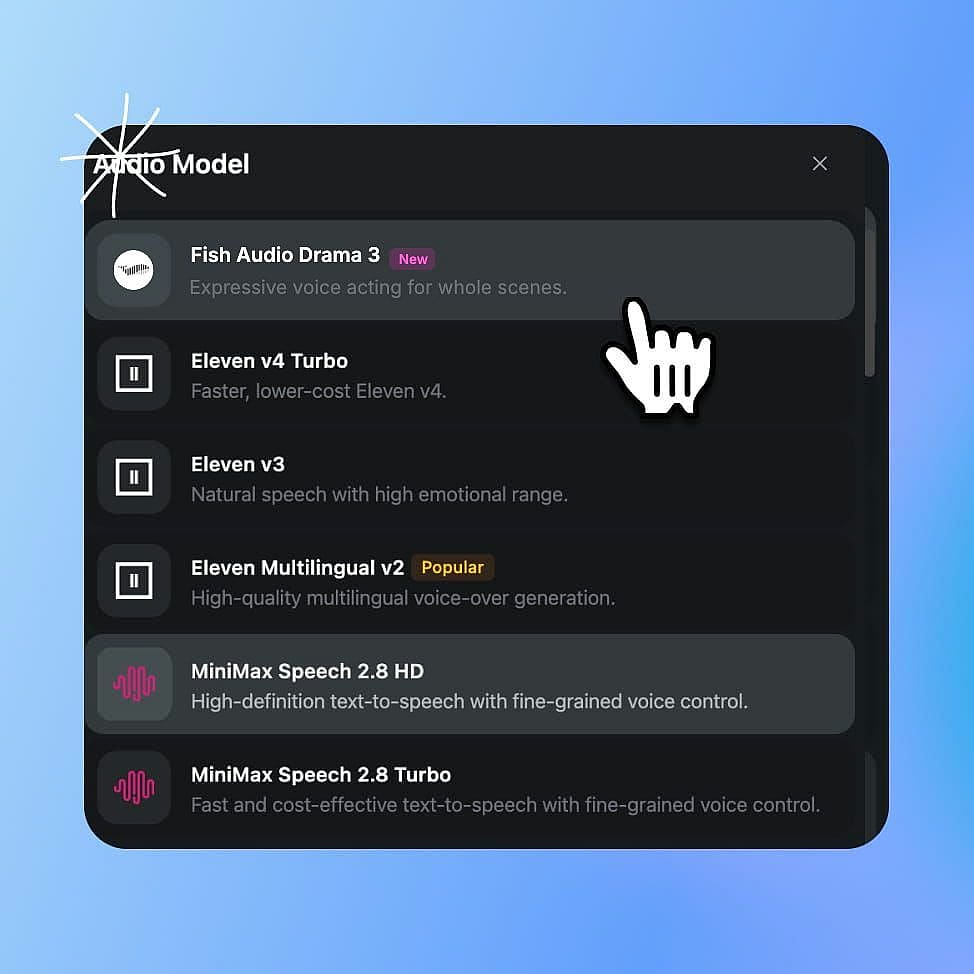
Select Fish Audio Drama 3
Go to OpenArt's audio tools and select Fish Audio Drama 3.
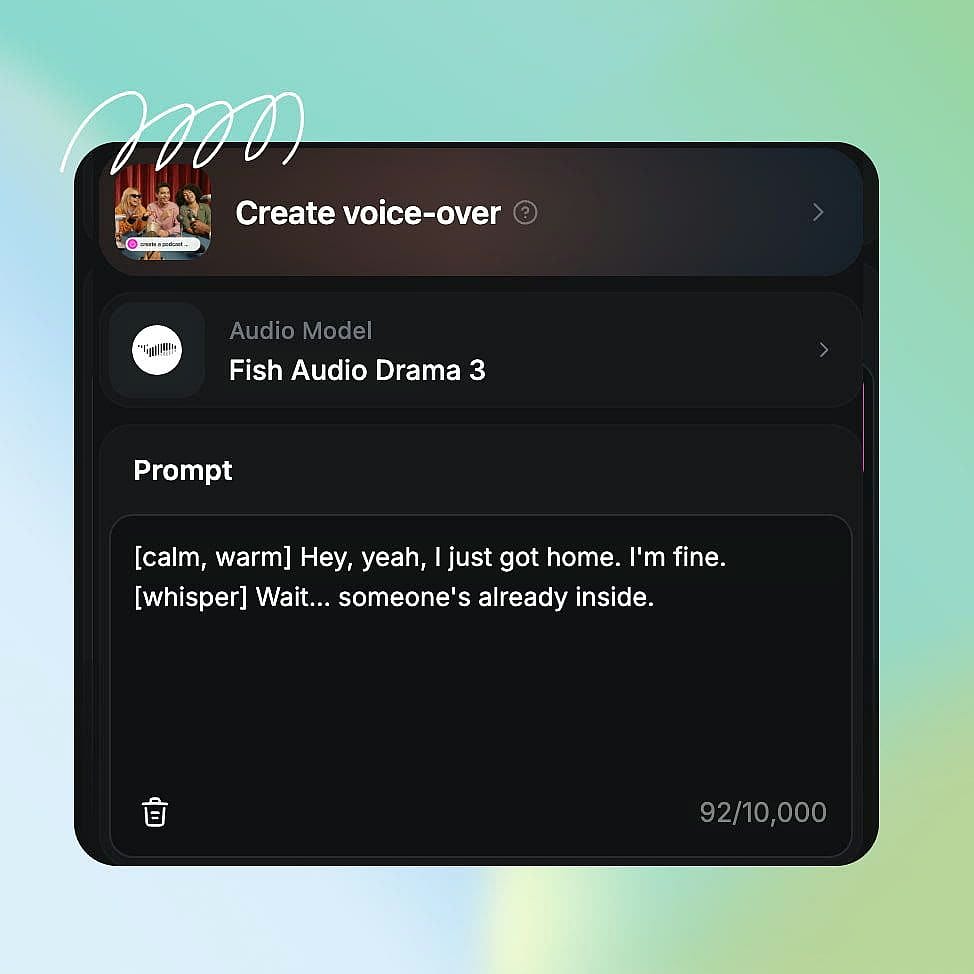
Prompt and set your output
Type your lines with acting notes in square brackets, like [sigh] or [slow, deadly serious]. Then choose your output settings.
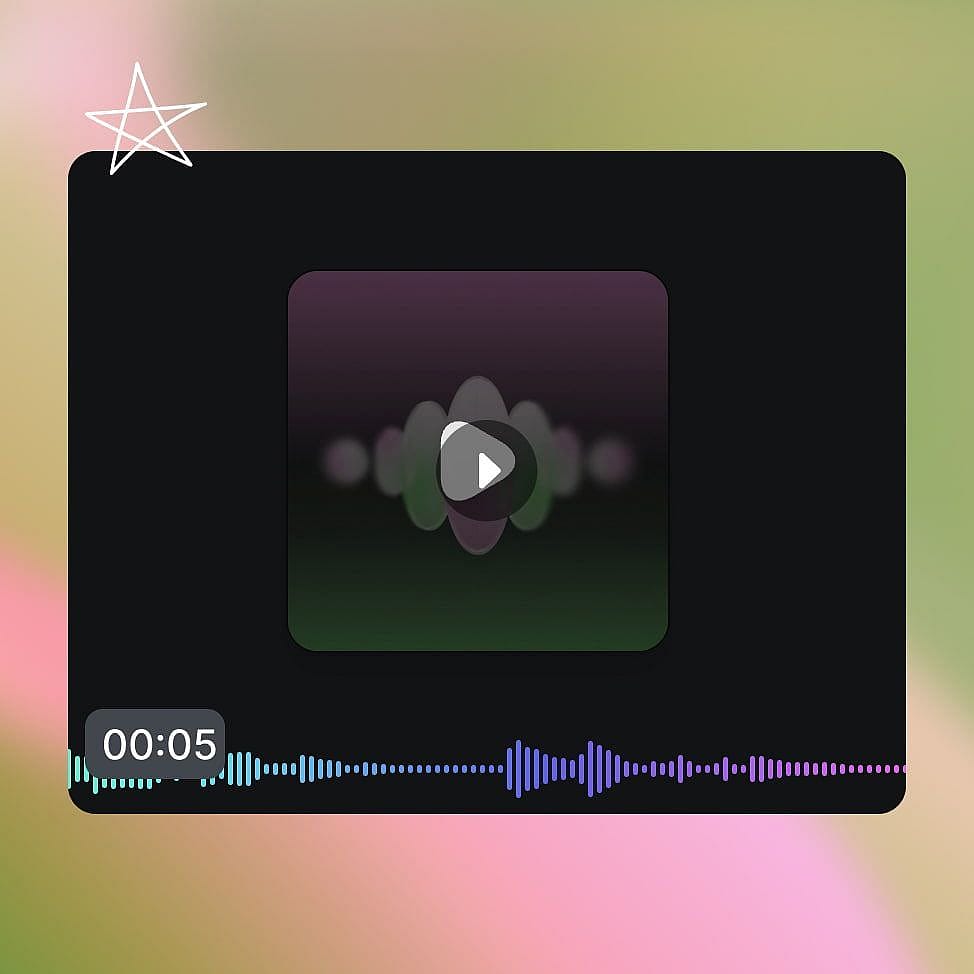
Download your audio
Generate the audio and download your finished audio file.
Best Uses of Fish Audio Drama 3 Text to Speech
Give your AI videos dialogue & narration
AI video and micro-drama creators can use Fish Audio Drama 3 to voice every line in a scene. Say you made a rainy kitchen scene in OpenArt's AI video generator where a couple argues. Describe the voices the way you described the scene, like [hurt, holding back tears], and each person reacts to the other. Pick the same voices, and your lead sounds the same in every episode. You can post episodes on a steady schedule with no voice actors to book.
Try it NowTurn short stories into full audio dramas
Writers can use Fish Audio Drama 3 as an AI dialogue generator for audio dramas. Think of a ghost story with a narrator, a nervous kid, and a creaky old caretaker. Write all three parts in one script, and each one gets a different voice. Add a [pause] before the twist, or whisper only the words "it's behind you." A folder of short stories can become a full audio series without a recording booth.
Try it NowStress the words that sell in ads
Marketers and small business owners can use Fish Audio Drama 3 for an AI voice over that stresses the right words. Picture a 15-second ad for a weekend bakery sale. Write [cheerful, upbeat] at the start, then mark "half price" and "this Saturday only" for extra stress. Want a softer ending? Change one note and try again. You can try several versions of the ad in one afternoon.
Try it NowRelease one scene in many languages
Creators and brands with viewers around the world can use Fish Audio Drama 3 to make the same scene in more than 80 languages. Say a cooking channel host has a raspy voice fans love. Write the script in Spanish, Hindi, or Japanese, and the host still sounds like the same person. A scene can even switch languages partway through. Each new language opens your videos to new viewers without hiring a voice actor for every market.
Try it NowLoved by Creators
I've tried many AI platforms... but OpenArt is still the best for character creation, image-to-video quality, and the variety of models available.
OpenArt offers an excellent array of AI tools... once you learn the features, the creative possibilities are amazing - and their support team is outstanding.
OpenArt is a very versatile AI platform with many image and video models, consistent character creation, and powerful editing tools.
Helpful AI tools all in one place - image and video generation, editing, and more... no need for multiple subscriptions.
Customer service is always quick and helpful... and the platform keeps getting better with new features and tools.
I've tried many AI platforms... but OpenArt is still the best for character creation, image-to-video quality, and the variety of models available.
OpenArt offers an excellent array of AI tools... once you learn the features, the creative possibilities are amazing - and their support team is outstanding.
OpenArt is a very versatile AI platform with many image and video models, consistent character creation, and powerful editing tools.
Helpful AI tools all in one place - image and video generation, editing, and more... no need for multiple subscriptions.
Customer service is always quick and helpful... and the platform keeps getting better with new features and tools.
I've tried many AI platforms... but OpenArt is still the best for character creation, image-to-video quality, and the variety of models available.
OpenArt offers an excellent array of AI tools... once you learn the features, the creative possibilities are amazing - and their support team is outstanding.
OpenArt is a very versatile AI platform with many image and video models, consistent character creation, and powerful editing tools.
Helpful AI tools all in one place - image and video generation, editing, and more... no need for multiple subscriptions.
Customer service is always quick and helpful... and the platform keeps getting better with new features and tools.
With so many AI platforms out there, OpenArt stood out as a stellar choice - I'd recommend it to any creator.
This platform includes everything you need for AI content creation - images, video, characters, audio, and multiple AI models in one place.
OpenArt is pushing the boundaries of AI video creation... and it's clear the team is committed to improving the creator experience.
I made my first AI music video with OpenArt... and their support team was the best help I've ever experienced.
I'm very happy with the support - my issue was resolved quickly and the team made the process easy.
With so many AI platforms out there, OpenArt stood out as a stellar choice - I'd recommend it to any creator.
This platform includes everything you need for AI content creation - images, video, characters, audio, and multiple AI models in one place.
OpenArt is pushing the boundaries of AI video creation... and it's clear the team is committed to improving the creator experience.
I made my first AI music video with OpenArt... and their support team was the best help I've ever experienced.
I'm very happy with the support - my issue was resolved quickly and the team made the process easy.
With so many AI platforms out there, OpenArt stood out as a stellar choice - I'd recommend it to any creator.
This platform includes everything you need for AI content creation - images, video, characters, audio, and multiple AI models in one place.
OpenArt is pushing the boundaries of AI video creation... and it's clear the team is committed to improving the creator experience.
I made my first AI music video with OpenArt... and their support team was the best help I've ever experienced.
I'm very happy with the support - my issue was resolved quickly and the team made the process easy.
Frequently Asked Questions
Fish Audio Drama 3 is a text to speech model from Fish Audio that you direct with plain-language acting notes. Fish Audio Drama 3 voices single lines or whole scenes with several characters, and it speaks more than 80 languages. On OpenArt, you can find Fish Audio Drama 3 in the audio tools.
Yes. Fish Audio Drama 3 lets you add a new note partway through a line, so a voice can start calm and turn panicked in the same sentence. You get both moods in one generation.
In Fish Audio Drama 3, you can whisper a whole line with a note like [whispering], or whisper only a few chosen words. Fish Audio Drama 3 can also stress, soften, speed up, or slow down single words while the rest of the line stays the same.
Fish Audio Drama 3 supports more than 80 languages. The same voice keeps the same character across languages, and a speaker can switch languages in the middle of a scene.
Fish Audio Drama 3 suits scenes where you want to direct each line closely, including mood changes inside a line and control over single words. Eleven v4 suits long scripts of up to 10,000 characters and speaks more than 90 languages. Both models are available on OpenArt, so you can try the same script in each one.
You direct Fish Audio Drama 3 by writing short notes in square brackets right before the words, such as [whispering] or [slow, deadly serious]. Fish Audio Drama 3 reads each note the way a voice actor would read a direction from a director. You can write the notes in English or in any other language.
Yes. Fish Audio Drama 3 voices a whole scene with several characters in one go, and each character keeps their own voice. The characters react to what was just said, so the conversation sounds like people talking to each other.
Fish Audio Drama 3 can add a sigh, a laugh, a breath, or a pause at the exact spot you choose. Write the sound in square brackets, like [sigh], and Fish Audio Drama 3 places it right there and nowhere else.
Yes. Fish Audio Drama 3 works for narration and character voices in YouTube videos, Shorts, and faceless channels. Add the audio to visuals from OpenArt's AI video generator to finish the whole video on OpenArt.