

 ChatGPT
 Perplexity
 Claude
 Gemini
A good AI prompt for a t-shirt design gets you a print you'd actually wear, or sell. These t-shirt prompts cover a wide range of styles, from vintage prints to bold slogans. There are also prompts for mockups and for changing the shirt in a photo you already have.
Copy any prompt and change the details to fit your idea. Then paste it into OpenArt's AI t-shirt design generator and pick the version you like. Every example image on this page was made on OpenArt.
The t-shirt prompt formula:
[Say what's on the shirt] + [the style] + [2 to 4 colors] + [the shirt color], + [end with "isolated on a plain background, no mockup."]
Think of it as a t-shirt prompt template: keep the order and swap in your own details, and it works like a simple prompt generator.
Key takeaways
- Name the shirt color in your prompt so the design's colors work on it.
- "Isolated on a plain background" gives you a clean design that's easy to print.
- Fewer colors print better and cost less, especially with screen printing.
- For text on a shirt, keep it to a few words and check the spelling up close.
- You can upload a photo and change just the shirt, which is great for mockups and outfit ideas.
Want to keep these handy? Save this page as a PDF from your browser's print menu. For prompts in other styles, see our guide to the best AI image generator prompts.
Vintage and Retro T-Shirt Prompts
Vintage designs look like they've been through a hundred washes, in a good way. Faded colors and a worn texture do most of the work.
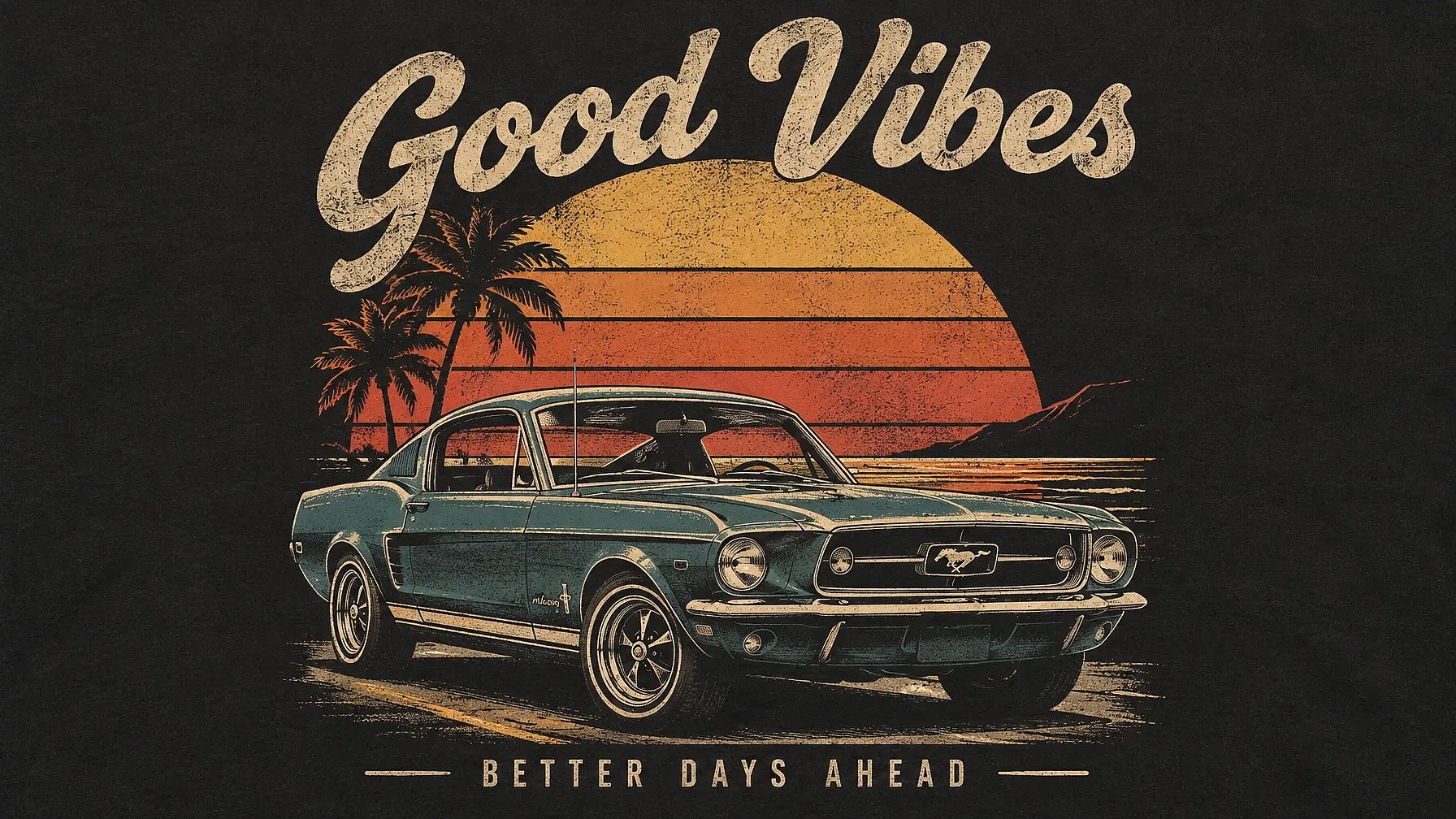
1. Retro car at sunset
A classic car and a big sunset make a design that feels like an old road trip.
Retro vintage style T-shirt design featuring a classic car with a sunset background.
2. 70s sunset badge
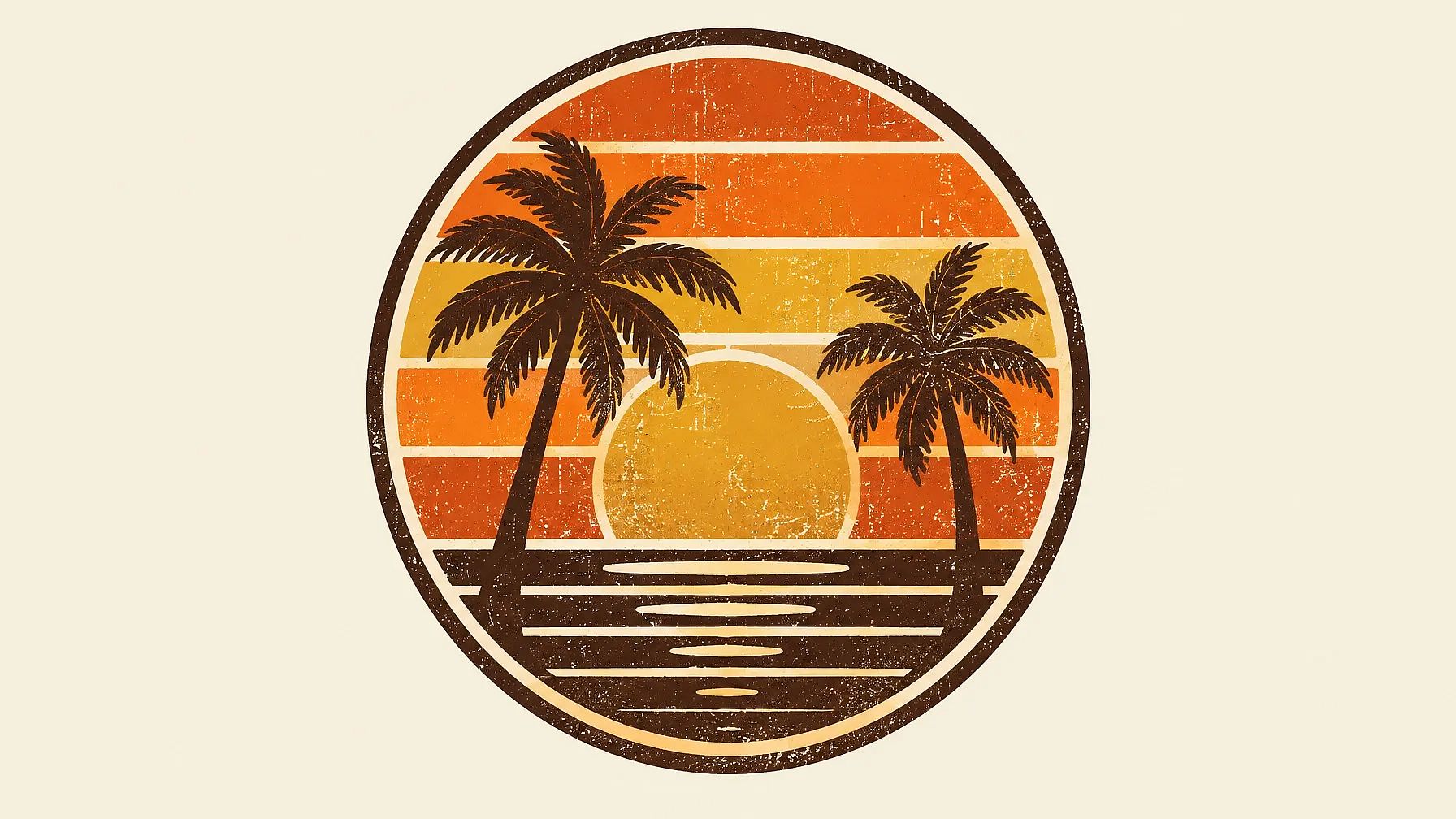
Round badges with stripes are an easy win for a retro tee, and they look great centered on the chest.
T-shirt design of a round 70s badge with a sunset, palm trees and retro color stripes in orange, mustard and brown, distressed texture, bold outline, for a cream tee, isolated on a plain background, no mockup.
Minimalist and Typography T-Shirt Prompts
Simple designs and words on a shirt are easy to wear every day. They're also some of the easiest designs to print, since they use one or two colors.
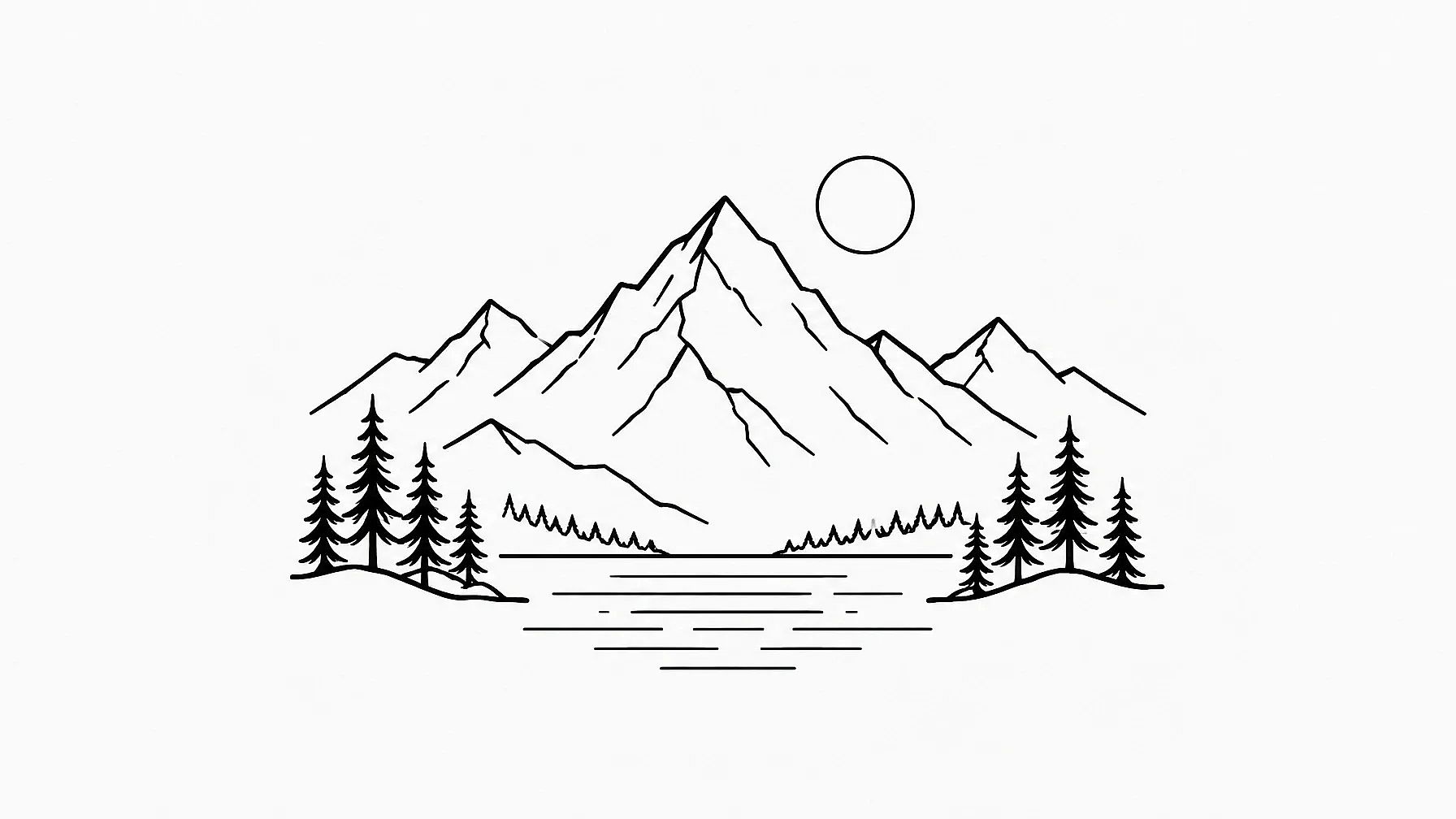
3. Minimalist line art mountains
A thin line drawing looks clean on a plain tee and works on almost any shirt color.
Minimalist line art style T-shirt design of a mountain landscape.
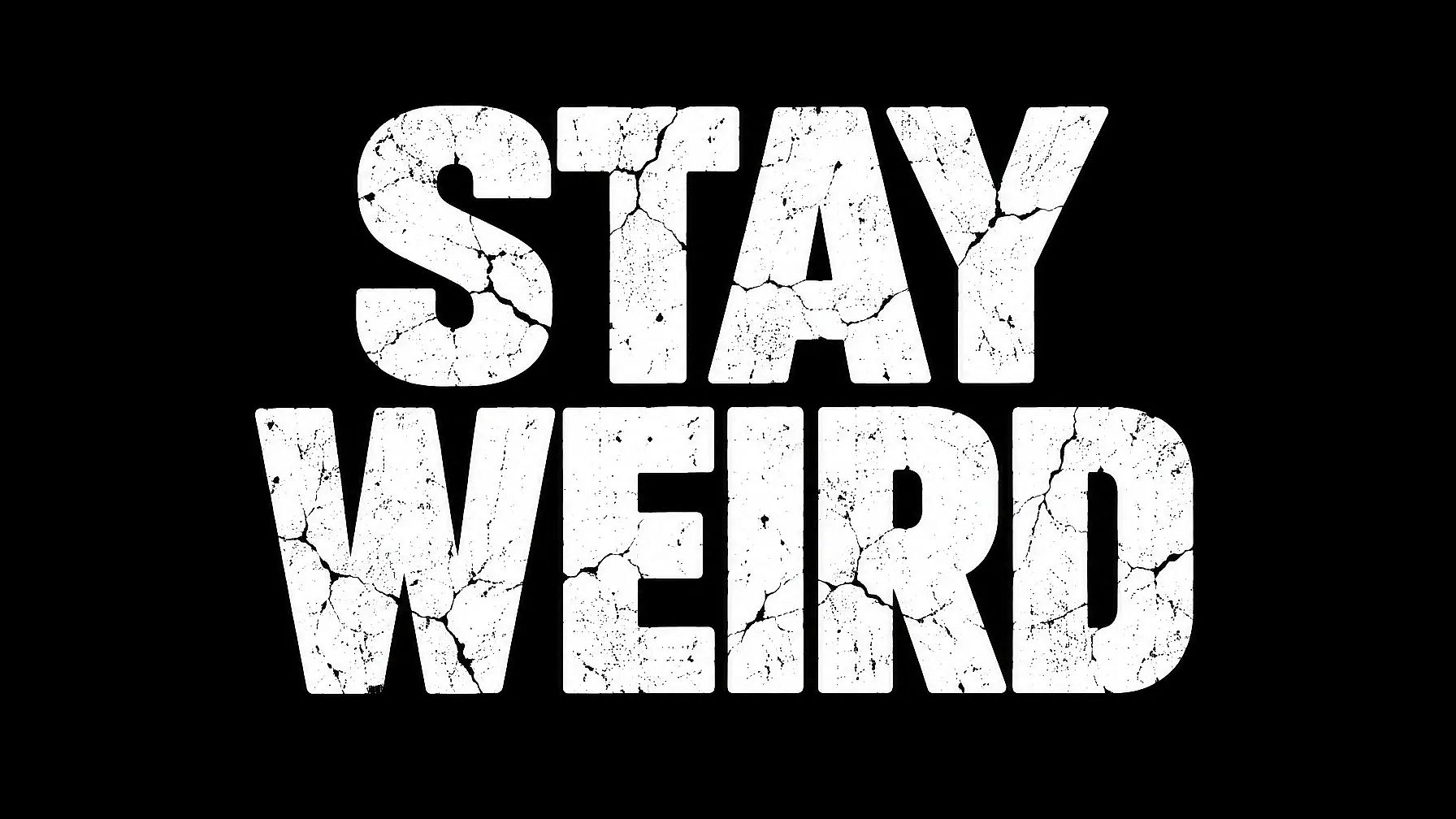
4. Bold slogan in block letters
Put your words in quotes so the AI knows exactly what to write. Short phrases come out cleaner than long ones.
Typography t-shirt design with the words "STAY WEIRD" in big, heavy block letters, slightly cracked texture, white text for a black tee, centered, isolated on a plain background, no mockup.
5. Retro script word with a small icon
A flowing script word with a little drawing above it feels friendly and a bit nostalgic.
Typography t-shirt design with the word "Sunday" in retro script lettering, a small coffee cup icon above it, two colors only, brown and soft pink, for a cream tee, isolated on a plain background, no mockup.
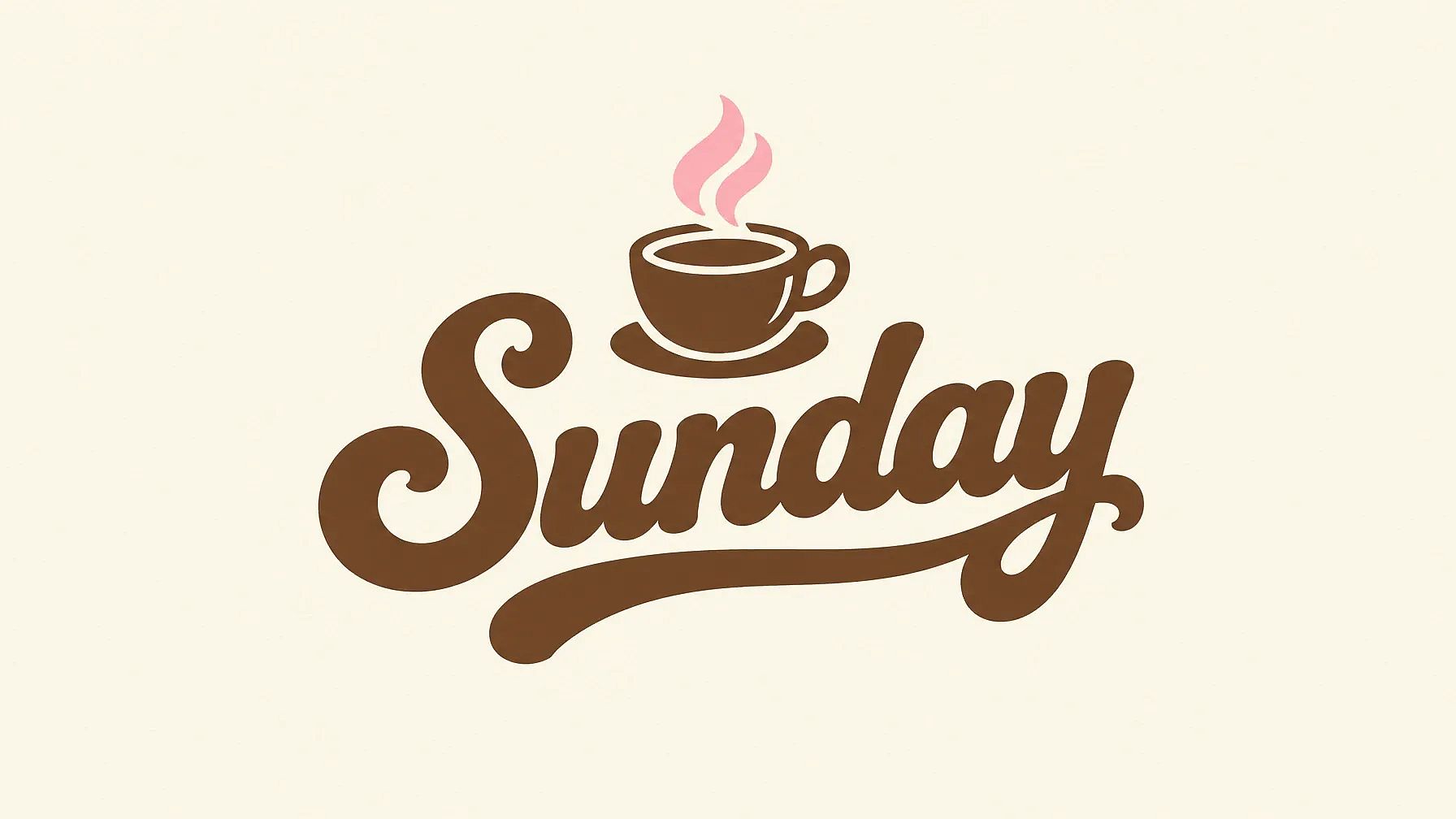
For designs with words, try GPT Image 2 or Nano Banana Pro, and always zoom in to check the spelling. For more lettering ideas, see these AI typography prompts.
Streetwear and Anime T-Shirt Prompts
Streetwear and anime designs go big. They're often printed large on the back of an oversized tee, so ask for bold shapes that read from across the room.
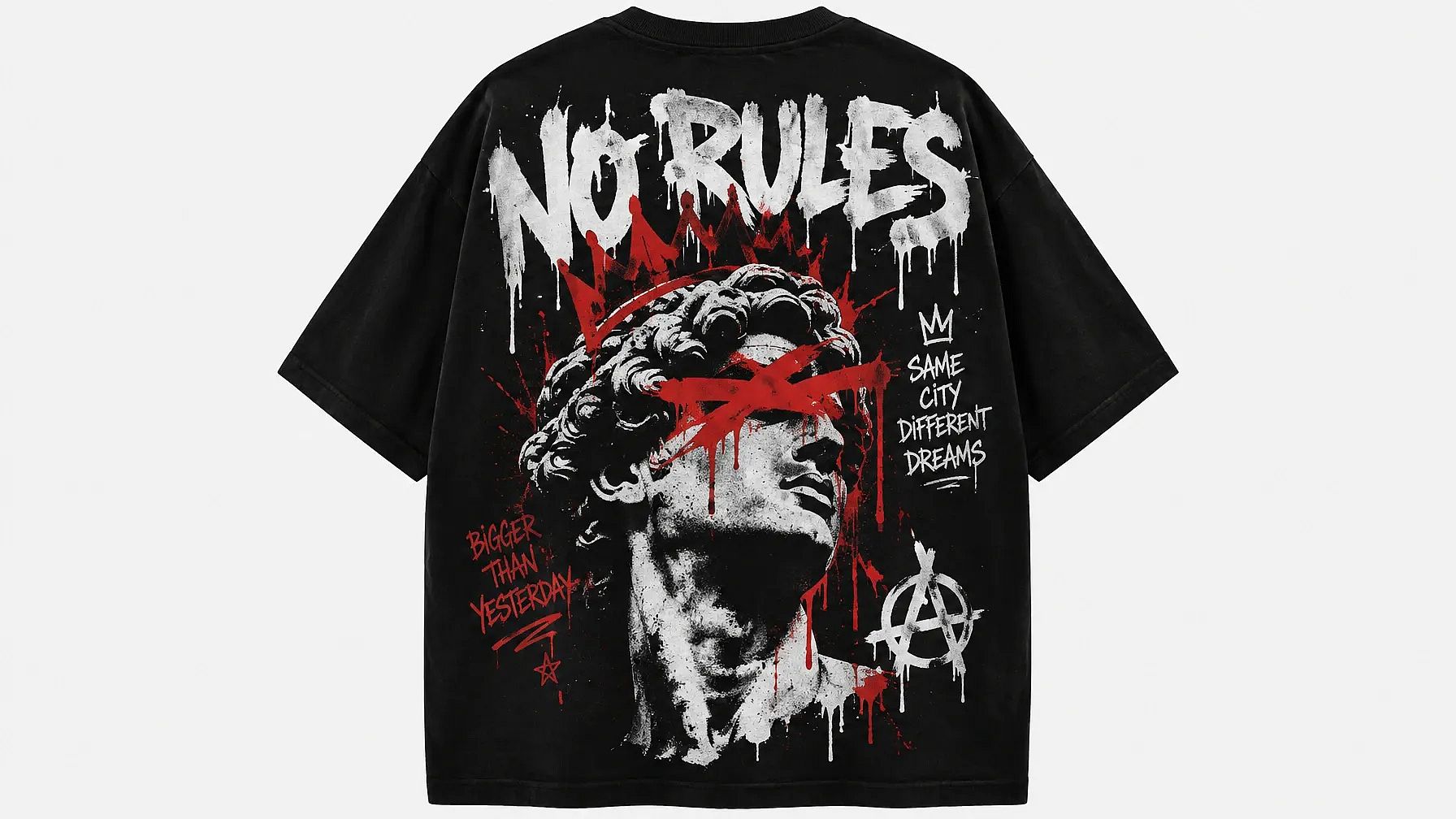
6. Graffiti back print for an oversized tee
Graffiti letters and loud colors are made for the back of a boxy, oversized shirt.
Graffiti street art style T-shirt design with bold, edgy graphics, made as an oversized back print.
7. Cute anime character
Keep the character your own, and describe the look in your own words so the design stays original.
Anime style T-shirt design of a cute character.
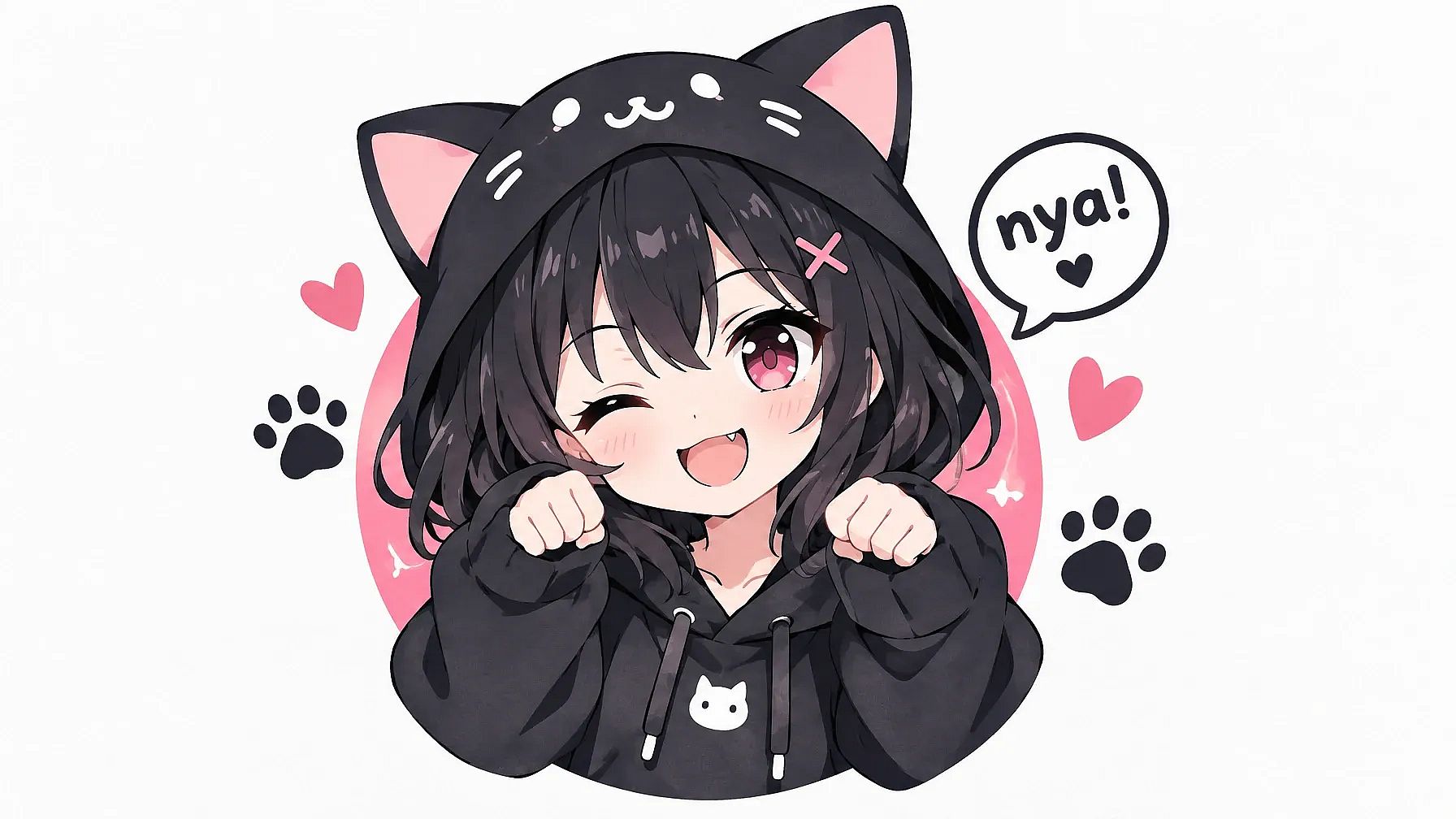
To make your character stand out more, add details like hair color and an outfit, such as "a girl with short silver hair in a yellow raincoat, holding a cat." For more ideas, see these AI anime prompts.
Gym and Matching T-Shirt Prompts
Some shirts are made for a moment, like a workout or a birthday. These designs work best when they feel personal.
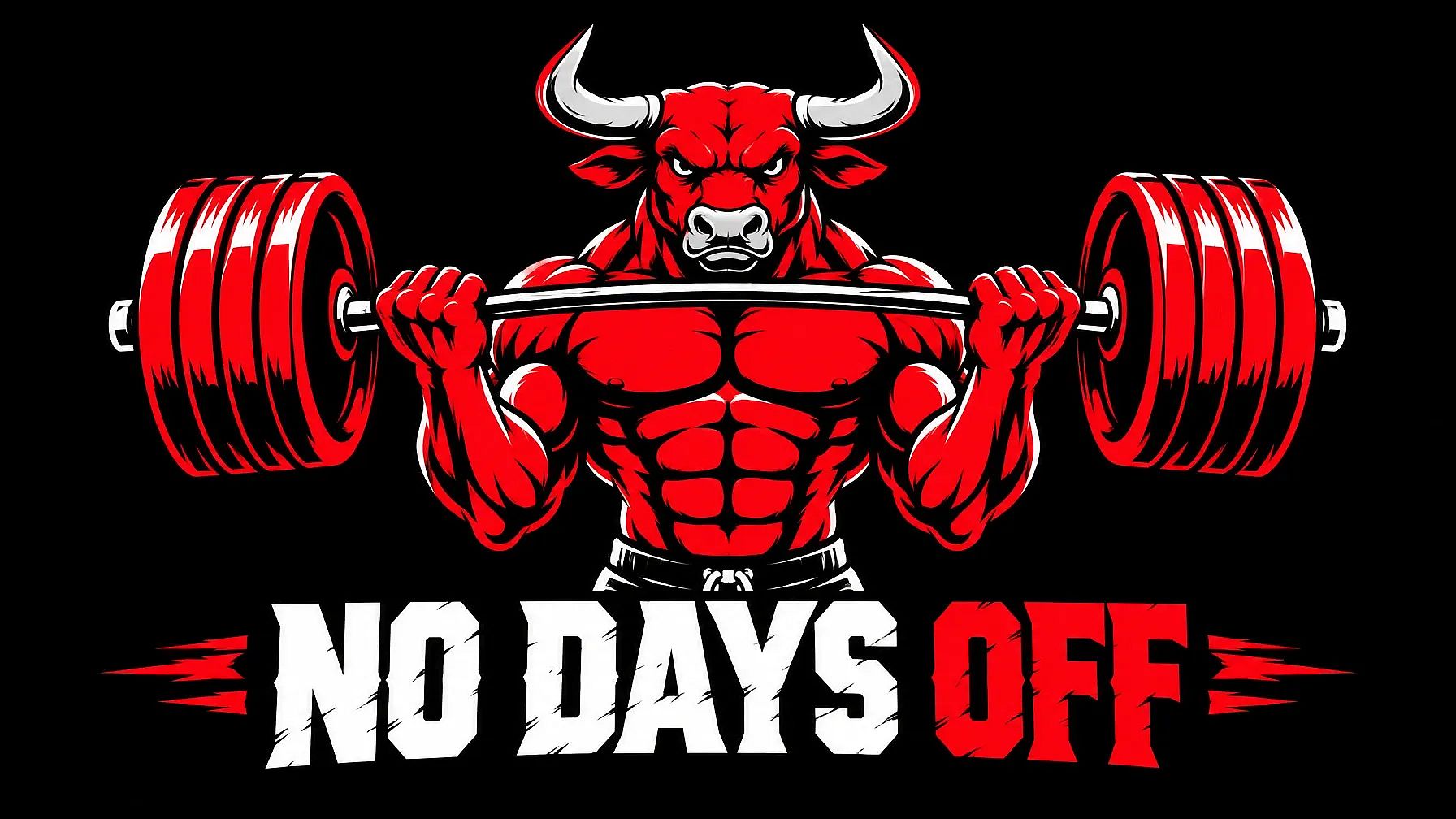
8. Gym t-shirt design
A strong graphic and a short line of text make a shirt you'll want to train in.
Gym t-shirt design of a flexing bull lifting a barbell, bold vector style, red and white, the words "NO DAYS OFF" in heavy letters below, for a black tee, isolated on a plain background, no mockup.
9. Matching family birthday shirts
Write the shared design once, then change the label for each person. Everyone gets their own shirt, and they still match.
Set of matching family birthday t-shirt designs, a cute cartoon cake with candles, the word "BIRTHDAY GIRL" on one design and "BIRTHDAY SQUAD" on the others, pink, yellow and white, for white tees, each design isolated on a plain background, no mockup.
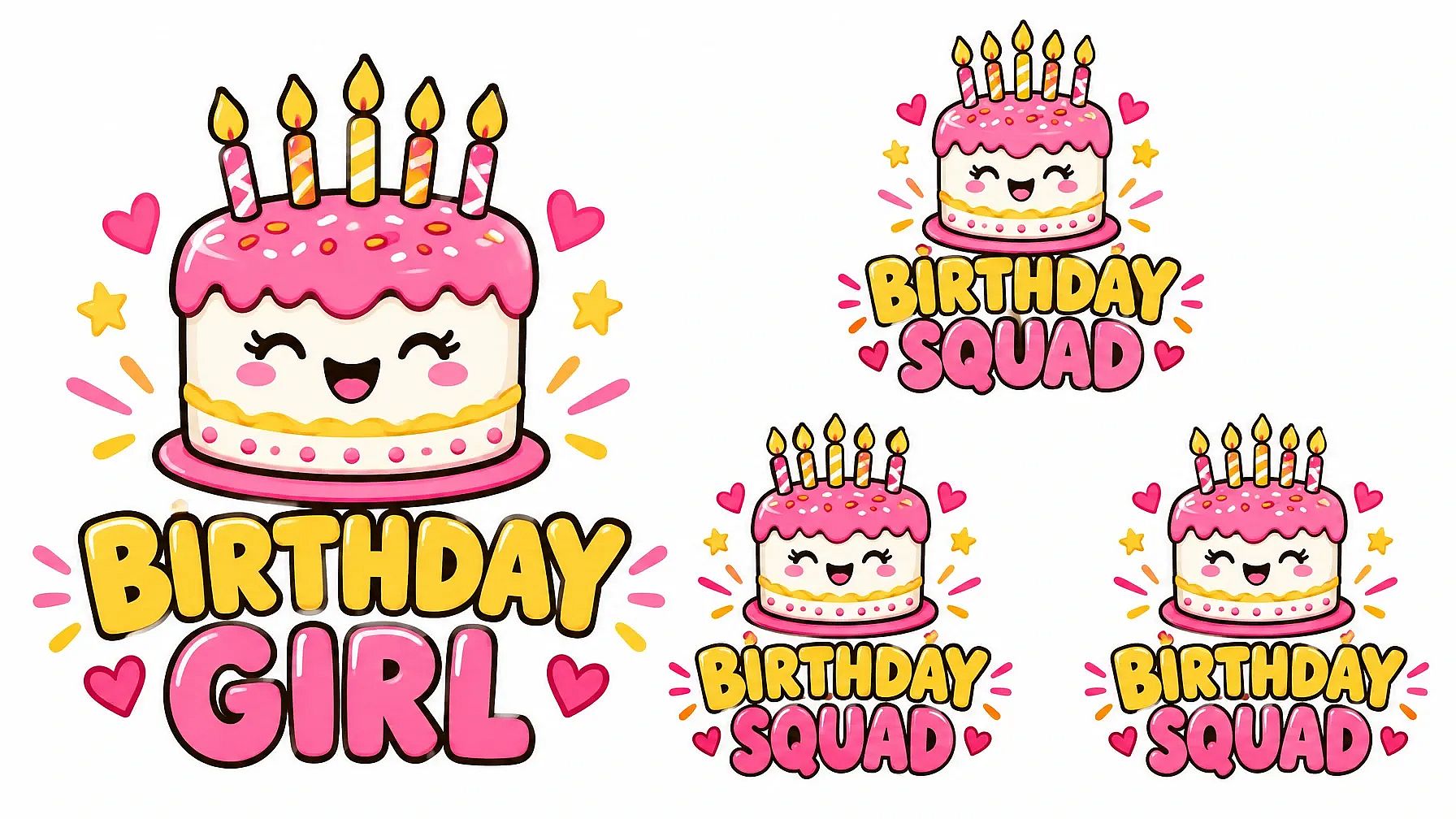
The same idea works for couples. Try "KING" and "QUEEN" with a small crown, or two halves of one heart that join when you stand together.
Logo, Merch and Print-Ready T-Shirt Prompts
If you're making shirts for a brand or a team, the design has to look sharp and print cleanly. These two prompts are built for that.
10. Logo with a large print
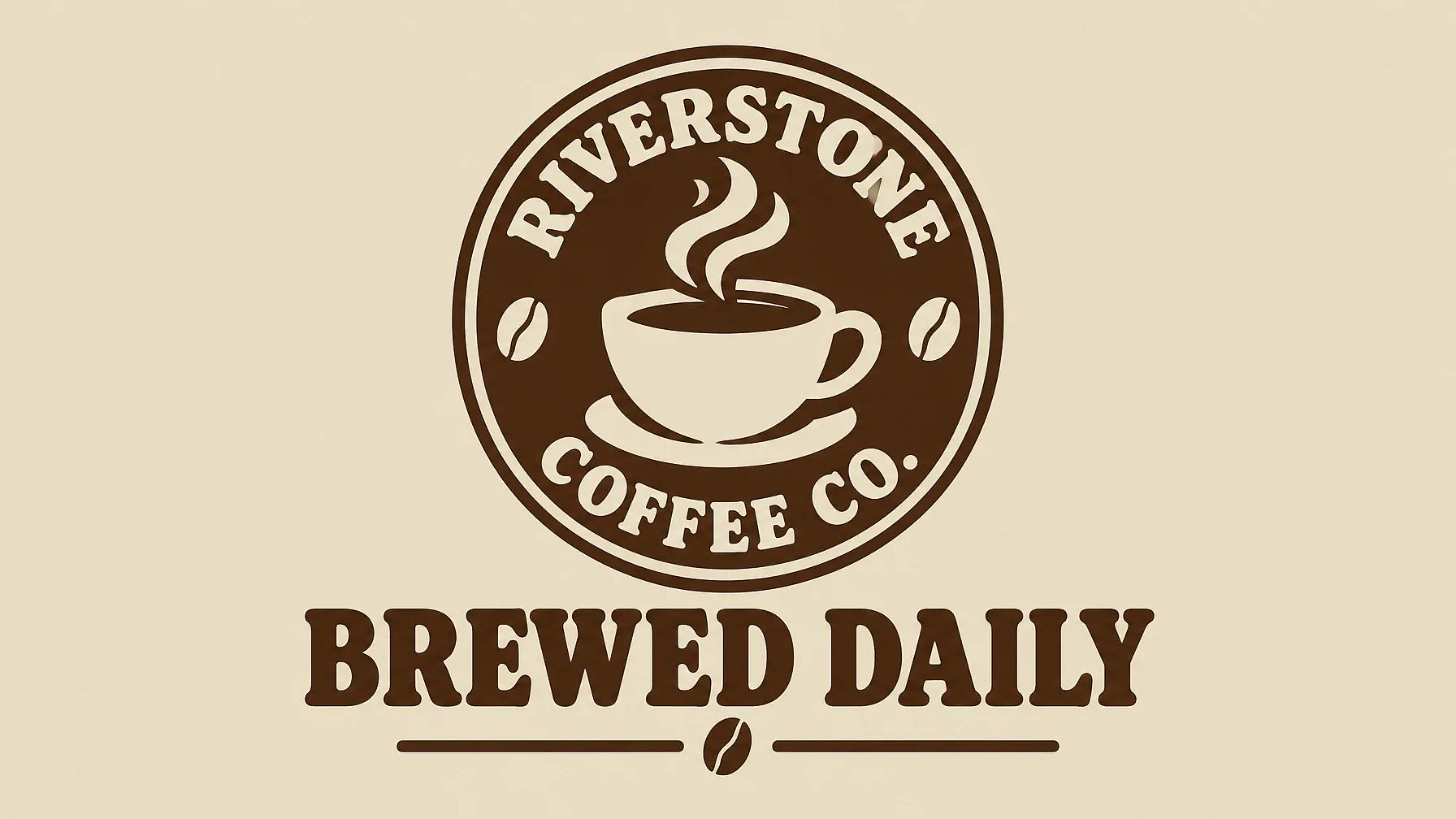
A t-shirt design with tagline and logo is a classic merch look.
T-shirt merch design for a coffee shop: a large print with the logo and the words "BREWED DAILY". Two colors, dark brown and cream, for a sand-colored tee, both designs isolated on a plain background, no mockup.
If you have brand colors and fonts, add a Brand Kit to your project. It works in Create Image with GPT Image 2.5 and GPT Image 2, so every shirt in the set stays on brand. For more logo ideas, see these AI logo prompts.
11. Print-ready design for DTF or screen printing
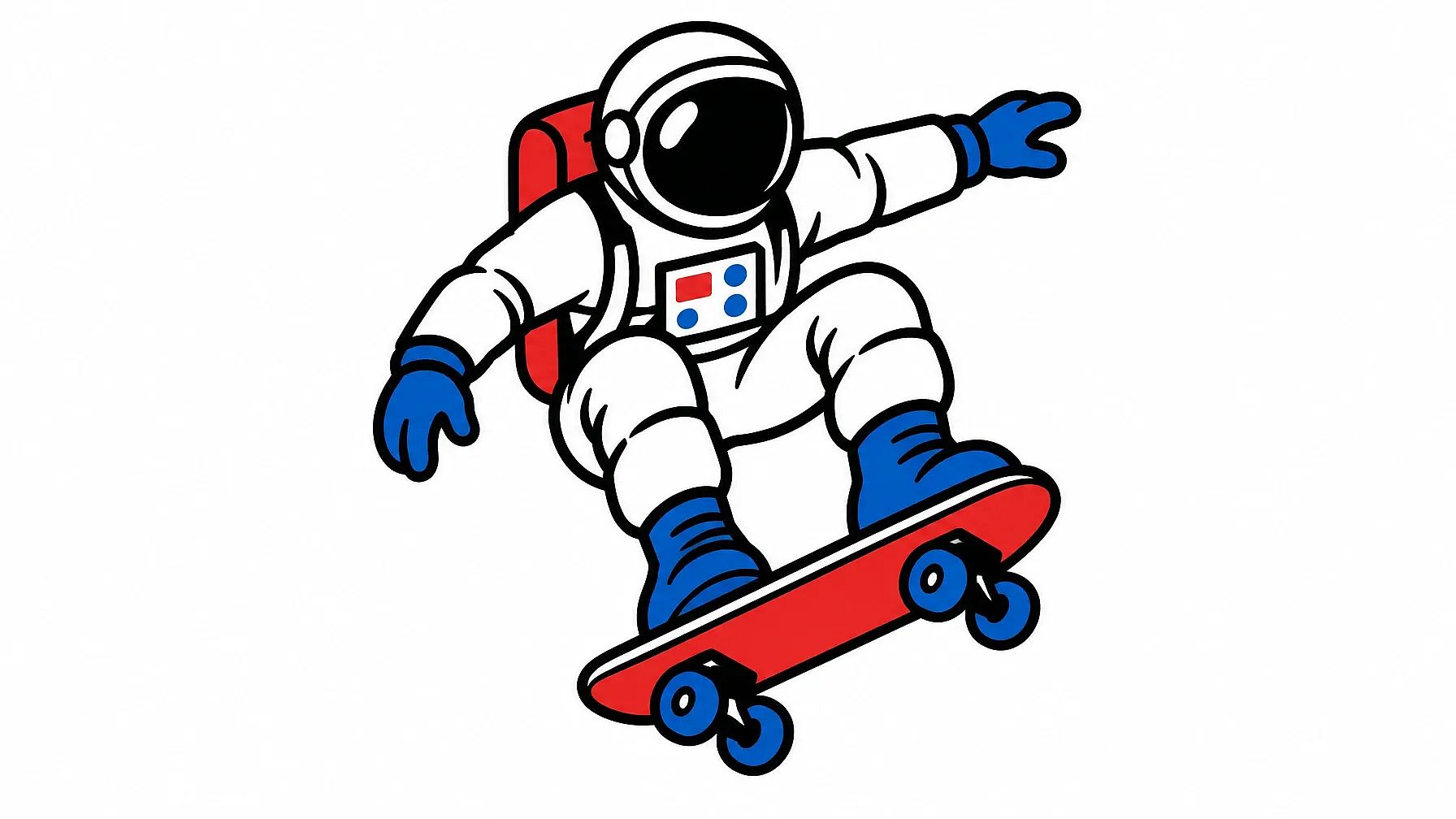
Flat colors and bold outlines print well with DTF transfers and screen printing. Soft gradients and tiny details are harder to print.
Print-ready t-shirt design of a skateboarding astronaut, flat vector style, thick black outlines, four solid colors only, no gradients, no shadows, centered, isolated on a plain white background, no mockup.
T-Shirt Mockup and Photoshoot Prompts
A mockup shows your design on a real shirt, so buyers can picture wearing it. In Create Image on OpenArt, upload your design as a reference image, then paste one of these prompts.
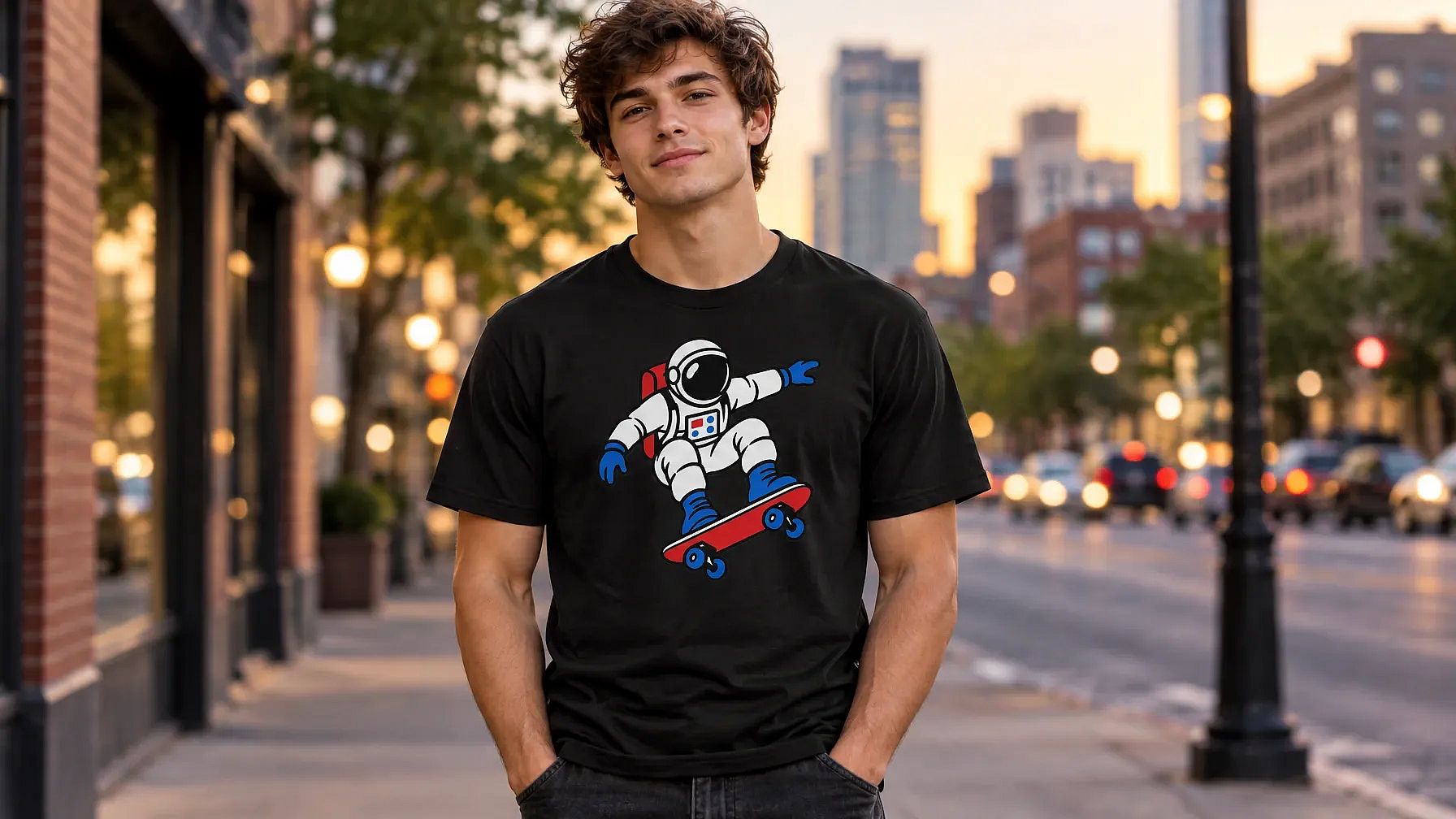
12. Your design on a model
A lifestyle photo helps shoppers see how the shirt looks when someone's wearing it. This prompt puts your print on a person in a real setting.
Use my design as the print on the front of a black crew-neck t-shirt. A young man wearing the shirt, standing on a city street in soft evening light, relaxed pose, the full design clearly visible on his chest, photorealistic, natural fabric folds.
13. Flat lay mockup
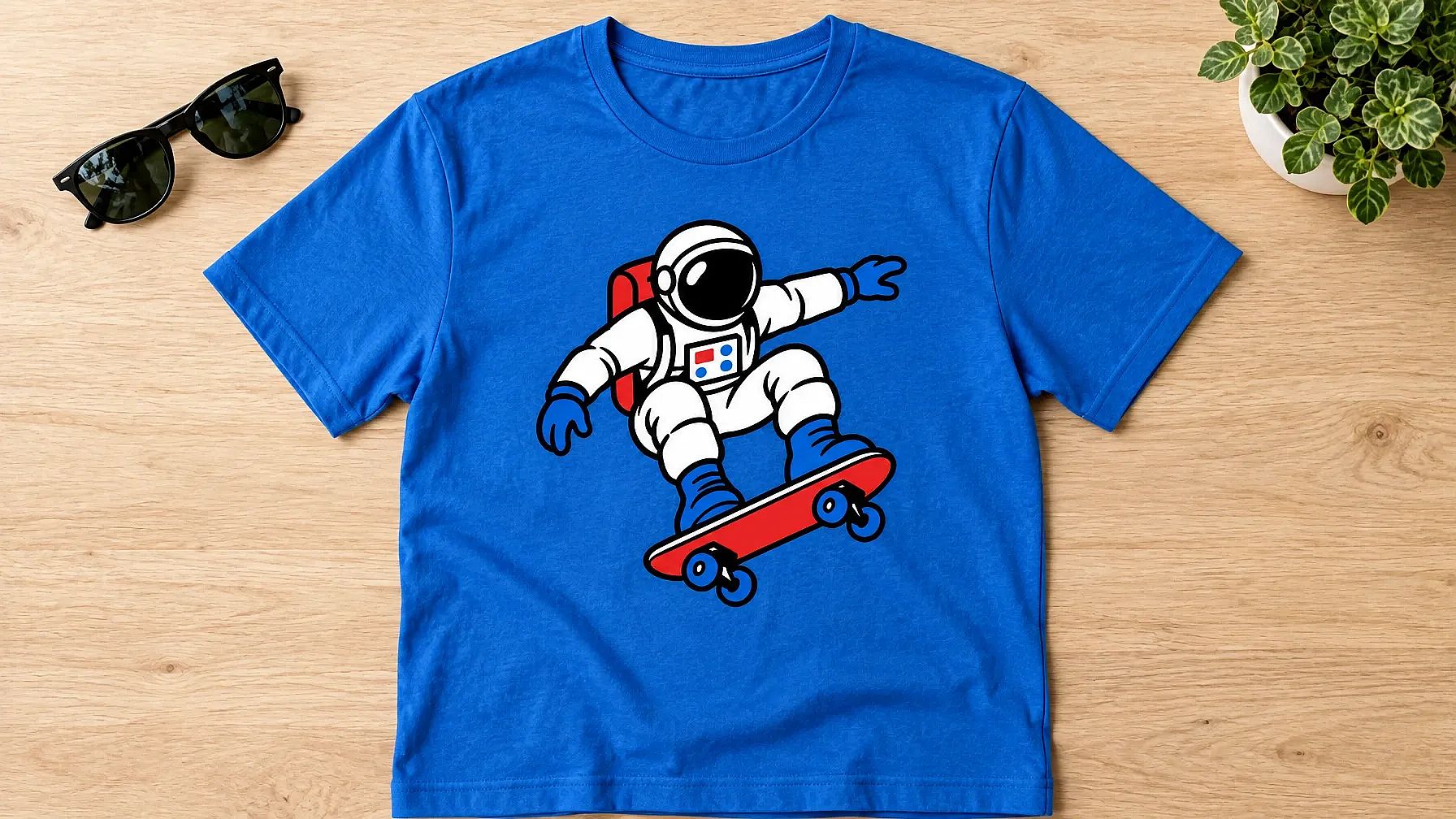
Flat lays are great for online stores, since the whole design is easy to see.
Use my design as the print on a blue t-shirt. Flat lay of the shirt on a light wood table, top-down view, soft daylight, a pair of sunglasses and a small plant at the edges, photorealistic, the design centered and clearly visible.
Want more mockup setups? See these AI mockup prompts.
Change the Shirt in a Photo
You can try a new shirt on any photo you already have. Upload a photo of yourself or a model, and change just the shirt.
14. T-shirt change prompt
Open Edit Image on OpenArt, switch to Area Edit and highlight only the shirt. Then paste this:
Keep the person, face, pose, hair and background exactly the same. Change only the shirt to a white oversized t-shirt with a small black wave logo on the left chest. Keep the natural folds and the lighting from the original photo.
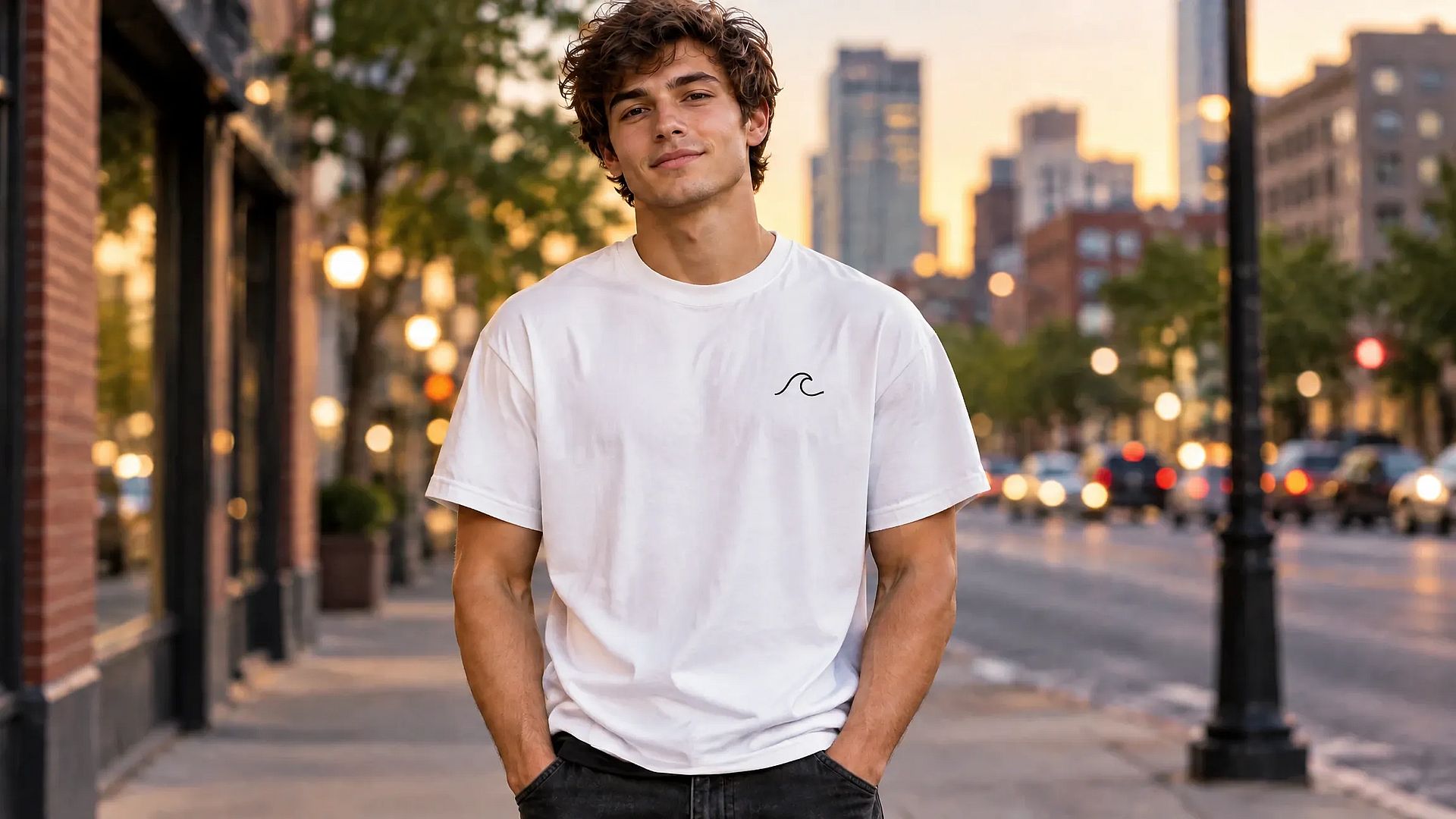
This works for a quick color change too. Swap the middle sentence for something like "Change only the shirt color to forest green." It's also a handy way to test your own design on a real photo before you print it.
Jersey and Polo Shirt Prompt
Sports jerseys and polo shirts need a little more planning, because the name and number have to fit around the logo.
15. Sports jersey with a name and number
This makes a front and back view, so you can see the whole jersey at once.
Sports jersey design for a football team called the Thunder, shown front and back side by side. Navy blue with sharp yellow lightning stripes on the sides, a small team badge on the front chest, the name "KHAN" and the number 10 on the back in bold yellow letters, flat design on a plain white background.
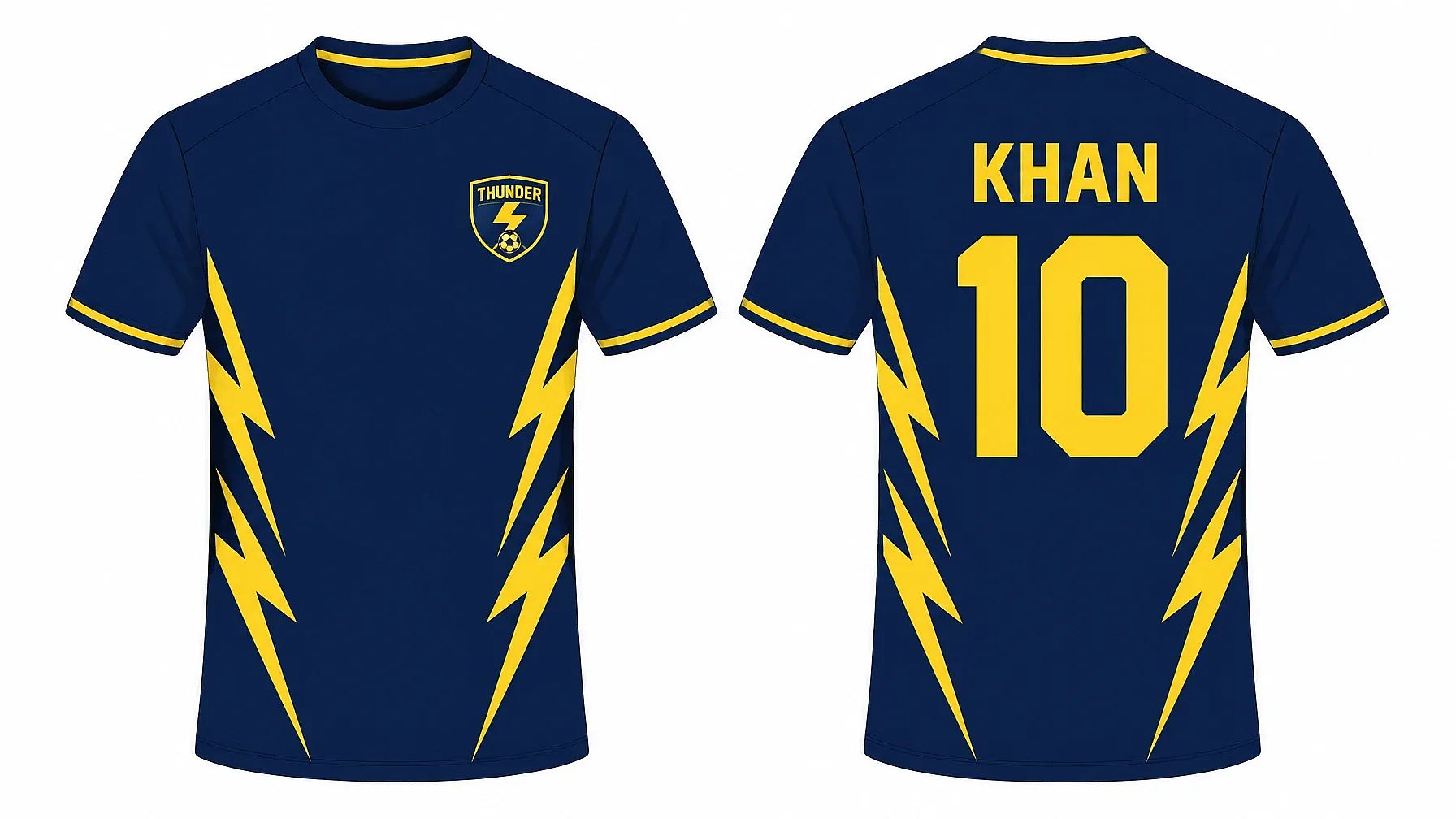
For a polo shirt, swap "sports jersey" for "polo shirt with a collar and two buttons," and put a small embroidered logo on the left chest.
Brainstorm T-Shirt Ideas with ChatGPT or Gemini
Stuck on what to put on a shirt? ChatGPT and Gemini are great for coming up with ideas and slogans before you make the design. Fill in the brackets and paste this into either one:
I'm making t-shirts for [who they're for, such as dog lovers or new runners]. Give me 10 original t-shirt design ideas. For each one, write a short slogan of 2 to 5 words and describe the picture in one sentence. Keep them funny but kind, and don't use any brand names or famous characters.
Pick the idea you like, then drop it into the t-shirt prompt formula at the top of this page.
All the prompts on this page also work in other AI tools. In Midjourney, you can add --no mockup, background at the end to keep the design clean.
How to Make a Print-Ready T-Shirt Design on OpenArt
You can go from a prompt to a file a print shop will accept in four steps.
- Make the design. Paste a prompt into the AI image generator and generate a few versions. Pick the one you like best.
- Remove the background. Open Extract Layers and choose Whole Image. Your design is saved to your Asset Library as a PNG with a transparent background.
- Make it bigger. Run the PNG through Image Upscale. Use the Text and Shapes preset for lettering, or Art & CGI for illustrations.
- Check the size. Make sure the file is big enough for your print (see below), then download it.
New accounts get 40 free trial credits, so you can try this before you pay anything.
What size does a t-shirt print file need to be?
Most print shops ask for 300 DPI. To find the pixel size, multiply each side in inches by 300. A 12 x 16 inch print, for example, needs a file of 3,600 x 4,800 pixels. Sizes change from shop to shop, so check your printer's template before you upload.
Selling shirts with AI designs
You can sell shirts with designs you make on OpenArt, as long as the design is your own idea. Leave brand names and famous characters out of your prompts. Every print-on-demand marketplace also has its own rules, so read them before you list.
In the US, a design made only by AI can't be registered for copyright. The parts you add yourself, like redrawn details or your own lettering, are what copyright can cover. This isn't legal advice, so check with an expert if you plan to sell at scale.
T-Shirt Prompt Tips
A design can look great on screen and still print badly. These words help it come out clean on fabric.
| Words that print well | Words that print badly |
|---|---|
| flat colors, solid colors | photorealistic, soft gradients |
| bold outlines, thick lines | tiny details, thin hairlines |
| 2 to 4 colors | full rainbow of colors |
| isolated on a plain background | busy background, scenery |
| centered design | cropped at the edges |
| distressed texture, halftone | glow effects, lens flare |
Common t-shirt prompt mistakes
- Forgetting the shirt color, so a dark design disappears on a black tee.
- Leaving out "no mockup," so you get a photo of a shirt when you wanted the design on its own.
- Writing long slogans. Keep words to 2 to 5 so they stay readable.
- Asking for a famous logo or character. Describe your own idea in your own words instead.
- Skipping the zoom-in check. Look at the letters and edges up close before you print.
T-Shirt Design Prompt FAQs
What is a good AI prompt for a t-shirt design?
A good t-shirt prompt says what's on the shirt, the style, a few colors and the shirt color. End it with "isolated on a plain background, no mockup" so you get a clean design. For example: "T-shirt design of a howling wolf under a full moon, vintage screen print style, cream and navy, for a black tee, isolated on a plain background, no mockup."
How do I get a transparent background for a t-shirt design?
Ask for a plain background in your prompt, then open Extract Layers on OpenArt. It saves your design as a PNG with a transparent background in your Asset Library. Check it on both a light and a dark background before you print.
What resolution do I need to print a t-shirt?
Most print shops ask for 300 DPI. Multiply each side of the print in inches by 300, so a 12 x 16 inch print needs 3,600 x 4,800 pixels. Image Upscale on OpenArt can make your design big enough.
Can AI put text on a t-shirt design?
Yes. Put the exact words in quotes and keep them short, about 2 to 5 words. Then zoom in and check every letter before you print.
How do I make a t-shirt mockup with AI?
Upload your design as a reference image in Create Image on OpenArt. Then describe the shirt and the scene, such as "on a man standing on a city street" or "flat lay on a wood table." Prompts 12 and 13 on this page are ready to use.
How do I change the shirt in a photo with AI?
Upload the photo to Edit Image and use Area Edit to highlight only the shirt. Start your prompt with "Keep the person, face, pose and background exactly the same," then describe the new shirt. Prompt 14 gives you a full version.
Can I sell t-shirts with AI designs?
Yes, as long as the design is your own idea and has no brand names or famous characters. Check the rules of the marketplace you sell on, since each one has its own. This isn't legal advice, so talk to an expert if you're selling a lot.
Are these t-shirt design prompts free?
Yes. Every prompt on this page is free to copy and use. New OpenArt accounts also get 40 free trial credits, so you can make a few designs for free.