

Hailuo AI Video Generator
Turn a prompt or a single image into expressive, cinematic video with true-to-life physics and lifelike motion using the Hailuo AI Video Generator on OpenArt.

Key Features of Hailuo AI Video Generator
OpenArt gives you the latest MiniMax models, Hailuo 02 and the newer Hailuo 2.3, in one workspace. It is a storyteller's model, tuned for expressive characters, fluid motion, and physically accurate scenes.
Native 1080p Generation
Hailuo renders true 1080p (1920x1080) natively, with no upscaling step in between. Its Noise-aware Compute Redistribution architecture makes that high-resolution output efficient and affordable, so sharp detail is the starting point rather than a paid extra.
Try it NowText and Image to Video
Both Hailuo models work from a written prompt or a reference image. Start from a described scene, or upload an image and let Hailuo animate it while keeping the subject's look intact.
Try it NowExtreme Physics Mastery
Hailuo models real-world physics like gravity, fluid dynamics, collisions, and material behavior, so motion reads as believable. This is where Hailuo earned its reputation: an early version placed second globally on the Artificial Analysis Video Arena, and MiniMax showed it handling scenes as demanding as gymnastics.
Try it NowLifelike Facial Performance
Hailuo 2.3 sharpens live-action faces and micro-expressions, so a character's emotional arc is easy to read. Subtle shifts in expression carry the story, which makes the model a strong fit for close-ups and character-driven scenes.
Try it NowFluid Cinematic Motion
Hailuo 2.3 renders complex body movement with more fluidity, naturalness, and control, even under dynamic camera moves. Lighting direction, shadow transitions, and color tones stay near-photorealistic as the shot moves, so the footage feels shot rather than generated.
Try it NowHow to Use Hailuo on OpenArt
Three steps take you from idea to finished clip.
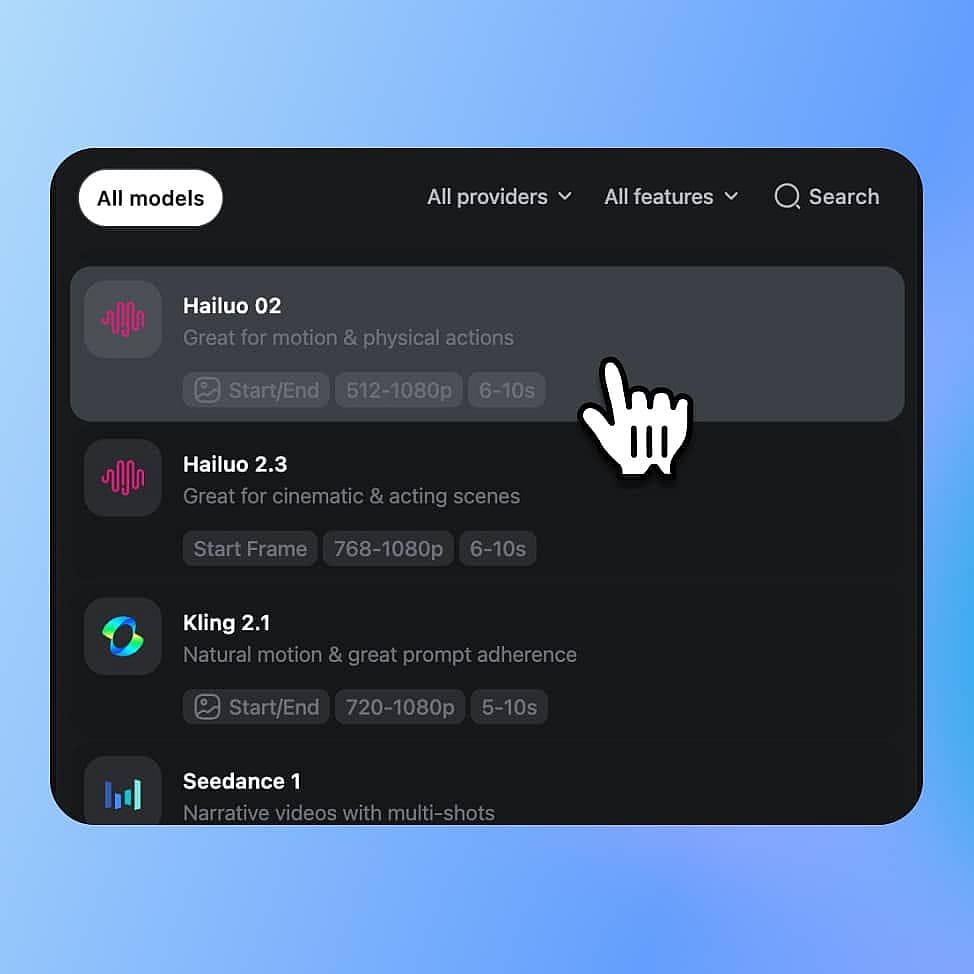
Choose Your Model
Open OpenArt's video tools and select Hailuo from the model menu. Pick Hailuo 2.3 for expression and style or Hailuo 02 for physics-heavy scenes, then choose text-to-video or image-to-video.
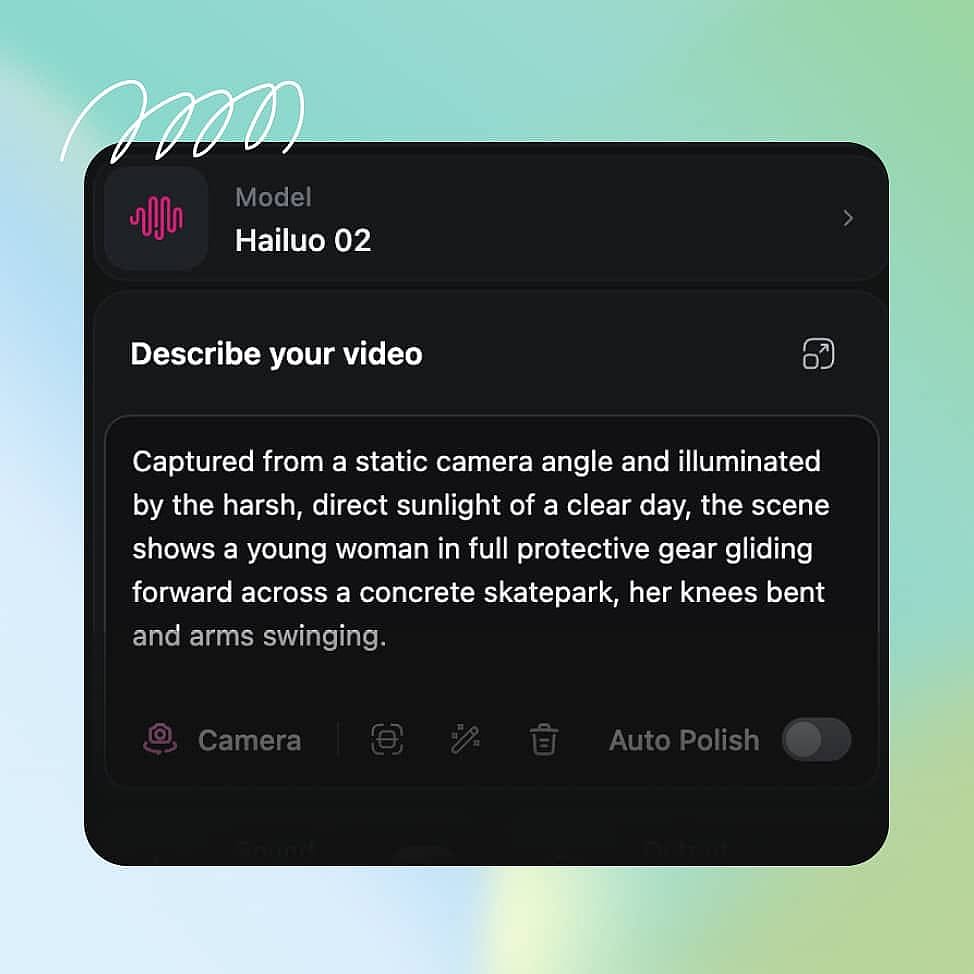
Prompt & Add References
Describe your subject, action, camera movement, and lighting, or upload a reference image to set the look. The more shot direction you give, the closer the result.
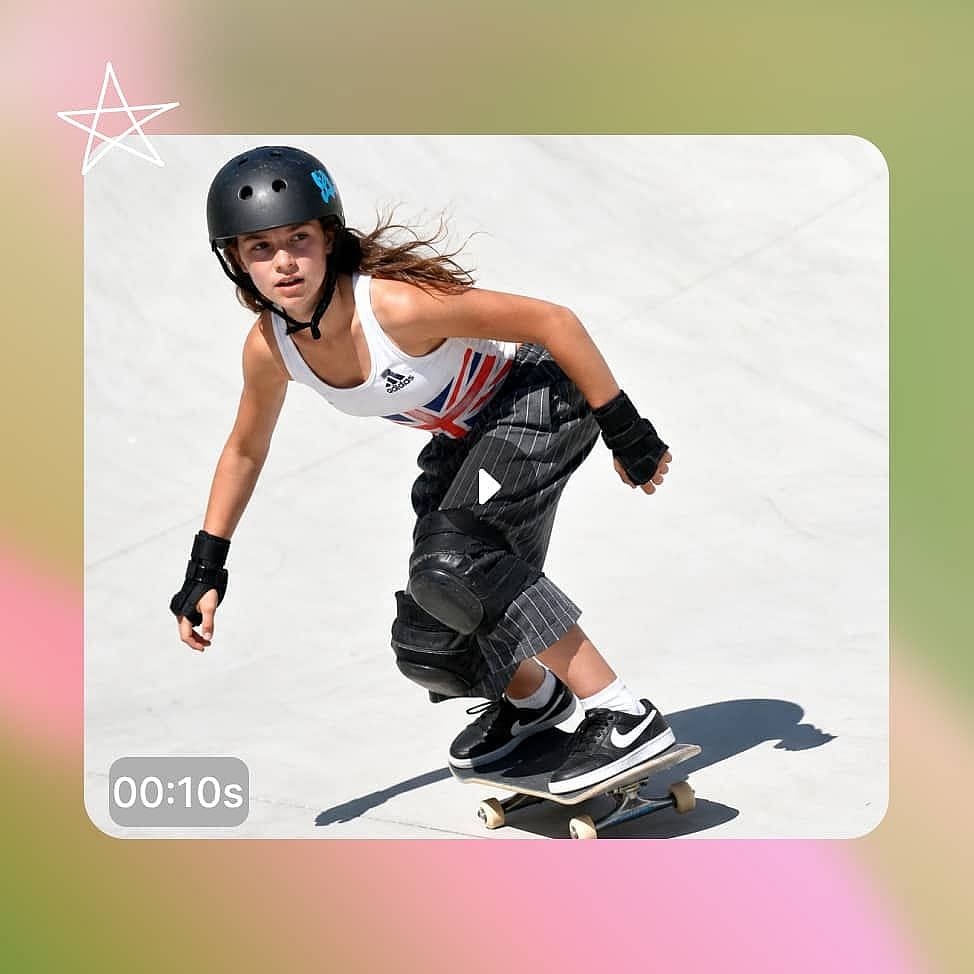
Generate and Refine
Set your resolution and clip length, then generate. Review the result and adjust your prompt or settings, using Enhance Prompt to tighten weak descriptions.
Built for Expressive, Character-Driven Video Content
Hailuo delivers the most value when a project depends on believable characters, motion, and mood. Here is where its strengths map directly to real work.
Character-Driven Short Films
Hailuo keeps a subject coherent from frame to frame while reading emotion through the face and body. A dialogue scene can hold the same character across shots, with expressions that shift to match the moment. That consistency lets a short film read as one continuous story rather than a set of disconnected clips.
Try it NowCinematic Ads and Product Spots
Hailuo 2.3 responds more accurately to motion commands for objects, which lifts the hit rate on polished commercial shots. A product ad can open on a wide hero shot, push in as the item moves, and hold clean lighting throughout. Beta creators making e-commerce ads saw a clear jump in usable, high-quality output.
Try it NowAnime and Stylized Scenes
With native support for anime, illustration, ink wash, and game CG, Hailuo 2.3 turns one prompt into a fully stylized scene. Colors stay vivid and motion stays stable across frames, so a stylized short does not flatten into flicker. This makes it practical for creators who work outside photorealism.
Try it NowSocial Content at Scale
Hailuo 2.3 Fast generates at a lower price and cuts batch creation costs by up to 50%, which suits high-volume social output. You can spin up many variants of a clip for TikTok, Reels, and Shorts, then keep the ones that land. That turns a costly production cycle into a batch of quick prompt edits.
Try it NowTips for Best Results

Describe motion and camera
Name the body movement, the camera move, and the pacing you want. Hailuo reads this direction from plain text, so specific shot language produces more intentional motion.

Start from a strong image
For image-to-video, the input image sets the look and identity of the whole clip. Begin with a clean, well-composed frame and Hailuo carries that quality through the motion.

Match the model to the job
Reach for Hailuo 2.3 when expression, style, or camera work matter most, and Hailuo 02 for physics-heavy action. Use 2.3 Fast when you need many clips quickly and cheaply.

Refine with Auto Polish
Iterate in small steps rather than rewriting everything at once. Use Auto Polish toggle to sharpen vague descriptions in your prompts.
Loved by Creators
I've tried many AI platforms... but OpenArt is still the best for character creation, image-to-video quality, and the variety of models available.
OpenArt offers an excellent array of AI tools... once you learn the features, the creative possibilities are amazing - and their support team is outstanding.
OpenArt is a very versatile AI platform with many image and video models, consistent character creation, and powerful editing tools.
Helpful AI tools all in one place - image and video generation, editing, and more... no need for multiple subscriptions.
Customer service is always quick and helpful... and the platform keeps getting better with new features and tools.
I've tried many AI platforms... but OpenArt is still the best for character creation, image-to-video quality, and the variety of models available.
OpenArt offers an excellent array of AI tools... once you learn the features, the creative possibilities are amazing - and their support team is outstanding.
OpenArt is a very versatile AI platform with many image and video models, consistent character creation, and powerful editing tools.
Helpful AI tools all in one place - image and video generation, editing, and more... no need for multiple subscriptions.
Customer service is always quick and helpful... and the platform keeps getting better with new features and tools.
I've tried many AI platforms... but OpenArt is still the best for character creation, image-to-video quality, and the variety of models available.
OpenArt offers an excellent array of AI tools... once you learn the features, the creative possibilities are amazing - and their support team is outstanding.
OpenArt is a very versatile AI platform with many image and video models, consistent character creation, and powerful editing tools.
Helpful AI tools all in one place - image and video generation, editing, and more... no need for multiple subscriptions.
Customer service is always quick and helpful... and the platform keeps getting better with new features and tools.
With so many AI platforms out there, OpenArt stood out as a stellar choice - I'd recommend it to any creator.
This platform includes everything you need for AI content creation - images, video, characters, audio, and multiple AI models in one place.
OpenArt is pushing the boundaries of AI video creation... and it's clear the team is committed to improving the creator experience.
I made my first AI music video with OpenArt... and their support team was the best help I've ever experienced.
I'm very happy with the support - my issue was resolved quickly and the team made the process easy.
With so many AI platforms out there, OpenArt stood out as a stellar choice - I'd recommend it to any creator.
This platform includes everything you need for AI content creation - images, video, characters, audio, and multiple AI models in one place.
OpenArt is pushing the boundaries of AI video creation... and it's clear the team is committed to improving the creator experience.
I made my first AI music video with OpenArt... and their support team was the best help I've ever experienced.
I'm very happy with the support - my issue was resolved quickly and the team made the process easy.
With so many AI platforms out there, OpenArt stood out as a stellar choice - I'd recommend it to any creator.
This platform includes everything you need for AI content creation - images, video, characters, audio, and multiple AI models in one place.
OpenArt is pushing the boundaries of AI video creation... and it's clear the team is committed to improving the creator experience.
I made my first AI music video with OpenArt... and their support team was the best help I've ever experienced.
I'm very happy with the support - my issue was resolved quickly and the team made the process easy.
Frequently Asked Questions
Hailuo is a family of AI video models from MiniMax, available on OpenArt, that turn text prompts or images into expressive, cinematic clips. OpenArt offers both Hailuo 02 and the newer Hailuo 2.3.
On OpenArt, Hailuo generates native 1080p and supports options including 768p at 6-10 seconds and 1080p at 6 seconds. You choose the resolution and length before generating.
Hailuo 2.3 has strong support for anime, illustration, ink wash painting, and game CG. It holds style and color stable across frames, which makes it a good fit for non-photorealistic work.
Video generation uses credits because it is more resource-intensive than images. OpenArt gives you free credits to start, and bulk discounts on added credits help bring the cost down.
Hailuo 02 introduced native 1080p and strong physics, and ranked second globally on the Artificial Analysis Video Arena. Hailuo 2.3 builds on it with more fluid body motion, more natural facial micro-expressions, and better support for stylized art like anime and ink wash, at the same price.
Yes. Both Hailuo 02 and Hailuo 2.3 accept a written prompt or a reference image, so you can start from a described scene or animate an existing frame.
Hailuo focuses on the visuals. On OpenArt you can add audio after generating, either by importing your own files or using the auto sound feature to match background sound to the clip.
Yes, you can use videos you create with Hailuo on OpenArt for commercial purposes. Attribution and a backlink to OpenArt are required for commercial use, and videos made with other models may carry different licensing terms.