

AI Video Inpainting
AI Video Inpainting transforms your video while protecting what you mask. Paint over what should stay, prompt what should change, and the AI handles every frame. Part of OpenArt VFX, powered by Beeble's SwitchX.
Benefits of AI Video Inpainting



Frame-Level Control
Paint a mask to lock what stays, write a prompt, and the AI transforms everything outside the mask across every frame.



Brilliant Object Permanence
Everything you mask stays exactly as you shot it, frame for frame.
No Compositor, No Pipeline
Get compositor-grade transforms from a browser, in minutes, without using Nuke or After Effects.
Community Creations
See how creators are swapping props, modifying costumes, and replacing scene elements with AI Video Inpainting.
Frame-Level Control. What You Mask Stays Untouched.
Paint a mask over what should stay, write a prompt, and everything outside the mask transforms across every frame.
Paint what stays. Transform the rest.
VFX mode gives you frame-level control. Brush a mask on the first frame over what should stay, such as a face, a prop, or a performer. The AI tracks that region across every frame and transforms everything else, preserving the protected area's color, lighting, and motion.
Keep the performance. Change the world.
Mask the actor and let the environment transform around them. Protect a held prop while the background becomes something new. Lock a costume element and restyle the rest of the shot. Add a reference image for stronger direction.
Transform everything but the region you protect.
AI Video Inpainting handles changes too broad for a single object swap. Restyle the full scene around a protected subject, drop a performer into a new environment, or shift the entire backdrop while the masked region stays exactly as shot.
Compositor precision. No compositor.
Professional VFX has always required precision: a clean mask, clear intent, and control over where change applies. AI Video Inpainting delivers that without Nuke, After Effects, or rotoscoping. The AI tracks your first-frame mask automatically across every frame.
How to Use AI Video Inpainting
Three steps from upload to a finished masked transform.
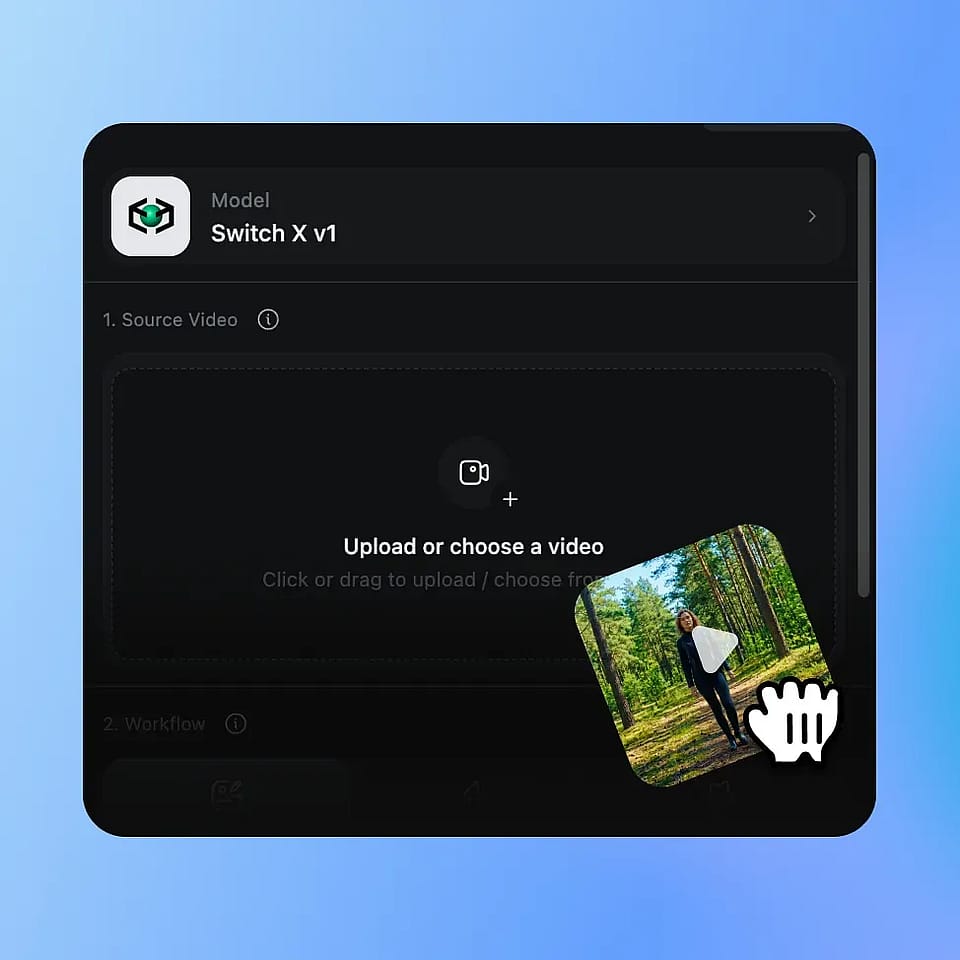
Upload Your Video
Upload any MP4 or MOV clip. AI Video Inpainting works on any footage where you want to transform the shot while protecting a specific region.
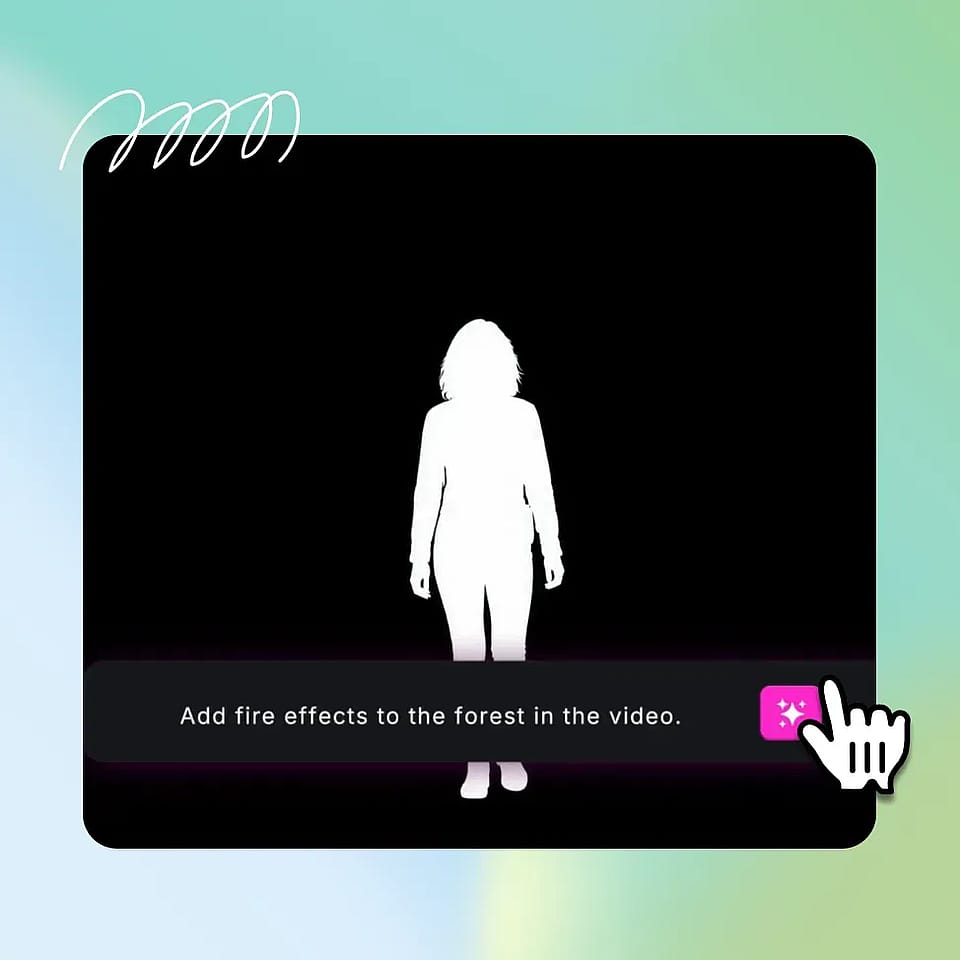
Paint the Mask, Write the Prompt
Use the brush to paint a mask on the first frame, covering exactly the region you want to keep. Write a prompt describing what should appear in the rest of the frame, and optionally upload a reference image.
Generate and Compare
The AI system generates the change across every frame, tracking your masked region automatically. Preview the result, refine the mask or prompt if needed, and download the final clip as MP4.
Built for Precision Video Work
From indie filmmakers to brand teams, here is how creators are using AI Video Inpainting.
For indie filmmakers and directors
The mode you reach for when the performance is right but the world around it isn't. Protect the actor and transform the environment. Lock the hero prop and restyle the scene. Reshoots and compositor passes become a brush and a prompt.
Try it NowFor advanced content creators
YouTubers running tutorials, reviews, and long-form formats can use AI Video Inpainting for scene restyles while keeping the host on-camera untouched. Change the backdrop for a new sponsor segment. Restyle the room without reshooting. Repeatable and clean.
Try it NowFor VFX-curious creators
Creators who follow VFX content and want to make their own can use AI Video Inpainting as a real entry point into work that used to take years of compositing. The brush is simple. The output is genuine, shareable video effects.
Try it NowFor brand and product video teams
Agencies and product teams can protect the hero product or talent and transform the surrounding scene. Reuse one filmed asset across markets by restyling the environment. One shoot becomes many campaign cuts, each with the protected element intact.
Try it Now