AI Shorts Generator
Got a YT Shorts idea? Just type it in and AI shorts generator makes the whole video for you. Make character vlogs, explainer clips, or simple musical dances, with native audio and captions.
Key Benefits of the AI Shorts Maker



A Template for Every Niche
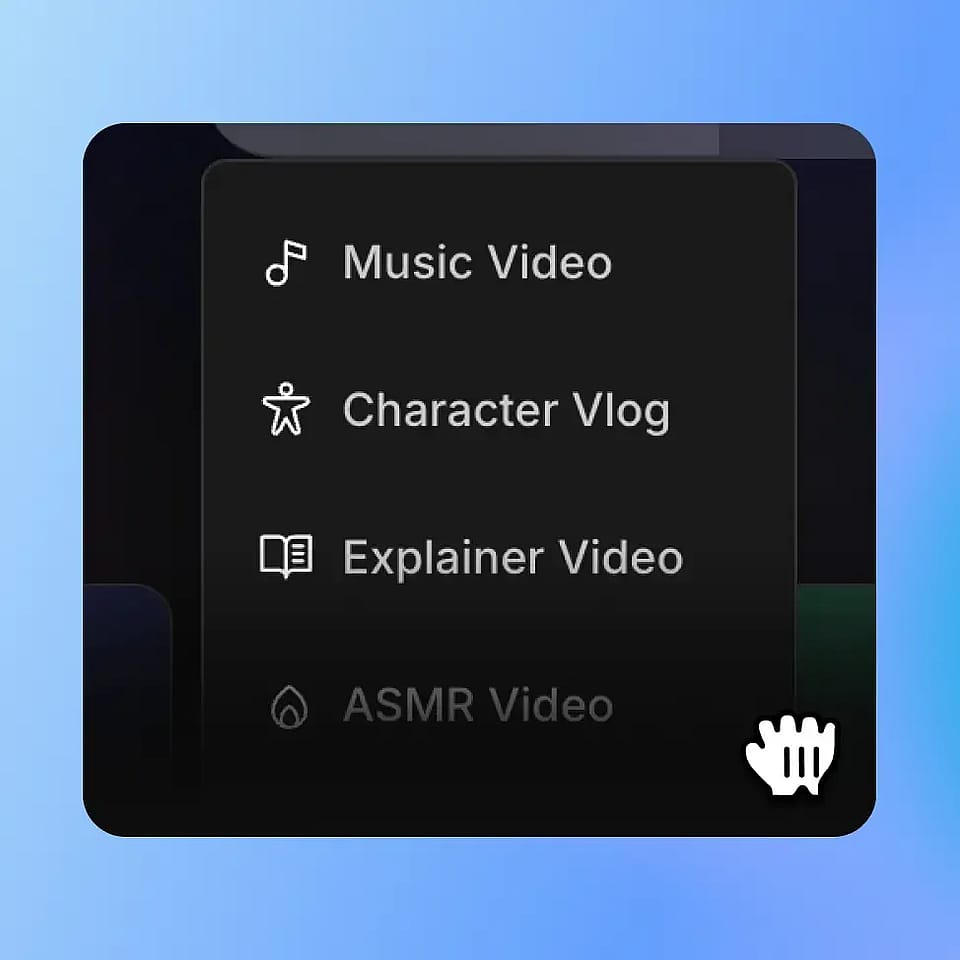
Music Video, Explainer, Character Vlog, and ASMR templates cover most of what works on Shorts. Pick one and the format is already done for you.



Same Channel, Same Look
Lock in a recurring host, mascot, or style once with OpenArt Characters and every future Short will match. Your channel actually starts looking like a channel.
Locked-In Characters
Save and add characters from your OpenArt library when you use the Character Vlog template for Shorts that are visually consistent.
Community Creations
See how YouTubers, faceless channel operators, educators, and indie creators are making Shorts with OpenArt.
Key Features of AI Shorts Generator
OpenArt's AI Shorts Generator runs on the best video models, including Seedance 2.0, Veo 3.1, Sora 2, Kling Omni, and Wan 2.7. Make Youtube Shorts that people actually watch.
Templates Built for Shorts
OpenArt Story mode comes with Music Video, Explainer, Character Vlog, and ASMR templates. Each one is already paced for the vertical feed, with a hook in the first three seconds, a beat-matched middle, and a clear payoff. You bring the idea, OpenArt handles the structure.
Storyboard Before You Generate
Smart Shot feature sketches out your Short as a storyboard first. You see every scene as a frame, swap any shot you don't like, and only then commit to generating the full video. You stop burning credits on takes you didn't want.
Consistent Characters & Style
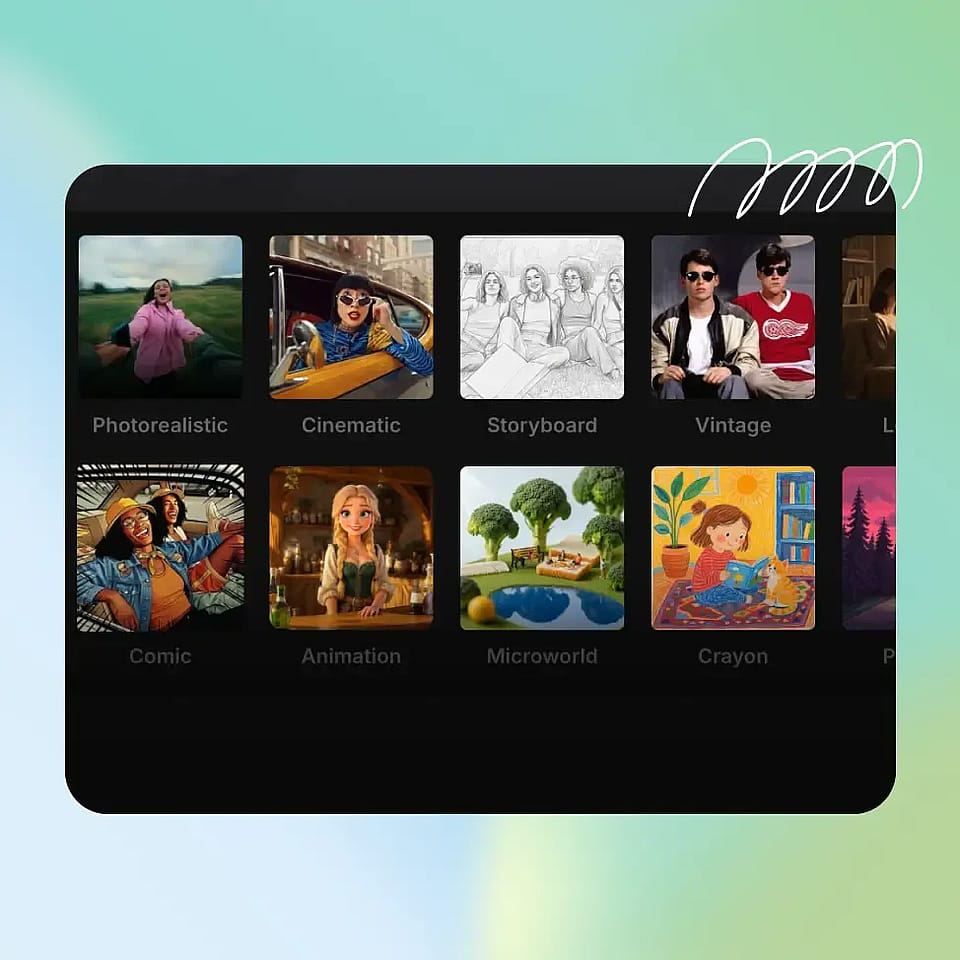
Restyle Video feature gives you presets like Ghibli, Japanese Anime, Rick and Morty, claymation, and Retro Pixel Art that you can apply to any clip in one click. Lock a single style across your whole channel so your Shorts look like a series, not random uploads. Great for story channels, ASMR, and lore-driven niches.
Faces That Talk Back
Use Lip-Sync to make a character actually speak your script, with mouths matched to the audio frame by frame. Pair it with a voice clone and you can run a daily talking-head Short without ever being on camera. Native music and burned-in captions are right there in the same platform.
How to Use the AI Shorts Generator
Three steps from idea to upload.
Pick OpenArt Story Mode
Choose OpenArt Story and pick a template: Music Video, Explainer, Vlog, or ASMR. Add your saved character if you want a recurring host or mascot.
Set the Look
Choose a style like photoreal, anime, claymation, or pixel art, and turn on voice-over, music, and captions for a fully finished Short.
Generate and Share
Hit generate, scroll through the variants, tweak anything off, then export 9:16 and upload straight to YouTube Shorts.
AI Shorts Creator Works for Every Kind of Channel
Whatever your niche, there's a flow here that fits.
Faceless Story Channels
Run a horror, history, true crime, or mystery Shorts channel without filming anything. Write the story, pick a moody style, narrate with an ElevenLabs voice, and let OpenArt generate the visuals beat by beat. Lock the style so every episode feels like the same world.
Try it NowEducators and Course Creators
Turn a lesson, a key concept, or a single chapter into a Short that pulls viewers back to the full course. Use the Explainer template, animate diagrams or examples, and burn in captions so the Short teaches with sound off. Great for tutors, coaches, and edu YouTubers.
Try it NowMusic Creators and Indie Artists
Drop in a track or a clip and use the Music Video template to generate a visualizer Short for the feed. Sync the visuals to the beat, pick a style that matches the song, and run a different look for every track without hiring a video team.
Try it NowBrand and Niche Pages
Run a daily Shorts feed for a niche brand, fan account, or community page without a content team. Build a backlog of templated Shorts in one session, lock the style and recurring character, and stay posted every day even when life gets busy.
Try it NowFrequently Asked Questions
Get Insights from Experts Blog
Get the insights you need. Our experts share actionable hacks, break down the hottest topics, and provide essential how-to guides to help you create, optimize, and scale.
Read More