

 ChatGPT
 Perplexity
 Claude
 Gemini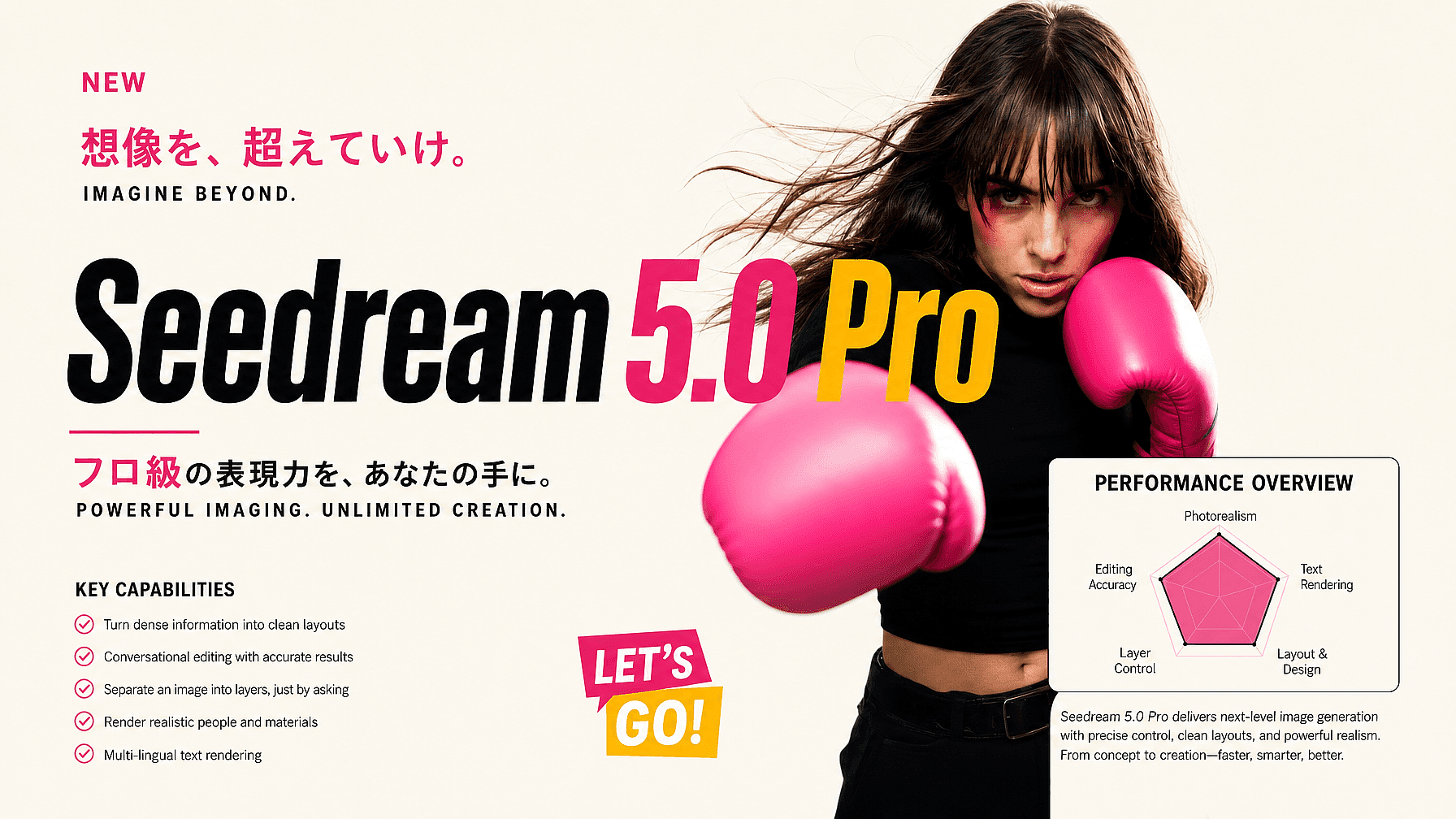
ByteDance launched Seedream 5.0 Pro on July 8, 2026, the professional tier of its Seedream image line and a step up from Seedream 5.0 Lite, which arrived earlier in the year.
The highlight here is different from most image models. ByteDance frames Seedream 5.0 Pro as a model that understands in-depth design, not just one that makes generic attractive pictures.
In this guide, we’d dive into what this model exactly offers, what you can do with it, and how it sits in the rest of the Seedream AI models lineup.
Key takeaways
- Seedream 5.0 Pro is ByteDance's pro-tier image generation and editing model, above Seedream 5.0 Lite.
- It is built around five strengths: dense infographics, precise conversational editing, layered images, realistic outputs, and multilingual text.
- Layer separation can split one image into 10+ editable layers, close to working in a design file, all through just chatting.
- It generates at up to 2K resolution, with upscaling toward 4K for print and high-end digital work.
- You can use it on OpenArt alongside GPT Image 2, Nano Banana Pro, and Recraft V4.
What is Seedream 5.0 Pro?
Seedream 5.0 Pro is ByteDance's professional-grade image model that both generates images from text and edits existing ones. It is the top tier of the Seedream 5.0 line, above the faster, cheaper 5.0 Lite.
Compared with earlier versions, it improves across the board on image-text alignment, structure, text rendering, and overall aesthetics. The bigger change is how well it understands design and the language designers use to talk about it.
Everything happens through conversation. There are no brushes, lasso tools, or selection handles. You don’t need them. Just describe what you want in plain language, and the model reads the layout and intent well enough to act on it, from dense infographics to precise edits and text in more than one language. It is the next big step in conversational editing.
Key Features of Seedream 5.0 Pro AI Image Model
ByteDance built Seedream 5.0 Pro around five core capabilities. What ties them together is that you reach all of them by describing what you want through natural chat.
Turn dense information into clean layouts
It can pack a timeline, charts, labels, and imagery into a single infographic or poster while keeping the hierarchy readable. Data charts, flowcharts, UI mockups, and slide visuals all come out in one shot.
Conversational editing with accurate results
It understands where things sit in the frame, so you can name an element in words and change only that. Say something like "make the bottle on the left blue" or "remove the sign in the background," and it edits that part while the rest stays put.
Separate an image into layers, just by asking
Tell it to split a result into the text, the subject, the background, and the decorations, and it returns them as independent layers. Hidden areas behind the subject are filled back in, so you can then describe an edit for each layer on its own.
Render realistic people and materials
It reproduces real lighting, reflections, skin texture, and even motion blur, so portraits and product shots look realistically photographic rather than AI generated.
Multi-lingual text rendering
It also generates native text in over ten languages, including French, German, Russian, Japanese, Korean, Spanish, and Arabic, with correct letterforms and right-to-left scripts. However, like any model it is not perfect, so give outputs a quick check before publishing.
Where it sits in the Seedream lineup
ByteDance offers Seedream in tiers for different needs. Seedream 5.0 Lite is the fast, affordable option for high-volume everyday creation.
Seedream 5.0 Pro is the professional tier, tuned for design work where layout, precise edits, and text accuracy matter most. If you are coming from Seedream 4.5, the jump is mainly in how well it reads a scene: you can describe a region edit, ask it to separate layers, or build denser multi-element layouts, all in plain language.
For most quick jobs, Lite is more than enough. Reach for Pro when you need hyper-detailed and text-accurate image generations.
The easiest way to try Seedream 5.0 Pro: OpenArt
You do not need any technical setup. The simplest way to try Seedream 5.0 Pro is on OpenArt’s AI image generator, ready to use right in your browser.
The advantage is that OpenArt is not tied to one model. Alongside Seedream 5.0 Pro, you can switch between Seedream 5.0 Lite, Seedream 4.5, GPT Image 2, Nano Banana Pro, Recraft V4, and more under a single subscription and a unified generation library.
Generate a dense layout in Seedream 5.0 Pro, jump to another model when a project needs a different strength, and compare results within your OpenArt library without juggling apps. You can also use OpenArt’s AI character generator to lock in a face or specific identity that then stays consistent through all your image and video generations.
The bottom line
Seedream 5.0 Pro is built for design-grade work: dense infographics, region-precise edits, editable layers, realistic imagery, and multilingual text. Try it on OpenArt alongside GPT Image 2, Nano Banana Pro, and Recraft V4, and use the right model for whatever you are making.
Frequently asked questions
When did Seedream 5.0 Pro launch?
ByteDance released it on July 8, 2026, as the pro tier of the Seedream 5.0 line.
What resolution does Seedream 5.0 Pro output?
It generates at up to 2K resolution, stretching toward 3K on the long edge, with upscaling available toward 4K for larger formats.
Seedream 5.0 Pro vs Seedream 5.0 Lite?
Lite is the fast, low-cost tier for everyday volume. Pro is the design-grade tier for infographics, precise editing, layer separation, and multilingual text.
What is layer separation in Seedream 5.0 Pro?
You can ask it in plain language to split an image into independent layers, such as text, subject, and background, then describe an edit for each one on its own. There are no manual selection tools; the model does it from your description.
How many languages can it render?
ByteDance says it supports native text in over ten common languages, including English, Chinese, French, German, Russian, Japanese, Korean, Spanish, and Arabic.