

 ChatGPT
 Perplexity
 Claude
 Gemini
AI-generated imagery has rapidly become one of the most widely used creative tools today, with more than 34 million AI images being generated every single day. People are using AI to produce high-quality visuals at a scale that simply wasn’t possible before.
What makes this shift so powerful is accessibility. Instead of relying on expensive tools, large teams, or time-intensive workflows, creators can now generate polished images in seconds.
But as this technology becomes more integrated into real-world workflows, a new challenge is starting to emerge.
AI models are trained on vast datasets made up of real-world images: artworks, photographs, brand assets, and human likenesses. While the outputs are typically original, they can sometimes resemble existing content in subtle ways.
This creates the risk of unintentional infringement, where an image you generate may echo protected material without you realizing it. In some cases, this can even extend to faces, where a generated portrait resembles a real person.
Why Does it Matter? And What Are the Legal Risks?
At first glance, these risks might feel theoretical. After all, you didn’t intentionally copy anything. But in practice, they can lead to real consequences, especially when images are used publicly or commercially.
One recent example that brought this issue into the spotlight involved OpenAI, where a voice feature in ChatGPT was widely perceived to sound similar to the actress Scarlett Johansson. It raised important questions about likeness and consent in AI-generated outputs. OpenAI ultimately had to shut down that specific voice after the backlash.
Similar risks exist when AI-generated visuals resemble brand logos or trademarks. Even subtle similarities can imply association or endorsement, which companies take seriously. Using such visuals in marketing or commercial content can lead to disputes, takedowns, or reputational damage.
Ultimately, these situations fall under the broader category of intellectual property (IP) infringement, and they’re becoming increasingly relevant as AI-generated content becomes more widely used.
Understanding the Different Types of IP
To navigate these risks effectively, it’s important to understand that IP is not a single concept. It’s an umbrella term that covers multiple types of protections:
- Copyright: Protects original creative works such as artwork, illustrations, and compositions
- Trademarks: Protect brand identifiers like logos, names, and symbols
- Personality Rights: Protect an individual’s likeness, identity, and public image
AI-generated images can potentially intersect with all three. A single output might resemble a copyrighted artwork, include elements similar to a brand logo, or look like a real person.
What makes this particularly challenging is that these overlaps are often not immediately visible. You might not recognize the similarity, or you may think the resemblance is not that serious, especially if it’s subtle or outside your domain of knowledge.
This is what makes unintentional infringement such a real concern: It’s not about copying; it’s about resemblance you can’t easily detect.
Introducing AI IP Check, Powered by CopySight
To address this growing challenge, OpenArt has introduced AI IP Check, powered by CopySight — a tool designed to help creators and teams assess potential IP risks in their images before using them.
At its core, AI IP Check is a probability-based analysis tool. It doesn’t provide legal guarantees, but it gives you a clearer picture of potential similarities and risks so you can act accordingly.
Instead of relying on guesswork, you get structured insights that help you decide whether an image is ready to use, needs refinement, or should be reconsidered entirely.
How AI IP Check Helps
Detect and Score Infringement Risks
IP Check scans your image and compares it against known datasets of protected content, including brands, designs, and faces. It then provides a clear risk label: Safe, Warning, or Unsafe, and tells you where the match is coming from.
This allows you to quickly understand whether an image is likely safe to use or whether it needs further review. Instead of manually analyzing every detail, you get a clear signal to guide your decision.
Deliver Campaigns Faster and Optimize Costs
By catching potential issues early, teams can avoid costly revisions, delays, or rework later in the process. Instead of discovering problems after content has already been published or delivered, you can validate it upfront.
This helps streamline production workflows while ensuring that your visuals remain compliant and ready for use.
Protect Your Exclusivity
For brands and creators, originality is critical. AI IP Check helps ensure that your visuals don’t unintentionally overlap with existing IP, allowing you to maintain a distinct and recognizable identity.
This is especially valuable when producing content at scale, where consistency and uniqueness both matter.
Prove Human Authorship
As AI-generated content becomes more common, demonstrating responsible usage is becoming increasingly important. AI IP Check provides an additional layer of validation by showing that your content has been reviewed for potential conflicts.
This can support internal processes, client trust, and overall credibility.
Maintain Chain-of-Title
For organizations working with AI at scale, maintaining a clear chain-of-title, proof of ownership and rights, is essential. AI IP Check helps support this by documenting analysis and validation before content is used commercially.
This makes it easier to integrate AI-generated visuals into broader business and content strategies.
How It Works
Using AI IP Check is simple and designed to fit seamlessly into your creative process.
Generate and Select Your Image
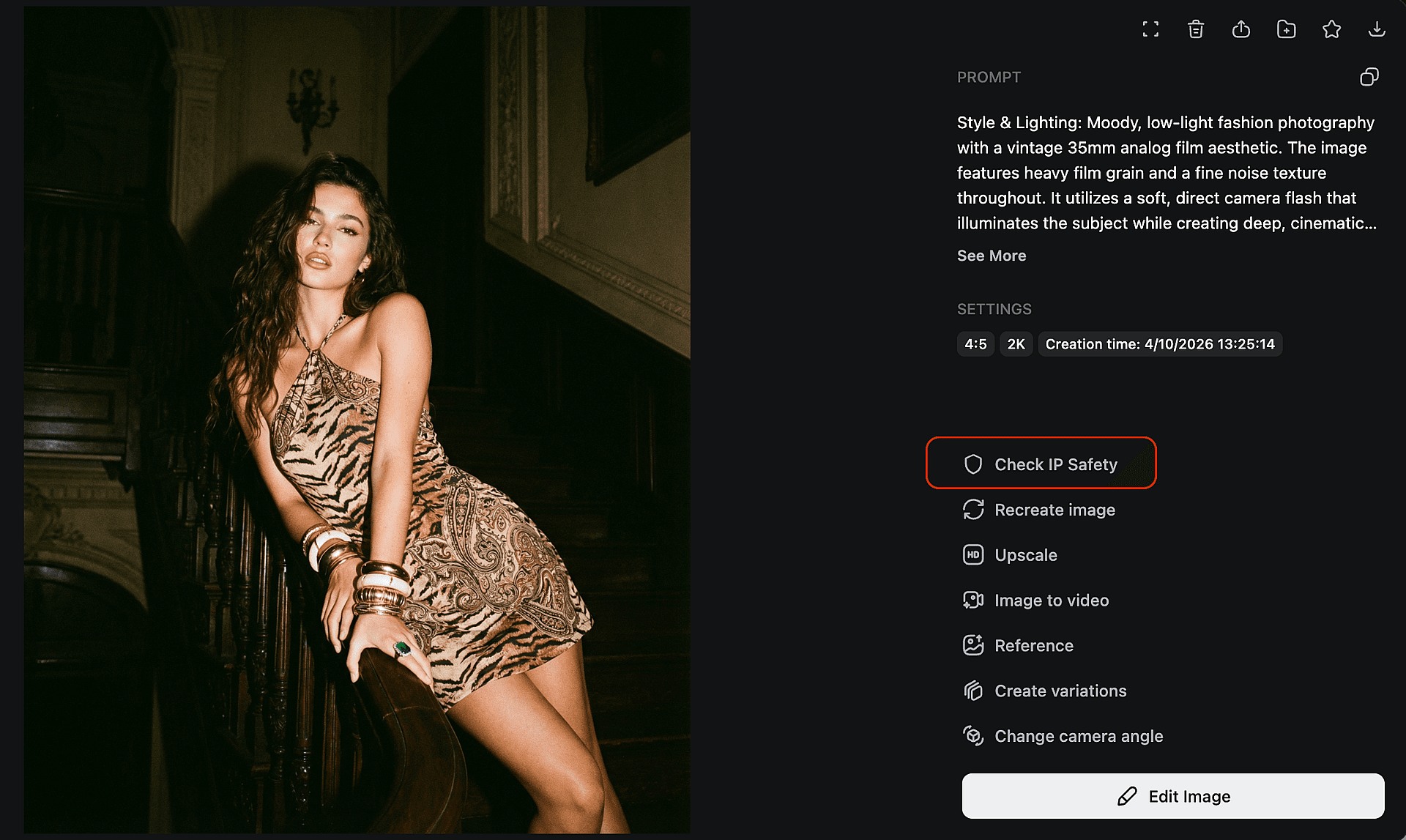
Start by selecting the image you want to analyze within OpenArt. This can be done directly from your workspace, whether you’re reviewing a single image or multiple outputs.
Run the IP Check
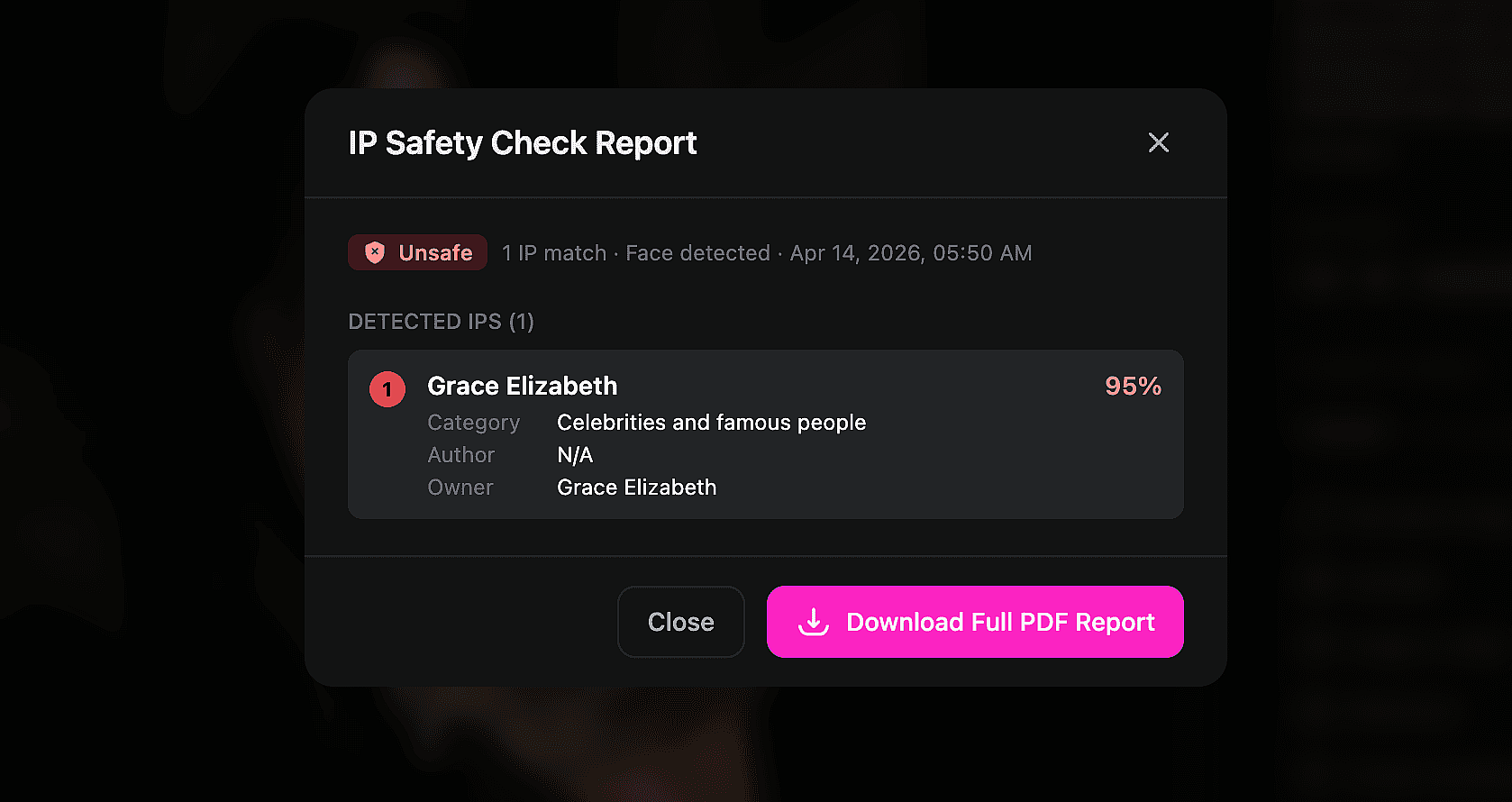
Next, run the IP Check. Within seconds, the system scans the image for similarities across brands, assets, and faces, and assigns a clear risk label — Safe, Warning, or Unsafe — and tells the probable source of the match.
Review the Report
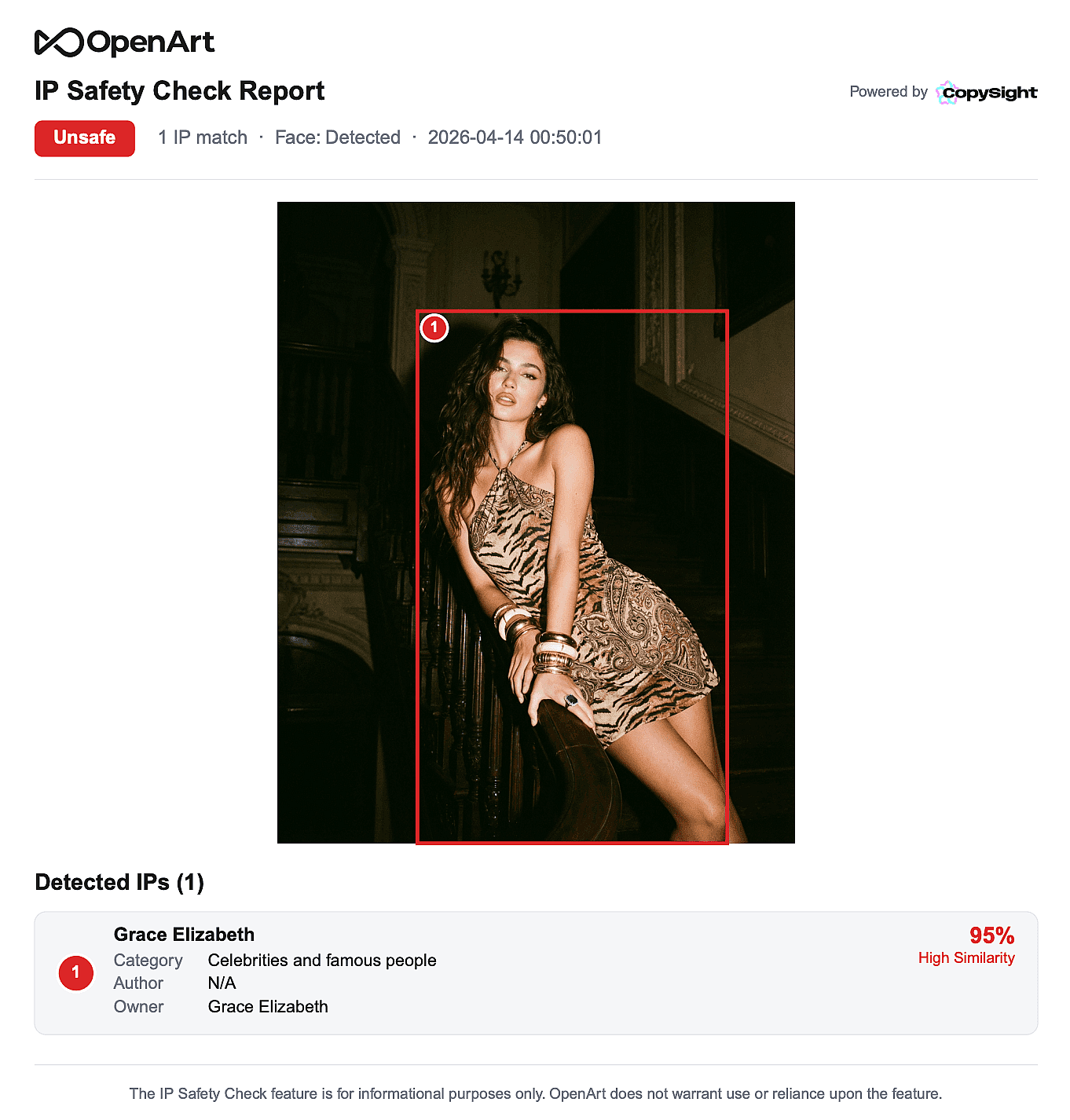
Finally, review the results and download a detailed PDF report. This report includes similarity percentages, visual flagging, and deeper insights into what elements were flagged and why.
With this level of detail, you can better understand potential risks and decide whether to proceed, refine, or regenerate your image.
Create with Confidence, Not Guesswork
AI has made it easier than ever to create high-quality visuals. But as these tools become part of real-world workflows, the need for awareness and responsibility is growing.
By understanding how AI-generated images can intersect with intellectual property and using tools like OpenArt's IP checker to scan your work, you can avoid unnecessary risks while continuing to create freely.