

Recraft V4 — AI Image and Vector Model
Recraft V4 is your go-to AI model for generating editable vector files instead of just plain old images. Built for iconography and typography, Recraft V4 lets you generate high-quality visuals that you can export as SVG files in no time!
Community Creations
Explore what designers and creators are building with Recraft V4 and how they’re using its capabilities.
Key Features of Recraft V4 on OpenArt
Get vector and image generations up to 2K resolution and any aspect ratio with Recraft V4 Pro on OpenArt.
Production-Ready Visuals and Typography
Recraft V4 is built to deliver the best text rendering and stylized typography, in multiple languages and fonts. It delivers visuals, whether artistic images or precisely guided brand imagery, that can be used “out of the box”. No manual retouching or fixing required. This AI model has some of the best output accuracy for making posters, brochures, brand logos with text, product photos and much more, so no matter what creative role you’re in, Recraft V4 has you covered. What’s even better is that Recraft V4 has a very high pixel density in its outputs, so image generations are print-ready!
Try it NowHighly Precise Prompt Control and Adherence
As this AI model is designed to produce the most accurate icons and branded visuals, Recraft V4 adheres to prompts exceptionally well and ensures that each word from your prompt is carried over into your final output. Whether you give it a simple one-liner prompt or a complex multi-paragraph prompt, Recraft V4 will understand what you want and deliver amazingly accurate outputs. For example, if you need content to follow the editorial guidelines of a style magazine, you can structure your prompt accordingly, and it will adapt its output to closely match that tone, format, and standard.
Try it NowEditable Vector Generation for Your Diverse Workflows
Move beyond rasters, and generate vector images in SVG format directly from Recraft V4. This is a unique capability of this model, as most image generators do not support SVG outputs. If you want to redo a raster image in SVG format, you can simply describe the image to Recraft V4, and thanks to its exceptional prompt adherence, it will redo the image for you to export as an SVG file.
Try it NowUX Design, Branding, Mockups, and Concept Art
Create complete visual concepts for brands, products, and apps in minutes, in whatever aspect ratio you desire. Recraft V4 is optimized for generating logos, website layouts, app interfaces, and marketing mockups with a very high degree of polish and coherence. Use those designs online or print them for physical use, the image quality would always be perfect for both. This enables designers and marketers to move quickly from idea to visual prototype.
Try it NowHow to Use Recraft V4 AI Image Generator
Start creating production-ready visuals & vectors in just a few steps.
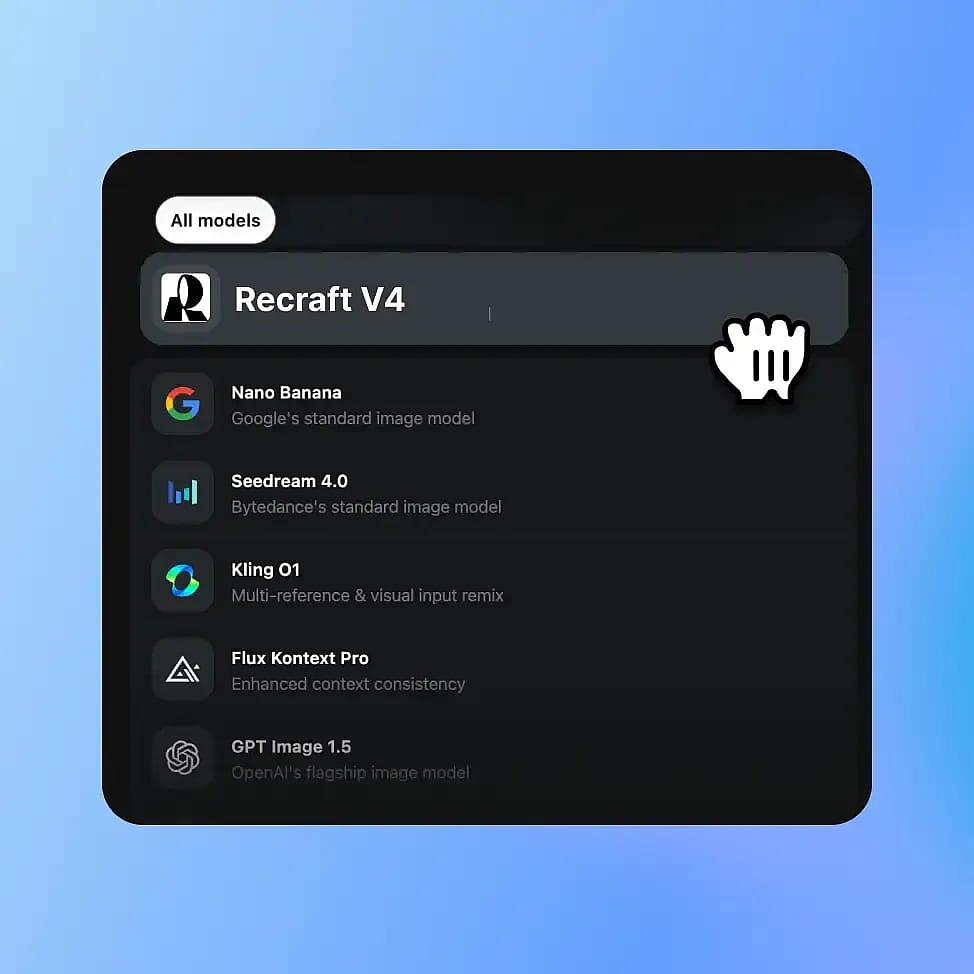
Choose Recraft V4 AI Model
Go to OpenArt’s Image tools and select Recraft V4 from the available models. The system will automatically use Recraft V4 or V4 Pro depending on whether you choose “fast” or “quality” output.
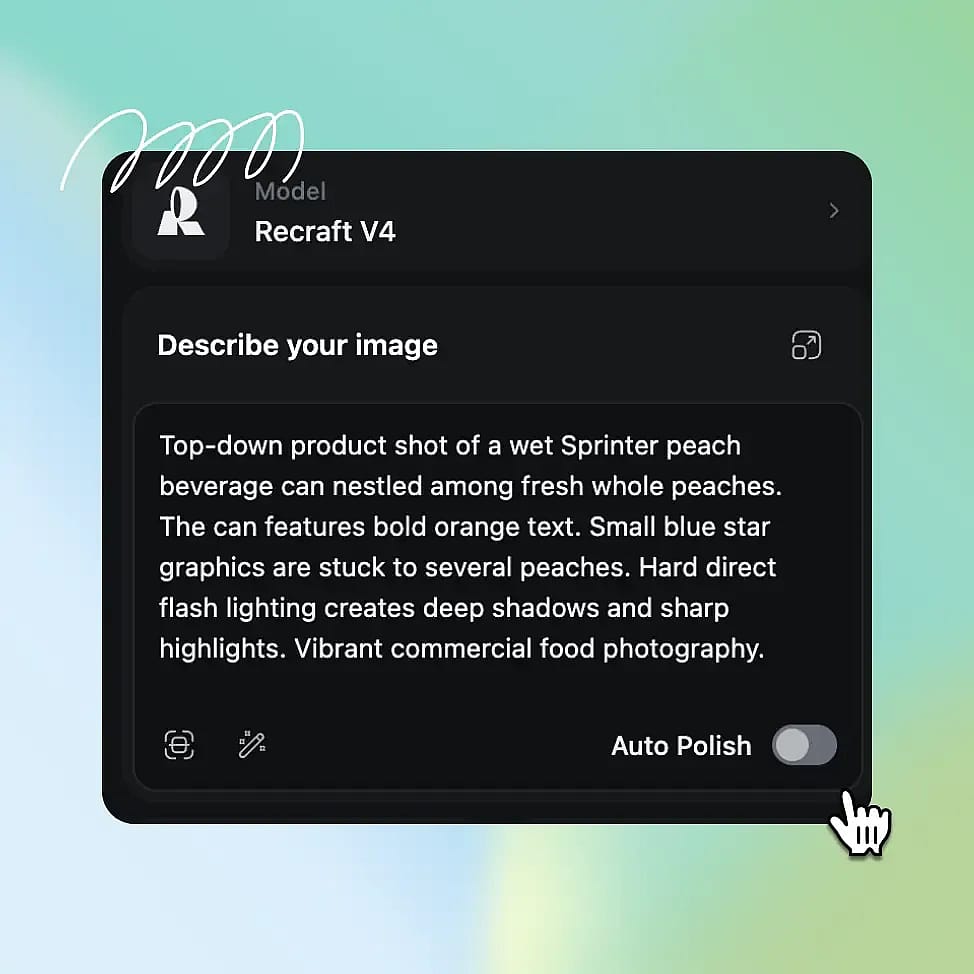
Enter Your Prompt
Write a prompt that clearly defines your creative direction, including style, text, and branding elements. Then select your preferred aspect ratio and output quality. Fast mode generates 1K images, while Quality mode produces 2K results.
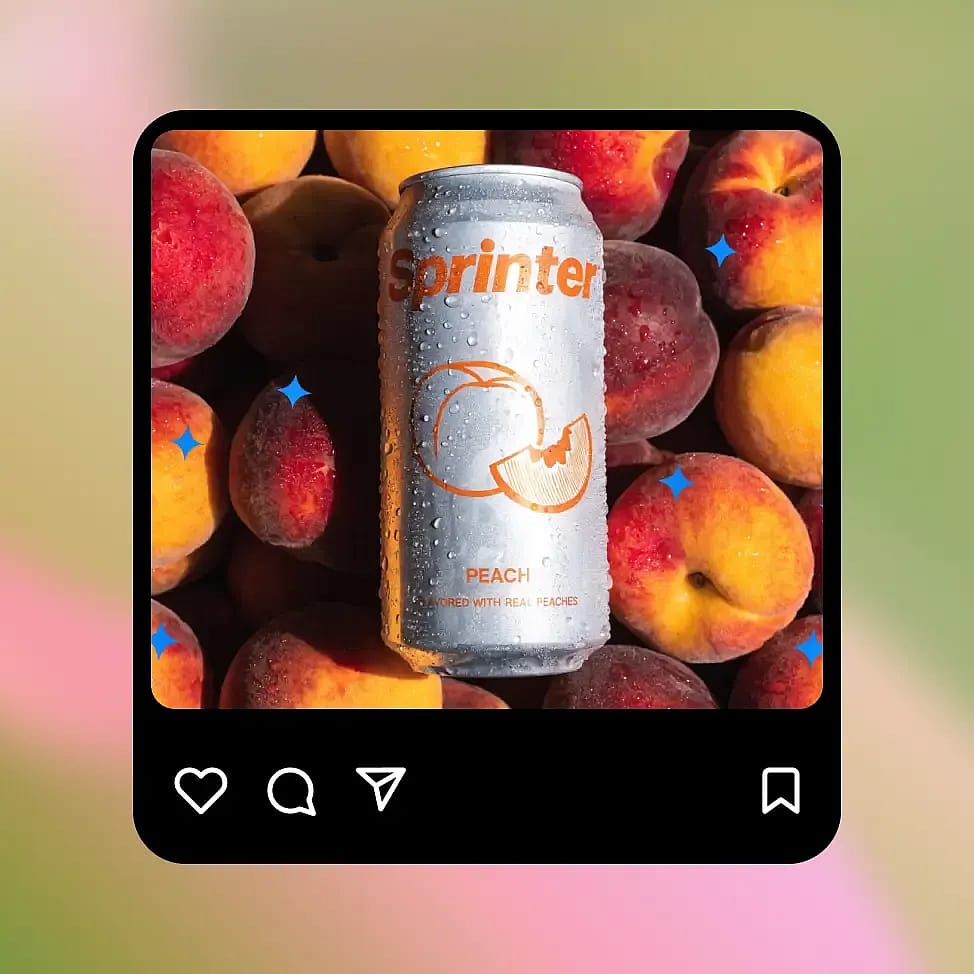
Generate and Iterate
Choose your desired output format, either image or SVG, and generate your design. Refine your prompt or explore variations until you achieve the result that best matches your vision.
Built for the Best Typography and Vector Image Generation
Recraft V4 is designed for both professionals and amateurs who want to generate visuals and typography with extreme clarity and detail.
Designers Creating Text-Heavy Visuals
Need a book cover or a menu’s front page? No sweat! Just prompt your exact design details and the text you want, and Recraft V4 will generate the perfect image for you. It supports a variety of font styles and languages, so just name it, and it will deliver. And even if it misses the mark, just adjust your prompt and iterate infinitely within minutes.
Try it NowMarketers Producing Campaign Creatives
Content marketing and advertising just got easier with Recraft V4’s editorial-forward results. Create either raster images to use as artwork or vector files for precise illustrations and branded iconography. Whether you’re creating ad creatives, landing page visuals, or social media assets, Recraft V4 delivers outputs that look super refined.
Try it NowCreative Teams and Art Direction
Recraft V4 and V4 Pro aren’t strong only for text-heavy visuals, they are also incredibly solid performers when it comes to generating artwork or creative designs using specific art styles and concepts. This AI model can handle any kind of art direction you give it; just mention it in your prompt and it readily understands and applies that style or concept to your image generations.
Try it NowContent and Motion Creators
Generate clean, high-quality visual assets for use in video, animation, and digital content. From vector illustrations to branded raster images, Recraft V4 provides everything from simple text prompts that integrate smoothly into your production workflows. This helps creators like you maintain visual consistency while speeding up asset creation.
Try it NowTips for Best Results with Recraft V4
Be Specific with Creative Direction
Include clear details in your prompt such as layout, typography, color palette, composition, and style references. The more specific your instruction, the better Recraft V4 can translate your idea into a polished, design-ready visual.

Think in Design Systems, Not Just Images
Instead of prompting for a single asset, describe a broader system like a “logo with matching icon set” or “landing page hero with consistent branding.” This helps create more cohesive and usable outputs for real-world projects.
Leverage Vector-Friendly Prompts
When creating logos or illustrations, mention vector styles, flat design, clean lines, or SVG-friendly outputs. This improves scalability and ensures your assets are suitable for professional design workflows.
Iterate with Small Adjustments
Rather than rewriting prompts entirely, make small, controlled changes to refine results. Adjusting one element at a time, like color, layout, or style, helps you converge on the ideal output more efficiently.
Be Specific with Creative Direction
Include clear details in your prompt such as layout, typography, color palette, composition, and style references. The more specific your instruction, the better Recraft V4 can translate your idea into a polished, design-ready visual.
Think in Design Systems, Not Just Images
Instead of prompting for a single asset, describe a broader system like a “logo with matching icon set” or “landing page hero with consistent branding.” This helps create more cohesive and usable outputs for real-world projects.
Leverage Vector-Friendly Prompts
When creating logos or illustrations, mention vector styles, flat design, clean lines, or SVG-friendly outputs. This improves scalability and ensures your assets are suitable for professional design workflows.
Iterate with Small Adjustments
Rather than rewriting prompts entirely, make small, controlled changes to refine results. Adjusting one element at a time, like color, layout, or style, helps you converge on the ideal output more efficiently.
Loved by Creators
I've tried many AI platforms... but OpenArt is still the best for character creation, image-to-video quality, and the variety of models available.
OpenArt offers an excellent array of AI tools... once you learn the features, the creative possibilities are amazing - and their support team is outstanding.
OpenArt is a very versatile AI platform with many image and video models, consistent character creation, and powerful editing tools.
Helpful AI tools all in one place - image and video generation, editing, and more... no need for multiple subscriptions.
Customer service is always quick and helpful... and the platform keeps getting better with new features and tools.
I've tried many AI platforms... but OpenArt is still the best for character creation, image-to-video quality, and the variety of models available.
OpenArt offers an excellent array of AI tools... once you learn the features, the creative possibilities are amazing - and their support team is outstanding.
OpenArt is a very versatile AI platform with many image and video models, consistent character creation, and powerful editing tools.
Helpful AI tools all in one place - image and video generation, editing, and more... no need for multiple subscriptions.
Customer service is always quick and helpful... and the platform keeps getting better with new features and tools.
I've tried many AI platforms... but OpenArt is still the best for character creation, image-to-video quality, and the variety of models available.
OpenArt offers an excellent array of AI tools... once you learn the features, the creative possibilities are amazing - and their support team is outstanding.
OpenArt is a very versatile AI platform with many image and video models, consistent character creation, and powerful editing tools.
Helpful AI tools all in one place - image and video generation, editing, and more... no need for multiple subscriptions.
Customer service is always quick and helpful... and the platform keeps getting better with new features and tools.
With so many AI platforms out there, OpenArt stood out as a stellar choice - I'd recommend it to any creator.
This platform includes everything you need for AI content creation - images, video, characters, audio, and multiple AI models in one place.
OpenArt is pushing the boundaries of AI video creation... and it's clear the team is committed to improving the creator experience.
I made my first AI music video with OpenArt... and their support team was the best help I've ever experienced.
I'm very happy with the support - my issue was resolved quickly and the team made the process easy.
With so many AI platforms out there, OpenArt stood out as a stellar choice - I'd recommend it to any creator.
This platform includes everything you need for AI content creation - images, video, characters, audio, and multiple AI models in one place.
OpenArt is pushing the boundaries of AI video creation... and it's clear the team is committed to improving the creator experience.
I made my first AI music video with OpenArt... and their support team was the best help I've ever experienced.
I'm very happy with the support - my issue was resolved quickly and the team made the process easy.
With so many AI platforms out there, OpenArt stood out as a stellar choice - I'd recommend it to any creator.
This platform includes everything you need for AI content creation - images, video, characters, audio, and multiple AI models in one place.
OpenArt is pushing the boundaries of AI video creation... and it's clear the team is committed to improving the creator experience.
I made my first AI music video with OpenArt... and their support team was the best help I've ever experienced.
I'm very happy with the support - my issue was resolved quickly and the team made the process easy.